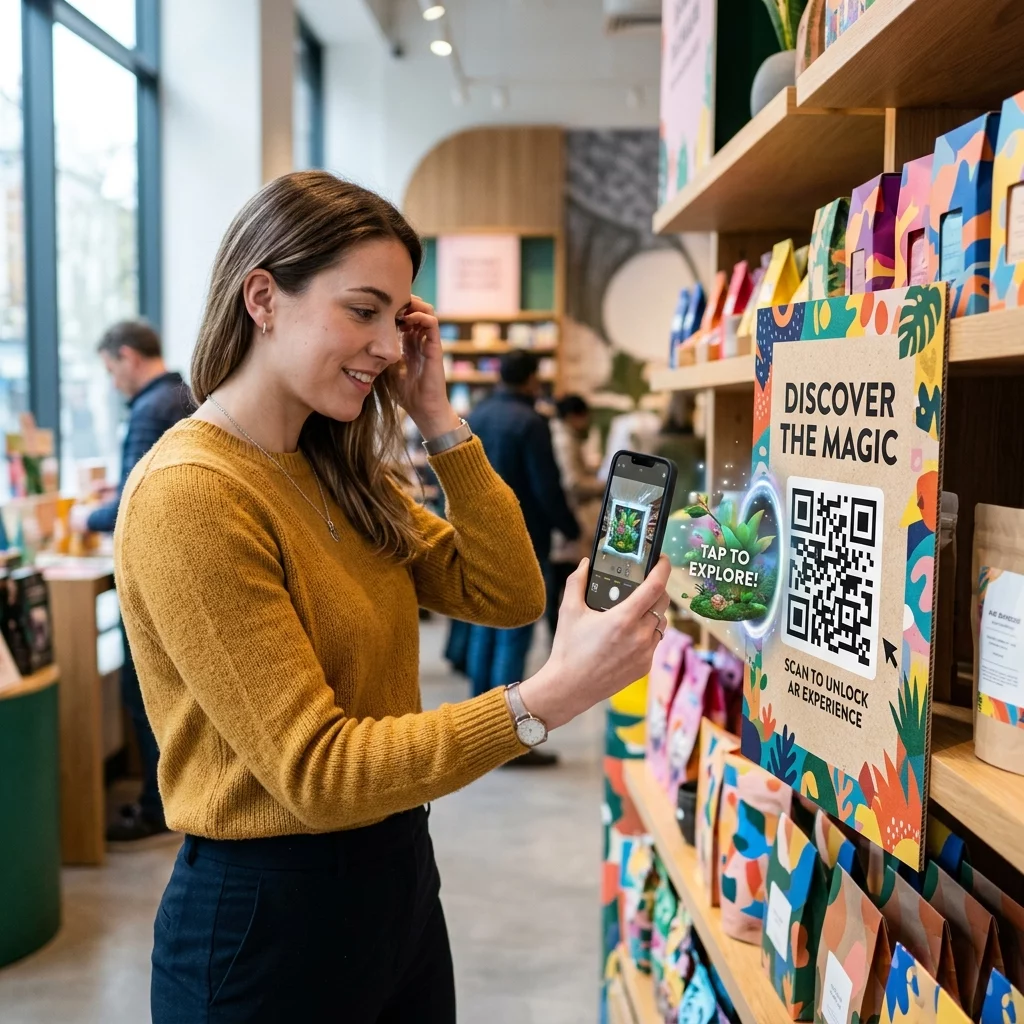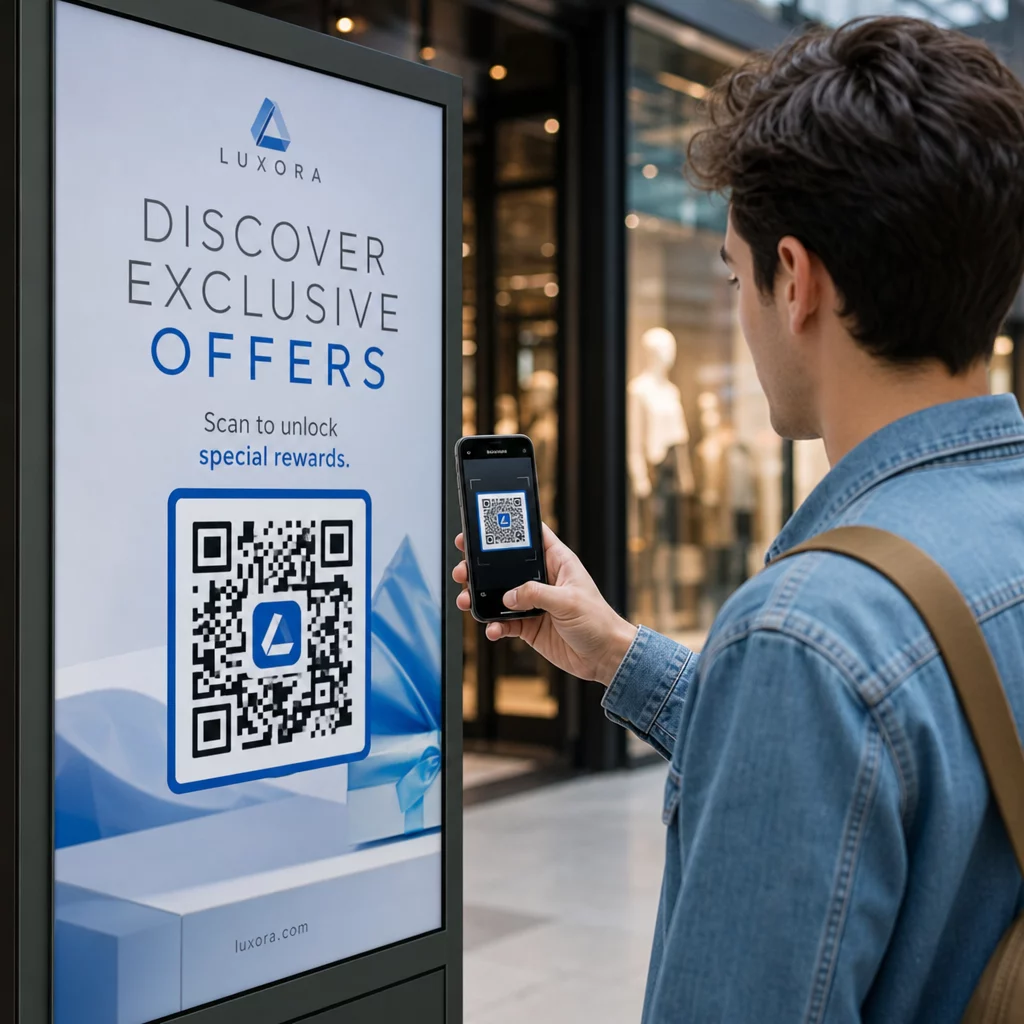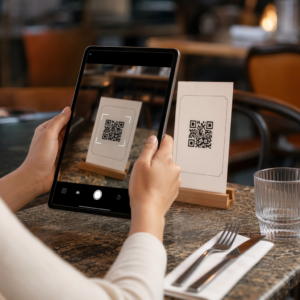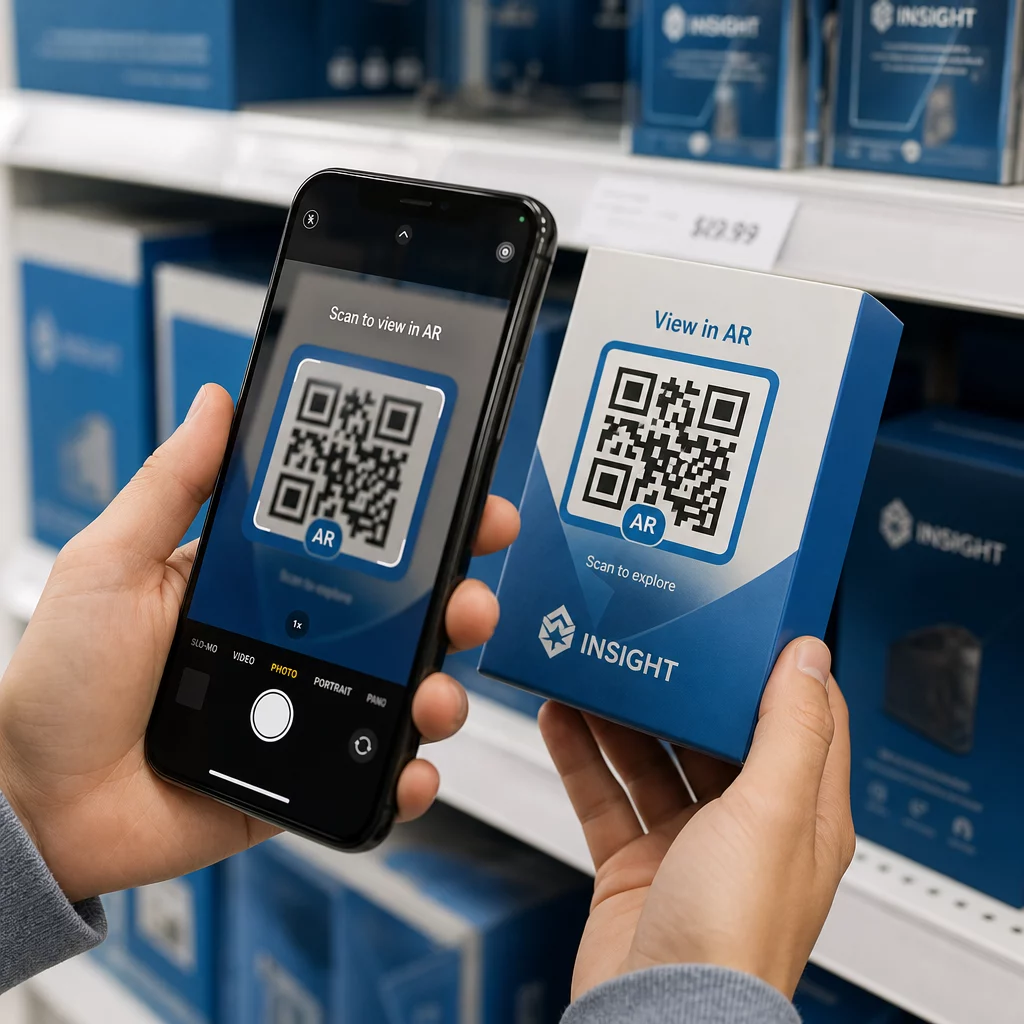
Apakah kode QR AR Anda gagal dipindai – atau lebih buruk lagi, meluncurkan pengalaman yang ditinggalkan pengguna sebelum dimuat? Desain yang buruk dan konten AR yang lambat memuat membuat pengguna frustrasi dan membuang anggaran kampanye Anda. Panduan ini mencakup setiap keputusan yang memengaruhi keandalan pemindaian dan keterlibatan pasca-pemindaian, mulai dari ukuran kode minimum hingga optimasi file AR.
Dasar-dasar Desain yang Memengaruhi Keandalan Pemindaian
Penampilan fisik kode QR AR menentukan apakah kode tersebut dapat dipindai sama sekali. Sebelum mengkhawatirkan pengalaman AR itu sendiri, pilihan-pilihan dasar ini harus tepat.
Persyaratan Ukuran dan Format
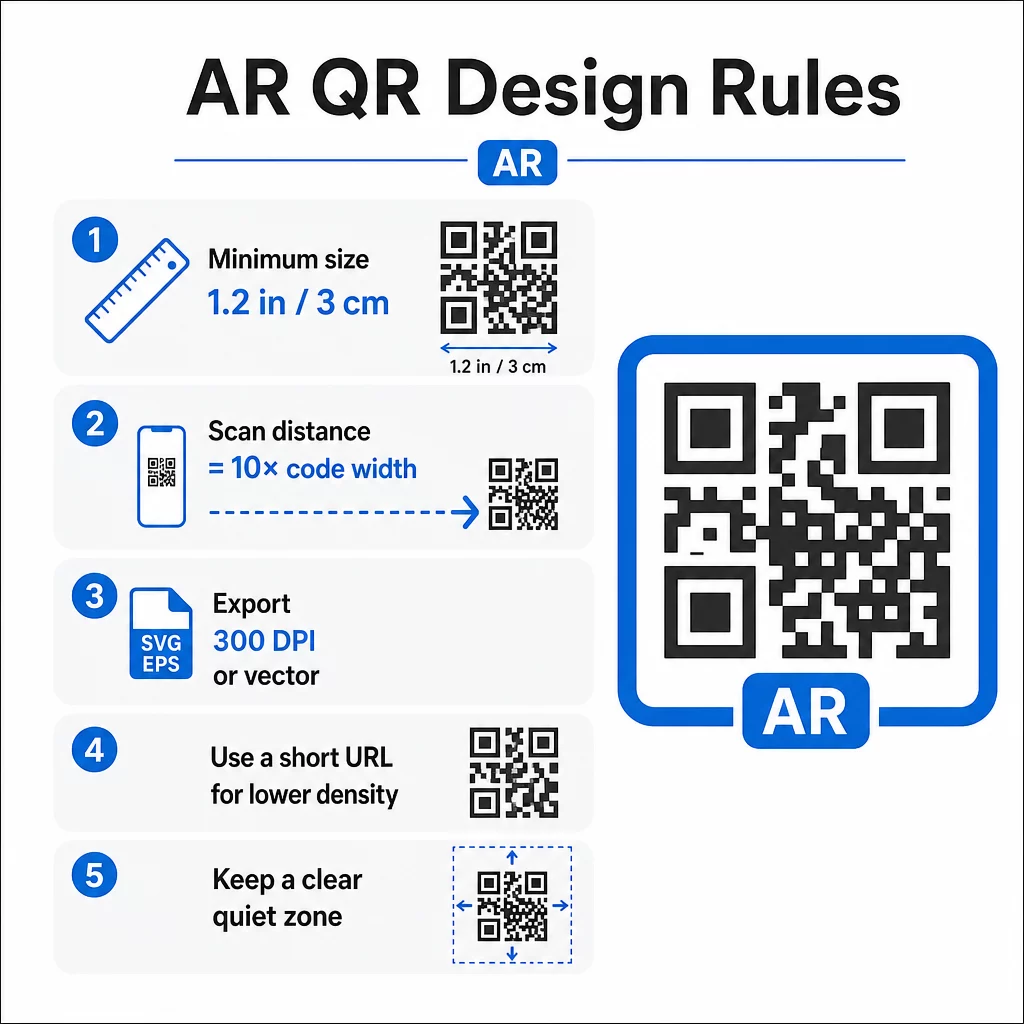
Untuk pemindaian yang andal, cetak kode QR AR Anda dengan ukuran minimum 1,2″×1,2″ (sekitar 3 cm×3 cm). Ini memberikan cukup data bagi sebagian besar kamera ponsel cerdas untuk mendekode pola tanpa pengguna perlu memegang ponsel mereka terlalu dekat. Aturan praktis: jarak pemindaian harus sekitar sepuluh kali lebar kode. Kode 2″ dapat dipindai dari jarak sekitar 20 inci.
Untuk penempatan tertentu:
- Kemasan produk: minimal 0,8″×0,8″
- Poster atau tampilan yang dilihat dari jarak 3–6 kaki: minimal 2″×2″
- Permukaan format besar seperti papan reklame: skalakan secara proporsional untuk jarak pandang yang diharapkan
Selalu pertahankan rasio aspek persegi. Bahkan sedikit peregangan dapat mendistorsi pola modul dan membuat kode tidak dapat dipindai. Jika perangkat lunak desain Anda menerapkan batasan rasio aspek selama ekspor atau pengubahan ukuran, periksa kembali dimensi file akhir sebelum mencetak.
Kualitas cetak sama pentingnya dengan ukuran. Gunakan minimal 300 DPI untuk format raster apa pun, dan ekspor dalam format vektor seperti SVG atau EPS jika memungkinkan. Ini dapat diskalakan tanpa kehilangan kualitas dan merupakan standar untuk produksi cetak profesional. Jika vektor bukan pilihan, PNG resolusi tinggi adalah pilihan terbaik berikutnya.
Pertimbangkan juga URL yang Anda kodekan. URL yang lebih pendek menghasilkan pola QR yang tidak terlalu padat, yang lebih mudah dipindai – terutama pada ukuran yang lebih kecil atau dari jarak yang lebih jauh. Jika platform AR Anda menghasilkan URL tujuan yang panjang, jalankan melalui pembuat kode QR tautan yang mengkodekan pengalihan singkat alih-alih URL lengkap.
Kontras Warna dan Keandalan Pemindaian
Kontras adalah apa yang memungkinkan kamera membedakan modul kode dari latar belakangnya. Kombinasi hitam-putih klasik menawarkan kontras maksimum dan tetap menjadi pilihan paling andal. Jika Anda menggunakan warna merek, targetkan rasio kontras setidaknya 4:1 antara modul latar depan dan latar belakang. Menurunkan rasio di bawah 3:1 secara signifikan meningkatkan kegagalan pemindaian dalam pencahayaan yang bervariasi.
Latar depan gelap pada latar belakang terang berfungsi dengan baik. Biru dongker, hijau tua, atau merah marun pada latar belakang putih atau krem adalah alternatif bermerek yang andal untuk hitam murni. Membalikkan ini – modul terang pada latar belakang gelap – bermasalah. Banyak pemindai QR tidak dikalibrasi untuk desain terbalik, dan permukaan gelap yang mengkilap menimbulkan silau yang semakin menurunkan kinerja.
Hindari kombinasi warna ini sepenuhnya:
- Kuning di atas putih
- Abu-abu muda di atas putih
- Pasangan pastel-dengan-pastel apa pun
- Merah di atas hijau atau biru di atas oranye (ini juga menciptakan hambatan bagi pengguna dengan defisiensi penglihatan warna)
Untuk kode QR AR yang dicetak pada kemasan mengkilap, uji secara ekstensif di bawah berbagai kondisi pencahayaan. Silau dapat membuat kode yang dirancang sempurna tidak dapat dipindai. Lapisan matte atau lapisan UV mengurangi reflektifitas tanpa mengorbankan daya tahan. Jaga agar latar belakang di belakang kode benar-benar seragam – pola, gradien, atau tekstur mengganggu kemampuan pemindai untuk membaca batas modul.
Untuk melihat lebih dalam panduan kontras, lihat praktik terbaik kontras warna kode QR.
Persyaratan Zona Tenang
Zona tenang adalah margin kosong yang mengelilingi kode QR. Pemindai menggunakannya untuk mengidentifikasi di mana kode dimulai dan berakhir – tanpanya, elemen desain di sekitarnya akan masuk ke dalam kode dan menyebabkan kegagalan.
Zona tenang minimum adalah empat modul lebar di semua sisi. Modul adalah unit persegi terkecil dalam pola kode. Jika setiap modul berukuran 0,05 inci, zona tenang harus setidaknya 0,2 inci. Untuk kode AR yang ditempatkan di lingkungan yang ramai secara visual seperti pajangan ritel atau dinding museum, memperluas zona tenang menjadi enam atau delapan modul menambah keandalan yang berarti.
Ingatlah aturan-aturan ini:
- Tidak ada teks, logo, atau elemen desain yang boleh muncul di dalam zona tenang
- Batas dan bingkai harus ditempatkan di luar zona tenang, tidak menyentuh kode
- Jika Anda mengalami masalah pemindaian dalam pengujian, memperluas zona tenang seringkali merupakan perbaikan pertama yang harus dicoba
Cetak versi uji dalam ukuran sebenarnya dan pindai di beberapa perangkat. Jika ada yang gagal, periksa zona tenang sebelum menyesuaikan elemen desain lainnya.
Untuk panduan lebih lanjut tentang membuat kode QR lebih mudah dipindai, termasuk zona tenang dan spesifikasi ukuran, panduan keterbacaan Pageloot membahasnya secara detail praktis.
Menambahkan Branding Tanpa Mengorbankan Fungsi
Kode QR bermerek dapat menerima pemindaian yang jauh lebih banyak daripada kode hitam-putih biasa – kepercayaan dan pengenalan memainkan peran nyata dalam apakah seseorang memutuskan untuk memindai. Tantangan desainnya adalah menambahkan identitas visual tanpa mengganggu pola yang mendasarinya.
Panduan Penempatan Logo
Penempatan di tengah adalah standar karena kode QR dibangun dengan koreksi kesalahan yang menangani hambatan di tengah dengan lebih baik daripada di tepi. Jaga logo Anda dalam 15–20% dari total area kode. Jika logo rumit atau detail, sederhanakan – tanda yang bersih dan kontras tinggi bekerja lebih baik daripada yang rumit yang menimbulkan ambiguitas di dekat modul kode.
Langkah-langkah praktis saat menambahkan logo:
- Gunakan alat desain untuk menskalakan logo secara tepat sebelum menanamkannya
- Pastikan logo tidak menutupi tiga pola penemu sudut, yang penting untuk orientasi pemindai
- Uji kode bermerek pada beberapa perangkat, termasuk model lama dengan kamera beresolusi rendah
- Gunakan Pageloot Generator QR Code dengan Logo untuk melihat pratinjau dan mengonfirmasi kemampuan pindai sebelum finalisasi
Memahami Tingkat Koreksi Kesalahan
Kode QR menyertakan koreksi kesalahan bawaan yang memungkinkannya tetap terbaca meskipun sebagian polanya terhalang atau rusak. Tersedia empat tingkat:
| Tingkat ECC | Pemulihan Data | Ukuran Logo Aman | Catatan |
|---|---|---|---|
| L | ~7% | ≤10% dari area kode | Terbaik untuk desain sederhana tanpa logo |
| M. | ~15% | 10–15% dari area kode | Seimbang untuk branding dan keandalan |
| Q | ~25% | 12–18% dari area kode | Berfungsi baik dengan bentuk logo sederhana |
| H | ~30% | 15–20% dari area kode | Ideal untuk logo yang terpusat; selalu uji secara menyeluruh |
Untuk kode QR AR bermerek, Tingkat H adalah pilihan yang tepat – terutama di lingkungan di mana kode mungkin tergores, sebagian tertutup, atau dipindai di bawah pencahayaan yang menantang. Jika Anda mendesain kode tanpa logo untuk lingkungan yang sederhana dan terkontrol, Level M mungkin sudah cukup.
Untuk panduan lengkap tentang cara menambahkan logo ke kode QR tanpa memengaruhi kemampuan pindai, termasuk kesalahan umum dan perbaikannya, panduan logo Pageloot mencakup prosesnya langkah demi langkah.
Memilih Warna Merek untuk Kode QR
Kontras tinggi antara modul dan latar belakang tidak dapat ditawar. Jika palet merek Anda secara alami menghasilkan kontras yang kuat, penerapannya mudah. Untuk palet yang lebih terang, gunakan variasi warna yang lebih gelap untuk modul daripada warna utama merek.
Patuhi dua atau tiga warna untuk menjaga desain tetap bersih. Hindari kombinasi yang mengurangi kontras, seperti abu-abu muda di atas putih, kuning di atas biru muda, atau pasangan pastel. Saat mendesain kode QR AR untuk kampanye, uji pilihan warna Anda di berbagai metode pencetakan dan kondisi pencahayaan – apa yang terlihat bagus di layar dapat berperilaku berbeda di atas kertas.
Alat kustomisasi Pageloot memungkinkan Anda melihat pratinjau kombinasi warna dan memeriksa kontras sebelum menghasilkan kode akhir. Untuk contoh lebih lanjut kode bermerek yang berfungsi dengan baik dalam kampanye nyata, lihat 7 contoh kode QR bermerek.
Pengaturan Teknis untuk Kode QR AR
Desain membuat pengguna memindai. Pengaturan teknis menentukan apa yang terjadi selanjutnya dan apakah itu berfungsi secara konsisten.
Memilih Generator Kode QR yang Tepat
Generator kode QR yang Anda gunakan secara langsung memengaruhi fleksibilitas dan kinerja kampanye AR Anda. Kemampuan terpenting yang harus diprioritaskan: kode QR dinamis.
Kode QR dinamis mengkodekan URL pengalihan singkat daripada tujuan akhir. Pengalihan itu dapat diperbarui kapan saja – bahkan setelah kode dicetak dan didistribusikan. Untuk kampanye AR, ini penting karena pengalaman AR seringkali membutuhkan penyesuaian: model 3D yang diperbarui, halaman arahan yang direvisi, atau informasi produk baru. Dengan kode statis, setiap perubahan memerlukan pencetakan ulang semuanya. Dengan kode dinamis, Anda memperbarui tujuan di dasbor Anda dan setiap kode yang ada secara otomatis mengarah ke konten baru.
Kode dinamis juga mendukung analitik pemindaian, yang penting untuk memahami kinerja kampanye. Anda dapat melacak berapa kali kode dipindai, kapan, dari lokasi mana, dan pada jenis perangkat apa.
Jaga Kampanye AR Tetap Fleksibel Perlu memperbarui pengalaman AR Anda tanpa mencetak ulang materi fisik? Gunakan Generator QR Code Dinamis untuk membuat kode yang dapat Anda edit kapan saja, dengan analitik pemindaian bawaan untuk mengukur kinerja.
Untuk kode QR AR pada produk atau kemasan, pilih generator dengan opsi koreksi kesalahan tinggi dan dukungan kustomisasi penuh. Fitur analitik membantu Anda mengidentifikasi penempatan mana yang berkinerja terbaik dan di mana harus memfokuskan upaya optimasi.
Cara Kerja Kode QR AR Sebenarnya
Penting untuk memahami mekanismenya agar Anda dapat membuat keputusan yang tepat tentang platform AR Anda. Kode QR berisi URL. Saat dipindai, URL tersebut terbuka di browser perangkat atau di aplikasi yang kompatibel. Konten AR kemudian dikirimkan melalui tujuan tersebut – baik sebagai pengalaman AR berbasis web (WebAR) atau melalui aplikasi khusus.
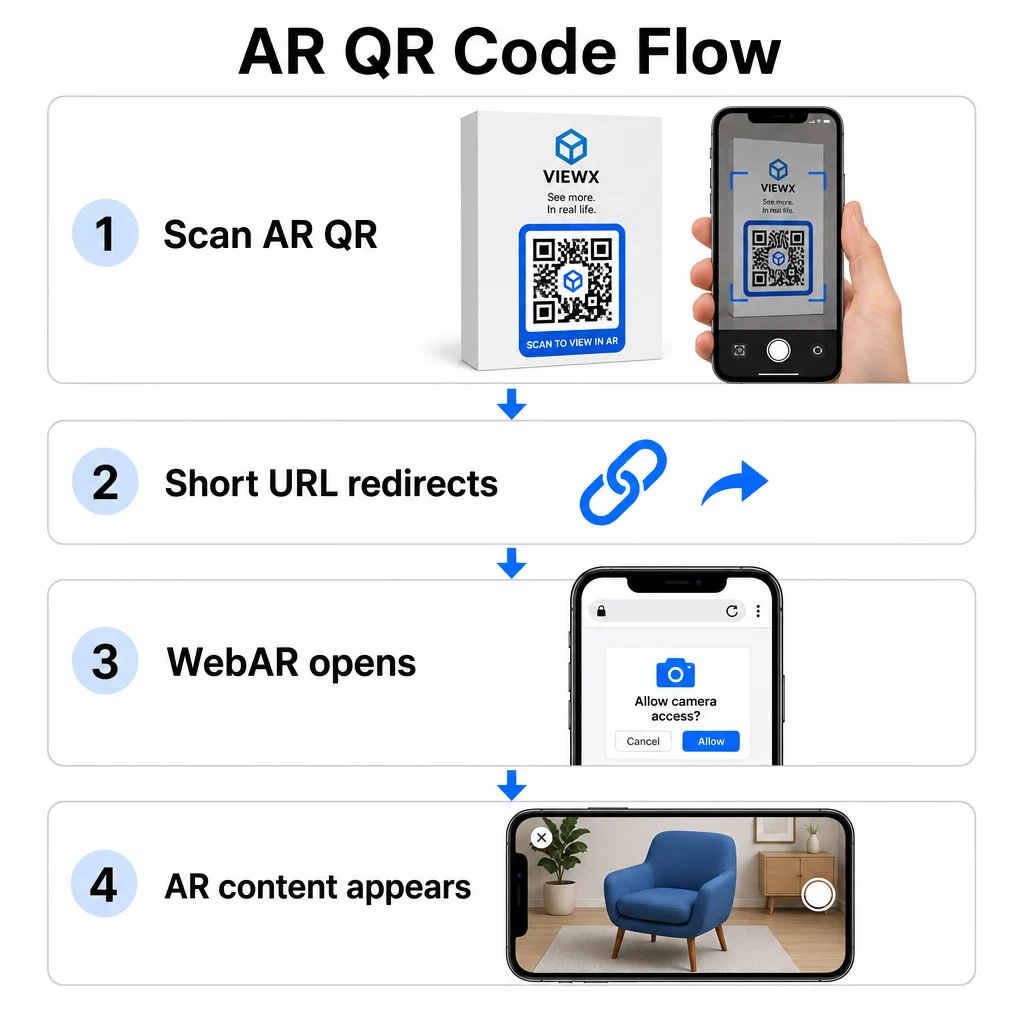
WebAR sangat cocok untuk kampanye karena tidak memerlukan unduhan aplikasi. Pengguna memindai kode, browser mereka terbuka, dan pengalaman AR diluncurkan menggunakan kamera dan sensor perangkat. Ini mengurangi gesekan yang menyebabkan penurunan pengguna dan berfungsi di iOS dan Android tanpa langkah instalasi terpisah. WebAR dapat dibangun dengan teknologi seperti A-Frame dengan AR.js untuk pelacakan berbasis penanda atau Google’s “ untuk AR tanpa penanda.
Jika pengalaman AR Anda memerlukan kemampuan di luar yang didukung WebAR – interaksi kompleks, AR persisten, atau fitur perangkat keras tertentu – pendekatan berbasis aplikasi mungkin diperlukan. Dalam kasus tersebut, kode QR Anda harus menautkan ke pengalihan cerdas yang mengarahkan pengguna iOS ke App Store dan pengguna Android ke Google Play.
Untuk sebagian besar kasus penggunaan pemasaran, pengemasan, dan acara, WebAR yang diluncurkan dari kode QR dinamis adalah pendekatan dengan gesekan terendah dan paling mudah dipelihara. Kode QR AR telah digunakan secara efektif di seluruh penceritaan museum, instalasi seni, dan kampanye agensi pemasaran – dan dalam setiap kasus, kemampuan untuk memperbarui konten tanpa mencetak ulang adalah keuntungan operasional yang signifikan.
Mengoptimalkan Konten AR untuk Kecepatan
Setelah seseorang memindai kode Anda, mereka berharap pengalaman AR muncul dalam 2–3 detik. Apa pun yang lebih lama secara signifikan meningkatkan kemungkinan mereka akan pergi sebelum memuat.
Target optimisasi utama:
- Jaga ukuran file model 3D di bawah 5 MB; gunakan format terkompresi seperti GLTF atau GLB untuk AR berbasis web
- Jaga ukuran file video di bawah 10 MB dan gunakan pengodean H.264
- Kurangi resolusi tekstur gambar menjadi 1024×1024 piksel atau lebih kecil; gunakan warna solid atau tekstur prosedural jika memungkinkan untuk meminimalkan ukuran file
- Gunakan pemuatan progresif – tampilkan versi sederhana dari konten AR terlebih dahulu, lalu muat detail berkualitas lebih tinggi di latar belakang
- Uji kinerja pemuatan pada koneksi 3G dan 4G, bukan hanya Wi-Fi; jika kinerja buruk pada koneksi yang lebih lemah, sederhanakan konten atau tawarkan versi yang lebih ringan
Host aset AR pada infrastruktur yang cepat dan andal. Hosting yang lambat atau tidak andal akan merusak bahkan file yang paling optimal sekalipun.
Menguji dan Meluncurkan Kode QR AR
Tidak ada desain yang cermat yang dapat menggantikan pengujian di dunia nyata. Kode QR AR menghadapi kondisi yang tidak mungkin disimulasikan sepenuhnya di layar.
Pengujian di Berbagai Lingkungan
Uji dalam kondisi sebenarnya di mana kode Anda akan digunakan: sinar matahari langsung, pencahayaan dalam ruangan neon, pengaturan cahaya rendah. Sinar matahari terang pada permukaan mengkilap sangat menantang – bahan matte secara signifikan meningkatkan visibilitas dalam kondisi ini.
Untuk kode pada layar atau tampilan digital, uji kemampuan pindai dari berbagai sudut, ketinggian, dan jarak. Untuk kode cetak, uji pada bahan persis yang akan Anda gunakan – kinerja berbeda antara kertas matte, kemasan mengkilap, dan substrat bertekstur.
Konektivitas memengaruhi AR lebih dari memengaruhi tujuan kode QR standar. Bahkan kode yang memindai dengan sempurna dapat memberikan pengalaman yang rusak jika aset AR gagal dimuat pada sinyal yang lemah. Uji di area dengan kekuatan sinyal yang bervariasi.
Pengujian di Berbagai Platform
Perangkat iOS memiliki pemindai QR bawaan, tetapi perilaku bervariasi di seluruh model iPhone dan versi iOS. Uji pada beberapa generasi. Variasi Android lebih signifikan – kualitas kamera dan daya pemrosesan sangat berbeda antara model anggaran dan premium. Uji pada berbagai keduanya.
Untuk AR berbasis web, konfirmasikan pengalaman dimuat dengan benar di Safari, Chrome, dan Firefox. Periksa di berbagai ukuran layar dan orientasi. Jika pengalaman AR Anda memerlukan izin kamera, verifikasi bahwa perintah browser muncul dan berfungsi dengan benar di setiap platform.
Untuk pendekatan komprehensif terhadap pengujian lintas perangkat, lihat panduan Pageloot tentang praktik terbaik kegunaan kode QR.
Melacak Kinerja dengan Analitik
Setelah diluncurkan, analitik memberi tahu Anda apa yang sebenarnya terjadi dengan kode Anda. Dengan kode QR dinamis dan pelacakan pemindaian, Anda dapat memantau kinerja secara real-time dan melakukan penyesuaian tanpa mencetak ulang.
Metrik utama yang perlu dipantau:
| Metrik | Apa yang Diungkapkannya | Tindakan yang Harus Dilakukan |
|---|---|---|
| Total pemindaian / Pengguna unik | Jangkauan dan volume kampanye | Uji penempatan baru atau CTA jika jumlahnya menurun |
| Aktivitas berdasarkan waktu | Kapan pengguna paling banyak berinteraksi | Sesuaikan waktu tampilan untuk jam sibuk |
| Pembagian Perangkat / OS | Kinerja platform | Optimalkan untuk platform dengan keterlibatan yang lebih rendah |
| Titik panas geografis | Di mana pemindaian terjadi | Fokuskan sumber daya pada area berkinerja tinggi |
| Konversi pasca-pemindaian | Tindakan pengguna setelah memindai | Sederhanakan halaman arahan atau perjelas penawaran |
Tinjau analitik setiap minggu selama kampanye aktif. Pola dalam jenis perangkat atau data lokasi sering kali mengungkapkan masalah penempatan atau desain yang tidak terlihat selama pengujian.
Meningkatkan Pengalaman Setelah Memindai
Pemindaian yang mulus hanyalah titik masuk. Pengalaman pasca-pemindaian menentukan apakah pengguna terlibat dengan konten AR Anda atau meninggalkannya.
Desain yang Dioptimalkan untuk Seluler
Setiap aspek pengalaman pasca-pemindaian harus dirancang untuk layar ponsel. Tata letak responsif sangat penting – halaman arahan dan konten AR Anda harus beradaptasi dengan berbagai ukuran dan orientasi layar tanpa rusak.
Elemen interaktif seperti tombol dan ajakan bertindak harus berukuran minimal 44×44 piksel dan ditempatkan di area yang mudah dijangkau jempol – bagian tengah dan bawah layar. Sisakan ruang yang cukup di antara target ketuk untuk mencegah penekanan yang tidak disengaja.
Sederhanakan jalur ke konten AR. Untuk WebAR, pengalaman harus diluncurkan langsung di browser tanpa memerlukan plugin tambahan selain akses kamera. Setiap langkah ekstra meningkatkan tingkat putus. Untuk halaman arahan kode QR seluler, panduan Pageloot mencakup persyaratan desain dan waktu muat spesifik yang membuat pengguna tetap terlibat setelah memindai.
Jika Anda menyediakan beberapa opsi konten dari satu pemindaian, sebuah merek halaman arahan bahwa tautan ke pengalaman AR Anda bersama konten relevan lainnya dapat meningkatkan pengalaman secara keseluruhan.
Instruksi Jelas untuk Konten AR
Pengguna yang tidak terbiasa dengan AR perlu tahu apa yang akan terjadi dan apa yang harus dilakukan. Tambahkan ajakan bertindak yang jelas di dekat kode QR fisik itu sendiri – sesuatu seperti “Pindai untuk melihat dalam 3D” atau “Pindai untuk melihat produk ini di ruang Anda.” Insentif untuk memindai harus jelas sebelum siapa pun mengarahkan kamera mereka.
Setelah berada di lingkungan AR, pandu pengguna dengan petunjuk sederhana di layar:
- “Arahkan kamera Anda ke kemasan produk untuk mengaktifkan AR”
- “Gerakkan ponsel Anda perlahan untuk memindai permukaan”
Posisikan elemen interaktif – “Tambahkan ke Keranjang,” “Pelajari Lebih Lanjut,” “Bagikan Pengalaman Anda” – agar mudah ditemukan tanpa menghalangi konten AR. Gunakan pengungkapan progresif: mulai dengan kontrol paling sederhana dan perkenalkan fitur lanjutan saat pengguna merasa nyaman.
Personalisasi dan Aksesibilitas
Kode QR dinamis membuatnya praktis untuk menyesuaikan konten berdasarkan lokasi, waktu, atau interaksi sebelumnya. Dalam pengaturan ritel, ini bisa berarti menampilkan produk yang relevan dengan wilayah pengguna atau menyesuaikan bahasa konten berdasarkan lokasi pemindaian.
Pertimbangan aksesibilitas yang berlaku untuk pengalaman AR:
- Tambahkan deskripsi teks untuk semua visual dan pastikan kompatibilitas pembaca layar
- Tawarkan ukuran teks yang dapat disesuaikan, tingkat kontras, dan volume audio
- Sediakan teks tertutup untuk konten audio
- Sertakan beberapa opsi bahasa jika relevan
- Hindari hanya mengandalkan warna untuk menyampaikan informasi – gunakan ikon, label teks, atau pola sebagai pelengkap
Kode QR dinamis memudahkan pembaruan bahasa: Anda dapat menambah atau mengubah opsi tanpa mencetak ulang materi fisik apa pun.
Menyatukan Semuanya
Kode QR AR yang andal adalah hasil dari keputusan yang dibuat di seluruh desain, pengaturan teknis, dan pengalaman pasca-pemindaian – bukan faktor tunggal. Dapatkan ukuran, kontras, dan zona tenang yang tepat. Pilih koreksi kesalahan dan branding yang menjaga kemampuan pemindaian. Gunakan kode dinamis agar konten AR Anda tetap terkini tanpa perlu mencetak ulang. Uji secara menyeluruh di berbagai perangkat dan lingkungan, lalu gunakan analitik untuk terus meningkatkan setelah peluncuran.
Mulai Bangun Kode QR AR Menggunakan Pembuat Kode QR Pageloot untuk membuat kode dinamis, bermerek dengan analitik bawaan – lalu jaga pengalaman AR Anda tetap terkini tanpa perlu mencetak ulang.
Pertanyaan yang sering diajukan
Uji pada berbagai perangkat iOS dan Android, termasuk model lama, di berbagai lingkungan pencahayaan – sinar matahari langsung, cahaya dalam ruangan neon, dan pengaturan cahaya redup. Gunakan kontras tinggi (rasio minimal 4:1), pertahankan zona tenang yang jelas, dan hindari permukaan mengkilap jika memungkinkan. Kode QR dinamis memungkinkan Anda memperbarui pengalaman AR yang terhubung jika masalah kompatibilitas muncul setelah peluncuran.
Jaga logo Anda dalam 15–20% dari total area kode, terpusat, dan gunakan koreksi kesalahan Tingkat H untuk mengkompensasi halangan. Pertahankan kontras tinggi antara modul kode dan latar belakang, dan pertahankan zona tenang di sekitar kode. Selalu uji kode bermerek pada beberapa perangkat dan di bawah pencahayaan bervariasi sebelum mencetak dalam skala besar.
Jaga ukuran file model 3D di bawah 5 MB menggunakan format terkompresi seperti GLTF atau GLB, batasi file video hingga di bawah 10 MB dengan encoding H.264, dan kurangi resolusi tekstur gambar menjadi 1024×1024 piksel atau lebih kecil. Gunakan pemuatan progresif untuk menampilkan versi yang disederhanakan terlebih dahulu sementara aset berkualitas lebih tinggi dimuat di latar belakang. Uji kinerja pada koneksi 3G dan 4G, bukan hanya Wi-Fi, untuk mencerminkan kondisi dunia nyata.