בית > מדריכים > How to Create a QR Code for a Discord Server
Scanning Discord invite code

How to Create a QR Code for a Discord Server

Learn how to create a QR code for your Discord server. Get step-by-step instructions for generating permanent invite links, customizing design, and printing.
Updated on יולי 27, 2026
תוכן העניינים

Are you struggling to convert offline audience members into active Discord subscribers without making them type long server URLs? Complex links create typing friction, causing potential members to abandon joining your server before they even start. Converting your Discord invite link into a scannable QR code provides an instant, one-touch onboarding experience for physical materials and digital displays.

Generate a Permanent Discord Invite Link

Before generating a QR code, you must obtain a functional invite link from your Discord server. By default, Discord invite links expire after 7 days or after reaching a limited number of uses. To avoid broken QR codes on physical print materials, configure a permanent link first.

  • לִפְתוֹחַ your Discord app on desktop or mobile and navigate to your server.
  • לְאַתֵר your target landing channel, hover over the channel name, and select Create Invite.
  • Click on Edit invite link at the bottom of the pop-up window.
  • Change ה Expire After drop-down menu setting to לעולם לא.
  • Change ה Max Number of Uses drop-down menu setting to No limit.
  • עותק the newly generated permanent URL to your clipboard.

Convert Your Link Using a QR Code Generator

Once you have copied your permanent server URL, you can transform it into a scannable graphic. Much like setting up QR codes for Telegram groups, creating a Discord code requires converting a simple web address into a visual pattern that mobile cameras can decode.

  • Navigate to an online מחולל קוד QR לקישור.
  • בחר the URL input option within the generator interface.
  • לְהַדבִּיק your permanent Discord invite link into the web address field.
  • לִיצוֹר your visual code image with a single click.

Create Your Custom Discord QR Code Turn long server invite links into high-resolution, scannable graphics for posters, cards, and stream displays using the מחולל קוד QR לקישור היום.

Customize Your Design for Brand Recognition

A generic black-and-white QR code can look out of place on custom marketing graphics or stream screens. Customizing the design builds immediate trust and signals to potential members where the code will lead them.

Using a feature-complete מחולל קודי QR, you can modify visual parameters to align with your community’s identity:

  • Apply brand colors by using dark primary shades for the code modules while keeping the background light to optimize readability.
  • Embed a logo or the Discord icon in the center of the design to establish instant visual destination trust.
  • Add a call-to-action frame such as “Scan to Join” to guide prospective members on what action to take.

Best Practices to Ensure QR Code Scannability

A poorly formatted QR code will fail to scan, creating a frustrating experience for prospective members. Following technical printing and rendering standards ensures fast camera recognition across all mobile hardware.

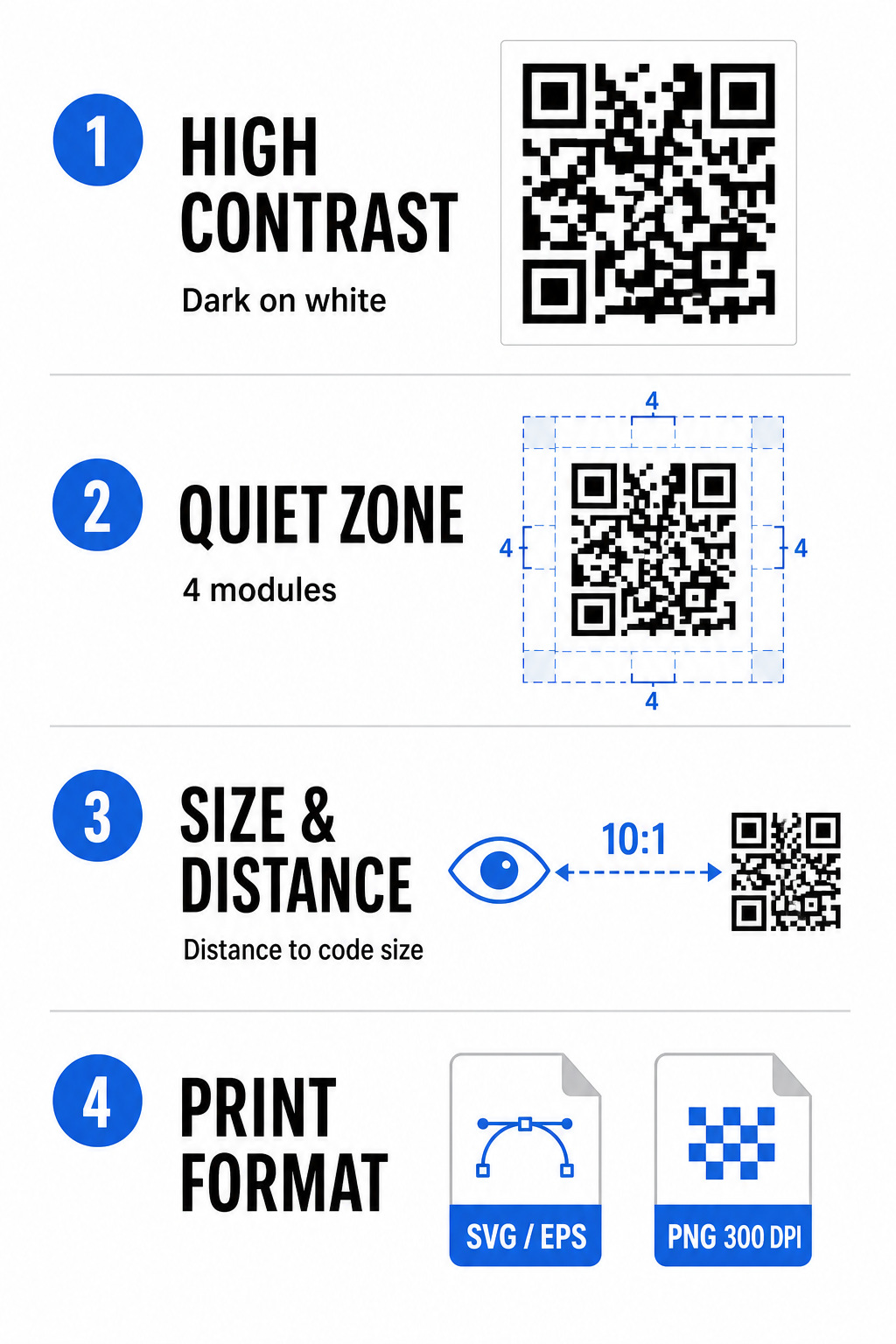
Discord QR best practices

שמרו על ניגודיות צבעים גבוהה

Scanners rely on contrast between dark patterns (modules) and background spaces to decode data. Darker colors absorb light while lighter colors reflect it, allowing camera sensors to distinguish data points easily. Aim for a contrast ratio of at least 4:1 between your code modules and the background. The most reliable pairing is black or dark blue modules placed against a white background. Avoid inverted color schemes with light modules on dark backgrounds, as many camera apps fail to decode inverted patterns.

שמור על האזור השקט

The quiet zone is an empty border surrounding all four outer edges of the QR code matrix. This margin must remain at least four modules wide and completely free of text, graphics, or frame decorations. Without a clean quiet zone, mobile cameras cannot determine where the QR code boundaries start and end.

Calculate the Correct Size for Scanning Distance

When printing materials, calculate your QR code dimensions using a 10:1 distance-to-size ratio. This means the physical width of your code should equal roughly one-tenth of the expected scanning distance. For deeper technical specifications, refer to the complete guide on שיטות עבודה מומלצות לקריאות קודי QR.

Placement Scenario Expected Scanning Distance Minimum Recommended QR Code Size
Event Badges & Business Cards 10 inches (25 cm) 1.0 x 1.0 inches (2.5 x 2.5 cm)
Table Tents & Desktop Displays 20 inches (50 cm) 2.0 x 2.0 inches (5.0 x 5.0 cm)
Wall Posters & Stream Banners 5 feet (1.5 meters) 6.0 x 6.0 inches (15 x 15 cm)
Event Stage Displays & Signage 10 feet (3.0 meters) 12.0 x 12.0 inches (30 x 30 cm)

Export in Vector Formats

For physical print production, export your file in high-resolution vector formats such as SVG or EPS. Vector files scale endlessly without losing sharpness or introducing blurriness. If using raster formats like PNG, confirm that the file resolution is set to at least 300 DPI for high-quality printing.

Testing and Validating Your Discord QR Code

Never print marketing materials or publish graphics without verifying QR code functionality across multiple platforms. Camera sensors, software algorithms, and screen resolutions vary widely between devices.

  • Test across operating systems by scanning the image with both iOS and Android native camera apps.
  • Verify scanning angles by testing the code under bright lighting, dim environments, and varied angles.
  • Utilize an online tool like a web-based סורק קוד QR to confirm that the embedded URL decodes cleanly.
  • Review onboarding workflow to confirm that scanning directly opens the Discord app or redirects smoothly to the server screen.

For a broader overview of hardware compatibility, consult this guide on scanning QR codes on smartphones.

Practical Ways to Share Your Discord QR Code

Displaying your scannable invite link across offline and digital touchpoints helps build an active server population.

Discord QR sharing ideas
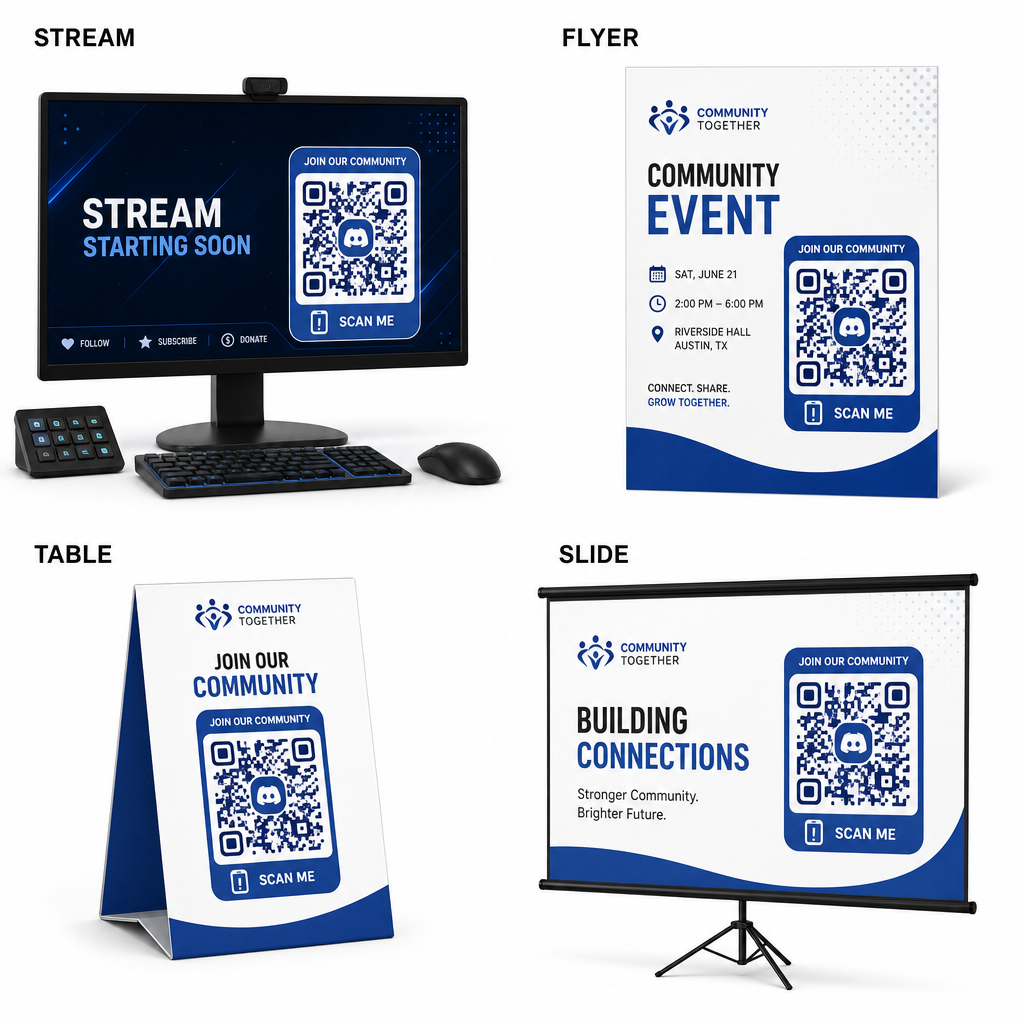
  • Add stream overlays on broadcast screens so viewers can join while watching live video.
  • Print event materials on physical badges, flyers, table tents, and banners during meetups.
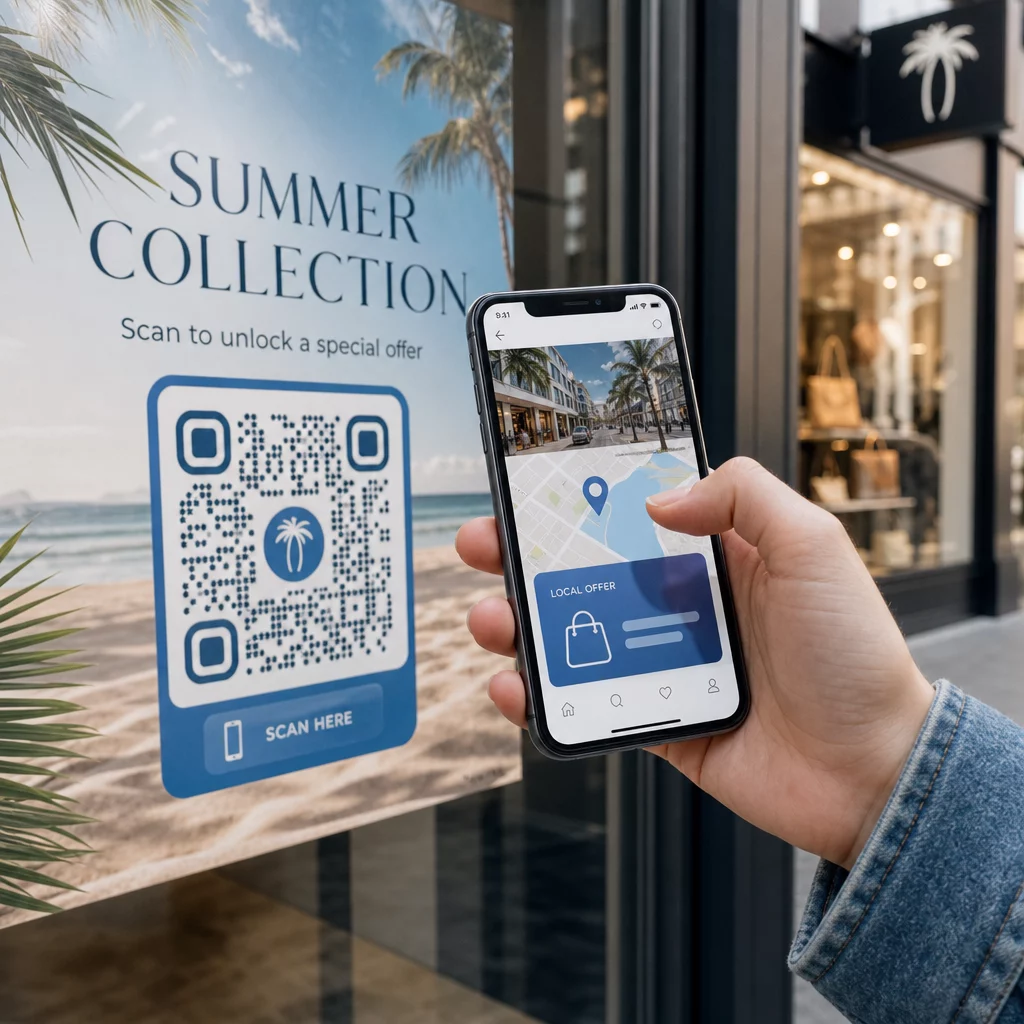
  • Include packaging inserts on product boxes, apparel tags, or thank-you cards sent to buyers.
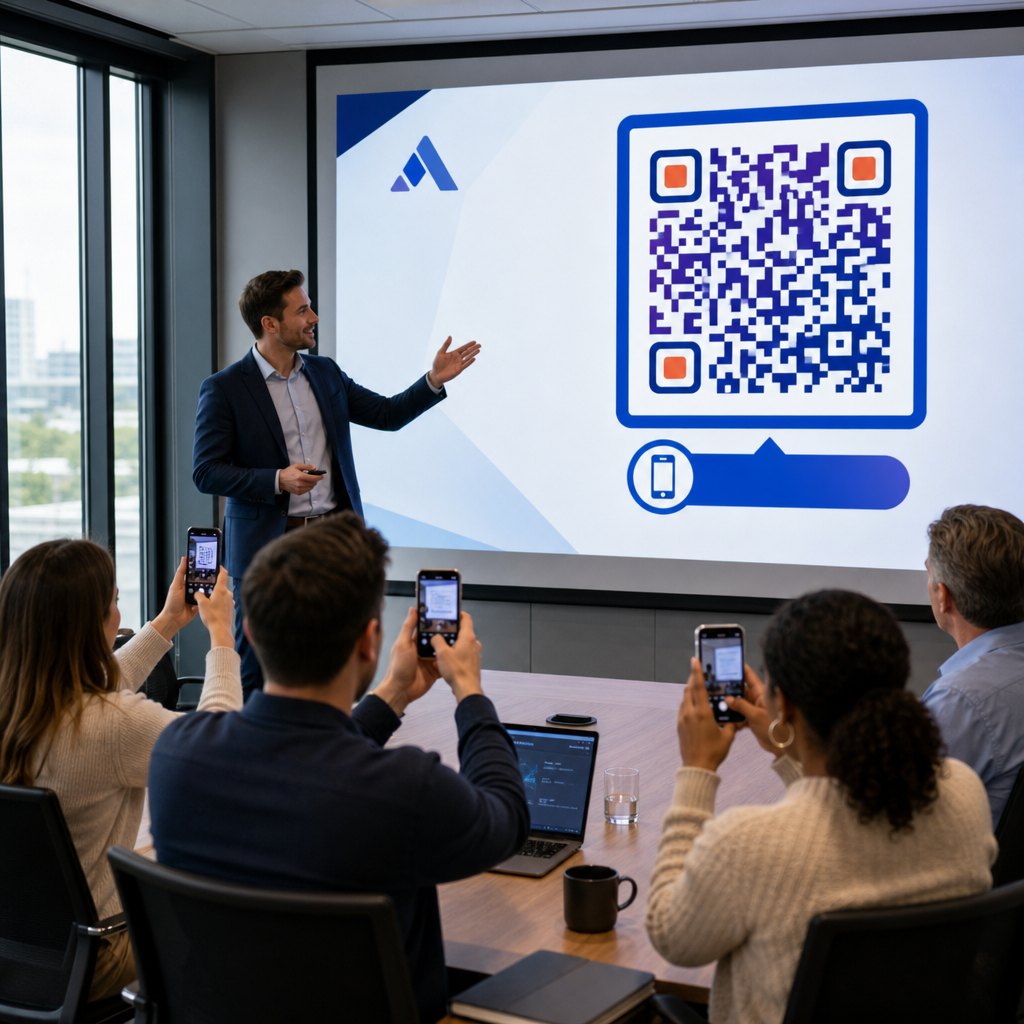
  • Embed presentation slides on the closing screen of workshops to convert attendees into community members.

Build Your Community with Fast Mobile Onboarding

Converting your Discord invite link into a scannable QR code removes manual typing hurdles, allowing fans, attendees, and customers to enter your server within seconds. Using permanent invite settings, ensuring strong color contrast, maintaining appropriate size ratios, and testing across multiple devices provides a reliable onboarding path for every new member.

Ready to grow your online community? Create a high-resolution, custom Discord QR code using Pageloot’s generation tools today.

שאלות נפוצות

Can I make a Discord invite QR code that never expires?

Yes. When creating the invite link in Discord, select “Edit invite link” and set “Expire After” to “Never” and “Max Number of Uses” to “No limit” before generating your QR code.

What file format should I download for printed marketing materials?

Download vector formats like SVG or EPS for printing posters, banners, and flyers. If using PNG files, ensure they are rendered at a high resolution of 300 DPI or higher to avoid blurriness.

Can I track how many people scan my Discord QR code?

Yes. Generating a dynamic QR code allows you to collect real-time scan analytics, track conversion performance over time, and update the destination URL whenever needed without reprinting physical materials.

על הסופר

סים קוסטבי הוא ראש התוכן ב-Pageloot. הוא כותב על שירותי יצירת קודי QR החדשניים שלנו. עם מומחיות מעמיקה המשתרעת על פני יותר מחצי עשור בקודי QR, סים הוא מומחה בתחום. הוא עושה צעדים משמעותיים במינוף טכנולוגיית QR כדי לפשט ולשפר אינטראקציות דיגיטליות.

קטגוריה
למידע נוסף על
צ'ק-אין נוכחות QR
קודי QR עבור מעקב נוכחות
✅ הפתרון #1 עבור קודי QR

אם אתה צריך ליצור קודי QR באופן מקוון, אתה יכול הכינו קוד QR ממש כאן בחינם!
Pageloot הוא פתרון Go-To #1 ליצור ולסרוק קודי QR.

BL-0344

בלוג-מחולל

מהימנים על ידי למעלה מ-20,000 מותגים כדי להשיג יותר מכירות, ביקורות ועוקבים.

לוגו של לקוחות
מהימנים על ידי המותגים המובילים
דורג 4.8 מתוך 5

דירוג 4.86 / 5 כוכבים

הוגו לורן
הוגו לורן
בעל מסעדה
מחולל קוד QR הקל והאמין ביותר אי פעם. ניתן להעלות קבצי PDF באופן מיידי. תפריטי המסעדה שלנו עכשיו דיגיטליים.
לוקאס יאנסן
לוקאס יאנסן
יזם נדל"ן
זהו כלי מצוין וקודי ה-QR לוקחים אותך בדיוק לאן שאתה רוצה. אנחנו משתמשים רק בקוד QR של המיקום אבל יש כל כך הרבה תכונות שימושיות.
אמה מורטי
אמה מורטי
מוצרים קמעונאיים
קל לשימוש ומהיר. זה עובד נהדר ויוצר תמונה מושלמת, כך שהעובדים יכולים להוריד את ה-vCard שלי.
הוגו לורן
הוגו לורן
בעל מסעדה
מחולל קוד QR הקל והאמין ביותר אי פעם. ניתן להעלות קבצי PDF באופן מיידי. תפריטי המסעדה שלנו עכשיו דיגיטליים.
לוקאס יאנסן
לוקאס יאנסן
יזם נדל"ן
זהו כלי מצוין וקודי ה-QR לוקחים אותך בדיוק לאן שאתה רוצה. אנחנו משתמשים רק בקוד QR של המיקום אבל יש כל כך הרבה תכונות שימושיות.
אמה מורטי
אמה מורטי
מוצרים קמעונאיים
קל לשימוש ומהיר. זה עובד נהדר ויוצר תמונה מושלמת, כך שהעובדים יכולים להוריד את ה-vCard שלי.
ראה קודי QR נוספים
שיווק באמצעות קודי QR
קוד QR אפשרויות שיווק
להפוך כל דבר לחוויה דיגיטלית בפחות מ-3 דקות.

ניסיון חינם למשך 14 יום.

אין צורך בכרטיס אשראי.

קבל 30% הנחה על הרכישה הראשונה שלך

השתמש בקוד:

שתף את קבצי ה-MP3 שלך

הירשם ליצירת קודי QR של PDF

העלה והצג את כל מה שאתה צריך:

  • קבצי שמע
  • פודקאסטים
  • מוּסִיקָה

ניסיון חינם למשך 14 יום עם הרשמה.
קודי QR יפוגו לאחר תקופת הניסיון.

הירשם כדי ליצור קוד אודיו mp3 QR

קבל יותר סריקות עם מסגרות

הירשם כדי להוסיף עוד מסגרות לקודי ה-QR שלך

מסגרות קריאה לפעולה עוזרות ללקוחות שלך ליצור אינטראקציה עם קוד ה-QR בקלות. נסה אותם!

ניסיון חינם למשך 14 יום עם הרשמה.
קודי QR יפוגו לאחר תקופת הניסיון.

הירשם כדי להוסיף עוד מסגרות לקודי ה-QR שלך

הוסף עוד סגנון עם צורות

הירשם כדי ליצור צורות נוספות

קודי QR לא חייבים להיות מרובעים. נסה לשנות אותו כך שיתאים לתדמית המותג שלך.

ניסיון חינם למשך 14 יום עם הרשמה.
קודי QR יפוגו לאחר תקופת הניסיון.

הירשם כדי ליצור צורות נוספות

הוסף לוגו לקוד ה-QR שלך

הירשם כדי להוסיף את הלוגו שלך לקודי QR

הפוך את קוד ה-QR שלך לבלוט על ידי הוספת הלוגו והמותג שלך אליו.

ניסיון חינם למשך 14 יום עם הרשמה.
קודי QR יפוגו לאחר תקופת הניסיון.

הירשם כדי להוסיף את הלוגו שלך לקודי QR

הפניות חכמות לחנויות אפליקציות

הירשם כדי ליצור קוד QR של חנות אפליקציות

הוסף את קישורי האפליקציה שלך לקוד QR החכם של App Store. המשתמשים מופנים מחדש על סמך המכשיר שלהם.

ניסיון חינם למשך 14 יום עם הרשמה.
קודי QR יפוגו לאחר תקופת הניסיון.

הירשם כדי ליצור קוד QR של חנות אפליקציות

העלה תמונה לקוד QR

הירשם כדי ליצור קודי QR לתמונה

שתף את התמונות שלך בקלות. שנה כל תמונה באופן דינמי תוך שניות.

ניסיון חינם למשך 14 יום עם הרשמה.
קודי QR יפוגו לאחר תקופת הניסיון.

הירשם כדי ליצור קודי QR לתמונה

שתף את קבצי ה-PDF שלך

הירשם ליצירת קודי QR של PDF

העלה והצג את כל מה שאתה צריך:

  • תפריטים ומחירונים
  • הוראות
  • כל המסמכים

ניסיון חינם למשך 14 יום עם הרשמה.
קודי QR יפוגו לאחר תקופת הניסיון.

הירשם ליצירת קודי QR של PDF

ערוך מאוחר יותר ללא הדפסה

הירשם כדי לערוך את קודי ה-QR שלך מבלי להדפיס שוב

קודי QR דינמיים מאפשרים לך לשנות את התוכן של קוד ה-QR שלך מבלי להדפיס חדשים.

ניסיון חינם למשך 14 יום עם הרשמה.
קודי QR יפוגו לאחר תקופת הניסיון.

הירשם כדי לערוך את קודי ה-QR שלך מבלי להדפיס שוב

מתי? איפה? עקוב אחר סריקות קוד ה-QR שלך

הירשם כדי לעקוב אחר קודי ה-QR שלך

גלה אילו מקודי ה-QR שלך מקבלים הכי הרבה סריקות ומה הכי מרגש את הלקוחות שלך.

ניסיון חינם למשך 14 יום עם הרשמה.
קודי QR יפוגו לאחר תקופת הניסיון.

הירשם כדי לעקוב אחר קודי ה-QR שלך

קבצים מוכנים להדפסה זמינים

הירשם כדי ליצור קודי QR וקטורים כמו PDF ו-SVG

.EPS, .PDF, .SVG

רוצה להוריד את קודי ה-QR שלך ברזולוציית HD? קבל פורמטים וקטוריים או פיקסלים שמוכנים להדפסה.

ניסיון חינם למשך 14 יום עם הרשמה.
קודי QR יפוגו לאחר תקופת הניסיון.

הירשם כדי ליצור קודי QR וקטורים כמו PDF ו-SVG

המתן בבקשה. קוד ה-QR שלך הוא טוען... טוען...

הפוך אותו לשלך

הירשם כדי לשמור את קוד ה-QR שלך למועד מאוחר יותר

קבל סריקות נוספות על ידי יצירת קודי QR מדהימים עם צבעים שונים, לוגואים ומסגרות קריאה לפעולה.

ניסיון חינם למשך 14 יום עם הרשמה.
קודי QR יפוגו לאחר תקופת הניסיון.

הירשם כדי לשמור את קוד ה-QR שלך למועד מאוחר יותר