האם אתם מתקשים להוכיח אילו קמפייני הדפסה או תצוגות בחנויות באמת מניעים מכירות? השקעת תקציב בערוצים לא מקוונים ללא ייחוס ברור הופכת את זה לבלתי אפשרי להצדיק עלויות או לייעל את האסטרטגיה שלכם. על ידי שילוב קודי QR ניתנים למעקב עם פרמטרי UTM ואנליטיקת אינטרנט, אתם יכולים לחבר נקודות מגע פיזיות ישירות להמרות דיגיטליות ולמדוד את ההחזר המדויק על ההשקעה שלכם.
מדוע קמפיינים לא מקוונים דורשים ייחוס דינמי
חומרי דפוס, דיוור ישיר ושילוט פיזי הם כלי שיווק חיוניים, אך מדידת הביצועים הפיננסיים שלהם הציגה אתגר היסטורית. כאשר מישהו רואה תצוגת חנות או מקבל גלויה ומבקר מאוחר יותר באתר שלכם, אנליטיקת אינטרנט סטנדרטית מסווגת את המבקר הזה כתנועה ישירה או חיפוש אורגני. כתוצאה מכך, נקודת המגע הפיזית אינה מקבלת כל קרדיט על המכירה הנובעת מכך.
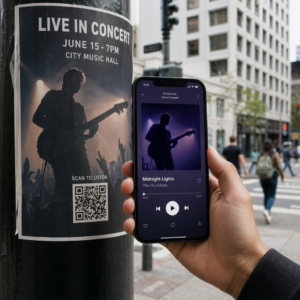
קודי QR ניתנים למעקב מגשרים על הפער הזה על ידי המרת נקודות מגע פיזיות לנקודות כניסה דיגיטליות ניתנות למדידה. כאשר לקוח סורק קוד על חומר מודפס, פלטפורמת האנליטיקה שלכם רושמת את אירוע הסריקה ועוקבת אחר מסע המשתמש דרך טפסי לידים, הרשמות או רכישות מסחר אלקטרוני.
כדי ללכוד נתוני ייחוס מדויקים, עליכם להבין את ההבדלים התפעוליים העיקריים בין קודים סטטיים לדינמיים:
- קודי QR סטטיים מקדדים כתובת URL יעד קבועה ישירות לדפוס הפיקסלים. הם אינם מציעים יכולות מעקב ואינם ניתנים לעדכון לאחר ההדפסה.
- קודי QR דינמיים מנתבים את הסורק דרך קישור קצר וגמיש לדף הנחיתה הסופי שלכם. הם רושמים נתוני סריקה בזמן אמת – כולל זמן סריקה, מיקום וסוג מכשיר – ומאפשרים לכם לעדכן קישורי יעד בכל עת ללא צורך בהדפסה מחדש. הסתמכות על קודי QR דינמיים לשיווק מספקת את הבסיס הנדרש למדידת קמפיין מלאה.
בניית פרמטרי UTM מותאמים אישית לנקודות מגע פיזיות
פרמטרי UTM (Urchin Tracking Module) הם תגי טקסט סטנדרטיים המוספים לסוף כתובת URL יעד. כאשר מצלמת סמארטפון סורקת קוד המכיל תגים אלה, כלי ניתוח אינטרנט כמו Google Analytics 4 (GA4) קוראים את הפרמטרים ומייחסים את סשן המשתמש למקור הלא מקוון הספציפי. ללא תגי UTM, פלטפורמות אנליטיקה מקבצות תנועת קודי QR תחת תנועה ישירה כללית, ומשאירות את מנהלי הקמפיינים ללא נראות לגבי איזה פלייר, פוסטר או מודעת דפוס הניעו את הביקור.
מבנה קישורי המעקב שלך
קישור מעקב לא מקוון אמין מסתמך על שדות פרמטרים ספציפיים:
| פרמטר | מַטָרָה | פורמט מומלץ לאופן לא מקוון | ערך לדוגמה |
|---|---|---|---|
| “utm_source” | מזהה את הערוץ או המיקום הפיזי | פריט דפוס ספציפי או אתר תצוגה | “directmailpostcard” |
| “utm_medium” | מזהה את אמצעי השיווק הכולל | תג ערוץ סטנדרטי כמו “qr” או “offline” | “qr” |
| “utm_campaign” | מזהה את המבצע או ההצעה הספציפיים | שם המבצע והשנה | “springsale2025″ |
| “utm_content” | מבחין בין וריאציות עיצוב או מיקום | פרטי מיקום או וריאציית קריאייטיב | “frontעמודqr” |
| “utm_term” | עוקב אחר פלחי קהל יעד | פלח דמוגרפי או קוד רשימת תפוצה | “existing_customers” |
סטנדרטיזציה של מוסכמות שמות
כדי לשמור על נתוני האנליטיקה שלך נקיים ולמנוע דיווח מפוצל, פעל לפי כללי העיצוב הסטנדרטיים:
- השתמש באותיות קטנות בעקביות: כלי אנליטיקה מתייחסים לתגים באותיות גדולות וקטנות בנפרד, ויוצרים ערכי ערוץ כפולים עבור “QR” ו-“qr”.
- הפרד מילים באמצעות קווים תחתונים: Avoid spaces, which create percent-encoding symbols (“%20”) that clutter tracking URLs.
- שמור על תגי מדיום אחידים: החל ערך מדיום יחיד על פני כל חומרי הדפוס כך שכל תעבורת הסריקות תתגבש תחת קבוצת ערוץ אחת בתצוגות הדוחות.
לקבלת הנחיות נוספות בנוגע למבנה כתובות אתרים למעקב עבור פלטפורמות ניתוח נתונים של אתרים, עיין בעצות מפורטות אלו בנוגע לשימוש ב- פרמטרי UTM עבור קודי QR.
המרת כתובות אתרים למעקב לקודי QR דינמיים
לאחר שבנית כתובת אתר מתויגת, המר אותה לקוד שניתן לסרוק. באמצעות כלי מיוחד מחולל קוד QR לקישור או כלי מקיף מחולל QR דינמי, הזן את כתובת האתר המתויגת המלאה שלך (לדוגמה, “https://yourwebsite.com/promo?utmsource=springflyer&utmmedium=qr&utmcampaign=retail_expansion”).
שיטות עבודה מומלצות לפריסה בהדפסה
כדי לשמור על יכולת סריקה גבוהה ולהבטיח איסוף נתונים אמין במדיות פיזיות:
- הקצה קודים ייחודיים לכל מיקום פיזי: צור קודי QR דינמיים נפרדים עם ערכי “utmsource” או “utmcontent” לכל מיקום פיזי. שימוש בקודים נפרדים עבור פוסטרים בחלונות ראווה ופליירים בקופה מאפשר לך להשוות ישירות את ביצועי המיקומים.
- שמור על ניגודיות ויזואלית חזקה: מקם מודולי קוד QR כהים על רקע בהיר ופשוט. ניגודיות גבוהה מאפשרת למצלמות טלפון לזהות ולפענח דפוסי פיקסלים באופן מיידי.
- החל הנחיות גודל הדפסה נכונות: חומרים מודפסים הנסרקים ממרחק זרוע, כגון חומרי קידום מכירות פלייארים או דיוור ישיר גלויות, דורשים גודל מינימלי של 0.8 × 0.8 אינץ' (2 × 2 ס"מ). לשילוט גדול יותר, שמור על יחס של 10:1 בין מרחק הסריקה לרוחב הקוד.
- ייצא עיצובים בפורמטים של קבצים וקטוריים: הורד תמיד גרפיקות קוד QR סופיות בפורמטים וקטוריים (SVG. או PDF.) במקום תמונות רסטר כמו JPEGs, כדי למנוע פיקסלציה במהלך הדפסה מקצועית.
התחל לעקוב אחר קמפייני ההדפסה שלך הפסק לנחש אילו ערוצים לא מקוונים ממירים. השתמש ב-Pageloot's מחולל QR דינמי כדי ליצור קודי QR ניתנים למעקב המספקים ניתוחי סריקה מיידיים ודיווח ROI חלק.
ניטור סריקות וניתוח נתוני המרה
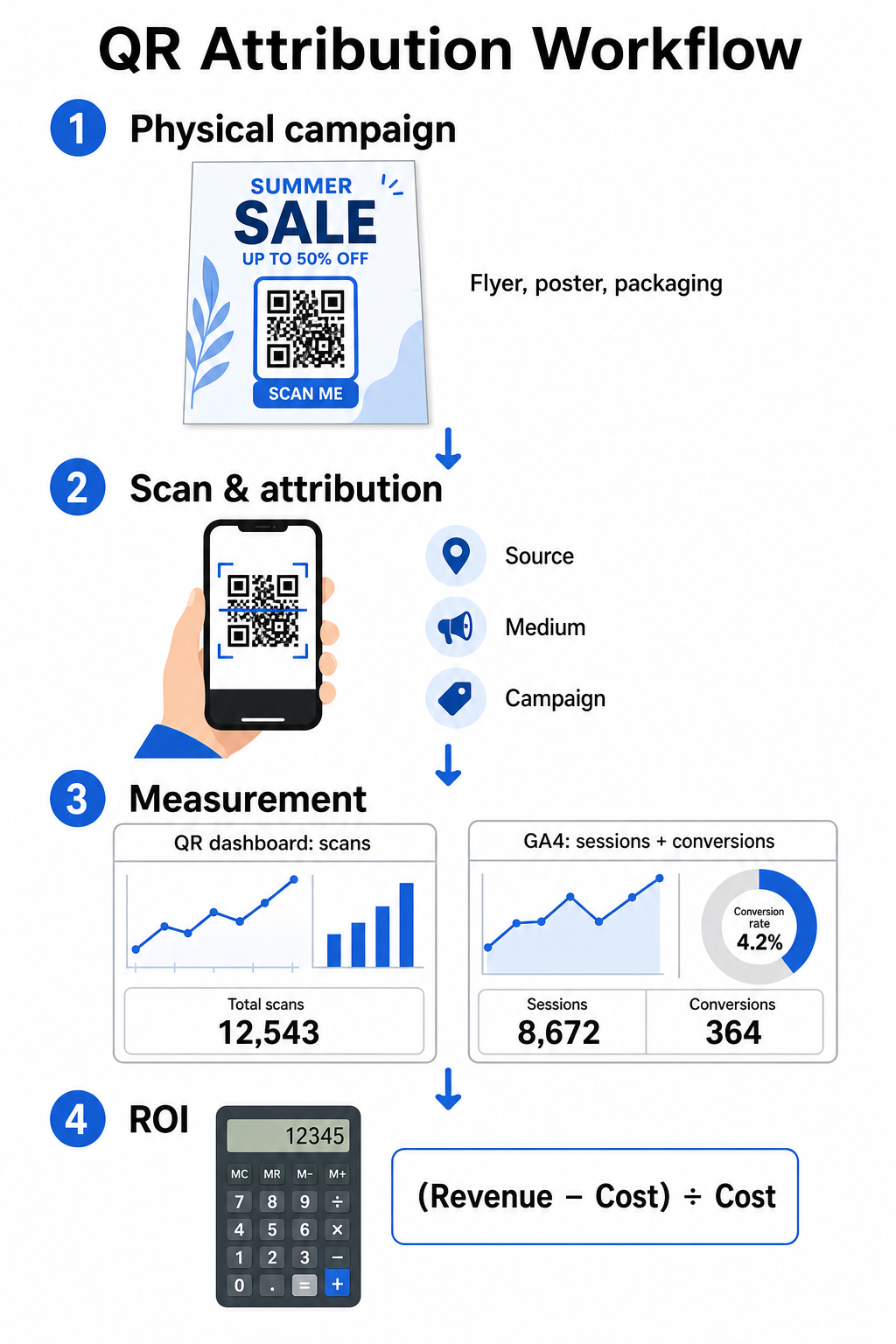
מדידת החזר השקעה (ROI) דורשת חיבור בין אינטראקציות פיזיות בחלק העליון של המשפך לבין המרות דיגיטליות בחלק התחתון שלו. תאסוף נתוני קמפיין בשתי סביבות משולבות: לוח המחוונים לניהול קודי QR שלך ותוכנת ניתוח הנתונים של האתר שלך.
לכידת נתונים מהחלק העליון של המשפך בלוח המחוונים שלך
פלטפורמת ניהול קודי ה-QR שלך מתעדת נתוני אינטראקציות של סריקות פיזיות באופן מיידי. כאשר אתה לעקוב אחר סריקות קוד QR בזמן אמת, לוח המחוונים שלך מציג מדדי מעורבות קריטיים:
- סריקות כוללות לעומת סריקות ייחודיות: סך הסריקות מתעד כל מקרה סריקה, בעוד שסריקות ייחודיות מבודדות אינטראקציות של מכשירים בודדים.
- פיזור סריקות גאוגרפי: מפות מצביעות על הערים והאזורים המובילים בביצועים.
- מגמות עיתוי מעורבות: התפלגות סריקות לפי שעות וימים חושפת חלונות פעילות שיא עבור קהלי יעד.
- מערכות הפעלה של מכשירים: מדדי מערכת ההפעלה מבטיחים שדפי הנחיתה יפעלו בצורה חלקה במכשירי iOS ואנדרואיד.
שימוש ב- לוח המחוונים של ניתוח קודי ה-QR שלכם מעניק למנהלי קמפיינים משוב מיידי על הביצועים מבלי להמתין לעיכובים בעיבוד נתוני ניתוח אתרים.
הערכת המרות ב-Google Analytics 4
בעוד שלוח המחוונים של הסריקות שלך מודד אינטראקציות פיזיות, GA4 עוקב אחר התנהגות משתמשים לאחר שמבקרים מגיעים לאתר שלך.
כדי להעריך תנועת קמפיין ב-GA4:
- נווט אל דוחות > רכישה > רכישת תנועה.
- שנה את ממד הדיווח הראשי ל- מקור/מדיום של סשן אוֹ קמפיין סשן.
- חפש את תג המדיום המותאם אישית שלך (כגון “qr”).
- נתח מדדי ביצועים מרכזיים, כולל סשנים מעורבים, שיעור מעורבות, ו אירועי מפתח (המרות).
כאשר פעולות מקוונות – כגון רכישות במסחר אלקטרוני, שליחת טפסים או הרשמה לניוזלטר – מוגדרות כאירועי מפתח ב-GA4, הפלטפורמה מייחסת את ההמרות הללו ישירות בחזרה לפרמטרי מקור הקמפיין המודפס שלך.
חישוב החזר השקעה (ROI) ומדדי ביצועים של קמפיין
לאחר שעלויות הקמפיין נרשמו וההכנסות המיוחסות מנוטרות בניתוח אתרים, תוכל לחשב החזר השקעה (ROI) מדויק באמצעות נוסחאות פיננסיות סטנדרטיות.
נוסחת חישוב החזר ההשקעה (ROI)
חשב את החזר ההשקעה (ROI) של הקמפיין באמצעות המשוואה הסטנדרטית:
החזר ROI (%) = [(הכנסות מיוחסות - עלות קמפיין כוללת) ÷ עלות קמפיין כוללת] × 100
דוגמה מעשית לחישוב החזר ROI
נתייחס לקמפיין פליירים בדיוור ישיר שנוצר כדי לייצר הזמנות שירות מקוונות:
- עלות קמפיין כוללת: 2,500 דולר (כולל עיצוב גרפי, הדפסה ודמי משלוח).
- סך סריקות QR: 800 סריקות בסך הכל (650 סריקות ייחודיות).
- המרות אינטרנט מיוחסות: 50 הזמנות שהושלמו שמקורן ב-"utmsource=directmail_flyer".
- הכנסות מיוחסות כוללות: 6,000 דולר בהכנסות ממכירות ישירות.
יישום נוסחת החישוב:
החזר ROI = [($6,000 - $2,500) ÷ $2,500] × 100 = ($3,500 ÷ $2,500) × 100 = 140%
הקמפיין הניב החזר השקעה נקי של 140%.
מדדי יעילות משניים
כדי להשוות יעילות בין חומרים פיזיים ומיקומים שונים, עקבו אחר מדדי הביצועים התומכים הבאים:
- עלות לסריקה (CPS): חלקו את עלות הקמפיין הכוללת במספר הסריקות הכולל ($2,500 ÷ 800 = $3.12 לסריקה).
- שיעור סריקה להמרה: חלקו המרות מיוחסות במספר הסריקות הייחודיות והכפילו ב-100 ((50 ÷ 650) × 100 = 7.69%).
- עלות לרכישה (CPA): חלקו את עלות הקמפיין הכוללת במספר ההמרות המיוחסות ($2,500 ÷ 50 = $50.00 להמרה).
- הכנסה לסריקה (RPS): חלקו את סך ההכנסות המיוחסות במספר הסריקות הכולל ($6,000 ÷ 800 = $7.50 לסריקה).
השוואת ביצועים בין מדיה לא מקוונת
הערכת ביצועים בין מיקומים פיזיים מסייעת בהקצאת תקציבי הדפסה עתידיים לסוגי חומרים בעלי תפוקה גבוהה.
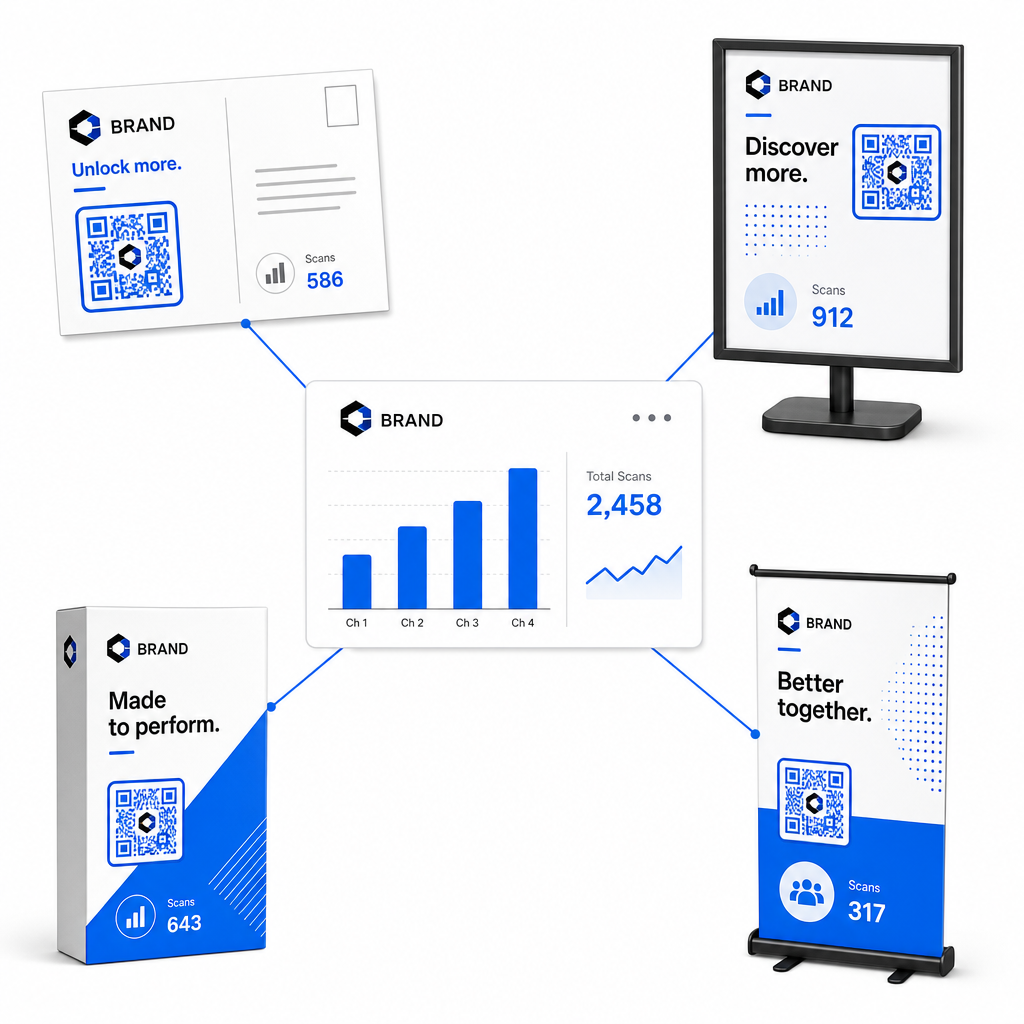
| חומר שיווקי | KPI יעד | אסטרטגיית אופטימיזציה |
|---|---|---|
| דיוור ישיר וגלויות | שיעור המרה ו-CPA | מקמו תמריץ ברור או הצעת הנחה בסמוך ישירות לקוד. |
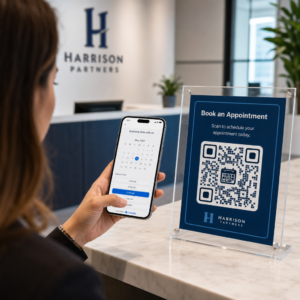
| כרזות ותצוגות בחנויות | נפח סריקות ומהירות סריקות | כווננו את גובה התצוגה והזיזו קודים לכיוון נקודות מוקד בגובה העיניים באזורים עתירי תנועה. |
| אריזות מוצרים | סריקות חוזרות ושיעור מעורבות | הפנה משתמשים למדריכי הוראות דיגיטליים, טפסי הפעלת אחריות, או הנחות להזמנה חוזרת. |
| שילוט וכרזות לאירועים | שיעור לכידת לידים | הצע משאבים להורדה או מתנות קידום מכירות בתמורה לפרטי קשר. |
כדי לבחון אסטרטגיות נוספות ליישום קודים במגוון אמצעי הדפסה מסורתיים, עיין במדריך זה בנושא מעקב אחר קודי QR.
הנחיות למקסום סריקות בקמפיינים לא מקוונים
כדי למקסם את שיעורי ההמרה ולשמור על נתוני קמפיין מדויקים, פעל לפי תקני תפעול מרכזיים אלה:
- כלול טקסט ברור המכוון לפעולה: הימנע מהדפסת קודים בודדים ללא הקשר. הצב קריאות מפורשות לפעולה לצד מסגרת הקוד, כגון “סרוק כדי לקבל 15% הנחה על רכישתך” אוֹ “סרוק לצפייה בתפריט המלא”.
- בצע אופטימיזציה לדפי נחיתה מותאמים לנייד: סריקה מתבצעת באופן בלעדי במכשירים ניידים. ודא שדפי היעד נטענים תוך פחות משתי שניות וכוללים עיצובי פריסה ידידותיים לאגודל.
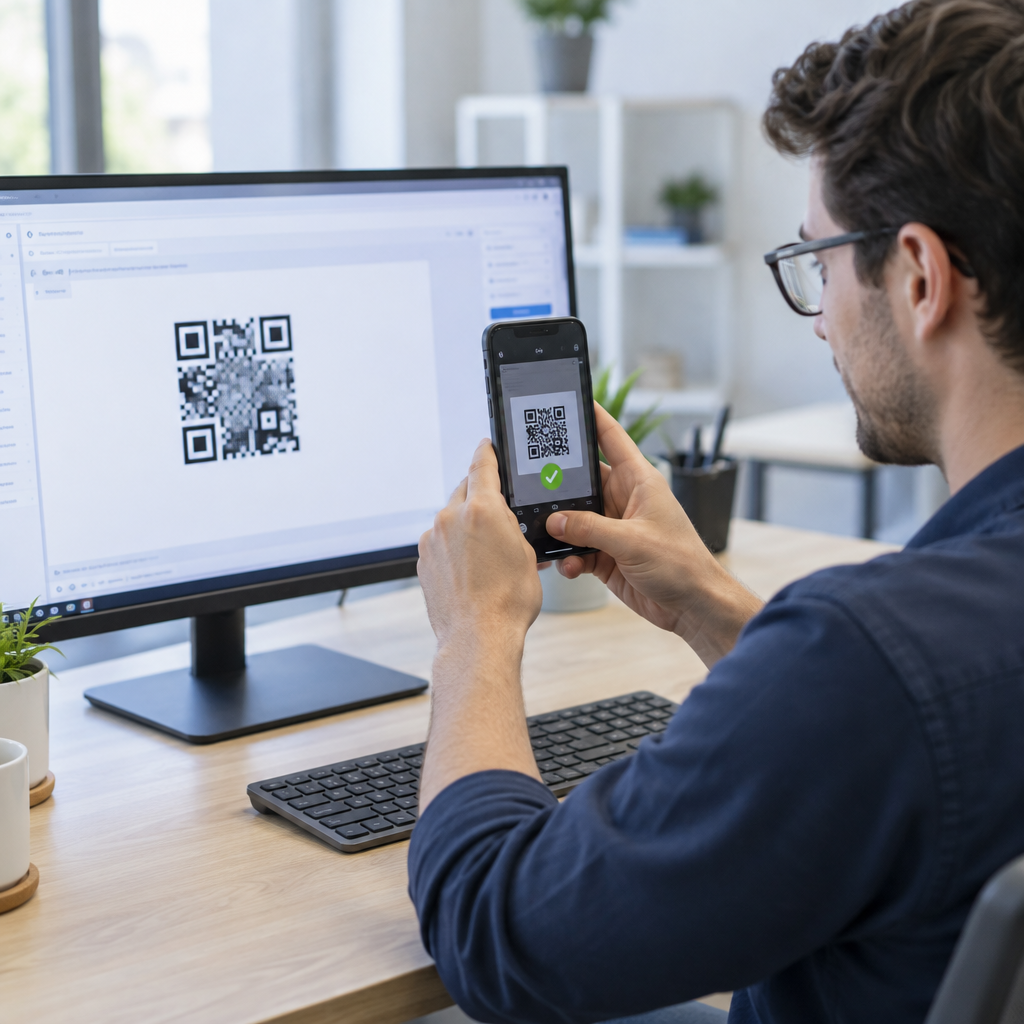
- בדוק כתובות URL למעקב לפני הפצה המונית: בצע בדיקות סריקה חיות במכשירים שונים עם מערכות הפעלה ניידות כדי לוודא שכל תגי ה-UTM עוברים בצורה נקייה לדף הנחיתה ונרשמים בניתוח נתונים בזמן אמת.
- עדכון ניהול דינמי של קישורי יעד: אם קישורי דפי הנחיתה משתנים או מבצעים מתעדכנים, השתמש בלוח המחוונים הניהולי שלך כדי לשנות כתובות URL של יעדים מבלי להדפיס מחדש חומרי שיווק. למד עוד על ביצוע יעיל במשאב זה בנושא כיצד להשתמש בקודי QR.
שילוב תכונות ניהול דינמיות עם קישורי UTM מובנים הופך מדיה מודפסת לערוץ צמיחה צפוי וניתן למדידה. צור קודים דינמיים מותאמים אישית עם ה- מחולל קוד QR של Pageloot כדי להשיג מדידה מלאה של השקעת השיווק שלך בדפוס.
שאלות נפוצות
כן, פלטפורמות לניהול קודי QR דינמיים עוקבות באופן אוטומטי אחר נפח סריקות, מערכות הפעלה של מכשירים, חותמות זמן של סריקות ומיקומים גיאוגרפיים. עם זאת, הוספת פרמטרי UTM לקישורי יעד מאפשרת לפלטפורמות ניתוח אתרים ו-CRM לשייך סשנים עוקבים באתר, רכישות והגשות טפסי לידים בחזרה לקמפיין הפיזי הספציפי שלך.
אם יצרת קודי QR דינמיים, תוכל לעדכן את כתובת ה-URL ליעד ואת פרמטרי ה-UTM בכל עת דרך לוח המחוונים שלך לניהול מבלי להדפיס מחדש את יצירת האמנות הפיזית שלך. קודי QR סטטיים מקודדים את כתובת האינטרנט היעד באופן קבוע בעיצוב ההדפסה ולא ניתן לשנותם לאחר ההדפסה.
הקצה קוד QR דינמי ייחודי עם פרמטרי UTM מובחנים (כגון “utmcontent=windowposter” לעומת “utmcontent=checkoutflyer”) לכל מיקום פיזי או סוג חומר שיווקי. הגדרה זו מאפשרת לך לבודד נפחי סריקה, שיעורי המרה והכנסות מיוחסות בין מיקומים בודדים בדוחות הניתוח שלך.