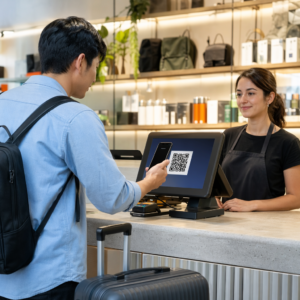
¿Los códigos QR ilegibles en las credenciales están ralentizando las filas de registro de tu evento y frustrando a los expositores? Los códigos no escaneables crean cuellos de botella en el registro, causan la pérdida de datos de clientes potenciales y arruinan la experiencia del asistente. Esta guía explica cómo diseñar, imprimir e implementar códigos QR escaneables en las credenciales de conferencias para un control de acceso rápido, la captura de clientes potenciales y el networking.
Casos de Uso Clave para Códigos QR en Credenciales
Las credenciales de conferencia cumplen múltiples propósitos operativos durante un evento. Añadir un código QR escaneable transforma una etiqueta de nombre estática en una clave digital para asistentes, personal y patrocinadores.
- Control de Acceso al Recinto y Registro del Evento: Escanear la credencial de un asistente en los mostradores de registro o en las puertas de las salas de sesiones verifica instantáneamente el estado del boleto. Implementar un código QR de asistencia flujo de trabajo acelera la entrada y proporciona a los organizadores un seguimiento en tiempo real de la capacidad de la sala.
- Captura de Clientes Potenciales para Expositores: El personal del stand escanea las credenciales de los asistentes para capturar detalles de contacto sin intercambiar tarjetas de presentación físicas. Esto permite a los patrocinadores registrar clientes potenciales cualificados directamente en sus sistemas de gestión de relaciones con el cliente durante las ferias comerciales.
- Networking entre Pares: Los asistentes intercambian datos de contacto instantáneamente escaneando las credenciales de los demás. Vincular un código de credencial a una tarjeta de contacto digital usando un Generador de códigos QR de contacto vCard permite a los destinatarios guardar nombres, números de teléfono y direcciones de correo electrónico directamente en las agendas de sus smartphones.
Para asegurar un escaneo rápido en los tres casos de uso, minimiza la cantidad de datos sin procesar almacenados dentro del patrón del código de barras. Una alta densidad de datos crea patrones cuadrados más pequeños y compactos (módulos) que son más difíciles de procesar rápidamente por las cámaras móviles. Usar un Generador de códigos QR dinámicos te permite codificar un enlace de redirección corto o una cadena de identificador único, manteniendo el patrón visual disperso y fácil de leer.
Crea Códigos QR Personalizados para Eventos en Minutos Simplifica el registro de asistentes y el escaneo de credenciales diseñando códigos de evento personalizables con el Generador de códigos QR para eventos hoy.
Directrices Técnicas para la Escaneabilidad de Credenciales
Un código de credencial que no se escanea genera largos tiempos de espera y una pérdida de datos precisos. Siga estos estándares de diseño técnico para asegurar que cada credencial se escanee de manera fiable al primer intento.

| Estándar de la Característica | Requisito Técnico | Razón Operativa |
|---|---|---|
| Tamaño mínimo de impresión | 1 × 1 pulgada (2.5 × 2.5 cm) | Garantiza un enfoque claro para escáneres portátiles a distancia de un brazo (10–25 pulgadas). |
| Margen de Zona Silenciosa | Al menos 4 módulos de ancho | Evita que el texto circundante, los logotipos o los bordes de la credencial interfieran con el lector. |
| Contraste de color | Relación de contraste mínima de 4:1 | Asegura que los sensores ópticos distingan los módulos oscuros del primer plano del papel de fondo. |
| Resolución de Imagen | Formato vectorial (SVG/EPS) o 300 DPI | Elimina bordes borrosos o pixelados al escalar el diseño de la credencial para tiradas de impresión. |
Contraste de Color y Estilo Visual
Siempre imprima patrones QR oscuros sobre fondos claros. Los módulos negros sobre un fondo blanco proporcionan la puntuación de legibilidad más alta y una relación de contraste estándar de 21:1. Aunque se pueden usar colores de marca personalizados, mantenga al menos una relación de contraste de 4:1 para adaptarse a los diferentes niveles de luz del lugar. Evite diseños invertidos con patrones claros sobre fondos oscuros porque muchos lectores de cámaras nativas de teléfonos inteligentes no procesan códigos invertidos. Para reglas detalladas de selección de colores, revise nuestra guía sobre mejores prácticas de contraste de color de códigos QR.
Requisitos de la Zona Silenciosa
La zona tranquila es el margen claro que rodea los cuatro lados de un código QR. Los estándares requieren una anchura de zona tranquila igual a al menos cuatro veces la anchura de un módulo individual (bloque cuadrado). Nunca coloque nombres, cargos, logotipos de patrocinadores o gráficos de fondo dentro de este margen, ya que hacerlo evita que el escáner localice los límites del código.
Materiales de Credencial y Técnicas de Impresión
El sustrato físico y el acabado de la superficie de una credencial impactan significativamente cómo la luz se refleja en una lente de escaneo.
Selección de Sustratos y Acabados
Siempre que sea posible, elija cartulina mate o sin recubrimiento. Las credenciales de plástico de alto brillo, las superposiciones transparentes brillantes y las fundas de vinilo pesadas reflejan la iluminación cenital del lugar directamente en los objetivos de la cámara, provocando deslumbramientos y errores de escaneo. Si su configuración del lugar requiere portacredenciales de plástico transparente o laminación brillante:
- Aumente el tamaño del código impreso entre un 15% y un 20% para proporcionar a los sensores de la cámara un objetivo más grande.
- Indique a los operadores de cámara o al personal del stand que sostengan los dispositivos de escaneo en un ligero ángulo para evitar el reflejo directo de la luz.
- Evite la cartulina sintética texturizada que altera los bordes geométricos rectos de los módulos impresos.
Exportación de archivos para producción
Nunca exporte el diseño de las credenciales como archivos JPEG o PNG de baja resolución. El redimensionamiento de imágenes de mapa de bits provoca borrones de píxeles, lo que redondea las esquinas afiladas de los módulos. Exporte el diseño en formatos vectoriales como SVG o EPS, o exporte PDFs de alta resolución configurados a 300 DPI a escala de impresión completa. Para una visión general completa de cómo las elecciones de sustrato y la aplicación de tinta afectan la escaneabilidad, lea nuestro artículo sobre cómo las técnicas de impresión impactan la escaneabilidad del código QR.
Reglas de colocación de credenciales
Coloque el código QR en la parte frontal de la credencial, idealmente cerca del centro o el tercio inferior, donde no quede obstruido por cordones o clips. Colocar el código cerca de la ruta de lectura principal garantiza una rápida alineación visual durante el registro. Explore nuestras recomendaciones en el guía para la colocación de códigos QR en marketing, y revise implementaciones reales en nuestro caso de estudio sobre conferencias científicas. Para obtener detalles exactos sobre el tamaño basados en la distancia física de escaneo, consulte nuestra guía de tamaño de códigos QR.

Privacidad de datos y flujos de trabajo de escaneo operativo
La implementación de códigos QR en credenciales requiere equilibrar flujos de trabajo operativos rápidos con la protección de datos de los asistentes.
Protección de datos de los asistentes
Codificar información personal completa —como números de teléfono, direcciones postales y direcciones de correo electrónico— directamente en una carga útil de código de barras estático expone los datos del asistente a cualquiera que escanee la credencial con una aplicación de cámara comercial.
En su lugar, codifique un identificador alfanumérico único y cifrado (como `ID-88302`). Cuando el personal autorizado del evento escanee la credencial usando una herramienta empresarial o en línea Lector QR online, el sistema de backend verifica el identificador de forma segura sin imprimir datos personales sensibles dentro de la carga útil de la credencial física.
Establecimiento del Consentimiento para la Captura de Leads
Para mantener el cumplimiento de las normativas de privacidad:
- Separar Casos de Uso: Trate el escaneo de registro de eventos como distinto de la recopilación de leads de expositores. El registro en un lugar no otorga automáticamente permiso a terceros patrocinadores para almacenar datos de contacto.
- Proporcionar Aviso Claro: Informe a los asistentes durante el registro que permitir a un expositor escanear su credencial constituye una elección explícita de compartir información de contacto con ese patrocinador específico.
- Usar Escaneos Explícitos: Asegúrese de que las aplicaciones de recuperación de stands muestren una confirmación visual de éxito (como un banner de confirmación verde) para que los asistentes sepan cuándo se realiza un escaneo de leads.
Lista de Verificación Operacional para el Éxito del Evento
Antes de imprimir su lote completo de credenciales de conferencia, ejecute esta lista de verificación de garantía de calidad:
- Verificar Contraste: Pruebe las combinaciones de fondo y primer plano utilizando un verificador de contraste digital para asegurar una relación superior a 4:1.
- Mantener Zonas Tranquilas: Verifique que un borde claro de 4 módulos rodee cada código de credencial en la plantilla de diseño final.
- Imprimir Pruebas Físicas: Nunca confíe únicamente en las vistas previas en pantalla. Imprima pruebas físicas reales de credenciales en el papel o cartulina seleccionados para las credenciales.
- Prueba en todos los dispositivos: Escanee pruebas físicas bajo iluminación realista del lugar utilizando varios modelos de smartphones (tanto iOS como Android) y escáneres portátiles dedicados.
- Confirmar Rutas de Datos: Verifique que los enlaces QR dinámicos se resuelvan a las páginas de destino o bases de datos del sistema de registro correctas sin interrupciones.
Optimice Su Próximo Evento con Credenciales Escaneables
Seguir estos estándares de diseño, sustrato y datos garantiza que las credenciales de tu evento ofrezcan registros sencillos y una generación de leads fiable. Diseñar credenciales con un contraste adecuado, zonas tranquilas suficientes, acabados mate y cargas dinámicas ligeras elimina los cuellos de botella en el registro y protege la privacidad de los asistentes.
Para empezar a crear códigos QR escalables y de alto contraste para los materiales de tu próximo evento, explora nuestra las mejores prácticas para la legibilidad de los códigos QR y prueba el diseño de tu credencial hoy mismo.
Preguntas frecuentes
Imprime los códigos QR de las credenciales con un tamaño mínimo de 1 × 1 pulgada (2.5 × 2.5 cm) o 2 × 2 cm. Este tamaño se adapta a las distancias de escaneo típicas a la longitud del brazo, de 10 a 25 pulgadas, cuando se utilizan cámaras de smartphone estándar.
Los códigos QR dinámicos codifican un enlace de redirección corto en lugar de texto denso y sin formato, manteniendo el patrón visual simple y rápido de escanear. También permiten a los organizadores editar URLs de destino o gestionar la configuración de acceso después de la impresión sin tener que volver a emitir credenciales físicas.
Utilice material para credenciales mate no reflectante siempre que sea posible. Si se requieren fundas de vinilo transparentes, aumente el tamaño del código QR entre un 15% y un 20% e instruya al personal o a los expositores para que sostengan los dispositivos de escaneo en un ángulo de 45 grados para evitar reflejos directos de la luz cenital.