Apakah kode QR lencana yang tidak terbaca memperlambat antrean pendaftaran acara Anda dan membuat peserta pameran frustrasi? Kode yang tidak dapat dipindai menciptakan kemacetan pendaftaran, menyebabkan kehilangan data prospek, dan merusak pengalaman peserta. Panduan ini menjelaskan cara mendesain, mencetak, dan menerapkan kode QR yang dapat dipindai pada lencana konferensi untuk kontrol akses cepat, penangkapan prospek, dan jaringan.
Kasus Penggunaan Utama untuk Kode QR Lencana
Lencana konferensi melayani berbagai tujuan operasional sepanjang acara. Menambahkan kode QR yang dapat dipindai mengubah kartu nama statis menjadi kunci digital bagi peserta, staf, dan sponsor.
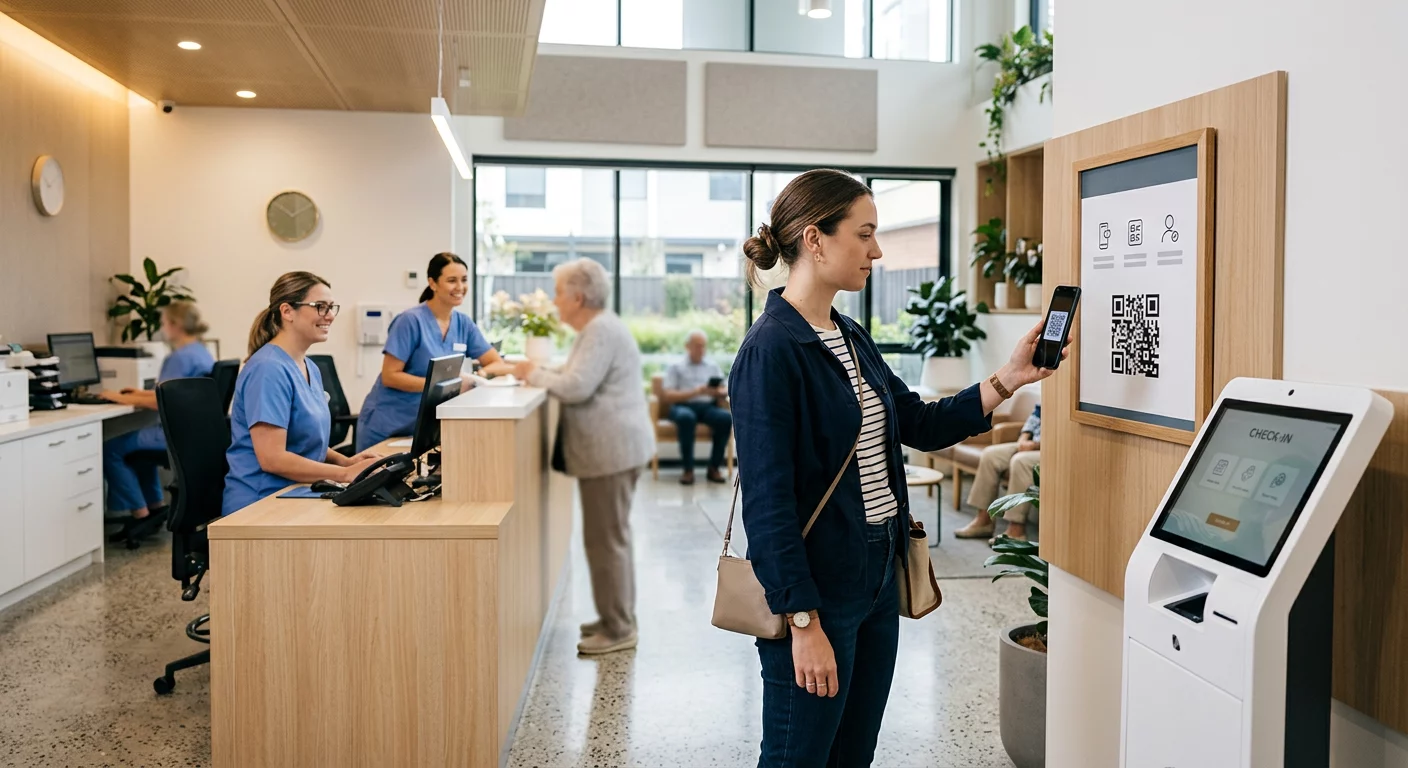
- Kontrol Akses Lokasi dan Pendaftaran Acara: Memindai lencana peserta di meja pendaftaran atau pintu ruang sesi langsung memverifikasi status tiket. Menerapkan sebuah kode QR kehadiran alur kerja mempercepat masuknya peserta dan menyediakan pelacakan kapasitas ruangan secara real-time bagi penyelenggara.
- Penangkapan Prospek Peserta Pameran: Staf stan memindai lencana peserta untuk menangkap detail kontak tanpa bertukar kartu nama fisik. Ini memungkinkan sponsor untuk mencatat prospek yang berkualitas langsung ke sistem manajemen hubungan pelanggan mereka selama pameran dagang.
- Jaringan Antar Peserta: Peserta bertukar detail kontak secara instan dengan memindai lencana satu sama lain. Menghubungkan kode lencana ke kartu kontak digital menggunakan Generator kode QR vCard memungkinkan penerima untuk menyimpan nama, nomor telepon, dan alamat email langsung ke buku alamat ponsel cerdas mereka.
Untuk memastikan pemindaian cepat di ketiga kasus penggunaan, minimalkan jumlah data mentah yang disimpan di dalam pola barcode. Kepadatan data yang tinggi menciptakan pola persegi (modul) yang lebih kecil dan rapat yang lebih sulit diproses dengan cepat oleh kamera ponsel. Menggunakan Generator QR Code Dinamis memungkinkan Anda untuk menyandikan tautan pengalihan singkat atau string pengidentifikasi unik, menjaga pola visual tetap jarang dan mudah dibaca.
Buat Kode QR Acara Kustom dalam Hitungan Menit Sederhanakan pendaftaran peserta dan pemindaian lencana dengan mendesain kode acara yang dapat disesuaikan dengan Generator QR Code Acara hari ini.
Pedoman Teknis untuk Kemampuan Pindai Lencana
Kode lencana yang gagal dipindai akan menciptakan waktu tunggu yang lama dan hilangnya data yang akurat. Ikuti standar desain teknis ini untuk memastikan setiap lencana dapat dipindai dengan andal pada percobaan pertama.

| Standar Fitur | Persyaratan Teknis | Alasan Operasional |
|---|---|---|
| Ukuran Cetak Minimum | 1 × 1 inci (2.5 × 2.5 cm) | Menjamin fokus yang jelas untuk pemindai genggam pada jarak lengan (10–25 inci). |
| Margin Zona Hening | Setidaknya 4 modul lebar | Mencegah teks di sekitar, logo, atau batas lencana mengganggu pembaca. |
| Kontras Warna | Rasio kontras minimum 4:1 | Memastikan sensor optik membedakan modul latar depan yang gelap dari kertas latar belakang. |
| Resolusi Gambar | Format vektor (SVG/EPS) atau 300 DPI | Menghilangkan tepi yang buram atau berpiksel saat menskalakan desain lencana untuk pencetakan. |
Kontras Warna dan Gaya Visual
Selalu cetak pola QR gelap pada latar belakang terang. Modul hitam pada latar belakang putih memberikan skor keterbacaan tertinggi dan rasio kontras standar 21:1. Meskipun warna merek kustom dapat digunakan, pertahankan rasio kontras minimal 4:1 untuk mengakomodasi tingkat cahaya lokasi yang bervariasi. Hindari desain terbalik dengan pola terang pada latar belakang gelap karena banyak pembaca kamera smartphone asli gagal memproses kode terbalik. Untuk aturan pemilihan warna terperinci, tinjau panduan kami tentang praktik terbaik kontras warna kode QR.
Persyaratan Zona Tenang
Zona tenang adalah margin kosong yang mengelilingi keempat sisi kode QR. Standar mensyaratkan lebar zona tenang setidaknya empat kali lebar modul individu tunggal (blok persegi). Jangan pernah menempatkan nama, jabatan, logo sponsor, atau grafis latar belakang di dalam margin ini, karena hal tersebut akan mencegah pemindai menemukan batas-batas kode.
Bahan Lencana dan Teknik Pencetakan
Substrat fisik dan hasil akhir permukaan lencana secara signifikan memengaruhi bagaimana cahaya memantul ke dalam lensa pemindai.
Memilih Substrat dan Hasil Akhir
Pilih karton matte atau tanpa lapisan kapan pun memungkinkan. Lencana plastik mengkilap, lapisan bening berkilau, dan kantong vinil tebal memantulkan pencahayaan tempat acara langsung ke lensa kamera, menyebabkan pemudaran dan kesalahan pemindaian. Jika tempat acara Anda memerlukan tempat lencana plastik bening atau laminasi mengkilap:
- Perbesar ukuran kode yang dicetak sebesar 15% hingga 20% untuk memberikan target yang lebih besar bagi sensor kamera.
- Instruksikan operator kamera atau staf stan untuk memegang perangkat pemindai pada sedikit sudut untuk menghindari pantulan cahaya langsung.
- Hindari karton sintetis bertekstur yang mengganggu tepi geometris lurus dari modul yang dicetak.
Mengekspor Berkas untuk Produksi
Jangan pernah mengekspor desain lencana sebagai berkas JPEG atau PNG beresolusi rendah. Mengubah ukuran gambar bitmap menyebabkan smudging piksel, yang membulatkan sudut modul yang tajam. Ekspor desain dalam format vektor seperti SVG atau EPS, atau ekspor PDF beresolusi tinggi yang diatur ke 300 DPI pada skala cetak penuh. Untuk gambaran umum yang komprehensif tentang bagaimana pilihan substrat dan aplikasi tinta memengaruhi kemampuan pindaian, baca artikel kami tentang bagaimana teknik pencetakan memengaruhi kemampuan pindai kode QR.
Aturan Penempatan Lencana
Posisikan kode QR di bagian depan lencana, idealnya di dekat tengah atau sepertiga bagian bawah di mana ia tidak terhalang oleh tali atau klip. Menempatkan kode di dekat jalur pembacaan utama memastikan keselarasan visual yang cepat selama proses check-in. Jelajahi rekomendasi kami di panduan penempatan kode QR dalam pemasaran, dan tinjau implementasi di dunia nyata dalam studi kasus tentang konferensi ilmiah. Untuk detail ukuran yang tepat berdasarkan jarak pemindaian fisik, rujuk panduan ukuran kode QR.

Privasi Data dan Alur Kerja Pemindaian Operasional
Menerapkan kode QR lencana memerlukan keseimbangan antara alur kerja operasional yang cepat dengan perlindungan data peserta.
Melindungi Data Peserta
Mengkodekan informasi pribadi lengkap – seperti nomor telepon, alamat jalan, dan alamat email – langsung ke muatan kode batang statis akan mengekspos data peserta kepada siapa pun yang memindai lencana dengan aplikasi kamera komersial.
Sebagai gantinya, kodekan pengidentifikasi alfanumerik unik yang terenkripsi (seperti `ID-88302`). Ketika personel acara yang berwenang memindai lencana menggunakan alat perusahaan atau daring Scan QR Code & Barcode, sistem backend memverifikasi pengidentifikasi dengan aman tanpa mencetak data pribadi sensitif di dalam muatan lencana fisik.
Menetapkan Persetujuan Pengambilan Prospek
Untuk menjaga kepatuhan terhadap peraturan privasi:
- Pisahkan Kasus Penggunaan: Perlakukan pemindaian check-in acara sebagai hal yang berbeda dari pengumpulan prospek peserta pameran. Check-in ke suatu tempat tidak secara otomatis memberikan izin kepada sponsor pihak ketiga untuk menyimpan data kontak.
- Berikan Pemberitahuan Jelas: Informasikan kepada peserta selama pendaftaran bahwa mengizinkan peserta pameran untuk memindai lencana mereka merupakan pilihan eksplisit untuk berbagi informasi kontak dengan sponsor tertentu itu.
- Gunakan Pemindaian Eksplisit: Pastikan aplikasi pengambilan booth menampilkan konfirmasi keberhasilan visual (seperti spanduk konfirmasi hijau) agar peserta tahu kapan pemindaian prospek terjadi.
Daftar Periksa Operasional untuk Keberhasilan Acara
Sebelum mencetak seluruh lencana konferensi Anda, jalankan daftar periksa jaminan kualitas ini:
- Verifikasi Kontras: Uji kombinasi latar belakang dan latar depan menggunakan pemeriksa kontras digital untuk memastikan rasio di atas 4:1.
- Pertahankan Zona Tenang: Verifikasi bahwa batas bening 4-modul mengelilingi setiap kode lencana dalam template tata letak akhir.
- Cetak Bukti Fisik: Jangan pernah hanya mengandalkan pratinjau layar. Cetak bukti lencana fisik yang sebenarnya pada kertas lencana atau karton yang dipilih.
- Uji di Berbagai Perangkat: Pindai bukti fisik di bawah pencahayaan tempat yang realistis menggunakan beberapa model smartphone (baik iOS maupun Android) dan pemindai genggam khusus.
- Konfirmasi Rute Data: Periksa bahwa tautan QR dinamis mengarah ke halaman arahan yang benar atau database sistem check-in tanpa rusak.
Sederhanakan Acara Anda Berikutnya dengan Lencana yang Dapat Dipindai
Mengikuti standar desain, substrat, dan data ini memastikan lencana acara Anda menghadirkan proses check-in yang mudah dan perolehan prospek yang andal. Mendesain lencana dengan kontras yang tepat, zona tenang yang memadai, hasil akhir matte, dan payload dinamis yang ringan menghilangkan hambatan pendaftaran serta melindungi privasi peserta.
Untuk mulai membuat kode QR yang kontras tinggi dan dapat diskalakan untuk materi acara Anda yang akan datang, jelajahi praktik terbaik untuk keterbacaan kode QR dan uji desain lencana Anda hari ini.
Pertanyaan yang sering diajukan
Cetak kode QR lencana setidaknya 1 × 1 inci (2,5 × 2,5 cm) atau minimal 2 × 2 cm. Ukuran ini mengakomodasi jarak pemindaian sejauh lengan yang umum yaitu 10 hingga 25 inci saat menggunakan kamera ponsel pintar standar.
Kode QR Dinamis mengkodekan tautan pengalihan singkat daripada teks mentah yang padat, menjaga pola visual tetap sederhana dan cepat untuk dipindai. Mereka juga memungkinkan penyelenggara untuk mengedit URL tujuan atau mengelola pengaturan akses setelah pencetakan tanpa perlu menerbitkan ulang lencana fisik.
Gunakan bahan kartu nama matte anti-refleksi sedapat mungkin. Jika kantong vinil bening diperlukan, perbesar ukuran kode QR sebesar 15% hingga 20% dan instruksikan staf atau peserta pameran untuk memegang perangkat pemindai pada sudut 45 derajat untuk menghindari pantulan cahaya langsung dari atas.