هل تؤدي رموز QR غير المقروءة على الشارات إلى إبطاء خطوط تسجيل الدخول لفعاليتك وإحباط العارضين؟ تتسبب الرموز غير القابلة للمسح الضوئي في اختناقات التسجيل، وفقدان بيانات العملاء المحتملين، وتدمير تجربة الحضور. يشرح هذا الدليل كيفية تصميم وطباعة وتنفيذ رموز QR قابلة للمسح الضوئي على شارات المؤتمرات للتحكم السريع في الوصول، والتقاط العملاء المحتملين، والتواصل.
حالات الاستخدام الرئيسية لرموز QR على الشارات
تخدم شارات المؤتمرات أغراضًا تشغيلية متعددة طوال الفعالية. إضافة رمز QR قابل للمسح الضوئي يحول بطاقة الاسم الثابتة إلى مفتاح رقمي للحضور والموظفين والرعاة.
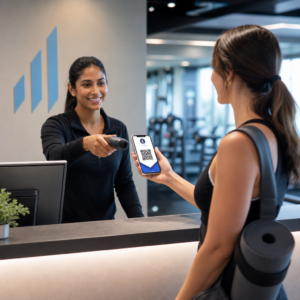
- التحكم في الوصول إلى الموقع وتسجيل الدخول للفعالية: مسح شارة الحضور في مكاتب التسجيل أو أبواب قاعات الجلسات يتحقق فورًا من حالة التذكرة. تنفيذ سير عمل [EVENT CHECK-IN APP] يسرع الدخول ويزود المنظمين بتتبع سعة الغرفة في الوقت الفعلي. رمز QR للحضور workflow accelerates entry and provides organizers with real-time room capacity tracking.
- التقاط العملاء المحتملين للعارضين: يقوم موظفو الأجنحة بمسح شارات الحضور لالتقاط تفاصيل الاتصال دون تبادل بطاقات العمل المادية. يتيح ذلك للرعاة تسجيل العملاء المتوقعين المؤهلين مباشرة في أنظمة إدارة علاقات العملاء الخاصة بهم خلال المعارض التجارية.
- الشبكات بين الأقران: يتبادل الحضور تفاصيل الاتصال فورًا عن طريق مسح شارات بعضهم البعض. ربط رمز الشارة ببطاقة اتصال رقمية باستخدام [DIGITAL BUSINESS CARD GENERATOR] يسمح للمستلمين بحفظ الأسماء وأرقام الهواتف وعناوين البريد الإلكتروني مباشرة في دفاتر عناوين هواتفهم الذكية. مولد رمز QR لبطاقة vCard allows recipients to save names, phone numbers, and email addresses directly to their smartphone address books.
لضمان المسح السريع عبر جميع حالات الاستخدام الثلاث، قلل كمية البيانات الأولية المخزنة داخل نمط الباركود. كثافة البيانات العالية تخلق أنماطًا مربعة (وحدات) أصغر وأكثر إحكامًا يصعب على الكاميرات المحمولة معالجتها بسرعة. استخدام [DYNAMIC QR CODE GENERATOR] يسمح لك بتشفير رابط إعادة توجيه قصير أو سلسلة تعريف فريدة، مما يحافظ على النمط البصري متفرقًا وسهل القراءة. مولد QR code ديناميكي allows you to encode a short redirect link or unique identifier string, keeping the visual pattern sparse and easy to read.
إنشاء رموز QR مخصصة للفعاليات في دقائق بسّط تسجيل الحضور ومسح الشارات عن طريق تصميم رموز فعاليات قابلة للتخصيص باستخدام [QR CODE MAKER]. مولد باركود QR للفعاليات اليوم.
إرشادات فنية لقابلية مسح الشارات ضوئيًا
رمز الشارة الذي يفشل في المسح يؤدي إلى أوقات انتظار طويلة وفقدان دقيق للبيانات. اتبع معايير التصميم التقني هذه لضمان مسح كل شارة بشكل موثوق في المحاولة الأولى.

| معيار الميزة | متطلب تقني | سبب تشغيلي |
|---|---|---|
| الحد الأدنى لحجم الطباعة | 1 × 1 بوصة (2.5 × 2.5 سم) | يضمن تركيزًا واضحًا للماسحات الضوئية المحمولة على بعد طول ذراع (10-25 بوصة). |
| هامش المنطقة الهادئة | عرض 4 وحدات على الأقل | يمنع النصوص المحيطة، الشعارات، أو حدود الشارة من التداخل مع القارئ. |
| تباين الألوان | الحد الأدنى لنسبة التباين 4:1 | يضمن تمييز المستشعرات البصرية بين الوحدات الأمامية الداكنة وورق الخلفية. |
| دقة الصورة | صيغة متجهة (SVG/EPS) أو 300 نقطة في البوصة | يزيل الحواف الضبابية أو المقطعة (بكسلة) عند تغيير حجم تصميم الشارة لعمليات الطباعة. |
تباين الألوان والنمط البصري
اطبع دائمًا أنماط QR الداكنة على خلفيات فاتحة. توفر الوحدات السوداء على خلفية بيضاء أعلى درجة وضوح وقراءة ونسبة تباين قياسية 21:1. في حين يمكن استخدام ألوان العلامة التجارية المخصصة، حافظ على نسبة تباين لا تقل عن 4:1 لاستيعاب مستويات الإضاءة المختلفة في الأماكن. تجنب التصميمات المقلوبة بأنماط فاتحة على خلفيات داكنة لأن العديد من قارئات كاميرا الهواتف الذكية الأصلية تفشل في معالجة الرموز المقلوبة. للحصول على قواعد مفصلة لاختيار الألوان، راجع دليلنا حول أفضل ممارسات تباين ألوان رمز QR.
متطلبات المنطقة الهادئة
المنطقة الهادئة هي الهامش الواضح المحيط بجميع الجوانب الأربعة لرمز QR. تتطلب المعايير أن يكون عرض المنطقة الهادئة مساويًا لأربعة أضعاف عرض وحدة فردية واحدة (كتلة مربعة) على الأقل. لا تضع أبدًا أسماء أو مسميات وظيفية أو شعارات الرعاة أو رسومات خلفية داخل هذا الهامش، لأن القيام بذلك يمنع الماسح الضوئي من تحديد حدود الرمز.
مواد الشارات وتقنيات الطباعة
تؤثر الركيزة المادية والتشطيب السطحي للشارة بشكل كبير على كيفية انعكاس الضوء في عدسة المسح.
اختيار الركائز والتشطيبات
اختر الورق المقوى غير اللامع أو غير المطلي كلما أمكن ذلك. الشارات البلاستيكية عالية اللمعان، والأغطية الشفافة اللامعة، والحقائب الفينيل الثقيلة تعكس إضاءة المكان العلوية مباشرة في عدسات الكاميرا، مما يسبب الغسيل وأخطاء المسح. إذا كانت حاملات الشارات البلاستيكية الشفافة أو التغليف اللامع مطلوبة من قبل إعدادات مكانك:
- قم بزيادة حجم الكود المطبوع بنسبة 15% إلى 20% لمنح مستشعرات الكاميرا هدفًا أكبر.
- اطلب من مشغلي الكاميرا أو موظفي الكشك إمساك أجهزة المسح بزاوية طفيفة لتجنب انعكاس الضوء المباشر.
- تجنب الورق المقوى الصناعي ذو الملمس الذي يعيق الحواف الهندسية المستقيمة للوحدات المطبوعة.
تصدير الملفات للإنتاج
لا تقم أبدًا بتصدير تصميم الشارة كملفات JPEG أو PNG منخفضة الدقة. يؤدي تغيير حجم صور نقطية إلى تشويش البكسل، مما يؤدي إلى تقريب زوايا الوحدة الحادة. قم بتصدير التصميم بتنسيقات متجهة مثل SVG أو EPS، أو قم بتصدير ملفات PDF عالية الدقة مضبوطة على 300 نقطة في البوصة بمقياس طباعة كامل. للحصول على نظرة عامة شاملة حول كيفية تأثير خيارات المواد وتطبيق الحبر على قابلية المسح، اقرأ مقالنا حول 15. كيف تؤثر تقنيات الطباعة على قابلية مسح رمز QR ضوئيًا تعتمد بشكل كبير على عوامل مثل انتشار الحبر. على المواد الماصة مثل القماش أو الورق المزخرف، يمكن أن ينتشر الحبر، مما يؤدي إلى توسيع الوحدات الداكنة وتقليص المسافات البيضاء بينها..
قواعد وضع الشارة
ضع رمز الاستجابة السريعة (QR) على الوجه الأمامي للشارة، ويفضل أن يكون بالقرب من المركز أو الثلث السفلي حيث لا يعوقه أي حبال أو مشابك. يضمن وضع الرمز بالقرب من مسار القراءة الأساسي محاذاة بصرية سريعة أثناء تسجيل الدخول. استكشف توصياتنا في دليل وضع رموز QR في التسويق، وراجع التطبيقات الواقعية في دراسة حالة حول المؤتمرات العلمية. للحصول على تفاصيل الأبعاد الدقيقة بناءً على مسافة المسح الفعلية، ارجع إلى مرجعنا المخصص دليل حجم رمز QR.

خصوصية البيانات وسير عمل المسح التشغيلي
يتطلب تطبيق رموز الاستجابة السريعة (QR) للشارات الموازنة بين سير العمل التشغيلي السريع وحماية بيانات الحضور.
حماية بيانات الحضور
يؤدي ترميز المعلومات الشخصية الكاملة – مثل أرقام الهواتف والعناوين البريدية وعناوين البريد الإلكتروني – مباشرة في حمولة باركود ثابتة إلى فضح بيانات الحضور لأي شخص يقوم بمسح الشارة باستخدام تطبيق كاميرا تجاري.
بدلاً من ذلك، قم بترميز معرف أبجدي رقمي فريد ومشفّر (مثل `ID-88302`). عندما يقوم موظفو الفعالية المخولون بمسح الشارة باستخدام أداة مؤسسية أو عبر الإنترنت ماسح الباركود QR، يقوم النظام الخلفي بالتحقق من المعرف بشكل آمن دون طباعة بيانات شخصية حساسة داخل محتوى الشارة الفعلية.
تحديد موافقة جمع بيانات العملاء المحتملين
للحفاظ على الامتثال للوائح الخصوصية:
- فصل حالات الاستخدام: تعامل مع مسح تسجيل الدخول للفعالية على أنه منفصل عن جمع بيانات العملاء المحتملين من قبل العارضين. فالتسجيل في مكان لا يمنح تلقائيًا الجهات الراعية الخارجية الإذن بتخزين بيانات الاتصال.
- توفير إشعار واضح: أبلغ الحضور أثناء التسجيل أن السماح لعارض بمسح شارتهم يعتبر اختيارًا صريحًا لمشاركة معلومات الاتصال مع ذلك الراعي المحدد.
- استخدام عمليات مسح واضحة: تأكد من أن تطبيقات استرجاع معلومات الأجنحة تعرض تأكيد نجاح مرئيًا (مثل لافتة تأكيد خضراء) حتى يعرف الحضور متى يتم مسح بيانات عميل محتمل.
قائمة التحقق التشغيلية لنجاح الفعالية
قبل طباعة دفعتك الكاملة من شارات المؤتمر، نفّذ قائمة التحقق هذه لضمان الجودة:
- التحقق من التباين: اختبر تركيبات الخلفية والمقدمة باستخدام مدقق التباين الرقمي لضمان نسبة تزيد عن 4:1.
- الحفاظ على المناطق الهادئة: تحقق من أن حدودًا واضحة بأربع وحدات تحيط بكل رمز شارة في قالب التصميم النهائي.
- طباعة عينات مادية: لا تعتمد أبدًا على معاينات الشاشة وحدها. اطبع عينات شارات فعلية على ورق الشارات أو الكرتون المختار.
- اختبار عبر الأجهزة: امسح العينات المادية تحت إضاءة المكان الواقعية باستخدام نماذج متعددة من الهواتف الذكية (iOS و Android) وأجهزة مسح محمولة مخصصة.
- تأكيد مسارات البيانات: تحقق من أن روابط QR الديناميكية توجه إلى صفحات الهبوط الصحيحة أو قواعد بيانات نظام تسجيل الدخول دون انقطاع.
تبسيط فعاليتك القادمة باستخدام الشارات القابلة للمسح
يضمن اتباع معايير التصميم والركيزة والبيانات هذه أن شارات فعاليتك توفر تسجيل دخول سلسًا وتوليد عملاء محتملين موثوقًا. تصميم الشارات بتباين مناسب، ومناطق هادئة كافية، وتشطيبات غير لامعة، وحمولات ديناميكية خفيفة يزيل اختناقات التسجيل ويحمي خصوصية الحاضرين.
للبدء في إنشاء رموز QR عالية التباين وقابلة للتطوير لمواد فعاليتك القادمة، استكشف أفضل الممارسات لقابلية قراءة رمز الاستجابة السريعة واختبر تصميم شارتك اليوم.
الأسئلة الشائعة
اطبع رموز QR للشارات بحجم 1 × 1 بوصة (2.5 × 2.5 سم) على الأقل أو بحد أدنى 2 × 2 سم. يتناسب هذا الحجم مع مسافات المسح النموذجية بطول الذراع التي تتراوح من 10 إلى 25 بوصة عند استخدام كاميرات الهواتف الذكية القياسية.
تقوم رموز الاستجابة السريعة الديناميكية بتشفير رابط إعادة توجيه قصير بدلاً من نص خام كثيف، مما يحافظ على النمط المرئي بسيطًا وسريع المسح. كما أنها تسمح للمنظمين بتعديل عناوين URL الوجهة أو إدارة إعدادات الوصول بعد الطباعة دون الحاجة لإعادة إصدار الشارات المادية.
استخدم مخزون شارات غير لامع وغير عاكس كلما أمكن ذلك. إذا كانت الأكياس البلاستيكية الشفافة مطلوبة، قم بزيادة حجم رمز الاستجابة السريعة (QR) بنسبة 15% إلى 20% وأرشد الموظفين أو العارضين إلى إمساك أجهزة المسح بزاوية 45 درجة لتجنب انعكاسات الإضاءة العلوية المباشرة.