क्या अपठनीय बैज क्यूआर कोड आपकी इवेंट चेक-इन लाइनों को धीमा कर रहे हैं और प्रदर्शकों को निराश कर रहे हैं? स्कैन न किए जा सकने वाले कोड पंजीकरण में बाधाएँ पैदा करते हैं, लीड डेटा खो जाने का कारण बनते हैं, और उपस्थित लोगों के अनुभव को खराब करते हैं। यह मार्गदर्शिका बताती है कि त्वरित पहुंच नियंत्रण, लीड कैप्चर और नेटवर्किंग के लिए कॉन्फ्रेंस बैज पर स्कैन करने योग्य क्यूआर कोड कैसे डिज़ाइन करें, प्रिंट करें और लागू करें।
बैज क्यूआर कोड के प्रमुख उपयोग के मामले
सम्मेलन बैज पूरे आयोजन के दौरान कई परिचालन उद्देश्यों की पूर्ति करते हैं। एक स्कैन करने योग्य क्यूआर कोड जोड़ने से एक स्थिर नाम टैग उपस्थित लोगों, कर्मचारियों और प्रायोजकों के लिए एक डिजिटल कुंजी में बदल जाता है।
- स्थल प्रवेश नियंत्रण और इवेंट चेक-इन: पंजीकरण डेस्क या सत्र कक्ष के दरवाजों पर उपस्थित व्यक्ति के बैज को स्कैन करने से टिकट की स्थिति तुरंत सत्यापित हो जाती है। एक उपस्थिति QR कोड कार्यप्रवाह प्रवेश को तेज़ करता है और आयोजकों को वास्तविक समय में कमरे की क्षमता पर नज़र रखने की सुविधा प्रदान करता है।
- प्रदर्शक लीड कैप्चर: बूथ कर्मचारी बिना भौतिक व्यवसाय कार्ड का आदान-प्रदान किए संपर्क विवरण कैप्चर करने के लिए उपस्थित लोगों के बैज को स्कैन करते हैं। यह प्रायोजकों को व्यापार शो के दौरान योग्य लीड को सीधे उनके ग्राहक संबंध प्रबंधन प्रणालियों में लॉग करने की अनुमति देता है।
- पीयर-टू-पीयर नेटवर्किंग: उपस्थित लोग एक-दूसरे के बैज को स्कैन करके तुरंत संपर्क विवरण का आदान-प्रदान करते हैं। एक बैज कोड को एक डिजिटल संपर्क कार्ड से लिंक करना, एक vCard QR कोड जनरेटर प्राप्तकर्ताओं को नाम, फोन नंबर और ईमेल पते सीधे उनके स्मार्टफोन की पता पुस्तिकाओं में सहेजने की अनुमति देता है।
तीनों उपयोग के मामलों में तेज़ स्कैनिंग सुनिश्चित करने के लिए, बारकोड पैटर्न के अंदर संग्रहीत कच्चे डेटा की मात्रा को कम करें। उच्च डेटा घनत्व छोटे, सघन वर्गाकार पैटर्न (मॉड्यूल) बनाता है जिन्हें मोबाइल कैमरों के लिए तेज़ी से संसाधित करना कठिन होता है। एक डायनामिक QR कोड जनरेटर आपको एक छोटा रीडायरेक्ट लिंक या अद्वितीय पहचानकर्ता स्ट्रिंग एन्कोड करने की अनुमति देता है, जिससे दृश्य पैटर्न विरल और पढ़ने में आसान रहता है।
मिनटों में कस्टम इवेंट क्यूआर कोड बनाएं अनुकूलन योग्य इवेंट कोड डिज़ाइन करके उपस्थित लोगों के पंजीकरण और बैज स्कैनिंग को सरल बनाएं। इवेंट QR कोड जनरेटर आज।.
बैज स्कैन करने की क्षमता के लिए तकनीकी दिशानिर्देश
एक बैज कोड जो स्कैन नहीं हो पाता है, लंबे प्रतीक्षा समय और सटीक डेटा हानि का कारण बनता है। यह सुनिश्चित करने के लिए इन तकनीकी डिज़ाइन मानकों का पालन करें कि हर बैज पहली बार में विश्वसनीय रूप से स्कैन हो।

| सुविधा मानक | तकनीकी आवश्यकता | परिचालन कारण |
|---|---|---|
| न्यूनतम प्रिंट आकार | 1 × 1 इंच (2.5 × 2.5 सेमी) | हाथ में पकड़े जाने वाले स्कैनर के लिए हाथ की लंबाई (10–25 इंच) पर स्पष्ट फोकस की गारंटी देता है। |
| शांत क्षेत्र मार्जिन | कम से कम 4 मॉड्यूल चौड़ा | आसपास के टेक्स्ट, लोगो या बैज बॉर्डरों को रीडर के काम में बाधा डालने से रोकता है। |
| रंग कंट्रास्ट | न्यूनतम 4:1 कंट्रास्ट अनुपात | सुनिश्चित करता है कि ऑप्टिकल सेंसर गहरे फोरग्राउंड मॉड्यूल को बैकग्राउंड पेपर से अलग कर सकें। |
| छवि रिज़ॉल्यूशन | वेक्टर प्रारूप (SVG/EPS) या 300 डीपीआई | प्रिंट रन के लिए बैज आर्टवर्क को स्केल करते समय धुंधले या पिक्सेल वाले किनारों को समाप्त करता है। |
रंग कंट्रास्ट और दृश्य शैली
गहरे क्यूआर पैटर्न को हमेशा हल्के बैकग्राउंड पर प्रिंट करें। सफेद बैकग्राउंड पर काले मॉड्यूल उच्चतम पठनीयता स्कोर और एक मानक 21:1 कंट्रास्ट अनुपात प्रदान करते हैं। जबकि कस्टम ब्रांड रंगों का उपयोग किया जा सकता है, विभिन्न स्थान प्रकाश स्तरों को समायोजित करने के लिए कम से कम 4:1 कंट्रास्ट अनुपात बनाए रखें। गहरे बैकग्राउंड पर हल्के पैटर्न वाले उल्टे डिज़ाइन से बचें क्योंकि कई नेटिव स्मार्टफोन कैमरा रीडर उल्टे कोड को प्रोसेस करने में विफल रहते हैं। विस्तृत रंग चयन नियमों के लिए, हमारी गाइड की समीक्षा करें QR कोड रंग कंट्रास्ट के सर्वोत्तम अभ्यास.
शांत क्षेत्र की आवश्यकताएँ
शांत क्षेत्र क्यूआर कोड के चारों ओर एक स्पष्ट मार्जिन होता है। मानकों के अनुसार, शांत क्षेत्र की चौड़ाई एक व्यक्तिगत मॉड्यूल (वर्ग ब्लॉक) की चौड़ाई के कम से कम चार गुना के बराबर होनी चाहिए। इस मार्जिन के अंदर कभी भी नाम, पद, प्रायोजक लोगो या पृष्ठभूमि ग्राफिक्स न रखें, क्योंकि ऐसा करने से स्कैनर को कोड की सीमाओं का पता लगाने में बाधा आती है।
बैज सामग्री और मुद्रण तकनीकें
बैज का भौतिक सब्सट्रेट और सतह फिनिश इस बात पर महत्वपूर्ण प्रभाव डालता है कि प्रकाश स्कैनिंग लेंस में कैसे परावर्तित होता है।
सब्सट्रेट्स और फिनिश का चयन
जब भी संभव हो मैट या बिना कोट वाले कार्डस्टॉक का चयन करें। उच्च-चमक वाले प्लास्टिक बैज, चमकदार पारदर्शी ओवरले और भारी विनाइल पाउच ऊपर से आने वाली स्थल की रोशनी को सीधे कैमरा लेंस में परावर्तित करते हैं, जिससे धुंधलापन और स्कैन त्रुटियां होती हैं। यदि आपके स्थल की व्यवस्था के लिए स्पष्ट प्लास्टिक बैज धारकों या चमकदार लेमिनेशन की आवश्यकता है:
- कैमरा सेंसर को एक बड़ा लक्ष्य देने के लिए मुद्रित कोड के आकार को 15% से 20% तक बढ़ाएँ।
- कैमरा ऑपरेटरों या बूथ कर्मचारियों को निर्देश दें कि वे सीधे प्रकाश परावर्तन से बचने के लिए स्कैनिंग उपकरणों को थोड़े कोण पर पकड़ें।
- टेक्सचर्ड सिंथेटिक कार्डस्टॉक से बचें जो मुद्रित मॉड्यूलों के सीधे ज्यामितीय किनारों को बाधित करता है।
उत्पादन के लिए फ़ाइलें निर्यात करना
बैज कलाकृति को कभी भी कम-रिज़ॉल्यूशन वाले JPEG या PNG फ़ाइलों के रूप में निर्यात न करें। बिटमैप छवियों का आकार बदलने से पिक्सेल धुंधले हो जाते हैं, जिससे तीखे मॉड्यूल कोने गोल हो जाते हैं। कलाकृति को SVG या EPS जैसे वेक्टर प्रारूपों में निर्यात करें, या पूर्ण प्रिंट पैमाने पर 300 DPI पर सेट उच्च-रिज़ॉल्यूशन वाले PDF निर्यात करें। सब्सट्रेट विकल्पों और स्याही के अनुप्रयोग से स्कैन करने की क्षमता कैसे प्रभावित होती है, इसकी विस्तृत जानकारी के लिए हमारा लेख पढ़ें प्रिंटिंग तकनीकें QR कोड की स्कैन करने की क्षमता को कैसे प्रभावित करती हैं.
बैज प्लेसमेंट नियम
QR कोड को बैज के सामने वाले हिस्से पर रखें, आदर्श रूप से केंद्र या निचले एक-तिहाई हिस्से के पास जहाँ यह डोरी या क्लिप से बाधित न हो। कोड को प्राथमिक पढ़ने के मार्ग के पास रखने से चेक-इन के दौरान त्वरित दृश्य संरेखण सुनिश्चित होता है। हमारी सिफारिशों का अन्वेषण करें मार्केटिंग में QR कोड प्लेसमेंट के लिए गाइड, और हमारे में वास्तविक दुनिया के कार्यान्वयन की समीक्षा करें वैज्ञानिक सम्मेलनों पर केस स्टडी. भौतिक स्कैनिंग दूरी के आधार पर सटीक आकार विवरण के लिए, हमारे समर्पित को देखें QR कोड आकार मार्गदर्शिका.

डेटा गोपनीयता और परिचालन स्कैनिंग वर्कफ़्लो
बैज QR कोड लागू करने के लिए तेज़ परिचालन वर्कफ़्लो को उपस्थित लोगों के डेटा संरक्षण के साथ संतुलित करने की आवश्यकता है।
उपस्थित लोगों के डेटा की सुरक्षा
पूरा व्यक्तिगत जानकारी – जैसे फ़ोन नंबर, सड़क के पते, और ईमेल पते – को सीधे एक स्थिर बारकोड पेलोड में एन्कोड करने से उपस्थित लोगों का डेटा किसी भी व्यक्ति के सामने उजागर हो जाता है जो बैज को वाणिज्यिक कैमरा ऐप से स्कैन करता है।
इसके बजाय, एक एन्क्रिप्टेड, अद्वितीय अल्फ़ान्यूमेरिक पहचानकर्ता (जैसे `ID-88302`) एन्कोड करें। जब अधिकृत कार्यक्रम कर्मचारी किसी एंटरप्राइज़ टूल या ऑनलाइन का उपयोग करके बैज को स्कैन करते हैं QR कोड स्कैनर ऑनलाइन, तो बैकएंड सिस्टम संवेदनशील व्यक्तिगत डेटा को भौतिक बैज पेलोड के अंदर प्रिंट किए बिना पहचानकर्ता को सुरक्षित रूप से सत्यापित करता है।
लीड कैप्चर सहमति स्थापित करना
गोपनीयता नियमों का अनुपालन बनाए रखने के लिए:
- अलग उपयोग के मामले: इवेंट चेक-इन स्कैनिंग को प्रदर्शक लीड संग्रह से अलग मानें। किसी स्थान पर चेक-इन करने से तृतीय-पक्ष प्रायोजकों को संपर्क डेटा संग्रहीत करने की अनुमति स्वतः प्राप्त नहीं होती है।
- स्पष्ट सूचना प्रदान करें: पंजीकरण के दौरान उपस्थित लोगों को सूचित करें कि किसी प्रदर्शक को उनके बैज को स्कैन करने की अनुमति देना उस विशिष्ट प्रायोजक के साथ संपर्क जानकारी साझा करने का एक स्पष्ट विकल्प है।
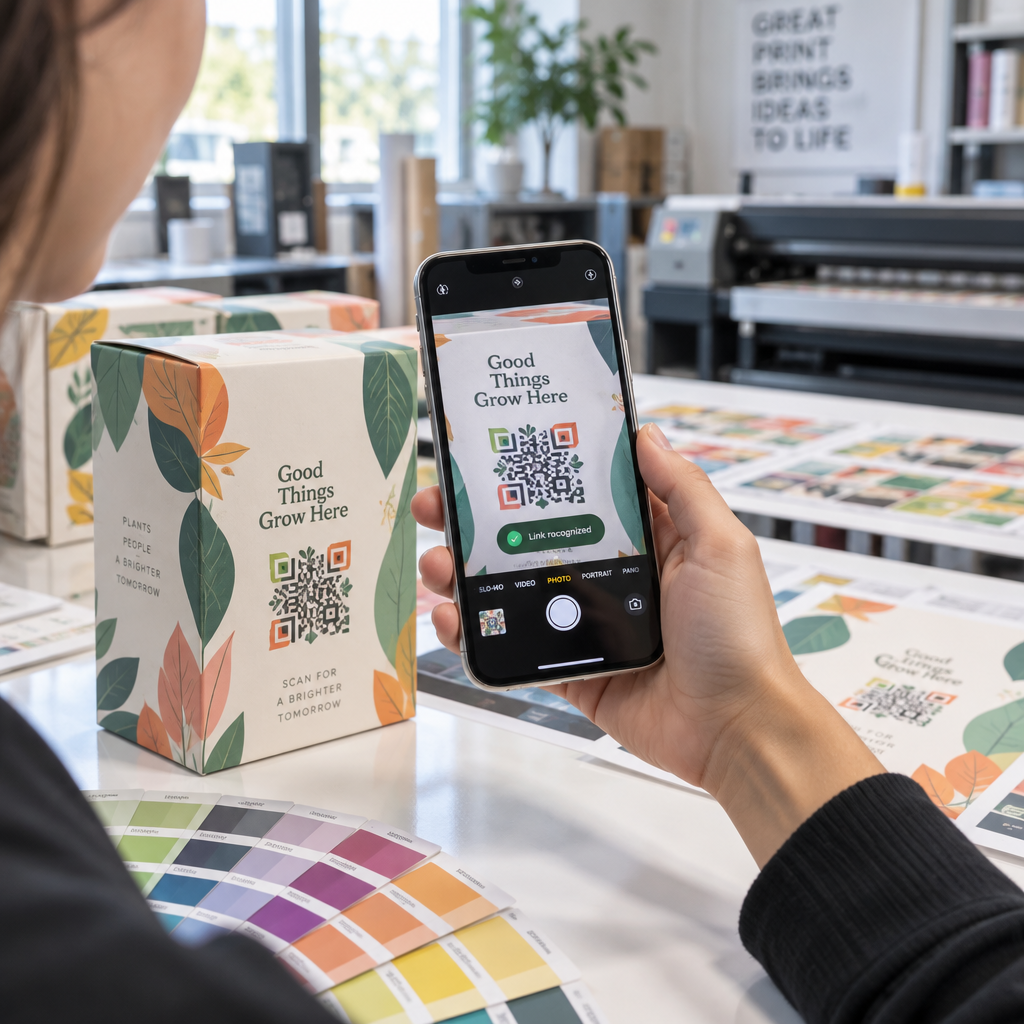
- स्पष्ट स्कैन का उपयोग करें: सुनिश्चित करें कि बूथ पुनर्प्राप्ति ऐप एक दृश्य सफलता पुष्टि (जैसे हरा पुष्टि बैनर) प्रदर्शित करें ताकि उपस्थित लोगों को पता चले कि लीड स्कैन कब होता है।
इवेंट की सफलता के लिए ऑपरेशनल चेकलिस्ट
अपने सम्मेलन बैज का पूरा बैच प्रिंट करने से पहले, इस गुणवत्ता आश्वासन चेकलिस्ट को निष्पादित करें:
- कंट्रास्ट सत्यापित करें: 4:1 से अधिक अनुपात सुनिश्चित करने के लिए डिजिटल कंट्रास्ट चेकर का उपयोग करके पृष्ठभूमि और अग्रभूमि संयोजनों का परीक्षण करें।
- शांत क्षेत्र बनाए रखें: सत्यापित करें कि अंतिम लेआउट टेम्पलेट में प्रत्येक बैज कोड को 4-मॉड्यूल स्पष्ट सीमा घेरती है।
- भौतिक प्रमाण प्रिंट करें: केवल स्क्रीन प्रीव्यू पर कभी भरोसा न करें। चयनित बैज पेपर या कार्डस्टॉक पर वास्तविक भौतिक बैज प्रूफ प्रिंट करें।
- सभी डिवाइस पर परीक्षण करें: कई स्मार्टफोन मॉडल (आईओएस और एंड्रॉइड दोनों) और समर्पित हैंडहेल्ड स्कैनर का उपयोग करके वास्तविक स्थान प्रकाश व्यवस्था के तहत भौतिक प्रमाणों को स्कैन करें।
- डेटा मार्गों की पुष्टि करें: जांचें कि गतिशील क्यूआर लिंक बिना किसी रुकावट के सही लैंडिंग पृष्ठों या चेक-इन सिस्टम डेटाबेस पर हल होते हैं।
स्कैन करने योग्य बैज के साथ अपने अगले कार्यक्रम को सुव्यवस्थित करें
इन डिज़ाइन, सब्सट्रेट और डेटा मानकों का पालन करने से आपके इवेंट बैज सहज चेक-इन और विश्वसनीय लीड जनरेशन प्रदान करते हैं। उचित कंट्रास्ट, पर्याप्त शांत क्षेत्रों, मैट फिनिश और हल्के डायनामिक पेलोड के साथ बैज डिज़ाइन करने से पंजीकरण बाधाएँ समाप्त होती हैं और उपस्थित लोगों की गोपनीयता सुरक्षित रहती है।
अपने आगामी इवेंट सामग्री के लिए उच्च-कंट्रास्ट, स्केलेबल क्यूआर कोड बनाना शुरू करने के लिए, हमारे क्यूआर कोड पठनीयता के लिए सर्वोत्तम अभ्यास और आज ही अपने बैज आर्टवर्क का परीक्षण करें।
अक्सर पूछे जाने वाले सवाल
बैज क्यूआर कोड को कम से कम 1 × 1 इंच (2.5 × 2.5 सेमी) या न्यूनतम 2 × 2 सेमी पर प्रिंट करें। यह आकार मानक स्मार्टफोन कैमरों का उपयोग करते समय 10 से 25 इंच की सामान्य हाथ की दूरी से स्कैन करने के लिए उपयुक्त है।
डायनामिक क्यूआर कोड घने कच्चे टेक्स्ट के बजाय एक छोटा रीडायरेक्ट लिंक एन्कोड करते हैं, जिससे विज़ुअल पैटर्न सरल और स्कैन करने में तेज़ रहता है। वे आयोजकों को प्रिंटिंग के बाद भौतिक बैज दोबारा जारी किए बिना गंतव्य URL संपादित करने या एक्सेस सेटिंग्स प्रबंधित करने की भी अनुमति देते हैं।
जब भी संभव हो, गैर-चिंतनशील मैट बैज स्टॉक का उपयोग करें। यदि स्पष्ट विनाइल पाउच की आवश्यकता है, तो QR कोड के आकार को 15% से 20% तक बढ़ा दें और कर्मचारियों या प्रदर्शकों को स्कैनिंग उपकरणों को 45-डिग्री के कोण पर पकड़ने का निर्देश दें ताकि सीधे ऊपर से आने वाली रोशनी के प्रतिबिंबों से बचा जा सके।