Нечетливите QR кодове на баджове забавят ли опашките за регистрация на събитията ви и разочароват ли изложителите? Несканируемите кодове създават затруднения при регистрацията, водят до загуба на данни за потенциални клиенти и развалят изживяването на участниците. Това ръководство обяснява как да проектирате, отпечатате и внедрите сканируеми QR кодове на конферентни баджове за бърз контрол на достъпа, събиране на потенциални клиенти и създаване на мрежи.
Ключови случаи на употреба на QR кодове за баджове
Конферентните баджове служат за множество оперативни цели по време на събитие. Добавянето на сканируем QR код превръща статичната табелка с име в цифров ключ за присъстващи, персонал и спонсори.
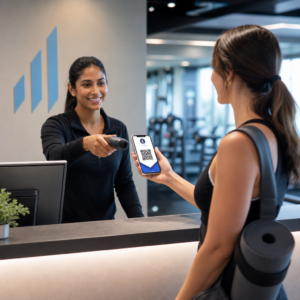
- Контрол на достъпа до мястото и регистрация за събитието: Сканирането на бадж на участник на регистрационни бюра или врати на заседателни зали незабавно проверява статуса на билета. Внедряването на QR код за присъствие работния процес ускорява влизането и предоставя на организаторите проследяване на капацитета на залата в реално време.
- Събиране на потенциални клиенти от изложители: Персоналът на щанда сканира баджове на участници, за да събере данни за контакт, без да обменя физически визитни картички. Това позволява на спонсорите да записват квалифицирани потенциални клиенти директно в своите системи за управление на взаимоотношенията с клиенти по време на търговски изложения.
- Мрежово свързване между участници: Участниците обменят данни за контакт незабавно, като сканират баджовете си. Свързването на код на бадж с цифрова визитка чрез vCard QR код генератор позволява на получателите да запазват имена, телефонни номера и имейл адреси директно в адресните книги на своите смартфони.
За да осигурите бързо сканиране при всичките три случая на употреба, минимизирайте количеството сурови данни, съхранявани в баркод шаблона. Високата плътност на данните създава по-малки, по-плътни квадратни модели (модули), които са по-трудни за бърза обработка от мобилните камери. Използването на Динамичен QR код генератор ви позволява да кодирате кратка връзка за пренасочване или уникален идентификационен низ, поддържайки визуалния модел разреден и лесен за четене.
Създайте персонализирани QR кодове за събития за минути Опростете регистрацията на участниците и сканирането на баджове, като проектирате персонализируеми кодове за събития с QR код за събитие днес.
Технически указания за сканируемост на баджове
Код на бадж, който не може да бъде сканиран, води до дълго чакане и загуба на точни данни. Следвайте тези технически стандарти за дизайн, за да гарантирате, че всеки бадж се сканира надеждно от първия опит.

| Стандарт за функция | Техническо изискване | Оперативна причина |
|---|---|---|
| Минимален размер за печат | 1 × 1 инч (2.5 × 2.5 см) | Гарантира ясен фокус за ръчни скенери на една ръка разстояние (10–25 инча). |
| Поле за тиха зона | Поне 4 модула широчина | Предотвратява заобикалящия текст, лога или рамки на баджа да пречат на четеца. |
| Контраст на цветовете | Минимално съотношение на контраст 4:1 | Гарантира, че оптичните сензори различават тъмните модули на преден план от фоновата хартия. |
| Разделителна способност на изображението | Векторен формат (SVG/EPS) или 300 DPI | Елиминира размазани или пикселизирани ръбове при мащабиране на дизайна на баджа за печатни тиражи. |
Цветен контраст и визуално оформление
Винаги отпечатвайте тъмни QR модели върху светъл фон. Черните модули върху бял фон осигуряват най-висок резултат за четливост и стандартно съотношение на контраст 21:1. Докато могат да се използват персонализирани цветове на марката, поддържайте поне съотношение на контраст 4:1, за да се приспособите към различни нива на осветеност на мястото. Избягвайте инвертирани дизайни със светли модели върху тъмен фон, защото много вградени четци на камери на смартфони не успяват да обработят инвертирани кодове. За подробни правила за избор на цвят, прегледайте нашето ръководство за най-добрите практики за цветови контраст на QR кодове.
Изисквания за тиха зона
Тихата зона е ясната граница, обграждаща всичките четири страни на QR код. Стандартите изискват ширина на тихата зона, равна на поне четири пъти ширината на един отделен модул (квадратен блок). Никога не поставяйте имена, длъжности, лога на спонсори или фонови графики в тази граница, тъй като това пречи на скенера да локализира границите на кода.
Материали за баджове и техники за печат
Физическият субстрат и повърхностното покритие на баджа значително влияят върху това как светлината се отразява в сканиращата леща.
Избор на субстрати и покрития
Избирайте матов или неламиниран картон, когато е възможно. Силно лъскавите пластмасови баджове, лъскавите прозрачни наслагвания и тежките винилови торбички отразяват директно осветлението от тавана на мястото на събитието в обективите на камерите, причинявайки преекспониране и грешки при сканиране. Ако прозрачни пластмасови държачи за баджове или гланцово ламиниране са необходими според настройките на вашето място:
- Увеличете размера на отпечатания код с 15% до 20%, за да предоставите по-голяма цел за сензорите на камерата.
- Инструктирайте операторите на камери или персонала на щанда да държат сканиращите устройства под лек ъгъл, за да избегнат директно отражение на светлината.
- Избягвайте текстуриран синтетичен картон, който нарушава правите геометрични ръбове на отпечатаните модули.
Експортиране на файлове за производство
Никога не експортирайте графики за баджове като JPEG или PNG файлове с ниска резолюция. Преоразмеряването на растерни изображения причинява размазване на пикселите, което закръгля острите ъгли на модулите. Експортирайте графики във векторни формати като SVG или EPS, или експортирайте PDF файлове с висока резолюция, зададени на 300 DPI при пълно печатно мащабиране. За изчерпателен преглед на това как изборът на основа и приложението на мастилото влияят върху сканируемостта, прочетете нашата статия за как техниките за печат влияят на сканируемостта на QR кода.
Правила за поставяне на баджове
Поставете QR кода отпред на баджа, в идеалния случай близо до центъра или долната трета, където той остава неограничен от ленти или щипки. Поставянето на кода близо до основния път за четене осигурява бързо визуално подравняване по време на регистрация. Разгледайте нашите препоръки в ръководство за поставяне на QR кодове в маркетинга, и прегледайте реални изпълнения в нашия казус за научни конференции. За точни детайли относно размера въз основа на физическото разстояние за сканиране, вижте нашия специализиран ръководство за размер на QR код.

Поверителност на данните и оперативни работни процеси за сканиране
Внедряването на QR кодове на баджове изисква балансиране на бързите оперативни работни процеси със защитата на данните на присъстващите.
Защита на данните на присъстващите
Кодирането на пълна лична информация – като телефонни номера, улични адреси и имейл адреси – директно в статичен баркод товар излага данните на присъстващите на всеки, който сканира баджа с търговско приложение за камера.
Вместо това кодирайте криптиран, уникален буквено-цифров идентификатор (като `ID-88302`). Когато упълномощен персонал на събитието сканира баджа с помощта на корпоративен инструмент или онлайн Сканиране на QR код, бекенд системата проверява сигурно идентификатора, без да отпечатва чувствителни лични данни в съдържанието на физическия бадж.
Установяване на съгласие за събиране на потенциални клиенти
За да се поддържа съответствие с разпоредбите за поверителност:
- Отделни случаи на употреба: Третирайте сканирането за регистрация на събитие като различно от събирането на потенциални клиенти от изложители. Регистрирането на място не предоставя автоматично разрешение на спонсори от трети страни да съхраняват данни за контакт.
- Осигурете ясно уведомление: Информирайте присъстващите по време на регистрацията, че разрешаването на изложител да сканира техния бадж представлява изричен избор за споделяне на информация за контакт с този конкретен спонсор.
- Използвайте изрични сканирания: Уверете се, че приложенията за извличане на информация от щандове показват визуално потвърждение за успех (като зелен банер за потвърждение), така че присъстващите да знаят кога се извършва сканиране за потенциални клиенти.
Оперативен контролен списък за успешно събитие
Преди да отпечатате цялата си партида конферентни баджове, изпълнете този контролен списък за осигуряване на качеството:
- Проверете контраста: Тествайте комбинации от фон и преден план, използвайки дигитален инструмент за проверка на контраста, за да осигурите съотношение над 4:1.
- Поддържайте зони на покой: Уверете се, че ясна граница от 4 модула заобикаля всеки код на бадж в окончателния шаблон за оформление.
- Отпечатайте физически проби: Никога не разчитайте само на екранни прегледи. Отпечатайте действителни физически проби от баджове върху избраната хартия или картон за баджове.
- Тествайте на различни устройства: Сканирайте физически проби при реалистично осветление на място, използвайки множество модели смартфони (както iOS, така и Android) и специализирани ръчни скенери.
- Потвърдете маршрутите на данните: Проверете дали динамичните QR връзки водят до правилните целеви страници или бази данни на системите за регистрация, без да се прекъсват.
Оптимизирайте следващото си събитие със сканируеми баджове
Спазването на тези стандарти за дизайн, субстрат и данни гарантира, че вашите пропуски за събития осигуряват лесно регистриране и надеждно генериране на потенциални клиенти. Проектирането на пропуски с подходящ контраст, достатъчно тихи зони, матови покрития и леки динамични данни елиминира затрудненията при регистрация и защитава поверителността на присъстващите.
За да започнете да създавате висококонтрастни, мащабируеми QR кодове за материалите на предстоящото ви събитие, разгледайте нашите най-добрите практики за четливост на QR кодовете и тествайте дизайна на вашия пропуск днес.
Често задавани въпроси
Отпечатайте QR кодове за пропуски с размер най-малко 1 × 1 инч (2.5 × 2.5 см) или минимум 2 × 2 см. Този размер е подходящ за типични разстояния за сканиране от 10 до 25 инча, когато се използват стандартни камери на смартфон.
Динамичните QR кодове кодират кратък пренасочващ линк, вместо плътен суров текст, поддържайки визуалния модел прост и бърз за сканиране. Те също така позволяват на организаторите да редактират целеви URL адреси или да управляват настройките за достъп след отпечатване, без да се налага преиздаване на физически баджове.
Използвайте неотразяващ матов материал за баджове, винаги когато е възможно. Ако са необходими прозрачни винилови пликчета, увеличете размера на QR кода с 15% до 20% и инструктирайте персонала или изложителите да държат сканиращите устройства под ъгъл от 45 градуса, за да избегнете преки отражения от горна светлина.