Ar neįskaitomi QR kodai ant ženklelių lėtina jūsų renginio registracijos eiles ir erzina parodos dalyvius? Nenuskaitomi kodai sukelia registracijos kliūtis, lemia prarastus potencialių klientų duomenis ir gadina dalyvių patirtį. Šis vadovas paaiškina, kaip sukurti, atspausdinti ir įdiegti nuskaitomus QR kodus ant konferencijos ženklelių, kad būtų užtikrinta greita prieigos kontrolė, potencialių klientų pritraukimas ir tinklaveika.
Pagrindiniai ženklelių QR kodų naudojimo atvejai
Konferencijos ženkleliai tarnauja įvairiems operaciniams tikslams viso renginio metu. Pridėjus nuskaitomą QR kodą, statinis vardinis ženklelis paverčiamas skaitmeniniu raktu dalyviams, personalui ir rėmėjams.
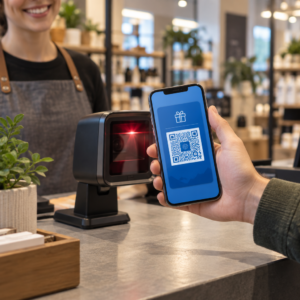
- Vietos prieigos kontrolė ir renginio registracija: Dalyvio ženklelio nuskaitymas registracijos staluose ar posėdžių salės duryse akimirksniu patikrina bilieto būseną. Įdiegus lankomumo QR kodų darbo eiga pagreitina įėjimą ir suteikia organizatoriams galimybę realiuoju laiku stebėti patalpų užimtumą.
- Parodos dalyvių potencialių klientų pritraukimas: Stendo darbuotojai nuskaito dalyvių ženklelius, kad surinktų kontaktinę informaciją, nesikeisdami fizinėmis vizitinėmis kortelėmis. Tai leidžia rėmėjams tiesiogiai įvesti kvalifikuotus potencialius klientus į savo klientų santykių valdymo sistemas mugių metu.
- Tarpusavio tinklaveika: Dalyviai akimirksniu keičiasi kontaktiniais duomenimis nuskaitydami vienas kit’o ženklelius. Susiejus ženklelio kodą su skaitmenine kontaktine kortele naudojant vCard QR kodo generatorius leidžia gavėjams išsaugoti vardus, telefono numerius ir el. pašto adresus tiesiogiai savo išmaniųjų telefonų adresų knygelėse.
Siekiant užtikrinti greitą nuskaitymą visais trimis naudojimo atvejais, minimizuokite neapdorotų duomenų kiekį, saugomą brūkšninio kodo šablone. Didelis duomenų tankis sukuria mažesnius, tankesnius kvadratinius raštus (modulius), kuriuos mobiliesiems telefonams sunkiau greitai apdoroti. Naudojant Dinaminis QR kodo generatorius leidžia užkoduoti trumpą peradresavimo nuorodą arba unikalų identifikatoriaus eilutę, išlaikant vizualinį raštą retą ir lengvai skaitomą.
Sukurkite individualius renginio QR kodus per kelias minutes Supaprastinkite dalyvių registraciją ir ženklelių nuskaitymą, kurdami pritaikomus renginio kodus su Renginių QR kodų generatorius šiandien.
Techninės gairės ženklelių nuskaitomumui
Nepavykus nuskaityti ženkliuko kodo, susidaro ilgas laukimo laikas ir prarandami tikslūs duomenys. Laikykitės šių techninio dizaino standartų, kad kiekvienas ženkliukas būtų patikimai nuskaitytas pirmuoju bandymu.

| Funkcijos standartas | Techninis reikalavimas | Veiklos priežastis |
|---|---|---|
| Minimalus spausdinimo dydis | 1 × 1 colio (2,5 × 2,5 cm) | Užtikrina aiškų fokusavimą rankiniams skaitytuvams ištiestos rankos atstumu (10–25 colių). |
| Tyliosios zonos paraštė | Mažiausiai 4 moduliai pločio | Apsaugo aplinkinį tekstą, logotipus ar ženkliuko kraštus nuo trukdymo skaitytuvui. |
| Spalvų kontrastas | Minimalus 4:1 kontrasto santykis | Užtikrina, kad optiniai jutikliai atskirtų tamsius priekinio plano modulius nuo fono popieriaus. |
| Vaizdo raiška | Vektorinis formatas (SVG/EPS) arba 300 DPI | Pašalina neryškius ar pikseliuotus kraštus, kai koreguojamas ženkliuko maketas spausdinimo procesui. |
Spalvų kontrastas ir vizualinis stilius
Visada spausdinkite tamsius QR kodų raštus ant šviesių fonų. Juodi moduliai ant balto fono užtikrina aukščiausią įskaitomumo balą ir standartinį 21:1 kontrasto santykį. Nors galima naudoti pasirinktines prekės ženklo spalvas, išlaikykite bent 4:1 kontrasto santykį, kad atsižvelgtumėte į skirtingą vietos apšvietimo lygį. Venkite invertuotų dizainų su šviesiais raštais ant tamsių fonų, nes daugelis vietinių išmaniųjų telefonų kamerų skaitytuvų nepavyksta apdoroti invertuotų kodų. Išsamias spalvų pasirinkimo taisykles rasite mūsų vadove apie QR kodo spalvų kontrasto geriausios praktikos.
Tyliosios zonos reikalavimai
Tylioji zona yra aiškus apvadas, supantis visas keturias QR kodo puses. Standartai reikalauja, kad tyliosios zonos plotis būtų bent keturis kartus didesnis už vieno atskiro modulio (kvadratinio bloko) plotį. Niekada nedėkite vardų, pareigų, rėmėjų logotipų ar fono grafikos į šį apvadą, nes tai trukdo skaitytuvui nustatyti kodo ribas.
Ženkliukų medžiagos ir spausdinimo technologijos
Fizinis ženkliuko pagrindas ir paviršiaus apdaila reikšmingai veikia, kaip šviesa atsispindi į skenavimo lęšį.
Pagrindų ir apdailos pasirinkimas
Visada, kai įmanoma, rinkitės matinį arba nepadengtą kartoną. Blizgūs plastikiniai ženkleliai, blizgūs skaidrūs perdangos ir sunkūs vinilo maišeliai atspindi viršutinį patalpų apšvietimą tiesiai į fotoaparato objektyvus, sukeldami peršvietimą ir nuskaitymo klaidas. Jei jūsų renginio vietos nustatymuose reikalingi skaidrūs plastikiniai ženklelių laikikliai arba blizgi laminacija:
- Padidinkite atspausdinto kodo dydį 15%–20%, kad fotoaparato jutikliai turėtų didesnį taikinį.
- Nurodykite fotoaparato operatoriams arba stendo personalui laikyti nuskaitymo įrenginius šiek tiek kampu, kad išvengtų tiesioginio šviesos atspindžio.
- Venkite tekstūruoto sintetinio kartono, kuris iškraipo tiesius spausdintų modulių geometrinius kraštus.
Failų eksportavimas gamybai
Niekada neeksportuokite ženklelių maketų kaip žemos raiškos JPEG arba PNG failų. Keičiant rastrinių vaizdų dydį, atsiranda pikselių išsiliejimas, kuris suapvalina aštrius modulio kampus. Eksportuokite maketą vektoriniais formatais, tokiais kaip SVG arba EPS, arba eksportuokite didelės raiškos PDF failus, nustatytus į 300 DPI visu spausdinimo masteliu. Norėdami gauti išsamią apžvalgą, kaip substrato pasirinkimas ir rašalo naudojimas veikia nuskaitymo galimybes, perskaitykite mūsų straipsnį apie kaip spausdinimo technikos veikia QR kodo nuskaitomumą.
Ženklelių išdėstymo taisyklės
QR kodą išdėstykite priekinėje ženklelio pusėje, geriausia arti centro arba apatiniame trečdalyje, kur jo neužstoja virvelės ar segtukai. Kodo įdėjimas šalia pagrindinio nuskaitymo kelio užtikrina greitą vizualinį sulygiavimą registracijos metu. Išnagrinėkite mūsų rekomendacijas QR kodų išdėstymo rinkodaroje vadovasir peržiūrėkite realaus pasaulio įgyvendinimus mūsų mokslinių konferencijų atvejo analizėje. Norėdami gauti tikslius dydžio duomenis, pagrįstus fiziniu nuskaitymo atstumu, žr. mūsų specializuotą QR kodo dydžio vadove.

Duomenų privatumas ir operaciniai nuskaitymo darbo procesai
Įdiegiant ženklelių QR kodus, reikia suderinti greitus operacinius darbo procesus su dalyvių duomenų apsauga.
Dalyvių duomenų apsauga
Visos asmeninės informacijos, tokios kaip telefono numeriai, gatvių adresai ir el. pašto adresai, kodavimas tiesiogiai į statinį brūkšninio kodo turinį atskleidžia dalyvio duomenis bet kam, kas nuskaito ženklelį naudodamas komercinę kameros programėlę.
Vietoj to, užkoduokite užšifruotą, unikalų raidėmis ir skaičiais sudarytą identifikatorių (pvz., `ID-88302`). Kai įgalioti renginio darbuotojai nuskaito ženklelį naudodami įmonės įrankį arba internetinę QR kodo skaitytuvas, sistemos foninė dalis saugiai patvirtina identifikatorių, nespausdinant jautrių asmens duomenų ant fizinio ženklelio.
Kontaktinių duomenų rinkimo sutikimo nustatymas
Siekiant išlaikyti atitiktį privatumo nuostatoms:
- Atskiri naudojimo atvejai: Renginio registracijos nuskaitymą traktuokite atskirai nuo parodos dalyvių kontaktinių duomenų rinkimo. Registracija į renginio vietą automatiškai nesuteikia trečiųjų šalių rėmėjams leidimo saugoti kontaktinius duomenis.
- Pateikite aiškų pranešimą: Registracijos metu informuokite dalyvius, kad leidimas parodos dalyviui nuskaityti jų ženklelį yra aiškus pasirinkimas dalytis kontaktine informacija su konkrečiu rėmėju.
- Naudokite aiškius nuskaitymus: Užtikrinkite, kad stendų duomenų gavimo programėlės rodytų vizualinį sėkmės patvirtinimą (pvz., žalią patvirtinimo juostelę), kad dalyviai žinotų, kada įvyksta kontaktinių duomenų nuskaitymas.
Veiklos kontrolinis sąrašas sėkmingam renginiui
Prieš spausdindami visą konferencijos ženklelių partiją, atlikite šį kokybės užtikrinimo kontrolinį sąrašą:
- Patikrinkite kontrastą: Išbandykite fono ir priekinio plano derinius naudodami skaitmeninį kontrasto tikrintuvą, kad užtikrintumėte didesnį nei 4:1 santykį.
- Išlaikykite tuščias zonas: Patikrinkite, ar galutiniame maketo šablone kiekvieną ženklelio kodą supa 4 modulių tuščia kraštinė.
- Spausdinkite fizinius bandomuosius egzempliorius: Niekada nepasikliaukite vien tik ekrano peržiūromis. Atspausdinkite tikrus fizinius ženklelių pavyzdžius ant pasirinkto ženklelių popieriaus arba kartono.
- Išbandykite įvairiuose įrenginiuose: Nuskaitykite fizinius pavyzdžius esant realistiškam renginio vietos apšvietimui, naudodami kelis išmaniųjų telefonų modelius (tiek iOS, tiek Android) ir specializuotus rankinius skaitytuvus.
- Patvirtinkite duomenų maršrutus: Patikrinkite, ar dinaminės QR nuorodos nukreipia į teisingus nukreipimo puslapius arba registracijos sistemos duomenų bazes be klaidų.
Supaprastinkite kitą savo renginį su nuskaitomais ženkleliais
Laikantis šių dizaino, pagrindo ir duomenų standartų, jūsų renginio ženkleliai užtikrins sklandžią registraciją ir patikimą potencialių klientų generavimą. Kurdami ženklelius su tinkamu kontrastu, pakankamomis tuščiomis erdvėmis, matiniais paviršiais ir lengvais dinaminiais duomenų srautais, pašalinsite registracijos kliūtis ir apsaugosite dalyvių privatumą.
Norėdami pradėti kurti didelio kontrasto, keičiamo dydžio QR kodus jūsų būsimiems renginio medžiagoms, peržiūrėkite mūsų geriausia praktika QR kodo skaitomumui ir išbandykite savo ženklelio maketą šiandien.
Dažniausiai užduodami klausimai
Spausdinkite ženklelių QR kodus bent 1 × 1 colio (2,5 × 2,5 cm) arba mažiausiai 2 × 2 cm dydžio. Toks dydis tinka tipiniams nuskaitymo atstumams ištiestos rankos atstumu (nuo 10 iki 25 colių), naudojant standartines išmaniojo telefono kameras.
Dinaminiai QR kodai užkoduoja trumpą peradresavimo nuorodą, o ne tankų neapdorotą tekstą, išlaikydami vizualinį raštą paprastą ir greitai nuskaitomą. Jie taip pat leidžia organizatoriams redaguoti paskirties URL adresus arba tvarkyti prieigos nustatymus po spausdinimo, nereikalaujant iš naujo išduoti fizinių kortelių.
Naudokite neatspindinčią matinę kortelės medžiagą, kai tik įmanoma. Jei reikalingi permatomi vinilo maišeliai, padidinkite QR kodo dydį 15% iki 20% ir nurodykite personalui arba dalyviams laikyti skenavimo įrenginius 45 laipsnių kampu, kad išvengtumėte tiesioginių viršutinių šviesos atspindžių.