首页 > 使用案例 > How to Design and Print QR Codes on Conference Badges
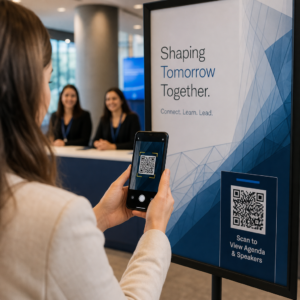
Scanning a conference badge

How to Design and Print QR Codes on Conference Badges

Learn how to design and print scannable QR codes on conference badges for fast event check-in, reliable lead capture, and secure attendee data privacy.
Updated on 8 月 29, 2026
目录

Are unreadable badge QR codes slowing down your event check-in lines and frustrating exhibitors? Unscannable codes create registration bottlenecks, cause lost lead data, and ruin the attendee experience. This guide explains how to design, print, and implement scannable QR codes on conference badges for rapid access control, lead capture, and networking.

Key Use Cases for Badge QR Codes

Conference badges serve multiple operational purposes throughout an event. Adding a scannable QR code transforms a static name tag into a digital key for attendees, staff, and sponsors.

  • Venue Access Control and Event Check-In: Scanning an attendee badge at registration desks or session room doors instantly verifies ticket status. Implementing an attendance QR code workflow accelerates entry and provides organizers with real-time room capacity tracking.
  • Exhibitor Lead Capture: Booth staff scan attendee badges to capture contact details without exchanging physical business cards. This allows sponsors to log qualified leads directly into their customer relationship management systems during trade shows.
  • Peer-to-Peer Networking: Attendees exchange contact details instantly by scanning each other’s badges. Linking a badge code to a digital contact card using a vCard QR码生成器 allows recipients to save names, phone numbers, and email addresses directly to their smartphone address books.

To ensure fast scanning across all three use cases, minimize the amount of raw data stored inside the barcode pattern. High data density creates smaller, tighter square patterns (modules) that are harder for mobile cameras to process quickly. Using a 动态二维码生成器 allows you to encode a short redirect link or unique identifier string, keeping the visual pattern sparse and easy to read.

Create Custom Event QR Codes in Minutes Simplify attendee registration and badge scanning by designing customizable event codes with the 活动二维码生成器 。.

Technical Guidelines for Badge Scannability

A badge code that fails to scan creates long wait times and accurate data loss. Follow these technical design standards to ensure every badge scans reliably on the first attempt.

Badge QR code standards
Feature Standard Technical Requirement Operational Reason
最小打印尺寸 1 × 1 inch (2.5 × 2.5 cm) Guarantees clear focus for handheld scanners at arm’s length (10–25 inches).
Quiet Zone Margin At least 4 modules wide Prevents surrounding text, logos, or badge borders from interfering with the reader.
色彩对比 Minimum 4:1 contrast ratio Ensures optical sensors distinguish dark foreground modules from background paper.
Image Resolution Vector format (SVG/EPS) or 300 DPI Eliminates blurry or pixelated edges when scaling badge artwork for print runs.

Color Contrast and Visual Styling

Always print dark QR patterns on light backgrounds. Black modules on a white background provide the highest readability score and a standard 21:1 contrast ratio. While custom brand colors can be used, maintain at least a 4:1 contrast ratio to accommodate varying venue light levels. Avoid inverted designs with light patterns on dark backgrounds because many native smartphone camera readers fail to process inverted codes. For detailed color selection rules, review our guide on 二维码颜色对比度最佳实践.

静区要求

The quiet zone is the clear margin surrounding all four sides of a QR code. Standards require a quiet zone width equal to at least four times the width of a single individual module (square block). Never place names, job titles, sponsor logos, or background graphics inside this margin, as doing so prevents the scanner from locating the code boundaries.

Badge Materials and Printing Techniques

The physical substrate and surface finish of a badge significantly impact how light reflects into a scanning lens.

Selecting Substrates and Finishes

Choose matte or uncoated cardstock whenever possible. High-gloss plastic badges, shiny clear overlays, and heavy vinyl pouches reflect overhead venue lighting directly into camera lenses, causing washouts and scan errors. If clear plastic badge holders or glossy lamination are required by your venue setup:

  • Scale up the printed code size by 15% to 20% to give camera sensors a larger target.
  • Instruct camera operators or booth staff to hold scanning devices at a slight angle to bypass direct light reflection.
  • Avoid textured synthetic cardstock that disrupts the straight geometric edges of printed modules.

Exporting Files for Production

Never export badge artwork as low-resolution JPEG or PNG files. Resizing bitmap images causes pixel smudging, which rounds off sharp module corners. Export artwork in vector formats such as SVG or EPS, or export high-resolution PDFs set to 300 DPI at full print scale. For a comprehensive overview of how substrate choices and ink application affect scannability, read our article on 打印技术如何影响二维码的可扫描性.

Badge Placement Rules

Position the QR code on the front face of the badge, ideally near the center or bottom third where it remains unobstructed by lanyards or clips. Placing the code near the primary reading path ensures quick visual alignment during check-in. Explore our recommendations in the guide to QR code placement in marketing, and review real-world implementations in our case study on scientific conferences. For exact sizing details based on physical scanning distance, reference our dedicated 二维码尺寸指南.

Correct badge code placement

Data Privacy and Operational Scanning Workflows

Implementing badge QR codes requires balancing fast operational workflows with attendee data protection.

Protecting Attendee Data

Encoding full personal information – such as phone numbers, street addresses, and email addresses – directly into a static barcode payload exposes attendee data to anyone who scans the badge with a commercial camera app.

Instead, encode an encrypted, unique alphanumeric identifier (such as `ID-88302`). When authorized event personnel scan the badge using an enterprise tool or an online QR码扫描仪, the backend system verifies the identifier securely without printing sensitive personal data inside the physical badge payload.

To maintain compliance with privacy regulations:

  • Separate Use Cases: Treat event check-in scanning as distinct from exhibitor lead collection. Checking into a venue does not automatically grant third-party sponsors permission to store contact data.
  • Provide Clear Notice: Inform attendees during registration that allowing an exhibitor to scan their badge constitutes an explicit choice to share contact information with that specific sponsor.
  • Use Explicit Scans: Ensure booth retrieval apps display a visual success confirmation (such as a green confirmation banner) so attendees know when a lead scan takes place.

Operational Checklist for Event Success

Before printing your complete batch of conference badges, execute this quality assurance checklist:

  • Verify Contrast: Test background and foreground combinations using a digital contrast checker to ensure a ratio above 4:1.
  • Maintain Quiet Zones: Verify that a 4-module clear border surrounds every badge code in the final layout template.
  • Print Physical Proofs: Never rely solely on screen previews. Print actual physical badge proofs on the selected badge paper or cardstock.
  • 跨设备测试: Scan physical proofs under realistic venue lighting using multiple smartphone models (both iOS and Android) and dedicated handheld scanners.
  • Confirm Data Routes: Check that dynamic QR links resolve to the correct landing pages or check-in system databases without breaking.

Streamline Your Next Event with Scannable Badges

Following these design, substrate, and data standards ensures your event badges deliver effortless check-ins and reliable lead generation. Designing badges with proper contrast, sufficient quiet zones, matte finishes, and lightweight dynamic payloads eliminates registration bottlenecks and protects attendee privacy.

To start creating high-contrast, scalable QR codes for your upcoming event materials, explore our 二维码可读性的最佳实践 and test your badge artwork today.

常见问题

What is the minimum recommended size for a QR code on a conference badge?

Print badge QR codes at least 1 × 1 inch (2.5 × 2.5 cm) or a minimum of 2 × 2 cm. This size accommodates typical arm’s-length scanning distances of 10 to 25 inches when using standard smartphone cameras.

Why should event organizers use dynamic QR codes on badges instead of static ones?

Dynamic QR codes encode a short redirect link rather than dense raw text, keeping the visual pattern simple and fast to scan. They also allow organizers to edit destination URLs or manage access settings post-printing without reissuing physical badges.

How do you prevent glare from clear plastic badge holders from blocking scans?

Use non-reflective matte badge stock whenever possible. If clear vinyl pouches are required, scale up the QR code size by 15% to 20% and instruct staff or exhibitors to hold scanning devices at a 45-degree angle to avoid direct overhead light reflections.

关于作者

Siim Kostabi 是 Pageloot 的内容主管,负责撰写关于我们创新型二维码生成器服务的文章。凭借五年多来在二维码领域积累的深厚专业知识,Siim 是该领域的专家。他致力于利用二维码技术简化和增强数字交互,并取得了显著的成果。.

类别
了解更多关于
客户扫描二维码横幅
开启QR码 户外横幅
QR QR码的#1解决方案

如果您需要在线创建QR码,则可以 制作二维码 就在这里免费!
Pageloot是 #1转到解决方案 创建和扫描QR码。

BL-0362

博客生成器

受到超过 20,000 个品牌的信赖,可获得更多销售、评论和关注者。

客户徽标
受到顶级品牌的信赖
评分为 4.8(共 5)

4.86 / 5 星评级

雨果·劳伦特
雨果·劳伦特
餐馆老板
有史以来最容易和最可靠的QR码生成器。PDF文件可以立即上传。我们的餐厅菜单现在是数字化的。
卢卡斯-詹森
卢卡斯-詹森
房地产开发商
这是一个很好的工具,二维码带你到你想要的地方。我们只使用位置二维码,但有许多有用的功能。
艾玛-莫雷蒂
艾玛-莫雷蒂
零售产品
易于使用和快速。它工作得很好,创造了一个完美的图像,所以员工可以下载我的vCard。
雨果·劳伦特
雨果·劳伦特
餐馆老板
有史以来最容易和最可靠的QR码生成器。PDF文件可以立即上传。我们的餐厅菜单现在是数字化的。
卢卡斯-詹森
卢卡斯-詹森
房地产开发商
这是一个很好的工具,二维码带你到你想要的地方。我们只使用位置二维码,但有许多有用的功能。
艾玛-莫雷蒂
艾玛-莫雷蒂
零售产品
易于使用和快速。它工作得很好,创造了一个完美的图像,所以员工可以下载我的vCard。
查看更多QR码
扫描二维码海报
二维码 如何建立
二维码票务活动入场
开启QR码 门票和节日通行证
将一切转化为数字体验 不到3分钟。

免费试用 14 天。

无需信用卡。

首次购买可享受 30% 折扣

使用代码:

分享您的 MP3 文件

注册以创建 PDF QR 码

上传和显示你需要的一切。

  • 音频文件
  • 播客
  • 音乐

注册即可享 14 天免费试用。.
试用期结束后,二维码将失效。.

注册以创建音频 mp3 二维码

使用边框获得更多扫描

注册以向您的二维码添加更多框架

呼叫行动框架帮助您的客户与QR码轻松互动。试试吧!

注册即可享 14 天免费试用。.
试用期结束后,二维码将失效。.

注册以向您的二维码添加更多框架

使用形状添加更多样式

注册以创建更多形状

二维码不一定是方形的。试着改变它以适应你的品牌形象。

注册即可享 14 天免费试用。.
试用期结束后,二维码将失效。.

注册以创建更多形状

为您的二维码添加徽标

注册以将您的徽标添加到二维码中

通过在二维码上添加你的标志和品牌,使你的二维码脱颖而出。

注册即可享 14 天免费试用。.
试用期结束后,二维码将失效。.

注册以将您的徽标添加到二维码中

智能应用商店重定向

注册以创建应用商店二维码

将您的应用程序链接添加到我们的智能应用程序商店QR码。用户会根据他们的设备被重新定向。

注册即可享 14 天免费试用。.
试用期结束后,二维码将失效。.

注册以创建应用商店二维码

将图片上传到二维码

注册以创建图像二维码

轻松分享你的图像。在几秒钟内动态地改变任何图像。

注册即可享 14 天免费试用。.
试用期结束后,二维码将失效。.

注册以创建图像二维码

分享您的 PDF 文件

注册以创建 PDF QR 码

上传和显示你需要的一切。

  • 菜单和价格表
  • 使用说明
  • 任何文件

注册即可享 14 天免费试用。.
试用期结束后,二维码将失效。.

注册以创建 PDF QR 码

稍后编辑,无需打印

注册即可编辑您的二维码,无需再次打印

动态QR码让你改变你的QR码的内容,而不需要打印新的QR码。

注册即可享 14 天免费试用。.
试用期结束后,二维码将失效。.

注册即可编辑您的二维码,无需再次打印

何时?何地?追踪您的二维码扫描

注册以追踪您的二维码

发现你的哪些二维码收到了最多的扫描,以及什么最能让你的客户兴奋。

注册即可享 14 天免费试用。.
试用期结束后,二维码将失效。.

注册以追踪您的二维码

提供可打印文件

注册以创建 PDF 和 SVG 等矢量二维码

.EPS, .PDF, .SVG

想下载高清分辨率的QR码吗?获得矢量或像素格式,可随时打印。

注册即可享 14 天免费试用。.
试用期结束后,二维码将失效。.

注册以创建 PDF 和 SVG 等矢量二维码

请等待。您的二维码是 正在加载... 正在加载...

打造专属

注册以保存您的二维码以供日后使用

通过创建具有不同颜色、标识和行动呼吁框架的出色的QR码,获得更多的扫描。

注册即可享 14 天免费试用。.
试用期结束后,二维码将失效。.

注册以保存您的二维码以供日后使用