Jsou nečitelné QR kódy na visačkách zpomalující vaše fronty u registrace a frustrující vystavovatele? Naskenovatelné kódy vytvářejí úzká hrdla při registraci, způsobují ztrátu dat o potenciálních zákaznících a ničí zážitek účastníků. Tento průvodce vysvětluje, jak navrhnout, vytisknout a implementovat skenovatelné QR kódy na konferenčních visačkách pro rychlou kontrolu přístupu, získávání kontaktů a navazování sítí.
Klíčové případy použití QR kódů na visačkách
Konferenční visačky slouží mnoha provozním účelům po celou dobu akce. Přidání skenovatelného QR kódu promění statickou jmenovku v digitální klíč pro účastníky, personál a sponzory.
- Kontrola přístupu na místo a odbavení na akci: Skenování visačky účastníka u registračních pultů nebo dveří do sálů okamžitě ověřuje stav vstupenky. Implementace QR kód pro účast pracovního postupu urychluje vstup a poskytuje organizátorům sledování kapacity místností v reálném čase.
- Získávání kontaktů vystavovateli: Personál stánku skenuje visačky účastníků, aby získal kontaktní údaje bez výměny fyzických vizitek. To umožňuje sponzorům zaznamenávat kvalifikované potenciální zákazníky přímo do jejich systémů pro řízení vztahů se zákazníky během veletrhů.
- Síťování mezi účastníky: Účastníci si okamžitě vyměňují kontaktní údaje skenováním visaček. Propojení kódu visačky s digitální kontaktní kartou pomocí QR vizitka s vCard umožňuje příjemcům ukládat jména, telefonní čísla a e-mailové adresy přímo do adresářů jejich chytrých telefonů.
Pro zajištění rychlého skenování ve všech třech případech použití minimalizujte množství nezpracovaných dat uložených uvnitř vzoru čárového kódu. Vysoká hustota dat vytváří menší, těsnější čtvercové vzory (moduly), které jsou pro mobilní kamery hůře rychle zpracovatelné. Použití Dynamický QR kód umožňuje zakódovat krátký přesměrovací odkaz nebo jedinečný identifikátor, čímž udržuje vizuální vzor řídký a snadno čitelný.
Vytvořte si vlastní QR kódy událostí během několika minut Zjednodušte registraci účastníků a skenování visaček návrhem přizpůsobitelných kódů událostí pomocí QR pozvánka na akci dnes.
Technické pokyny pro skenovatelnost visaček
Kód odznaku, který se nepodaří naskenovat, způsobuje dlouhé čekací doby a ztrátu přesných dat. Dodržujte tyto technické designové standardy, abyste zajistili, že se každý odznak spolehlivě naskenuje na první pokus.

| Standard funkce | Technický požadavek | Provozní důvod |
|---|---|---|
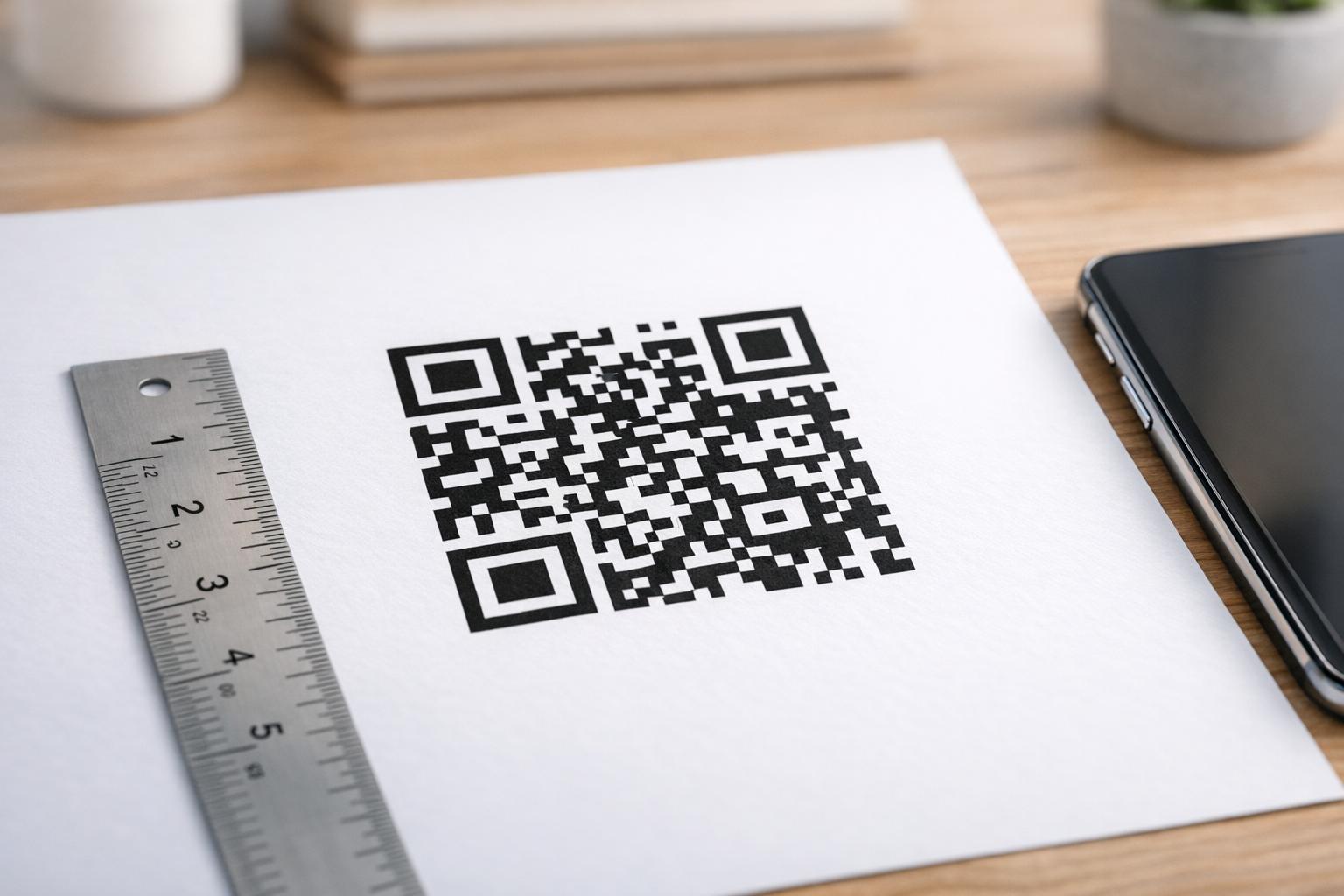
| Minimální velikost tisku | 1 × 1 palec (2,5 × 2,5 cm) | Zaručuje jasné zaostření pro ruční skenery na délku paže (10–25 palců). |
| Okraj klidové zóny |
Minimálně 4 moduly široký | Zabraňuje okolnímu textu, logům nebo okrajům odznaku, aby rušily čtečku. |
| Barevný kontrast | Minimální kontrastní poměr 4:1 | Zajišťuje, že optické senzory rozliší tmavé moduly popředí od papíru pozadí. |
| Rozlišení obrazu | Vektorový formát (SVG/EPS) nebo 300 DPI | Eliminuje rozmazané nebo pixelizované okraje při škálování grafiky odznaku pro tiskové série. |
Barevný kontrast a vizuální styl
Vždy tiskněte tmavé QR vzory na světlé pozadí. Černé moduly na bílém pozadí poskytují nejvyšší skóre čitelnosti a standardní kontrastní poměr 21:1. I když lze použít vlastní barvy značky, udržujte kontrastní poměr minimálně 4:1, aby se přizpůsobil různým úrovním osvětlení místa konání. Vyhněte se invertovaným designům se světlými vzory na tmavém pozadí, protože mnoho nativních čteček kamer chytrých telefonů nedokáže zpracovat invertované kódy. Podrobné pokyny pro výběr barev naleznete v našem průvodci o osvědčené postupy pro barevný kontrast QR kódů.
Požadavky na klidovou zónu
Klidová zóna je jasný okraj obklopující všechny čtyři strany QR kódu. Normy vyžadují šířku klidové zóny rovnou alespoň čtyřnásobku šířky jednoho jednotlivého modulu (čtvercového bloku). Nikdy neumisťujte jména, pracovní pozice, loga sponzorů ani grafiku pozadí do tohoto okraje, protože by to zabránilo skeneru v nalezení hranic kódu.
Materiály odznaků a tiskové techniky
Fyzický substrát a povrchová úprava odznaku významně ovlivňují, jak se světlo odráží do skenovací čočky.
Výběr substrátů a povrchových úprav
Kdykoli je to možné, zvolte matný nebo nenatíraný karton. Lesklé plastové visačky, lesklé průhledné fólie a těžké vinylové pouzdra odrážejí stropní osvětlení místa konání přímo do objektivů fotoaparátů, což způsobuje přesvětlení a chyby skenování. Pokud jsou průhledné plastové držáky na visačky nebo lesklá laminace vyžadovány nastavením vašeho místa konání:
- Zvětšete velikost tištěného kódu o 15 % až 20 %, abyste senzorům kamery poskytli větší cíl.
- Poučte operátory kamer nebo personál stánku, aby drželi skenovací zařízení pod mírným úhlem, aby se vyhnuli přímému odrazu světla.
- Vyhněte se texturovanému syntetickému kartonu, který narušuje rovné geometrické okraje tištěných modulů.
Export souborů pro produkci
Nikdy neexportujte grafiku visaček jako JPEG nebo PNG soubory s nízkým rozlišením. Změna velikosti bitmapových obrázků způsobuje rozmazání pixelů, což zaobluje ostré rohy modulů. Exportujte grafiku ve vektorových formátech, jako je SVG nebo EPS, nebo exportujte PDF soubory ve vysokém rozlišení nastavené na 300 DPI v plném tiskovém měřítku. Pro komplexní přehled o tom, jak volba podkladu a aplikace inkoustu ovlivňují skenovatelnost, si přečtěte náš článek o jak tiskové techniky ovlivňují skenovatelnost QR kódů.
Pravidla umístění visačky
Umístěte QR kód na přední stranu visačky, ideálně blízko středu nebo spodní třetiny, kde zůstane nezakrytý šňůrkami nebo klipy. Umístění kódu do blízkosti primární dráhy čtení zajišťuje rychlé vizuální zarovnání během registrace. Prozkoumejte naše doporučení v průvodce umístěním QR kódů v marketingu, a prohlédněte si reálné implementace v naší případové studii o vědeckých konferencích. Pro přesné detaily velikosti na základě fyzické vzdálenosti skenování naleznete v naší speciální sekci průvodci velikostí QR kódů.

Ochrana osobních údajů a operační skenovací pracovní postupy
Implementace QR kódů na visačky vyžaduje vyvážení rychlých operačních pracovních postupů s ochranou dat účastníků.
Ochrana dat účastníků
Kódování kompletních osobních informací – jako jsou telefonní čísla, poštovní adresy a e-mailové adresy – přímo do statického kódu čárového kódu vystavuje data účastníků každému, kdo naskenuje visačku komerční aplikací pro fotoaparát.
Místo toho zakódujte šifrovaný, jedinečný alfanumerický identifikátor (například `ID-88302`). Když oprávněný personál akce naskenuje odznak pomocí podnikového nástroje nebo online Čtečka QR kódů, backendový systém bezpečně ověří identifikátor bez tisku citlivých osobních údajů uvnitř fyzického odznaku.
Získání souhlasu se sběrem kontaktů
Pro zachování souladu s předpisy o ochraně osobních údajů:
- Oddělené případy použití: Zacházejte se skenováním při odbavení na akci jako s něčím odlišným od sběru kontaktů vystavovateli. Odbavení na místo konání automaticky neuděluje třetím stranám sponzorům povolení k ukládání kontaktních údajů.
- Poskytněte jasné oznámení: Informujte účastníky během registrace, že umožnění vystavovateli skenovat jejich odznak představuje výslovnou volbu sdílet kontaktní informace s tímto konkrétním sponzorem.
- Používejte explicitní skeny: Zajistěte, aby aplikace pro získávání kontaktů u stánků zobrazovaly vizuální potvrzení úspěchu (například zelený potvrzovací proužek), aby účastníci věděli, kdy dochází ke skenování kontaktu.
Provozní kontrolní seznam pro úspěšnou akci
Před tiskem kompletní dávky konferenčních odznaků proveďte tento kontrolní seznam zajištění kvality:
- Ověřte kontrast: Otestujte kombinace pozadí a popředí pomocí digitálního kontroloru kontrastu, abyste zajistili poměr vyšší než 4:1.
- Udržujte klidové zóny: Ověřte, že každý kód odznaku v konečné šabloně rozložení obklopuje 4modulový volný okraj.
- Vytiskněte fyzické nátisky: Nikdy se nespoléhejte pouze na náhledy na obrazovce. Vytiskněte skutečné fyzické nátisky odznaků na vybraný papír na odznaky nebo karton.
- Test napříč zařízeními: Skenujte fyzické nátisky za realistického osvětlení místa konání pomocí více modelů chytrých telefonů (iOS i Android) a vyhrazených ručních skenerů.
- Potvrďte datové cesty: Zkontrolujte, zda se dynamické QR odkazy překládají na správné vstupní stránky nebo databáze odbavovacího systému bez chyb.
Zjednodušte si další akci se skenovatelnými odznaky
Dodržování těchto standardů pro design, materiál a data zajišťuje, že vaše akreditace pro událost umožní snadné odbavení a spolehlivou generaci leadů. Navrhování akreditací se správným kontrastem, dostatečnými klidovými zónami, matným povrchem a lehkými dynamickými datovými balíčky eliminuje úzká místa při registraci a chrání soukromí účastníků.
Chcete-li začít vytvářet vysoce kontrastní, škálovatelné QR kódy pro materiály vaší nadcházející události, prozkoumejte naše osvědčené postupy pro čitelnost QR kódů a otestujte si grafiku své akreditace ještě dnes.
Často kladené otázky
Vytiskněte QR kódy na akreditacích o velikosti alespoň 1 × 1 palec (2,5 × 2,5 cm) nebo minimálně 2 × 2 cm. Tato velikost vyhovuje typickým skenovacím vzdálenostem z paže (10 až 25 palců) při použití standardních fotoaparátů chytrých telefonů.
Dynamické QR kódy kódují krátký přesměrovací odkaz namísto hustého surového textu, čímž udržují vizuální vzor jednoduchý a rychle skenovatelný. Také umožňují organizátorům upravovat cílové URL adresy nebo spravovat nastavení přístupu po tisku, aniž by museli znovu vydávat fyzické odznaky.
Používejte nereflexní matný materiál pro visačky, kdykoli je to možné. Pokud jsou vyžadována průhledná vinylová pouzdra, zvětšete velikost QR kódu o 15 % až 20 % a poučte personál nebo vystavovatele, aby drželi skenovací zařízení pod úhlem 45 stupňů, aby se předešlo přímým odrazům světla shora.