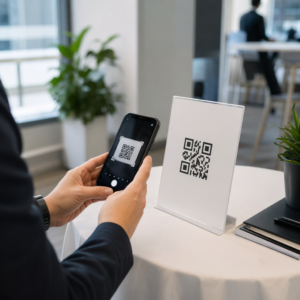
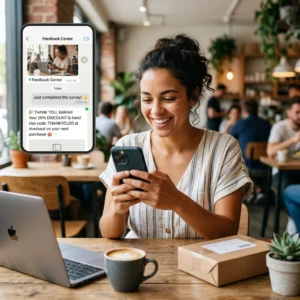
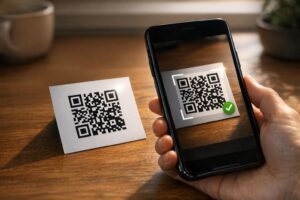
Чи нечитабельні QR-коди на бейджах уповільнюють черги на реєстрацію події та розчаровують експонентів? Нескановані коди створюють вузькі місця при реєстрації, призводять до втрати даних про потенційних клієнтів та псують враження відвідувачів. Цей посібник пояснює, як розробляти, друкувати та впроваджувати скановані QR-коди на конференц-бейджах для швидкого контролю доступу, збору потенційних клієнтів та нетворкінгу.
Ключові випадки використання QR-кодів на бейджах
Конференц-бейджи виконують кілька операційних завдань протягом події. Додавання сканованого QR-коду перетворює статичну іменну картку на цифровий ключ для відвідувачів, персоналу та спонсорів.
- Контроль доступу до місця проведення та реєстрація на подію: Сканування бейджа учасника на стійках реєстрації або біля дверей кімнат сесій миттєво перевіряє статус квитка. Впровадження QR-коду відвідуваності робочого процесу прискорює вхід і надає організаторам відстеження заповнюваності приміщень у реальному часі.
- Збір потенційних клієнтів експонентами: Співробітники стенду сканують бейджі відвідувачів, щоб отримати контактні дані без обміну фізичними візитними картками. Це дозволяє спонсорам реєструвати кваліфікованих потенційних клієнтів безпосередньо у своїх системах управління взаємовідносинами з клієнтами під час торгових виставок.
- Рівноправний нетворкінг (Peer-to-Peer): Відвідувачі миттєво обмінюються контактними даними, скануючи бейджі один одного. Прив’язка коду бейджа до цифрової контактної картки за допомогою QR-код для візитки vCard дозволяє одержувачам зберігати імена, номери телефонів та адреси електронної пошти безпосередньо у своїх адресних книгах смартфонів.
Щоб забезпечити швидке сканування у всіх трьох випадках використання, мінімізуйте обсяг вихідних даних, що зберігаються всередині шаблону штрих-коду. Висока щільність даних створює менші, щільніші квадратні візерунки (модулі), які мобільним камерам важче швидко обробляти. Використання Динамічний QR код: генератор дозволяє кодувати коротке посилання-перенаправлення або унікальний ідентифікатор, зберігаючи візуальний шаблон розрідженим та легким для читання.
Створіть власні QR-коди для подій за лічені хвилини Спростіть реєстрацію відвідувачів та сканування бейджів, розробляючи настроювані коди подій за допомогою Створити QR код для події сьогодні.
Технічні рекомендації щодо сканування бейджів
Код бейджа, який не сканується, призводить до тривалого очікування та втрати точних даних. Дотримуйтеся цих технічних стандартів дизайну, щоб забезпечити надійне сканування кожного бейджа з першої спроби.

| Стандарт функції | Технічна вимога | Операційна причина |
|---|---|---|
| Мінімальний розмір друку | 1 × 1 дюйм (2.5 × 2.5 см) | Гарантує чітке фокусування для ручних сканерів на відстані витягнутої руки (10–25 дюймів). |
| Quiet Zone Margin |
Щонайменше 4 модулі завширшки | Запобігає тому, щоб навколишній текст, логотипи або рамки бейджа заважали зчитувачу. |
| Кольоровий контраст | Мінімальний коефіцієнт контрастності 4:1 | Забезпечує розрізнення оптичними датчиками темних модулів переднього плану від фонового паперу. |
| Роздільна здатність зображення | Векторний формат (SVG/EPS) або 300 DPI | Усуває розмиті або піксельні краї при масштабуванні макета бейджа для друку. |
Колірний контраст та візуальне оформлення
Завжди друкуйте темні QR-коди на світлому фоні. Чорні модулі на білому фоні забезпечують найвищий показник читабельності та стандартний коефіцієнт контрастності 21:1. Хоча можна використовувати власні фірмові кольори, підтримуйте принаймні коефіцієнт контрастності 4:1, щоб врахувати різні рівні освітлення на місці проведення. Уникайте інвертованих дизайнів зі світлими візерунками на темному фоні, оскільки багато нативних зчитувачів камери смартфона не можуть обробляти інвертовані коди. Для отримання детальних правил вибору кольорів перегляньте наш посібник з найкращих практик контрастності кольорів QR-коду.
Вимоги до тихої зони
Тиха зона — це чітке поле, що оточує всі чотири сторони QR-коду. Стандарти вимагають ширини тихої зони, що дорівнює принаймні чотириразовій ширині одного окремого модуля (квадратного блока). Ніколи не розміщуйте імена, посади, логотипи спонсорів або фонову графіку в межах цього поля, оскільки це завадить сканеру визначити межі коду.
Матеріали для бейджів та методи друку
Фізичний матеріал основи та оздоблення поверхні бейджа суттєво впливають на те, як світло відбивається в скануючу лінзу.
Вибір матеріалів основи та оздоблення
Завжди, коли це можливо, обирайте матовий або некрейдований картон. Пластикові бейджі з високим глянцем, блискучі прозорі накладки та важкі вінілові чохли відбивають верхнє освітлення приміщення прямо в об'єктиви камер, спричиняючи засвіти та помилки сканування. Якщо прозорі пластикові тримачі для бейджів або глянцеве ламінування є обов'язковими для вашого місця проведення:
- Збільшіть розмір надрукованого коду на 15-20%, щоб надати сенсорам камери більшу ціль.
- Навчіть операторів камер або персонал стенду тримати скануючі пристрої під невеликим кутом, щоб уникнути прямого відбиття світла.
- Уникайте текстурованого синтетичного картону, який порушує прямі геометричні краї друкованих модулів.
Експорт файлів для виробництва
Ніколи не експортуйте макети бейджів як JPEG або PNG файли з низькою роздільною здатністю. Зміна розміру растрових зображень спричиняє розмиття пікселів, що заокруглює гострі кути модулів. Експортуйте макети у векторних форматах, таких як SVG або EPS, або експортуйте PDF-файли високої роздільної здатності, встановлені на 300 DPI у повному масштабі друку. Для отримання повного огляду того, як вибір основи та застосування чорнила впливають на можливість сканування, прочитайте нашу статтю про як методи друку впливають на сканованість QR-кодів.
Правила розміщення бейджів
Розмістіть QR-код на лицьовій стороні бейджа, ідеально – поблизу центру або в нижній третині, де він залишатиметься незаблокованим шнурками або кліпсами. Розміщення коду поблизу основного шляху зчитування забезпечує швидке візуальне вирівнювання під час реєстрації. Ознайомтеся з нашими рекомендаціями у посібник з розміщення QR-кодів у маркетингу, та перегляньте реальні впровадження у нашому тематичному дослідженні наукових конференцій. Щоб дізнатися точні деталі розміру на основі фізичної відстані сканування, зверніться до нашого спеціального посібнику з розмірів QR-кодів.

Конфіденційність даних та робочі процеси оперативного сканування
Впровадження QR-кодів на бейджах вимагає збалансування швидких операційних робочих процесів із захистом даних учасників.
Захист даних учасників
Кодування повної особистої інформації – такої як номери телефонів, адреси та електронні пошти – безпосередньо в статичний вміст штрих-коду робить дані учасників доступними для будь-кого, хто сканує бейдж за допомогою комерційного додатку камери.
Натомість, закодуйте зашифрований, унікальний буквено-цифровий ідентифікатор (наприклад, `ID-88302`). Коли уповноважений персонал заходу сканує бейдж за допомогою корпоративного інструменту або онлайн- Сканер QR онлайн, внутрішня система безпечно перевіряє ідентифікатор, не роздруковуючи конфіденційні персональні дані на фізичному бейджі.
Встановлення згоди на збір контактів
Щоб відповідати правилам конфіденційності:
- Окремі випадки використання: Розглядайте сканування для реєстрації на захід окремо від збору контактів учасниками виставки. Реєстрація на місце проведення заходу не надає автоматично стороннім спонсорам дозволу на зберігання контактних даних.
- Надайте чітке повідомлення: Повідомляйте учасників під час реєстрації, що дозвіл експоненту сканувати їхній бейдж є явним вибором щодо надання контактної інформації цьому конкретному спонсору.
- Використовуйте явні сканування: Переконайтеся, що програми для збору даних на стендах відображають візуальне підтвердження успіху (наприклад, зелений банер підтвердження), щоб відвідувачі знали, коли відбувається сканування контакту.
Операційний контрольний список для успіху заходу
Перед друком повної партії конференційних бейджів виконайте цей контрольний список забезпечення якості:
- Перевірте контраст: Перевірте комбінації фону та переднього плану за допомогою цифрового засобу перевірки контрасту, щоб забезпечити співвідношення вище 4:1.
- Зберігайте тихі зони: Переконайтеся, що чиста межа шириною в 4 модулі оточує кожен код бейджа у фінальному шаблоні макета.
- Надрукуйте фізичні зразки: Ніколи не покладайтеся виключно на попередній перегляд на екрані. Друкуйте реальні фізичні зразки бейджів на вибраному папері для бейджів або цупкому картоні.
- Тестування на різних пристроях: Скануйте фізичні зразки за реального освітлення місця проведення заходу, використовуючи різні моделі смартфонів (як iOS, так і Android) та спеціалізовані ручні сканери.
- Підтвердьте маршрути даних: Переконайтеся, що динамічні QR-посилання ведуть до правильних цільових сторінок або баз даних системи реєстрації без збоїв.
Оптимізуйте вашу наступну подію за допомогою сканованих бейджів
Дотримання цих стандартів дизайну, основи та даних гарантує, що ваші бейджи подій забезпечать легку реєстрацію та надійну генерацію лідів. Розробка бейджів з належним контрастом, достатніми тихими зонами, матовим покриттям та легкими динамічними даними усуває вузькі місця реєстрації та захищає конфіденційність відвідувачів.
Щоб почати створювати висококонтрастні, масштабовані QR-коди для матеріалів вашої майбутньої події, ознайомтеся з нашим найкращих практик для читабельності QR-кодів і перевірте макет свого бейджа сьогодні.
Поширені запитання
Друкуйте QR-коди бейджів розміром щонайменше 1 × 1 дюйм (2.5 × 2.5 см) або мінімум 2 × 2 см. Цей розмір відповідає типовим відстаням сканування на витягнуту руку від 10 до 25 дюймів при використанні стандартних камер смартфонів.
Динамічні QR-коди кодують коротке посилання-перенаправлення, а не щільний необроблений текст, зберігаючи візуальний шаблон простим і швидким для сканування. Вони також дозволяють організаторам редагувати цільові URL-адреси або керувати налаштуваннями доступу після друку без повторного випуску фізичних бейджів.
Використовуйте матові, невідблискуючі основи для бейджів, коли це можливо. Якщо потрібні прозорі вінілові чохли, збільште розмір QR-коду на 15-20% та проінструктуйте персонал або учасників виставки тримати сканувальні пристрої під кутом 45 градусів, щоб уникнути прямих відблисків верхнього світла.