Spomaľujú nečitateľné QR kódy na preukazoch registráciu na podujatia a frustrujú vystavovateľov? Neskenerateľné kódy vytvárajú prekážky pri registrácii, spôsobujú stratu dát o potenciálnych zákazníkoch a kazia zážitok účastníkov. Tento sprievodca vysvetľuje, ako navrhnúť, vytlačiť a implementovať skenovateľné QR kódy na konferenčných preukazoch pre rýchlu kontrolu prístupu, získavanie kontaktov a networking.
Kľúčové prípady použitia QR kódov na preukazoch
Konferenčné preukazy slúžia počas podujatia na viaceré prevádzkové účely. Pridaním skenovateľného QR kódu sa statická menovka premení na digitálny kľúč pre účastníkov, personál a sponzorov.
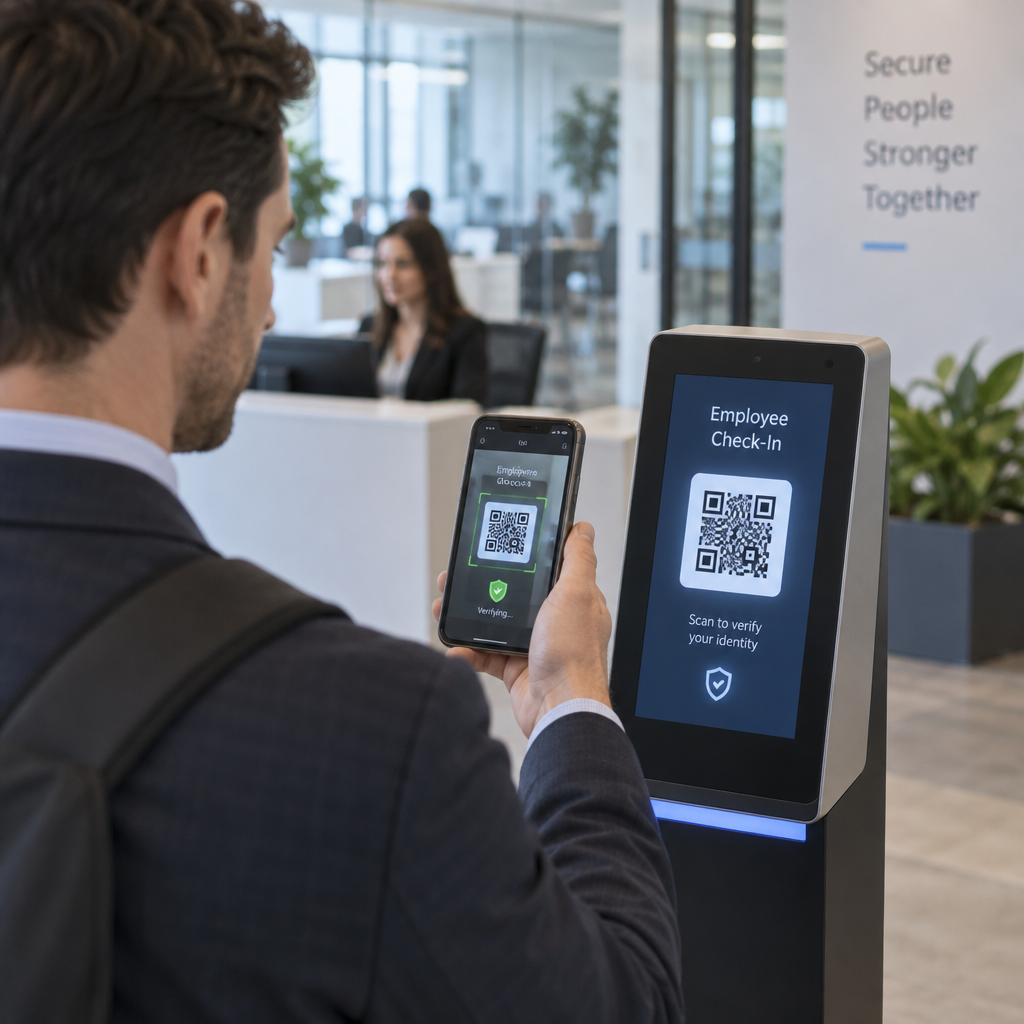
- Kontrola prístupu do priestorov a registrácia na podujatie: Skenovanie preukazu účastníka pri registračných pultoch alebo dverách do miestnosti s prednáškou okamžite overuje stav vstupenky. Implementácia QR kódu pre účasť pracovného postupu zrýchľuje vstup a poskytuje organizátorom sledovanie kapacity miestnosti v reálnom čase.
- Získavanie kontaktov pre vystavovateľov: Personál stánku skenuje preukazy účastníkov, aby získal kontaktné údaje bez výmeny fyzických vizitiek. To umožňuje sponzorom zaznamenávať kvalifikované kontakty priamo do ich systémov riadenia vzťahov so zákazníkmi počas veľtrhov.
- Vzájomné sieťovanie (networking): Účastníci si okamžite vymieňajú kontaktné údaje skenovaním navzájom svojich preukazov. Prepojenie kódu na preukaze s digitálnou vizitkou pomocou QR vCard: generátor vCard QR kódu umožňuje príjemcom ukladať mená, telefónne čísla a e-mailové adresy priamo do adresárov ich smartfónov.
Na zabezpečenie rýchleho skenovania vo všetkých troch prípadoch použitia minimalizujte množstvo surových dát uložených vo vzore čiarového kódu. Vysoká hustota dát vytvára menšie, tesnejšie štvorcové vzory (moduly), ktoré mobilné fotoaparáty ťažšie rýchlo spracujú. Použitie Dynamický QR kód generátor vám umožňuje zakódovať krátky odkaz na presmerovanie alebo jedinečný identifikačný reťazec, čím sa vizuálny vzor zachová riedky a ľahko čitateľný.
Vytvorte vlastné QR kódy podujatí za pár minút Zjednodušte registráciu účastníkov a skenovanie preukazov navrhnutím prispôsobiteľných kódov podujatí pomocou Generátor QR kódov na podujatie dnes.
Technické pokyny pre skenovateľnosť preukazov
Kód odznaku, ktorý sa nepodarí naskenovať, spôsobuje dlhé čakacie doby a stratu presných dát. Dodržiavajte tieto technické konštrukčné štandardy, aby sa každý odznak spoľahlivo naskenoval na prvý pokus.

| Štandard funkcie | Technická požiadavka | Operačný dôvod |
|---|---|---|
| Minimálna veľkosť tlače | 1 × 1 palec (2,5 × 2,5 cm) | Zaručuje jasné zaostrenie pre ručné skenery na dĺžku paže (10–25 palcov). |
| Okraj tichej zóny | Minimálne 4 moduly široké | Zabraňuje okolitému textu, logám alebo okrajom odznaku rušiť čítačku. |
| Farebný kontrast | Minimálny kontrastný pomer 4:1 | Zabezpečuje, aby optické senzory rozlišovali tmavé popredné moduly od podkladového papiera. |
| Rozlíšenie obrázka | Vektorový formát (SVG/EPS) alebo 300 DPI | Eliminuje rozmazané alebo pixelované okraje pri škálovaní grafiky odznaku pre tlačové série. |
Farebný kontrast a vizuálny štýl
Vždy tlačte tmavé QR vzory na svetlé pozadia. Čierne moduly na bielom pozadí poskytujú najvyššie skóre čitateľnosti a štandardný kontrastný pomer 21:1. Aj keď je možné použiť vlastné značkové farby, udržujte minimálne kontrastný pomer 4:1, aby ste sa prispôsobili rôznym úrovniam osvetlenia miesta konania. Vyhnite sa invertovaným dizajnom so svetlými vzormi na tmavom pozadí, pretože mnohé natívne čítačky fotoaparátov smartfónov nedokážu spracovať invertované kódy. Podrobné pravidlá výberu farieb nájdete v našej príručke o osvedčené postupy pre farebný kontrast QR kódov.
Požiadavky na tichú zónu
Tichá zóna je jasný okraj obklopujúci všetky štyri strany QR kódu. Normy vyžadujú šírku tichej zóny rovnú aspoň štvornásobku šírky jedného individuálneho modulu (štvorcového bloku). Nikdy neumiestňujte mená, pracovné pozície, logá sponzorov alebo grafiku pozadia do tohto okraja, pretože to zabraňuje skeneru nájsť hranice kódu.
Materiály odznaku a techniky tlače
Fyzický substrát a povrchová úprava odznaku významne ovplyvňujú, ako sa svetlo odráža do skenovacej šošovky.
Výber substrátov a povrchových úprav
Vždy, keď je to možné, zvoľte matný alebo nepotiahnutý kartón. Vysoko lesklé plastové visačky, lesklé priehľadné prekrytia a ťažké vinylové puzdrá odrážajú horné osvetlenie miesta priamo do objektívov kamery, čo spôsobuje preexponovanie a chyby skenovania. Ak sú držiaky na visačky z číreho plastu alebo lesklá laminácia vyžadované nastavením vášho miesta konania:
- Zväčšite veľkosť vytlačeného kódu o 15 % až 20 %, aby snímače kamier mali väčší cieľ.
- Poučte operátorov kamier alebo personál stánku, aby držali skenovacie zariadenia pod miernym uhlom, aby sa predišlo priamemu odrazu svetla.
- Vyhnite sa textúrovanému syntetickému kartónu, ktorý narúša rovné geometrické okraje tlačených modulov.
Export súborov pre produkciu
Nikdy neexportujte grafiku visačiek ako súbory JPEG alebo PNG s nízkym rozlíšením. Zmena veľkosti rastrových obrázkov spôsobuje rozmazanie pixelov, čo zaobľuje ostré rohy modulov. Exportujte grafiku vo vektorových formátoch ako SVG alebo EPS, alebo exportujte PDF s vysokým rozlíšením nastavené na 300 DPI v plnom tlačovom merítku. Pre komplexný prehľad o tom, ako voľba podkladu a aplikácia atramentu ovplyvňujú skenovateľnosť, si prečítajte náš článok o ako tlačové techniky ovplyvňujú skenovateľnosť QR kódov.
Pravidlá umiestnenia visačky
Umiestnite QR kód na prednú stranu visačky, ideálne blízko stredu alebo v spodnej tretine, kde ho nebudú prekázať šnúrky alebo klipy. Umiestnenie kódu v blízkosti primárnej dráhy čítania zaisťuje rýchle vizuálne zarovnanie počas registrácie. Preskúmajte naše odporúčania v sprievodca umiestnením QR kódu v marketingu, a preverte si reálne implementácie v našej prípadovej štúdii o vedeckých konferenciách. Pre presné detaily veľkosti založené na fyzickej vzdialenosti skenovania, pozrite si našu špecializovanú príručke veľkosti QR kódov.

Ochrana údajov a prevádzkové pracovné postupy skenovania
Implementácia QR kódov na visačkách si vyžaduje vyváženie rýchlych prevádzkových pracovných postupov s ochranou údajov účastníkov.
Ochrana údajov účastníkov
Kódovanie úplných osobných informácií – ako sú telefónne čísla, adresy a e-mailové adresy – priamo do statického dátového obsahu čiarového kódu vystavuje údaje účastníkov komukoľvek, kto naskenuje visačku pomocou komerčnej aplikácie fotoaparátu.
Namiesto toho zakódujte šifrovaný, jedinečný alfanumerický identifikátor (napríklad `ID-88302`). Keď oprávnený personál podujatia naskenuje preukaz pomocou podnikového nástroja alebo online Čítačka QR kódov, backendový systém bezpečne overí identifikátor bez tlače citlivých osobných údajov priamo na fyzický preukaz.
Získanie súhlasu so zachytávaním kontaktov
Pre zachovanie súladu s nariadeniami o ochrane osobných údajov:
- Oddelené prípady použitia: Oddelite skenovanie pri vstupe na podujatie od zberu kontaktov vystavovateľmi. Prihlásenie sa na miesto konania automaticky neudeľuje tretím stranám povolenie na ukladanie kontaktných údajov.
- Poskytnite jasné oznámenie: Informujte účastníkov počas registrácie, že umožnenie vystavovateľovi naskenovať ich preukaz predstavuje výslovné rozhodnutie zdieľať kontaktné informácie s týmto konkrétnym sponzorom.
- Používajte explicitné skeny: Uistite sa, že aplikácie na získavanie údajov z výstavných stánkov zobrazujú vizuálne potvrdenie úspechu (napríklad zelený potvrdzovací banner), aby účastníci vedeli, kedy dochádza k skenovaniu kontaktu.
Prevádzkový kontrolný zoznam pre úspešné podujatie
Pred tlačou celej dávky konferenčných preukazov vykonajte tento kontrolný zoznam zabezpečenia kvality:
- Overte kontrast: Testujte kombinácie pozadia a popredia pomocou digitálneho kontrolóra kontrastu, aby ste zaistili pomer nad 4:1.
- Zachovajte tiché zóny: Overte, či každý kód preukazu v konečnej šablóne rozloženia obklopuje čistý okraj so 4 modulmi.
- Vytlačte fyzické vzorky: Nikdy sa nespoliehajte len na náhľady na obrazovke. Vytlačte skutočné fyzické vzorky preukazov na vybraný papier alebo kartón na preukazy.
- Testovanie naprieč zariadeniami: Naskenujte fyzické vzorky pri realistickom osvetlení miesta konania pomocou viacerých modelov smartfónov (iOS aj Android) a špecializovaných ručných skenerov.
- Potvrďte dátové trasy: Skontrolujte, či sa dynamické QR odkazy správne presmerujú na správne vstupné stránky alebo databázy registračného systému bez zlyhania.
Zefektívnite vaše ďalšie podujatie pomocou skenovateľných preukazov
Dodržiavanie týchto dizajnových, substrátových a dátových štandardov zaisťuje, že vaše identifikačné karty na podujatia umožnia bezproblémové odbavenie a spoľahlivú generáciu potenciálnych zákazníkov. Navrhovanie odznakov so správnym kontrastom, dostatočnými tichými zónami, matnými povrchmi a ľahkými dynamickými dátovými sadami eliminuje prekážky pri registrácii a chráni súkromie účastníkov.
Ak chcete začať vytvárať vysoko kontrastné, škálovateľné QR kódy pre vaše nadchádzajúce materiály k udalosti, preskúmajte naše osvedčených postupov pre čitateľnosť QR kódov a otestujte si svoj návrh odznaku ešte dnes.
Často kladené otázky
Vytlačte QR kódy na identifikačných kartách s minimálnou veľkosťou 1 × 1 palec (2,5 × 2,5 cm) alebo minimálne 2 × 2 cm. Táto veľkosť vyhovuje typickým skenovacím vzdialenostiam na dĺžku paže od 10 do 25 palcov pri použití štandardných fotoaparátov smartfónov.
Dynamické QR kódy kódujú krátky presmerovací odkaz namiesto hustého nespracovaného textu, čím udržujú vizuálny vzor jednoduchý a rýchly na skenovanie. Taktiež umožňujú organizátorom upravovať cieľové URL adresy alebo spravovať nastavenia prístupu po tlači bez opätovného vydania fyzických odznakov.
Vždy, keď je to možné, používajte nereflexný matný materiál na preukazy. Ak sú potrebné priehľadné vinylové puzdrá, zväčšite veľkosť QR kódu o 15 % až 20 % a poučte personál alebo vystavovateľov, aby držali skenovacie zariadenia pod uhlom 45 stupňov, aby sa predišlo priamym odrazom svetla zhora.