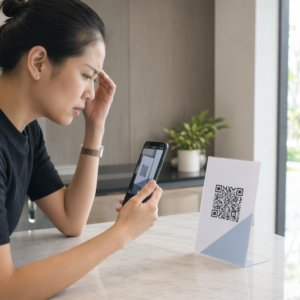
Saknar du oläsbara QR-koder på namnskyltar som saktar ner incheckningsköerna och frustrerar utställare? Oskanningsbara koder skapar flaskhalsar vid registreringen, orsakar förlorad lead-data och förstör deltagarupplevelsen. Denna guide förklarar hur man designar, skriver ut och implementerar skanningsbara QR-koder på konferensnamnskyltar för snabb åtkomstkontroll, leadgenerering och nätverkande.
Viktiga användningsområden för QR-koder på namnskyltar
Konferensnamnskyltar tjänar flera operativa syften under ett evenemang. Att lägga till en skanningsbar QR-kod förvandlar en statisk namnskylt till en digital nyckel för deltagare, personal och sponsorer.
- Åtkomstkontroll till lokalen och evenemangsincheckning: Att skanna en deltagares namnskylt vid registreringsdiskar eller dörrar till sessionsrum verifierar omedelbart biljettstatus. Implementering av ett närvaro-QR-kod arbetsflöde påskyndar inträde och ger arrangörer realtidsspårning av rumsutnyttjande.
- Leadgenerering för utställare: Monterpersonal skannar deltagares namnskyltar för att samla kontaktuppgifter utan att utbyta fysiska visitkort. Detta gör att sponsorer kan logga kvalificerade leads direkt i sina CRM-system under mässor.
- Nätverkande mellan deltagare: Deltagare utbyter kontaktuppgifter omedelbart genom att skanna varandras namnskyltar. Att koppla en namnskyltskod till ett digitalt kontaktkort med hjälp av en vCard QR-kodgenerator möjliggör för mottagare att spara namn, telefonnummer och e-postadresser direkt till sina smartphonens adressböcker.
För att säkerställa snabb skanning i alla tre användningsfall, minimera mängden rådata som lagras i streckkodsmönstret. Hög datatäthet skapar mindre, tätare fyrkantiga mönster (moduler) som är svårare för mobilkameror att bearbeta snabbt. Att använda en Dynamisk QR-kodgenerator tillåter dig att koda en kort omdirigeringslänk eller unik identifieringssträng, vilket håller det visuella mönstret glest och lätt att läsa.
Skapa anpassade evenemangs-QR-koder på några minuter Förenkla deltagarregistrering och skanning av namnskyltar genom att designa anpassningsbara evenemangskoder med QR-kodgenerator för event idag.
Tekniska riktlinjer för skanningsbarhet av namnskyltar
En brickkod som inte går att skanna skapar långa väntetider och förlust av korrekt data. Följ dessa tekniska designstandarder för att säkerställa att varje bricka skannas tillförlitligt vid första försöket.

| Funktionsstandard | Tekniskt krav | Driftsmässig anledning |
|---|---|---|
| Minsta utskriftsstorlek | 1 × 1 tum (2,5 × 2,5 cm) | Garanterar skarpt fokus för handhållna skannrar på armlängds avstånd (10–25 tum). |
| Tyst zonmarginal | Minst 4 moduler bred | Förhindrar att omgivande text, logotyper eller brickkanter stör läsaren. |
| Färgkontrast | Minst 4:1 kontrastförhållande | Säkerställer att optiska sensorer kan skilja mörka förgrundsmoduler från bakgrundspapper. |
| Bildupplösning | Vektorformat (SVG/EPS) eller 300 DPI | Eliminerar suddiga eller pixlade kanter när man skalar brickkonstverk för utskriftsjobb. |
Färgkontrast och visuell stil
Skriv alltid ut mörka QR-mönster på ljusa bakgrunder. Svarta moduler på vit bakgrund ger högsta läsbarhet och ett standardkontrastförhållande på 21:1. Även om anpassade varumärkesfärger kan användas, bibehåll minst ett 4:1 kontrastförhållande för att anpassa sig till varierande ljusnivåer på platser. Undvik inverterade designer med ljusa mönster på mörka bakgrunder eftersom många inbyggda smartphonekameraskannrar misslyckas med att bearbeta inverterade koder. För detaljerade regler för färgval, se vår guide om bästa praxis för färgkontrast i QR-koder.
Krav på tyst zon
Den tysta zonen är den tydliga marginalen som omger alla fyra sidor av en QR-kod. Standarder kräver en tyst zonbredd som är minst fyra gånger bredden på en enda individuell modul (fyrkantigt block). Placera aldrig namn, befattningar, sponsorlogotyper eller bakgrundsgrafik inom denna marginal, eftersom detta hindrar skannern från att lokalisera kodens gränser.
Brickmaterial och utskriftstekniker
Brickans fysiska substrat och ytfinish påverkar avsevärt hur ljus reflekteras in i en skanningslins.
Välja substrat och ytfinisher
Välj matt eller obestruket kortlager när det är möjligt. Högglansiga plastbrickor, glänsande klara överlägg och tunga vinylfickor reflekterar lokalens takbelysning direkt in i kameralinserna, vilket orsakar överexponeringar och skanningsfel. Om klara plastbrickhållare eller glansig laminering krävs för din lokal:
- Öka den tryckta kodstorleken med 15% till 20% för att ge kamerasensorerna ett större mål.
- Instruera kameratekniker eller monterpersonal att hålla skanningsenheterna i en lätt vinkel för att undvika direkt ljusreflektion.
- Undvik texturerat syntetiskt kortlager som stör de raka geometriska kanterna på tryckta moduler.
Exportera filer för produktion
Exportera aldrig brickkonstverk som lågupplösta JPEG- eller PNG-filer. Att ändra storlek på bitmappsbilder orsakar pixelsuddighet, vilket rundar av skarpa modulhörn. Exportera konstverk i vektorformat som SVG eller EPS, eller exportera högupplösta PDF-filer inställda på 300 DPI i full utskriftsstorlek. För en omfattande översikt över hur materialval och bläcktillämpning påverkar skanningsbarheten, läs vår artikel om 15. hur trycktekniker påverkar QR-kodens skanningsbarhet.
Regler för placering av brickor
Placera QR-koden på brickans framsida, helst nära mitten eller den nedre tredjedelen där den förblir obehindrad av band eller klämmor. Att placera koden nära den primära läsvägen säkerställer snabb visuell justering vid incheckningen. Utforska våra rekommendationer i guide för placering av QR-koder i marknadsföring, och granska verkliga implementeringar i vår fallstudie om vetenskapliga konferenser. För exakta storleksdetaljer baserade på fysiskt skanningsavstånd, se vår dedikerade storleksguide för QR-koder.

Datasekretess och operativa skanningsarbetsflöden
Att implementera QR-koder på brickor kräver en balans mellan snabba operativa arbetsflöden och skydd av deltagardata.
Skydda deltagardata
Att koda fullständig personlig information – såsom telefonnummer, gatuadresser och e-postadresser – direkt in i en statisk streckkodsexponering exponerar deltagardata för alla som skannar brickan med en kommersiell kameraapp.
Koda istället en krypterad, unik alfanumerisk identifierare (som `ID-88302`). När behörig evenemangspersonal skannar brickan med ett företagsspecifikt verktyg eller online Skanna QR-kod, verifierar backend-systemet identifieraren säkert utan att skriva ut känslig personlig data på den fysiska brickans innehåll.
Upprätta samtycke för insamling av leads
För att upprätthålla efterlevnad av integritetsbestämmelser:
- Separata användningsfall: Behandla skanning för incheckning på evenemang som skilt från insamling av leads från utställare. Incheckning på en plats ger inte automatiskt tredjepartssponsorer tillstånd att lagra kontaktuppgifter.
- Ge tydligt besked: Informera deltagarna under registreringen att genom att låta en utställare skanna deras bricka utgör ett explicit val att dela kontaktinformation med den specifika sponsorn.
- Använd explicita skanningar: Se till att appar för hämtning av leads vid monter visar en visuell bekräftelse på lyckad skanning (såsom en grön bekräftelsebanner) så att deltagarna vet när en lead-skanning äger rum.
Operativ checklista för evenemangssuccé
Innan du skriver ut hela din batch med konferensbrickor, utför denna kvalitetssäkringschecklista:
- Verifiera kontrast: Testa bakgrunds- och förgrundskombinationer med en digital kontrastkontroll för att säkerställa ett förhållande över 4:1.
- Upprätthåll tysta zoner: Verifiera att en 4-modulers tydlig kant omger varje brickkod i den slutliga layoutmallen.
- Skriv ut fysiska provtryck: Förlita dig aldrig enbart på skärmförhandsvisningar. Skriv ut faktiska fysiska provtryck av brickorna på det valda brickpapperet eller kartongen.
- Testa över enheter: Skanna fysiska provtryck under realistisk platsbelysning med flera smartphonemodeller (både iOS och Android) och dedikerade handhållna skannrar.
- Bekräfta datavägar: Kontrollera att dynamiska QR-länkar leder till rätt landningssidor eller incheckningssystemdatabaser utan att brytas.
Effektivisera ditt nästa evenemang med skanningsbara brickor
Att följa dessa standarder för design, substrat och data säkerställer att dina eventbrickor ger smidig incheckning och tillförlitlig leadgenerering. Att designa brickor med korrekt kontrast, tillräckliga lugna zoner, matta ytor och lätta dynamiska nyttolaster eliminerar registreringsflaskhalsar och skyddar deltagarnas integritet.
För att börja skapa högkontrast, skalbara QR-koder för ditt kommande eventmaterial, utforska vår bästa praxis för läsbarhet av QR-koder och testa din brickdesign idag.
Vanliga frågor
Skriv ut QR-koder för brickor som är minst 1 × 1 tum (2,5 × 2,5 cm) eller minst 2 × 2 cm. Denna storlek passar för typiska skanningsavstånd på armlängds avstånd, 10 till 25 tum, när man använder vanliga smartphonekameror.
Dynamiska QR-koder kodar en kort omdirigeringslänk istället för tät råtext, vilket håller det visuella mönstret enkelt och snabbt att skanna. De gör det också möjligt för arrangörer att redigera destinations-URL:er eller hantera åtkomstinställningar efter utskrift utan att behöva utfärda nya fysiska brickor.
Använd icke-reflekterande matt brickmaterial när det är möjligt. Om genomskinliga vinylfickor behövs, öka QR-kodens storlek med 15 % till 20 % och instruera personal eller utställare att hålla skanningsenheter i en 45-graders vinkel för att undvika direkta ljusreflektioner ovanifrån.