首页 > 行业 > QR Codes for Resumes: How to Add One and Make It Work
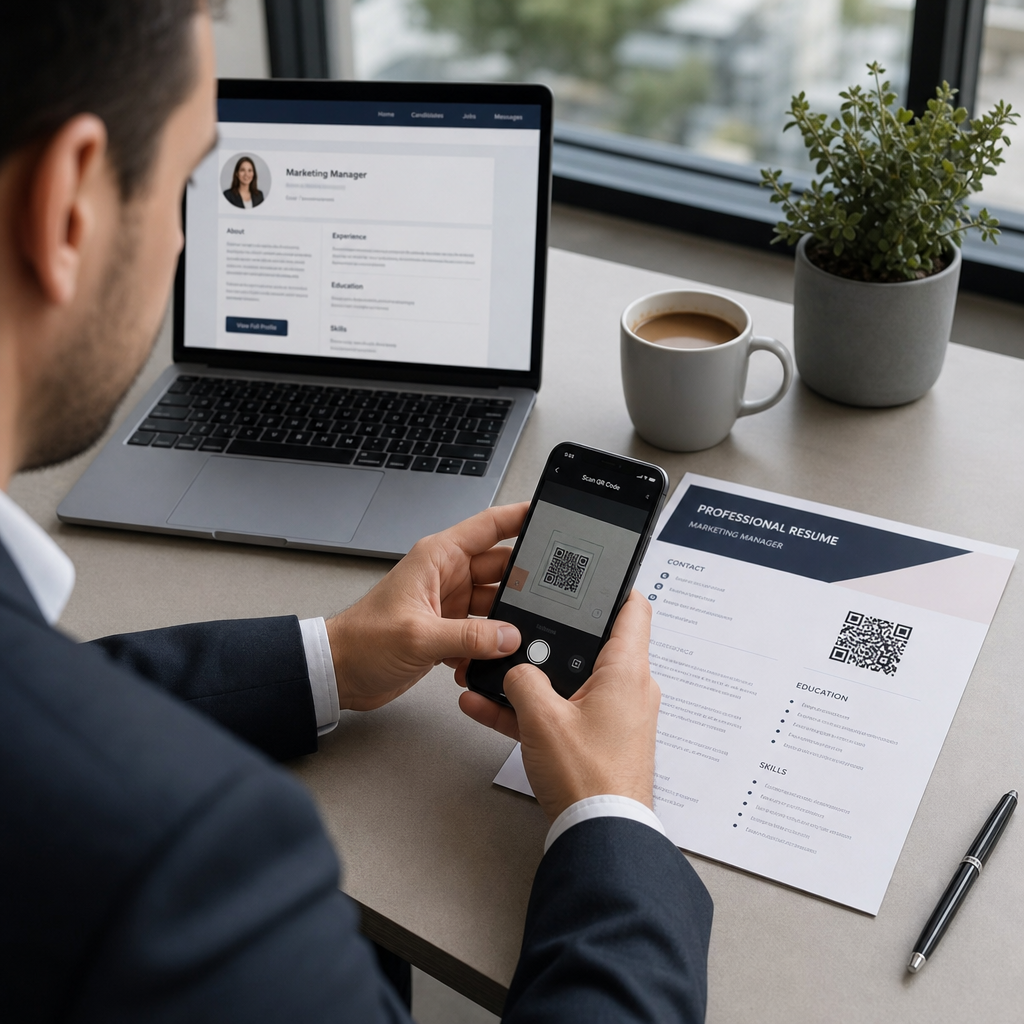
Recruiter scans resume

QR Codes for Resumes: How to Add One and Make It Work

Learn how to add a QR code to your resume to link to your portfolio or LinkedIn. This guide explains professional placement, size, and ATS best practices.
Updated on 7 月 2, 2026
目录

Are you struggling to get recruiters to notice your portfolio or LinkedIn profile? A QR code on your resume bridges the gap between a printed page and your full digital presence – this guide explains how to create one, where to place it, and how to avoid the mistakes that make it look unprofessional.

What a Resume QR Code Actually Does

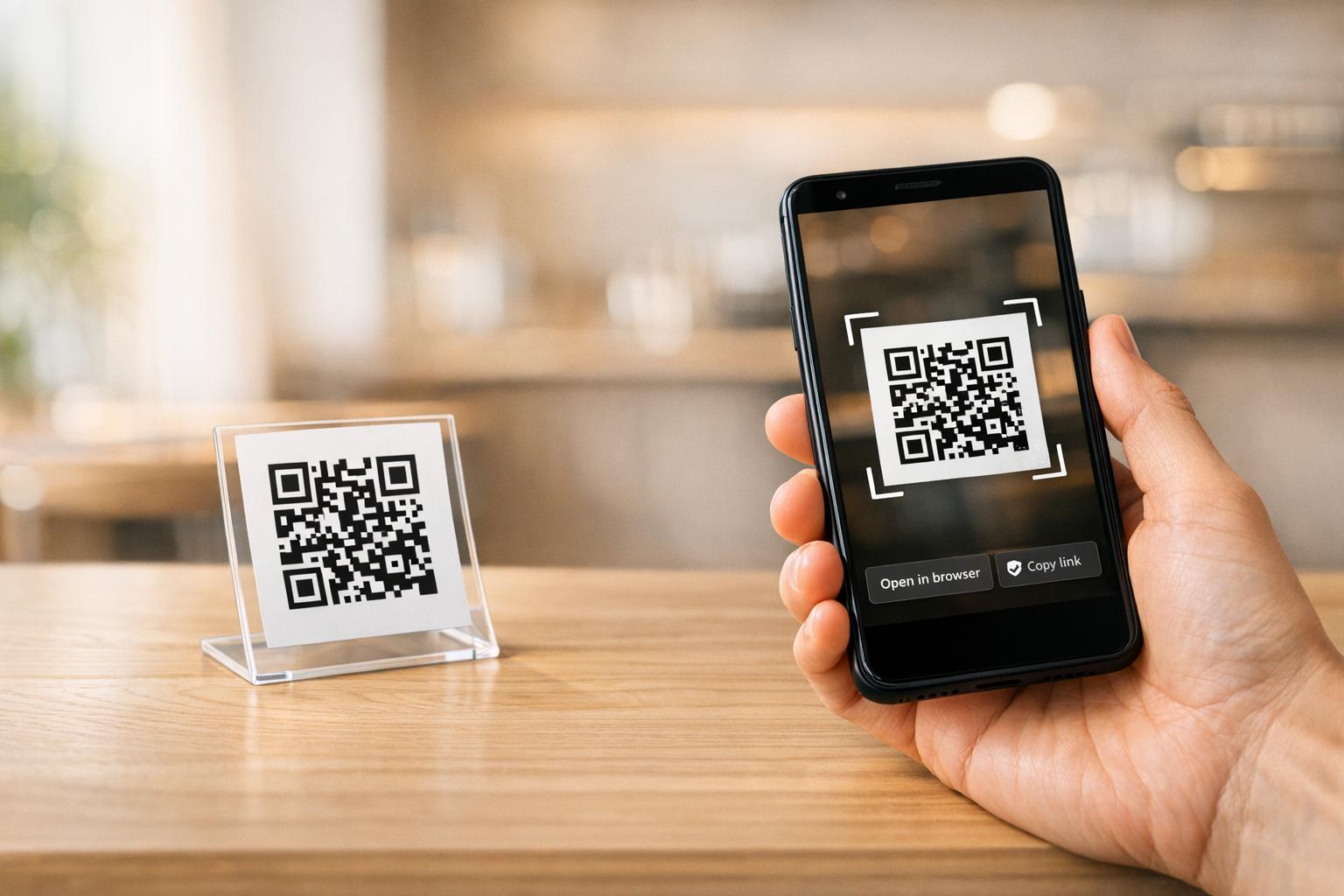
A QR code is a scannable image that encodes a URL or other data. When a recruiter points their phone camera at it, it opens your portfolio, LinkedIn profile, or digital resume directly in their browser – no typing required.

On a resume, this solves a real problem: recruiters reading a printed copy have no easy way to click your links. A QR code turns a static page into an interactive one without adding clutter. The types of destinations you can link to include:

  • LinkedIn profile – lets recruiters review your full work history, recommendations, and activity
  • Online portfolio – shows project work, case studies, or creative samples
  • PDF resume – gives access to an expanded or formatted version of your resume
  • Digital contact card (vCard) – lets recruiters save your contact details directly to their phone

When Adding a QR Code Makes Sense

A QR code adds value in specific situations. It works best when your resume will be printed and handed to someone in person – at interviews, career fairs, or networking events – and when you have a portfolio, personal site, or LinkedIn profile worth visiting. It is particularly effective in fields where showing work matters: design, development, writing, marketing, or any creative discipline where a recruiter benefits from seeing samples beyond what fits on a page.

It adds less value when your resume will only be submitted through an online application portal. In those cases, recruiters rarely print resumes, so the QR code goes unscanned. Think of it as a feature for the in-person experience, not a substitute for the plain-text links that work everywhere.

How ATS Systems Handle QR Codes

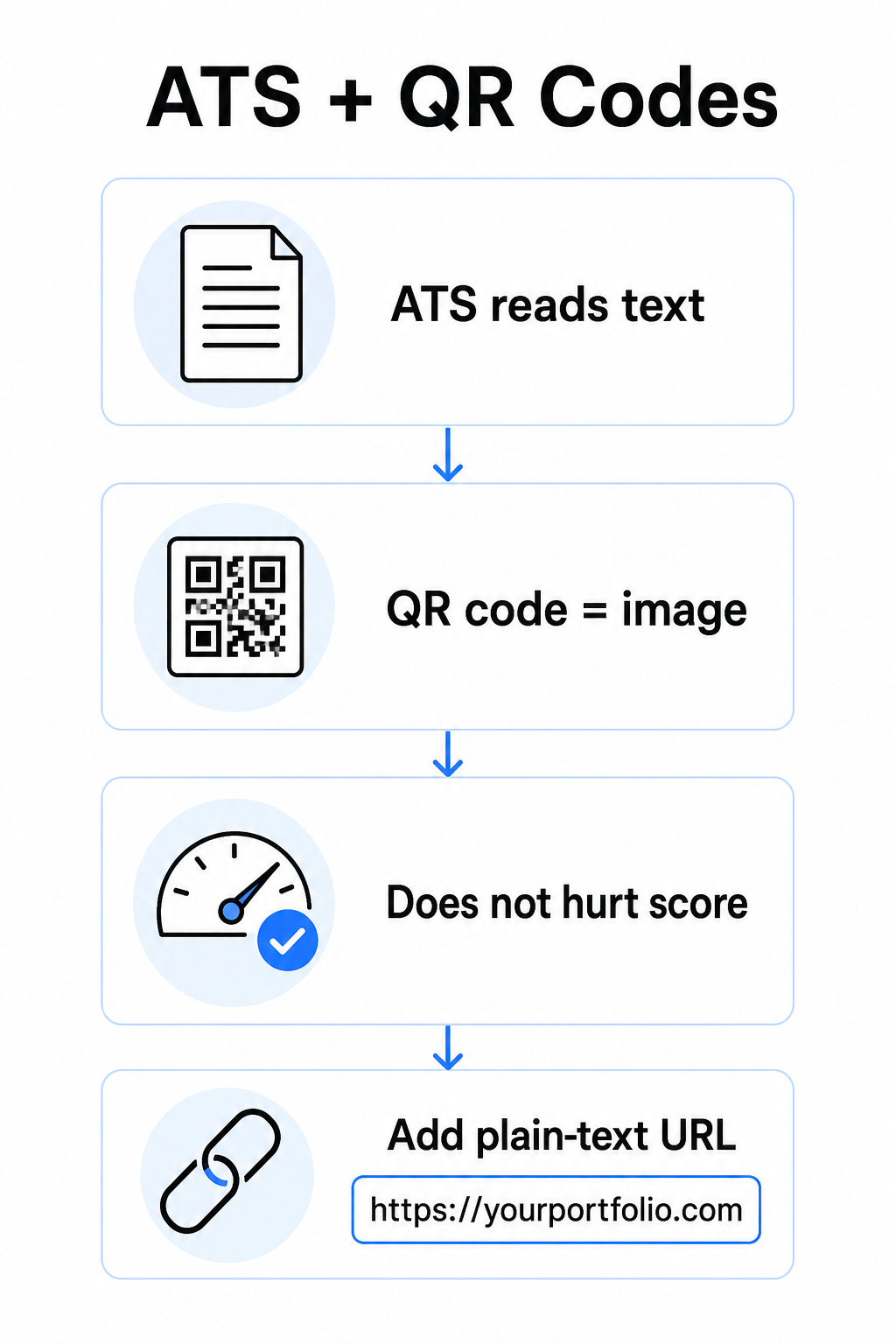
Before adding a QR code, you need to understand how applicant tracking systems work. ATS platforms read text and largely ignore image elements – a QR code is treated as a non-text graphic and is simply skipped during parsing. This means the code itself will not hurt your ATS score, but it also will not help it. What matters for ATS is the text on your resume.

ATS and QR codes

Always include a plain-text URL alongside your QR code. Write out the full link in readable text (for example, `linkedin.com/in/yourname`) so the destination remains accessible to both ATS software and any recruiter reviewing a digital copy who cannot scan an image.

Keep your overall resume format simple. Complex layouts, text boxes, multiple columns, and heavy graphics can confuse ATS parsers – so your QR code should sit neatly within a clean, standard layout rather than dominating the design.

Create a QR Code for Your Resume Ready to link your portfolio or LinkedIn profile with a scannable code? Use the 二维码生成器 to create a customized, professional QR code in minutes – no design experience needed.

Preparing Your Destination Before You Generate

The QR code is only as strong as what it links to. Before you create one, make sure the destination is ready for a recruiter’s eyes.

LinkedIn 简介

Start by creating a custom LinkedIn URL – something like `linkedin.com/in/firstname-lastname` – so the link looks clean rather than a string of random characters. Add a professional profile photo, which increases credibility and profile views. Write a clear, keyword-relevant headline and summary using familiar job titles and measurable achievements drawn from your target roles. Then update your work history, education, and any media samples that showcase your work before sharing the link anywhere.

You can learn more about how to find and use your LinkedIn QR code and generate a custom one with the LinkedIn QR 代码生成器.

Portfolio Site

Curate 4–6 projects that are directly relevant to the roles you are applying for, and include measurable outcomes for each – results, impact, and what you specifically contributed. Write descriptions in plain English and check thoroughly for spelling and grammar. Test the site on both mobile and desktop to confirm fast loading and clean formatting, and use a short, professional URL with a custom slug. Avoid links that look like a string of numbers and hyphens, which can appear spammy or untrustworthy to recruiters.

PDF Resume

If you want to link to a longer or more visually formatted version of your resume, a PDF QR code is a straightforward option. Use the PDF QR 码生成器 to upload your document and generate a scannable link directly to it.

Contact Card (vCard)

A vCard QR code encodes your contact details – name, phone, email, and website – directly into the code. When someone scans it, they can save you to their contacts instantly without typing a single character. This works especially well in the contact section of a resume or on a business card you hand out at interviews. The vCard QR 码生成器 makes creating one straightforward, and you can read more about how to create a QR code for contact info to get the most out of this format.

How to Create Your Resume QR Code

Once your destination is ready, generating the QR code takes only a few steps.

First, choose the right generator for your destination. Use the LinkedIn QR 代码生成器 for a profile link, the PDF QR 码生成器 for a document, the vCard QR 码生成器 for contact details, or the 链接二维码生成器 for any other URL. Then paste in your destination URL or upload your file.

At this stage, consider whether to use a 动态二维码. Dynamic codes store a short redirect URL inside the code rather than encoding the full destination directly. This means you can update where the code points – even after printing – without changing the code itself. If your portfolio URL changes or you update your LinkedIn address, a dynamic code saves you from reprinting your resume.

Next, customize the design. Adjust colors to match your resume’s palette, keeping the foreground dark and the background light. Black on white remains the most reliable combination for scanners. Avoid gradients, shadows, or reversed designs (light code on dark background), as these can cause scan failures on some devices.

When you are ready to download, export as SVG or EPS for the sharpest result. These vector formats scale without losing quality, preventing the blurriness that causes scan failures on printed materials. Finally, test the code on multiple devices and in different lighting conditions before adding it to your resume. Confirm the destination loads correctly and quickly on both Wi-Fi and cellular connections.

Link Any URL to a Scannable Code Whether your destination is a portfolio, personal site, or any other web page, the 链接二维码生成器 lets you create a customized, trackable code in seconds.

QR Code Design Standards for Resumes

A QR code on a resume needs to look intentional, not dropped in as an afterthought. The following technical guidelines ensure it scans reliably and fits the page cleanly.

尺寸

The minimum recommended size for a QR code in a close-range scanning context – such as a resume held at arm’s length – is 0.8 x 0.8 英寸 (2 x 2 厘米). Going smaller risks scan failures; anything around 0.4 x 0.4 inches (1 x 1 cm) is too small for consistent use. The guidelines for QR code sizes on business cards apply equally to resumes and are worth reviewing before you finalize your layout.

色彩对比

Scanners work by detecting the contrast between dark and light modules. Aim for a contrast ratio of at least 4.5:1 for small QR codes, in line with accessibility guidelines. Black on white achieves a ratio of 21:1 and is the safest choice. Avoid light gray on white, yellow on white, or any pairing where the code blends into the page background. The full 二维码颜色对比度最佳实践 guide provides detailed pairing recommendations and contrast ratio examples.

安静区域

The quiet zone is the blank border surrounding the QR code. According to ISO/IEC 18004, it must be at least four modules wide on all sides – that is, four times the width of one small square in the code’s grid. Never place text, lines, or other design elements inside this margin. A missing or crowded quiet zone is one of the most common reasons a QR code fails to scan, and it is easy to accidentally violate when fitting a code into a tight resume layout.

分辨率

Export your QR code at a minimum of 300 DPI for print. Better still, use a vector format (SVG or EPS) so the code scales cleanly regardless of print size, with no pixelation. The 二维码可读性的最佳实践 covers resolution, quiet zones, and contrast in one place if you want a comprehensive reference.

Where to Place the QR Code on Your Resume

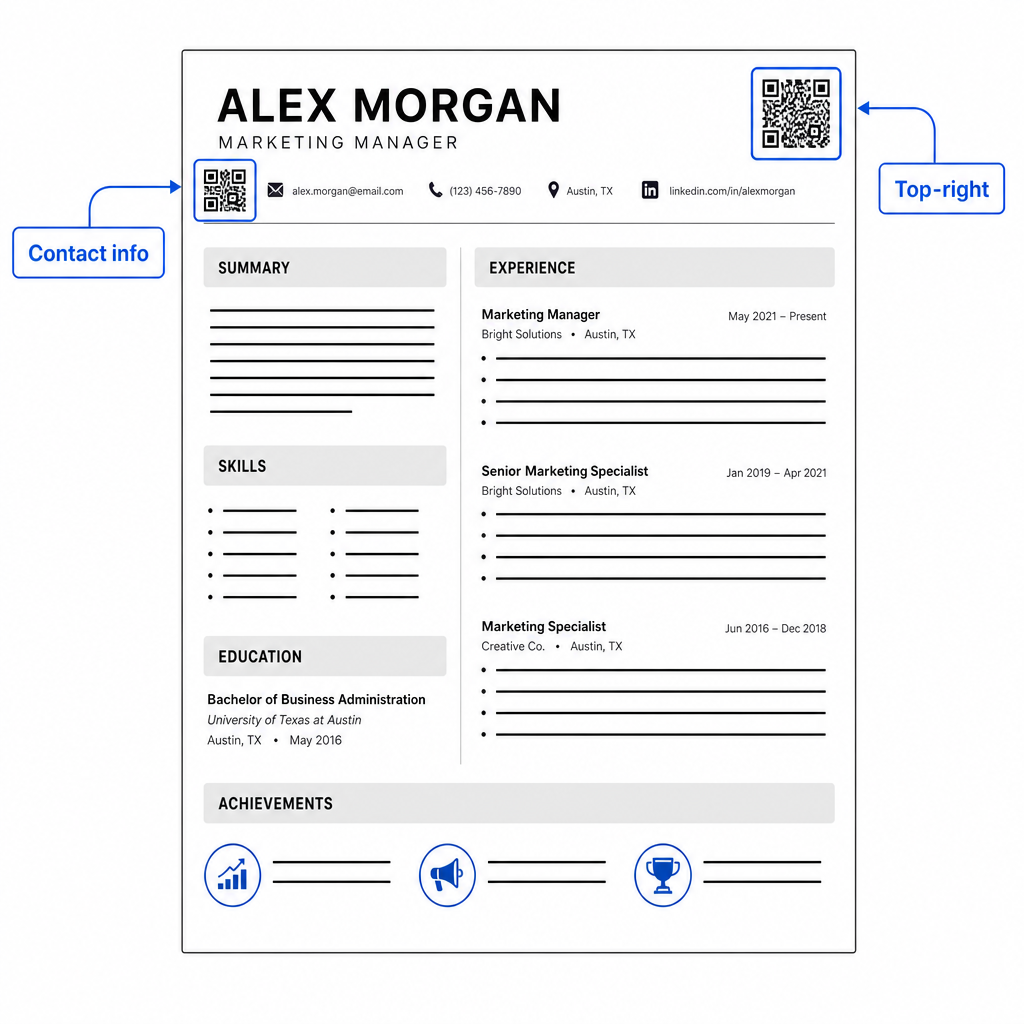
Placement signals professionalism. A QR code dropped randomly into the middle of your experience section looks like an accident. The two most effective positions are near your contact information at the top of the page – where recruiters look first for ways to reach you – or in the top-right corner, which keeps the code visible without competing with the resume’s main text.

Resume QR placement

Keep the code small enough to stay unobtrusive: approximately 0.8 to 1 inch square suits a standard resume. Add a brief text label beneath it, such as Scan to view portfolio 要么 Scan for LinkedIn, so a recruiter knows at a glance what the code leads to. Place the plain-text URL directly alongside or below the code.

The table below compares common placement approaches:

安置 优点 缺点
Near contact info at top Natural location, seen immediately Needs to stay small to avoid crowding
Top-right corner Clean, non-intrusive May be missed if recruiter reads left to right
Resume footer Keeps main content clean May be overlooked or cut off when printing
Beside a specific role Contextually links portfolio to that job Only makes sense for a single linked item

应避免的常见错误

  • Making the QR code the only access route – Always include the plain-text URL. A recruiter reviewing a PDF on screen cannot scan a QR code.
  • Linking to an unprepared destination – A LinkedIn profile with no photo, a sparse summary, or outdated experience reflects poorly. Only link when the destination is complete and current.
  • Using a static QR code when your links might change – If your portfolio URL or LinkedIn address changes, a static code becomes broken and useless. A dynamic code can be updated without reprinting anything.
  • Skipping the test – Always scan your final code from a printed copy – not just from your screen – before submitting or handing out your resume.
  • Poor contrast or a crowded quiet zone – Both will cause the code to fail on some devices. Follow the size and contrast guidelines above and leave clear space around the code on all sides.
  • Using a low-resolution image – A pixelated QR code on a printed resume looks unprofessional and may not scan. Export in SVG or EPS, or at minimum 300 DPI PNG.

Addressing Recruiter Skepticism

Not every recruiter will scan a QR code. Some may be unfamiliar with the habit, cautious about unknown links, or simply reviewing resumes on a desktop where scanning is impractical. This is not a reason to avoid QR codes entirely – but it is a reason to treat them as a supplement, not a replacement, for plain-text links.

Label your code clearly and keep the URL visible in text. A recruiter who does not scan will still see the URL and can type or click it. A recruiter reviewing your resume in person has the option to scan immediately. The goal is to give every reader the easiest possible path to your work, regardless of how they are reading your resume.

Make Your Resume More Interactive Add a professional QR code to your resume that links directly to your portfolio, LinkedIn profile, or digital resume. Get started with the 二维码生成器 – free to create, with options to track scans and update your destination anytime.

Adding a QR code to your resume is a small change that can make a meaningful impression – particularly when you hand your resume to someone in person. The key is preparation: make sure your destination is polished, your code meets basic design standards, and you always include a readable plain-text URL alongside it. Use a dynamic code so you can update the destination without reprinting, and test everything on a physical printout before your next interview or career fair.

常见问题

Will a QR code on my resume hurt my chances with applicant tracking systems?

No – ATS platforms treat QR codes as images and skip them during text parsing, so the code itself does not negatively affect your ATS score. However, to ensure your portfolio or LinkedIn URL is also machine-readable, always include the plain-text version of the link alongside the QR code.

What should my resume QR code link to?

The best destination depends on your field. A portfolio site or PDF portfolio works well for creative and technical roles. A LinkedIn profile suits most industries. A vCard QR code is useful if your primary goal is making it easy for recruiters to save your contact details. Whatever you link to, make sure it is complete, current, and optimized before printing.

What is the difference between a static and dynamic QR code for a resume?

A static QR code encodes your destination URL directly into the code pattern – if the URL changes, the code becomes broken and you need to reprint. A dynamic QR code encodes a short redirect URL that you can update anytime without changing the printed code. For a resume you may hand out over several months, a dynamic code is the safer and more flexible choice.

关于作者

Siim Kostabi 是 Pageloot 的内容主管,负责撰写关于我们创新型二维码生成器服务的文章。凭借五年多来在二维码领域积累的深厚专业知识,Siim 是该领域的专家。他致力于利用二维码技术简化和增强数字交互,并取得了显著的成果。.

类别
了解更多关于
卖家为FBA包裹贴标
亚马逊FBA 条码标签
扫描打印的二维码
二维码 尺寸指南
QR QR码的#1解决方案

如果您需要在线创建QR码,则可以 制作二维码 就在这里免费!
Pageloot是 #1转到解决方案 创建和扫描QR码。

BL-0275

博客生成器

受到超过 20,000 个品牌的信赖,可获得更多销售、评论和关注者。

客户徽标
受到顶级品牌的信赖
评分为 4.8(共 5)

4.86 / 5 星评级

雨果·劳伦特
雨果·劳伦特
餐馆老板
有史以来最容易和最可靠的QR码生成器。PDF文件可以立即上传。我们的餐厅菜单现在是数字化的。
卢卡斯-詹森
卢卡斯-詹森
房地产开发商
这是一个很好的工具,二维码带你到你想要的地方。我们只使用位置二维码,但有许多有用的功能。
艾玛-莫雷蒂
艾玛-莫雷蒂
零售产品
易于使用和快速。它工作得很好,创造了一个完美的图像,所以员工可以下载我的vCard。
雨果·劳伦特
雨果·劳伦特
餐馆老板
有史以来最容易和最可靠的QR码生成器。PDF文件可以立即上传。我们的餐厅菜单现在是数字化的。
卢卡斯-詹森
卢卡斯-詹森
房地产开发商
这是一个很好的工具,二维码带你到你想要的地方。我们只使用位置二维码,但有许多有用的功能。
艾玛-莫雷蒂
艾玛-莫雷蒂
零售产品
易于使用和快速。它工作得很好,创造了一个完美的图像,所以员工可以下载我的vCard。
查看更多QR码
将一切转化为数字体验 不到3分钟。

免费试用 14 天。

无需信用卡。

首次购买可享受 30% 折扣

使用代码:

分享您的 MP3 文件

注册以创建 PDF QR 码

上传和显示你需要的一切。

  • 音频文件
  • 播客
  • 音乐

注册即可享 14 天免费试用。.
试用期结束后,二维码将失效。.

注册以创建音频 mp3 二维码

使用边框获得更多扫描

注册以向您的二维码添加更多框架

呼叫行动框架帮助您的客户与QR码轻松互动。试试吧!

注册即可享 14 天免费试用。.
试用期结束后,二维码将失效。.

注册以向您的二维码添加更多框架

使用形状添加更多样式

注册以创建更多形状

二维码不一定是方形的。试着改变它以适应你的品牌形象。

注册即可享 14 天免费试用。.
试用期结束后,二维码将失效。.

注册以创建更多形状

为您的二维码添加徽标

注册以将您的徽标添加到二维码中

通过在二维码上添加你的标志和品牌,使你的二维码脱颖而出。

注册即可享 14 天免费试用。.
试用期结束后,二维码将失效。.

注册以将您的徽标添加到二维码中

智能应用商店重定向

注册以创建应用商店二维码

将您的应用程序链接添加到我们的智能应用程序商店QR码。用户会根据他们的设备被重新定向。

注册即可享 14 天免费试用。.
试用期结束后,二维码将失效。.

注册以创建应用商店二维码

将图片上传到二维码

注册以创建图像二维码

轻松分享你的图像。在几秒钟内动态地改变任何图像。

注册即可享 14 天免费试用。.
试用期结束后,二维码将失效。.

注册以创建图像二维码

分享您的 PDF 文件

注册以创建 PDF QR 码

上传和显示你需要的一切。

  • 菜单和价格表
  • 使用说明
  • 任何文件

注册即可享 14 天免费试用。.
试用期结束后,二维码将失效。.

注册以创建 PDF QR 码

稍后编辑,无需打印

注册即可编辑您的二维码,无需再次打印

动态QR码让你改变你的QR码的内容,而不需要打印新的QR码。

注册即可享 14 天免费试用。.
试用期结束后,二维码将失效。.

注册即可编辑您的二维码,无需再次打印

何时?何地?追踪您的二维码扫描

注册以追踪您的二维码

发现你的哪些二维码收到了最多的扫描,以及什么最能让你的客户兴奋。

注册即可享 14 天免费试用。.
试用期结束后,二维码将失效。.

注册以追踪您的二维码

提供可打印文件

注册以创建 PDF 和 SVG 等矢量二维码

.EPS, .PDF, .SVG

想下载高清分辨率的QR码吗?获得矢量或像素格式,可随时打印。

注册即可享 14 天免费试用。.
试用期结束后,二维码将失效。.

注册以创建 PDF 和 SVG 等矢量二维码

请等待。您的二维码是 正在加载... 正在加载...

打造专属

注册以保存您的二维码以供日后使用

通过创建具有不同颜色、标识和行动呼吁框架的出色的QR码,获得更多的扫描。

注册即可享 14 天免费试用。.
试用期结束后,二维码将失效。.

注册以保存您的二维码以供日后使用