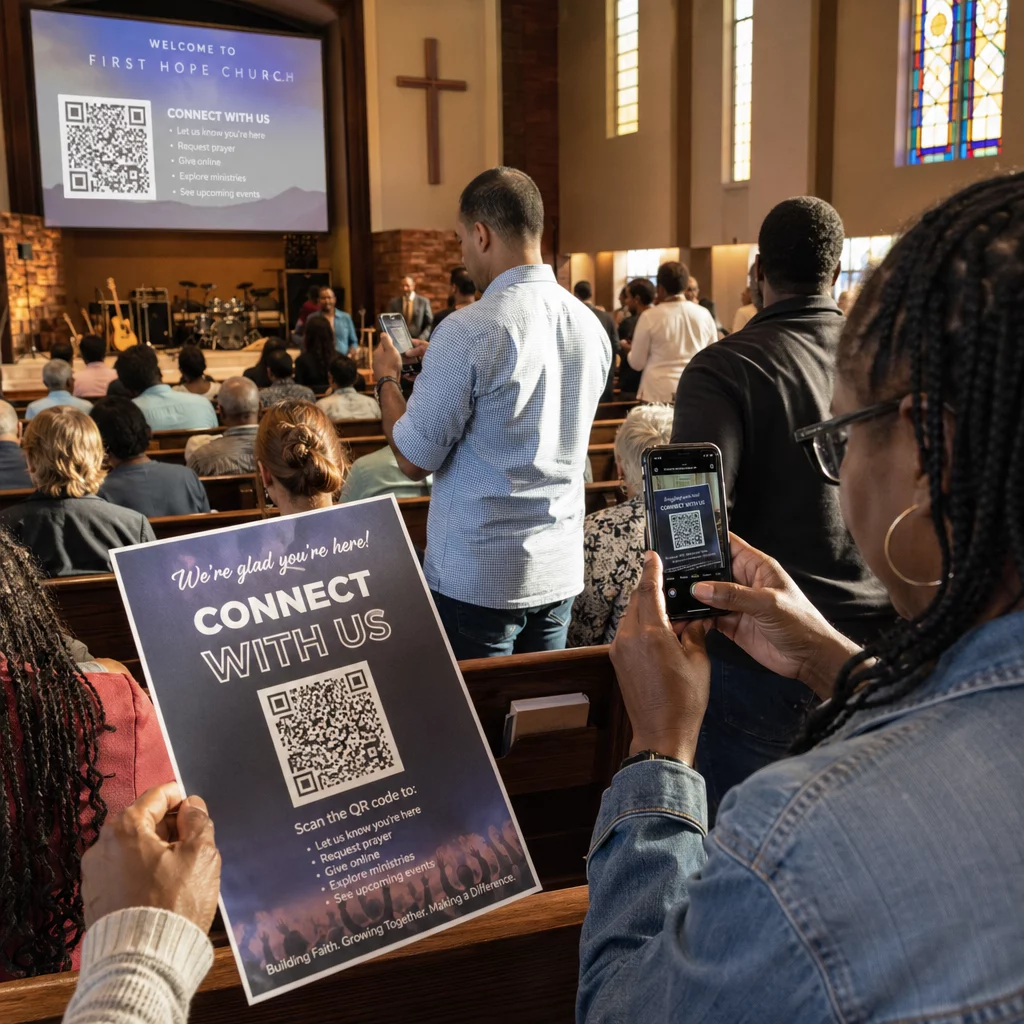
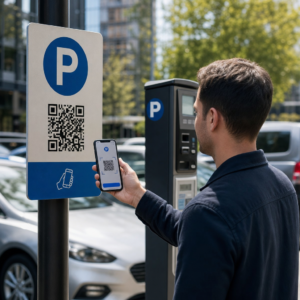
Khách tham dự bị lạc và quầy trợ giúp đông đúc có đang gây ra tình trạng tắc nghẽn tại địa điểm của bạn không? Sự nhầm lẫn trong điều hướng dẫn đến bỏ lỡ các phiên, khách mời thất vọng và nhân viên sự kiện quá tải. Việc triển khai hệ thống tìm đường bằng mã QR cung cấp cho khách tham dự quyền truy cập tức thì trên thiết bị di động vào bản đồ tương tác và chỉ dẫn theo địa điểm cụ thể trực tiếp trên điện thoại thông minh của họ.
Tại sao mã QR trên thiết bị di động cải thiện điều hướng tại địa điểm
Các trung tâm hội nghị lớn, lễ hội nhiều sân khấu và các sảnh triển lãm rộng lớn thường làm cho khách tham quan choáng ngợp. Sơ đồ mặt bằng truyền thống được in trên các bảng thông tin cố định ở lối vào có xu hướng tập trung đông người, gây tắc nghẽn nghiêm trọng tại các hành lang chính. Hơn nữa, nếu vị trí gian hàng thay đổi hoặc lịch trình phòng họp dịch chuyển trong một sự kiện, các bảng bản đồ vật lý nhanh chóng trở nên lỗi thời và gây hiểu lầm.
Sử dụng mã QR để điều hướng tại địa điểm biến biển báo vật lý thành các cổng thông tin kỹ thuật số tương tác. Đặt mã tại các điểm quyết định quan trọng sẽ tạo ra các trạm “Bạn đang ở đây” được bản địa hóa trên khắp cơ sở của bạn. Khi được quét, các mã này ngay lập tức tải bản đồ thân thiện với thiết bị di động, chỉ đường từng bước trong nhà hoặc các trang lịch trình theo thời gian thực.
Vì mã QR động cho phép bạn chỉnh sửa các liên kết đích sau khi in, bạn có thể cập nhật sơ đồ mặt bằng hoặc điều hướng lại các luồng giao thông ngay lập tức mà không cần thay thế các biển báo vật lý. Tích hợp sơ đồ mặt bằng kỹ thuật số với một ứng dụng chuyên dụng Tạo mã QR sự kiện giúp hợp lý hóa việc quản lý đám đông tổng thể đồng thời mang lại sự rõ ràng tức thì cho khách tham dự.
Các cách thực tế để triển khai tìm đường bằng mã QR
Triển khai điều hướng bằng mã QR trên khắp địa điểm của bạn đòi hỏi việc đặt mã một cách chiến lược, phù hợp với nhu cầu cụ thể của khách tham dự. Dưới đây là bốn ứng dụng thực tế cho việc tìm đường trong sự kiện:
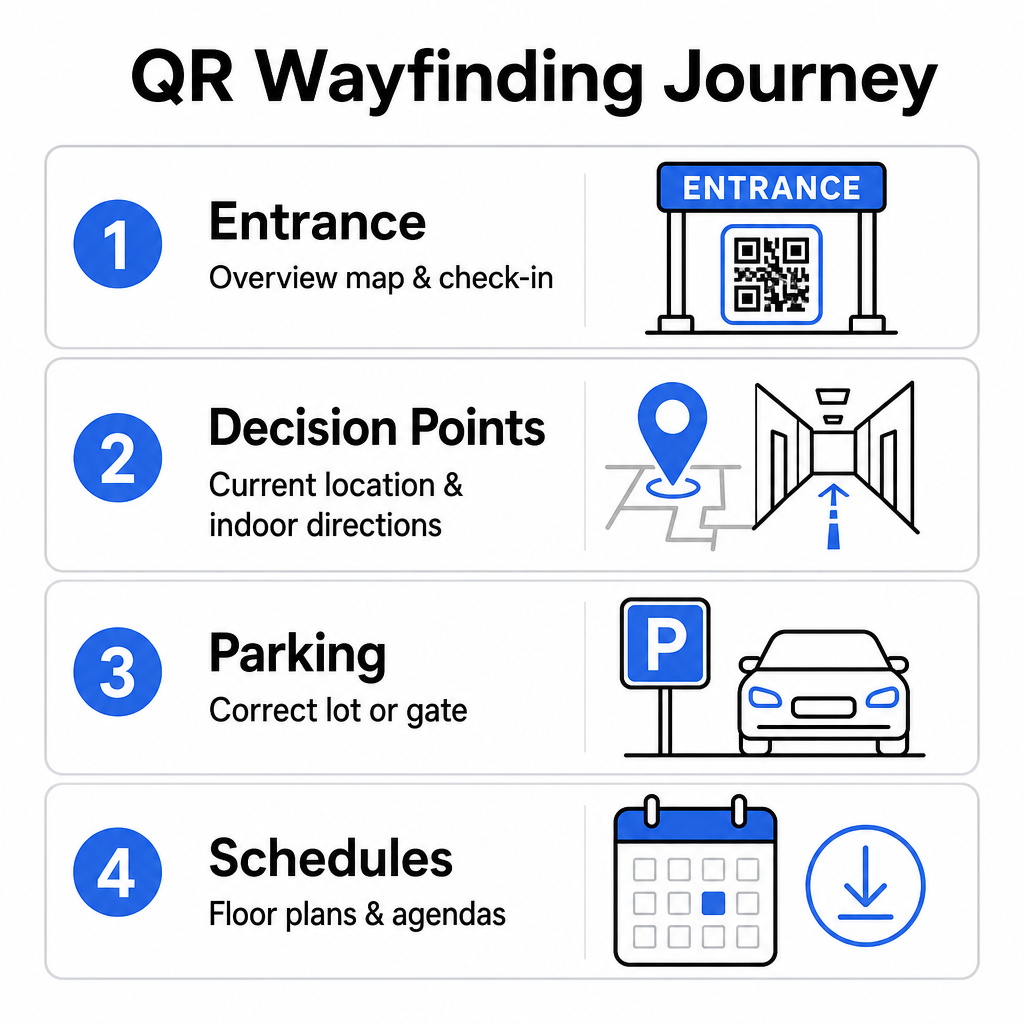
- Khu vực lối vào và đăng ký: Đặt các mã nổi bật gần cổng vào và quầy đăng ký để cung cấp cho khách đến một bản đồ tổng quan tức thì về cơ sở cùng với hướng dẫn đăng ký. Việc tích hợp điều hướng kỹ thuật số tại các điểm vào bổ trợ cho các hệ thống đăng ký sự kiện hiện đại.
- Các điểm quyết định “Bạn đang ở đây” được bản địa hóa: Mã QR riêng cho từng khu vực tại các giao lộ hành lang chính, sảnh thang máy, lối vào cầu thang bộ và khu vực ăn uống. Neo mỗi mã để mở một bản đồ kỹ thuật số được cấu hình sẵn để hiển thị chính xác vị trí hiện tại của người dùng trong tòa nhà.
- Hướng dẫn địa điểm và bãi đỗ xe: Hướng dẫn người tham dự đến đúng bãi đỗ xe hoặc lối vào tòa nhà trước khi họ đến bằng đường bộ. Bao gồm một Tạo mã QR địa chỉ Google Map liên kết trên xác nhận vé kỹ thuật số hoặc biểu ngữ lối vào ngoài trời sẽ hướng dẫn tài xế thẳng đến cổng đến được chỉ định.
- Lịch trình và Sơ đồ tầng có thể tải xuống: Cung cấp bản đồ truy cập ngoại tuyến cho các địa điểm có sóng di động yếu. Việc sử dụng một Chuyển PDF sang QR cho phép khách lưu sơ đồ tầng địa điểm và hướng dẫn chương trình nghị sự độ phân giải cao trực tiếp vào thiết bị di động của họ.
Đơn giản hóa việc điều hướng địa điểm ngay hôm nay Cần tạo các liên kết bản đồ tùy chỉnh, thân thiện với thiết bị di động cho sự kiện sắp tới của bạn? Sử dụng Tạo mã QR sự kiện để xây dựng các mã động, có thể theo dõi trong vài phút.
Hướng dẫn vị trí và khả năng tiếp cận cho biển báo chỉ đường
Hệ thống chỉ đường chỉ hiệu quả nếu người tham dự có thể dễ dàng định vị và quét biển báo vật lý. Việc đặt vị trí hợp lý đảm bảo các công cụ điều hướng vẫn hoạt động hiệu quả và dễ tiếp cận đối với mọi du khách.
Vị trí vật lý tối ưu
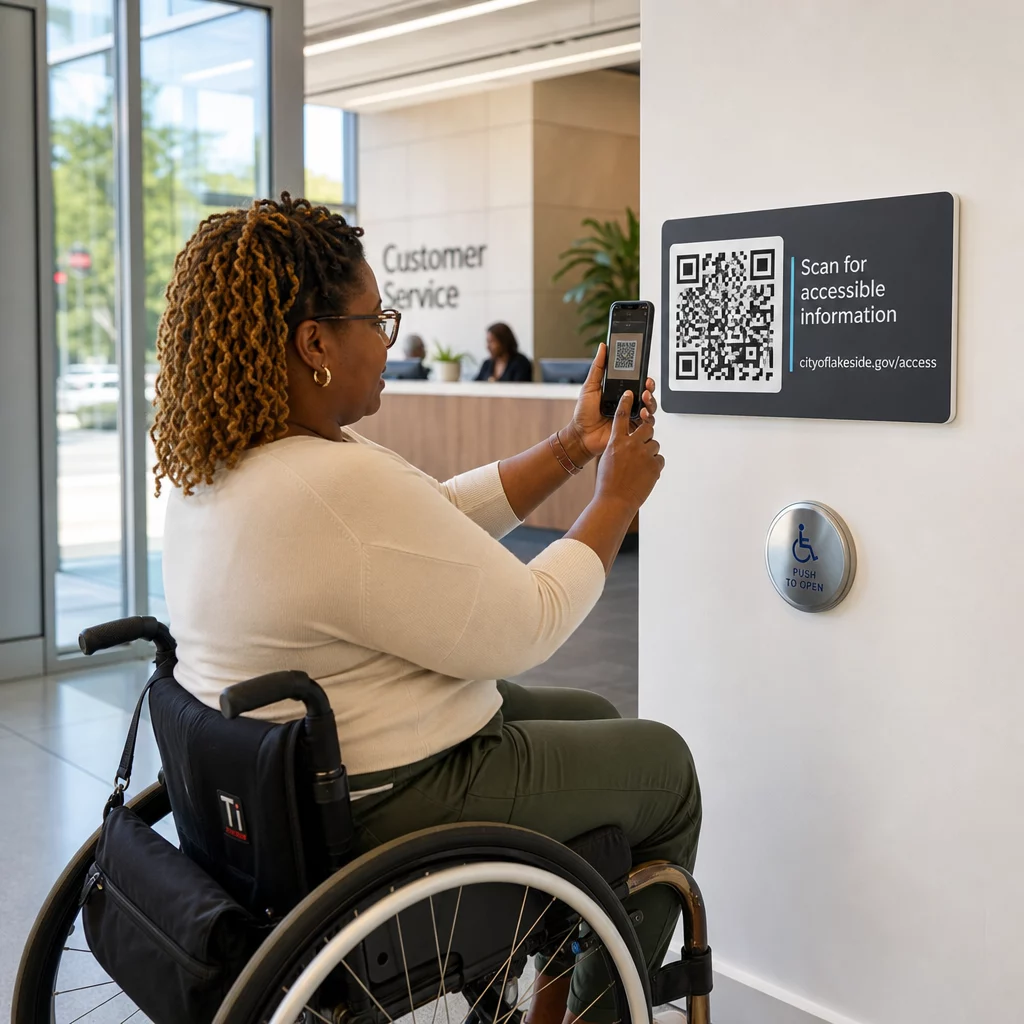
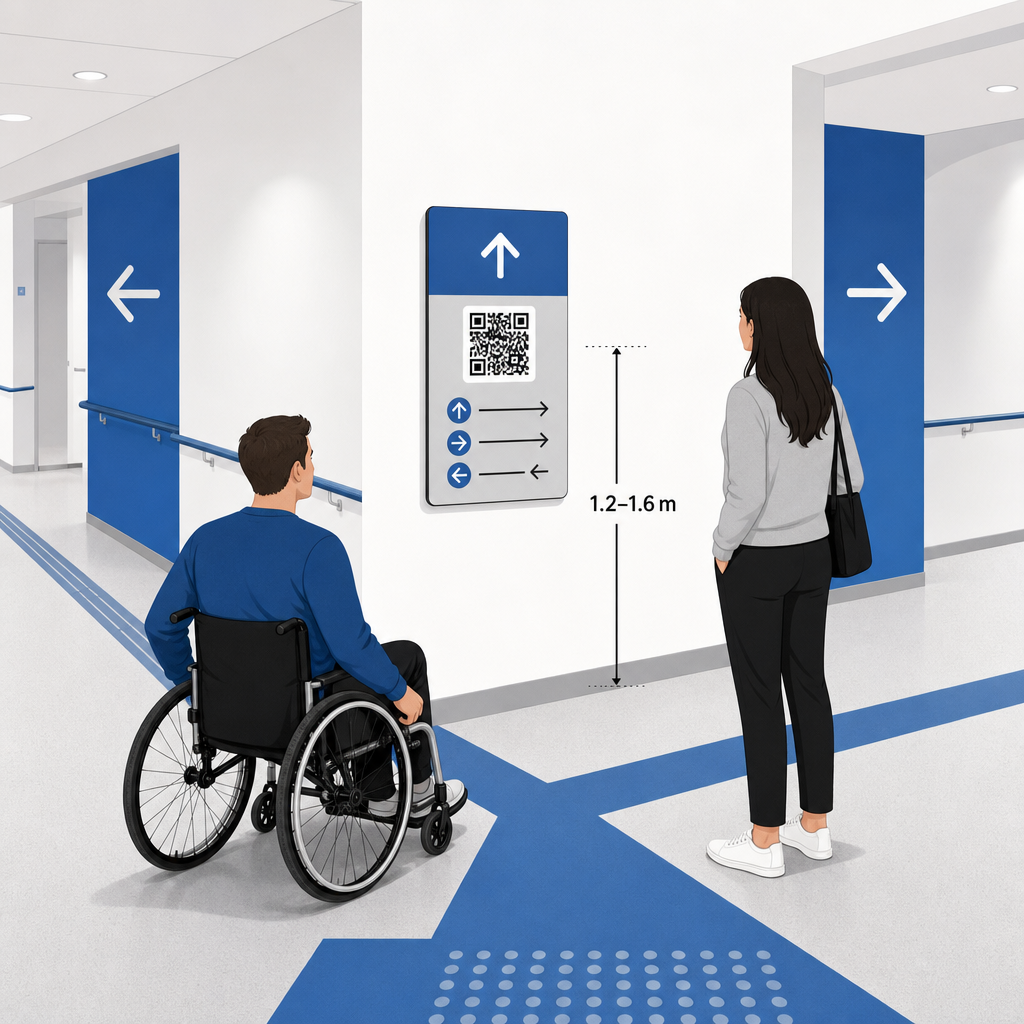
Đặt biển báo chỉ đường ở những nơi khách tham quan thường dừng lại để đưa ra quyết định về tuyến đường, chẳng hạn như các giao lộ hành lang, khu vực nghỉ ngơi, khu ẩm thực và cụm thang máy. Gắn các mã in ở độ cao ngang tầm mắt dễ tiếp cận – thường là giữa 1.2 đến 1.6 mét (3.5 đến 5.5 feet) so với sàn nhà – để chúng vẫn nằm trong tầm với một cách thoải mái cho cả khách đứng và người dùng xe lăn.
Tuân thủ ADA và Khả năng tiếp cận
Các tiêu chuẩn tiếp cận chính thức theo Đạo luật Người khuyết tật Hoa Kỳ (ADA) yêu cầu biển báo chỉ dẫn phải tuân thủ các quy tắc hình ảnh rõ ràng, bao gồm độ tương phản cao từ tối sang sáng, bề mặt không chói và tỷ lệ ký tự hình ảnh cụ thể. Các công cụ kỹ thuật số như mã QR đóng vai trò bổ sung, chứ không phải thay thế, cho biển báo vật lý tiêu chuẩn có thể tiếp cận được.
Để duy trì sự tuân thủ và khả năng tiếp cận đầy đủ:
- Duy trì văn bản thay thế hiển thị, chỉ dẫn bằng văn bản in, hoặc hỗ trợ nhân viên bên cạnh mỗi mã.
- Ghép các mã với nhãn mô tả rõ ràng, cho biết thông tin người dùng sẽ truy cập được sau khi quét.
- Xây dựng các trang đích di động hỗ trợ trình đọc màn hình và bao gồm văn bản thay thế mô tả cho đồ họa bản đồ.
Lời kêu gọi hành động rõ ràng
Một mã QR không có nhãn khiến khách truy cập phải đoán về mục đích của nó. Luôn ghép mỗi mã với một khung kêu gọi hành động (CTA) rõ ràng hoặc nhãn văn bản, chẳng hạn như “Quét để xem Sơ đồ Tầng Tương tác” hoặc “Tìm đường của bạn – Quét để xem Bản đồ.” Thực hiện theo các hướng dẫn đã được chứng minh về Vị trí đặt mã QR trên áp phích tăng đáng kể mức độ tương tác và tỷ lệ quét.
Thực tiễn tốt nhất về kỹ thuật cho bảng hiệu có thể quét được
Đảm bảo quét nhanh, đáng tin cậy trên hàng trăm mẫu điện thoại thông minh khác nhau đòi hỏi phải tuân thủ nghiêm ngặt các tiêu chuẩn đồ họa cốt lõi.
| Yếu tố | Tiêu chuẩn Kỹ thuật | Mục đích thực tế |
|---|---|---|
| Kích thước in tối thiểu | Tối thiểu 3 x 3 cm (1.2 x 1.2 inch); 2 x 2 cm cho các vật phẩm cần quét gần | Ngăn chặn lỗi lấy nét camera trên các mô-đun dữ liệu dày đặc. |
| Tỷ lệ Khoảng cách Quét | Tỷ lệ 10:1 (1 đơn vị chiều rộng mã trên 10 đơn vị khoảng cách) | Đảm bảo các mã trên biểu ngữ treo lớn vẫn có thể quét được từ xa. |
| Độ tương phản màu sắc | Tỷ lệ tương phản tối thiểu 4:1 (các mô-đun tối trên nền sáng) | Giúp cảm biến camera điện thoại ngay lập tức phân biệt các mô-đun với nền. |
| Vùng đệm tĩnh | Ít nhất 4 mô-đun rộng (khoảng lề 0.25 inch) | Ngăn đồ họa và văn bản xung quanh gây nhiễu quá trình giải mã của máy quét. |
| Định dạng tệp | Định dạng vector (SVG, EPS, PDF) | Duy trì các cạnh sắc nét mà không bị pixel hóa khi in trên bảng hiệu lớn. |
Khi in áp phích chỉ đường và biển báo treo tường, hãy chọn vật liệu mờ, không phản chiếu thay vì bề mặt bóng. Bề mặt mờ loại bỏ phản xạ ánh sáng mạnh từ trên cao, vốn là một trong những nguyên nhân chính gây ra lỗi quét camera di động. Để biết hướng dẫn chi tiết về kích thước, hãy tham khảo toàn diện của chúng tôi hướng dẫn kích thước mã QR của chúng tôi and review essential và xem xét các thực tiễn thiết yếu về khả năng đọc mã QR.
Hướng dẫn người tham dự trực tiếp đến địa điểm của bạn Đảm bảo khách đến đúng lối vào hoặc cổng đỗ xe mà không bị nhầm lẫn. Tạo các ghim vị trí chính xác bằng cách sử dụng Tạo mã QR địa chỉ Google Map.
Kiểm tra và Cập nhật Hệ thống Dẫn đường Sự kiện của Bạn
Xác thực kỹ lưỡng trước khi mở cửa giúp ngăn ngừa các lỗi kỹ thuật trong giờ cao điểm.
Xác minh Trước sự kiện
- Kiểm tra trên nhiều thiết bị: Quét mọi mã đã xuất bản bằng cả thiết bị Apple iOS và Android thông qua các ứng dụng camera tích hợp tiêu chuẩn.
- Đánh giá ánh sáng môi trường: Kiểm tra biển báo đã in dưới ánh sáng thực tế của địa điểm để xác định khả năng bị chói hoặc bóng do các vật cố định trong sảnh tạo ra.
- Kiểm tra góc và khoảng cách quét: Thử quét từ các vị trí đứng thực tế và các góc bên, xác nhận rằng mã được giải mã trong 3 giây hoặc ít hơn.
- Xác minh tốc độ tải mạng: Kiểm tra thời gian phản hồi của trang đích bản đồ qua mạng di động và Wi-Fi dành cho khách để xác nhận thời gian tải nhanh dưới tải mạng.
Quản lý Cập nhật Trực tiếp bằng Mã QR Động
Ngay cả các bố cục sự kiện được lên kế hoạch cẩn thận cũng có thể gặp phải những thay đổi lịch trình hoặc di dời gian hàng vào phút cuối. Bằng cách sử dụng mã QR động, bạn duy trì toàn quyền kiểm soát các trang đích mục tiêu. Nếu một phòng thuyết trình thay đổi hoặc một lối thoát hiểm cần được làm nổi bật, chỉ cần cập nhật URL đích trong bảng điều khiển quản lý của bạn. Mã in trên tường vẫn giống hệt, nhưng người tham dự sẽ ngay lập tức được chuyển hướng đến bản đồ đã cập nhật.
Hơn nữa, phân tích tích hợp cho phép bạn theo dõi số lượng quét trên các khu vực địa điểm khác nhau theo thời gian thực. Số lượt quét cao tại các điểm quyết định cụ thể cho thấy nơi người tham dự thường xuyên tìm kiếm chỉ dẫn, cung cấp dữ liệu hữu ích để triển khai thêm nhân viên sàn hoặc biển báo chỉ dẫn bổ sung ở những nơi cần thiết nhất. Đối với các chiến lược định vị nâng cao, hãy xem xét đầy đủ bài viết của chúng tôi về hướng dẫn đặt mã QR.
Câu hỏi thường gặp
Không. Các quy định về khả năng tiếp cận yêu cầu các biển báo chỉ dẫn vật lý phải đáp ứng độc lập các tiêu chuẩn hình ảnh cụ thể, các yêu cầu xúc giác hoặc các quy tắc về độ tương phản cao. Mã QR đóng vai trò là một bổ sung kỹ thuật số hữu ích để hướng dẫn người tham dự, nhưng không được thay thế các biển báo vật lý chính hoặc các văn bản thay thế dễ tiếp cận.
Luôn xuất mã QR của bạn ở định dạng vector có thể mở rộng như SVG, EPS hoặc PDF. Các tệp vector có thể phóng to đến bất kỳ kích thước nào trên biểu ngữ hoặc bản in tường mà không làm mất đi các cạnh module sắc nét, đảm bảo khả năng quét đáng tin cậy.
Mã QR động tách hình ảnh in ra khỏi nội dung mục tiêu. Nếu một gian hàng di chuyển hoặc một phòng hội thảo thay đổi, bạn cập nhật liên kết web đích trong bảng điều khiển của mình mà không cần in lại hoặc thay thế các biển báo vật lý treo tại địa điểm.
Biến việc điều hướng địa điểm phức tạp thành trải nghiệm kỹ thuật số tự phục vụ giúp giảm sự thất vọng của người tham dự và duy trì hoạt động sự kiện diễn ra suôn sẻ. Bằng cách chọn các điểm quyết định chiến lược, áp dụng các tiêu chuẩn hình ảnh có độ tương phản cao và liên kết mã với các trang đích bản đồ đáp ứng, bạn trao quyền cho khách tự tìm đường. Hãy bắt đầu thiết kế hệ thống điều hướng địa điểm của bạn ngay hôm nay bằng cách sử dụng các công cụ động của Pageloot’s để cung cấp quyền truy cập bản đồ theo thời gian thực trên toàn bộ cơ sở của bạn.