ホーム > ブログ > How to Use QR Codes for Event Wayfinding and Navigation
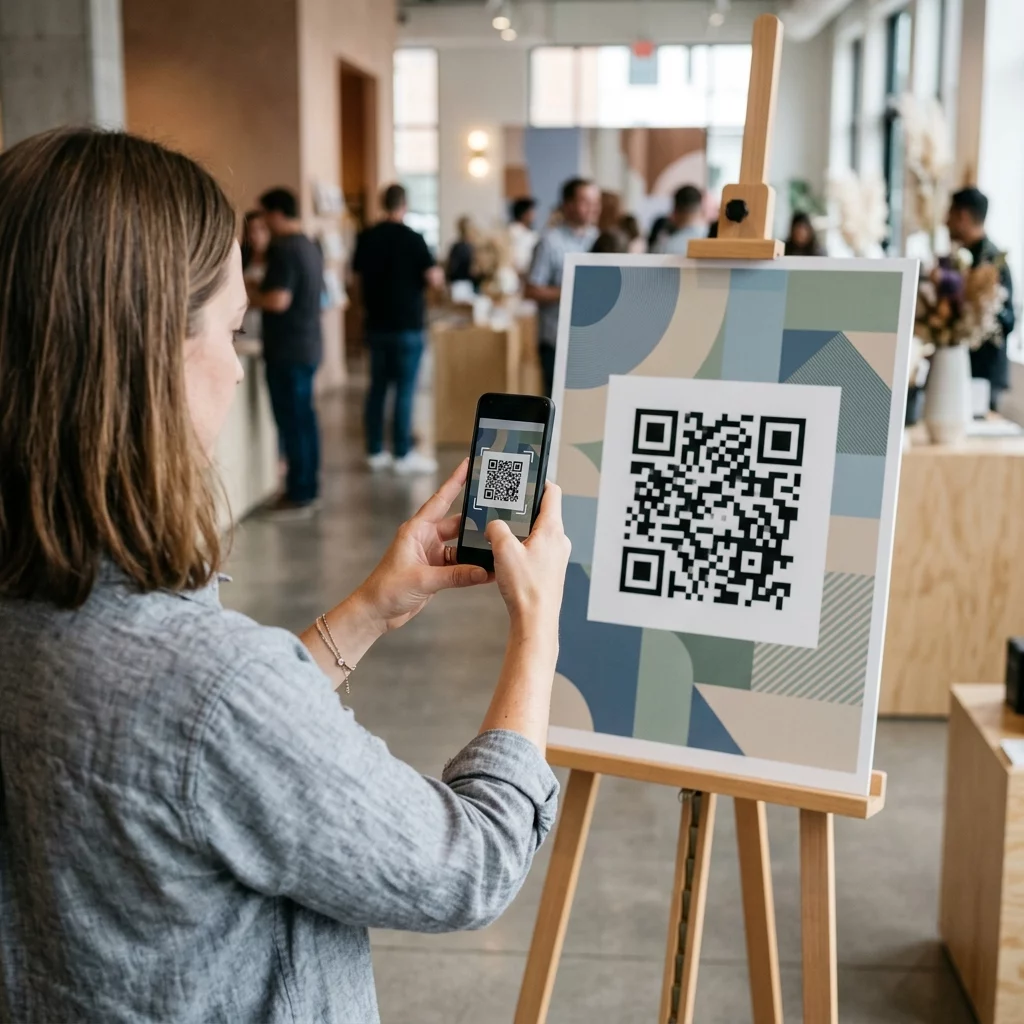
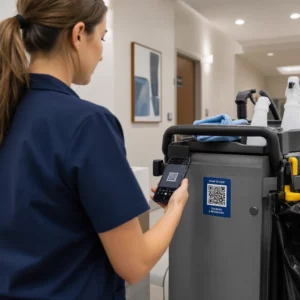
Scanning event wayfinding code

How to Use QR Codes for Event Wayfinding and Navigation

Discover how to use QR codes for event wayfinding. Give attendees instant access to interactive venue maps, indoor directions, and dynamic updates.
Updated on 7月 27, 2026
目次

Are lost attendees and crowded help desks causing bottlenecks at your venue? Navigation confusion leads to missed sessions, frustrated guests, and overworked event staff. Implementing QR-based wayfinding gives attendees instant mobile access to interactive maps and location-specific directions directly on their smartphones.

Why Mobile QR Codes Improve Venue Navigation

Large convention centers, multi-stage festivals, and sprawling exhibition halls often overwhelm visitors. Traditional floor plans printed on static entrance boards tend to gather dense crowds, causing severe traffic jams in main corridors. Furthermore, if a booth assignment changes or a room schedule shifts during an event, physical map boards quickly become outdated and misleading.

Using QR codes for venue navigation transforms physical signage into interactive digital portals. Positioning codes at critical decision points creates localized “You Are Here” stations across your facility. When scanned, these codes immediately load mobile-friendly maps, turn-by-turn indoor directions, or real-time schedule pages.

Because dynamic QR codes allow you to edit destination links post-printing, you can update floor plans or redirect traffic patterns instantly without replacing physical signs. Integrating digital floor plans with a dedicated イベントQRコードジェネレーター streamlines overall crowd management while delivering immediate clarity to attendees.

Practical Ways to Implement QR Code Wayfinding

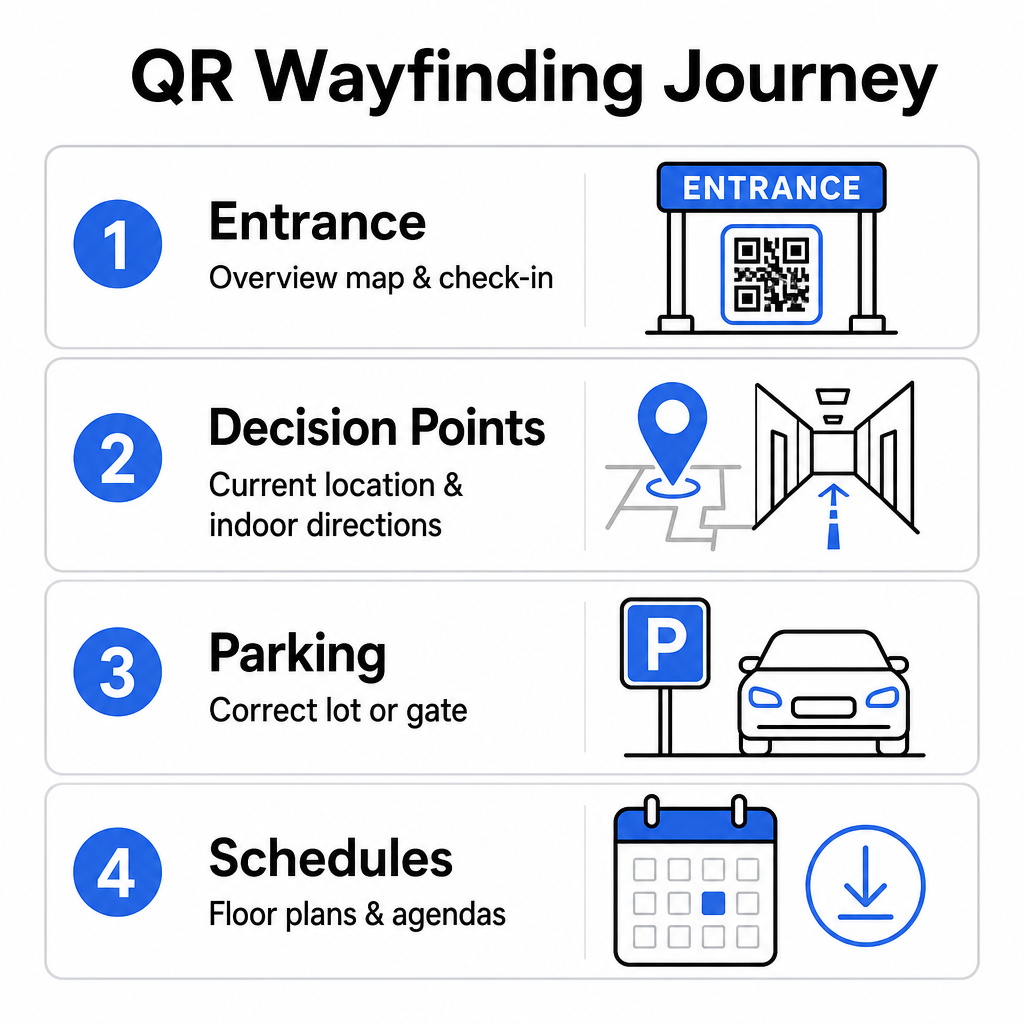
Deploying QR code navigation across your venue requires strategic placement aligned with specific attendee needs. Here are four practical applications for event wayfinding:

QR wayfinding use cases
  • Entrance and Registration Hubs: Place prominent codes near entry gates and registration desks to provide arriving guests with an immediate overview map of the facility alongside check-in instructions. Integrating digital navigation at entry points complements modern event check-in systems.
  • Localized “You Are Here” Decision Points: Station specific QR codes at major corridor junctions, elevator lobbies, stairwell entrances, and dining areas. Anchor each code to open a digital map pre-configured to display the user’s exact current location within the building.
  • Venue and Parking Directions: Guide attendees to the correct parking lot or building entrance before they arrive on foot. Including a Google マップ QR コード ジェネレーター link on digital ticket confirmations or outdoor entrance banners directs drivers straight to designated arrival gates.
  • Downloadable Schedules and Floor Plans: Provide offline-accessible maps for venues with weak cellular coverage. Utilizing a PDF QRコードジェネレーター allows guests to save high-resolution venue floor plans and agenda guides directly to their mobile devices.

Simplify Venue Navigation Today Need to create custom, mobile-friendly map links for your upcoming event? Use the イベントQRコードジェネレーター to build dynamic, trackable codes in minutes.

Placement and Accessibility Guidelines for Wayfinding Signs

A wayfinding system is effective only if attendees can comfortably locate and scan physical signage. Thoughtful placement ensures navigation tools remain functional and accessible to every visitor.

Optimal Physical Placement

Position wayfinding signage where visitors naturally pause to make route decisions, such as corridor intersections, rest areas, food courts, and elevator banks. Mount printed codes at an accessible eye level – typically between 1.2 to 1.6 meters (3.5 to 5.5 feet) above the floor – so they remain comfortably within reach for both standing visitors and wheelchair users.
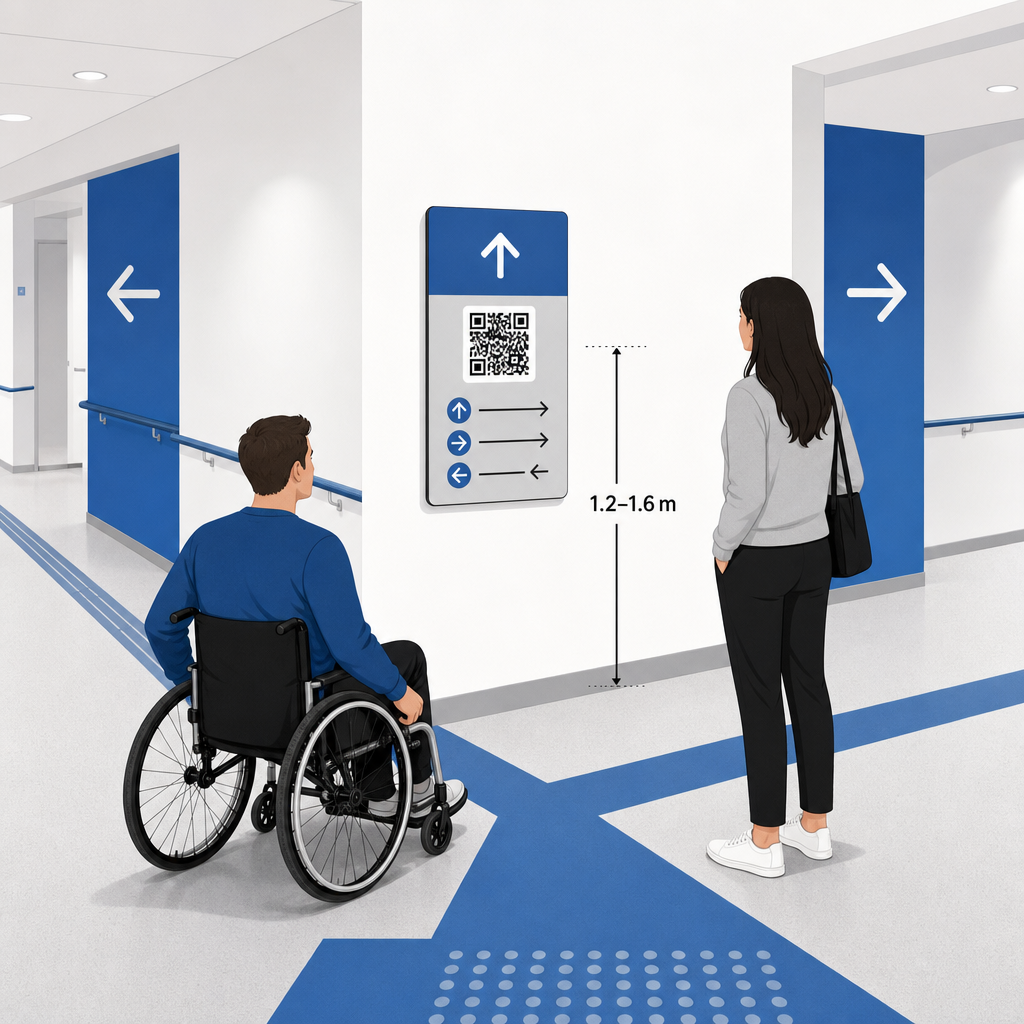
Accessible QR sign placement

ADA and Accessibility Compliance

Official accessibility standards under the Americans with Disabilities Act (ADA) require directional signage to follow clear visual rules, including high dark-to-light contrast, non-glare finishes, and specific visual character proportions. Digital tools like QR codes serve as a supplement to, rather than a replacement for, standard accessible physical signage.

To maintain full compliance and accessibility:

  • Maintain visible alternative text, printed text directions, or staffing assistance alongside every code.
  • Pair codes with clear descriptive labels that state what information the user will access upon scanning.
  • Build mobile landing pages that support screen readers and include descriptive alternative text for map graphics.

Clear Calls to Action

An unlabeled QR code leaves visitors guessing about its purpose. Always pair every code with a clear call-to-action (CTA) frame or text label, such as “Scan for Interactive Floor Plan” or “Find Your Way – Scan for Map.” Following proven guidelines for QR code placement on posters significantly increases engagement and scan rates.

Technical Best Practices for Scannable Signage

Ensuring fast, reliable scanning across hundreds of different smartphone models requires strict adherence to core graphic standards.

要素 Technical Standard Practical Purpose
最小印刷サイズ 3 x 3 cm (1.2 x 1.2 in) minimum; 2 x 2 cm for close-up items Prevents camera focusing failures on dense data modules.
Scanning Distance Ratio 10:1 ratio (1 unit of code width per 10 units of distance) Ensures codes on large hanging banners remain scannable from far away.
カラーコントラスト Minimum 4:1 contrast ratio (dark modules on light background) Helps phone camera sensors instantly differentiate modules from the background.
Quiet Zone Buffer At least 4 modules wide (approx. 0.25-inch margin) Prevents surrounding graphics and text from interfering with scanner decoding.
ファイル形式 Vector formats (SVG, EPS, PDF) Maintains crisp edges without pixelation when printed on large signage.

When printing wayfinding posters and wall signs, choose matte, non-reflective materials over glossy finishes. Matte surfaces eliminate harsh overhead lighting reflections, which represent one of the primary causes of mobile camera scan failures. For detailed dimension guidelines, consult our comprehensive QRコードサイズガイド and review essential practices for QR code readability.

Guide Attendees Directly to Your Venue Make sure guests arrive at the right entrance or parking gate without confusion. Generate location-accurate pins using the GoogleマップQRコードジェネレーター.

Testing and Updating Your Event Wayfinding System

Thorough validation before doors open prevents technical failures during peak attendance hours.

Pre-Event Verification

  • Testing across multiple devices: Scan every published code using both Apple iOS and Android devices across standard built-in camera applications.
  • Evaluating environmental lighting: Inspect printed signage under actual venue lights to identify potential glare or shadows cast by hall fixtures.
  • Checking scanning angles and distances: Attempt scanning from realistic standing positions and side angles, confirming that the code decodes in 3 seconds or less.
  • Verifying network loading speeds: Test map landing page response times over cellular networks and guest Wi-Fi to confirm fast load times under network load.

Managing Live Updates with Dynamic QR Codes

Even carefully planned event layouts experience last-minute schedule changes or booth relocations. By utilizing dynamic QR codes, you maintain full control over target landing pages. If a presentation room changes or an emergency exit route requires highlighting, simply update the destination URL in your management dashboard. The printed code on the wall remains identical, but attendees are instantly redirected to the updated map.

Furthermore, built-in analytics let you monitor scan volume across different venue zones in real time. High scan counts at specific decision points indicate where attendees frequently seek directions, providing actionable data to deploy additional floor staff or supplementary directional signs where needed most. For advanced positioning strategies, review our full QRコード配置ガイド.

よくある質問

Can QR codes replace physical directional signs required by ADA rules?

No. Accessibility regulations require physical wayfinding signs to meet specific visual standards, tactile requirements, or high-contrast rules independently. QR codes serve as a helpful digital supplement to guide attendees, but must not replace primary physical signage or accessible text alternatives.

What is the best format to download QR codes for printing large wayfinding posters?

Always export your QR code in scalable vector formats such as SVG, EPS, or PDF. Vector files scale to any size on banners or wall prints without losing sharp module edges, ensuring reliable scannability.

How do dynamic QR codes help if our venue floor plan changes during the event?

Dynamic QR codes separate the printed image from the target content. If a booth shifts or a seminar room changes, you update the destination web link in your dashboard without needing to re-print or replace the physical signs hanging in the venue.

Transforming complex venue navigation into a self-service digital experience reduces attendee frustration and keeps event operations running smoothly. By selecting strategic decision points, enforcing high-contrast visual standards, and linking codes to responsive map landing pages, you empower guests to find their way independently. Start designing your venue navigation system today using Pageloot’s dynamic tools to deliver real-time map access across your entire facility.

著者について

Siim KostabiはPagelootのコンテンツリードです。Pagelootの革新的なQRコード生成サービスについて執筆しています。5年以上にわたるQRコードに関する深い専門知識を持つSiimは、この分野の専門家です。QRテクノロジーを活用してデジタルインタラクションを簡素化・拡張する上で、大きな進歩を遂げています。.

カテゴリー
について詳しくはこちら
✅ QRコードの#1ソリューション

オンラインでQRコードを作成する必要がある場合は QRコードを作る ここで無料で
ページルートは #1のGo-Toソリューション でQRコードを作成してスキャンすることができます。

BL-0337

ブログジェネ

売上、レビュー、フォロワーを増やすために 20,000 を超えるブランドから信頼されています。

クライアントのロゴ
トップブランドから信頼される
5 のうち 4.8 と評価しました

4.86 / 5つ星評価

ユーゴ・ローラン
ユーゴ・ローラン
レストランオーナー
最も簡単で信頼性の高いQRコードジェネレータです。PDFファイルを即座にアップロードできます。レストランのメニューがデジタル化されました。
ルーカス・ジャンセン
ルーカス・ジャンセン
不動産開発業者
これは優れたツールで、QRコードでちょうど欲しいところに連れて行ってくれます。私たちは位置情報のQRコードしか使っていませんが、とても便利な機能がたくさんあります。
エマ・モレッティ
エマ・モレッティ
小売製品
使いやすいし、早い。素晴らしい機能で、完璧な画像を作成してくれるので、社員は私のvCardをダウンロードすることができます。
ユーゴ・ローラン
ユーゴ・ローラン
レストランオーナー
最も簡単で信頼性の高いQRコードジェネレータです。PDFファイルを即座にアップロードできます。レストランのメニューがデジタル化されました。
ルーカス・ジャンセン
ルーカス・ジャンセン
不動産開発業者
これは優れたツールで、QRコードでちょうど欲しいところに連れて行ってくれます。私たちは位置情報のQRコードしか使っていませんが、とても便利な機能がたくさんあります。
エマ・モレッティ
エマ・モレッティ
小売製品
使いやすいし、早い。素晴らしい機能で、完璧な画像を作成してくれるので、社員は私のvCardをダウンロードすることができます。
QRコードをもっと見る
あらゆるものをデジタル体験に変えよう 3分以内に。

14日間の無料トライアル。

クレジットカードは必要ありません。

初回購入で30%オフ

次のコードを使用してください:

MP3ファイルを共有

PDF QRコードを作成するにはサインアップしてください

必要なものをすべてアップロードして表示する。

  • オーディオファイル
  • ポッドキャスト
  • 音楽

サインアップで14日間無料トライアル。.
トライアル終了後、QRコードは期限切れになります。.

オーディオmp3 QRコードを作成するにはサインアップしてください

フレームでより多くのスキャンを獲得

QRコードにフレームを追加するにはサインアップしてください

コールトゥアクションフレームは、お客様が簡単にQRコードと対話できるようにします。ぜひお試しください。

サインアップで14日間無料トライアル。.
トライアル終了後、QRコードは期限切れになります。.

QRコードにフレームを追加するにはサインアップしてください

シェイプでスタイルを追加

より多くの図形を作成するにはサインアップしてください

QRコードは四角いものである必要はありません。あなたのブランドのイメージに合わせて変えてみてください。

サインアップで14日間無料トライアル。.
トライアル終了後、QRコードは期限切れになります。.

より多くの図形を作成するにはサインアップしてください

QRコードにロゴを追加

QRコードにロゴを追加するにはサインアップしてください

QRコードにロゴやブランドを入れることで、目立たせることができます。

サインアップで14日間無料トライアル。.
トライアル終了後、QRコードは期限切れになります。.

QRコードにロゴを追加するにはサインアップしてください

スマートなApp Storeリダイレクト

アプリストアのQRコードを作成するにはサインアップしてください

スマートなApp StoreのQRコードに、あなたのアプリのリンクを追加します。ユーザーは、デバイスに応じてリダイレクトされます。

サインアップで14日間無料トライアル。.
トライアル終了後、QRコードは期限切れになります。.

アプリストアのQRコードを作成するにはサインアップしてください

QRコードに画像をアップロード

画像QRコードを作成するにはサインアップしてください

画像を簡単に共有できます。どんな画像も、数秒でダイナミックに変化します。

サインアップで14日間無料トライアル。.
トライアル終了後、QRコードは期限切れになります。.

画像QRコードを作成するにはサインアップしてください

PDFファイルを共有

PDF QRコードを作成するにはサインアップしてください

必要なものをすべてアップロードして表示する。

  • メニュー&プライスリスト
  • 指示
  • 任意の書類

サインアップで14日間無料トライアル。.
トライアル終了後、QRコードは期限切れになります。.

PDF QRコードを作成するにはサインアップしてください

印刷せずに後で編集

再度印刷せずにQRコードを編集するにはサインアップしてください

ダイナミックQRコードは、新たにQRコードを印刷することなく、QRコードの内容を変更することができます。

サインアップで14日間無料トライアル。.
トライアル終了後、QRコードは期限切れになります。.

再度印刷せずにQRコードを編集するにはサインアップしてください

いつ?どこで?QRコードのスキャンを追跡

QRコードを追跡するにはサインアップしてください

どのQRコードが最も多くスキャンされ、何が最も顧客を喜ばせているのかを知ることができます。

サインアップで14日間無料トライアル。.
トライアル終了後、QRコードは期限切れになります。.

QRコードを追跡するにはサインアップしてください

印刷可能なファイルが利用可能

PDFやSVGのようなベクターQRコードを作成するにはサインアップしてください

.eps、.pdf、.svg

QRコードをHD解像度でダウンロードしたいですか?すぐに印刷できるベクターまたはピクセル形式を入手しましょう。

サインアップで14日間無料トライアル。.
トライアル終了後、QRコードは期限切れになります。.

PDFやSVGのようなベクターQRコードを作成するにはサインアップしてください

しばらくお待ちください。あなたのQRコードは ロード... ロード...

あなただけのものに

サインアップしてQRコードを後で保存してください

異なる色、ロゴ、コールトゥアクションフレームで素晴らしいQRコードを作成することで、より多くのスキャンを得ることができます。

サインアップで14日間無料トライアル。.
トライアル終了後、QRコードは期限切れになります。.

サインアップしてQRコードを後で保存してください