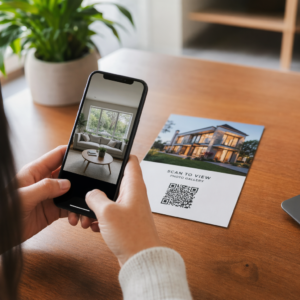
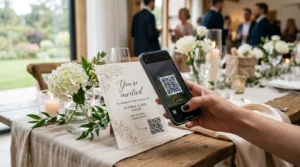
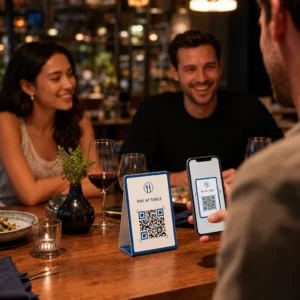
¿Los asistentes perdidos y los puntos de ayuda abarrotados están causando cuellos de botella en tu recinto? La confusión en la navegación lleva a sesiones perdidas, invitados frustrados y personal de eventos sobrecargado. Implementar la orientación basada en códigos QR brinda a los asistentes acceso móvil instantáneo a mapas interactivos y direcciones específicas de ubicación directamente en sus teléfonos inteligentes.
Por qué los códigos QR móviles mejoran la navegación en el recinto
Los grandes centros de convenciones, los festivales con múltiples escenarios y las extensas salas de exposiciones a menudo abruman a los visitantes. Los planos tradicionales impresos en paneles estáticos de entrada tienden a aglomerar multitudes, causando graves atascos en los pasillos principales. Además, si la asignación de un stand cambia o el horario de una sala se modifica durante un evento, los paneles de mapas físicos quedan rápidamente obsoletos y son engañosos.
El uso de códigos QR para la navegación en el recinto transforma la señalización física en portales digitales interactivos. La ubicación de códigos en puntos de decisión clave crea estaciones localizadas de “Usted está aquí” en toda su instalación. Cuando se escanean, estos códigos cargan inmediatamente mapas aptos para móviles, direcciones interiores paso a paso o páginas de horarios en tiempo real.
Debido a que los códigos QR dinámicos le permiten editar los enlaces de destino después de la impresión, puede actualizar los planos de planta o redirigir los patrones de tráfico al instante sin reemplazar la señalización física. La integración de planos de planta digitales con una Generador de códigos QR para eventos agiliza la gestión general de multitudes al tiempo que ofrece claridad inmediata a los asistentes.
Formas prácticas de implementar la orientación con códigos QR
Desplegar la navegación con códigos QR en tu recinto requiere una ubicación estratégica alineada con las necesidades específicas de los asistentes. Aquí te presentamos cuatro aplicaciones prácticas para la orientación en eventos:
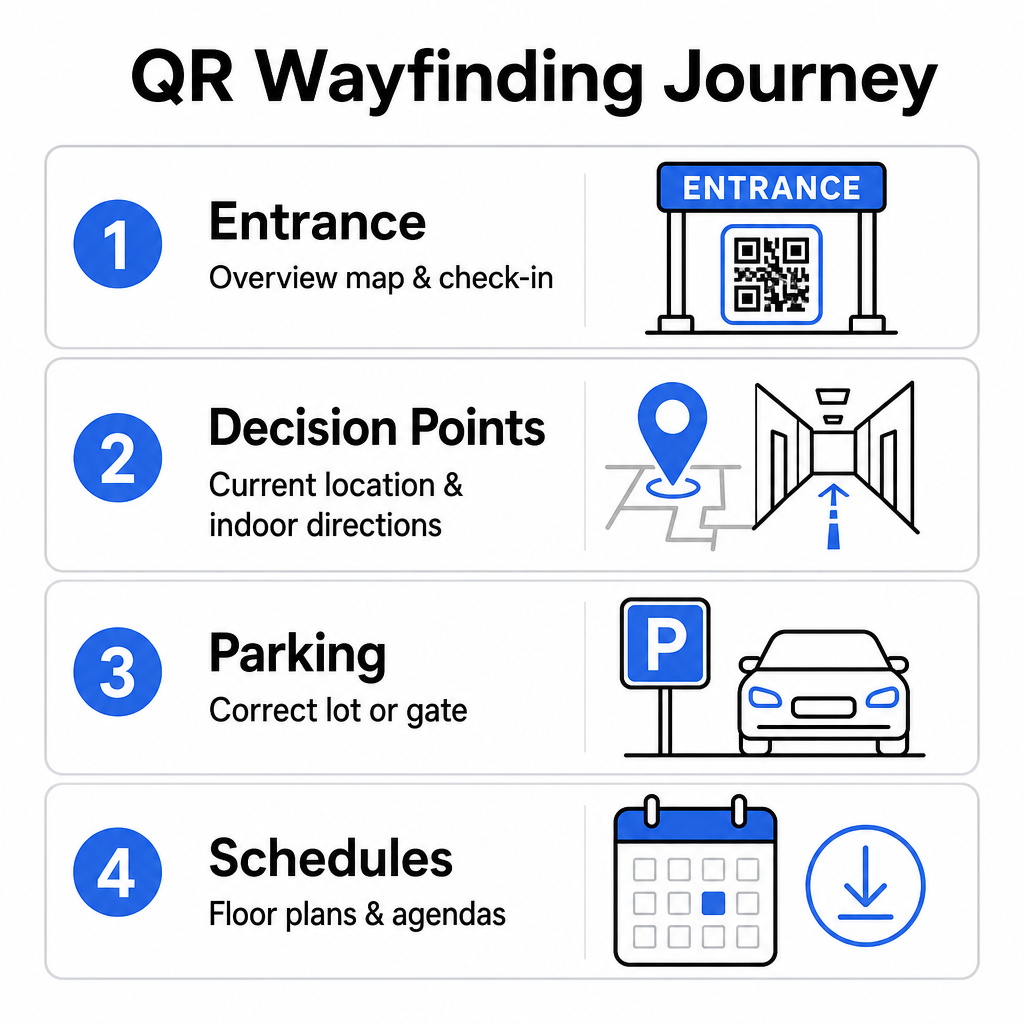
- Puntos de entrada y registro: Coloca códigos destacados cerca de las puertas de entrada y los mostradores de registro para proporcionar a los invitados que llegan un mapa general inmediato de la instalación junto con las instrucciones de check-in. La integración de la navegación digital en los puntos de entrada complementa los sistemas modernos de check-in de eventos.
- Puntos de decisión localizados de “Usted está aquí”: Códigos QR específicos de la estación en los principales cruces de pasillos, vestíbulos de ascensores, entradas de escaleras y áreas de comedor. Ancle cada código para abrir un mapa digital preconfigurado para mostrar la ubicación actual exacta del usuario dentro del edificio.
- Direcciones de Recinto y Estacionamiento: Guíe a los asistentes al estacionamiento o entrada del edificio correctos antes de que lleguen a pie. Incluir un Generador de código QR de Google Maps enlace en las confirmaciones de boletos digitales o en los carteles de entrada exteriores dirige a los conductores directamente a las puertas de llegada designadas.
- Horarios y Planos de Planta Descargables: Proporcione mapas accesibles sin conexión para recintos con cobertura celular débil. Utilizar un Generador de código QR para PDF permite a los invitados guardar planos de planta de recintos y guías de agenda de alta resolución directamente en sus dispositivos móviles.
Simplifique la Navegación del Recinto Hoy ¿Necesita crear enlaces de mapas personalizados y adaptados para móviles para su próximo evento? Utilice el Generador de códigos QR para eventos para crear códigos dinámicos y rastreables en minutos.
Pautas de Ubicación y Accesibilidad para Señales de Orientación
Un sistema de orientación es efectivo solo si los asistentes pueden localizar y escanear cómodamente la señalización física. Una colocación cuidadosa asegura que las herramientas de navegación sigan siendo funcionales y accesibles para cada visitante.
Ubicación Física Óptima
Coloque la señalización de orientación donde los visitantes se detienen naturalmente para tomar decisiones de ruta, como intersecciones de pasillos, áreas de descanso, patios de comidas y grupos de ascensores. Monte los códigos impresos a un nivel de ojo accesible – típicamente entre 1.2 a 1.6 metros (3.5 a 5.5 pies) sobre el suelo – para que permanezcan cómodamente al alcance tanto de visitantes de pie como de usuarios de sillas de ruedas.
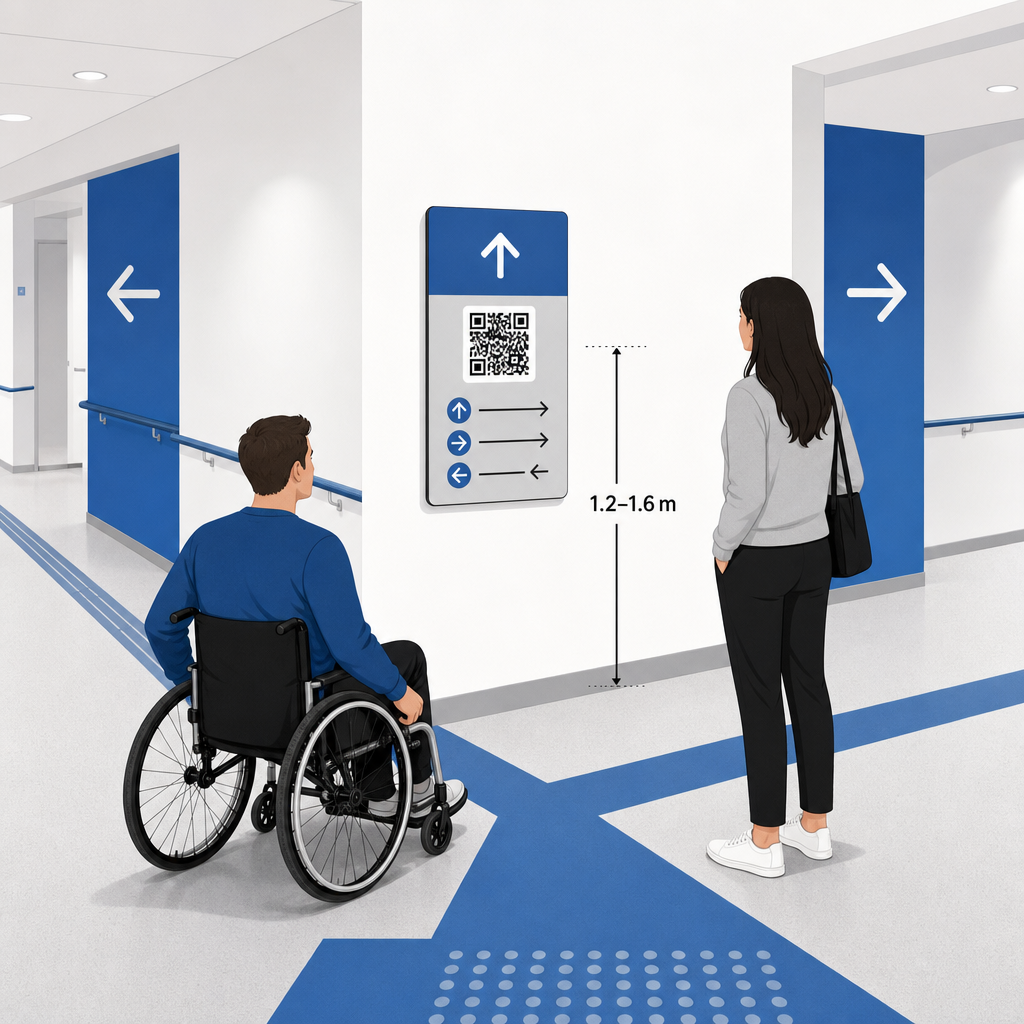
Cumplimiento de ADA y Accesibilidad
Las normas oficiales de accesibilidad bajo la Ley de Estadounidenses con Discapacidades (ADA) exigen que la señalización direccional siga reglas visuales claras, incluyendo alto contraste oscuro-claro, acabados sin brillo y proporciones de caracteres visuales específicas. Las herramientas digitales como los códigos QR sirven como un complemento, en lugar de un reemplazo, de la señalización física accesible estándar.
Para mantener el pleno cumplimiento y la accesibilidad:
- Mantenga texto alternativo visible, direcciones impresas o asistencia de personal junto a cada código.
- Empareje los códigos con etiquetas descriptivas claras que indiquen qué información accederá el usuario al escanear.
- Cree páginas de destino móviles que soporten lectores de pantalla e incluyan texto alternativo descriptivo para los gráficos de mapas.
Llamadas a la acción Claras
Un código QR sin etiquetar deja a los visitantes adivinando su propósito. Siempre empareje cada código con un marco o etiqueta de texto de llamada a la acción (CTA) clara, como “Escanear para Plano Interactivo” o “Encuentre Su Camino – Escanear para Mapa.” Siguiendo las directrices probadas para Ubicación de códigos QR en carteles aumenta significativamente la participación y las tasas de escaneo.
Mejores Prácticas Técnicas para Señalización Escaneable
Asegurar un escaneo rápido y confiable en cientos de modelos de teléfonos inteligentes diferentes requiere una estricta adhesión a los estándares gráficos fundamentales.
| Factor | Estándar Técnico | Propósito Práctico |
|---|---|---|
| Tamaño mínimo de impresión | 3 x 3 cm (1.2 x 1.2 pulgadas) mínimo; 2 x 2 cm para artículos de cerca | Evita fallos de enfoque de la cámara en módulos de datos densos. |
| Relación de Distancia de Escaneo | Relación 10:1 (1 unidad de ancho de código por cada 10 unidades de distancia) | Asegura que los códigos en grandes pancartas colgantes sigan siendo escaneables desde lejos. |
| Contraste de color | Relación de contraste mínima de 4:1 (módulos oscuros sobre fondo claro) | Ayuda a los sensores de la cámara del teléfono a diferenciar instantáneamente los módulos del fondo. |
| Zona de Silencio | Al menos 4 módulos de ancho (aprox. 0.25 pulgadas de margen) | Evita que los gráficos y el texto circundantes interfieran con la decodificación del escáner. |
| Formato de archivo | Formatos vectoriales (SVG, EPS, PDF) | Mantiene bordes nítidos sin pixelación al imprimirse en señalización grande. |
Al imprimir carteles de orientación y letreros de pared, elija materiales mate y no reflectantes en lugar de acabados brillantes. Las superficies mate eliminan los reflejos de la iluminación superior intensa, que representan una de las principales causas de fallos de escaneo de las cámaras móviles. Para obtener directrices detalladas sobre dimensiones, consulte nuestro completo guía de tamaño de códigos QR and review essential prácticas para la legibilidad de códigos QR.
Guíe a los Asistentes Directamente a Su Lugar Asegúrese de que los invitados lleguen a la entrada o puerta de estacionamiento correcta sin confusiones. Genere pines con ubicación precisa utilizando el Generador de código QR de Google Maps.
Probando y Actualizando su Sistema de Orientación para Eventos
Una validación exhaustiva antes de la apertura de puertas previene fallos técnicos durante las horas de máxima afluencia.
Verificación Pre-Evento
- Pruebas en múltiples dispositivos: Escanee cada código publicado usando dispositivos Apple iOS y Android a través de las aplicaciones de cámara estándar integradas.
- Evaluación de la iluminación ambiental: Inspeccione la señalización impresa bajo las luces reales del recinto para identificar posibles deslumbramientos o sombras proyectadas por las luminarias del salón.
- Verificación de ángulos y distancias de escaneo: Intente escanear desde posiciones de pie realistas y ángulos laterales, confirmando que el código se decodifica en 3 segundos o menos.
- Verificación de velocidades de carga de red: Pruebe los tiempos de respuesta de las páginas de destino del mapa en redes celulares y Wi-Fi de invitados para confirmar tiempos de carga rápidos bajo carga de red.
Gestionando Actualizaciones en Vivo con Códigos QR Dinámicos
Incluso los diseños de eventos cuidadosamente planificados experimentan cambios de última hora en el programa o reubicaciones de stands. Al utilizar códigos QR dinámicos, usted mantiene el control total sobre las páginas de destino. Si una sala de presentación cambia o una ruta de salida de emergencia necesita ser destacada, simplemente actualice la URL de destino en su panel de control. El código impreso en la pared permanece idéntico, pero los asistentes son redirigidos instantáneamente al mapa actualizado.
Además, los análisis integrados le permiten monitorear el volumen de escaneos en diferentes zonas del recinto en tiempo real. Un alto número de escaneos en puntos de decisión específicos indica dónde los asistentes buscan direcciones con frecuencia, proporcionando datos procesables para desplegar personal adicional o señalización direccional suplementaria donde más se necesite. Para estrategias de posicionamiento avanzadas, revise nuestro completo para la colocación de códigos QR.
Preguntas frecuentes
No. Las regulaciones de accesibilidad exigen que las señales físicas de orientación cumplan de forma independiente con estándares visuales específicos, requisitos táctiles o reglas de alto contraste. Los códigos QR sirven como un útil complemento digital para guiar a los asistentes, pero no deben reemplazar la señalización física principal o las alternativas de texto accesibles.
Siempre exporte su código QR en formatos vectoriales escalables como SVG, EPS o PDF. Los archivos vectoriales se escalan a cualquier tamaño en carteles o impresiones de pared sin perder los bordes nítidos de los módulos, lo que garantiza una escaneabilidad fiable.
Los códigos QR dinámicos separan la imagen impresa del contenido de destino. Si un stand se mueve o una sala de seminarios cambia, actualizas el enlace web de destino en tu panel de control sin necesidad de reimprimir o reemplazar los carteles físicos colgados en el lugar.
Transformar la compleja navegación del lugar en una experiencia digital de autoservicio reduce la frustración de los asistentes y mantiene las operaciones del evento funcionando sin problemas. Al seleccionar puntos de decisión estratégicos, aplicar estándares visuales de alto contraste y vincular códigos a páginas de destino de mapas responsivas, usted empodera a los invitados para que encuentren su camino de forma independiente. Comience a diseñar su sistema de navegación del lugar hoy mismo utilizando las herramientas dinámicas de Pageloot's para proporcionar acceso a mapas en tiempo real en toda su instalación.