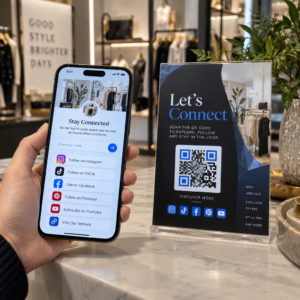
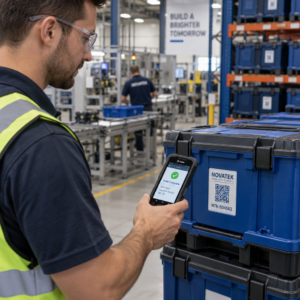
Uzrokuju li izgubljeni posjetitelji i pretrpani info pultovi uska grla na vašem mjestu događanja? Zbrka u navigaciji dovodi do propuštenih sesija, frustriranih gostiju i preopterećenog osoblja događaja. Implementacija sustava za snalaženje temeljenog na QR kodovima omogućuje posjetiteljima trenutni mobilni pristup interaktivnim kartama i uputama specifičnim za lokaciju izravno na njihovim pametnim telefonima.
Zašto mobilni QR kodovi poboljšavaju navigaciju na mjestu događanja
Veliki kongresni centri, festivali s više pozornica i prostrane izložbene dvorane često preplavljuju posjetitelje. Tradicionalni tlocrti ispisani na statičnim ulaznim pločama obično privlače guste gužve, uzrokujući ozbiljne zastoje u glavnim hodnicima. Nadalje, ako se raspored štandova promijeni ili se raspored prostorija pomakne tijekom događaja, fizičke karte brzo postaju zastarjele i obmanjujuće.
Korištenje QR kodova za navigaciju po mjestu događanja pretvara fizičke natpise u interaktivne digitalne portale. Postavljanje kodova na kritičnim točkama odlučivanja stvara lokalizirane postaje „Vi ste ovdje” diljem vašeg objekta. Kada se skeniraju, ovi kodovi odmah učitavaju karte prilagođene mobilnim uređajima, upute za unutarnju navigaciju korak po korak ili stranice rasporeda u stvarnom vremenu.
Budući da dinamični QR kodovi omogućuju uređivanje odredišnih poveznica nakon ispisa, možete odmah ažurirati tlocrte ili preusmjeriti prometne obrasce bez zamjene fizičkih znakova. Integriranje digitalnih tlocrta s namjenskim QR kod generator za događaje pojednostavljuje cjelokupno upravljanje gužvom uz istovremeno pružanje trenutačne jasnoće posjetiteljima.
Praktični načini implementacije sustava za snalaženje putem QR kodova
Primjena navigacije putem QR kodova diljem vašeg mjesta događanja zahtijeva strateško postavljanje usklađeno sa specifičnim potrebama posjetitelja. Evo četiri praktične primjene za snalaženje na događajima:
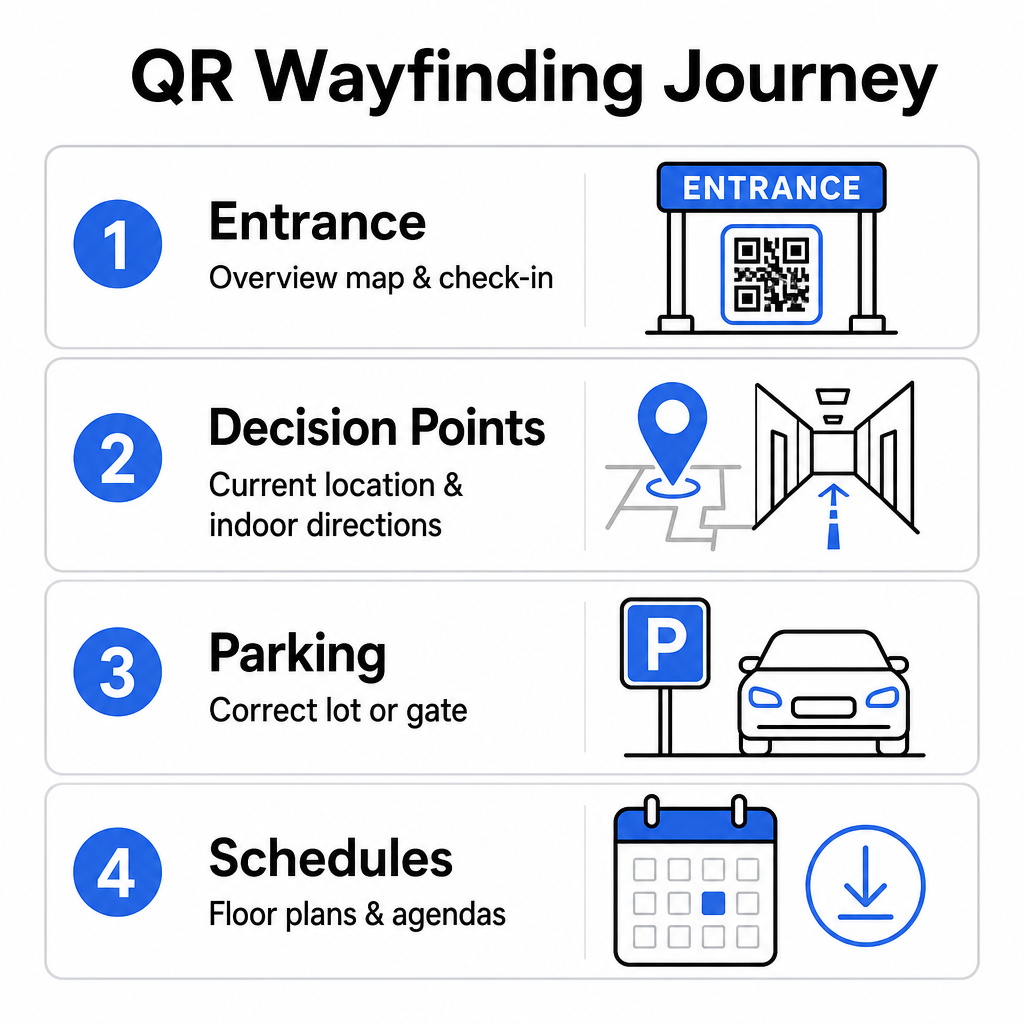
- Ulazi i registracijski centri: Postavite istaknute kodove blizu ulaznih vrata i pultova za registraciju kako biste dolazećim gostima pružili trenutni preglednu kartu objekta zajedno s uputama za prijavu. Integriranje digitalne navigacije na ulaznim točkama nadopunjuje moderne sustave za prijavu na događaje.
- Lokalizirane točke odlučivanja „Vi ste ovdje”: QR kodovi specifični za stanice na glavnim križanjima hodnika, predvorjima liftova, ulazima u stubišta i blagovaonicama. Povežite svaki kod da otvori digitalnu kartu unaprijed konfiguriranu za prikaz točne trenutne lokacije korisnika unutar zgrade.
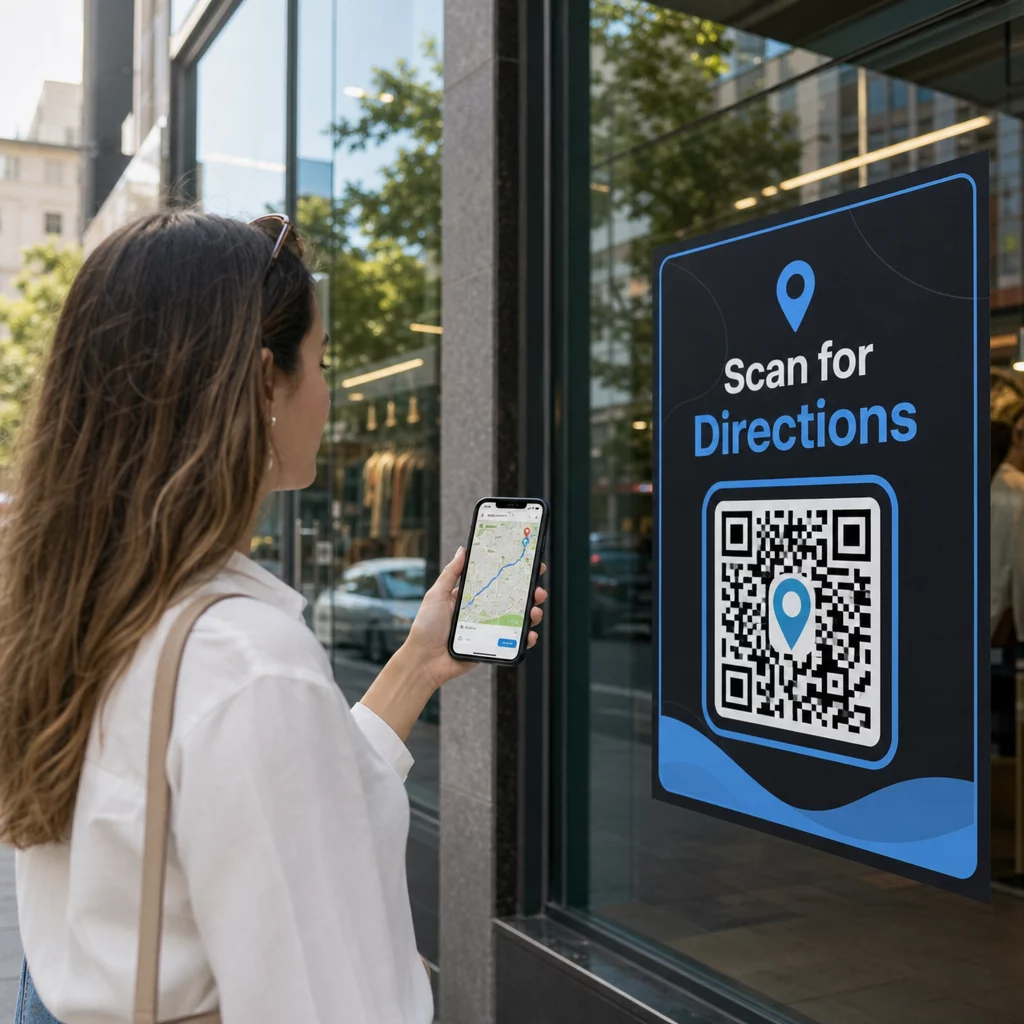
- Upute za lokaciju i parkiranje: Uputite sudionike na ispravno parkiralište ili ulaz u zgradu prije nego što stignu pješice. Uključivanje Google karte QR kod generator poveznice na potvrdama digitalnih ulaznica ili vanjskim transparentima na ulazu usmjerava vozače izravno do određenih ulaznih vrata.
- Rasporedi i tlocrti za preuzimanje: Osigurajte karte dostupne izvanmrežno za prostore sa slabom mobilnom mrežom. Korištenjem QR kod PDF generator gostima omogućuje spremanje tlocrta prostora visoke rezolucije i vodiča s rasporedom izravno na svoje mobilne uređaje.
Pojednostavite navigaciju lokacijom već danas Trebate izraditi prilagođene, mobilnim uređajima prilagođene poveznice na karte za vaš nadolazeći događaj? Koristite QR kod generator za događaje za izradu dinamičnih kodova s mogućnošću praćenja u nekoliko minuta.
Smjernice za postavljanje i pristupačnost putokaznih oznaka
Sustav za pronalaženje puta učinkovit je samo ako posjetitelji mogu udobno pronaći i skenirati fizičke oznake. Pažljivo postavljanje osigurava da navigacijski alati ostanu funkcionalni i pristupačni svakom posjetitelju.
Optimalno fizičko postavljanje
Postavite putokazne oznake tamo gdje se posjetitelji prirodno zaustavljaju radi donošenja odluka o ruti, kao što su križanja hodnika, odmorišta, zone s hranom i liftovi. Ispisane kodove montirajte na pristupačnoj razini očiju – obično između 1,2 do 1,6 metara (3,5 do 5,5 stopa) iznad poda – tako da budu udobno dostupni i posjetiteljima koji stoje i korisnicima invalidskih kolica.
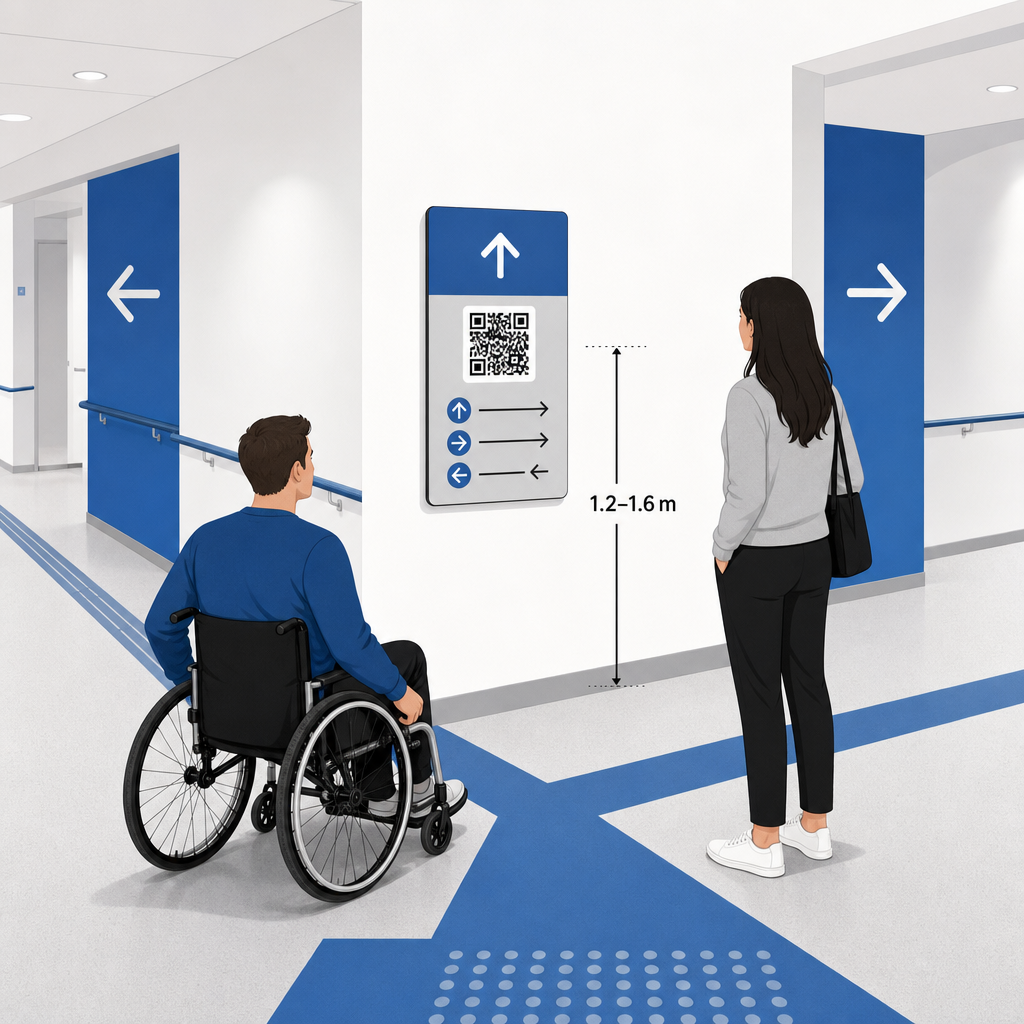
Usklađenost s ADA standardima i pristupačnost
Službeni standardi pristupačnosti prema Zakonu o Amerikancima s invaliditetom (ADA) zahtijevaju da putokazne oznake slijede jasna vizualna pravila, uključujući visok kontrast tamno-svijetlo, mat površine bez odbljeska i specifične proporcije vizualnih znakova. Digitalni alati poput QR kodova služe kao dodatak, a ne zamjena, standardnim pristupačnim fizičkim oznakama.
Za održavanje potpune usklađenosti i pristupačnosti:
- Uz svaki kod održavajte vidljiv zamjenski tekst, ispisane tekstualne upute ili pomoć osoblja.
- Kodove uparite s jasnim opisnim oznakama koje navode koje će informacije korisnik dobiti skeniranjem.
- Izgradite mobilne odredišne stranice koje podržavaju čitače zaslona i uključuju opisni zamjenski tekst za grafiku karte.
Jasni pozivi na akciju
QR kod bez oznake ostavlja posjetitelje u nagađanju o njegovoj svrsi. Uvijek svaki kod uparite s jasnim okvirom poziva na akciju (CTA) ili tekstualnom oznakom, kao što je „Skenirajte za interaktivni tlocrt” ili „Pronađite svoj put – Skenirajte za kartu”. Slijedeći provjerene smjernice za postavljanje QR koda na plakate značajno povećava angažman i stope skeniranja.
Tehničke najbolje prakse za signalizaciju koja se može skenirati
Osiguravanje brzog i pouzdanog skeniranja na stotinama različitih modela pametnih telefona zahtijeva strogo pridržavanje osnovnih grafičkih standarda.
| Faktor | Tehnički standard | Praktična svrha |
|---|---|---|
| Minimalna veličina ispisa | najmanje 3 x 3 cm (1.2 x 1.2 in); 2 x 2 cm za stavke izbliza | Sprječava neuspjehe fokusiranja kamere na gustim podatkovnim modulima. |
| Omjer udaljenosti skeniranja | Omjer 10:1 (1 jedinica širine koda na 10 jedinica udaljenosti) | Osigurava da se kodovi na velikim visećim transparentima mogu skenirati izdaleka. |
| Kontrast boja | Minimalni omjer kontrasta 4:1 (tamni moduli na svijetloj pozadini) | Pomaže senzorima kamere telefona da trenutno razlikuju module od pozadine. |
| Tampon tihe zone | Najmanje 4 modula širine (približno 0.25 inča margine) | Sprječava da okolna grafika i tekst ometaju dekodiranje skenera. |
| Format datoteke | Vektorski formati (SVG, EPS, PDF) | Održava oštre rubove bez pikselizacije kada se ispisuje na velikim natpisima. |
Prilikom ispisa plakata za orijentaciju i zidnih natpisa, odaberite mat, nereflektirajuće materijale umjesto sjajnih završnih obrada. Mat površine eliminiraju oštre refleksije gornjeg osvjetljenja, što predstavlja jedan od primarnih uzroka neuspjeha skeniranja mobilnom kamerom. Za detaljne smjernice o dimenzijama, pogledajte naš sveobuhvatan vodiču za veličinu QR koda i pregledajte bitne prakse za čitljivost QR koda.
Usmjerite posjetitelje izravno na vaše mjesto Pobrinite se da gosti bez zabune stignu na pravi ulaz ili parkirno mjesto. Generirajte precizne lokacijske oznake koristeći Google karte QR kod generator.
Testiranje i ažuriranje vašeg sustava za snalaženje na događaju
Temeljita provjera prije otvaranja vrata sprječava tehničke kvarove tijekom vršnih sati posjećenosti.
Provjera prije događaja
- Testiranje na više uređaja: Skenirajte svaki objavljeni kod koristeći Apple iOS i Android uređaje putem standardnih ugrađenih aplikacija kamere.
- Procjena ambijentalnog osvjetljenja: Pregledajte ispisane natpise pod stvarnim svjetlima prostora kako biste identificirali potencijalni odsjaj ili sjene koje bacaju rasvjetna tijela dvorane.
- Provjera kutova i udaljenosti skeniranja: Pokušajte skenirati iz realističnih stojećih položaja i bočnih kutova, potvrđujući da se kod dekodira za 3 sekunde ili manje.
- Provjera brzine učitavanja mreže: Testirajte vremena odziva odredišnih stranica karte putem mobilnih mreža i gostujućeg Wi-Fija kako biste potvrdili brzo učitavanje pod mrežnim opterećenjem.
Upravljanje ažuriranjima uživo s dinamičnim QR kodovima
Čak i pažljivo planirani rasporedi događaja doživljavaju promjene rasporeda u zadnji tren ili premještanje štandova. Korištenjem dinamičnih QR kodova zadržavate potpunu kontrolu nad ciljanim odredišnim stranicama. Ako se promijeni prostorija za prezentaciju ili je potrebno istaknuti put za hitne slučajeve, jednostavno ažurirajte URL odredišta na svojoj upravljačkoj ploči. Ispisani kod na zidu ostaje identičan, ali posjetitelji se odmah preusmjeravaju na ažuriranu kartu.
Nadalje, ugrađena analitika omogućuje vam praćenje volumena skeniranja u različitim zonama prostora u stvarnom vremenu. Velik broj skeniranja na određenim točkama odlučivanja ukazuje na to gdje posjetitelji često traže upute, pružajući korisne podatke za raspoređivanje dodatnog osoblja na terenu ili dopunskih putokaza tamo gdje je to najpotrebnije. Za napredne strategije pozicioniranja, pregledajte naše cjelovito vodič za postavljanje QR kodova.
Često postavljana pitanja
Ne. Propisi o pristupačnosti zahtijevaju da fizički znakovi za orijentaciju samostalno ispunjavaju specifične vizualne standarde, taktilne zahtjeve ili pravila visokog kontrasta. QR kodovi služe kao korisni digitalni dodatak za vođenje posjetitelja, ali ne smiju zamijeniti primarne fizičke znakove ili pristupačne tekstualne alternative.
Uvijek izvezite svoj QR kod u skalabilnim vektorskim formatima kao što su SVG, EPS ili PDF. Vektorske datoteke skaliraju se na bilo koju veličinu na transparentima ili zidnim ispisima bez gubitka oštrih rubova modula, osiguravajući pouzdanu mogućnost skeniranja.
Dinamički QR kodovi odvajaju tiskanu sliku od ciljanog sadržaja. Ako se štand pomakne ili se promijeni soba za seminare, ažurirate odredišnu web vezu na svojoj nadzornoj ploči bez potrebe za ponovnim ispisivanjem ili zamjenom fizičkih natpisa postavljenih na mjestu događaja.
Pretvaranje složene navigacije unutar prostora u samoposlužno digitalno iskustvo smanjuje frustraciju posjetitelja i osigurava nesmetano odvijanje događaja. Odabirom strateških točaka odlučivanja, primjenom vizualnih standarda visokog kontrasta i povezivanjem kodova s responzivnim odredišnim stranicama karata, omogućujete gostima da samostalno pronađu svoj put. Počnite dizajnirati svoj sustav navigacije unutar prostora već danas koristeći Pagelootove dinamičke alate za pružanje pristupa kartama u stvarnom vremenu diljem vašeg objekta.