Bạn không chắc liệu mã QR trên đồng hồ đỗ xe đó là hợp pháp hay lừa đảo? Mã QR đỗ xe giả mạo là một mối đe dọa đang hoạt động và ngày càng tăng, với những kẻ lừa đảo dán nhãn dán giả mạo trực tiếp lên biển báo chính thức để đánh cắp thông tin thanh toán. Hướng dẫn này giải thích chính xác cách hoạt động của các hệ thống đỗ xe bằng mã QR chính hãng – và cách tài xế cũng như nhà điều hành bãi đỗ xe có thể phân biệt.
Cách Hệ thống Thanh toán Đỗ xe bằng Mã QR Hoạt động
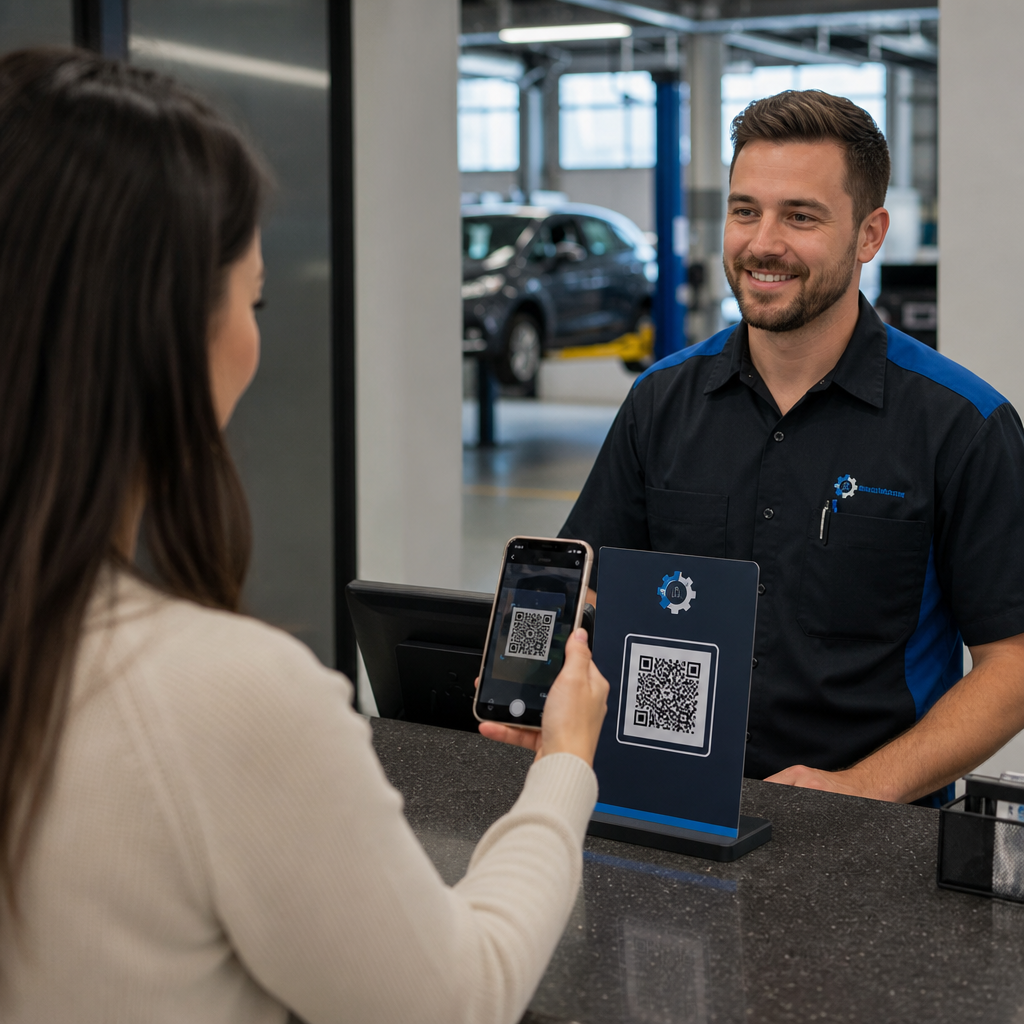
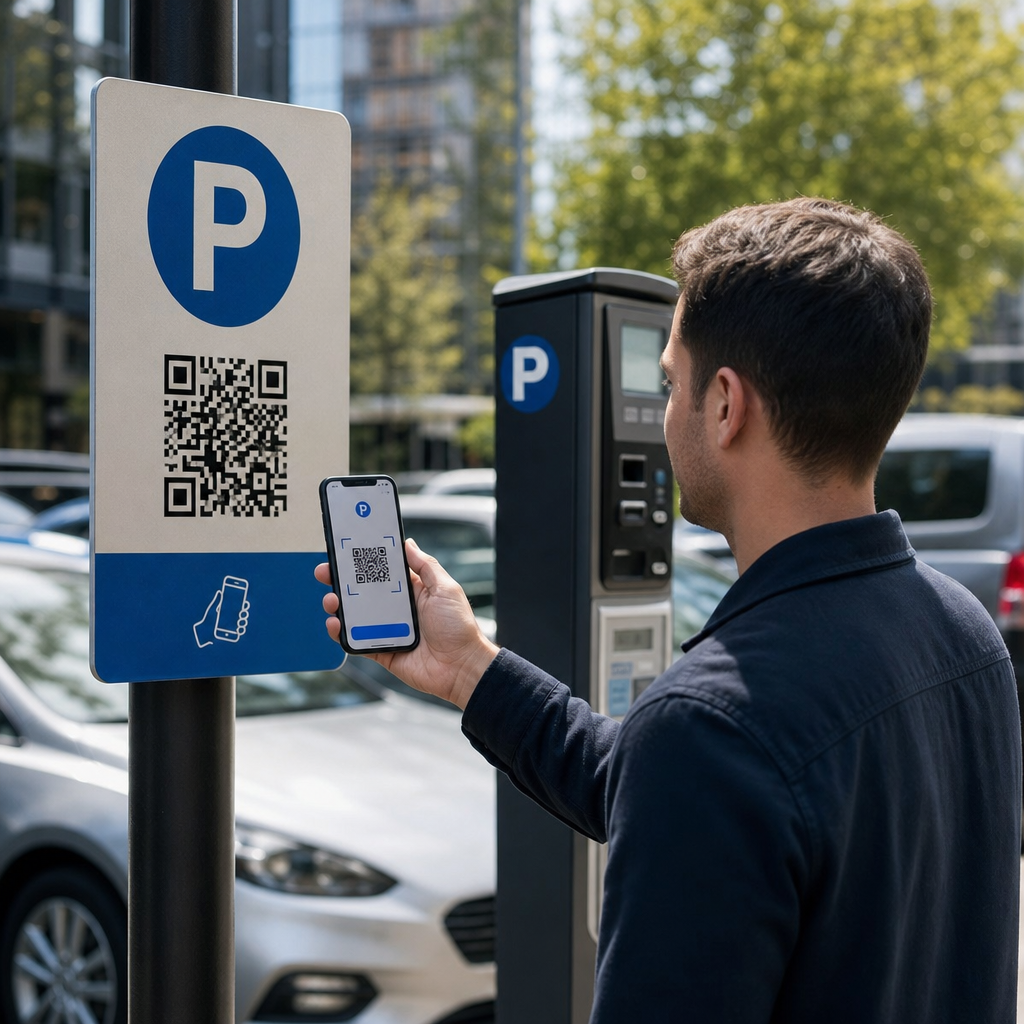
Các hệ thống đỗ xe bằng mã QR hợp pháp tuân theo quy trình làm việc quét để thanh toán đơn giản. Khi bạn đến một cơ sở đỗ xe, bạn sẽ tìm thấy một mã QR được hiển thị trên biển báo tại ki-ốt, bảng giá, sảnh thang máy, cầu thang bộ hoặc lối ra tòa nhà. Hiểu rõ từng bước giúp bạn nhận ra khi có điều gì đó bất thường.
Bạn bắt đầu bằng cách quét mã bằng camera tích hợp của điện thoại thông minh hoặc một ứng dụng chuyên dụng Quét mã QR. Không cần tải ứng dụng – mã sẽ mở một trang thanh toán được tối ưu hóa cho thiết bị di động trực tiếp trong trình duyệt của bạn. Từ đó, bạn nhập số biển số xe của mình để hệ thống có thể liên kết phương tiện của bạn với phiên đỗ xe và cho phép xác minh thực thi. Sau đó bạn chọn thời gian đỗ xe của mình – theo giờ, theo ngày, theo tuần hoặc theo tháng – và hoàn tất thanh toán bằng thẻ tín dụng hoặc thẻ ghi nợ, Apple Pay, Google Pay, Samsung Pay hoặc một phương thức được chấp nhận khác. Toàn bộ giao dịch là không dùng tiền mặt và không tiếp xúc. Đối với các bãi đỗ xe không có cổng, hệ thống quản lý đỗ xe tự động cập nhật khi xác nhận, để việc thực thi có thể xác minh phiên của bạn bằng biển số xe thay vì vé vật lý.
Một lưu ý thực tế quan trọng: vì trang thanh toán trực tuyến, bạn cần kết nối di động hoặc Wi-Fi đáng tin cậy tại điểm thanh toán. Nếu tín hiệu của bạn yếu, hãy di chuyển đến khu vực có vùng phủ sóng tốt hơn trước khi quét.
Tại sao các Nhà điều hành sử dụng Mã QR để Đỗ xe
Đỗ xe dựa trên QR loại bỏ các điểm khó khăn truyền thống cho cả tài xế và người quản lý cơ sở. Đối với tài xế, không có vé để theo dõi, không có hàng đợi tại trạm thanh toán, và không cần quay lại xe trước khi rời khỏi cơ sở – bạn có thể thanh toán từ điện thoại của mình ở bất cứ đâu trong tòa nhà. Đối với nhà điều hành, mã QR giảm sự phụ thuộc vào phần cứng và cho phép một giao dịch đỗ xe hoàn chỉnh diễn ra trên điện thoại của khách hàng thông qua một trình duyệt tiêu chuẩn.
Các nhà điều hành bãi đỗ xe triển khai các hệ thống này cũng có thể theo dõi xác nhận thanh toán theo thời gian thực và gắn cờ các phiên chưa thanh toán mà không yêu cầu kiểm tra vé vật lý tại cổng ra. Kết quả là một hoạt động tinh gọn hơn có thể mở rộng mà không cần thêm phần cứng đắt tiền tại mỗi điểm thanh toán.
Mối đe dọa thực sự: Nhãn dán mã QR giả mạo
Sự tiện lợi của thanh toán đỗ xe bằng QR đã thu hút một loại gian lận cụ thể. Kẻ lừa đảo dán nhãn dán mã QR giả mạo lên biển báo đỗ xe hợp pháp. Khi một tài xế không nghi ngờ quét mã giả, họ bị chuyển hướng đến một trang thanh toán giả mạo trông giống như thật – nhưng chỉ tồn tại để thu thập thông tin thẻ.
FTC đã cảnh báo rõ ràng về chiến thuật này, lưu ý rằng các mã gian lận có thể gửi người dùng đến các trang web giả mạo hoặc thậm chí cài đặt phần mềm độc hại trên thiết bị của họ. Một trường hợp được ghi nhận rõ ràng ở Austin, Texas, đã chứng kiến 29 mã QR giả mạo được đặt trên các đồng hồ đỗ xe của thành phố, dẫn đến việc đánh cắp thông tin thẻ tín dụng và các giao dịch mua trái phép. Tại Vương quốc Anh, các tài xế ở York đã mất tới 400 bảng Anh mỗi người sau khi quét các nhãn dán QR giả mạo trên biển báo bãi đỗ xe của hội đồng bắt chước dịch vụ PayByPhone hợp pháp – một trường hợp được trình bày chi tiết trong Cảnh báo lừa đảo đỗ xe bằng mã QR cho người lái xe ở Vương quốc Anh.
Những sự cố này không phải là lỗi của công nghệ thanh toán QR. Chúng là kết quả của việc giả mạo biển báo vật lý và mạo danh thương hiệu, và chúng hoàn toàn có thể phòng ngừa được bằng các biện pháp phòng ngừa đúng đắn từ cả hai phía của giao dịch.
Cách xác minh Mã QR đỗ xe trước khi bạn quét
Cả tài xế và nhà điều hành bãi đỗ xe có thể thực hiện các bước cụ thể để tránh trở thành nạn nhân của các mã QR giả mạo.
Đối với tài xế:
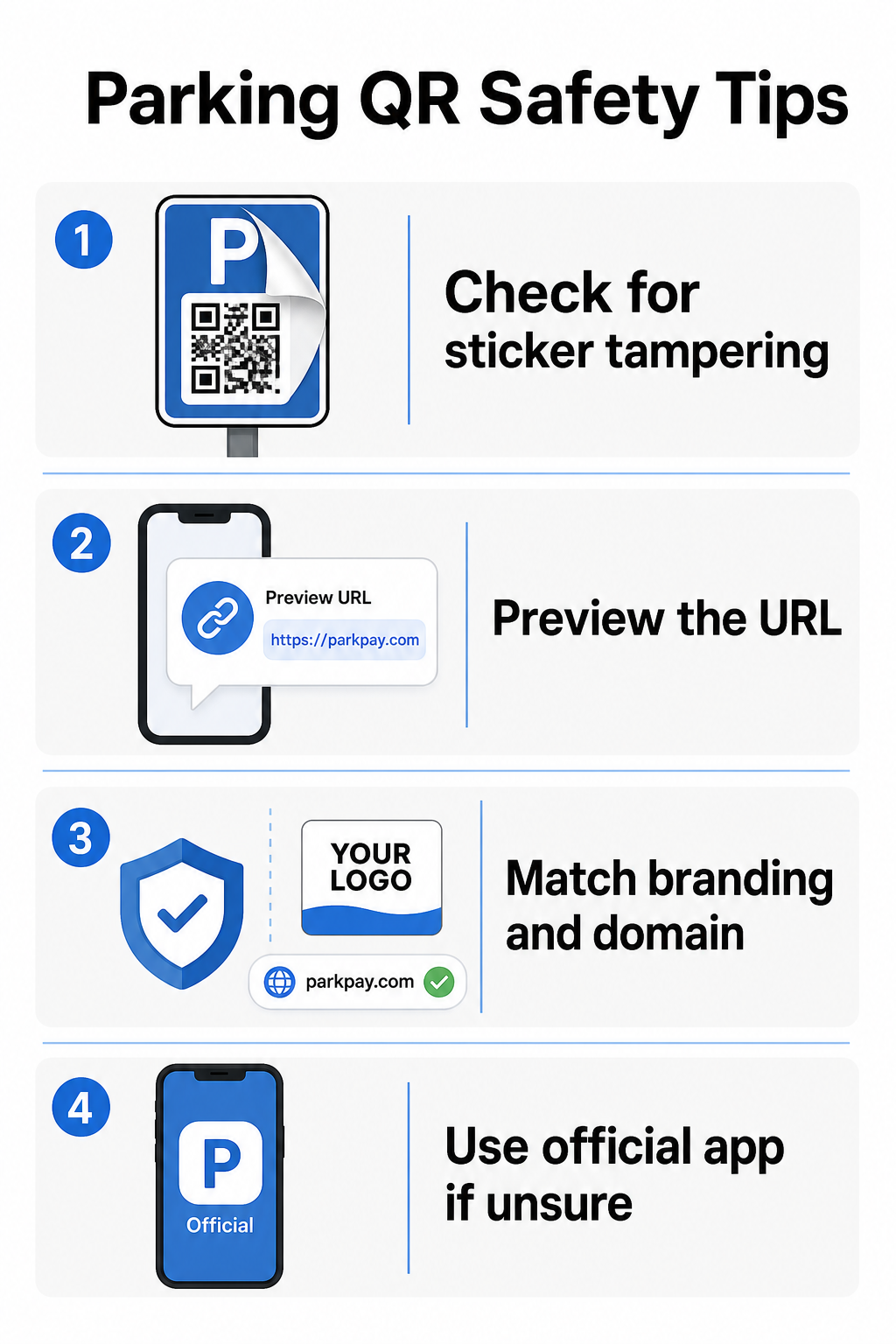
- Tìm kiếm các nhãn dán được đặt chồng lên biển báo hiện có. Các mã hợp pháp thường được in trực tiếp trên biển báo chính thức, không phải là nhãn dán hậu mãi. Một nhãn dán nằm trên một bề mặt khác là một dấu hiệu đáng ngờ.
- Xem trước URL trước khi nhấp qua. Hầu hết điện thoại thông minh cho phép bạn nhấn và giữ mã QR để xem trước liên kết đích. Kiểm tra lỗi chính tả, các chữ cái bị đổi chỗ hoặc các tên miền lạ – đây là những dấu hiệu của một trang web giả mạo.
- Xác minh thương hiệu trên trang thanh toán. Trang mở ra phải khớp với thương hiệu đã biết của nhà điều hành. Nếu logo, màu sắc hoặc tên miền trông không đúng, đừng tiếp tục.
- Sử dụng ứng dụng chính thức hoặc một phương thức thanh toán thay thế nếu nghi ngờ. Cơ quan quản lý bãi đỗ xe thành phố và đô thị thường liệt kê các ứng dụng thanh toán chính thức trên biển báo của họ. Nếu mã QR trông đáng ngờ, hãy thanh toán qua ứng dụng chính thức hoặc liên hệ trực tiếp với nhà điều hành bãi đỗ xe.
- Không quét mã QR được gửi trong email hoặc tin nhắn văn bản không mong muốn thúc giục bạn hành động ngay lập tức – các nhà điều hành bãi đỗ xe hợp pháp không gửi yêu cầu thanh toán không mong muốn.
- Luôn cập nhật hệ điều hành điện thoại của bạn và sử dụng mật khẩu mạnh với xác thực đa yếu tố trên tài khoản của bạn để hạn chế thiệt hại tiềm ẩn nếu bạn truy cập vào một trang độc hại.
Đối với các nhà điều hành bãi đỗ xe:
- Sử dụng vật liệu biển báo chống giả mạo giúp dễ dàng nhận biết bằng mắt thường nếu một nhãn dán đã được dán chồng lên các mã chính thức.
- Thực hiện kiểm tra vật lý thường xuyên tất cả các biển báo mã QR trong toàn bộ cơ sở của bạn.
- Sử dụng mã QR có thương hiệu với logo và bảng màu của bạn được in trực tiếp vào thiết kế mã, làm cho việc làm giả trở nên khó khăn hơn đáng kể.
- Nếu phát hiện mã gian lận, gỡ bỏ ngay lập tức, ghi lại sự cố bằng ảnh, thông báo cho các đối tác thanh toán của bạn và khuyên những người đỗ xe bị ảnh hưởng tranh chấp các khoản phí với ngân hàng hoặc tổ chức phát hành thẻ của họ.
Thiết lập thanh toán bằng mã QR cho một doanh nghiệp bãi đỗ xe
Nếu bạn điều hành một cơ sở đỗ xe và muốn triển khai một hệ thống thanh toán hợp pháp dựa trên QR, quy trình bắt đầu với một URL thanh toán – chẳng hạn như liên kết đến cổng thanh toán của bạn, trang thanh toán PayPal hoặc biểu mẫu thanh toán do Stripe lưu trữ – và một trình tạo mã QR đáng tin cậy.
Tạo mã QR thanh toán có thương hiệu Dán URL thanh toán của bạn vào Mã QR PayPal để tạo một mã tùy chỉnh, có thể tải xuống với logo và màu sắc thương hiệu của bạn – làm cho việc làm giả trở nên khó khăn hơn và dễ dàng hơn cho người lái xe tin tưởng.
Sử dụng một Trình tạo mã QR liên kết cho phép bạn mã hóa bất kỳ URL trang thanh toán nào thành một mã có thể quét được. Đối với các hoạt động đang diễn ra, mã QR động mang lại một lợi thế đáng kể: bạn có thể cập nhật URL đích bất cứ lúc nào mà không cần in lại biển báo. Nếu nhà cung cấp thanh toán của bạn thay đổi, URL thanh toán của bạn cập nhật hoặc một mã bị xâm phạm, bạn chỉ cần chuyển hướng mã hiện có đến đích mới từ bảng điều khiển của mình.
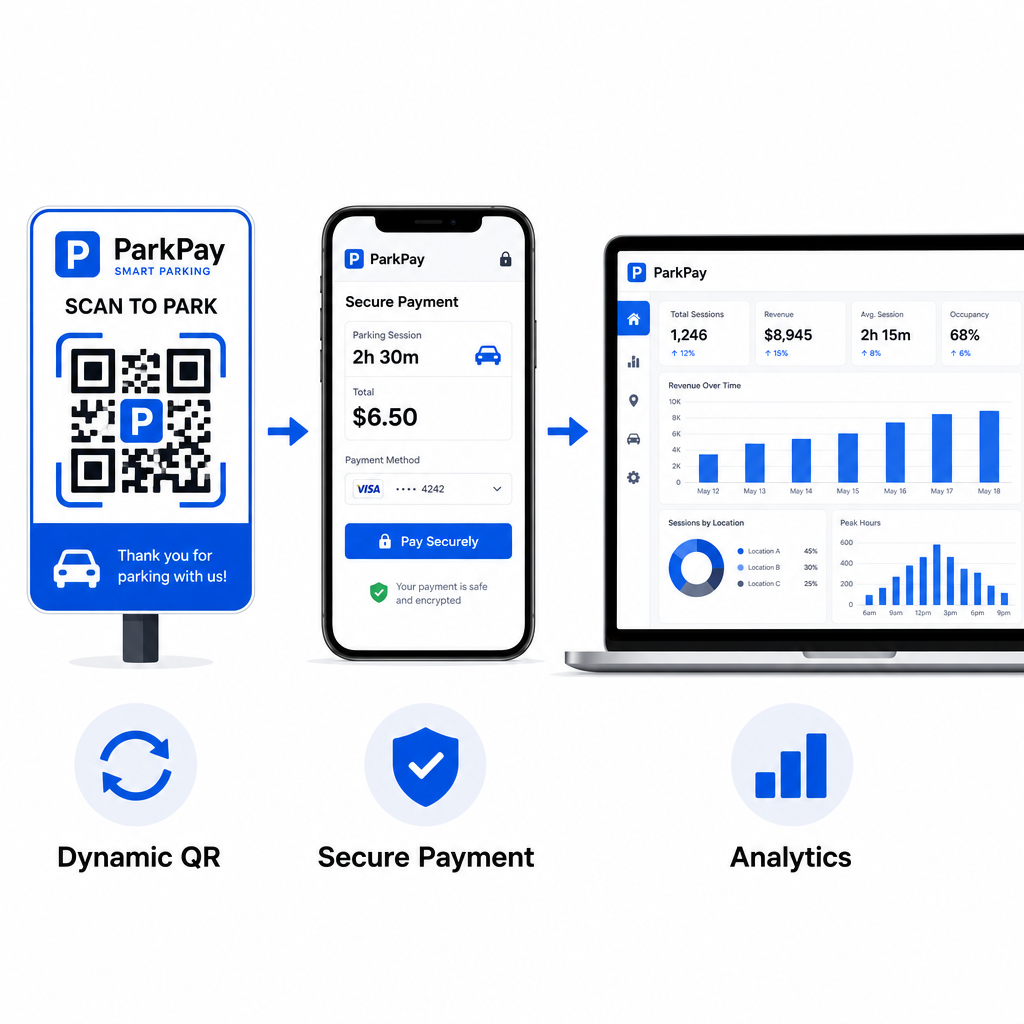
Mã động cũng cung cấp cho bạn quyền truy cập vào phân tích quét theo thời gian thực – số lượt quét, dấu thời gian, vị trí và loại thiết bị – để bạn có thể theo dõi các hoạt động bất thường. Ví dụ, một sự gia tăng đột ngột về số lượt quét từ các vị trí không mong muốn có thể cho thấy rằng một mã đã bị sao chép và phân phối một cách gian lận. Bạn có thể đọc thêm về cách thanh toán bằng mã QR hoạt động trong các bối cảnh kinh doanh khác nhau để xem các nguyên tắc tương tự được áp dụng như thế nào ngoài lĩnh vực đỗ xe.
Theo dõi mọi lượt quét trong thời gian thực Sử dụng của Pageloot Trình tạo mã QR để tạo mã thanh toán đỗ xe động với phân tích quét đầy đủ. Giám sát hiệu suất, phát hiện các bất thường và cập nhật đích đến ngay lập tức – tất cả từ một bảng điều khiển.
Đối với các doanh nghiệp khám phá mã QR trên nhiều trường hợp sử dụng ngoài lĩnh vực đỗ xe, trang giải pháp ngành Pageloot bao gồm các ứng dụng trong bán lẻ, khách sạn, sự kiện và hơn thế nữa.
Điều gì làm cho mã QR đỗ xe an toàn
Các hệ thống thanh toán mã QR đỗ xe hợp pháp có nhiều lớp bảo vệ mà những kẻ lừa đảo không thể dễ dàng sao chép:
| Tính năng bảo mật | Chức năng |
|---|---|
| Thiết kế QR có thương hiệu | Logo và màu sắc được nhúng trong mã làm cho việc làm giả dễ dàng nhận biết bằng mắt thường |
| Đích đến được mã hóa SSL | Trang thanh toán sử dụng HTTPS, bảo vệ dữ liệu đang truyền tải |
| Chuyển hướng động | Nhà điều hành có thể hủy kích hoạt hoặc chuyển hướng mã bị xâm phạm ngay lập tức |
| Giám sát quét | Các mẫu quét bất thường kích hoạt cảnh báo trước khi gian lận lan rộng xảy ra |
| Biển báo chống giả mạo | Vật liệu vật lý cho thấy dấu hiệu can thiệp rõ ràng |
Để tìm hiểu sâu hơn về cách các lớp này hoạt động cùng nhau, các hướng dẫn về bảo mật và tốc độ thanh toán bằng mã QR và quản lý rủi ro mã QR trong thanh toán bao gồm đầy đủ các chi tiết kỹ thuật và vận hành.
Bảo vệ doanh nghiệp của bạn khỏi gian lận mã QR
Ngoài lĩnh vực đỗ xe, gian lận mã QR là một mối lo ngại ngày càng tăng trên các ngành công nghiệp. Các nguyên tắc tương tự được áp dụng ở mọi nơi: mã có thương hiệu, đích đến động, kiểm tra thường xuyên và giáo dục những người tương tác với mã của bạn. Để biết chi tiết đầy đủ về các chiến lược phòng thủ, hãy xem hướng dẫn về cách bảo vệ doanh nghiệp của bạn khỏi các vụ lừa đảo mã QR và tổng quan về rủi ro về quyền riêng tư của mã QR và cách tránh chúng.
Thanh toán đỗ xe bằng mã QR thực sự tiện lợi và an toàn khi được triển khai đúng cách – rủi ro nằm ở việc giả mạo, không phải ở bản thân công nghệ. Cho dù bạn là người lái xe xác nhận mã trước khi quét hay nhà điều hành đang xây dựng một hệ thống thanh toán không tiếp xúc, các bước trên cung cấp cho bạn một khuôn khổ rõ ràng để giữ an toàn. Nếu bạn đã sẵn sàng triển khai mã QR thanh toán có thương hiệu, có thể theo dõi cho cơ sở của mình, thì Mã QR PayPal là một điểm khởi đầu thiết thực.
Câu hỏi thường gặp
Tìm kiếm các nhãn dán được dán chồng lên biển báo hiện có, đây là dấu hiệu phổ biến của việc giả mạo. Trước khi nhấn để tiếp tục, hãy nhấn và giữ mã QR bằng điện thoại thông minh của bạn để xem trước URL – kiểm tra lỗi chính tả hoặc tên miền lạ. Trang thanh toán mở ra phải khớp với thương hiệu đã biết của nhà điều hành. Nếu có bất kỳ điều gì bất thường, hãy thanh toán bằng ứng dụng đỗ xe chính thức được liệt kê trên biển báo hoặc liên hệ trực tiếp với cơ sở.
Không. Hầu hết các hệ thống thanh toán đỗ xe dựa trên QR đều mở một trang thanh toán được tối ưu hóa cho thiết bị di động trực tiếp trong trình duyệt điện thoại của bạn khi bạn quét mã. Bạn cần có kết nối di động hoặc Wi-Fi đang hoạt động để hoàn tất giao dịch, vì trang thanh toán là trực tuyến.
Gỡ bỏ ngay lập tức các biển báo gian lận và ghi lại sự việc bằng ảnh. Thông báo cho đội ngũ nội bộ và các đối tác xử lý thanh toán của bạn. Khuyên bất kỳ người đỗ xe nào có khả năng bị ảnh hưởng liên hệ ngân hàng hoặc tổ chức phát hành thẻ của họ để tranh chấp các khoản phí trái phép. Về sau, hãy sử dụng vật liệu biển báo chống giả mạo, thực hiện kiểm tra định kỳ và cân nhắc chuyển sang mã QR động để bất kỳ mã nào bị xâm phạm có thể bị vô hiệu hóa và chuyển hướng ngay lập tức từ bảng điều khiển quản lý của bạn.