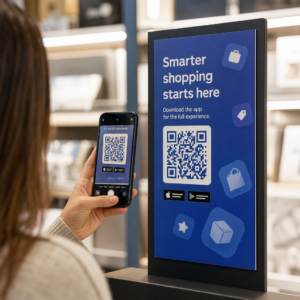
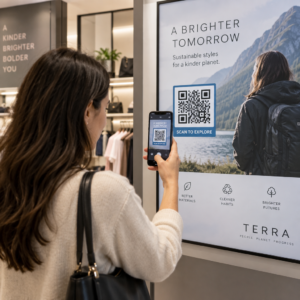
Da li izgubljeni posetioci i pretrpani info pultovi stvaraju zagušenja na vašem događaju? Zbrka u navigaciji dovodi do propuštenih sesija, frustriranih gostiju i preopterećenog osoblja događaja. Implementacija navigacije zasnovane na QR kodovima daje posetiocima trenutni mobilni pristup interaktivnim mapama i uputstvima specifičnim za lokaciju direktno na njihovim pametnim telefonima.
Zašto mobilni QR kodovi poboljšavaju navigaciju na događaju
Veliki kongresni centri, festivali sa više bina i prostrane izložbene hale često preopterećuju posetioce. Tradicionalni tlocrti štampani na statičkim tablama na ulazu obično okupljaju gustu gužvu, uzrokujući ozbiljne saobraćajne gužve u glavnim hodnicima. Nadalje, ako se raspored štandova promeni ili se raspored prostorija pomeri tokom događaja, fizičke table sa mapama brzo postaju zastarele i obmanjujuće.
Korišćenje QR kodova za navigaciju na događaju pretvara fizičke natpise u interaktivne digitalne portale. Postavljanje kodova na ključnim tačkama odlučivanja stvara lokalizovane „Vi ste ovde“ stanice širom vašeg objekta. Kada se skeniraju, ovi kodovi odmah učitavaju mape prilagođene mobilnim uređajima, detaljna unutrašnja uputstva ili stranice sa rasporedom u realnom vremenu.
Budući da dinamički QR kodovi omogućavaju uređivanje veza do odredišta nakon štampanja, možete odmah ažurirati tlocrte ili preusmeriti tok saobraćaja bez zamene fizičkih natpisa. Integracija digitalnih tlocrta sa posvećenim QR kod za događaj: generator pojednostavljuje celokupno upravljanje gužvom, istovremeno pružajući trenutnu jasnoću posetiocima.
Praktični načini za implementaciju navigacije putem QR kodova
Primena navigacije QR kodovima širom vašeg događaja zahteva strateško pozicioniranje usklađeno sa specifičnim potrebama posetilaca. Evo četiri praktične primene za navigaciju na događaju:
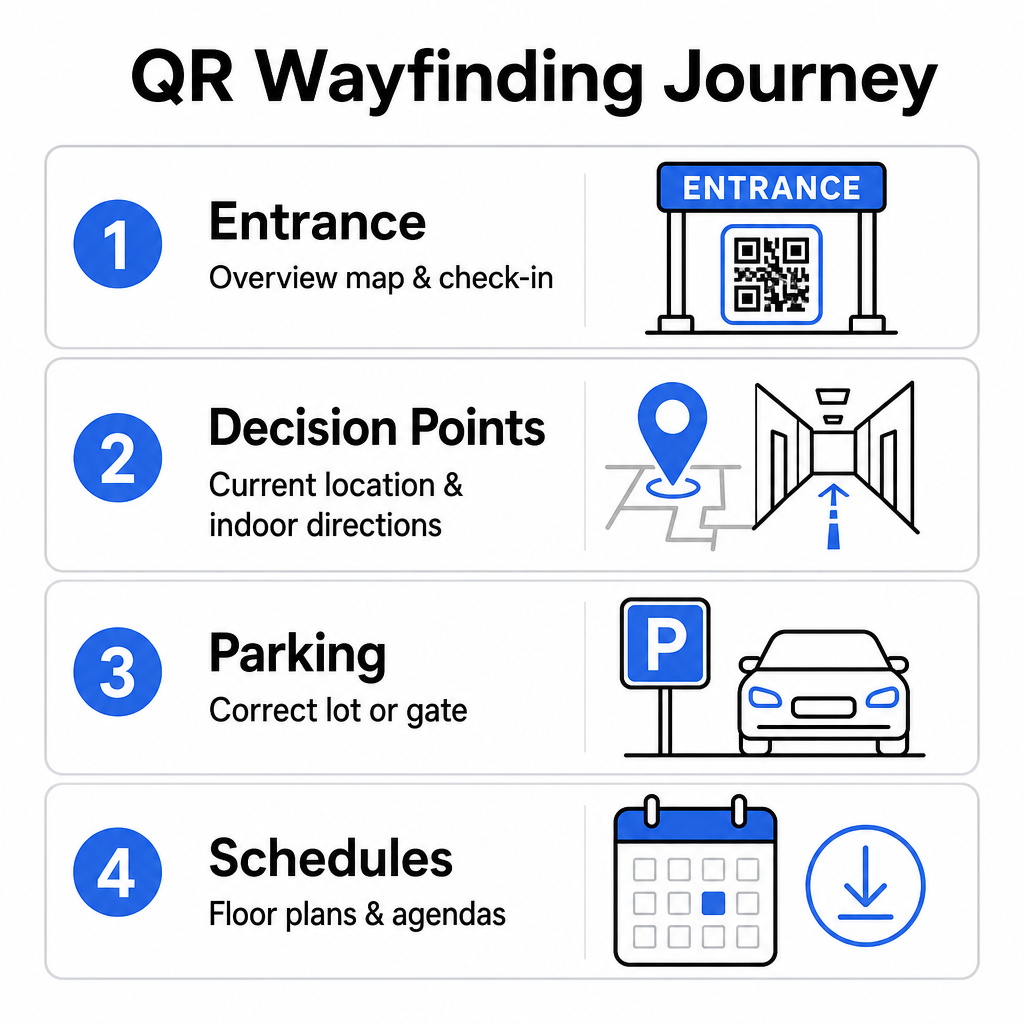
- Ulazni i registracioni centri: Postavite istaknute kodove blizu ulaznih kapija i pultova za registraciju kako biste dolaznim gostima pružili trenutnu preglednu mapu objekta zajedno sa uputstvima za prijavu. Integracija digitalne navigacije na ulaznim tačkama dopunjuje moderne sistemi za prijavu na događaje.
- Lokalizovane „Vi ste ovde“ tačke odlučivanja: QR kodovi specifični za stanicu na glavnim raskrsnicama hodnika, u predvorjima liftova, na ulazima u stepeništa i u trpezarijama. Svaki kod usidrite tako da otvori digitalnu mapu unapred konfigurisanu da prikazuje tačnu trenutnu lokaciju korisnika unutar zgrade.
- Uputstva za lokaciju i parking: Uputite posetioce do odgovarajućeg parkinga ili ulaza u zgradu pre nego što stignu pešice. Uključivanje Google Maps QR kod generator linka na potvrdama digitalnih karata ili banerima na spoljnim ulazima direktno usmerava vozače ka određenim ulaznim kapijama.
- Rasporedi i planovi spratova za preuzimanje: Obezbedite mape dostupne van mreže za lokacije sa slabom mobilnom mrežom. Korišćenje PDF QR kod generator omogućava gostima da sačuvaju planove lokacije visoke rezolucije i vodiče za dnevni red direktno na svojim mobilnim uređajima.
Pojednostavite navigaciju kroz lokaciju već danas Treba da kreirate prilagođene, mobilnim uređajima prilagođene linkove mapa za vaš predstojeći događaj? Koristite QR kod za događaj: generator za izradu dinamičkih kodova koji se mogu pratiti za nekoliko minuta.
Smernice za postavljanje i pristupačnost putokaza
Sistem navigacije je efikasan samo ako posetioci mogu udobno da pronađu i skeniraju fizičke putokaze. Pažljivo postavljanje osigurava da navigacioni alati ostanu funkcionalni i pristupačni svakom posetiocu.
Optimalno fizičko postavljanje
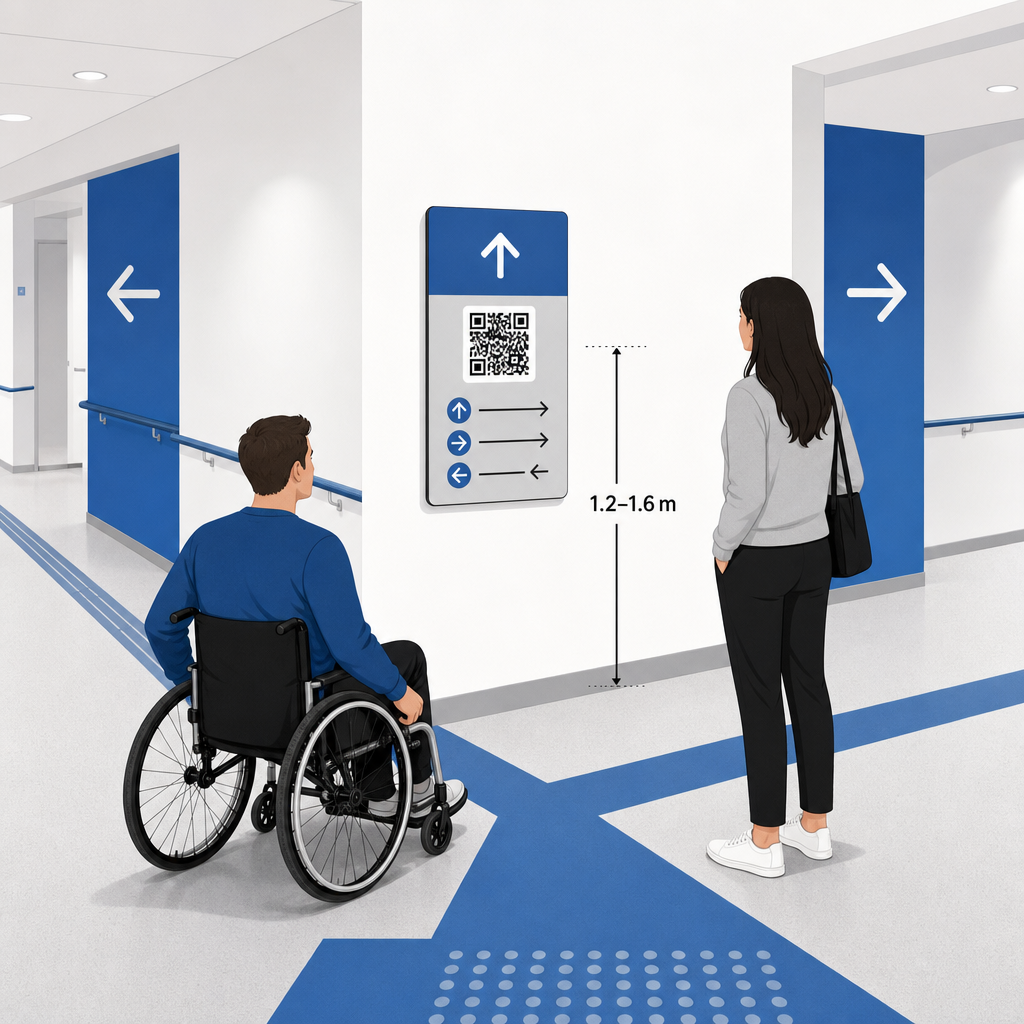
Postavite putokaze tamo gde se posetioci prirodno zaustavljaju da donesu odluke o ruti, kao što su raskrsnice hodnika, odmorišta, prostori za hranu i liftovi. Postavite štampane kodove na pristupačnoj visini očiju – obično između 1.2 to 1.6 meters (3.5 to 5.5 feet) iznad poda – tako da budu udobno dostupni i posetiocima koji stoje i korisnicima invalidskih kolica.
Usklađenost sa ADA standardima i pristupačnost
Zvanični standardi pristupačnosti prema Zakonu o Amerikancima sa invaliditetom (ADA) zahtevaju da usmeravajuća signalizacija prati jasna vizuelna pravila, uključujući visok kontrast tamno-svetlo, površine bez odsjaja i specifične proporcije vizuelnih znakova. Digitalni alati kao što su QR kodovi služe kao dopuna, a ne zamena za standardnu pristupačnu fizičku signalizaciju.
Za potpunu usklađenost i pristupačnost:
- Pored svakog koda obezbedite vidljiv alternativni tekst, štampana uputstva ili pomoć osoblja.
- Uparite kodove sa jasnim opisnim oznakama koje navode kojim informacijama će korisnik pristupiti nakon skeniranja.
- Kreirajte mobilne odredišne stranice koje podržavaju čitače ekrana i uključuju opisni alternativni tekst za grafike mapa.
Jasni pozivi na akciju
Neoznačeni QR kod ostavlja posetioce da nagađaju o njegovoj svrsi. Uvek uparite svaki kod sa jasnim okvirom poziva na akciju (CTA) ili tekstualnom oznakom, kao što je „Skenirajte za interaktivni plan sprata“ ili „Pronađite svoj put – skenirajte za mapu“. Pridržavajući se dokazanih smernica za Postavljanje QR kodova na plakate značajno povećava angažman i broj skeniranja.
Tehničke najbolje prakse za signalizaciju koja se može skenirati
Obezbeđivanje brzog i pouzdanog skeniranja na stotinama različitih modela pametnih telefona zahteva strogo pridržavanje osnovnih grafičkih standarda.
| Faktor | Tehnički standard | Praktična svrha |
|---|---|---|
| Minimalna veličina štampe | Minimum 3 x 3 cm (1.2 x 1.2 in); 2 x 2 cm za stavke izbliza | Sprečava greške autofokusa kamere na gustim modulima podataka. |
| Odnos udaljenosti skeniranja | Odnos 10:1 (1 jedinica širine koda na svakih 10 jedinica udaljenosti) | Osigurava da kodovi na velikim visećim banerima ostanu skenirani sa velike udaljenosti. |
| Цолор Цонтраст | Minimalni kontrastni odnos 4:1 (tamni moduli na svetloj pozadini) | Pomaže senzorima kamere telefona da trenutno razlikuju module od pozadine. |
| Tampon tihe zone | Najmanje 4 modula širine (približno 0.25 inča margine) | Sprečava da okolna grafika i tekst ometaju dekodiranje skenera. |
| Формат датотеке | Vektorski formati (SVG, EPS, PDF) | Održava oštre ivice bez pikselizacije kada se štampa na velikoj signalizaciji. |
Prilikom štampanja putokaznih postera i zidnih znakova, birajte mat, nereflektujuće materijale umesto sjajnih površina. Mat površine eliminišu oštre refleksije gornjeg osvetljenja, koje predstavljaju jedan od primarnih uzroka neuspeha skeniranja mobilnim kamerama. Za detaljne smernice o dimenzijama, konsultujte naš sveobuhvatni vodiču za veličinu QR koda and review essential prakse za čitljivost QR kodova.
Uputite posetioce direktno na Vaše mesto događaja Osigurajte da gosti stignu na pravi ulaz ili parking kapiju bez zabune. Generišite precizne pinove lokacije koristeći Google Maps QR kod generator.
Testiranje i ažuriranje vašeg sistema za navigaciju događajem
Detaljna provera pre otvaranja vrata sprečava tehničke kvarove tokom sati najveće posete.
Provera pre događaja
- Testiranje na više uređaja: Skenirajte svaki objavljeni kod koristeći Apple iOS i Android uređaje sa standardnim ugrađenim aplikacijama kamere.
- Procena ambijentalnog osvetljenja: Pregledajte štampane natpise pod stvarnim svetlima prostora kako biste identifikovali potencijalni odsjaj ili senke koje bacaju svetiljke u hali.
- Provera uglova i udaljenosti skeniranja: Pokušajte skeniranje iz realističnih stojećih pozicija i bočnih uglova, potvrđujući da se kod dešifruje za 3 sekunde ili manje.
- Provera brzine učitavanja mreže: Testirajte vreme odziva odredišne stranice mape preko mobilnih mreža i gostujućeg Wi-Fi-ja kako biste potvrdili brzo učitavanje pod mrežnim opterećenjem.
Upravljanje ažuriranjima uživo pomoću dinamičkih QR kodova
Čak i pažljivo planirani rasporedi događaja doživljavaju promene rasporeda u poslednjem trenutku ili premeštanje štandova. Korišćenjem dinamičkih QR kodova, zadržavate potpunu kontrolu nad ciljnim odredišnim stranicama. Ako se promeni soba za prezentaciju ili je potrebno istaći rutu za izlaz u slučaju nužde, jednostavno ažurirajte odredišni URL u svojoj kontrolnoj tabli. Odštampani kod na zidu ostaje identičan, ali posetioci se odmah preusmeravaju na ažuriranu mapu.
Štaviše, ugrađena analitika vam omogućava da pratite obim skeniranja u različitim zonama prostora u realnom vremenu. Veliki broj skeniranja na određenim tačkama odluke ukazuje na to gde posetioci često traže uputstva, pružajući korisne podatke za raspoređivanje dodatnog osoblja ili dopunskih putokaza tamo gde su najpotrebniji. Za napredne strategije pozicioniranja, pregledajte našu punu vodič za postavljanje QR kodova.
Često postavljana pitanja
Ne. Propisi o pristupačnosti zahtevaju da fizički putokazi ispunjavaju specifične vizuelne standarde, taktilne zahteve ili pravila visokog kontrasta nezavisno. QR kodovi služe kao koristan digitalni dodatak za vođenje posetilaca, ali ne smeju zameniti primarne fizičke putokaze ili pristupačne tekstualne alternative.
Uvek izvezite svoj QR kod u skalabilnim vektorskim formatima kao što su SVG, EPS ili PDF. Vektorske datoteke se skaliraju na bilo koju veličinu na transparentima ili zidnim štampama bez gubitka oštrih ivica modula, obezbeđujući pouzdanu mogućnost skeniranja.
Dinamički QR kodovi odvajaju štampanu sliku od ciljanog sadržaja. Ako se štand premesti ili se promeni seminarska sala, ažurirate odredišni veb link na vašoj kontrolnoj tabli bez potrebe da ponovo štampate ili menjate fizičke natpise okačene na mestu događaja.
Pretvaranje složene navigacije kroz prostor u samouslužno digitalno iskustvo smanjuje frustraciju posetilaca i održava nesmetano odvijanje događaja. Odabirom strateških tačaka odlučivanja, primenom vizuelnih standarda visokog kontrasta i povezivanjem kodova sa responsivnim odredišnim stranicama mapa, omogućavate gostima da se samostalno snađu. Započnite dizajniranje svog navigacionog sistema za prostor već danas, koristeći Pageloot-ove dinamičke alate za pružanje pristupa mapama u realnom vremenu širom vašeg objekta.