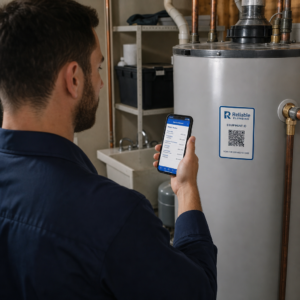
Elveszett résztvevők és zsúfolt információs pultok okoznak fennakadásokat a helyszínén? A navigációs zavar elmaradt előadásokhoz, frusztrált vendégekhez és túlhajszolt rendezvényszervező személyzethez vezet. A QR-alapú útkeresés segítségével a résztvevők azonnali mobil hozzáférést kapnak interaktív térképekhez és helyspecifikus útmutatáshoz közvetlenül okostelefonjukon.
Miért javítják a mobil QR-kódok a helyszíni navigációt
A nagy kongresszusi központok, többszínpados fesztiválok és terjedelmes kiállítási csarnokok gyakran túlterhelik a látogatókat. A statikus bejárati táblákra nyomtatott hagyományos alaprajzok hajlamosak sűrű tömegeket gyűjteni, súlyos forgalmi dugókat okozva a főfolyosókon. Továbbá, ha egy stand elosztása megváltozik, vagy egy terem menetrendje módosul egy rendezvény során, a fizikai térkép táblák gyorsan elavulttá és félrevezetővé válnak.
A QR-kódok használata a helyszíni navigációhoz a fizikai jelzéseket interaktív digitális portálokká alakítja. A kódok stratégiai döntési pontokon történő elhelyezése lokalizált „Ön itt van” állomásokat hoz létre a létesítményben. Beolvasáskor ezek a kódok azonnal mobilbarát térképeket, részletes beltéri útmutatókat vagy valós idejű menetrendi oldalakat töltenek be.
Mivel a dinamikus QR-kódok lehetővé teszik a célhivatkozások szerkesztését a nyomtatás után, azonnal frissítheti az alaprajzokat vagy átirányíthatja a forgalmi mintákat anélkül, hogy lecserélné a fizikai táblákat. A digitális alaprajzok integrálása egy dedikált Esemény QR kód generátor egyszerűsíti az általános tömegkezelést, miközben azonnali átláthatóságot biztosít a résztvevők számára.
Praktikus módszerek a QR-kódos útkeresés megvalósítására
A QR-kódos navigáció bevezetése a rendezvényhelyszínen stratégiai elhelyezést igényel, összhangban a specifikus résztvevői igényekkel. Íme négy gyakorlati alkalmazás a rendezvényi útkereséshez:
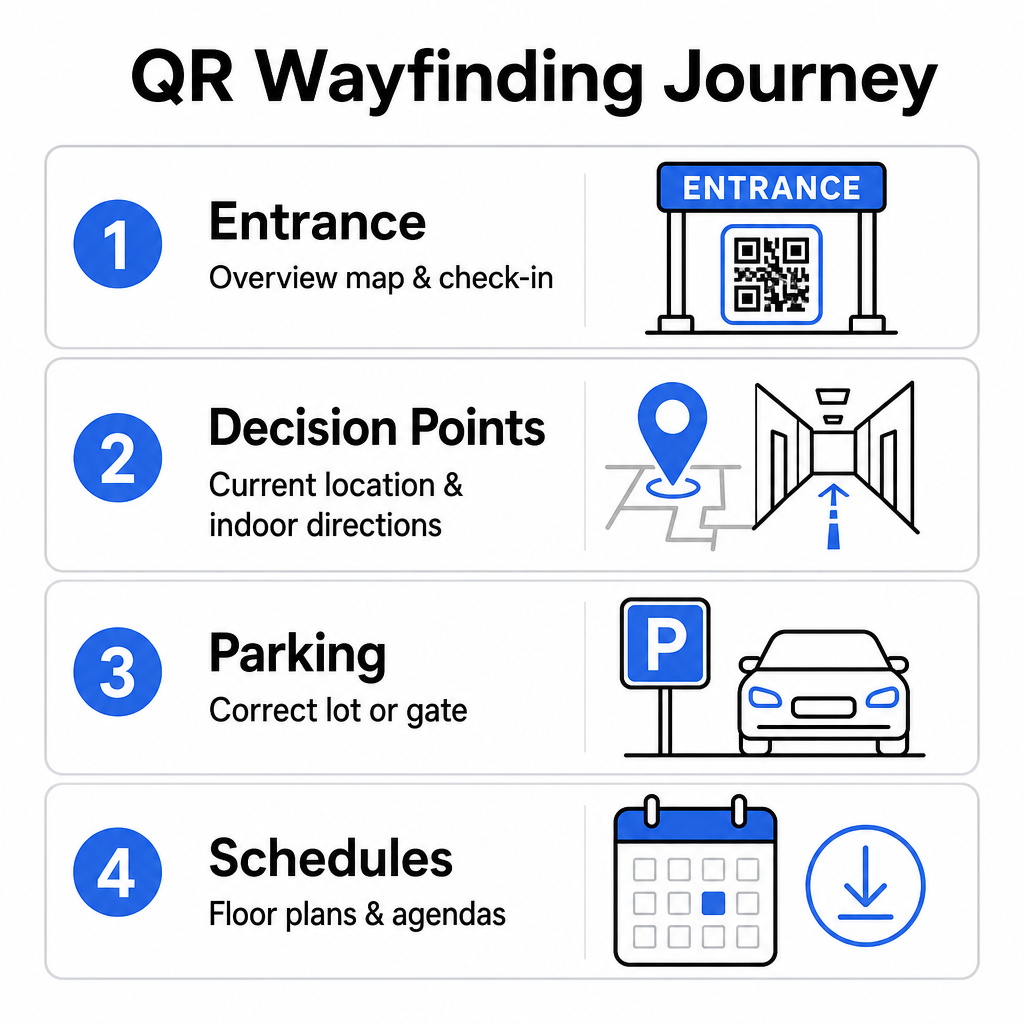
- Bejáratok és Regisztrációs Központok: Helyezzen el feltűnő kódokat a bejárati kapuk és a regisztrációs pultok közelében, hogy a megérkező vendégek azonnali áttekintést kapjanak a létesítmény térképéről, valamint a bejelentkezési utasításokról. A digitális navigáció beépítése a belépési pontokon kiegészíti a modern rendezvény bejelentkezési rendszereket.
- Lokalizált „Ön itt van” Döntési Pontok: Állomásspecifikus QR-kódok a főbb folyosókereszteződésekben, lift előterekben, lépcsőházi bejáratoknál és étkezőhelyiségekben. Rögzítsen minden kódot egy digitális térkép megnyitásához, amely előre konfigurálva van a felhasználó pontos aktuális tartózkodási helyének megjelenítésére az épületen belül.
- Helyszín és parkolási útmutató: Irányítsa a résztvevőket a megfelelő parkolóba vagy épületbejáratba, mielőtt gyalog érkeznének. Egy Google Térkép QR-kód generátor link a digitális jegyvisszaigazolásokon vagy kültéri bejárati bannereken közvetlenül a kijelölt érkezési kapukhoz irányítja a sofőröket.
- Letölthető menetrendek és alaprajzok: Biztosítson offline hozzáférhető térképeket gyenge mobilhálózattal rendelkező helyszíneken. Egy PDF QR kód generátor lehetővé teszi a vendégek számára, hogy nagy felbontású helyszín-alaprajzokat és programismertetőket mentsenek közvetlenül mobileszközeikre.
Egyszerűsítse a helyszíni navigációt még ma Egyedi, mobilbarát térkép linkeket kell létrehoznia a közelgő eseményéhez? Használja a Esemény QR kód generátor segítségével dinamikus, nyomon követhető kódokat hozhat létre percek alatt.
Elhelyezési és akadálymentességi irányelvek a tájékozódási táblákhoz
Egy tájékozódási rendszer csak akkor hatékony, ha a résztvevők kényelmesen megtalálják és be tudják szkennelni a fizikai jelzéseket. Az átgondolt elhelyezés biztosítja, hogy a navigációs eszközök funkcionálisak és minden látogató számára hozzáférhetők maradjanak.
Optimális fizikai elhelyezés
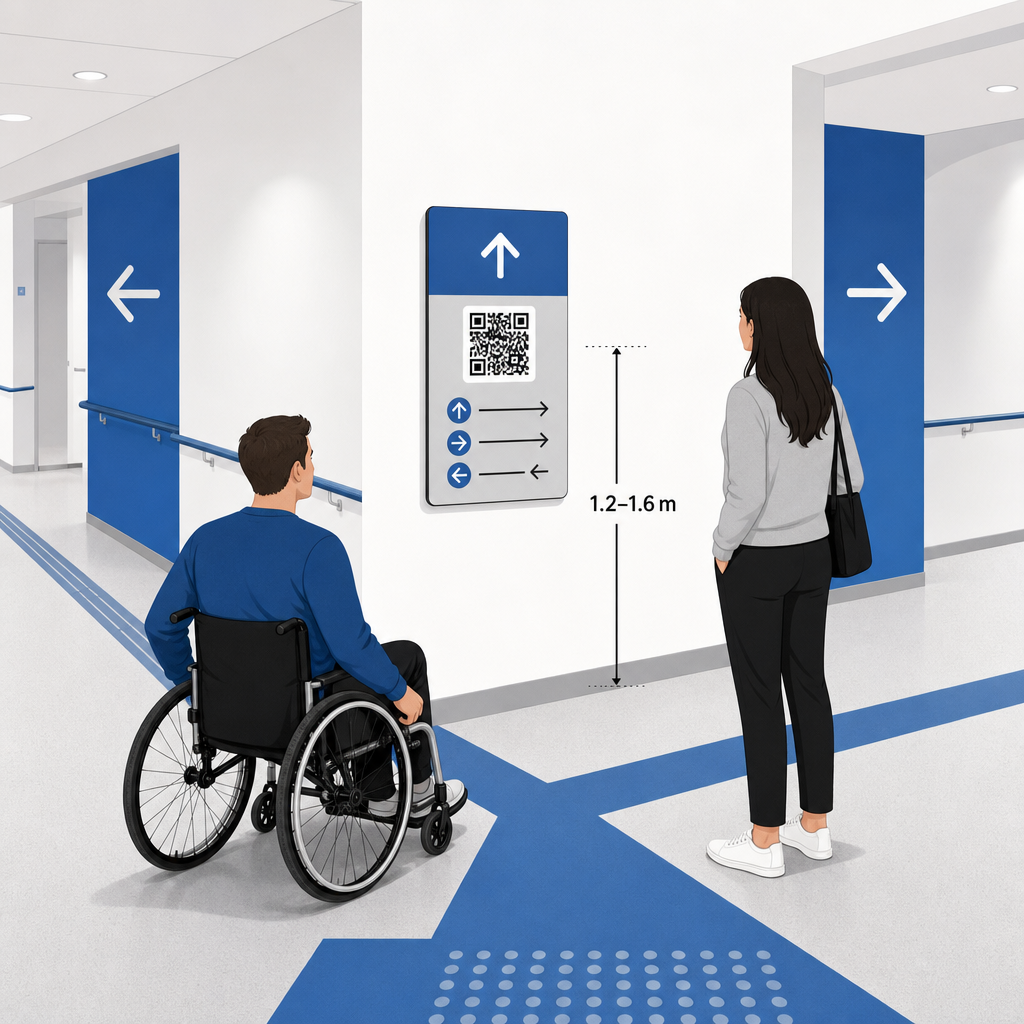
Helyezze el a tájékozódási jelzéseket ott, ahol a látogatók természetesen megállnak útvonaldöntést hozni, például folyosókereszteződésekben, pihenőhelyeken, éttermekben és liftcsoportoknál. A nyomtatott kódokat hozzáférhető szemmagasságban – jellemzően 1,2 és 1,6 méter (3,5 és 5,5 láb) magasságban a padló felett – kell rögzíteni, hogy kényelmesen elérhetők legyenek mind az álló látogatók, mind a kerekesszékes felhasználók számára.
ADA és akadálymentességi megfelelőség
Az American Disabilities Act (ADA) hivatalos akadálymentességi szabványai megkövetelik, hogy az irányjelző táblák kövessék az egyértelmű vizuális szabályokat, beleértve a magas sötét-világos kontrasztot, a tükröződésmentes felületeket és a specifikus vizuális karakterarányokat. Az olyan digitális eszközök, mint a QR-kódok, kiegészítik, nem pedig helyettesítik a szabványos akadálymentes fizikai jelzéseket.
A teljes megfelelőség és akadálymentesség fenntartásához:
- Minden kód mellett biztosítson látható alternatív szöveget, nyomtatott útbaigazítást vagy személyzeti segítséget.
- Párosítsa a kódokat egyértelmű, leíró címkékkel, amelyek megmondják, hogy a felhasználó milyen információkhoz fér hozzá beolvasáskor.
- Készítsen mobil céloldalakat, amelyek támogatják a képernyőolvasókat, és tartalmaznak leíró alternatív szöveget a térkép grafikáihoz.
Egyértelmű cselekvésre ösztönzés
Egy címkézetlen QR-kód bizonytalanságban hagyja a látogatókat a célját illetően. Mindig párosítson minden kódot egy egyértelmű cselekvésre ösztönző (CTA) kerettel vagy szöveges címkével, például „Beolvasás interaktív alaprajzért” vagy „Találja meg az útját – Olvassa be a térképért”. Azon bevált irányelvek követése, amelyek a QR-kód elhelyezése plakátokon jelentősen növeli az elkötelezettséget és a beolvasási arányt.
Műszaki bevált gyakorlatok szkennelhető jelzésekhez
A gyors, megbízható szkennelés biztosítása több száz különböző okostelefon-modellen szigorú betartást igényel az alapvető grafikai szabványokhoz.
| Tényező | Műszaki Szabvány | Gyakorlati cél |
|---|---|---|
| Minimális nyomtatási méret | minimum 3 x 3 cm (1,2 x 1,2 hüvelyk); 2 x 2 cm közeli tárgyakhoz | Megakadályozza a kamera fókuszálási hibáit sűrű adatmodulok esetén. |
| Szkennelési távolság arány |
10:1 arány (1 egység kód szélesség 10 egység távolságonként) | Biztosítja, hogy a nagy függő bannereken lévő kódok messziről is beolvashatók maradjanak. |
| Színkontraszt | Minimum 4:1 kontrasztarány (sötét modulok világos háttéren) | Segít a telefon kameraérzékelőinek azonnal megkülönböztetni a modulokat a háttértől. |
| Nyugalmi zóna puffer | Minimum 4 modul széles (kb. 0,25 hüvelykes margó) | Megakadályozza, hogy a környező grafikák és szöveg zavarja a szkenner dekódolását. |
| Fájlformátum | Vektoros formátumok (SVG, EPS, PDF) | Éles éleket tart fenn pixelesedés nélkül, amikor nagyméretű jelzésekre nyomtatják. |
Amikor útbaigazító plakátokat és fali jelzéseket nyomtat, válasszon matt, nem tükröződő anyagokat a fényes felületek helyett. A matt felületek kiküszöbölik a kemény felső világítási tükröződéseket, amelyek a mobilkamera beolvasási hibáinak egyik elsődleges okát jelentik. Részletes méretezési irányelvekért tekintse meg átfogó QR-kód méretezési útmutatónkban és tekintse át az alapvető gyakorlatokat a QR-kód olvashatóságához.
Vezesse el a résztvevőket közvetlenül a helyszínre Biztosítsa, hogy a vendégek zökkenőmentesen a megfelelő bejáratnál vagy parkolókapunál érkezzenek. Helyszín-pontos jelölőket generálhat a Google Térkép QR-kód generátor.
Rendezvényútbaigazító Rendszer Tesztelése és Frissítése
Az alapos ellenőrzés az ajtók megnyitása előtt megelőzi a technikai hibákat a csúcsidőszakban.
Rendezvény Előtti Ellenőrzés
- Több eszközön történő tesztelés: Szkenneljen be minden közzétett kódot Apple iOS és Android eszközökkel egyaránt, szabványos beépített kameraalkalmazások használatával.
- A környezeti világítás értékelése: Vizsgálja meg a nyomtatott táblákat a tényleges helyszíni fényviszonyok között, hogy azonosítsa az esetleges tükröződést vagy árnyékokat, amelyeket a terem világítótestei vetnek.
- Szkennelési szögek és távolságok ellenőrzése: Próbálja meg beolvasni valósághű álló helyzetből és oldalirányú szögekből, megerősítve, hogy a kód dekódolódik 3 másodperc vagy kevesebb.
- Hálózati betöltési sebességek ellenőrzése: Tesztelje a térkép céloldalának válaszidejét mobilhálózatokon és vendég Wi-Fi-n keresztül, hogy megerősítse a gyors betöltési időket hálózati terhelés alatt.
Élő Frissítések Kezelése Dinamikus QR-kódokkal
Még a gondosan megtervezett rendezvényelrendezések is szembesülhetnek az utolsó pillanatban felmerülő menetrendváltozásokkal vagy standáthelyezésekkel. Dinamikus QR-kódok használatával teljes irányítást tarthat fenn a céloldalak felett. Ha egy előadóterem megváltozik, vagy egy vészkijárat kiemelése szükséges, egyszerűen frissítse a cél URL-t a kezelőpultján. A falon lévő nyomtatott kód azonos marad, de a résztvevők azonnal az aktualizált térképre irányítódnak.
Továbbá a beépített analitika lehetővé teszi a szkennelések volumenének valós idejű nyomon követését a különböző helyszínzónákban. A magas szkennelési számok bizonyos döntési pontokon azt jelzik, hol keresnek gyakran útbaigazítást a résztvevők, így hasznos adatokkal szolgálnak további személyzet vagy kiegészítő irányjelző táblák kihelyezésére a leginkább szükséges helyeken. A fejlettebb helymeghatározási stratégiákhoz tekintse meg teljes útmutatót a QR-kód elhelyezéséhez.
Gyakori kérdések
Nem. Az akadálymentességi előírások megkövetelik, hogy a fizikai útbaigazító táblák önállóan megfeleljenek bizonyos vizuális szabványoknak, tapintható követelményeknek vagy nagy kontrasztú szabályoknak. A QR-kódok hasznos digitális kiegészítőként szolgálnak a résztvevők eligazítására, de nem helyettesíthetik az elsődleges fizikai jelzéseket vagy az akadálymentes szöveges alternatívákat.
Mindig exportálja QR-kódját skálázható vektoros formátumban, mint például SVG, EPS vagy PDF. A vektoros fájlok bármilyen méretre skálázhatók transzparenseken vagy faliképeken anélkül, hogy elveszítenék éles modulszéleiket, ezzel biztosítva a megbízható szkennelhetőséget.
A dinamikus QR-kódok elválasztják a nyomtatott képet a célzott tartalomtól. Ha egy stand elmozdul, vagy egy szemináriumi terem megváltozik, akkor a cél webes hivatkozást a műszerfalon frissítheti anélkül, hogy újra kellene nyomtatnia vagy kicserélnie a helyszínen kihelyezett fizikai táblákat.
A komplex helyszíni navigáció önkiszolgáló digitális élménnyé alakítása csökkenti a résztvevők frusztrációját, és biztosítja az események zökkenőmentes lebonyolítását. Stratégiai döntési pontok kiválasztásával, magas kontrasztú vizuális szabványok érvényesítésével és a kódok reszponzív térkép-céloldalakhoz való kapcsolásával felhatalmazza a vendégeket, hogy önállóan megtalálják az útjukat. Kezdje el még ma megtervezni helyszíni navigációs rendszerét a Pageloot dinamikus eszközeivel, hogy valós idejű térkép-hozzáférést biztosítson az egész létesítményében.