Skapar borttappade deltagare och trånga informationsdiskar flaskhalsar på din anläggning? Navigationsförvirring leder till missade sessioner, frustrerade gäster och överansträngd eventpersonal. Genom att implementera QR-baserad vägvisning får deltagarna omedelbar mobil tillgång till interaktiva kartor och platsspecifika anvisningar direkt på sina smartphones.
Varför mobila QR-koder förbättrar navigeringen på evenemangsplatsen
Stora kongresscenter, festivaler med flera scener och vidsträckta utställningshallar överväldigar ofta besökare. Traditionella planlösningar tryckta på statiska entrétavlor tenderar att samla täta folksamlingar, vilket orsakar allvarliga trafikstockningar i huvudkorridorerna. Om en monterplacering ändras eller ett rumsschema flyttas under ett evenemang, blir fysiska karttavlor snabbt föråldrade och missvisande.
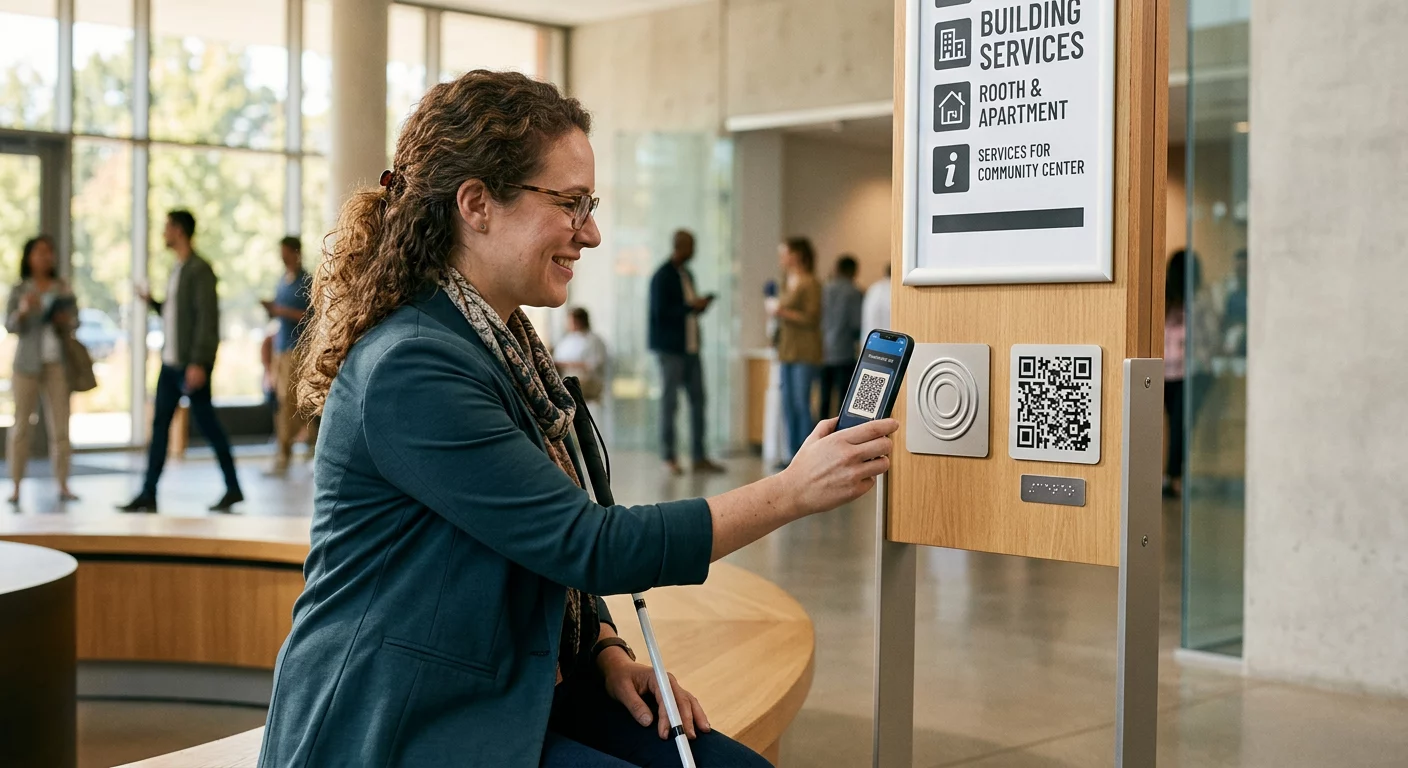
Att använda QR-koder för navigering på evenemangsplatsen förvandlar fysisk skyltning till interaktiva digitala portaler. Genom att placera koder vid kritiska beslutspunkter skapas lokaliserade ”Du är här”-stationer i hela din anläggning. När de skannas laddar dessa koder omedelbart mobilanpassade kartor, steg-för-steg-anvisningar inomhus eller schemalistor i realtid.
Eftersom dynamiska QR-koder låter dig redigera destinationslänkar efter utskrift, kan du uppdatera planlösningar eller omdirigera trafikflöden direkt utan att byta ut fysiska skyltar. Genom att integrera digitala planlösningar med en dedikerad QR-kodgenerator för event effektiviserar den övergripande publikhanteringen samtidigt som den ger omedelbar klarhet till deltagarna.
Praktiska sätt att implementera QR-kodbaserad vägvisning
Att distribuera QR-kodsnavigering på din anläggning kräver strategisk placering anpassad till specifika deltagarbehov. Här är fyra praktiska tillämpningar för eventvägvisning:
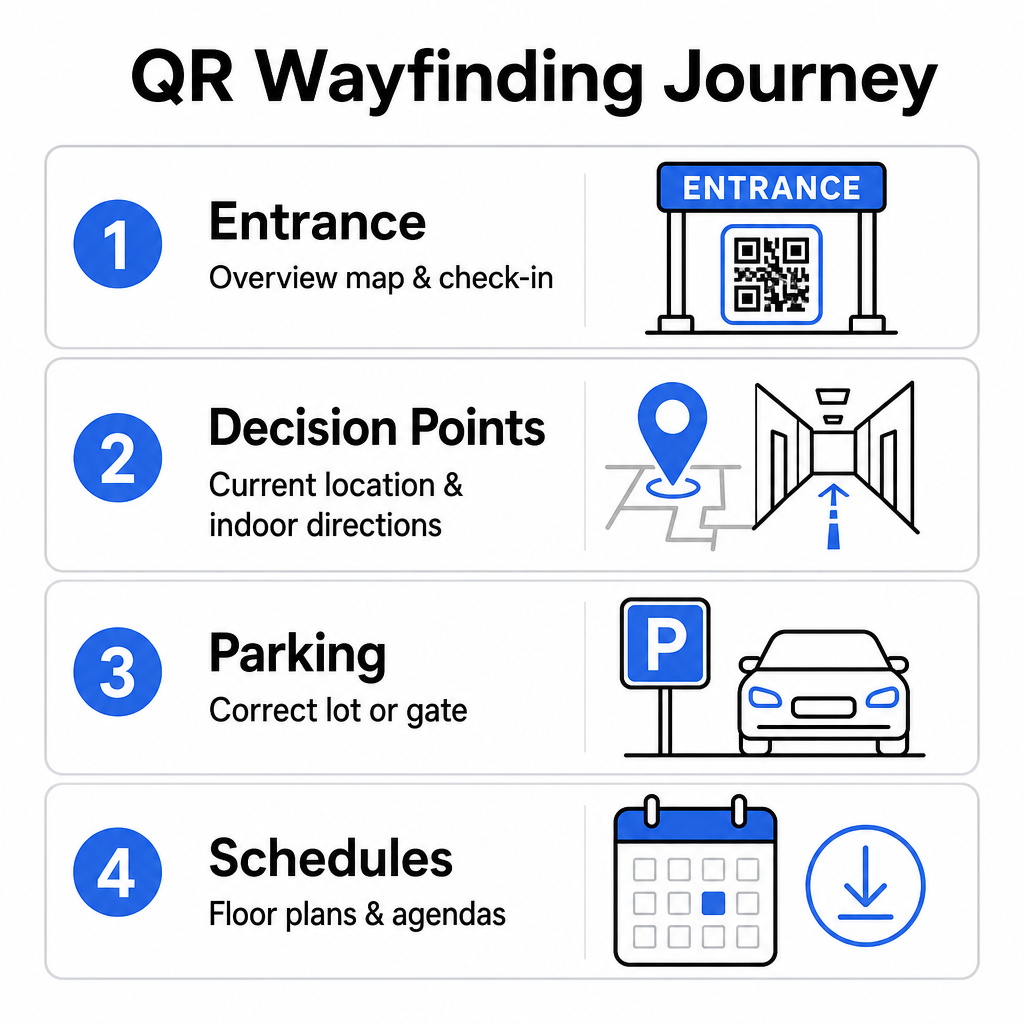
- Entré- och registreringspunkter: Placera framträdande koder nära entrégrindar och registreringsdiskar för att ge ankommande gäster en omedelbar översiktskarta över anläggningen tillsammans med incheckningsinstruktioner. Att integrera digital navigering vid entrépunkter kompletterar moderna system för evenemangsincheckning.
- Lokaliserade ”Du är här”-beslutspunkter: Stationsspecifika QR-koder vid stora korridorkorsningar, hisshallar, trappuppgångar och matplatser. Förankra varje kod så att den öppnar en digital karta förkonfigurerad för att visa användarens exakta aktuella position i byggnaden.
- Vägbeskrivningar till plats och parkering: Vägled deltagare till rätt parkeringsplats eller byggnadsingång innan de anländer till fots. Att inkludera en QR-kodgenerator för Google Maps länk på digitala biljettbekräftelser eller utomhusskyltar vid entréer dirigerar förare direkt till angivna ankomstportar.
- Nedladdningsbara scheman och planlösningar: Tillhandahåll offline-tillgängliga kartor för platser med svag mobiltäckning. Att använda en QR-kodgenerator för PDF tillåter gäster att spara högupplösta planlösningar och programguider direkt till sina mobila enheter.
Förenkla platsnavigering idag Behöver du skapa anpassade, mobilvänliga kartlänkar för ditt kommande evenemang? Använd QR-kodgenerator för event för att skapa dynamiska, spårbara koder på några minuter.
Riktlinjer för placering och tillgänglighet för vägvisningsskyltar
Ett vägvisningssystem är endast effektivt om deltagare bekvämt kan hitta och skanna fysiska skyltar. Genomtänkt placering säkerställer att navigeringsverktyg förblir funktionella och tillgängliga för varje besökare.
Optimal fysisk placering
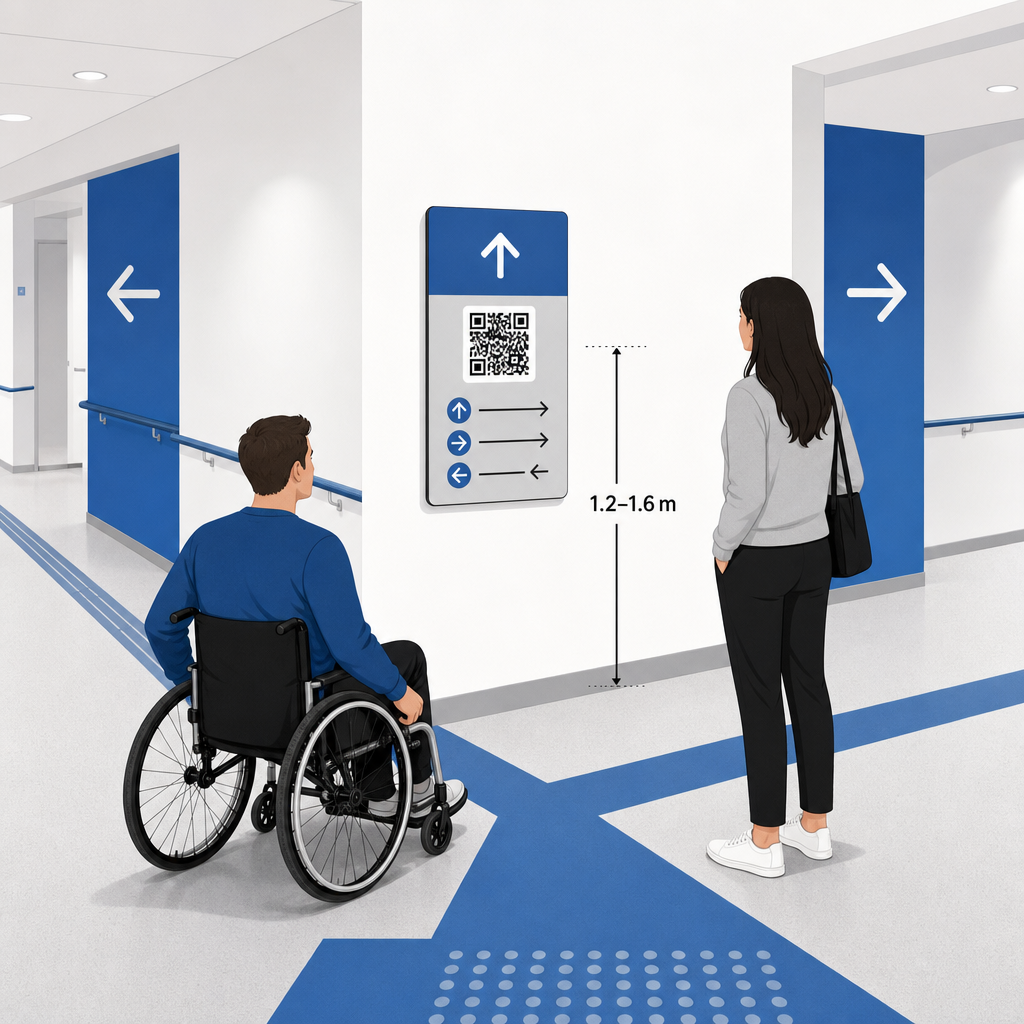
Placera vägvisningsskyltar där besökare naturligt stannar för att fatta beslut om vägval, såsom korridorkorsningar, rastplatser, food courts och hisshallar. Montera tryckta koder på en tillgänglig ögonhöjd – vanligtvis mellan 1,2 till 1,6 meter (3,5 till 5,5 fot) över golvet – så att de bekvämt förblir inom räckhåll för både stående besökare och rullstolsanvändare.
ADA och tillgänglighetsöverensstämmelse
Officiella tillgänglighetsstandarder enligt Americans with Disabilities Act (ADA) kräver att vägvisningsskyltar följer tydliga visuella regler, inklusive hög mörk-till-ljus-kontrast, icke-bländande ytor och specifika visuella karaktärsproportioner. Digitala verktyg som QR-koder fungerar som ett komplement till, snarare än en ersättning för, standardmässig tillgänglig fysisk skyltning.
För att upprätthålla full överensstämmelse och tillgänglighet:
- Behåll synlig alternativtext, utskrivna vägbeskrivningar eller personalassistans vid varje kod.
- Koppla koder med tydliga beskrivande etiketter som anger vilken information användaren får tillgång till vid skanning.
- Bygg mobila landningssidor som stöder skärmläsare och inkluderar beskrivande alternativtext för kartgrafik.
Tydliga uppmaningar till handling
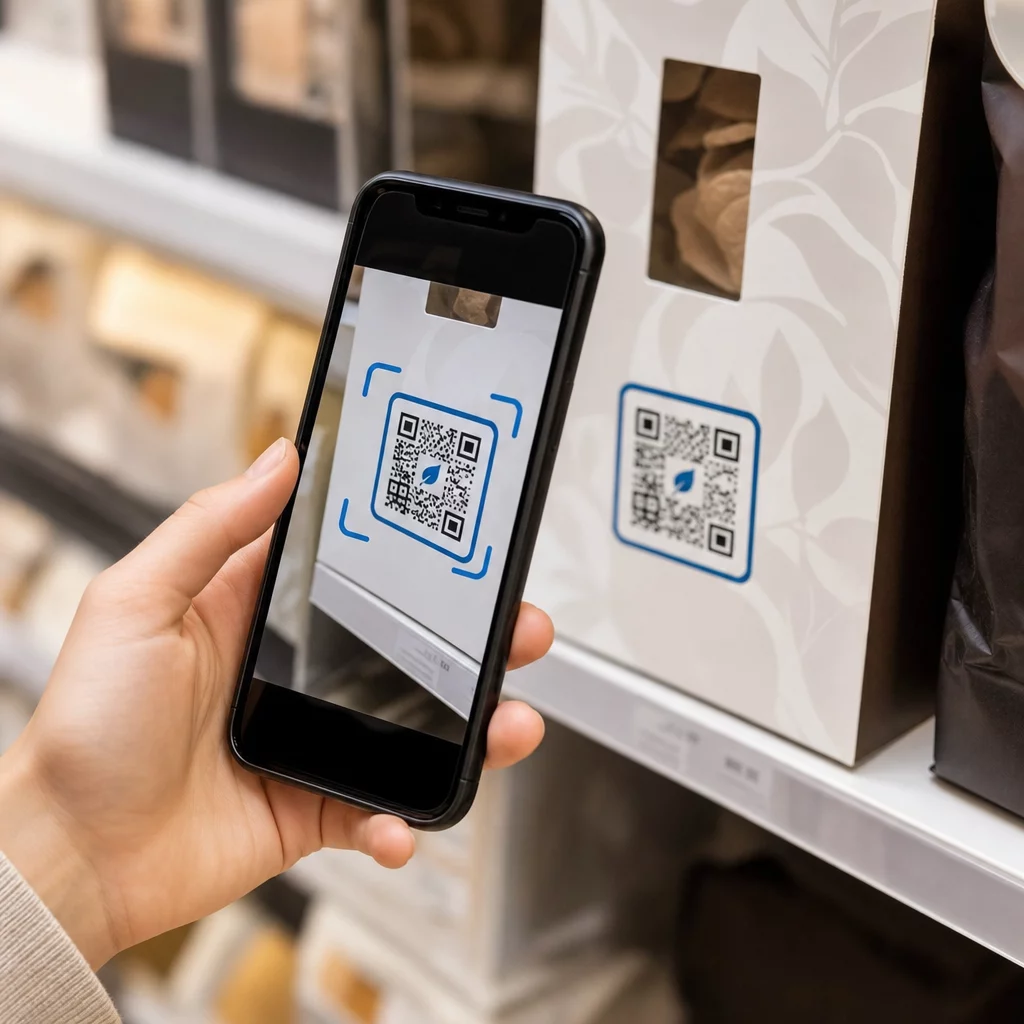
En omärkt QR-kod får besökare att gissa dess syfte. Koppla alltid varje kod med en tydlig uppmaning till handling (CTA) ram eller textetikett, såsom “Skanna för interaktiv planlösning” eller “Hitta din väg – Skanna för karta.” Genom att följa beprövade riktlinjer för QR-kodplacering på affischer ökar engagemang och skanningsfrekvens avsevärt.
Tekniska bästa praxis för skanningsbar skyltning
Att säkerställa snabb, tillförlitlig skanning över hundratals olika smartphonemodeller kräver strikt efterlevnad av grundläggande grafiska standarder.
| Faktor | Teknisk standard | Praktiskt syfte |
|---|---|---|
| Minsta utskriftsstorlek | Minst 3 x 3 cm (1,2 x 1,2 tum); 2 x 2 cm för närliggande objekt | Förhindrar kamerafokuseringsfel på täta datamoduler. |
| Skanningsavståndsförhållande | 10:1-förhållande (1 enhet kodbredd per 10 enheter avstånd) | Säkerställer att koder på stora hängande banderoller förblir skanningsbara på långt avstånd. |
| Färgkontrast | Minst 4:1 kontrastförhållande (mörka moduler på ljus bakgrund) | Hjälper telefonkamerans sensorer att omedelbart skilja moduler från bakgrunden. |
| Tyst zon-buffert | Minst 4 moduler bred (ca 0,25 tum marginal) | Förhindrar att omgivande grafik och text stör skanneravkodningen. |
| Filformat | Vektorformat (SVG, EPS, PDF) | Bibehåller skarpa kanter utan pixelering när det skrivs ut på stora skyltar. |
När du trycker vägvisande affischer och väggskyltar, välj matta, icke-reflekterande material framför glansiga ytor. Matta ytor eliminerar skarpa reflektioner från takbelysning, vilket är en av de främsta orsakerna till misslyckade mobilkameraskanningar. För detaljerade dimensionsriktlinjer, se vår omfattande storleksguide för QR-koder och granska viktiga metoder för QR-kodsläsbarhet.
Vägled besökare direkt till din plats Se till att gäster anländer till rätt entré eller parkeringsport utan förvirring. Generera platsnoggranna nålar med hjälp av QR-kodgenerator för Google Maps.
Testa och uppdatera ditt evenemangshittasystem
Noggrann validering innan dörrarna öppnas förhindrar tekniska fel under timmar med högsta besökarantal.
Verifiering före evenemanget
- Testa på flera enheter: Skanna varje publicerad kod med både Apple iOS- och Android-enheter med hjälp av standard inbyggda kameraapplikationer.
- Utvärdering av omgivningsbelysning: Inspektera tryckta skyltar under faktiska evenemangsbelysning för att identifiera potentiellt blänk eller skuggor som kastas av hallens armaturer.
- Kontroll av skanningsvinklar och avstånd: Försök skanna från realistiska ståpositioner och sidovinklar, bekräfta att koden avkodas inom 3 sekunder eller mindre.
- Verifiera nätverkets laddningshastigheter: Testa svarstider för kartans landningssida över mobilnät och gäst-Wi-Fi för att bekräfta snabba laddningstider under nätverksbelastning.
Hantera liveuppdateringar med dynamiska QR-koder
Även noggrant planerade evenemangslayouter upplever schemamässiga ändringar i sista minuten eller flytt av utställningsmontrar. Genom att använda dynamiska QR-koder behåller du full kontroll över mållandningssidorna. Om ett presentationsrum ändras eller en nödutgång behöver framhävas, uppdaterar du helt enkelt destinations-URL:en i din hanteringspanel. Den tryckta koden på väggen förblir identisk, men besökare omdirigeras omedelbart till den uppdaterade kartan.
Dessutom låter inbyggd analys dig övervaka skanningsvolymen över olika evenemangszoner i realtid. Höga skanningsantal vid specifika beslutspunkter indikerar var besökare ofta söker vägbeskrivningar, vilket ger handlingsbar data för att sätta in ytterligare golvpersonal eller kompletterande vägvisande skyltar där det behövs som mest. För avancerade positioneringsstrategier, granska vår fullständiga guide för placering av QR-koder.
Vanliga frågor
Nej. Tillgänglighetsregler kräver att fysiska hänvisningsskyltar uppfyller specifika visuella standarder, taktila krav eller högkontrastregler oberoende. QR-koder fungerar som ett hjälpsamt digitalt komplement för att vägleda besökare, men får inte ersätta primär fysisk skyltning eller tillgängliga textalternativ.
Exportera alltid din QR-kod i skalbara vektorformat som SVG, EPS eller PDF. Vektorfiler skalas till vilken storlek som helst på banderoller eller väggtryck utan att förlora skarpa modulkanter, vilket säkerställer tillförlitlig skanningsbarhet.
Dynamiska QR-koder separerar den tryckta bilden från målinnehållet. Om en monter flyttas eller ett seminarierum ändras, uppdaterar du destinationswebblänken i din instrumentpanel utan att behöva trycka om eller ersätta de fysiska skyltarna som hänger på platsen.
Att förvandla komplex lokalnavigering till en digital självbetjäningsupplevelse minskar deltagarnas frustration och håller evenemangsverksamheten igång smidigt. Genom att välja strategiska beslutspunkter, upprätthålla visuella standarder med hög kontrast och länka koder till responsiva kartsidor, ger du gästerna möjlighet att hitta rätt självständigt. Börja designa ditt lokalnavigeringssystem idag med Pageloots dynamiska verktyg för att ge tillgång till kartor i realtid över hela din anläggning.