Ali izgubljeni obiskovalci in preobremenjene informacijske točke povzročajo ozka grla na vašem prizorišču? Zmeda pri navigaciji vodi do zamujenih predavanj, frustriranih gostov in preobremenjenega osebja dogodka. Z uvedbo navigacije na osnovi QR kod dobijo obiskovalci takojšen mobilni dostop do interaktivnih zemljevidov in navodil za določeno lokacijo neposredno na svojih pametnih telefonih.
Zakaj mobilne QR kode izboljšujejo navigacijo po prizorišču
Veliki kongresni centri, festivali z več odri in razprostranjene razstavne dvorane pogosto preobremenijo obiskovalce. Tradicionalni tlorisi, natisnjeni na statičnih informacijskih tablah pri vhodih, običajno zbirajo goste množice, kar povzroča hude zastoje v glavnih koridorjih. Poleg tega, če se med dogodkom spremeni dodelitev stojnice ali urnik sobe, fizične table z zemljevidi hitro postanejo zastarele in zavajajoče.
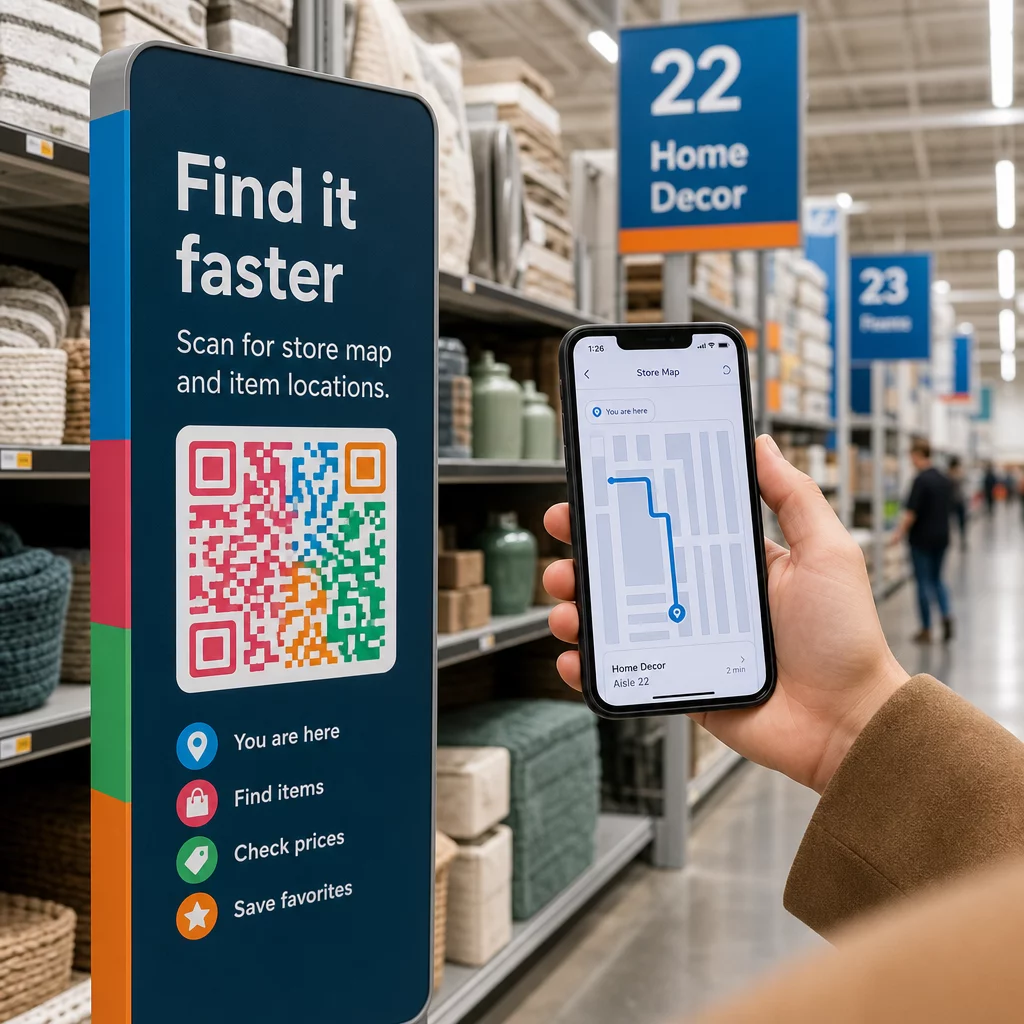
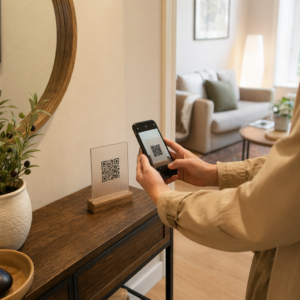
Uporaba QR kod za navigacijo po prizorišču preoblikuje fizične oznake v interaktivne digitalne portale. Postavitev kod na ključnih točkah odločanja ustvarja lokalizirane postaje “Vi ste tukaj” po celotnem objektu. Ob skeniranju te kode takoj naložijo mobilnim napravam prijazne zemljevide, podrobna navodila za notranjo navigacijo ali strani z urniki v realnem času.
Ker vam dinamične QR kode omogočajo urejanje ciljnih povezav po tiskanju, lahko takoj posodobite tlorise ali preusmerite prometne vzorce, ne da bi zamenjali fizične znake. Integracija digitalnih tlorisov z namenskim Generator QR kode za dogodke poenostavi celotno upravljanje množice, hkrati pa udeležencem zagotavlja takojšnjo jasnost.
Praktični načini za implementacijo navigacije s QR kodami
Uvedba navigacije s QR kodami po vašem prizorišču zahteva strateško postavitev, usklajeno s posebnimi potrebami obiskovalcev. Tukaj so štiri praktične uporabe za navigacijo na dogodkih:
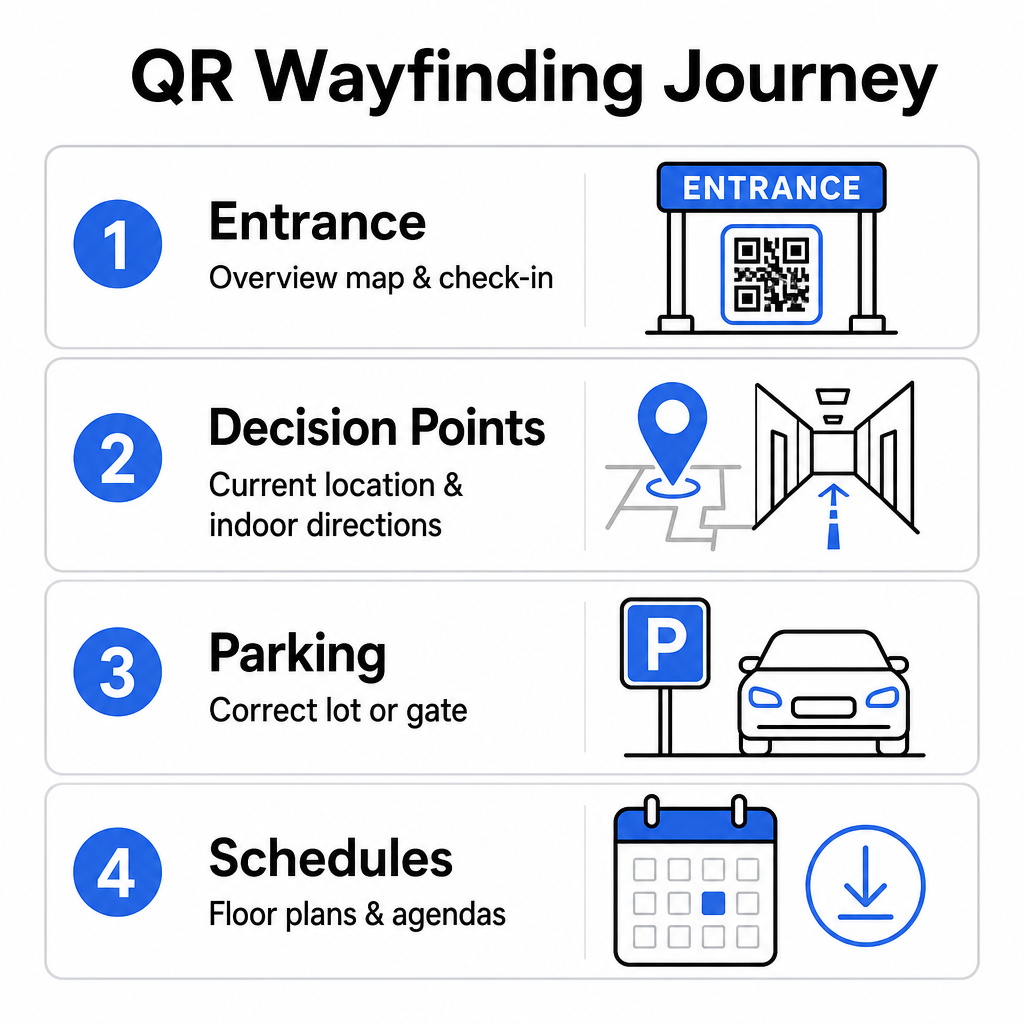
- Vhodni in registracijski centri: Postavite vidne kode blizu vhodnih vrat in registracijskih pultov, da prihodnim gostom zagotovite takojšen pregleden zemljevid objekta skupaj z navodili za prijavo. Integracija digitalne navigacije na vstopnih točkah dopolnjuje sodobne sisteme za prijavo na dogodke.
- Lokalizirane točke odločanja “Vi ste tukaj”: QR kode, specifične za postajo, na glavnih križiščih hodnikov, predprostoru dvigal, vhodih v stopnišča in jedilnicah. Vsako kodo povežite z digitalnim zemljevidom, ki je prednastavljen tako, da prikazuje natančno trenutno lokacijo uporabnika znotraj stavbe.
- Navodila za prizorišče in parkiranje: Obiskovalce usmerite na pravo parkirišče ali vhod v stavbo, še preden prispejo peš. Vključitev Generator QR kode za Google Maps povezave na potrditvah digitalnih vstopnic ali zunanjih vhodnih transparentih voznike usmeri naravnost do določenih vstopnih vrat.
- Urniki in tlorisi za prenos: Zagotovite zemljevide, dostopne brez povezave, za prizorišča s šibkim signalom mobilnega omrežja. Uporaba Generator QR kod za PDF omogoča gostom, da shranijo tlorise prizorišč visoke ločljivosti in vodnike po dogodkih neposredno na svoje mobilne naprave.
Poenostavite navigacijo po prizorišču danes Želite ustvariti prilagojene, mobilnim napravam prijazne povezave do zemljevidov za vaš prihajajoči dogodek? Uporabite Generator QR kode za dogodke za izdelavo dinamičnih kod, ki jih je mogoče slediti, v nekaj minutah.
Smernice za postavitev in dostopnost usmerjevalnih tabel
Sistem usmerjanja je učinkovit le, če lahko obiskovalci udobno najdejo in skenirajo fizične oznake. Premišljena postavitev zagotavlja, da navigacijska orodja ostanejo funkcionalna in dostopna vsakemu obiskovalcu.
Optimalna fizična postavitev
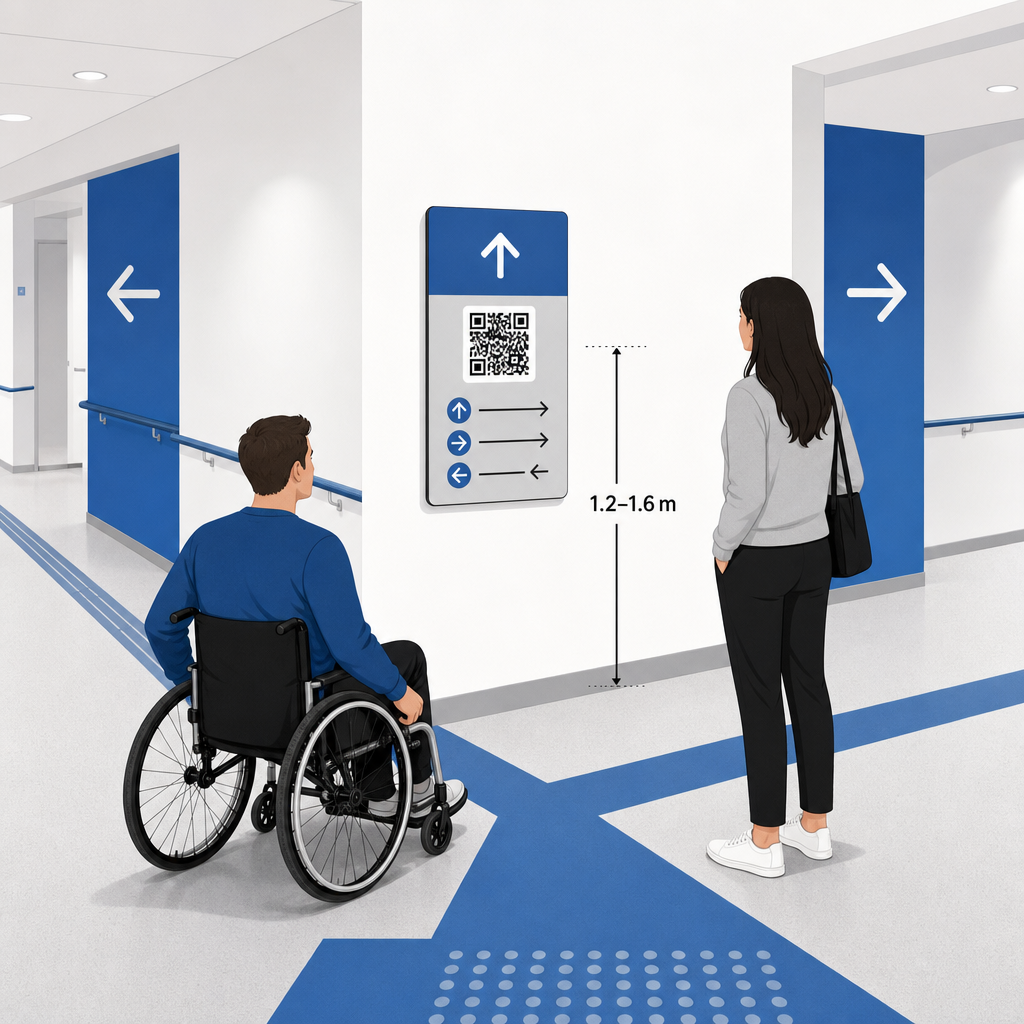
Usmerjevalne oznake postavite tam, kjer se obiskovalci naravno ustavijo, da bi se odločili za pot, kot so križišča hodnikov, počivališča, restavracije in dvigala. Natisnjene kode namestite na dostopno višino oči – običajno med 1,2 do 1,6 metra (3,5 do 5,5 čevljev) nad tlemi – tako da ostanejo udobno dosegljive tako za stoječe obiskovalce kot za uporabnike invalidskih vozičkov.
Skladnost z ADA in dostopnostjo
Uradni standardi dostopnosti v skladu z Zakonom o Američanih s posebnimi potrebami (ADA) zahtevajo, da usmerjevalne oznake upoštevajo jasna vizualna pravila, vključno z visokim kontrastom med temnim in svetlim, neodsevno površino in specifičnimi razmerji vizualnih znakov. Digitalna orodja, kot so QR kode, služijo kot dopolnilo, ne pa nadomestilo za standardne dostopne fizične oznake.
Za popolno skladnost in dostopnost:
- Zagotovite vidno nadomestno besedilo, natisnjena besedilna navodila ali pomoč osebja ob vsaki kodi.
- Kode združite z jasnimi opisnimi oznakami, ki navajajo, do katerih informacij bo uporabnik dostopil ob skeniranju.
- Zgradite mobilne pristajalne strani, ki podpirajo bralnike zaslona in vključujejo opisno nadomestno besedilo za grafiko zemljevida.
Jasni pozivi k akciji
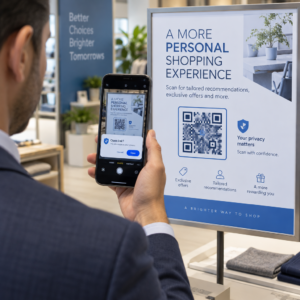
Neoznačena QR koda pusti obiskovalce ugibati o njenem namenu. Vedno združite vsako kodo z jasnim okvirjem poziva k akciji (CTA) ali besedilno oznako, kot je »Skeniraj za interaktivni tloris« ali »Poiščite pot – Skeniraj za zemljevid.« Upoštevanje preizkušenih smernic za postavitev QR kod na plakatih bistveno poveča angažiranost in stopnjo skeniranja.
Tehnične najboljše prakse za skenabilne oznake
Zagotavljanje hitrega in zanesljivega skeniranja na stotinah različnih modelov pametnih telefonov zahteva strogo upoštevanje osnovnih grafičnih standardov.
| Dejavnik | Tehnični standard | Praktični namen |
|---|---|---|
| Minimalna velikost tiska | najmanj 3 x 3 cm (1,2 x 1,2 in); 2 x 2 cm za predmete od blizu | Preprečuje težave pri ostrenju kamere na gostih podatkovnih modulih. |
| Razmerje skenirne razdalje | Razmerje 10:1 (1 enota širine kode na 10 enot razdalje) | Zagotavlja, da so kode na velikih visečih transparentih skenabilne tudi od daleč. |
| Barvni kontrast | Minimalno kontrastno razmerje 4:1 (temni moduli na svetlem ozadju) | Pomaga senzorjem kamere telefona takoj ločiti module od ozadja. |
| Mirna cona | Širok vsaj 4 module (približno 0,25-palčni rob) | Preprečuje, da bi okoliška grafika in besedilo ovirala dekodiranje skenerja. |
| Format datoteke | Vektorski formati (SVG, EPS, PDF) | Ohranja ostre robove brez pikselizacije pri tiskanju na velikih oznakah. |
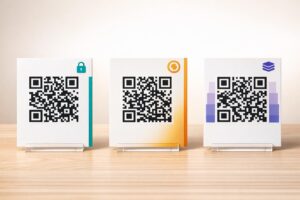
Pri tiskanju plakatov za orientacijo in stenskih tabel izberite mat, neodsevne materiale namesto sijajnih zaključkov. Mat površine odpravljajo močne odseve zgornje osvetlitve, ki so eden glavnih vzrokov za neuspešno skeniranje z mobilno kamero. Za podrobne smernice glede dimenzij si oglejte našo celovito vodniku po velikosti QR kod and review essential prakse za berljivost QR kode.
Udeležence usmerite neposredno do vašega prizorišča Zagotovite, da gostje brez zmede prispejo do pravega vhoda ali parkirnega vhoda. Ustvarite lokacijsko natančne točke z uporabo Generator QR kode za Google Maps.
Testiranje in posodabljanje vašega sistema za usmerjanje na dogodku
Temeljita validacija pred odprtjem vrat preprečuje tehnične okvare v času največje obiskanosti.
Pred-dogodkovno preverjanje
- Testiranje na več napravah: Skenirajte vsako objavljeno kodo z napravami Apple iOS in Android prek standardnih vgrajenih aplikacij za kamero.
- Ocenjevanje ambientalne osvetlitve: Preglejte natisnjene oznake pod dejanskimi lučmi prizorišča, da prepoznate morebitne bleščanje ali sence, ki jih oddajajo napeljave v dvorani.
- Preverjanje kotov in razdalj skeniranja: Poskusite skenirati iz realističnih stoječih položajev in stranskih kotov, s čimer potrdite, da se koda dekodira v 3 sekundah ali manj.
- Preverjanje hitrosti nalaganja omrežja: Preizkusite odzivne čase ciljne strani zemljevida prek mobilnih omrežij in Wi-Fi za goste, da potrdite hitre čase nalaganja pod obremenitvijo omrežja.
Upravljanje posodobitev v živo z dinamičnimi QR kodami
Celo skrbno načrtovane postavitve dogodkov doživijo spremembe urnika v zadnjem trenutku ali premestitve stojnic. Z uporabo dinamičnih QR kod ohranjate popoln nadzor nad ciljnimi pristajalnimi stranmi. Če se spremeni prostor za predstavitev ali je treba poudariti pot do zasilnega izhoda, preprosto posodobite ciljni URL v svoji nadzorni plošči. Natisnjena koda na steni ostane enaka, vendar se obiskovalci takoj preusmerijo na posodobljen zemljevid.
Poleg tega vgrajena analitika omogoča spremljanje števila skeniranj po različnih območjih prizorišča v realnem času. Veliko število skeniranj na določenih točkah odločanja kaže, kje obiskovalci pogosto iščejo navodila, kar zagotavlja uporabne podatke za napotitev dodatnega osebja ali dopolnilnih usmerjevalnih znakov tam, kjer so najbolj potrebni. Za napredne strategije pozicioniranja si oglejte našo celotno vodnikom za postavitev QR kod.
Pogosta vprašanja
Ne. Predpisi o dostopnosti zahtevajo, da fizične smerokaze izpolnjujejo določene vizualne standarde, taktilne zahteve ali pravila visokega kontrasta neodvisno. QR kode služijo kot koristen digitalni dodatek za usmerjanje udeležencev, vendar ne smejo nadomestiti primarnih fizičnih oznak ali dostopnih besedilnih alternativ.
Vedno izvozite svojo QR kodo v razširljivih vektorskih formatih, kot so SVG, EPS ali PDF. Vektorske datoteke se prilagodijo katerikoli velikosti na transparentih ali stenskih tiskih, ne da bi pri tem izgubile ostre robove modulov, kar zagotavlja zanesljivo skeniranje.
Dinamične QR kode ločijo natisnjeno sliko od ciljne vsebine. Če se stojnica premakne ali se spremeni seminarska soba, posodobite ciljno spletno povezavo na svoji nadzorni plošči, ne da bi morali ponovno tiskati ali zamenjati fizične oznake, ki visijo v prizorišču.
Preoblikovanje kompleksne navigacije po prizorišču v samopostrežno digitalno izkušnjo zmanjšuje frustracije udeležencev in zagotavlja nemoteno delovanje dogodkov. Z izbiro strateških točk odločanja, uveljavljanjem vizualnih standardov z visokim kontrastom in povezovanjem kod na odzivne pristajalne strani zemljevidov omogočite gostom, da se samostojno znajdejo. Začnite z načrtovanjem svojega navigacijskega sistema za prizorišča danes z uporabo Pagelootovih dinamičnih orodij za zagotavljanje dostopa do zemljevidov v realnem času po celotnem objektu.