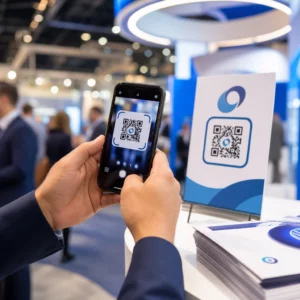
Apakah peserta yang tersesat dan meja bantuan yang ramai menyebabkan kemacetan di tempat acara Anda? Kebingungan navigasi menyebabkan sesi terlewat, tamu yang frustrasi, dan staf acara yang terlalu banyak bekerja. Menerapkan penunjuk arah berbasis QR memberikan akses seluler instan kepada peserta ke peta interaktif dan petunjuk arah spesifik lokasi langsung di ponsel cerdas mereka.
Mengapa Kode QR Seluler Meningkatkan Navigasi di Tempat Acara
Pusat konvensi besar, festival multi-panggung, dan aula pameran yang luas sering kali membuat pengunjung kewalahan. Denah lantai tradisional yang dicetak di papan pintu masuk statis cenderung mengumpulkan kerumunan padat, menyebabkan kemacetan lalu lintas yang parah di koridor utama. Selain itu, jika penugasan stan berubah atau jadwal ruangan bergeser selama acara, papan peta fisik dengan cepat menjadi usang dan menyesatkan.
Menggunakan kode QR untuk navigasi tempat acara mengubah papan informasi fisik menjadi portal digital interaktif. Menempatkan kode di titik-titik keputusan penting menciptakan stasiun “Anda Berada di Sini” yang terlokalisasi di seluruh fasilitas Anda. Saat dipindai, kode-kode ini segera memuat peta yang ramah seluler, petunjuk arah dalam ruangan langkah demi langkah, atau halaman jadwal waktu nyata.
Karena kode QR dinamis memungkinkan Anda mengedit tautan tujuan setelah dicetak, Anda dapat memperbarui denah lantai atau mengarahkan pola lalu lintas secara instan tanpa mengganti rambu fisik. Mengintegrasikan denah lantai digital dengan Generator QR Code Acara menyederhanakan manajemen keramaian secara keseluruhan sekaligus memberikan kejelasan segera kepada peserta.
Cara Praktis Menerapkan Penunjuk Arah Kode QR
Menerapkan navigasi kode QR di seluruh tempat acara Anda memerlukan penempatan strategis yang selaras dengan kebutuhan peserta tertentu. Berikut adalah empat aplikasi praktis untuk penunjuk arah acara:
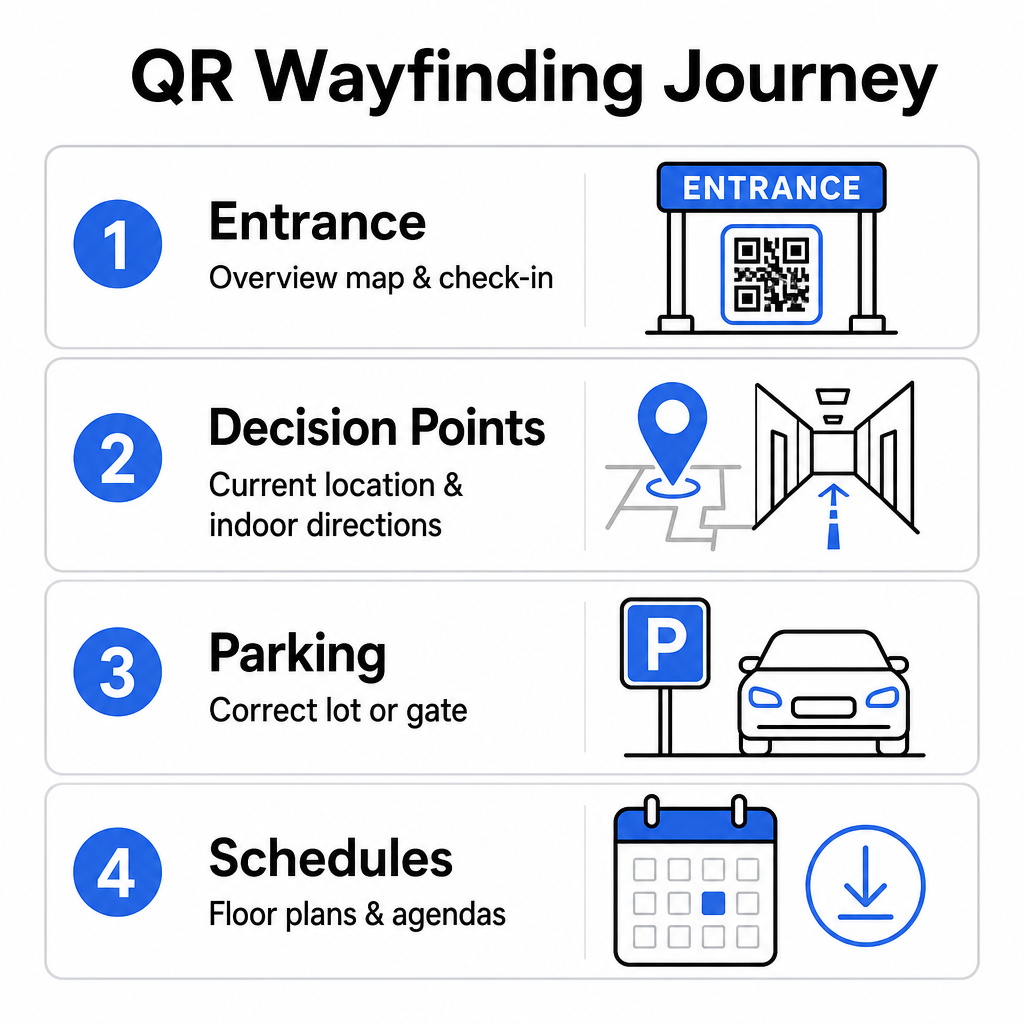
- Pusat Pintu Masuk dan Pendaftaran: Tempatkan kode yang menonjol di dekat gerbang masuk dan meja pendaftaran untuk memberikan peta ikhtisar fasilitas segera kepada tamu yang tiba beserta instruksi check-in. Mengintegrasikan navigasi digital di titik masuk melengkapi sistem check-in acara modern.
- Titik Keputusan “Anda Berada di Sini” yang Terlokalisasi: Kode QR khusus stasiun di persimpangan koridor utama, lobi lift, pintu masuk tangga, dan area makan. Tautkan setiap kode untuk membuka peta digital yang telah dikonfigurasi sebelumnya untuk menampilkan lokasi persis pengguna saat ini di dalam gedung.
- Petunjuk Arah Lokasi dan Parkir: Pandu peserta ke tempat parkir atau pintu masuk gedung yang benar sebelum mereka tiba dengan berjalan kaki. Termasuk sebuah Generator QR Code Google Maps tautan pada konfirmasi tiket digital atau spanduk pintu masuk luar ruangan mengarahkan pengemudi langsung ke gerbang kedatangan yang telah ditentukan.
- Jadwal dan Denah Lantai yang Dapat Diunduh: Sediakan peta yang dapat diakses secara offline untuk lokasi dengan jangkauan seluler yang lemah. Memanfaatkan sebuah Ubah PDF ke QR Code memungkinkan tamu untuk menyimpan denah lantai lokasi beresolusi tinggi dan panduan agenda langsung ke perangkat seluler mereka.
Sederhanakan Navigasi Lokasi Hari Ini Perlu membuat tautan peta khusus yang ramah seluler untuk acara Anda mendatang? Gunakan Generator QR Code Acara untuk membuat kode dinamis yang dapat dilacak dalam hitungan menit.
Panduan Penempatan dan Aksesibilitas untuk Rambu Penunjuk Arah
Sistem penunjuk arah efektif hanya jika peserta dapat dengan nyaman menemukan dan memindai rambu fisik. Penempatan yang cermat memastikan alat navigasi tetap berfungsi dan dapat diakses oleh setiap pengunjung.
Penempatan Fisik Optimal
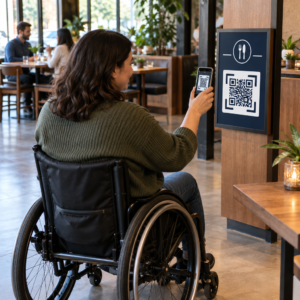
Posisikan rambu penunjuk arah di tempat pengunjung secara alami berhenti untuk membuat keputusan rute, seperti persimpangan koridor, area istirahat, pujasera, dan deretan lift. Pasang kode cetak pada ketinggian mata yang mudah dijangkau – biasanya antara 1,2 hingga 1,6 meter (3,5 hingga 5,5 kaki) di atas lantai – sehingga tetap nyaman dijangkau baik oleh pengunjung yang berdiri maupun pengguna kursi roda.
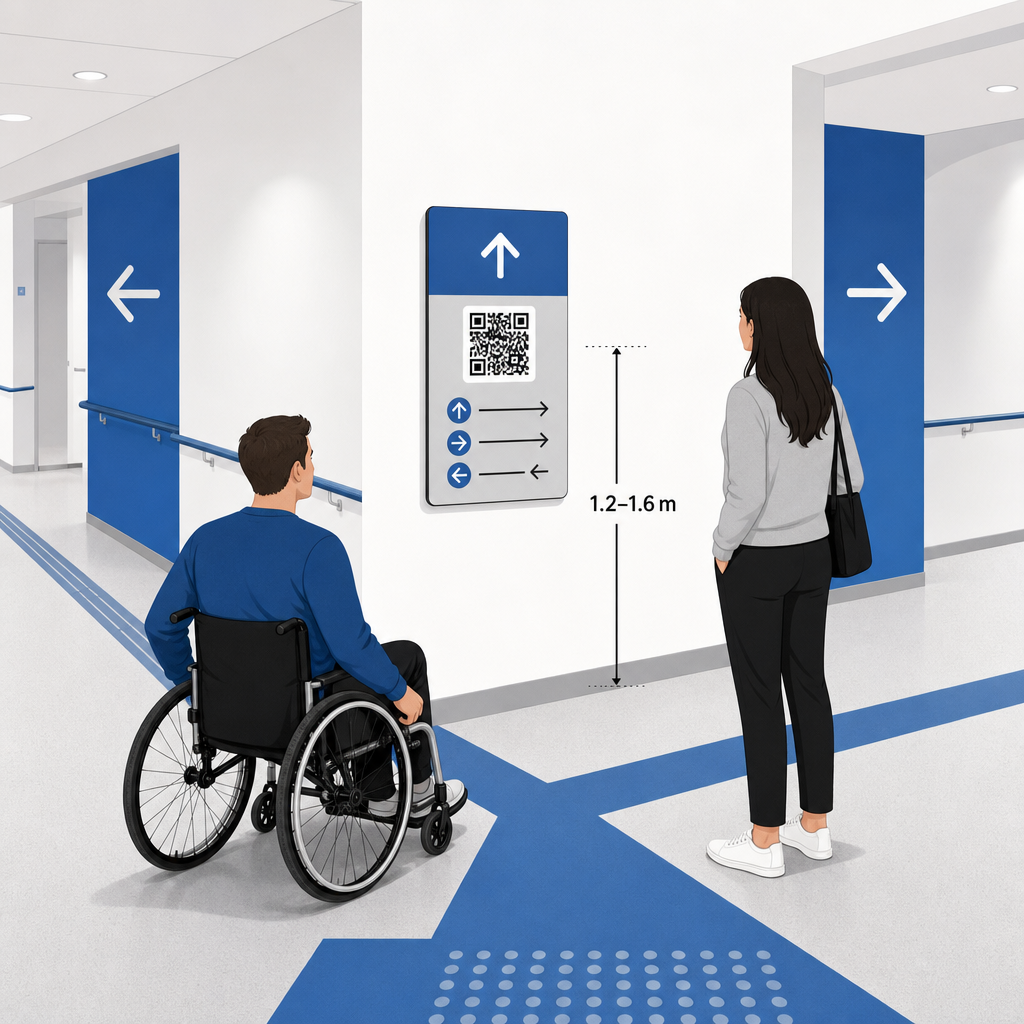
Kepatuhan ADA dan Aksesibilitas
Standar aksesibilitas resmi di bawah Americans with Disabilities Act (ADA) mensyaratkan rambu penunjuk arah untuk mengikuti aturan visual yang jelas, termasuk kontras gelap-terang yang tinggi, hasil akhir non-silau, dan proporsi karakter visual tertentu. Alat digital seperti kode QR berfungsi sebagai suplemen, bukan pengganti, rambu fisik standar yang dapat diakses.
Untuk menjaga kepatuhan dan aksesibilitas penuh:
- Pertahankan teks alternatif yang terlihat, petunjuk arah teks tercetak, atau bantuan staf di samping setiap kode.
- Pasangkan kode dengan label deskriptif yang jelas yang menyatakan informasi apa yang akan diakses pengguna setelah memindai.
- Buat halaman arahan seluler yang mendukung pembaca layar dan menyertakan teks alternatif deskriptif untuk grafis peta.
Ajakan Bertindak yang Jelas
Kode QR tanpa label membuat pengunjung bertanya-tanya tentang tujuannya. Selalu pasangkan setiap kode dengan bingkai atau label teks ajakan bertindak (CTA) yang jelas, seperti “Pindai untuk Denah Lantai Interaktif” atau “Temukan Jalan Anda – Pindai untuk Peta.” Mengikuti panduan yang terbukti untuk penempatan kode QR pada poster meningkatkan keterlibatan dan tingkat pemindaian secara signifikan.
Praktik Terbaik Teknis untuk Papan Nama yang Dapat Dipindai
Memastikan pemindaian yang cepat dan andal di ratusan model ponsel cerdas yang berbeda memerlukan kepatuhan ketat terhadap standar grafis inti.
| Faktor | Standar Teknis | Tujuan Praktis |
|---|---|---|
| Ukuran Cetak Minimum | Minimum 3 x 3 cm (1.2 x 1.2 inci); 2 x 2 cm untuk barang jarak dekat | Mencegah kegagalan fokus kamera pada modul data yang padat. |
| Rasio Jarak Pemindaian | Rasio 10:1 (1 unit lebar kode per 10 unit jarak) | Memastikan kode pada spanduk gantung besar tetap dapat dipindai dari jarak jauh. |
| Kontras Warna | Rasio kontras minimum 4:1 (modul gelap pada latar belakang terang) | Membantu sensor kamera ponsel membedakan modul dari latar belakang secara instan. |
| Batas Zona Tenang | Minimal selebar 4 modul (margin sekitar 0,25 inci) | Mencegah grafis dan teks di sekitarnya mengganggu dekode pemindai. |
| Format File | Format vektor (SVG, EPS, PDF) | Mempertahankan tepi yang tajam tanpa pikselasi saat dicetak pada papan nama besar. |
Saat mencetak poster penunjuk arah dan tanda dinding, pilih bahan matte, tidak reflektif dibandingkan hasil akhir yang mengkilap. Permukaan matte menghilangkan pantulan cahaya atas yang keras, yang merupakan salah satu penyebab utama kegagalan pemindaian kamera seluler. Untuk panduan dimensi terperinci, konsultasikan dengan kami yang komprehensif panduan ukuran kode QR dan tinjau pentingnya praktik untuk keterbacaan kode QR.
Arahkan Peserta Langsung ke Lokasi Acara Anda Pastikan tamu tiba di pintu masuk atau gerbang parkir yang benar tanpa kebingungan. Hasilkan pin yang akurat lokasi menggunakan Generator QR Code Google Maps.
Menguji dan Memperbarui Sistem Penunjuk Arah Acara Anda
Validasi menyeluruh sebelum pintu dibuka mencegah kegagalan teknis selama jam kehadiran puncak.
Verifikasi Pra-Acara
- Pengujian di berbagai perangkat: Pindai setiap kode yang diterbitkan menggunakan perangkat Apple iOS dan Android melalui aplikasi kamera bawaan standar.
- Mengevaluasi pencahayaan lingkungan: Periksa rambu tercetak di bawah lampu lokasi acara sebenarnya untuk mengidentifikasi potensi silau atau bayangan yang ditimbulkan oleh perlengkapan aula.
- Memeriksa sudut dan jarak pemindaian: Coba memindai dari posisi berdiri yang realistis dan sudut samping, mengonfirmasi bahwa kode dapat didekode dalam 3 detik atau kurang.
- Memverifikasi kecepatan pemuatan jaringan: Uji waktu respons halaman arahan peta melalui jaringan seluler dan Wi-Fi tamu untuk mengonfirmasi waktu pemuatan yang cepat di bawah beban jaringan.
Mengelola Pembaruan Langsung dengan Kode QR Dinamis
Bahkan tata letak acara yang direncanakan dengan cermat dapat mengalami perubahan jadwal mendadak atau relokasi stan. Dengan memanfaatkan kode QR dinamis, Anda mempertahankan kendali penuh atas halaman arahan target. Jika ruang presentasi berubah atau jalur keluar darurat memerlukan penyorotan, cukup perbarui URL tujuan di dasbor manajemen Anda. Kode yang dicetak di dinding tetap sama, tetapi peserta akan langsung dialihkan ke peta yang diperbarui.
Selain itu, analitik bawaan memungkinkan Anda memantau volume pemindaian di berbagai zona lokasi acara secara real time. Jumlah pemindaian yang tinggi pada titik-titik keputusan tertentu menunjukkan di mana peserta sering mencari arah, memberikan data yang dapat ditindaklanjuti untuk menempatkan staf lapangan tambahan atau rambu-rambu penunjuk arah tambahan di tempat yang paling dibutuhkan. Untuk strategi penentuan posisi lanjutan, tinjau panduan lengkap kami panduan penempatan kode QR.
Pertanyaan yang sering diajukan
Tidak. Peraturan aksesibilitas mensyaratkan rambu penunjuk arah fisik untuk memenuhi standar visual tertentu, persyaratan taktil, atau aturan kontras tinggi secara independen. Kode QR berfungsi sebagai pelengkap digital yang membantu untuk memandu peserta, tetapi tidak boleh menggantikan rambu fisik utama atau alternatif teks yang dapat diakses.
Selalu ekspor kode QR Anda dalam format vektor skalabel seperti SVG, EPS, atau PDF. File vektor dapat diskalakan ke ukuran apa pun pada spanduk atau cetakan dinding tanpa kehilangan tepi modul yang tajam, memastikan kemampuan pemindaian yang andal.
Kode QR Dinamis memisahkan gambar cetak dari konten target. Jika sebuah stan bergeser atau ruang seminar berubah, Anda memperbarui tautan web tujuan di dasbor Anda tanpa perlu mencetak ulang atau mengganti tanda fisik yang tergantung di lokasi acara.
Mengubah navigasi lokasi yang kompleks menjadi pengalaman digital swalayan mengurangi frustrasi peserta dan menjaga operasional acara berjalan lancar. Dengan memilih titik keputusan strategis, menerapkan standar visual kontras tinggi, dan menautkan kode ke halaman arahan peta yang responsif, Anda memberdayakan tamu untuk menemukan jalan mereka secara mandiri. Mulai rancang sistem navigasi lokasi Anda hari ini menggunakan alat dinamis Pageloot's untuk menyediakan akses peta real-time di seluruh fasilitas Anda.