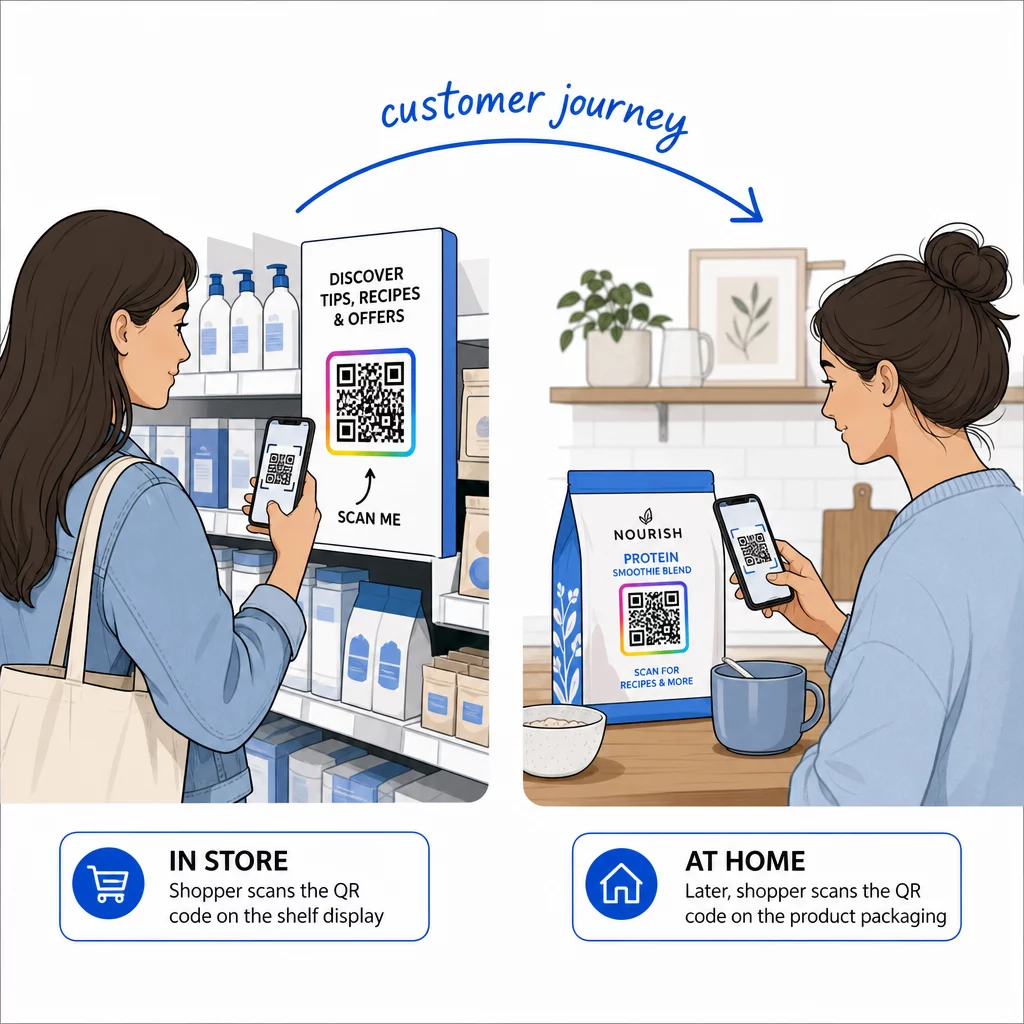
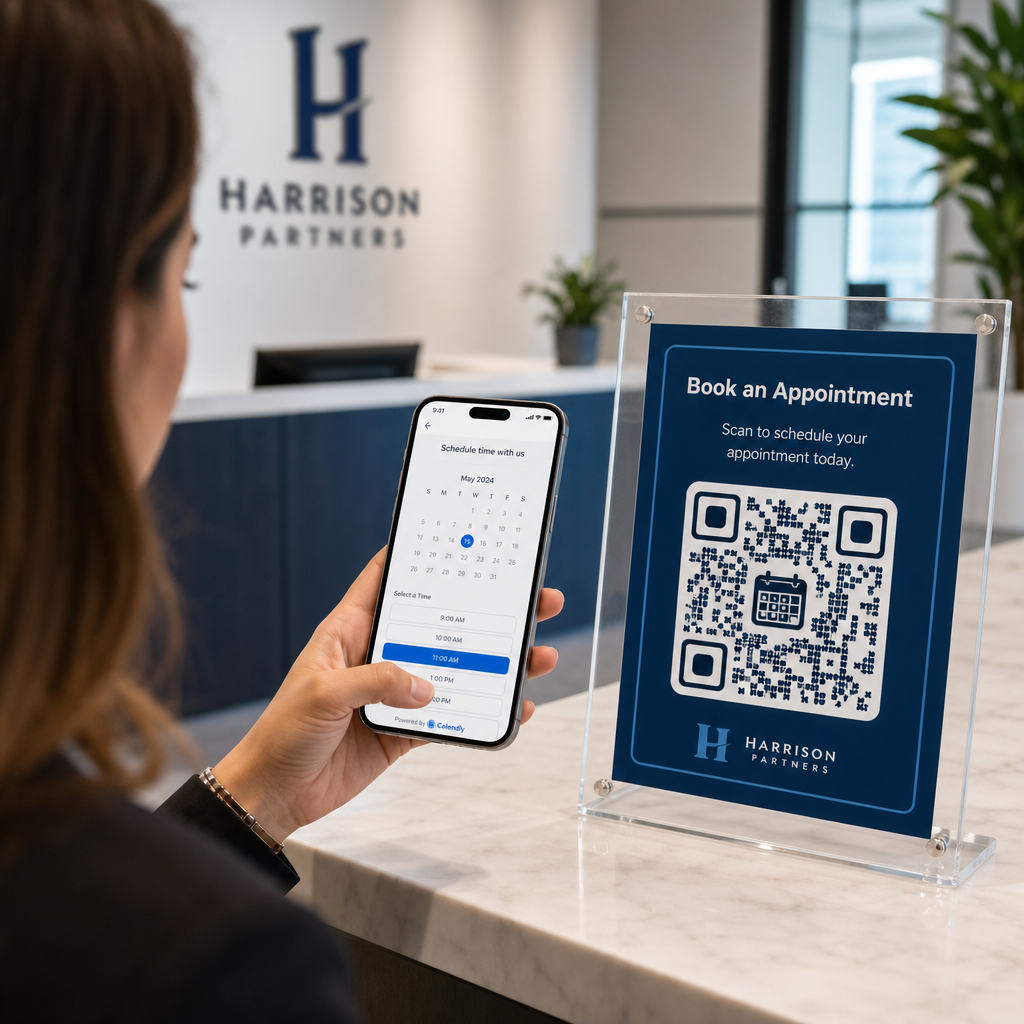
Как узнать, работают ли ваши печатные объявления на самом деле? Без способа измерить отклики вы гадаете – и потраченные впустую рекламные расходы быстро накапливаются. QR-коды решают эту проблему, превращая каждое размещение в печати в отслеживаемую цифровую точку контакта, предоставляя вам конкретные данные о том, кто взаимодействовал, когда и что они сделали дальше.
Почему печатные объявления трудно измерить без QR-кодов
Традиционная печатная реклама – журналы, прямая почтовая рассылка, плакаты, листовки – всегда страдала от пробела в атрибуции. Вы можете оценить охват на основе тиражей, но нет встроенного способа узнать, сколько читателей на самом деле отреагировали на конкретное объявление, не говоря уже о том, что они сделали потом.
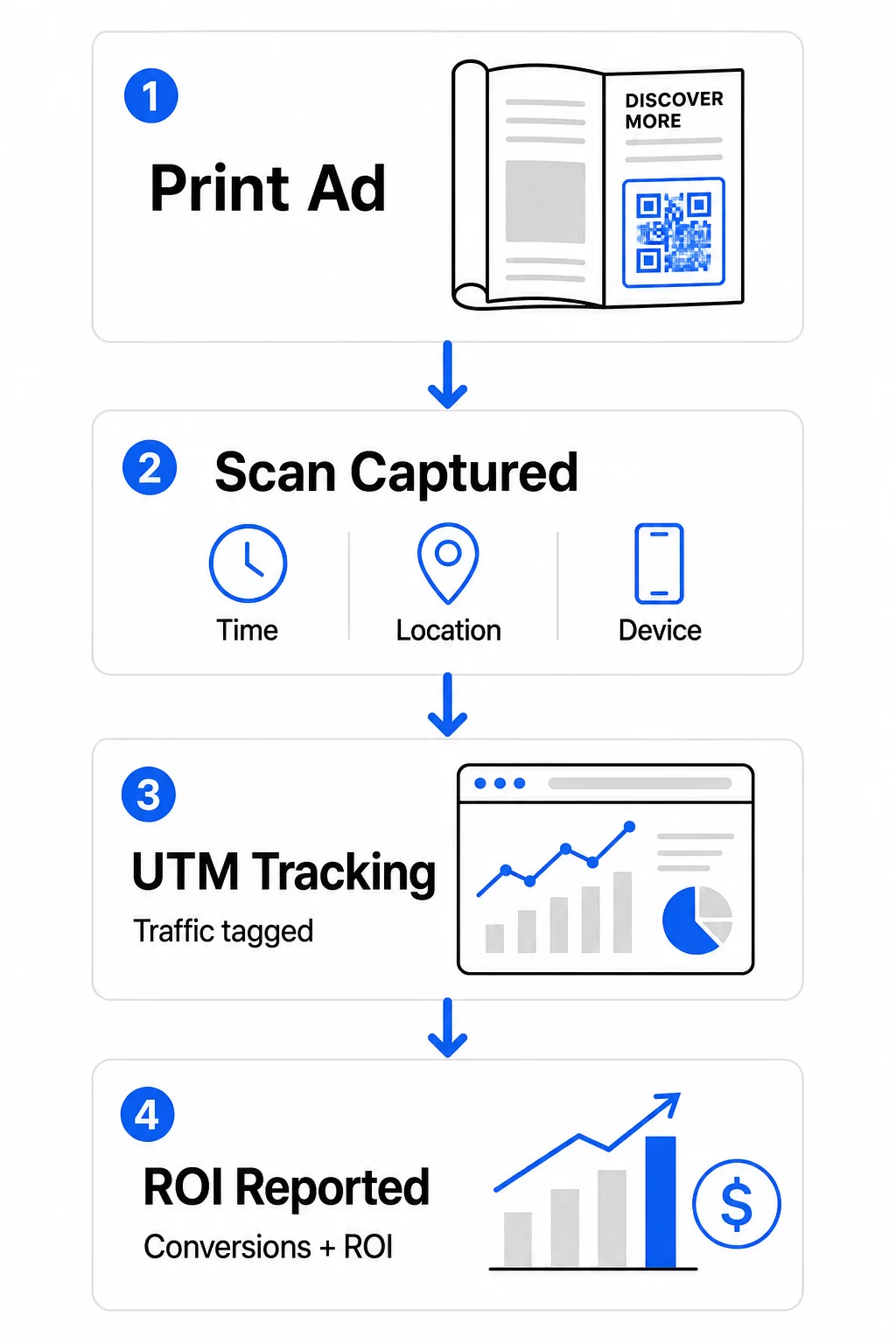
QR-коды устраняют этот пробел. Когда читатель сканирует код в вашем печатном материале, это действие регистрируется в цифровом виде. Вы фиксируете событие сканирования, местоположение, тип устройства и время – и если URL-адрес назначения включает UTM-параметры, вы можете отслеживать этого пользователя вплоть до покупки, регистрации или загрузки. Офлайн-впечатление становится измеримой цифровой конверсией.
Вот почему QR-коды стали стандартным инструментом для атрибуции печатных кампаний. Используя уникальные QR-коды для разных размещений – один для каждого журнала, один для каждой партии прямой почтовой рассылки, один для каждого места на рекламном щите – вы можете сравнивать эффективность по каналам так же, как вы сравниваете платные цифровые кампании.
Превратите печатные размещения в измеримые кампании Использовать Динамический QR код: генератор для создания уникальных, отслеживаемых кодов для каждого печатного размещения и начала сбора реальных данных о вовлеченности.
Статические против динамических QR-кодов для отслеживания
Не все QR-коды поддерживают отслеживание. Понимание разницы между статическими и динамическими кодами является основой любой стратегии измерения в печати.
Статические QR-коды кодируют URL-адрес назначения непосредственно в шаблон кода. После печати назначение не может быть изменено, и нет механизма для регистрации событий сканирования. Они хорошо подходят для ссылки на постоянный контент, но не предоставляют аналитики.
Динамические QR-коды вместо этого кодируют короткий URL-адрес перенаправления. При сканировании перенаправление разрешается до выбранного вами назначения – и платформа регистрирует событие сканирования с отметкой времени, местоположением и данными устройства. Поскольку URL-адрес перенаправления остается фиксированным, а назначение может меняться, вы можете обновлять связанный контент в любое время без перепечатки ваших материалов.
Для отслеживания печатной рекламы, динамические QR-коды являются единственным практическим вариантом. Они предоставляют вам данные сканирования, необходимые для измерения эффективности кампании, и гибкость для корректировки целевых страниц на основе того, что показывают данные.
Настройка QR-кодов для отслеживания печатных кампаний
Создавайте уникальные коды для каждого размещения
Самое важное правило для отслеживания в печати – один QR-код на одно размещение. Если вы размещаете одно и то же объявление в трех разных журналах, используя один общий QR-код, вы увидите общие количества сканирований, но не узнаете, какое издание принесло результаты.
Присвойте отдельный QR-код каждому:
- Публикации или каналу (например, каждому названию журнала)
- Географической зоне распространения (например, рассылки для Северо-Востока против Западного побережья)
- Формату или размеру объявления (например, полностраничное против полустраничного)
- Периоду проведения кампании или временному интервалу
Этот подход позволяет напрямую сравнивать эффективность различных размещений и направлять будущие расходы на то, что работает. Pageloot’s инструменты управления кампаниями позволяют организовывать коды по кампаниям, назначать их суб-аккаунтам для разных команд и управлять всеми размещениями с единой панели управления.
Добавьте UTM-параметры к вашим целевым URL-адресам
Данные сканирования с вашей платформы QR-кодов показывают, сколько людей взаимодействовало с вашей печатной рекламой. UTM-параметры сообщают, что эти люди делали после сканирования. Вместе они дают полную картину атрибуции.
UTM-параметры — это теги, добавляемые к вашему целевому URL-адресу, которые идентифицируют источник трафика в Google Analytics. Правильно помеченный URL-адрес для печатной кампании может выглядеть так:
`https://yourwebsite.com/landing-page?utmsource=voguemagazine&utmноситель=QRкод&utmcampaign=falllaunch_2025`
При такой настройке каждый сеанс, который начинается со сканирования этого QR-кода, появляется в Google Analytics с меткой, соответствующей этому конкретному размещению. Затем вы можете измерять последующие действия – покупки, заполнение форм, загрузки контента – и приписывать их печатной рекламе, которая сгенерировала сканирование.
Для полного обзора соглашений об именовании и отчетности GA4, руководство по UTM-параметры для QR-кодов подробно описывает настройку.
Подключение сканирований из печати к Google Analytics Pageloot’s функции аналитики позволяют добавлять параметры UTM при создании QR-кода, чтобы каждое сканирование автоматически атрибутировалось в GA4.
Создавайте коды, которые действительно сканируются
Отслеживание работает только в том случае, если люди сканируют ваши коды. Несколько технических требований применимы специально к печатным материалам:
- Минимальный размер: 0,8 × 0,8 дюйма для стандартных печатных материалов, таких как визитные карточки или листовки; пропорционально увеличивайте для плакатов и вывесок, используя правило 10:1 – не менее одного дюйма ширины QR-кода на каждые десять дюймов ожидаемого расстояния сканирования
- Контрастность: Высокий контраст между темными модулями и светлым фоном крайне важен; избегайте низкоконтрастных сочетаний, таких как светло-серый на белом, и никогда не инвертируйте цвета
- Размещение: Уровень глаз идеален для плакатов и вывесок, обычно на высоте от 3,5 до 5,5 футов от земли; избегайте изогнутых поверхностей, таких как этикетки на бутылках или сгибы журналов, где искажение может помешать сканированию
- Формат файла: Используйте векторные форматы (EPS или SVG) для крупноформатной печати; PNG или JPEG достаточно для материалов меньшего размера
Добавление рамки с призывом к действию – “Сканируйте для эксклюзивного предложения” или “Получите мгновенный доступ” – рядом с кодом дает читателям четкую причину для взаимодействия. Брендированные QR-коды, включающие ваш логотип и цвета, также повышают узнаваемость и доверие. Подробные рекомендации по размеру и размещению вы найдете в руководстве по использованию QR-кодов в печатных СМИ.
Метрики, важные для атрибуции печатной рекламы
Как только ваши коды будут запущены, собранные вами данные делятся на две категории: метрики вовлеченности, которые измеряют, сколько людей отреагировали на вашу печатную рекламу, и метрики конверсии, которые измеряют, что эти люди сделали дальше.
Вот разбивка ключевых метрик для отслеживания:
| Метрика | Что измеряется | Почему это важно |
|---|---|---|
| ВСЕГО СКАНИРОВАНИЙ | Каждое событие сканирования, включая повторные сканирования | Показывает общий охват кампании |
| Уникальные сканирования | Отдельные устройства, которые сканировали | Отражает фактический размер аудитории |
| Коэффициент сканирования | Сканирования относительно предполагаемого показа рекламы | Оценивает эффективность креатива и размещения |
| Местоположение сканирования | Географическое распределение сканирований | Определяет высокоэффективные регионы |
| Тип устройства | iOS, Android, десктоп | Направляет мобильную оптимизацию для целевых страниц |
| Пиковое время сканирования | Когда сканирования происходят в течение дня или недели | Информирует стратегию выбора времени для будущих кампаний |
| Коэффициент конверсии | Действия, предпринятые после сканирования (покупки, регистрации) | Измеряет реальное влияние на бизнес |
Общее количество сканирований против уникальных сканирований является важным различием. Общее количество сканирований учитывает каждое срабатывание кода, включая многократные сканирования одним и тем же человеком. Уникальные сканирования используют идентификацию на уровне устройства для подсчета отдельных пользователей, что дает вам более точное представление о фактическом охвате аудитории. Для печатных кампаний уникальные сканирования обычно являются более значимым показателем.
В показатель сканирования является печатным эквивалентом показателя кликабельности – он показывает, какой процент людей, видевших вашу рекламу, фактически отреагировал. Вы можете оценить это, разделив уникальные сканирования на тираж или предполагаемую аудиторию для данного размещения.
Для более глубокого изучения аналитики корпоративного уровня, статья о ключевые метрики аналитики QR-кодов рассказывает, как выйти за рамки подсчета сканирований для измерения подлинного влияния на бизнес.
Использование аналитики в реальном времени для оптимизации кампаний в процессе их проведения
Одним из значительных преимуществ динамических QR-кодов по сравнению с традиционными печатными измерениями является возможность действовать на основе данных, пока кампания еще продолжается. С аналитикой в реальном времени вам не нужно ждать окончания кампании, чтобы узнать, что сработало.
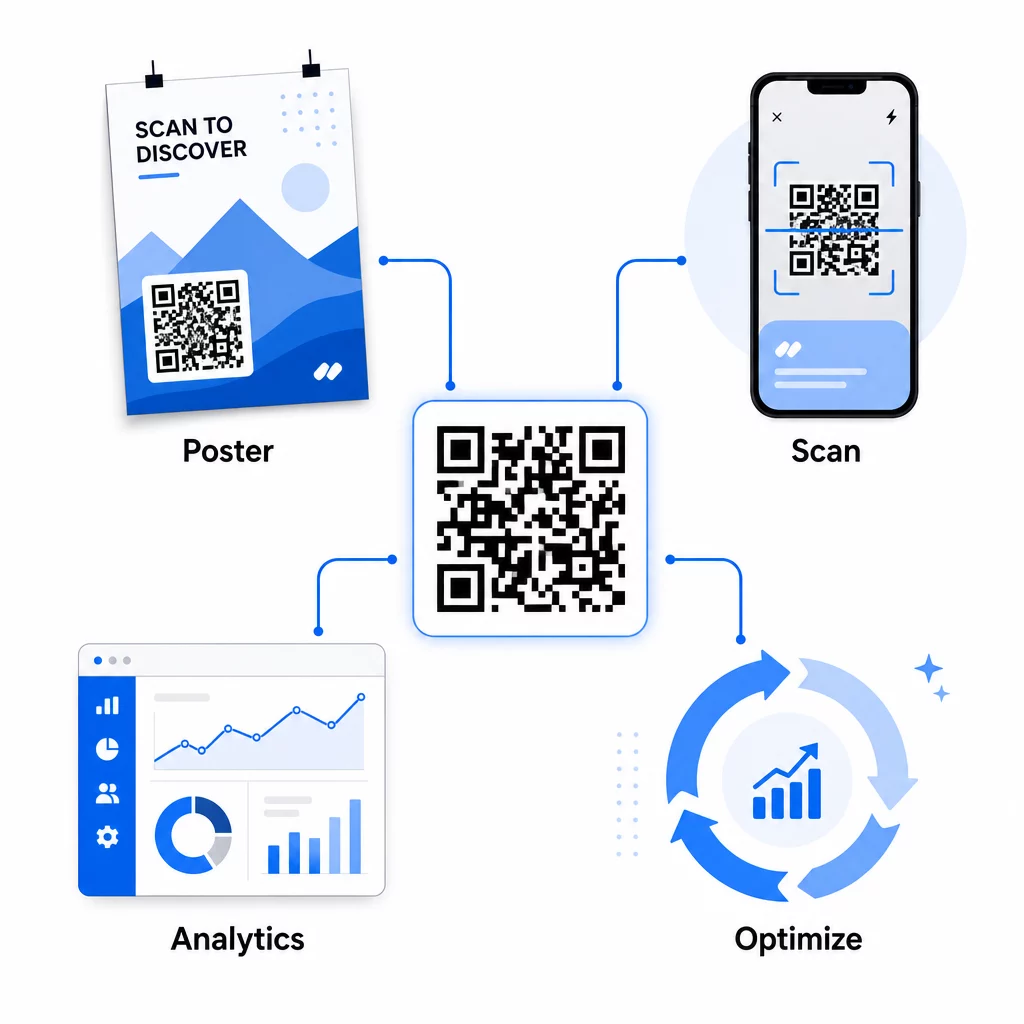
Практические оптимизации в середине кампании включают:
- Обновление целевого URL если исходная целевая страница плохо конвертирует – без перепечатки каких-либо материалов
- Корректировка распределения расходов путем приостановки размещений с низкими показателями сканирования и увеличения инвестиций в высокоэффективные каналы
- A/B-тестирование целевых страниц путем маршрутизации трафика с одного и того же QR-кода на разные направления в разное время
- Выявление географических закономерностей в данных сканирования и адаптация последующих сообщений для регионов с высокой ответной реакцией
Панель аналитики Pageloot в реальном времени интегрируется с Google Analytics, поэтому вы можете просматривать трафик, генерируемый QR-кодами, наряду с другими вашими цифровыми каналами. Это дает вам полное представление о том, как ваши печатные кампании способствуют общему пути клиента – от момента, когда кто-то видит рекламу, до окончательной конверсии.
Мониторинг вашей кампании в реальном времени Хотите точно знать, где и когда ваши клиенты сканируют ваши печатные материалы? Используйте аналитические инструменты QR-кодов Pageloot для доступа к полной панели производительности и оптимизации кампаний, пока они еще запущены.
Динамические QR-коды для гибких, текущих кампаний
Для кампаний, которые проводятся на нескольких площадках или в течение разных периодов времени, динамические QR-коды обеспечивают уровень гибкости, недоступный статическим кодам. Вы можете тестировать сезонные предложения, обновлять целевые страницы, чтобы отражать текущие акции, и перенаправлять трафик, не затрагивая печатные материалы.
Эта гибкость особенно ценна для:
- Долгосрочные печатные кампании где предложения меняются (например, сезонные акции на упаковке или вывесках)
- Многолокационные кампании где региональные целевые страницы должны отличаться
- Оптимизация бюджета где вы хотите перенаправить трафик с неэффективных размещений на более сильные
Поскольку сам QR-код никогда не меняется – меняется только пункт назначения, на который он указывает – ваши печатные материалы остаются действительными неограниченное время. Это исключает затраты на перепечатку, сохраняя при этом актуальность контента вашей кампании.
Соединение QR-кодов с инструментами автоматизации маркетинга расширяет эти возможности. Когда сканирование запускает вход в последовательность электронных писем или рабочий процесс CRM, каждое взаимодействие с печатной рекламой может инициировать структурированный путь клиента – а не просто одноразовое посещение веб-сайта. Pageloot поддерживает интеграции с такими платформами, как HubSpot и Zapier, для обеспечения этих автоматизированных рабочих процессов.
Доказательство рентабельности инвестиций от печатных кампаний
Конечная цель отслеживания QR-кодов в печати – доказательство рентабельности инвестиций. При правильной настройке вы можете рассчитать это напрямую.
Если вы знаете стоимость вашей печатной кампании и можете отнести конверсии – покупки, лиды, регистрации – к конкретным сканированиям QR-кодов через параметры UTM и Google Analytics, вы можете рассчитать стоимость привлечения для каждого размещения. Это дает вам ту же подотчетность, которую вы ожидаете от цифровой рекламы, примененной к офлайн-медиа.
Ключевые шаги для реализации этого:
- Используйте уникальные QR-коды для каждого размещения, чтобы атрибуция была чистой
- Помечайте целевые URL-адреса параметрами UTM, чтобы GA4 фиксировал полный путь конверсии
- Настройте цели конверсии в GA4 для действий, которые важны для вашего бизнеса
- Используйте аналитическую панель Pageloot для перекрестной проверки данных сканирования с данными конверсии
Для команд, управляющих несколькими клиентами или кампаниями одновременно, инструменты для маркетинговых агентств в Pageloot позволяют отслеживать производительность по всем кампаниям в одном месте и представлять четкие отчеты по атрибуции заинтересованным сторонам. QR-коды не просто делают печатную рекламу интерактивной – они делают ее измеримой. Объединяя динамические QR-коды, целевые URL-адреса с UTM-метками и платформу с аналитикой в реальном времени, вы можете приписывать офлайн-взаимодействие с печатью цифровым результатам с той же точностью, которую вы применили бы к любому цифровому каналу. Начните с создания уникальных кодов для каждого из ваших текущих печатных размещений и посмотрите, какие из них действительно приносят результаты.
Начните с Создать QR код бесплатно или изучите динамическое отслеживание QR-кодов чтобы увидеть все возможности, доступные для ваших печатных кампаний.
Часто задаваемые вопросы
Да, если вы используете динамические QR-коды. Динамические коды указывают на URL-адрес перенаправления, который вы контролируете. Вы можете обновить пункт назначения – будь то новая целевая страница, сезонное предложение или измененный URL-адрес с UTM-метками – без изменения напечатанного QR-кода. Физические материалы остаются действительными, а ваше отслеживание продолжается бесперебойно.
Общее количество сканирований учитывает каждый раз, когда код активируется, включая многократные сканирования одним и тем же человеком. Уникальные сканирования учитывают отдельные устройства, давая вам более четкое представление о том, сколько разных людей откликнулись на вашу рекламу. Для измерения охвата печатной рекламы и расчета коэффициентов сканирования уникальные сканирования обычно более значимы.
Добавьте параметры UTM к целевому URL-адресу, встроенному в ваш QR-код. Когда кто-то сканирует код и попадает на ваш веб-сайт, Google Analytics записывает сеанс с этими UTM-метками. Если вы настроили цели конверсии в GA4 – покупки, отправки форм, загрузки – вы сможете точно увидеть, сколько конверсий произошло от каждого размещения в печати. Это основа атрибуции "офлайн-в-цифру" для печатных кампаний.