Perguntando-se como colocar um código QR escaneável em um copo de café sem que ele falhe toda vez que um cliente aponta o telefone para ele? Um código mal projetado em uma superfície curva frustra os clientes e desperdiça sua tiragem de impressão. Este guia o orienta em cada decisão, desde o posicionamento até o conteúdo, para que seus copos realmente entreguem resultados.
Por Que Copos de Café São Uma Superfície Valiosa para Códigos QR
Copos de café passam vários minutos nas mãos de um cliente. Esse tempo de permanência é uma oportunidade de marketing que a maioria das marcas subutiliza.
Quase 83,4 milhões de adultos dos EUA escanearam um código QR em 2022, um número projetado para atingir 42.6% dos usuários adultos de smartphones até 2025. Separadamente, 45% dos compradores dos EUA escanearam um código QR relacionado a marketing em uma janela de três meses, com jovens de 18 a 29 anos liderando a adoção. Cafeterias, cafés e programas de merchandising de marca estão na interseção de dois dos principais casos de uso de código QR que os consumidores relatam: menus de restaurantes e informações de produtos de alimentos e bebidas.
Um copo com um código QR bem executado pode realizar qualquer um dos seguintes sem adicionar tempo da equipe:
- Direcionar clientes para um menu digital ou especiais sazonais
- Solicitar uma avaliação do Google imediatamente após uma experiência positiva
- Entregar um cupom de desconto para uma visita de retorno
- Impulsionar seguidores nas redes sociais ou inscrições em concursos
- Fornecer informações sobre alérgenos ou origem para clientes preocupados com a saúde
O desafio é puramente técnico: os copos curvam, e os códigos QR não.
Como Superfícies Curvas Afetam a Capacidade de Escaneamento
Um código QR impresso plano em papel escaneia facilmente porque cada módulo – os pequenos quadrados que compõem o código – fica no mesmo plano. Quando esse mesmo código envolve um cilindro, os módulos nas bordas se curvam para longe da linha de visão da câmera. O scanner vê uma grade distorcida, e a decodificação falha.
Este não é um problema hipotético. É a razão mais comum pela qual os códigos QR em copos não funcionam. Compreender a geometria ajuda você a projetá-lo.
Três fatores físicos trabalham contra você:
- Distorção por curvatura: Módulos nas laterais do código se curvam para longe da câmera, fazendo-os parecer comprimidos ou invisíveis.
- Acabamentos reflexivos: Revestimentos ou laminados brilhantes de copos criam reflexo que apaga o contraste, particularmente sob a iluminação superior de cafés.
- Registro de impressão: A fabricação de copos de papel envolve costuras e junções; um código que se estende por uma costura não escaneará de forma confiável.
Cada um destes tem uma correção técnica direta, abordada nas seções abaixo.
Dimensionamento e Posicionamento em um Copo
Mantenha o Código na Área Mais Plana Possível
Coloque seu código QR na seção do copo com a menor curvatura. Para um copo de papel padrão, isso significa evitar o topo perto da borda e o afunilamento da base. A faixa central do copo geralmente oferece a zona imprimível mais plana.
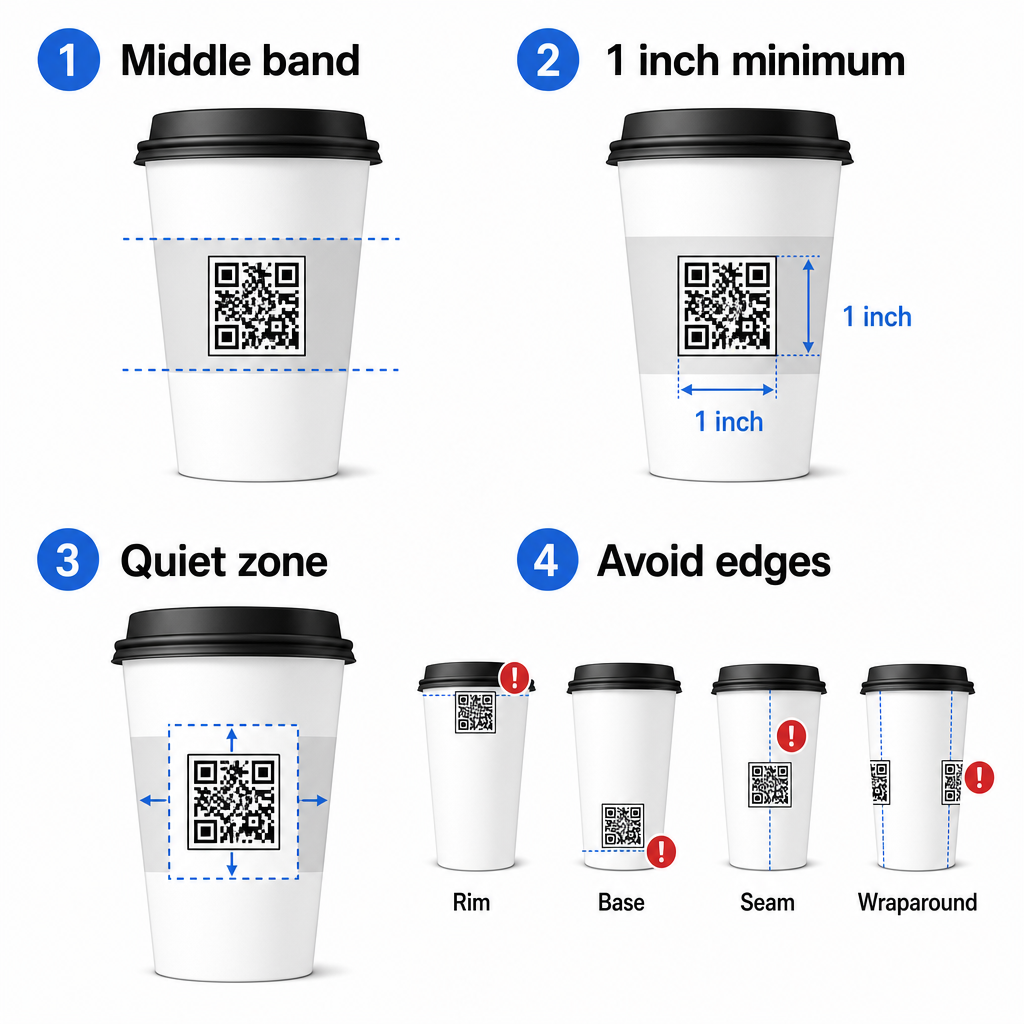
Se você estiver trabalhando com uma caneca promocional de lados planos ou um copo de viagem quadrado, você tem um painel plano natural – use-o. Para canecas de cerâmica cilíndricas, trate a face frontal como sua zona alvo.
Dimensione o Código para Superfícies Curvas
Para impressão plana, um tamanho mínimo de 0,8 pol × 0,8 pol (cerca de 2 cm × 2 cm) é a recomendação padrão para escaneamento de perto. Em uma superfície curva, esse mínimo não é suficiente. Como a curvatura distorce o tamanho percebido do código, aumentar o tamanho do código em 20–30% para aplicações curvas é aconselhável.
Em termos práticos, mire em pelo menos 1,0 pol × 1,0 pol em um copo de papel padrão de 12 oz, e ainda maior em um copo alto de 20 oz onde o diâmetro do corpo é maior e a curvatura é menos severa.
O código deve caber inteiramente dentro de uma face do copo sem envolver as laterais. Se qualquer canto do código desaparecer ao redor da curvatura, o código falhará.
A Zona de Silêncio É Não Negociável
A zona de silêncio é a margem em branco que circunda o código. As normas ISO especificam um mínimo de quatro módulos de espaço livre em todos os quatro lados. Em um copo de café, esta margem também atua como um amortecedor contra a borda curva.
Não coloque logotipos, gráficos de copos, texto nutricional ou padrões de marca dentro da zona de silêncio. O guia de melhores práticas de legibilidade de código QR cobre os requisitos da zona de silêncio em detalhes, juntamente com outros fatores que afetam o escaneamento confiável.
Contraste e Cor em Materiais de Copos
Use Escuro em Claro
Scanners de código QR funcionam detectando o contraste entre módulos escuros e um fundo claro. A taxa de contraste mínima recomendada é 4:1, embora maior seja sempre melhor – preto no branco atinge 21:1.
Em copos de café, dois problemas de superfície reduzem o contraste efetivo:
- Papel kraft ou pardo: Um código escuro impresso diretamente em papel kraft não revestido perde contraste porque o fundo não é branco. Use um painel branco impresso ou uma camada de fundo branca sob o código.
- Laminado brilhante: Acabamentos reflexivos refletem a luz de volta para a câmera, apagando os módulos escuros. Solicite um acabamento fosco na área do código, mesmo que o resto do copo seja brilhante.
Evite Gradientes e Fundos Estampados
Um fundo gradiente sob um código QR cria zonas de contraste aceitável e zonas de baixo contraste. O scanner avalia o código inteiro, e qualquer região que caia abaixo do limiar de contraste pode causar uma falha. Use um fundo claro sólido e uniforme sob o código.
Para copos de marca onde a cor é importante para o design, você pode usar uma cor escura da marca como primeiro plano em um fundo branco ou pálido – mas teste cuidadosamente antes da produção completa. O guia de melhores práticas de contraste de cores de códigos QR fornece combinações de cores específicas e proporções de contraste para guiar essas decisões.
Especificações Técnicas para Impressão
Resolução e Formato de Ficheiro
Imprima o código em 300 DPI ou superior. Uma imagem raster de baixa resolução produz bordas de módulo borradas, o que reduz a capacidade de leitura e parece pouco profissional a curta distância.
Sempre que possível, use um formato vetorial (SVG ou EPS) em vez de um PNG ou JPG. Arquivos vetoriais escalam sem perda de qualidade, o que é importante porque os fabricantes de copos frequentemente redimensionam a arte durante a pré-impressão. O Pageloot gerador de código QR exporta arquivos vetoriais prontos para impressão (.EPS, .PDF, .SVG) adequados para enviar diretamente para a sua impressora de copos.
Nível de correção de erros
Os códigos QR têm quatro níveis de correção de erros: L, M, Q e H. Níveis mais altos permitem que mais do código seja danificado ou obscurecido enquanto ainda escaneia com sucesso. Para aplicações em copos:
- Nível H é recomendado se você estiver incorporando um logotipo dentro do código, pois permite que até 30% do código seja obscurecido.
- Nível Q ou H é aconselhável para qualquer superfície curva, porque a distorção da superfície danifica efetivamente partes do código durante a digitalização.
Não use o Nível L em um copo. Ele não oferece tolerância para as distorções físicas inerentes à impressão curva.
Padrões de Busca Devem Permanecer Claros
Os três grandes quadrados nos cantos de um código QR são padrões de busca. Eles informam ao scanner onde o código começa, termina, e como ele está orientado. Não corte, sobreponha ou modifique os padrões de busca com gráficos da marca. Este é um dos erros de design mais comuns em embalagens impressas personalizadas, e produz códigos que parecem profissionais, mas nunca escaneiam.
Crie Códigos QR Prontos para Impressão para Seus Copos Gere um código QR totalmente personalizável e de alta resolução com o nível correto de correção de erros, exportação vetorial, e opções de marca usando o Gerador de Código QR Pageloot. Baixe nos formatos .EPS, .PDF ou .SVG pronto para enviar ao seu fabricante de copos.
Escolhendo Para Onde o Código QR Linka
A execução física importa, mas também o que acontece após a digitalização. Um cliente que escaneia um código de copo identificou-se como engajado – não os envie para uma página inicial genérica.
Combine o destino com o contexto:
| Estojo de Uso | Tipo de QR Recomendado | Ferramenta |
|---|---|---|
| Menu digital ou bebidas sazonais | Código QR do menu | Gerador de QR code para cardápio |
| Desconto para visita de retorno | Página de destino de cupom | Gerador de QR Code para Cupom |
| Avaliação do Google pós-compra | Link direto para avaliação | Gerador de QR Code de Avaliação do Google |
| Site, social, ou página de destino de promoção | Redirecionamento de URL | Gerador de Código QR de Link |
Para cafés e cafeterias, ferramentas de código QR para restaurantes do Pageloot suportam menus digitais, pedidos, e coleta de avaliações em uma única plataforma.
Use Códigos QR Dinâmicos para Campanhas de Copos
Um código QR estático codifica o URL de destino permanentemente. Se sua promoção sazonal terminar, você não pode atualizar o código – e quaisquer copos restantes com esse código se tornam um beco sem saída.
UMA código QR dinâmico armazena um URL de redirecionamento curto no próprio código. Você controla para onde esse redirecionamento aponta a partir de um painel, e pode alterá-lo a qualquer momento sem reimprimir um único copo. Isso é crítico para campanhas de copos porque:
- As tiragens de impressão de copos são frequentemente de milhares, e reimprimir é caro
- Promoções, menus, e ofertas mudam sazonalmente
- Você pode executar testes A/B trocando destinos no meio da campanha
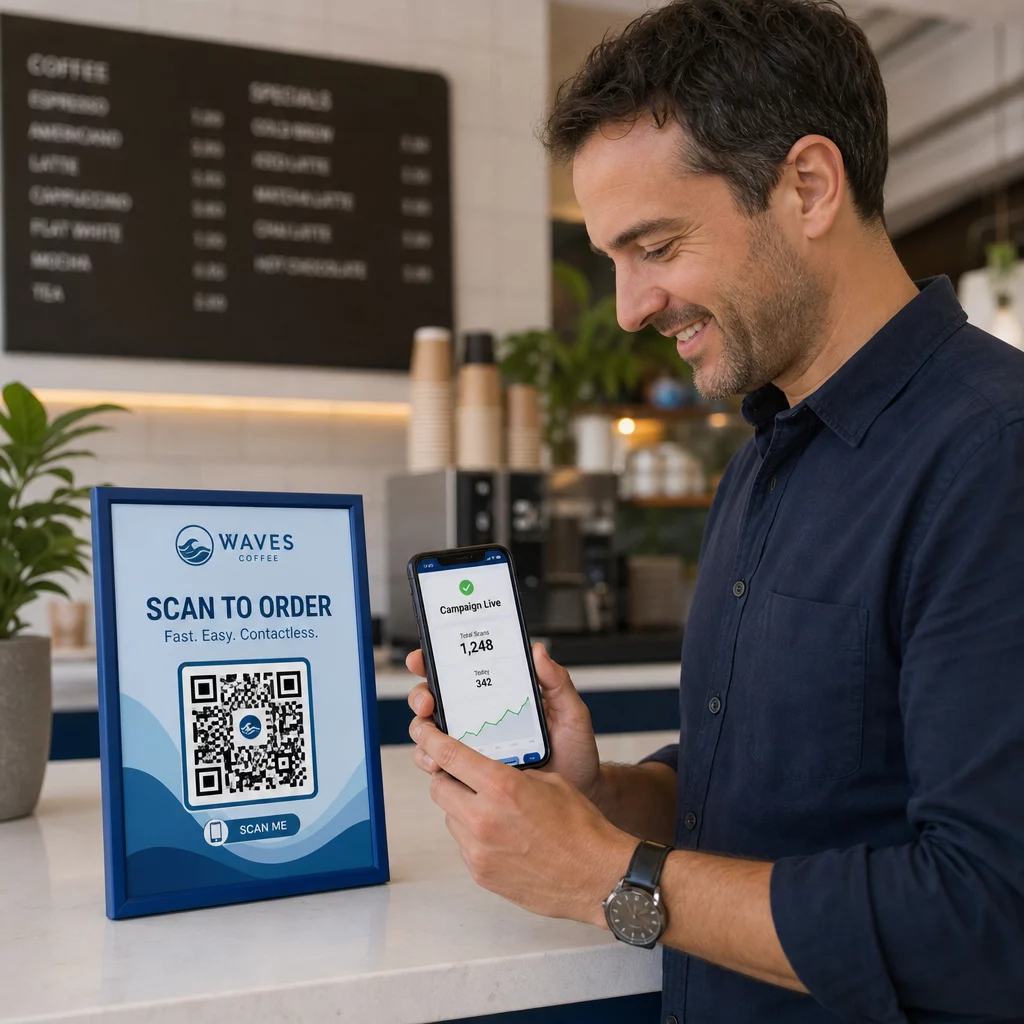
Códigos dinâmicos também fornecem dados de análise de digitalização – dados sobre quando as digitalizações ocorreram, quais dispositivos foram usados, e onde os clientes estavam localizados. Esses dados permitem que você meça quais designs ou posicionamentos de copos geraram o maior engajamento, e ajuste as futuras tiragens de impressão de acordo.
Rastreie Cada Digitalização da Sua Campanha de Copos Mude para um código QR dinâmico para atualizar destinos em tempo real e monitorar o desempenho em tempo real. O Gerador de Código QR Pageloot oferece um painel de análise completo juntamente com controles de edição – tudo sem reimprimir seus copos.
Personalizando a Marca do Seu Código QR de Copo
Um código QR simples em preto e branco funciona, mas um código de marca reforça o reconhecimento e gera mais digitalizações. O Pageloot Gerador de QR Code com Logo permite que você:
- Incorpore o logotipo da sua marca no centro do código
- Aplique as cores da marca aos módulos e ao fundo
- Escolha entre modelos de design para padrão do corpo e estilo da borda
- Adicione um quadro de chamada para ação (por exemplo, “Escaneie para 10% de desconto na sua próxima compra”)
Ao adicionar um logotipo, mantenha-o em não mais de 30% da área do código e defina a correção de erro para o Nível H. O logotipo ocupa espaço que de outra forma conteria dados codificados, e a correção de erro de Nível H compensa essa sobreposição.
Para consistência em um grande pedido de copos ou uma campanha multi-localização, os recursos da Pageloot Pastas de QR code permitem que você organize códigos por campanha, localização ou tamanho do copo para que sua equipe possa gerenciá-los sem perder o controle.
Para orientação relacionada sobre aplicações de embalagem, as páginas sobre códigos QR em embalagens de produtos e códigos QR em embalagens de alimentos cobrem considerações que se aplicam diretamente aos copos.
Testando Antes da Sua Impressão
Nenhuma quantidade de design cuidadoso substitui testes físicos no copo real. Antes de se comprometer com uma produção em larga escala:
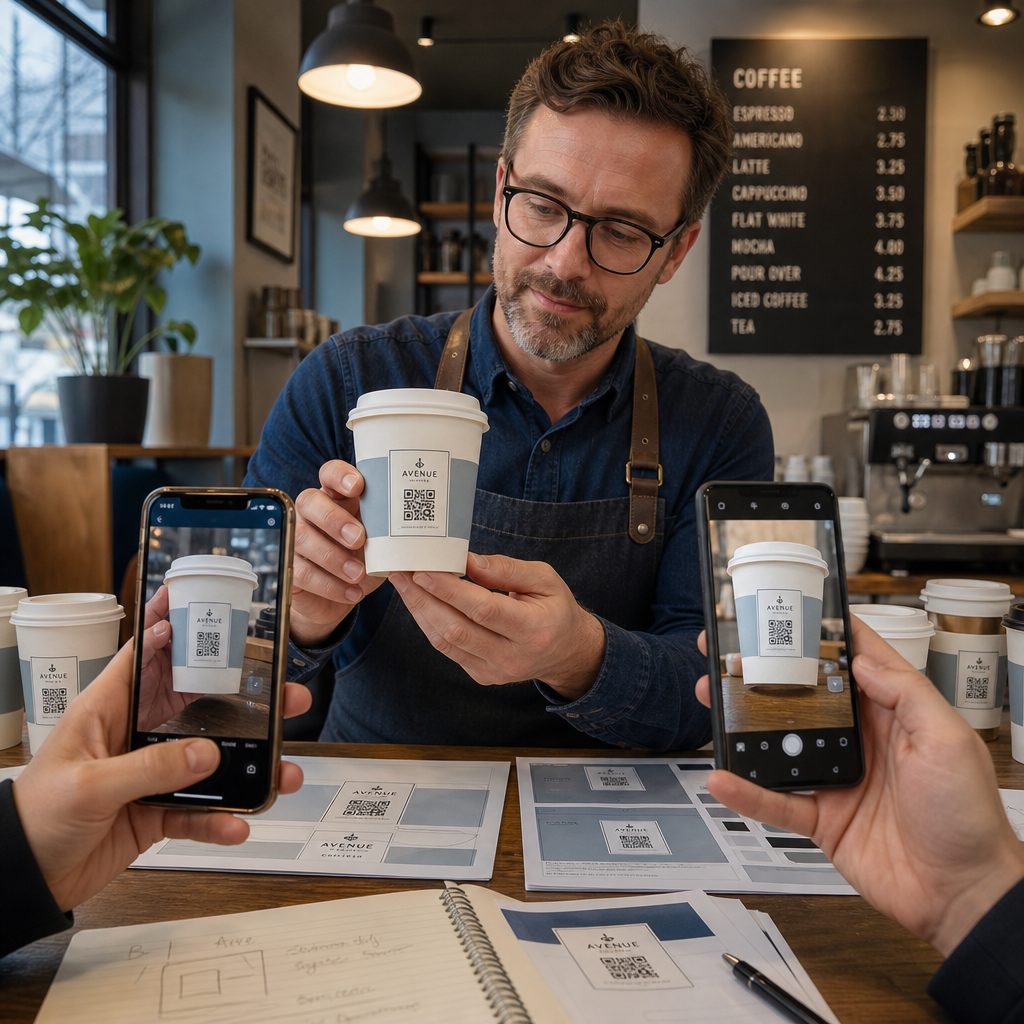
- Imprima uma amostra no material pretendido – não apenas provas em papel. O material do copo, o revestimento e o método de impressão todos afetam o resultado final.
- Teste com múltiplos dispositivos – no mínimo, um iPhone recente e um Android de gama média. Dispositivos mais antigos com câmeras de menor resolução apresentam o teste mais exigente.
- Escaneie de ângulos realistas – os clientes seguram os copos em vários ângulos, não diretamente perpendiculares ao rótulo. Teste a 15° e 30° fora do eixo.
- Teste no ambiente de iluminação real – a iluminação superior de cafés é frequentemente quente e direcional, o que afeta o contraste de forma diferente do que a iluminação de escritório padrão.
- Verifique se o destino carrega corretamente – escaneie o código em dados móveis, não apenas Wi-Fi, e confirme se a página de destino é otimizada para celular e carrega em menos de três segundos.
Se o código falhar em qualquer um desses testes, ajuste o tamanho, o contraste ou o posicionamento antes de imprimir milhares de unidades. Para uma lista de verificação abrangente, o guia para códigos QR em rótulos de produtos detalha os mesmos princípios de controle de qualidade com mais detalhes.
Escreva uma Chamada para Ação Que Conquiste o Escaneamento
O próprio código QR não comunica nada sobre por que um cliente deveria escaneá-lo. Sempre emparelhe o código com uma breve chamada para ação – tipicamente de quatro a oito palavras posicionadas diretamente acima ou abaixo do código. Exemplos:
- “Escaneie para os especiais de hoje”
- “Ganhe 15% de desconto na sua próxima compra”
- “Deixe-nos uma avaliação”
- “Veja o que está no seu copo”
A chamada para ação responde à pergunta implícita do cliente: o que acontece se eu fizer isso? Sem ela, mesmo um código QR tecnicamente perfeito terá um desempenho inferior.
Colocar um código QR funcional e de marca em um copo de café é totalmente alcançável com a configuração técnica correta. Dimensione-o para superfícies curvas, mantenha a zona de silêncio limpa, use alto contraste em um acabamento fosco, defina a correção de erro para o Nível H, e sempre teste em uma amostra física antes da produção. Escolha códigos dinâmicos para que você possa atualizar destinos e medir o desempenho sem reimprimir.
Comece a construir seu código QR para copo com o Gerador de Código QR Pageloot – exporte em formatos vetoriais prontos para impressão, adicione seu logotipo e cores da marca, e conecte-o à análise desde o primeiro dia.
Perguntas frequentes
Para impressão plana, o mínimo padrão é 0,8 pol. × 0,8 pol. (2 cm × 2 cm). Em uma superfície de copo curva, aumente isso em 20–30% para compensar a distorção da curvatura – então mire em pelo menos 1,0 pol. × 1,0 pol. O código deve caber inteiramente dentro da zona plana do copo sem envolver as laterais.
Sim, mas o posicionamento é crítico. Use a área mais plana da face frontal da caneca, dimensione o código maior do que faria para impressão plana, garanta um forte contraste com módulos escuros em um fundo claro, evite acabamentos brilhantes na área do código, e defina a correção de erro para o Nível H. Sempre teste uma amostra física com múltiplos dispositivos antes de fazer um pedido em massa.
Corresponda o destino ao seu objetivo de campanha. Usos comuns incluem menus digitais, promoções sazonais, cupões de desconto, páginas de avaliação do Google, ou perfis de redes sociais. Use um código QR dinâmico para que possa atualizar o destino após a impressão – isto é especialmente importante para copos impressos em grandes quantidades, uma vez que os códigos não podem ser reimpressos se uma oferta expirar ou um URL mudar.