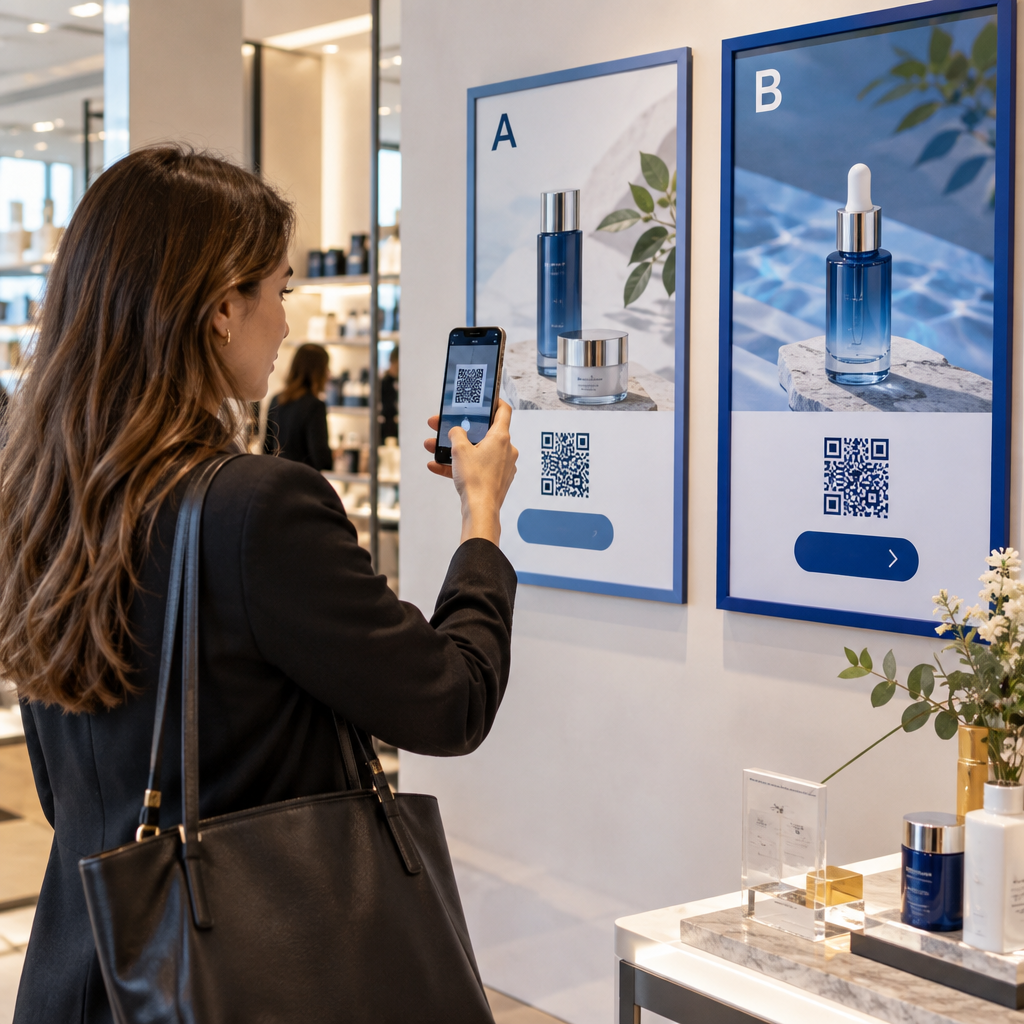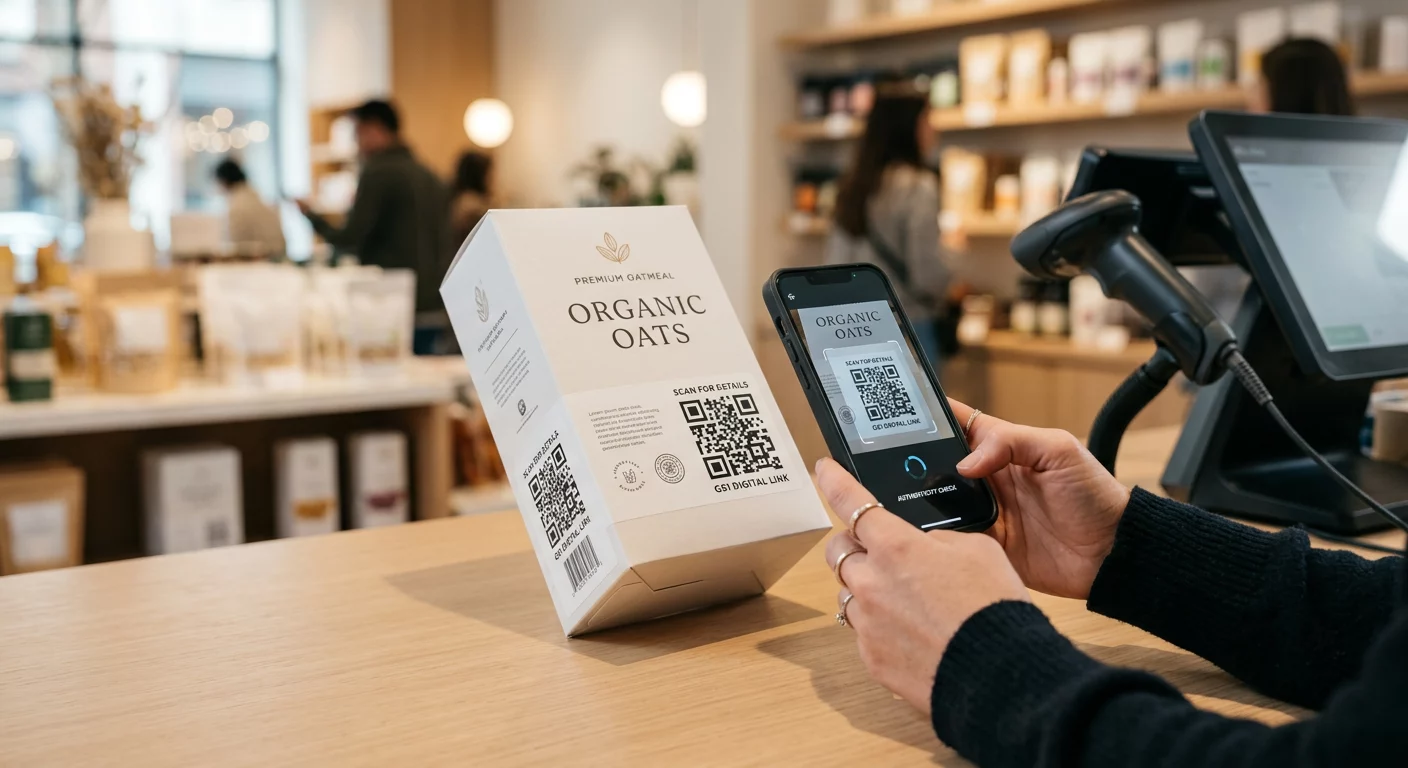
Ingin tahu cara menempatkan kode QR yang dapat dipindai pada cangkir kopi tanpa gagal setiap kali pelanggan mengarahkan ponsel mereka ke sana? Kode yang dirancang dengan buruk pada permukaan melengkung membuat pelanggan frustrasi dan membuang-buang hasil cetak Anda. Panduan ini memandu Anda melalui setiap keputusan, mulai dari penempatan hingga konten, sehingga cangkir Anda benar-benar memberikan hasil.
Mengapa Cangkir Kopi Merupakan Permukaan Kode QR yang Berharga
Cangkir kopi menghabiskan beberapa menit di tangan pelanggan. Waktu tunggu itu adalah peluang pemasaran yang kurang dimanfaatkan oleh sebagian besar merek.
Hampir 83,4 juta orang dewasa A.S. memindai kode QR pada tahun 2022, angka yang diproyeksikan mencapai 42,6% pengguna ponsel pintar dewasa pada tahun 2025. Secara terpisah, 45% pembeli A.S. memindai kode QR terkait pemasaran dalam jendela tiga bulan, dengan kelompok usia 18–29 tahun memimpin adopsi. Kedai kopi, kafe, dan program merchandise bermerek berada di persimpangan dua kasus penggunaan kode QR teratas yang dilaporkan konsumen: menu restoran dan informasi produk makanan dan minuman.
Cangkir dengan kode QR yang dieksekusi dengan baik dapat mencapai salah satu hal berikut tanpa menambah waktu staf:
- Mengarahkan pelanggan ke menu digital atau penawaran musiman
- Mendorong ulasan Google segera setelah pengalaman positif
- Memberikan kupon diskon untuk kunjungan kembali
- Mendorong pengikut media sosial atau entri kontes
- Memberikan informasi alergen atau sumber untuk pelanggan yang sadar kesehatan
Tantangannya murni teknis: cangkir melengkung, dan kode QR tidak.
Bagaimana Permukaan Melengkung Memengaruhi Kemampuan Pindai
Kode QR yang dicetak datar di atas kertas mudah dipindai karena setiap modul – kotak-kotak kecil yang membentuk kode – berada pada bidang yang sama. Ketika kode yang sama itu melilit silinder, modul-modul di tepinya melengkung menjauhi garis pandang kamera. Pemindai melihat kisi yang terdistorsi, dan dekode gagal.
Ini bukan masalah hipotetis. Ini adalah alasan paling umum mengapa kode QR pada cangkir tidak berfungsi. Memahami geometrinya membantu Anda merancang di sekitarnya.
Tiga faktor fisik yang merugikan Anda:
- Distorsi kelengkungan: Modul-modul pada sisi kode melengkung menjauhi kamera, membuatnya tampak terkompresi atau tidak terlihat.
- Lapisan reflektif: Lapisan cangkir mengkilap atau laminasi menciptakan silau yang menghilangkan kontras, terutama di bawah pencahayaan kafe di atas kepala.
- Registrasi cetak: Pembuatan cangkir kertas melibatkan jahitan dan sambungan; kode yang melintasi jahitan tidak akan dapat dipindai dengan andal.
Masing-masing memiliki perbaikan teknis langsung, yang dibahas di bagian-bagian di bawah ini.
Ukuran dan Penempatan pada Cangkir
Jaga Kode Tetap pada Area Paling Datar yang Mungkin
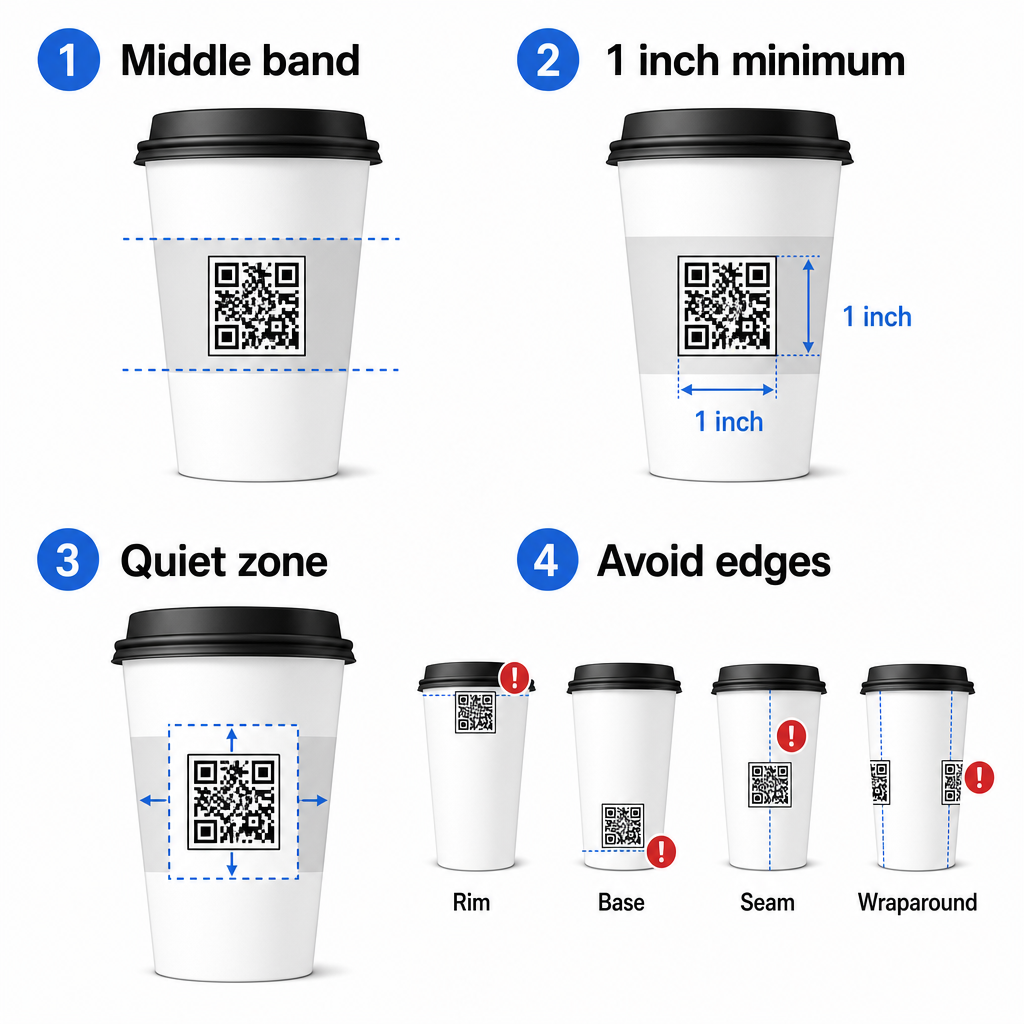
Tempatkan kode QR Anda pada bagian cangkir dengan kelengkungan paling sedikit. Untuk cangkir kertas standar, itu berarti menghindari bagian paling atas dekat tepi dan bagian bawah yang meruncing. Pita tengah cangkir biasanya menawarkan zona cetak paling datar.
Jika Anda bekerja dengan mug promosi sisi datar atau cangkir perjalanan persegi, Anda memiliki panel datar alami – gunakan itu. Untuk mug keramik silinder, perlakukan permukaan depan sebagai zona target Anda.
Sesuaikan Ukuran Kode untuk Permukaan Melengkung
Untuk cetakan datar, ukuran minimum 0,8 inci × 0,8 inci (sekitar 2 cm × 2 cm) adalah rekomendasi standar untuk pemindaian jarak dekat. Pada permukaan melengkung, minimum itu tidak cukup. Karena kelengkungan mendistorsi ukuran kode yang dirasakan, meningkatkan ukuran kode sebesar 20–30% untuk aplikasi melengkung disarankan.
Secara praktis, targetkan setidaknya 1,0 inci × 1,0 inci pada cangkir kertas standar 12 oz, dan lebih besar lagi pada cangkir tinggi 20 oz di mana diameter barel lebih besar dan kelengkungannya kurang parah.
Kode harus pas sepenuhnya dalam satu sisi cangkir tanpa melilit ke samping. Jika ada sudut kode yang menghilang di sekitar kelengkungan, kode akan gagal.
Zona Tenang Tidak Dapat Ditawar
Zona tenang adalah margin kosong yang mengelilingi kode. Standar ISO menetapkan minimum empat modul ruang kosong di keempat sisinya. Pada cangkir kopi, margin ini juga berfungsi sebagai penyangga terhadap tepi melengkung.
Jangan menempatkan logo, grafis cangkir, teks nutrisi, atau pola merek di dalam zona tenang. praktik terbaik keterbacaan kode QR mencakup persyaratan zona tenang secara rinci bersama faktor-faktor lain yang memengaruhi pemindaian yang andal.
Kontras dan Warna pada Bahan Cangkir
Gunakan Gelap pada Terang
Pemindai kode QR bekerja dengan mendeteksi kontras antara modul gelap dan latar belakang terang. Rasio kontras minimum yang direkomendasikan adalah 4:1, meskipun lebih tinggi selalu lebih baik – hitam di atas putih mencapai 21:1.
Pada cangkir kopi, dua masalah permukaan mengurangi kontras yang efektif:
- Stok kertas kraft atau cokelat: Sebuah kode gelap dicetak langsung pada kertas kraft tanpa lapisan kehilangan kontras karena latar belakangnya tidak putih. Gunakan panel cetak putih atau lapisan dasar putih di bawah kode.
- Laminasi mengkilap: Lapisan reflektif memantulkan cahaya kembali ke kamera, menghilangkan modul gelap. Minta lapisan matte di area kode, bahkan jika sisa cangkir mengkilap.
Hindari Gradien dan Latar Belakang Bermotif
Latar belakang gradien di bawah kode QR menciptakan zona kontras yang dapat diterima dan zona kontras yang buruk. Pemindai mengevaluasi seluruh kode, dan setiap wilayah yang berada di bawah ambang kontras dapat menyebabkan kegagalan. Gunakan latar belakang terang yang solid dan seragam di bawah kode.
Untuk cangkir bermerek di mana warna penting untuk desain, Anda dapat menggunakan warna merek gelap sebagai latar depan pada latar belakang putih atau pucat – tetapi uji dengan cermat sebelum produksi penuh. Yang panduan praktik terbaik kontras warna kode QR menyediakan kombinasi warna spesifik dan rasio kontras untuk memandu keputusan tersebut.
Spesifikasi Teknis untuk Cetak
Resolusi dan Format File
Cetak kode pada 300 DPI atau lebih tinggi. Gambar raster resolusi rendah menghasilkan tepi modul yang kabur, yang mengurangi kemampuan pindai dan terlihat tidak profesional dari jarak dekat.
Sedapat mungkin, gunakan format vektor (SVG atau EPS) daripada PNG atau JPG. File vektor dapat diskalakan tanpa kehilangan kualitas, yang penting karena produsen cangkir sering mengubah ukuran karya seni selama pra-cetak. Pageloot generator kode QR mengekspor file vektor siap cetak (.EPS, .PDF, .SVG) yang cocok untuk dikirim langsung ke pencetak cangkir Anda.
Tingkat Koreksi Kesalahan
Kode QR memiliki empat tingkat koreksi kesalahan: L, M, Q, dan H. Tingkat yang lebih tinggi memungkinkan lebih banyak bagian kode rusak atau tersembunyi namun tetap berhasil dipindai. Untuk aplikasi cangkir:
- Tingkat H direkomendasikan jika Anda menyematkan logo di dalam kode, karena memungkinkan hingga 30% dari kode tersembunyi.
- 11. Level Q atau H disarankan untuk permukaan melengkung apa pun, karena distorsi permukaan secara efektif merusak sebagian kode selama pemindaian.
Jangan gunakan Level L pada cangkir. Ini tidak memberikan toleransi terhadap distorsi fisik yang melekat pada pencetakan melengkung.
Pola Pencari Harus Tetap Jelas
Tiga kotak besar di sudut kode QR adalah pola pencari. Mereka memberi tahu pemindai di mana kode dimulai, berakhir, dan bagaimana orientasinya. Jangan memotong, menumpuk, atau memodifikasi pola pencari dengan grafis merek. Ini adalah salah satu kesalahan desain paling umum pada kemasan cetak kustom, dan menghasilkan kode yang terlihat profesional tetapi tidak pernah dapat dipindai.
Buat Kode QR Siap Cetak untuk Cangkir Anda Hasilkan kode QR yang sepenuhnya dapat disesuaikan, beresolusi tinggi dengan tingkat koreksi kesalahan yang benar, ekspor vektor, dan opsi branding menggunakan Pembuat Kode QR Pageloot. Unduh dalam format .EPS, .PDF, atau .SVG siap dikirim ke produsen cangkir Anda.
Memilih Apa yang Ditautkan Kode QR
Eksekusi fisik itu penting, tetapi begitu juga apa yang terjadi setelah pemindaian. Pelanggan yang memindai kode cangkir telah mengidentifikasi diri sebagai terlibat – jangan kirim mereka ke halaman beranda umum.
Sesuaikan tujuan dengan konteks:
| Gunakan Kasing | Jenis QR yang Direkomendasikan | 6. Alat |
|---|---|---|
| Menu digital atau minuman musiman | Menu Kode QR | Generator kode QR menu |
| Diskon untuk kunjungan kembali | Halaman arahan kupon | Generator QR Code Kupon |
| Ulasan Google pasca-pembelian | Tautan ulasan langsung | Cara Buat QR Code Google Review |
| Situs web, sosial, atau halaman arahan promo | Pengalihan URL | Generator Kode QR Tautan |
Untuk kafe dan kedai kopi, alat kode QR restoran Pageloot mendukung menu digital, pemesanan, dan pengumpulan ulasan dalam satu platform.
Gunakan Kode QR Dinamis untuk Kampanye Cangkir
Kode QR statis mengkodekan URL tujuan secara permanen. Jika promosi musiman Anda berakhir, Anda tidak dapat memperbarui kode – dan setiap cangkir yang tersisa dengan kode tersebut menjadi jalan buntu.
SEBUAH kode QR dinamis menyimpan URL pengalihan singkat di dalam kode itu sendiri. Anda mengontrol ke mana pengalihan itu mengarah dari dasbor, dan Anda dapat mengubahnya kapan saja tanpa mencetak ulang satu cangkir pun. Ini sangat penting untuk kampanye cangkir karena:
- Pencetakan cangkir seringkali dalam ribuan, dan pencetakan ulang mahal
- Promosi, menu, dan penawaran berubah secara musiman
- Anda dapat menjalankan tes A/B dengan mengubah tujuan di tengah kampanye
Kode dinamis juga menyediakan analitik pemindaian – data tentang kapan pemindaian terjadi, perangkat apa yang digunakan, dan di mana pelanggan berada. Data tersebut memungkinkan Anda mengukur desain atau penempatan cangkir mana yang mendorong keterlibatan paling banyak, dan menyesuaikan pencetakan di masa mendatang.
Lacak Setiap Pemindaian dari Kampanye Cangkir Anda Beralihlah ke kode QR dinamis untuk memperbarui tujuan dengan cepat dan memantau kinerja waktu nyata. Yang Pembuat Kode QR Pageloot memberi Anda dasbor analitik lengkap bersamaan dengan kontrol pengeditan – semuanya tanpa mencetak ulang cangkir Anda.
Merek Kode QR Cangkir Anda
Kode QR hitam-putih biasa berfungsi, tetapi kode bermerek memperkuat pengenalan dan menghasilkan lebih banyak pemindaian. Pageloot Generator QR Code dengan Logo memungkinkan Anda:
- Sematkan logo merek Anda di tengah kode
- Terapkan warna merek pada modul dan latar belakang
- Pilih dari template desain untuk pola badan dan gaya tepi
- Tambahkan sebuah bingkai ajakan bertindak (misalnya, “Pindai untuk diskon 10% pada pesanan Anda berikutnya”)
Saat menambahkan logo, pastikan tidak lebih dari 30% dari area kode dan atur koreksi kesalahan ke Level H. Logo tersebut menempati ruang yang seharusnya membawa data yang dienkode, dan koreksi kesalahan Level H mengkompensasi tumpang tindih tersebut.
Untuk konsistensi di seluruh pesanan cangkir besar atau kampanye multi-lokasi, Pageloot Folder QR code memungkinkan Anda mengatur kode berdasarkan kampanye, lokasi, atau ukuran cangkir agar tim Anda dapat mengelolanya tanpa kehilangan jejak.
Untuk panduan terkait tentang aplikasi kemasan, halaman-halaman tentang kode QR pada kemasan produk dan kode QR pada kemasan makanan mencakup pertimbangan yang berlaku langsung pada cangkir.
Pengujian Sebelum Proses Cetak Anda
Tidak ada desain yang cermat yang dapat menggantikan pengujian fisik pada cangkir yang sebenarnya. Sebelum Anda berkomitmen pada proses produksi penuh:
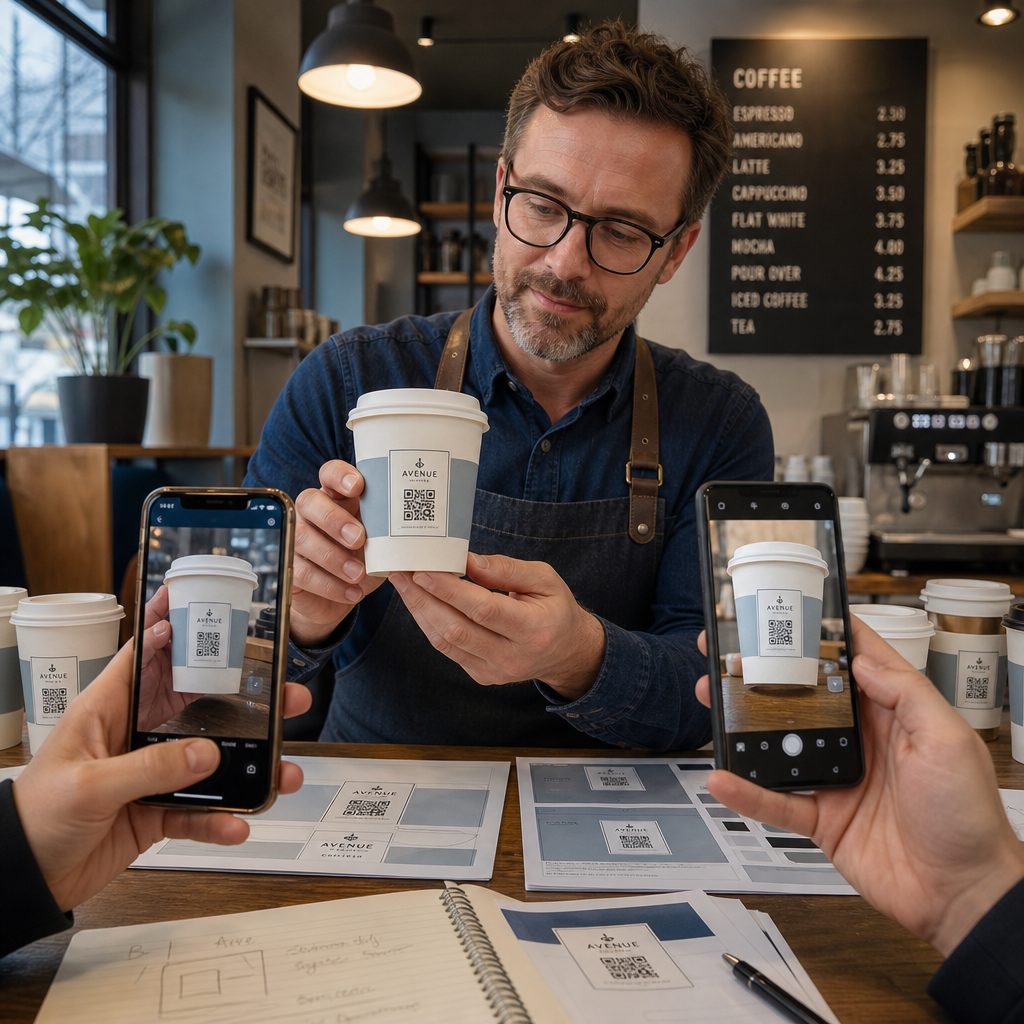
- Cetak sampel pada bahan yang dituju – bukan hanya bukti cetak kertas. Stok cangkir, pelapis, dan metode cetak semuanya memengaruhi hasil akhir.
- Uji dengan beberapa perangkat – minimal, iPhone terbaru dan Android kelas menengah. Perangkat lama dengan kamera beresolusi rendah menghadirkan uji coba yang paling menantang.
- Pindai dari sudut realistis – pelanggan memegang cangkir pada berbagai sudut, tidak langsung tegak lurus dengan label. Uji pada 15° dan 30° di luar sumbu.
- Uji di lingkungan pencahayaan yang sebenarnya – pencahayaan kafe di atas kepala seringkali hangat dan terarah, yang memengaruhi kontras secara berbeda dari pencahayaan kantor standar.
- Verifikasi tujuan memuat dengan benar – pindai kode pada data seluler, bukan hanya Wi-Fi, dan konfirmasi halaman arahan dioptimalkan untuk seluler dan memuat dalam waktu kurang dari tiga detik.
Jika kode gagal dalam salah satu pengujian ini, sesuaikan ukuran, kontras, atau penempatan sebelum mencetak ribuan unit. Untuk daftar periksa yang komprehensif, panduan kode QR pada label produk menjelaskan prinsip-prinsip kontrol kualitas yang sama secara lebih rinci.
Tulis sebuah Ajakan Bertindak Yang Menarik Pindai
Kode QR itu sendiri tidak mengkomunikasikan apa pun tentang mengapa pelanggan harus memindainya. Selalu pasangkan kode dengan ajakan bertindak singkat – biasanya empat hingga delapan kata yang diposisikan tepat di atas atau di bawah kode. Contoh:
- “Pindai untuk promo hari ini”
- “Dapatkan diskon 15% pada pesanan Anda berikutnya”
- “Berikan kami ulasan”
- “Lihat apa yang ada di cangkir Anda”
Ajakan bertindak tersebut menjawab pertanyaan implisit pelanggan: apa yang terjadi jika saya melakukan ini? Tanpa itu, bahkan kode QR yang secara teknis sempurna akan berkinerja buruk.
Menempatkan kode QR yang berfungsi dan bermerek pada cangkir kopi sepenuhnya dapat dicapai dengan pengaturan teknis yang tepat. Sesuaikan ukurannya untuk permukaan melengkung, jaga agar zona tenang tetap jelas, gunakan kontras tinggi pada hasil akhir matte, atur koreksi kesalahan ke Level H, dan selalu uji pada sampel fisik sebelum produksi. Pilih kode dinamis agar Anda dapat memperbarui tujuan dan mengukur kinerja tanpa mencetak ulang.
Mulai bangun kode QR cangkir Anda dengan Pembuat Kode QR Pageloot – ekspor dalam format vektor siap cetak, tambahkan logo dan warna merek Anda, dan hubungkan ke analitik sejak hari pertama.
Pertanyaan yang sering diajukan
Untuk cetakan datar, ukuran minimum standar adalah 0,8 inci × 0,8 inci (2 cm × 2 cm). Pada permukaan cangkir melengkung, tingkatkan ukuran tersebut sebesar 20–30% untuk mengkompensasi distorsi kelengkungan – jadi targetkan setidaknya 1,0 inci × 1,0 inci. Kode harus pas sepenuhnya di dalam zona datar cangkir tanpa melilit ke samping.
Ya, tetapi penempatan sangat penting. Gunakan area paling datar dari permukaan depan mug, ukur kode lebih besar dari yang Anda lakukan untuk cetakan datar, pastikan kontras yang kuat dengan modul gelap pada latar belakang terang, hindari hasil akhir glossy di area kode, dan atur koreksi kesalahan ke Level H. Selalu uji sampel fisik dengan beberapa perangkat sebelum memesan dalam jumlah besar.
Sesuaikan tujuan dengan sasaran kampanye Anda. Penggunaan umum meliputi menu digital, promosi musiman, kupon diskon, halaman ulasan Google, atau profil media sosial. Gunakan kode QR dinamis sehingga Anda dapat memperbarui tujuan setelah dicetak – ini sangat penting untuk gelas yang dicetak dalam jumlah besar, karena kode tidak dapat dicetak ulang jika penawaran kedaluwarsa atau URL berubah.