Lurer du på hvordan du plasserer en skannbar QR-kode på en kaffekopp uten at den feiler hver gang en kunde peker telefonen sin mot den? En dårlig designet kode på en buet overflate frustrerer kunder og kaster bort trykkjobben din. Denne guiden tar deg gjennom hver beslutning, fra plassering til innhold, slik at koppene dine faktisk leverer resultater.
Hvorfor kaffekopper er en verdifull QR-kodeoverflate
Kaffekopper tilbringer flere minutter i en kundes hender. Den oppholdstiden er en markedsføringsmulighet de fleste merker underutnytter.
Nesten 83,4 millioner amerikanske voksne skannet en QR-kode i 2022, et tall som er anslått å nå 42,6% av voksne smarttelefonbrukere innen 2025. Separat skannet 45% av amerikanske shoppere en markedsføringsrelatert QR-kode i et tremånedersvindu, med 18–29-åringer som ledet adopsjonen. Kaffebarer, kafeer og merkede vareprogrammer befinner seg i skjæringspunktet mellom to av de mest brukte QR-kodebruksområdene forbrukere rapporterer: restaurantmenyer og produktinformasjon for mat og drikke.
En kopp med en vellykket QR-kode kan oppnå noe av det følgende uten å legge til personalets tid:
- Dirigere kunder til en digital meny eller sesongbaserte spesialtilbud
- Be om en Google-anmeldelse umiddelbart etter en positiv opplevelse
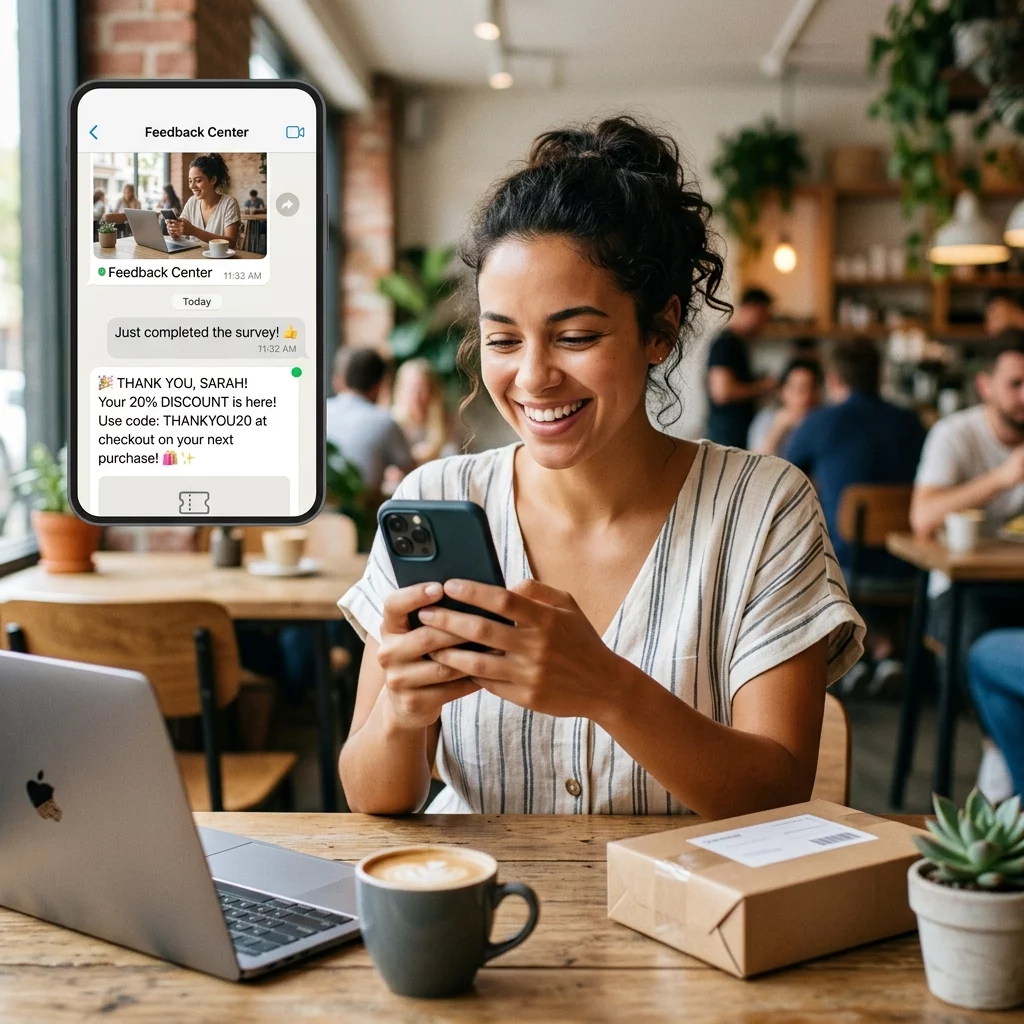
- Levere en rabattkupong for et returbesøk
- Drive følgere på sosiale medier eller konkurransebidrag
- Gi allergen- eller kildeinformasjon for helsebevisste kunder
Utfordringen er rent teknisk: kopper buer, og QR-koder gjør det ikke.
Hvordan buede overflater påvirker skannbarheten
En QR-kode trykt flatt på papir skanner enkelt fordi hver modul – de små rutene som utgjør koden – sitter på samme plan. Når den samme koden vikles rundt en sylinder, buer modulene ved kantene bort fra kameraets synsfelt. Skanneren ser et forvrengt rutenett, og dekodingen mislykkes.
Dette er ikke et hypotetisk problem. Det er den vanligste grunnen til at QR-koder på kopper ikke fungerer. Å forstå geometrien hjelper deg med å designe rundt det.
Tre fysiske faktorer jobber mot deg:
- Krummingsforvrengning: Moduler på sidene av koden bøyer seg bort fra kameraet, noe som får dem til å virke komprimerte eller usynlige.
- Reflekterende overflater: Glansede koppbelegg eller laminater skaper gjenskinn som vasker ut kontrasten, spesielt under takbelysning på kafeer.
- Trykkregistrering: Produksjon av papirkopper involverer sømmer og skjøter; en kode som krysser en søm vil ikke skanne pålitelig.
Hver av disse har en direkte teknisk løsning, dekket i seksjonene nedenfor.
Størrelse og plassering på en kopp
Hold koden på det flateste mulige området
Plasser QR-koden din på den delen av koppen med minst krumning. For en standard papirkopp betyr det å unngå den aller øverste delen nær kanten og bunnkonusen. Koppens midtbånd tilbyr vanligvis den flateste utskrivbare sonen.
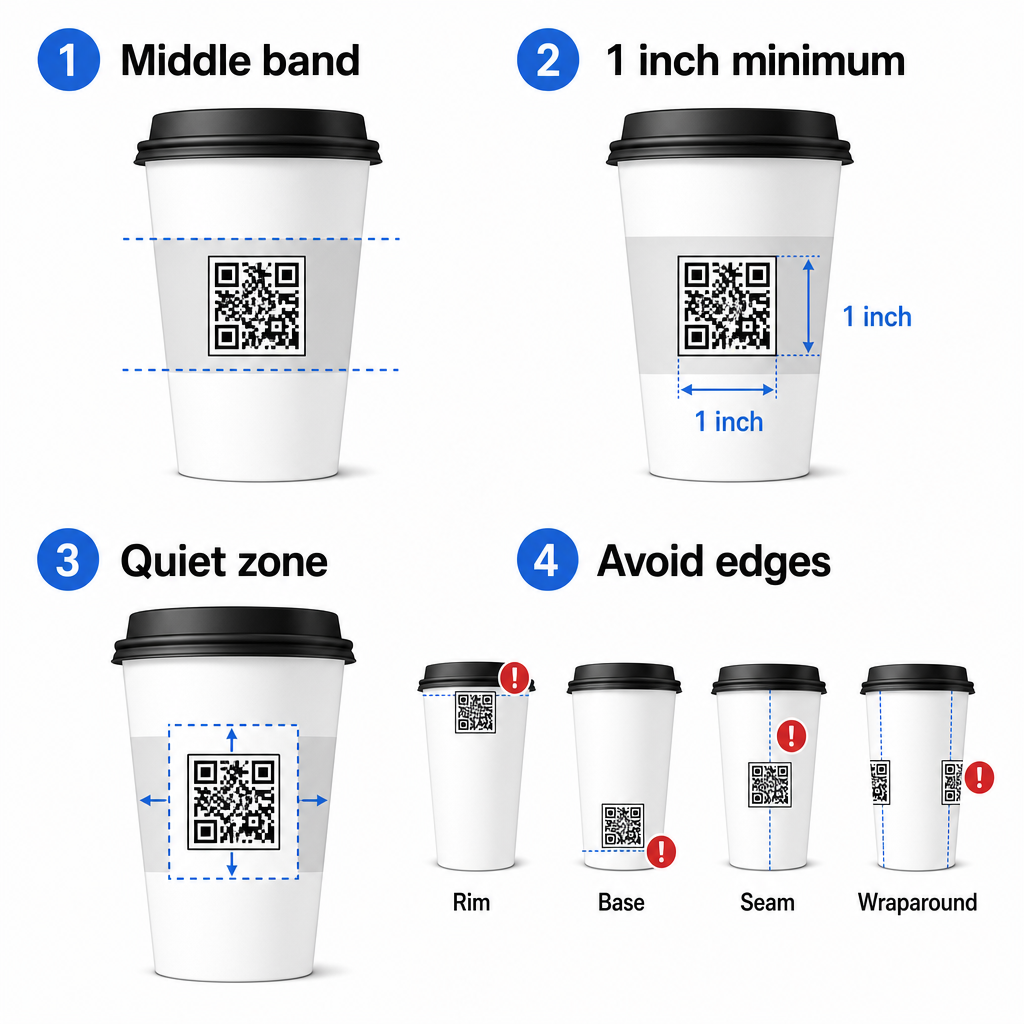
Hvis du jobber med et flattsidig reklamekrus eller en firkantet reisekopp, har du et naturlig flatt panel – bruk det. For sylindriske keramiske krus, behandle frontflaten som din målsone.
Størrelse koden for buede overflater
For flatt trykk, en minimumsstørrelse på 0,8 tommer × 0,8 tommer (ca. 2 cm × 2 cm) er standardanbefalingen for skanning på nært hold. På en buet overflate er det minimumet ikke tilstrekkelig. Fordi krumning forvrenger den oppfattede størrelsen på koden, er det tilrådelig å øke kodestørrelsen med 20–30% for buede applikasjoner.
I praktiske termer, sikt på minst 1,0 tommer × 1,0 tommer på en standard 12 oz papirkopp, og enda større på en høy 20 oz kopp der løpsdiameteren er større og krumningen er mindre alvorlig.
Koden må passe helt innenfor én side av koppen uten å vikle seg rundt sidene. Hvis et hjørne av koden forsvinner rundt krumningen, vil koden feile.
Den stille sonen er ikke-forhandlingsbar
Den stille sonen er den blanke margen som omgir koden. ISO-standarder spesifiserer et minimum av fire moduler med klar plass på alle fire sider. På en kaffekopp fungerer denne margen også som en buffer mot den buede kanten.
Ikke plasser logoer, koppgrafikk, ernæringstekst eller merkemønstre inne i den stille sonen. Den veiledningen for beste praksis for lesbarhet av QR-koder dekker krav til stille sone i detalj sammen med andre faktorer som påvirker pålitelig skanning.
Kontrast og farge på koppmaterialer
Bruk mørkt på lyst
QR-kodeskannere fungerer ved å oppdage kontrasten mellom mørke moduler og en lys bakgrunn. Det anbefalte minimumskontrastforholdet er 4:1, selv om høyere alltid er bedre – svart på hvitt oppnår 21:1.
På kaffekopper reduserer to overflateproblemer effektiv kontrast:
- Kraft- eller brunt papir: En mørk kode trykt direkte på ubestrøket kraftpapir mister kontrast fordi bakgrunnen ikke er hvit. Bruk et hvitt trykt panel eller et hvitt heldekkende lag under koden.
- Glanslaminat: Reflekterende overflater kaster lys tilbake mot kameraet, og vasker ut de mørke modulene. Be om en matt finish i området for koden, selv om resten av koppen er glansfull.
Unngå gradienter og mønstrede bakgrunner
En gradientbakgrunn under en QR-kode skaper soner med akseptabel kontrast og soner med dårlig kontrast. Skanneren evaluerer hele koden, og enhver region som faller under kontrastterskelen kan forårsake en feil. Bruk en solid, jevn lys bakgrunn under koden.
For merkede kopper der farge er viktig for designet, kan du bruke en mørk merkevarefarge som forgrunn på en hvit eller blek bakgrunn – men test nøye før full produksjon. Den veiledningen for beste praksis for fargekontrast i QR-koder gir spesifikke fargekombinasjoner og kontrastforhold for å veilede disse beslutningene.
Tekniske spesifikasjoner for trykk
Oppløsning og filformat
Skriv ut koden med 300 DPI eller høyere. Et lavoppløselig rasterbilde produserer uklare modulkanter, noe som reduserer skannbarheten og ser uprofesjonelt ut på nært hold.
Når det er mulig, bruk et vektorformat (SVG eller EPS) i stedet for en PNG eller JPG. Vektorfiler skalerer uten tap av kvalitet, noe som er viktig fordi koppprodusenter ofte endrer størrelse på kunstverk under prepress. Pageloot’s QR-kodegenerator eksporterer trykkklare vektorfiler (.EPS, .PDF, .SVG) egnet for direkte sending til din kopptrykker.
Feilrettingsnivå
QR-koder har fire feilrettingsnivåer: L, M, Q og H. Høyere nivåer tillater at mer av koden blir skadet eller skjult, samtidig som den fortsatt skanner vellykket. For koppeapplikasjoner:
- Nivå H anbefales hvis du bygger inn en logo inne i koden, da den tillater at opptil 30% av koden blir skjult.
- Nivå Q eller H er tilrådelig for enhver buet overflate, fordi overflateforvrengning effektivt skader deler av koden under skanning.
Ikke bruk nivå L på en kopp. Den gir ingen toleranse for de fysiske forvrengningene som er iboende i buet trykk.
Søkemønstre må forbli klare
De tre store rutene i hjørnene av en QR-kode er søkemønstre. De forteller skanneren hvor koden starter, slutter og hvordan den er orientert. Ikke beskjær, overlapp eller modifiser søkemønstrene med merkevaregrafikk. Dette er en av de vanligste designfeilene på spesialtrykt emballasje, og det produserer koder som ser profesjonelle ut, men som aldri skanner.
Lag trykkklare QR-koder for koppene dine Generer en fullt tilpassbar, høyoppløselig QR-kode med riktig feilrettingsnivå, vektoreksport og merkevarealternativer ved hjelp av Pageloot QR-kodegenerator. Last ned i .EPS-, .PDF- eller .SVG-format, klar til å sendes til din koppprodusent.
Velge hva QR-koden lenker til
Den fysiske utførelsen er viktig, men det er også det som skjer etter skanningen. En kunde som skanner en koppkode har identifisert seg som engasjert – ikke send dem til en generisk hjemmeside.
Tilpass destinasjonen til konteksten:
| Bruk sak | Anbefalt QR-type | 6. Verktøy |
|---|---|---|
| Digital meny eller sesongbaserte drikker | Meny QR-kode | QR-kode generator for meny |
| Rabatt for gjenbesøk | Kupong landingsside | QR-kode generator for kuponger |
| Google-anmeldelse etter kjøp | Direkte anmeldelseslenke | Google Review QR-kode generator |
| Nettsted, sosiale medier eller kampanjelandingsside | URL-omdirigering | Lenke QR-kodegenerator |
For kafeer og kaffebarer, Pageloot’s QR-kodeverktøy for restauranter støtter digitale menyer, bestilling og innsamling av anmeldelser på en enkelt plattform.
Bruk dynamiske QR-koder for koppkampanjer
En statisk QR-kode koder destinasjons-URL-en permanent. Hvis din sesongbaserte kampanje avsluttes, kan du ikke oppdatere koden – og eventuelle gjenværende kopper med den koden blir en blindvei.
EN dynamisk QR-kode lagrer en kort omdirigerings-URL i selve koden. Du kontrollerer hvor den omdirigeringen peker fra et dashbord, og du kan endre den når som helst uten å trykke en eneste kopp på nytt. Dette er kritisk for koppkampanjer fordi:
- Koppopplag er ofte i tusenvis, og gjentrykking er dyrt
- Kampanjer, menyer og tilbud endres sesongmessig
- Du kan kjøre A/B-tester ved å bytte destinasjoner midt i kampanjen
Dynamiske koder gir også skanneanalyse – data om når skanninger skjedde, hvilke enheter som ble brukt, og hvor kundene befant seg. Disse dataene lar deg måle hvilke koppdesign eller plasseringer som drev mest engasjement, og justere fremtidige opplag deretter.
Spor hver skanning fra din koppkampanje Bytt til en dynamisk QR-kode for å oppdatere destinasjoner i farten og overvåke sanntidsytelse. Den Pageloot QR-kodegenerator gir deg et komplett analysedashbord sammen med redigeringskontroller – alt uten å trykke koppene dine på nytt.
Merkevarebygging av din kopp-QR-kode
En enkel svart-hvitt QR-kode fungerer, men en merket kode forsterker gjenkjennelsen og gir flere skanninger. Pageloot’s QR-kode generator med logo lar deg:
- Bygg inn merkevarelogoen din i midten av koden
- Bruk merkevarefarger på modulene og bakgrunnen
- Velg fra designmaler for kroppsmønster og kantstil
- Legg til en handlingsramme (f.eks., “Skann for 10% rabatt på din neste bestilling”)
Når du legger til en logo, hold den til ikke mer enn 30% av kodeområdet og sett feilretting til Nivå H. Logoen opptar plass som ellers ville bære kodet data, og feilretting på Nivå H kompenserer for den overlappingen.
For konsistens på tvers av en stor koppbestilling eller en kampanje med flere steder, Pageloots QR-kodemapper lar deg organisere koder etter kampanje, sted eller koppstørrelse slik at teamet ditt kan administrere dem uten å miste oversikten.
For relatert veiledning om emballasjeapplikasjoner, sidene om QR-koder på produktemballasje og QR-koder på matemballasje dekker hensyn som gjelder direkte for kopper.
Testing før trykkekjøringen din
Ingen mengde nøye design erstatter fysisk testing på den faktiske koppen. Før du forplikter deg til en full produksjonskjøring:
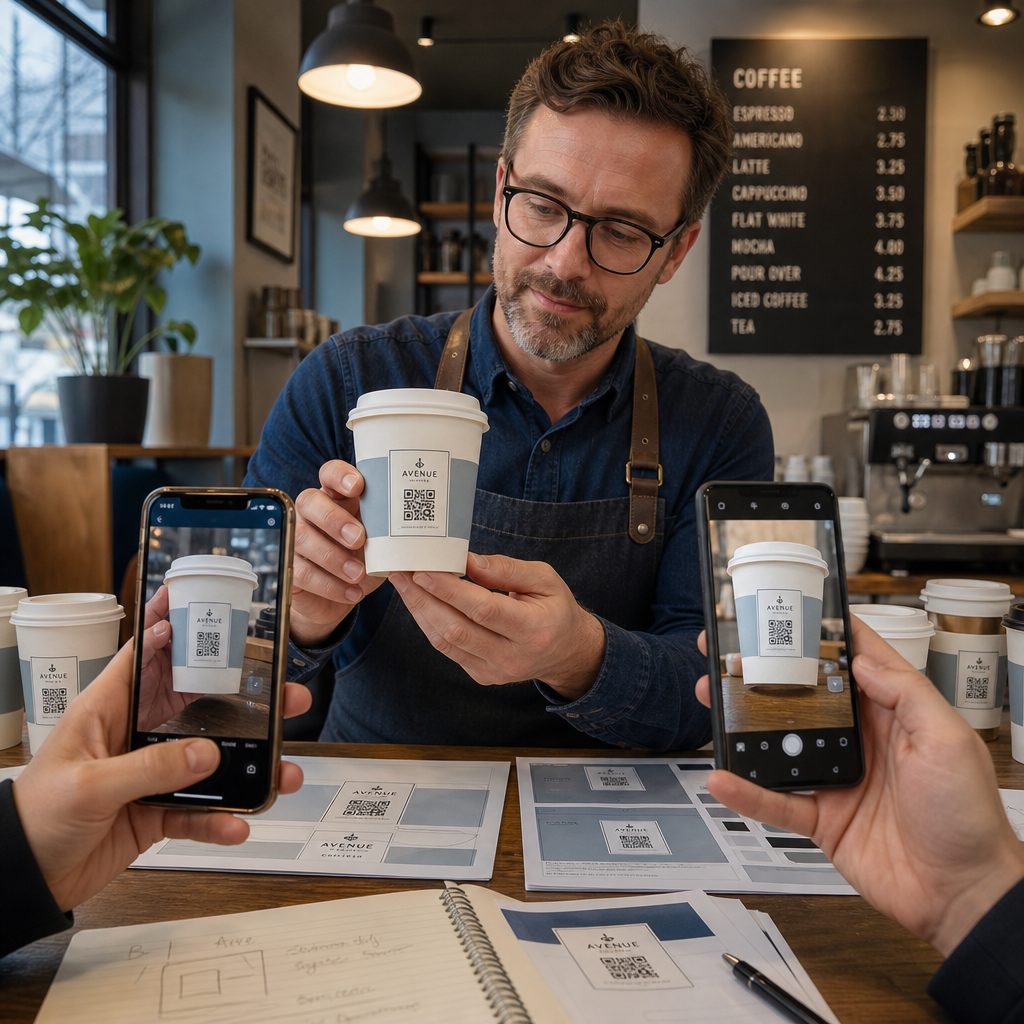
- Skriv ut en prøve på det tiltenkte materialet – ikke bare papirprøver. Koppmateriale, belegg og utskriftsmetode påvirker alle det endelige resultatet.
- Test med flere enheter – som et minimum, en nyere iPhone og en mellomklasse Android. Eldre enheter med kameraer med lavere oppløsning presenterer den mest krevende testen.
- Skann fra realistiske vinkler – kunder holder kopper i forskjellige vinkler, ikke direkte vinkelrett på etiketten. Test ved 15° og 30° utenfor aksen.
- Test i det faktiske lysmiljøet – takbelysning på kafeer er ofte varm og retningsbestemt, noe som påvirker kontrasten annerledes enn standard kontorbelysning.
- Verifiser at destinasjonen lastes riktig – skann koden på mobildata, ikke bare Wi-Fi, og bekreft at landingssiden er mobiloptimalisert og lastes inn på under tre sekunder.
Hvis koden feiler noen av disse testene, juster størrelse, kontrast eller plassering før du skriver ut tusenvis av enheter. For en omfattende sjekkliste, den veiledning for QR-koder på produktetiketter går gjennom de samme kvalitetskontrollprinsippene i mer detalj.
Skriv en oppfordring til handling som fortjener skanningen
QR-koden i seg selv kommuniserer ingenting om hvorfor en kunde bør skanne den. Par alltid koden med en kort oppfordring til handling – vanligvis fire til åtte ord plassert direkte over eller under koden. Eksempler:
- “Skann for dagens spesialiteter”
- “Få 15% rabatt på din neste bestilling”
- “Gi oss en anmeldelse”
- “Se hva som er i koppen din”
Oppfordringen til handling svarer på kundens implisitte spørsmål: hva skjer hvis jeg gjør dette? Uten den vil selv en teknisk perfekt QR-kode underprestere.
Å sette en fungerende, merkevare-QR-kode på en kaffekopp er fullt oppnåelig med riktig teknisk oppsett. Tilpass størrelsen for buede overflater, hold den stille sonen klar, bruk høy kontrast på en matt finish, sett feilretting til Nivå H, og test alltid på en fysisk prøve før produksjon. Velg dynamiske koder slik at du kan oppdatere destinasjoner og måle ytelse uten å trykke på nytt.
Begynn å bygge din kopp-QR-kode med den Pageloot QR-kodegenerator – eksporter i utskriftsklare vektorformater, legg til logoen og merkevarefargene dine, og koble den til analyser fra dag én.
Ofte stilte spørsmål
For flatt trykk er standardminimumet 0,8 in × 0,8 in (2 cm × 2 cm). På en buet koppoverflate, øk det med 20–30% for å kompensere for krummingsforvrengning – så sikt på minst 1,0 in × 1,0 in. Koden må passe helt innenfor den flate sonen på koppen uten å vikle seg rundt sidene.
Ja, men plassering er kritisk. Bruk det flateste området på krusets frontflate, gjør koden større enn du ville gjort for flatt trykk, sørg for sterk kontrast med mørke moduler på en lys bakgrunn, unngå blanke overflater i kodeområdet, og sett feilretting til Nivå H. Test alltid en fysisk prøve med flere enheter før du bestiller i bulk.
Match destinasjonen med kampanjemålet ditt. Vanlige bruksområder inkluderer digitale menyer, sesongkampanjer, rabattkuponger, Google anmeldelsessider, eller sosiale medieprofiler. Bruk en dynamisk QR-kode slik at du kan oppdatere destinasjonen etter utskrift – dette er spesielt viktig for kopper trykt i store mengder, siden kodene ikke kan trykkes på nytt hvis et tilbud utløper eller en URL endres.