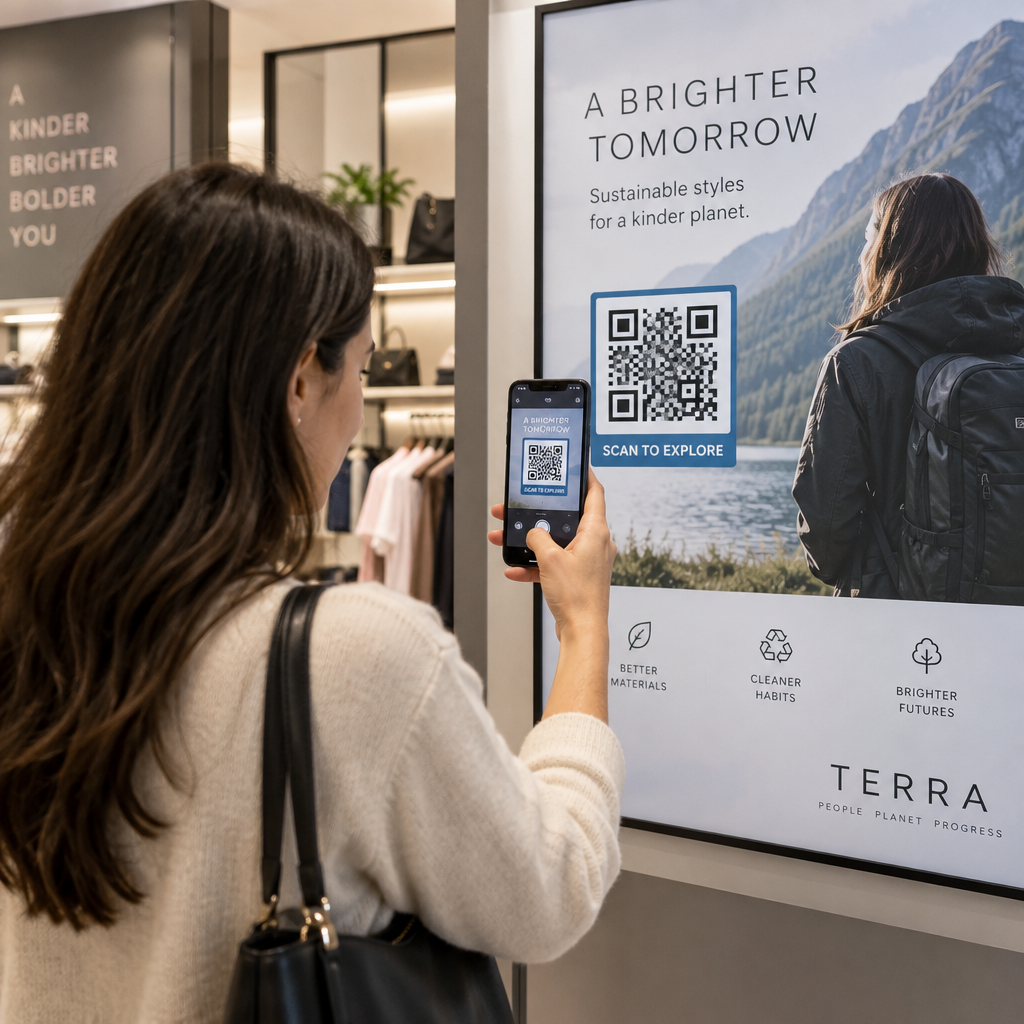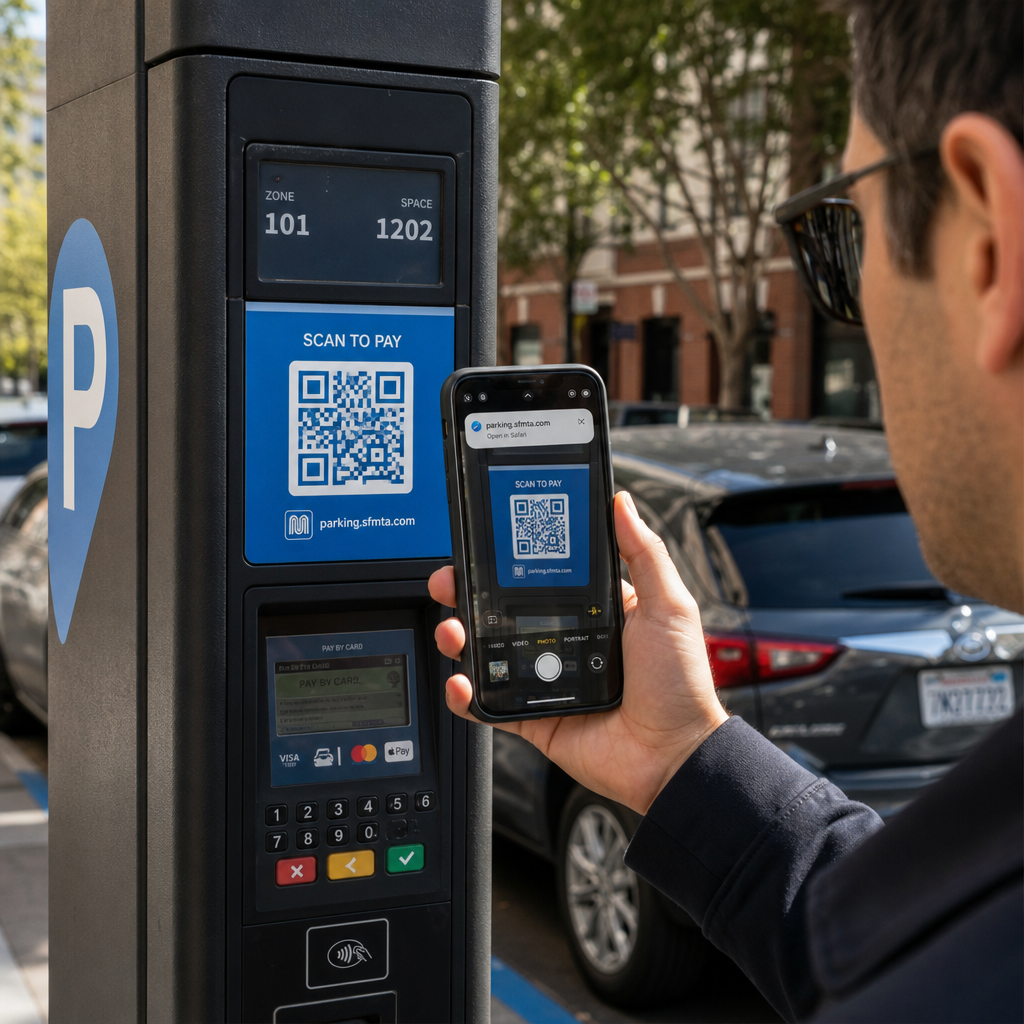
Mõtlete, kuidas panna skaneeritav QR-kood kohvitassile nii, et see ei ebaõnnestuks iga kord, kui klient oma telefoni sellele suunab? Halvasti kujundatud kood kumerdatud pinnal frustreerib kliente ja raiskab teie trükikogust. See juhend viib teid läbi iga otsuse, alates paigutusest kuni sisuni, et teie tassid tegelikult tulemusi annaksid.
Miks kohvitassid on väärtuslik QR-koodi pind
Kohvitassid veedavad kliendi käes mitu minutit. See viibimisaeg on turundusvõimalus, mida enamik kaubamärke alakasutab.
Ligi 83,4 miljonit USA täiskasvanut skaneeris 2022. aastal QR-koodi, see arv peaks 2025. aastaks jõudma 42,6%-ni täiskasvanud nutitelefonikasutajatest. Eraldi skaneeris 45% USA ostjatest kolme kuu jooksul turundusega seotud QR-koodi, kusjuures 18–29-aastased juhtisid kasutuselevõttu. Kohvikud, kohvikud ja kaubamärgiga toodete programmid asuvad kahe peamise tarbijate poolt teatatud QR-koodi kasutusjuhtumi ristumiskohas: restoranide menüüd ning toidu- ja joogitoodete teave.
Hästi teostatud QR-koodiga tass suudab saavutada järgmisi asju ilma lisatööjõudu vajamata:
- Suunata kliendid digitaalsele menüüle või hooajalistele eripakkumistele
- Paluda Google'i arvustust kohe pärast positiivset kogemust
- Pakkuda sooduskupongi korduvaks külastuseks
- Suurendada sotsiaalmeedia jälgijaid või võistluste osalusi
- Pakkuda allergeenide või päritoluteavet terviseteadlikele klientidele
Väljakutse on puhtalt tehniline: tassid on kumerad ja QR-koodid mitte.
Kuidas kumerad pinnad mõjutavad skaneeritavust
Paberile lamedalt trükitud QR-kood skaneerub kergesti, sest iga moodul – koodi moodustavad väikesed ruudud – asub samal tasapinnal. Kui sama kood ümber silindri mähitakse, kaarduvad servades olevad moodulid kaamera vaateväljast eemale. Skanner näeb moonutatud ruudustikku ja dekodeerimine ebaõnnestub.
See ei ole hüpoteetiline probleem. See on kõige levinum põhjus, miks tassidel olevad QR-koodid ei tööta. Geomeetria mõistmine aitab teil seda disainis arvestada.
Kolm füüsilist tegurit töötavad teie vastu:
- Kumeruse moonutus: Koodi külgedel olevad moodulid painduvad kaamerast eemale, muutes need kokkusurutuks või nähtamatuks.
- Peegeldavad viimistlused: Läikivad tassi katted või laminaadid tekitavad pimestamist, mis kaotab kontrasti, eriti kohviku laevalgustuse all.
- Trükiregistreerimine: Pabertasside tootmine hõlmab õmblusi ja liitekohti; kood, mis asub üle õmbluse, ei skaneeru usaldusväärselt.
Igal neist on otsene tehniline lahendus, mida käsitletakse allolevates jaotistes.
Suurus ja paigutus tassil
Hoidke kood võimalikult lamedal alal
Asetage oma QR-kood tassi kõige vähem kumerale osale. Standardse pabertassi puhul tähendab see ääre lähedal asuva ülemise osa ja põhja kitsenemise vältimist. Tassi keskmine riba pakub tavaliselt kõige lamedamat prinditavat ala.
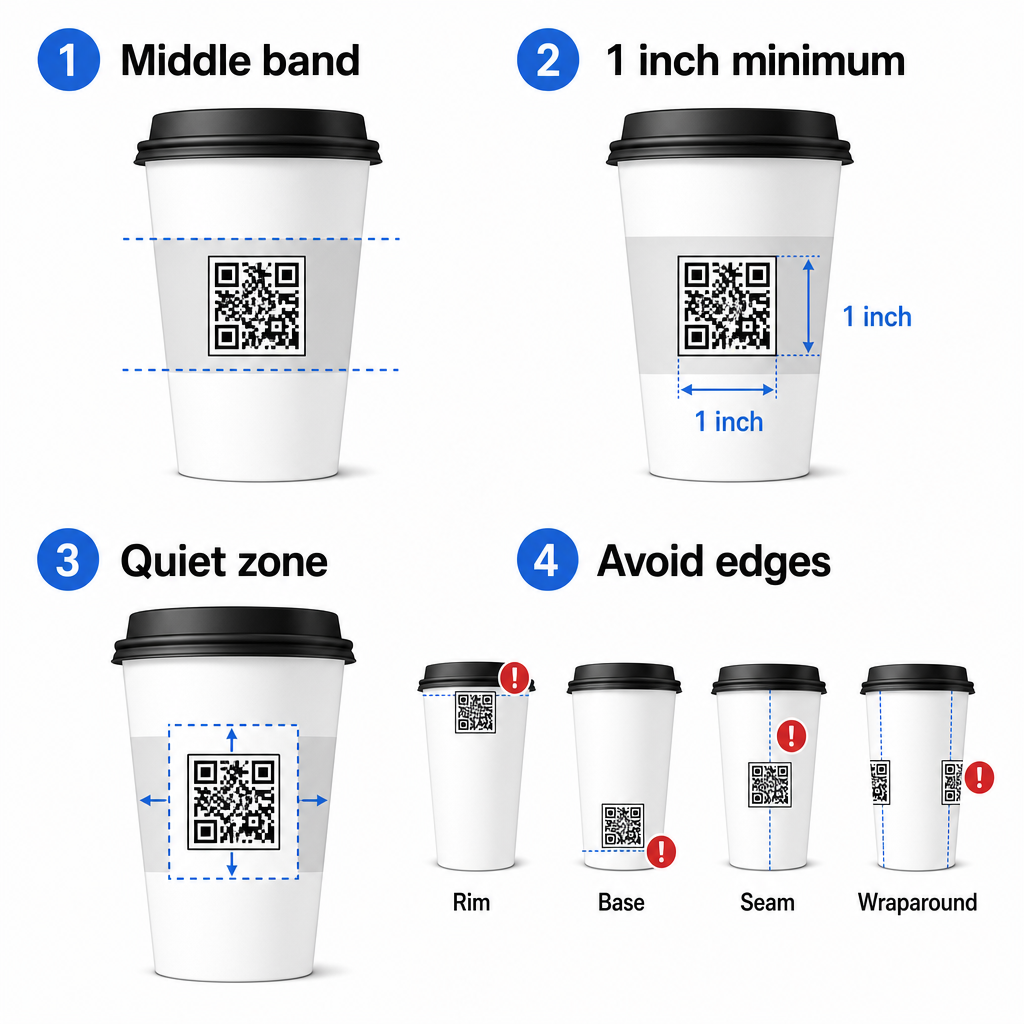
Kui töötate lamedate külgedega reklaamtassi või kandilise reisikruusiga, on teil loomulik lame paneel – kasutage seda. Silindriliste keraamiliste kruuside puhul käsitlege esikülge oma sihtalana.
Määrake koodi suurus kumeratele pindadele
Lamedale trükile on minimaalne suurus 0,8 tolli × 0,8 tolli (umbes 2 cm × 2 cm) standardne soovitus lähiskaneerimiseks. Kumeral pinnal ei ole see miinimum piisav. Kuna kumerus moonutab koodi tajutavat suurust, on kumerate rakenduste puhul soovitatav suurendada koodi suurust 20–30%.
Praktikas sihtige vähemalt 1,0 tolli × 1,0 tolli standardsel 12 untsi pabertassil ja veelgi suurem kõrgel 20 untsi tassil, kus tünni läbimõõt on suurem ja kumerus vähem tõsine.
Kood peab mahtuma täielikult tassi ühele küljele, ilma külgedele ulatumata. Kui koodi mõni nurk kaob kumeruse taha, siis kood ebaõnnestub.
Vaikne tsoon on läbirääkimatu
Vaikne tsoon on koodi ümbritsev tühi äär. ISO standardid määravad minimaalse neli moodulit vaba ruumi kõigil neljal küljel. Kohvitassil toimib see äär ka puhvrina kumera serva vastu.
Ärge asetage logosid, tassi graafikat, toitumisalast teksti ega brändimustreid vaiksesse tsooni. See QR-koodi loetavuse parimate tavade juhend käsitleb üksikasjalikult vaikse tsooni nõudeid koos teiste teguritega, mis mõjutavad usaldusväärset skaneerimist.
Kontrast ja värv tassimaterjalidel
Kasuta tumedat heledal
QR-koodi skannerid tuvastavad kontrasti tumedate moodulite ja heleda tausta vahel. Soovitatav minimaalne kontrastsussuhe on 4:1, kuigi kõrgem on alati parem – must valgel saavutab 21:1.
Kohvitassidel vähendavad efektiivset kontrasti kaks pinnaprobleemi:
- Kraft- või pruun paberimass: Tume kood, mis on trükitud otse katmata jõupaberile, kaotab kontrasti, sest taust ei ole valge. Kasutage valget trükitud paneeli või valget üleujutuskihiga katet koodi all.
- Läikiv laminaat: Peegeldavad viimistlused peegeldavad valgust tagasi kaamerasse, uhudes tumedad moodulid välja. Taotlege matt viimistlus koodi piirkonnas, isegi kui ülejäänud tass on läikiv.
Vältige gradiente ja mustrilisi taustu
Gradienttaust QR-koodi all loob vastuvõetava kontrasti tsoone ja halva kontrasti tsoone. Skanner hindab kogu koodi ja iga piirkond, mis jääb alla kontrasti läve, võib põhjustada vea. Kasutage ühtlast, ühtlast heledat tausta koodi all.
Bränditud tasside puhul, kus värv on disaini jaoks oluline, võite kasutada tumedat brändivärvi esiplaanina valgel või heledal taustal – kuid testige hoolikalt enne täielikku tootmist. See QR-koodi värvikontrasti parimate tavade juhend pakub spetsiifilisi värvikombinatsioone ja kontrastsussuhteid nende otsuste suunamiseks.
Tehnilised spetsifikatsioonid trükkimiseks
Resolutsioon ja failivorming
Trükkige kood aadressil 300 DPI või kõrgema resolutsiooniga. Madala resolutsiooniga rasterpilt tekitab udused mooduli servad, mis vähendab skaneeritavust ja näeb lähedalt ebaprofessionaalne välja.
Võimaluse korral kasutage vektorformaati (SVG või EPS) pigem kui PNG või JPG. Vektorfailid skaleeruvad ilma kvaliteedikaota, mis on oluline, sest tassitootjad muudavad sageli kunstiteose suurust trükieelsete tööde käigus. Pagelooti QR-koodi generaator ekspordib trükivalmis vektorfaile (.EPS, .PDF, .SVG), mis sobivad otse teie tassiprinterile saatmiseks.
Veaparanduse tase
QR-koodidel on neli veaparandustaset: L, M, Q ja H. Kõrgemad tasemed võimaldavad rohkem koodi kahjustada või varjata, samal ajal edukalt skaneerides. Tassirakenduste puhul:
- Tase H on soovitatav, kui te manustate logo koodi sisse, kuna see võimaldab kuni 30% koodist varjata.
- Tase Q või H on soovitatav igale kumerale pinnale, sest pinna moonutus kahjustab skaneerimise ajal tõhusalt koodi osi.
Ärge kasutage tassi peal taset L. See ei paku tolerantsi kumeratele trükkimisele omastele füüsilistele moonutustele.
Leidmismustrid peavad jääma selgeks
Kolm suurt ruutu QR-koodi nurkades on leidmismustrid. Need ütlevad skannerile, kus kood algab, lõpeb ja kuidas see on orienteeritud. Ärge kärpige, kattuge ega muutke leidmismustreid brändigraafikaga. See on üks levinumaid disainivigu eritellimusel trükitud pakenditel ja see toodab koode, mis näevad professionaalsed välja, kuid ei skaneeri kunagi.
Looge trükivalmis QR-koode oma tasside jaoks Genereerige täielikult kohandatav, kõrge resolutsiooniga QR-kood õige veaparandustaseme, vektorväljundi ja brändinguvalikutega, kasutades Pageloot QR-koodi generaator. Laadige alla .EPS, .PDF või .SVG formaadis, valmis saatmiseks oma tassitootjale.
Valimine, millele QR-kood lingib
Füüsiline teostus on oluline, kuid ka see, mis juhtub pärast skaneerimist. Klient, kes skaneerib tassi koodi, on end identifitseerinud kaasatuna – ärge saatke neid üldisele kodulehele.
Sobitage sihtkoht kontekstiga:
| Kasutusjuhtum | Soovitatav QR-tüüp | Tööriist |
|---|---|---|
| Digitaalne menüü või hooajalised joogid | Menüü QR-kood | QR menu: menüü QR-koodi generaator |
| Soodustus korduvkülastuseks | Kupongi sihtleht | Kupongi QR-koodi generaator |
| Ostujärgne Google'i arvustus | Otsene arvustuse link | Google Review QR-koodi generaator |
| Veebisait, sotsiaalmeedia või promo sihtleht | URL-i ümbersuunamine | Lingi QR-koodi generaator |
Kohvikute ja kohvipoodide jaoks, Pagelooti restorani QR-koodi tööriistad toetavad digitaalseid menüüsid, tellimist ja arvustuste kogumist ühel platvormil.
Kasutage dünaamilisi QR-koode tassikampaaniate jaoks
Staatiline QR-kood kodeerib siht-URL-i püsivalt. Kui teie hooajaline kampaania lõpeb, ei saa te koodi uuendada – ja kõik selle koodiga järelejäänud tassid muutuvad ummikteeks.
A dünaamiline QR-kood salvestab lühikese ümbersuunamise URL-i koodi endasse. Te kontrollite, kuhu see ümbersuunamine armatuurlaualt suunab, ja saate seda igal ajal muuta, ilma et peaksite ühtegi tassi uuesti trükkima. See on tassikampaaniate jaoks kriitilise tähtsusega, sest:
- Tasside trükkimine toimub sageli tuhandetes ja uuesti trükkimine on kallis
- Kampaaniad, menüüd ja pakkumised muutuvad hooajaliselt
- Saate käivitada A/B teste, vahetades sihtkohti kampaania keskel
Dünaamilised koodid pakuvad ka skaneerimisanalüütika – andmeid selle kohta, millal skaneerimised toimusid, milliseid seadmeid kasutati ja kus kliendid asusid. Need andmed võimaldavad teil mõõta, millised tassidisainid või paigutused tekitasid kõige rohkem kaasatust, ja vastavalt sellele kohandada tulevasi trükkimisi.
Jälgige iga skaneerimist oma tassikampaaniast Lülituge dünaamilisele QR-koodile, et värskendada sihtkohti lennult ja jälgida reaalajas jõudlust. See Pageloot QR-koodi generaator annab teile täieliku analüüsi armatuurlaua koos redigeerimiskontrollidega – kõik ilma teie tasse uuesti trükkimata.
Oma tassi QR-koodi brändimine
Tavaline mustvalge QR-kood töötab, kuid bränditud kood tugevdab äratundmist ja teenib rohkem skaneeringuid. Pagelooti QR-koodi generaator logoga võimaldab teil:
- Manustage oma brändi logo koodi keskele
- Rakenda brändivärvid moodulitele ja taustale
- Valige disainimallide hulgast kehamustri ja servastiili jaoks
- Lisage üleskutse raam (nt “Skaneerige, et saada 10% allahindlust järgmiselt tellimuselt”)
Logo lisamisel hoidke see mitte rohkem kui 30% koodi alast ja seadke veaparandus tasemele H. Logo hõivab ruumi, mis muidu sisaldaks kodeeritud andmeid, ja H-taseme veaparandus kompenseerib selle kattumise.
Suure tassi tellimuse või mitme asukohaga kampaania ühtsuse tagamiseks, Pageloot'i QR-koodide kaustad võimaldavad teil koode korraldada kampaania, asukoha või tassi suuruse järgi, et teie meeskond saaks neid hallata ilma jälgimata.
Seotud juhiste saamiseks pakendamisrakenduste kohta, leheküljed QR-koode toote pakendil ja QR-koodid toidupakenditel käsitlevad kaalutlusi, mis kehtivad otse tassidele.
Testimine enne trükkimist
Isegi kõige hoolikam disain ei asenda füüsilist testimist tegelikul tassi. Enne täieliku tootmistsükli alustamist:
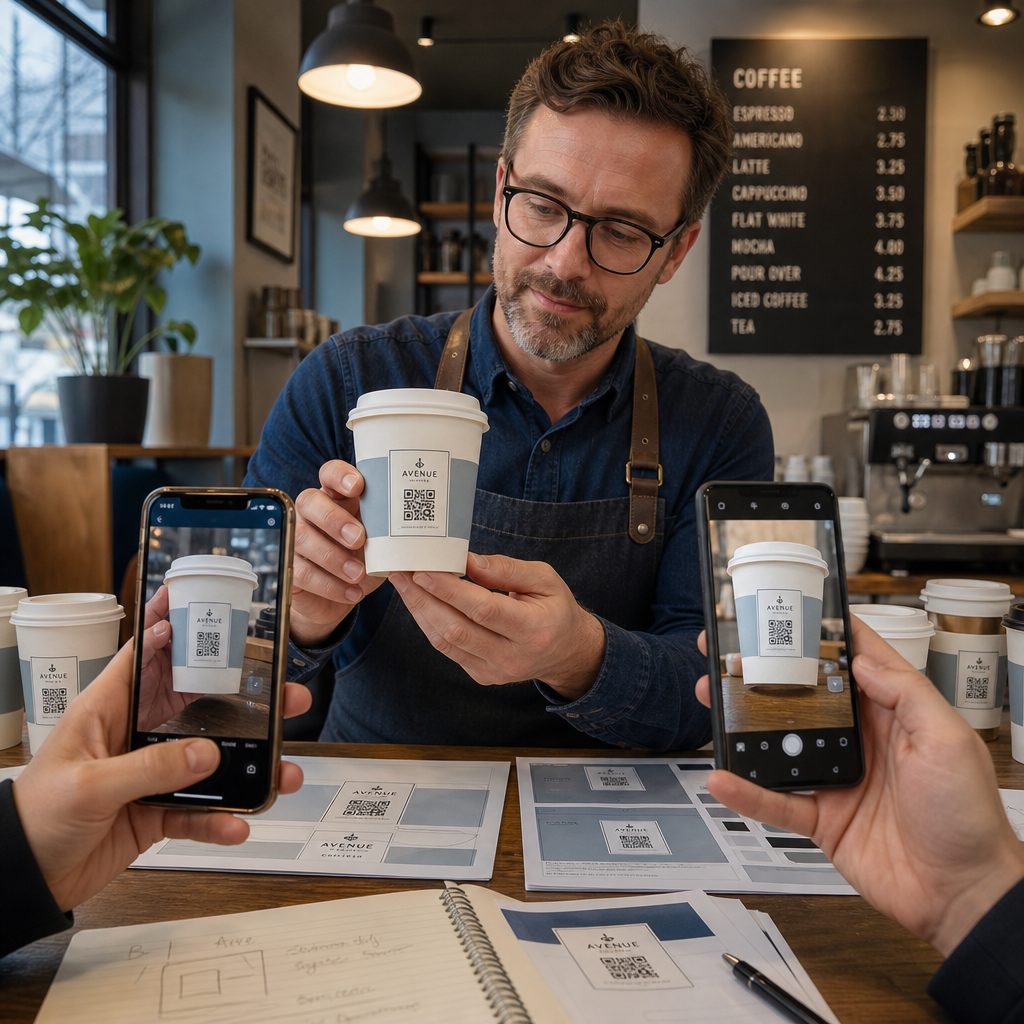
- Trükkige näidis ettenähtud materjalile – mitte ainult paberproovid. Tassi materjal, kate ja trükimeetod mõjutavad kõik lõpptulemust.
- Testige mitme seadmega – vähemalt hiljutine iPhone ja keskmise hinnaklassi Android. Vanemad, madalama resolutsiooniga kaameratega seadmed pakuvad kõige nõudlikumat testi.
- Skaneerige realistlike nurkade alt – kliendid hoiavad tasse erinevate nurkade all, mitte otse sildiga risti. Testige 15° ja 30° teljest väljas.
- Testige tegelikus valgustuskeskkonnas – kohviku laevalgustus on sageli soe ja suunatud, mis mõjutab kontrasti erinevalt tavalisest kontorivalgustusest.
- Kontrollige, et sihtkoht laadib õigesti – skaneerige koodi mobiilse andmeside kaudu, mitte ainult Wi-Fi-ga, ja veenduge, et sihtleht on mobiilile optimeeritud ja laadib alla kolme sekundiga.
Kui kood ei läbi ühtegi neist testidest, kohandage suurust, kontrasti või paigutust enne tuhandete ühikute trükkimist. Põhjaliku kontrollnimekirja jaoks, juhendit QR-koodide kohta tootesiltidel käsitleb samu kvaliteedikontrolli põhimõtteid üksikasjalikumalt.
Kirjutage üleskutse tegevusele, mis teenib skaneeringu
QR-kood ise ei anna edasi midagi selle kohta, miks klient peaks seda skaneerima. Siduge kood alati lühikese üleskutsega tegevusele – tavaliselt neli kuni kaheksa sõna, mis on paigutatud otse koodi kohale või alla. Näited:
- “Skaneeri tänaste eripakkumiste jaoks”
- “Saate 15% allahindlust oma järgmiselt tellimuselt”
- “Jäta meile arvustus”
- “Vaata, mis on sinu tassis”
Üleskutse tegevusele vastab kliendi kaudsele küsimusele: mis juhtub, kui ma seda teen? Ilma selleta jääb isegi tehniliselt täiuslik QR-kood oodatust kehvemaks.
Töötava, bränditud QR-koodi kohvitassile panemine on õige tehnilise seadistusega täiesti teostatav. Suurustage see kumerate pindade jaoks, hoidke vaikne tsoon selge, kasutage mattpinnal kõrget kontrasti, seadke veaparandus tasemele H ja testige alati füüsilisel näidisel enne tootmist. Valige dünaamilised koodid, et saaksite sihtkohti värskendada ja jõudlust mõõta ilma uuesti trükkimata.
Alustage oma tassi QR-koodi loomist Pageloot QR-koodi generaator – eksportige trükivalmis vektormaatides, lisage oma logo ja brändivärvid ning ühendage see analüütikaga esimesest päevast alates.
Korduma kippuvad küsimused
Tasapinnalise trüki puhul on standardne miinimumsuurus 0,8 tolli × 0,8 tolli (2 cm × 2 cm). Kumera tassi pinnal suurendage seda 20–30% kumeruse moonutuste kompenseerimiseks – seega sihtige vähemalt 1,0 tolli × 1,0 tolli. Kood peab mahtuma täielikult tassi tasapinnalisse tsooni, ilma külgedele mähkumata.
Jah, kuid paigutus on kriitilise tähtsusega. Kasutage kruusi esikülje kõige lamedamat ala, tehke kood suurem kui tasapinnalise trüki puhul, tagage tugev kontrast tumedate moodulitega heledal taustal, vältige läikivaid viimistlusi koodi piirkonnas ja seadke veaparandus tasemele H. Enne hulgitellimuse esitamist testige alati füüsilist näidist mitme seadmega.
Sobita sihtkoht oma kampaania eesmärgiga. Levinud kasutusviiside hulka kuuluvad digitaalsed menüüd, hooajalised pakkumised, sooduskupongid, Google'i arvustuste lehed või sotsiaalmeedia profiilid. Kasuta dünaamilist QR-koodi, et saaksid sihtkohta pärast printimist uuendada – see on eriti oluline suurtes kogustes trükitud tasside puhul, kuna koode ei saa uuesti trükkida, kui pakkumine aegub või URL muutub.