Erzeugen Ihre digitalen Displays Engagement oder nur Impressionen? Ein QR-Code verwandelt einen passiven Bildschirm in einen interaktiven Berührungspunkt – aber nur, wenn er richtig gestaltet und platziert wird. Dieser Leitfaden behandelt alles, was Sie wissen müssen, damit QR-Codes auf Bildschirmen tatsächlich funktionieren.
Warum QR-Codes digitale Displays effektiver machen
Digitale Beschilderungen und Bildschirme sind bereits gut darin, Aufmerksamkeit zu erregen. Womit sie jedoch Schwierigkeiten haben, ist, diese Aufmerksamkeit in Handlung umzuwandeln. Ein Betrachter liest Ihre Nachricht, fühlt sich interessiert und dann… geht er weiter. Es gibt keinen Mechanismus, um den Moment des Interesses mit dem nächsten Schritt zu verbinden.
Ein QR-Code schließt diese Lücke. Wenn jemand einen Code auf Ihrem Display scannt, hat er sich freiwillig entschieden, sich weiter zu engagieren – er hat Absicht signalisiert. Dieser einzelne Scan kann ihn mit einer Produktseite, einem Werbeangebot, einem Anmeldeformular oder einem Video verbinden, alles direkt vom Bildschirm aus, den er bereits betrachtete.
Dies ist besonders nützlich in Situationen, in denen Ihr Publikum keinen Stift zur Hand hat oder sich später nicht an die Suche erinnern wird: Messen, Verkaufsflächen, Verkehrsknotenpunkte und öffentliche Orte. Der Code erledigt die Arbeit, auch wenn Sie nicht anwesend sind.
Wo QR-Codes auf Displays am besten funktionieren
Nicht jede Bildschirmumgebung ist gleichermaßen für QR-Codes geeignet. Die besten Platzierungen teilen eine gemeinsame Eigenschaft: Der Betrachter hat einen natürlichen Moment, um innezuhalten, sein Telefon herauszuholen und zu scannen.
- Schaufenster und Ladenfronten bieten Schaufensterbummlern Zugang zu Produktdetails, Bewertungen, Preisen oder Online-Kaufoptionen, auch wenn das Geschäft geschlossen ist
- Messe- und Ausstellungsdisplays sind ideal, um Laufkundschaft in Leads umzuwandeln – Codes können auf digitale Broschüren, Gewinnspielteilnahmen, Social-Media-Profile oder exklusive Messeangebote verlinken
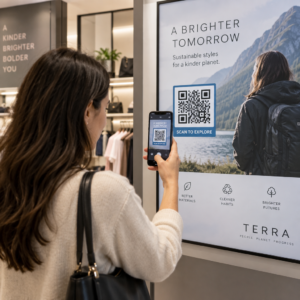
- LED-Bildschirme und Kioske im Geschäft erreichen ein Publikum mit hoher Laufkundschaft und können Impulshandlungen wie das Scannen nach einem Rabatt oder das Ansehen einer neuen Produkteinführung fördern
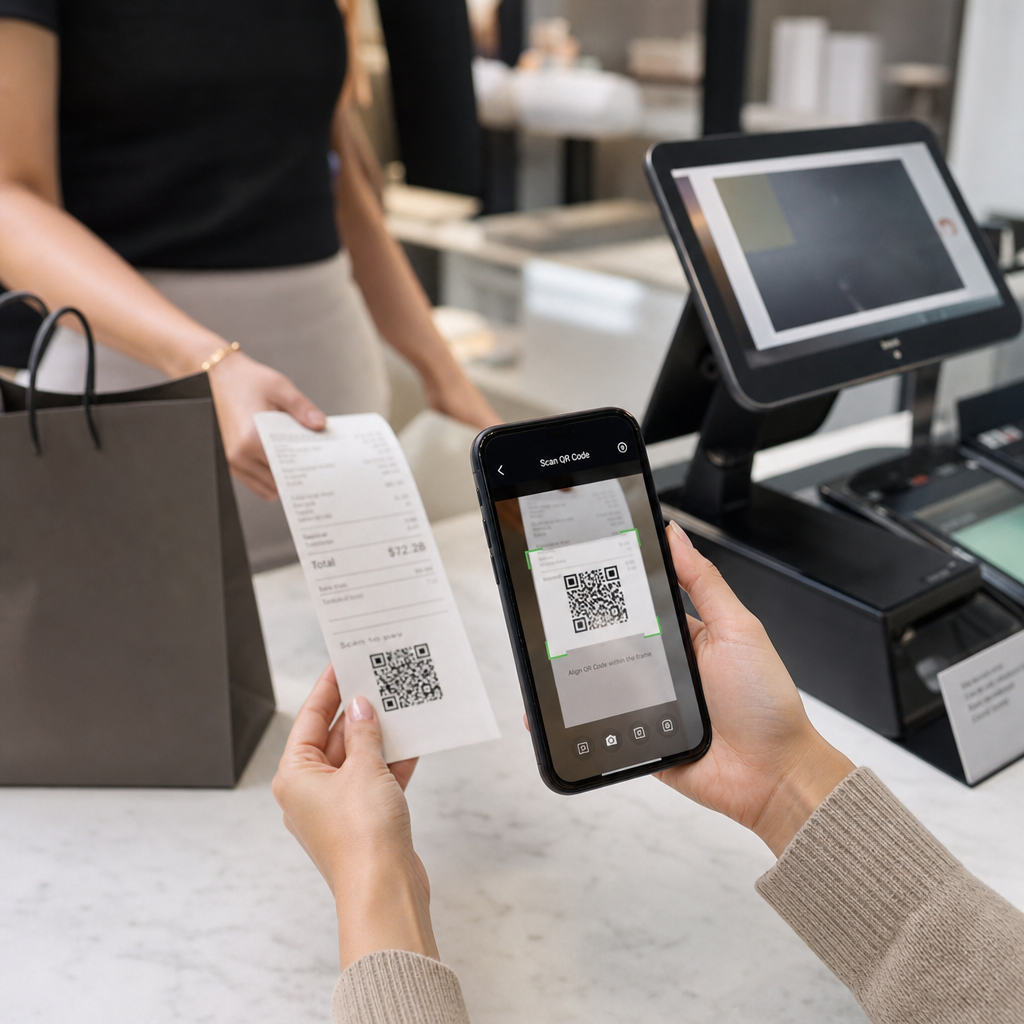
- Point-of-Sale- und Kassen-Displays sind erstklassige Standorte für Treueprogramm-Anmeldungen, digitale Belege oder Promotionen für den nächsten Einkauf
- Transit- und Fahrzeugbeschilderung erweitert Ihre Reichweite auf Pendler und Passanten – ein QR-Code auf einem gebrandeten Lieferwagen funktioniert zum Beispiel nach der Bereitstellung völlig eigenständig
Für einen tieferen Einblick, wie die Platzierungsstrategie im Geschäft die Interaktion beeinflusst, siehe Top-QR-Code-Platzierungen für Einzelhandelsgeschäfte und der Vergleich von QR-Codes auf Verpackungen versus Ladenanzeigen.
Die richtige Größe für digitale Bildschirme finden
Die Größe ist der häufigste Fehler bei QR-Codes auf Bildschirmen. Ein Code, der in einer Designdatei groß aussieht, kann auf einem Monitor quer durch den Raum fast unscanbar werden.
Die Standardrichtlinie ist die 10:1-Regel: Ihr QR-Code sollte mindestens ein Zehntel der beabsichtigten Scan-Entfernung betragen. Wenn Betrachter 1 Meter vom Bildschirm entfernt stehen, muss der Code mindestens 10 cm breit sein. Aus 3 Metern Entfernung sollten Sie 22–30 cm anstreben. Aus 10 Metern Entfernung benötigen Sie einen Code, der ungefähr 1 Meter pro Seite misst.
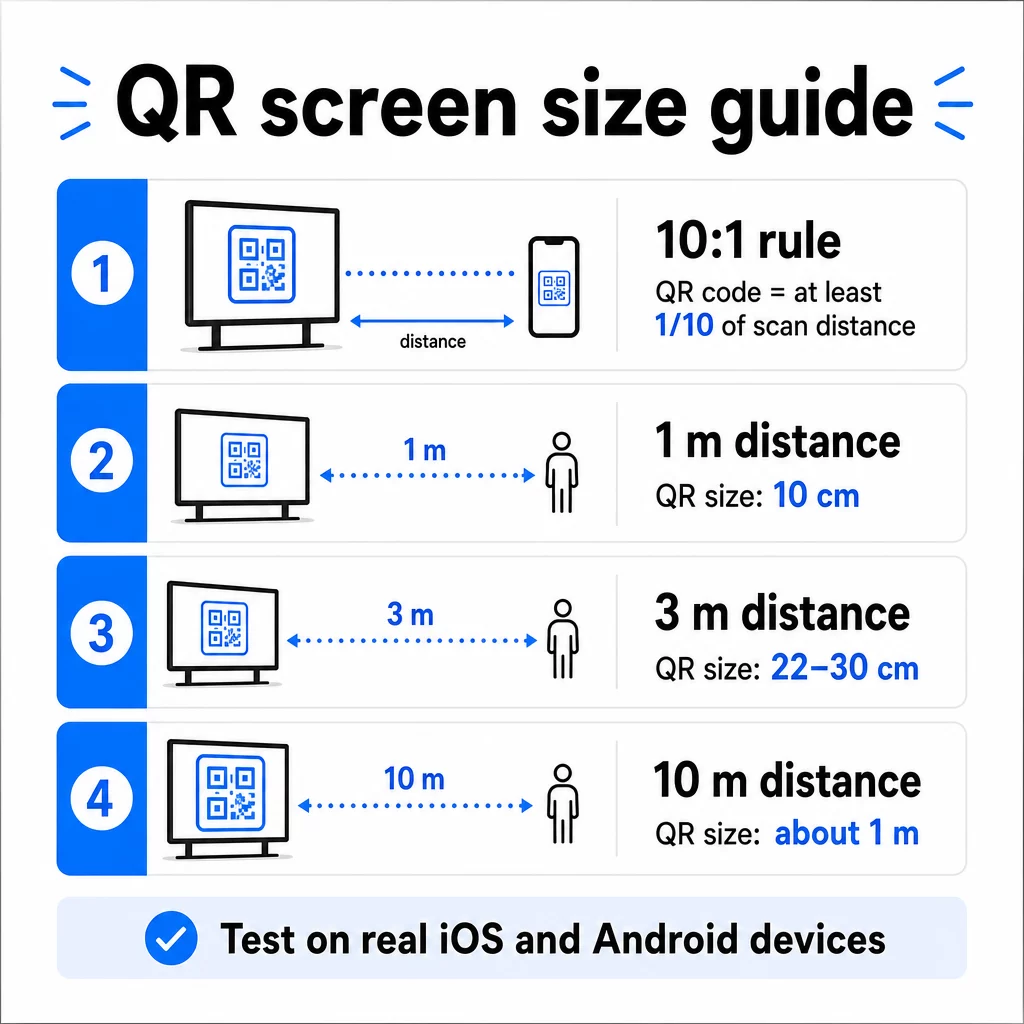
Als Referenz für 1080p-Displays sind mindestens 240 Pixel bei 72 dpi eine Ausgangsbasis für das Scannen aus nächster Nähe, aber dieses Minimum muss mit zunehmendem Betrachtungsabstand erheblich steigen. Für allgemeine digitale Beschilderung sollte kein QR-Code kleiner als etwa 2 × 2 Zoll sein – und größer ist immer sicherer, wenn Personen aus der Ferne scannen.
Überprüfen Sie die Größe immer unter realen Bedingungen. Testen Sie den Code in der tatsächlichen Anzeigegröße, aus der beabsichtigten Scan-Entfernung, auf iOS- und Android-Geräten, bevor Sie Ihr Design finalisieren. Konsultieren Sie die vollständige Anleitung zur QR-Code-Größenanpassung für verschiedene Materialien und Kontexte beim Skalieren über verschiedene Formate hinweg.
Kontrast und Farbe: Was einen Code scanbar macht
Eine Smartphone-Kamera liest einen QR-Code, indem sie den Kontrast zwischen dunklen Modulen und einem hellen Hintergrund erkennt. Ist dieser Kontrast schwach, hat die Kamera Schwierigkeiten, das Muster zu unterscheiden – und der Scan schlägt fehl.
Der zuverlässige Standard ist dunklen Vordergrund auf hellem Hintergrund, wobei Schwarz auf Weiß die zuverlässigste Kombination ist. Wenn Sie Markenfarben verwenden, halten Sie das QR-Muster in einer dunklen Farbe und den Hintergrund hell. Vermeiden Sie umgekehrte Farbschemata (weißer Code auf schwarzem Hintergrund), da viele QR-Code-Leser diese nicht zuverlässig verarbeiten können.
Speziell bei Bildschirmen wird der Kontrast komplizierter, da Umgebungslicht, Bildschirmreflexionen und Bildwiederholraten alle beeinflussen, was die Kamera sieht. Streben Sie ein Kontrastverhältnis von mindestens 4,5:1 zwischen Ihrem Code und seinem Hintergrund an – dieser Schwellenwert unterstützt auch die Barrierefreiheit für Benutzer mit Sehschwäche. Vermeiden Sie Farbverläufe und Schatten innerhalb des Codebereichs, da diese Zwischentöne erzeugen, die Scanner verwirren.
Eine vollständige Aufschlüsselung der Farbkombinationen und ihrer Scanergebnisse finden Sie im Leitfaden zu Best Practices für den Farbkontrast von QR-Codes.
Die Ruhezone: Der Bereich, der das Scannen ermöglicht
Die Ruhezone ist der leere Rand, der einen QR-Code auf allen vier Seiten umgibt. Sie ist nicht dekorativ – sie ist funktional. Scanner nutzen diesen leeren Bereich, um zu erkennen, wo der Code beginnt und endet, und ihn von anderen visuellen Elementen wie Text, Bildern oder Hintergrundmustern zu trennen.
Die minimale Ruhezone beträgt vier Module breit sein muss auf jeder Seite, wobei ein Modul die Breite des kleinsten Quadrats im Code ist. Wenn Sie den Code skalieren, muss die Ruhezone proportional skalieren. Das Beschneiden oder Kürzen des Randes – selbst geringfügig – kann zu wiederholten Scanfehlern führen.
Auf digitalen Displays, wo Designer oft mit überladenen Layouts und begrenztem Bildschirmplatz zu kämpfen haben, ist die Ruhezone häufig das Erste, was geopfert wird. Lassen Sie das nicht zu. Halten Sie die Ruhezone frei von Logos, Text und jeglichen Designelementen und stellen Sie sicher, dass sie der Hintergrundfarbe entspricht, damit sie den Code visuell von seiner Umgebung trennt.
Mehr zu den Anforderungen an die Ruhezone und Best Practices für die Lesbarkeit von QR-Codes ist verfügbar, wenn Sie ein bestehendes Design optimieren.
Platzierung und Layout auf dem Bildschirm
Wo der Code innerhalb des Display-Layouts platziert ist, beeinflusst sowohl die Sichtbarkeit als auch die Scanrate. Einige Prinzipien gelten durchgängig:
- Auf Augenhöhe platzieren. Die Positionierung des Codes in etwa 1,05 bis 1,35 Metern über dem Boden macht ihn sowohl für stehende Erwachsene als auch für Rollstuhlfahrer zugänglich – kein Bücken oder Strecken erforderlich
- Platzieren Sie den Code im natürlichen Lesefluss. Platzierungen in der Bildschirmmitte oder unten in der Mitte funktionieren tendenziell gut; vermeiden Sie es, den Code in einer Ecke zu verstecken, wo er mit anderen Elementen konkurriert
- Verwenden Sie nach Möglichkeit einen Code pro Display. Mehrere Codes verwirren die Betrachter, welchen sie scannen sollen, und können dazu führen, dass Kamera-Apps auf den falschen fokussieren
- Halten Sie das umgebende Design sauber. Zu viele konkurrierende Inhalte auf dem Bildschirm reduzieren die Scan-Raten; geben Sie dem Code visuellen Freiraum
Bei digitaler Beschilderung, die Inhalte rotiert, zeigen Sie den QR-Code für die gesamte Dauer seines Zeitfensters an. Betrachter benötigen genügend Zeit, um den Code zu bemerken, sich zum Scannen zu entscheiden und den Scan abzuschließen, bevor die Folie wechselt. Für mehr Kontext zu Platzierungsstrategien in verschiedenen Umgebungen, die ultimativer Leitfaden zur Platzierung von QR-Codes im Marketing behandelt Layout-Entscheidungen für Print- und digitale Formate.
Einen Call to Action schreiben, der Scans fördert
Ein QR-Code ohne Kontext wird ignoriert. Betrachter müssen wissen – bevor sie zum Telefon greifen –, was sie durch das Scannen erhalten.
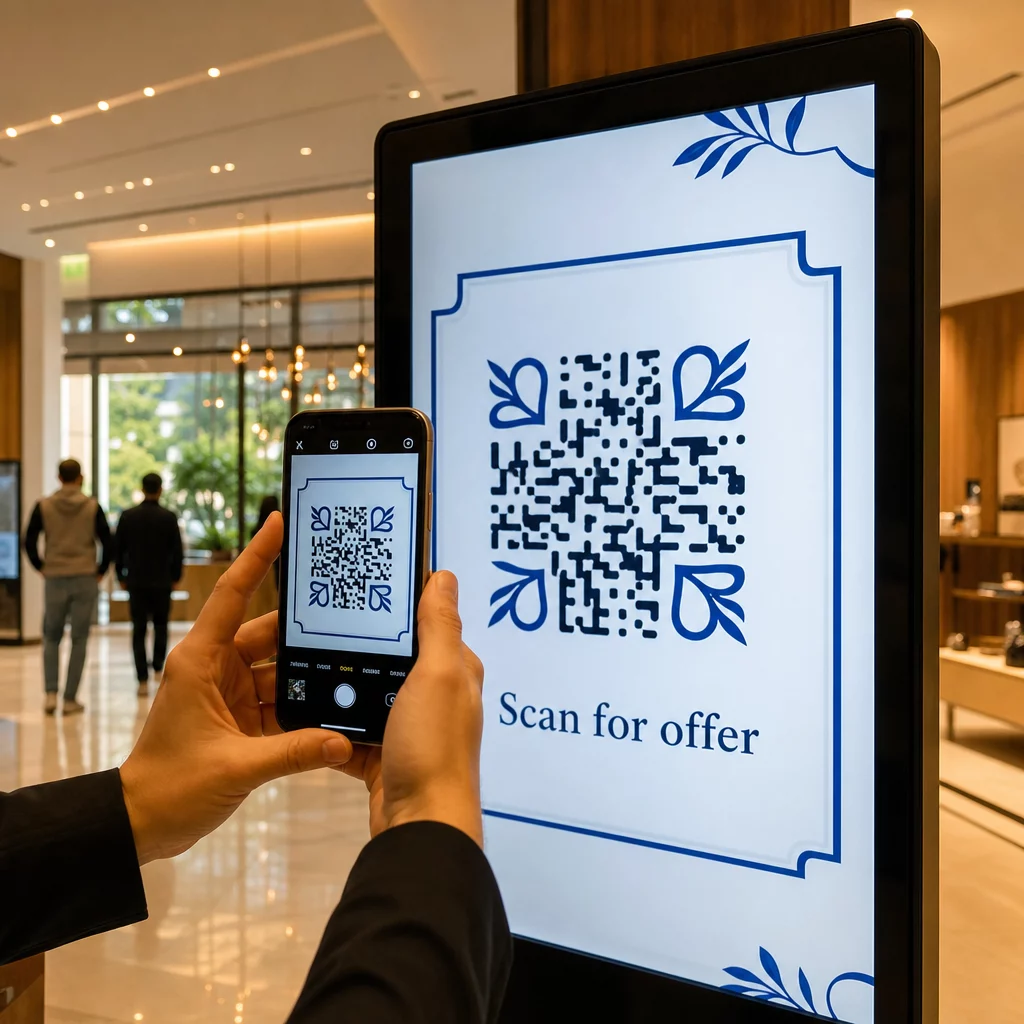
Platzieren Sie einen kurzen, spezifischen Call to Action direkt neben dem Code. “Scannen Sie für das heutige Menü”, “Scannen Sie, um am Gewinnspiel teilzunehmen” oder “Scannen Sie für 20% Rabatt auf Ihre nächste Bestellung” funktionieren alle besser als generische Aufforderungen wie “Hier scannen.” Je konkreter der Vorteil, desto höher die Scan-Rate.
Halten Sie den Text kurz – zwei bis fünf Wörter genügen. Größere Schriftarten und hoher Kontrast für den CTA-Text folgen denselben Prinzipien wie der Code selbst: Er muss aus der wahrscheinlichen Entfernung des Betrachters lesbar sein. Weitere Hinweise finden Sie unter Best Practices für die Benutzerfreundlichkeit von QR-Codes für mehr zum Thema effektive Rahmung.
Wohin der Scan führen sollte
Jeder Scan, der nicht sofort einen Mehrwert liefert, ist eine verlorene Gelegenheit. Da Betrachter über ein Smartphone ankommen, muss das Ziel eine mobil-optimierte Landingpage sein, die schnell lädt und das spezifische Versprechen des Call to Action erfüllt.
Vermeiden Sie es, Benutzer auf Ihre Homepage oder einen generischen Produktkatalog zu senden. Wenn der Code auf einem Kassenbildschirm ein Treueprogramm bewirbt, sollte die Landingpage das Anmeldeformular für das Treueprogramm sein – nichts weiter. Wenn er auf einem Messestand ist, könnte das Ziel ein Lead-Erfassungsformular oder ein herunterladbares Datenblatt sein.
EIN Google Formular QR-Code ist eine praktische Option für die Erfassung von Feedback, Event-Registrierungen oder Umfragen direkt von einem Display. Eine Link-QR-Code funktioniert für jedes URL-basierte Ziel und unterstützt vollständige Anpassung und Nachverfolgung.
Halten Sie Ihre Display-QR-Codes flexibel Müssen Sie aktualisieren, worauf ein Code verweist, ohne den Code selbst zu ändern? Verwenden Sie die QR-Code-Generator um dynamische Codes zu erstellen, mit denen Sie das Ziel jederzeit bearbeiten können – kein Neudrucken oder Neugestalten erforderlich.
Dynamische QR-Codes für Bildschirme verwenden
Statische QR-Codes kodieren eine feste URL oder ein Datenelement, das sich niemals ändern kann. Für Displays – insbesondere digitale Beschilderungen, die Kampagnen rotieren oder zeitlich begrenzte Angebote bewerben – entsteht dadurch ein Problem. Wenn sich der verknüpfte Inhalt ändert, müssen Sie den Code neu erstellen und erneut bereitstellen.
Dynamische QR-Codes lösen dies, indem sie eine kurze Weiterleitungs-URL kodieren. Das tatsächliche Ziel kann jederzeit über Ihr Konten-Dashboard aktualisiert werden, während der Code selbst gleich bleibt. Das bedeutet, Sie können:
- Ein Werbeangebot aktualisieren, ohne das Bildschirm-Layout neu zu gestalten
- Einen einzelnen Code je nach Saison oder Ereignis auf verschiedene Kampagnen umleiten
- Einen defekten Link sofort beheben, ohne Änderungen am Display vorzunehmen
Dynamische Codes ermöglichen auch Scan-Analysen – Daten darüber, wie oft ein Code gescannt wurde, von welchem Standort aus, auf welchem Gerät und zu welcher Zeit. Diese Daten helfen Ihnen zu bestimmen, welche Display-Platzierungen echtes Engagement erzeugen und welche übersehen werden.
Für Bildschirme mit rotierenden Inhalten sind dynamische Codes besonders wertvoll, da dasselbe visuelle Asset im Laufe der Zeit für verschiedene Kampagnen dienen kann.
Jeden Scan von jedem Bildschirm verfolgen Möchten Sie wissen, welche Displays tatsächlich Engagement fördern? Verwenden Sie Pageloots Plattform für dynamische QR-Codes um Scanraten, Standorte und Gerätedaten in Echtzeit zu überwachen – und Ihre Display-Strategie basierend auf den Daten zu verfeinern.
Testen vor dem Live-Gang
Selbst ein gut gestalteter QR-Code kann in der Praxis aufgrund von Displayhelligkeit, Betrachtungswinkel, Bildschirmaktualisierungsrate oder Umgebungsbeleuchtung fehlschlagen. Bevor ein Display live geht:
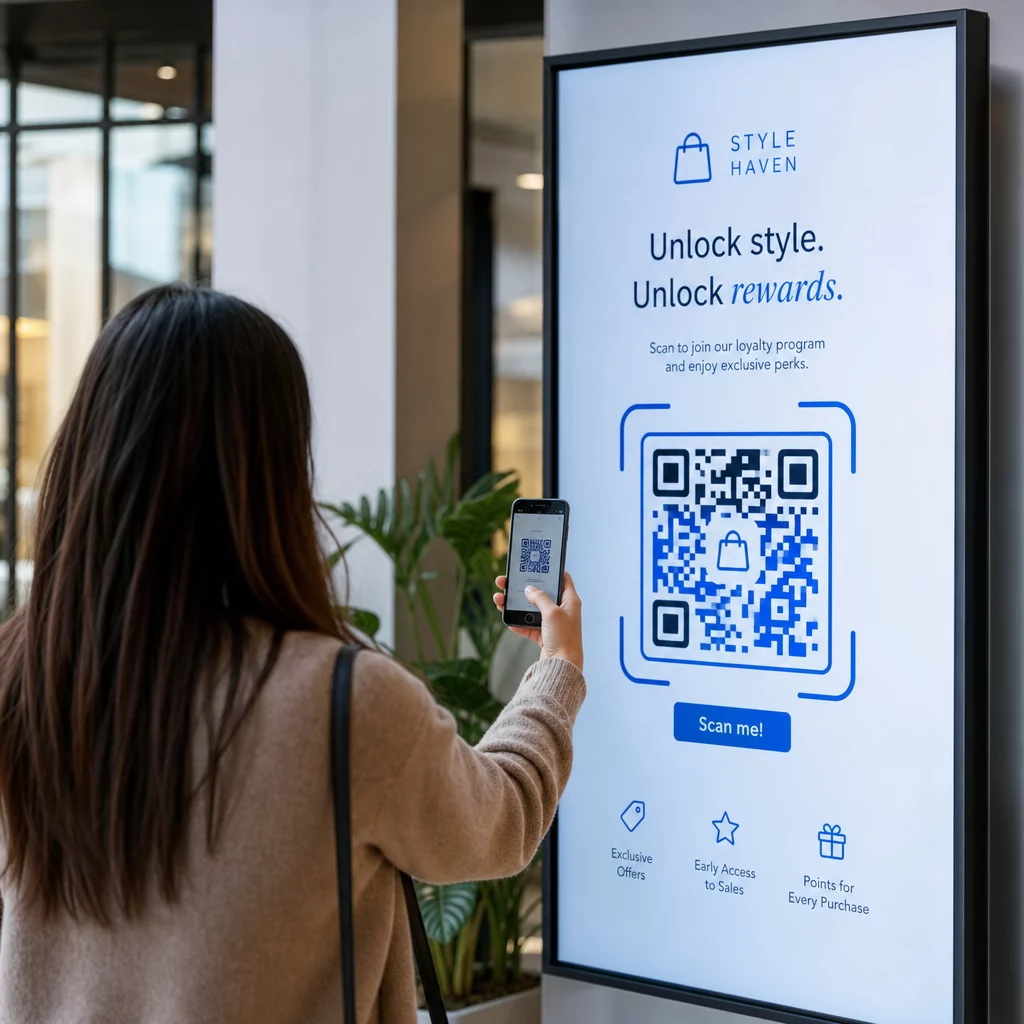
- Testen Sie den Code in der tatsächlichen Bildschirmgröße und Auflösung, in der er angezeigt wird
- Scannen Sie aus den vorgesehenen Mindest- und Höchstabständen
- Testen Sie auf mehreren Geräten – mindestens einem iOS- und einem Android-Telefon
- Testen Sie zu verschiedenen Tageszeiten, wenn das Display sich in der Nähe von natürlichen Lichtquellen befindet, die sich im Laufe des Tages ändern
- Vergewissern Sie sich, dass die Zielseite auf Mobilgeräten korrekt geladen wird und das erwartete Erlebnis bietet
Die QR-Code-Scanner-Werkzeug kann verwendet werden, um den Inhalt eines Codes zu überprüfen und zu bestätigen, dass er vor der Bereitstellung korrekt aufgelöst wird.
Entdecken Sie die Pageloot Funktionsübersicht und Branchenlösungen für weitere Informationen darüber, wie QR-Codes in verschiedenen Anzeigekontexten und Geschäftsbereichen eingesetzt werden können. Ein gut platzierter, richtig dimensionierter QR-Code mit einem klaren Call-to-Action kann jeden Bildschirm in einen Konversionspunkt verwandeln. Achten Sie auf den richtigen Kontrast, die Ruhezone, die Größe und das Ziel – und nutzen Sie dann dynamische Codes und Analysen, um sich ständig zu verbessern. Beginnen Sie mit dem QR-Code-Generator um noch heute Ihren ersten scannbaren Anzeigecode zu erstellen.
Häufig gestellte Fragen
Wenden Sie die 10:1-Regel an: Der Code sollte mindestens ein Zehntel der erwarteten Scan-Entfernung betragen. Für ein Display, das aus 1 Meter gescannt wird, sollte der Code mindestens 10 cm breit sein. Für allgemeine Digital Signage ist ein Minimum von 2 × 2 Zoll ein vernünftiger Ausgangspunkt, wobei die Größe mit zunehmendem Betrachtungsabstand wächst. Testen Sie immer mit der tatsächlichen Displaygröße und -entfernung, bevor Sie live gehen.
Ja, wenn Sie einen dynamischen QR-Code verwenden. Dynamische Codes verwenden eine Weiterleitungs-URL, sodass Sie das Ziel jederzeit in Ihrem Kontodashboard aktualisieren können – der Code selbst bleibt dabei unverändert. Dies ist besonders nützlich für digitale Beschilderungen, die wechselnde Kampagnen oder zeitlich begrenzte Angebote bewerben, da Sie es vermeiden, die Anzeige jedes Mal neu zu gestalten oder bereitzustellen, wenn sich der verlinkte Inhalt ändert.
Die häufigsten Ursachen sind unzureichender Kontrast zwischen dem Code und seinem Hintergrund, eine Ruhezone, die durch umgebende Designelemente beschnitten oder überfüllt wurde, und ein Code, der für die Betrachtungsentfernung zu klein ist. Auf Bildschirmen können auch Displayhelligkeit und Blendung stören. Stellen Sie sicher, dass Ihr Code ein dunkles Muster auf hellem Hintergrund verwendet, eine klare Vier-Modul-Ruhezone auf allen Seiten beibehält und die Größenanforderungen für Ihre erwartete Scan-Entfernung erfüllt. Testen Sie auf mehreren Geräten, um die Kompatibilität zu bestätigen.