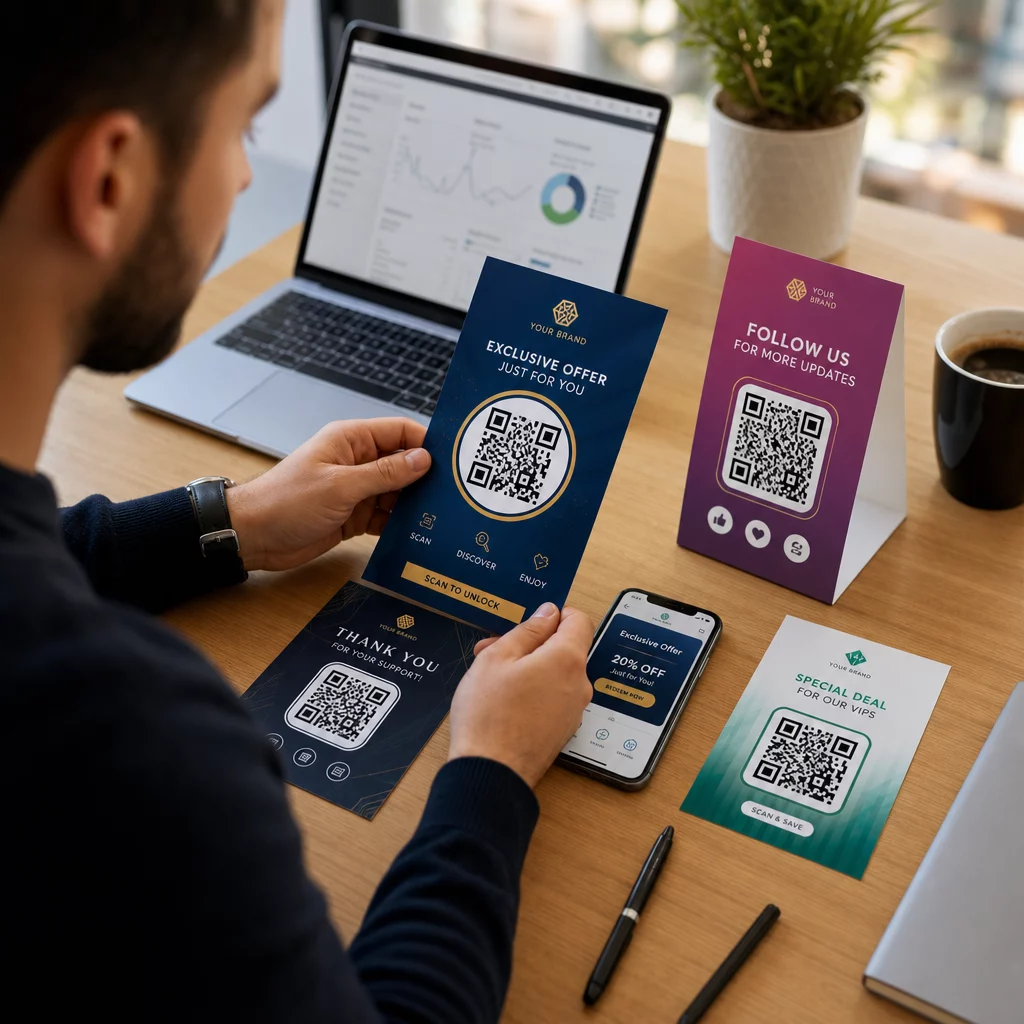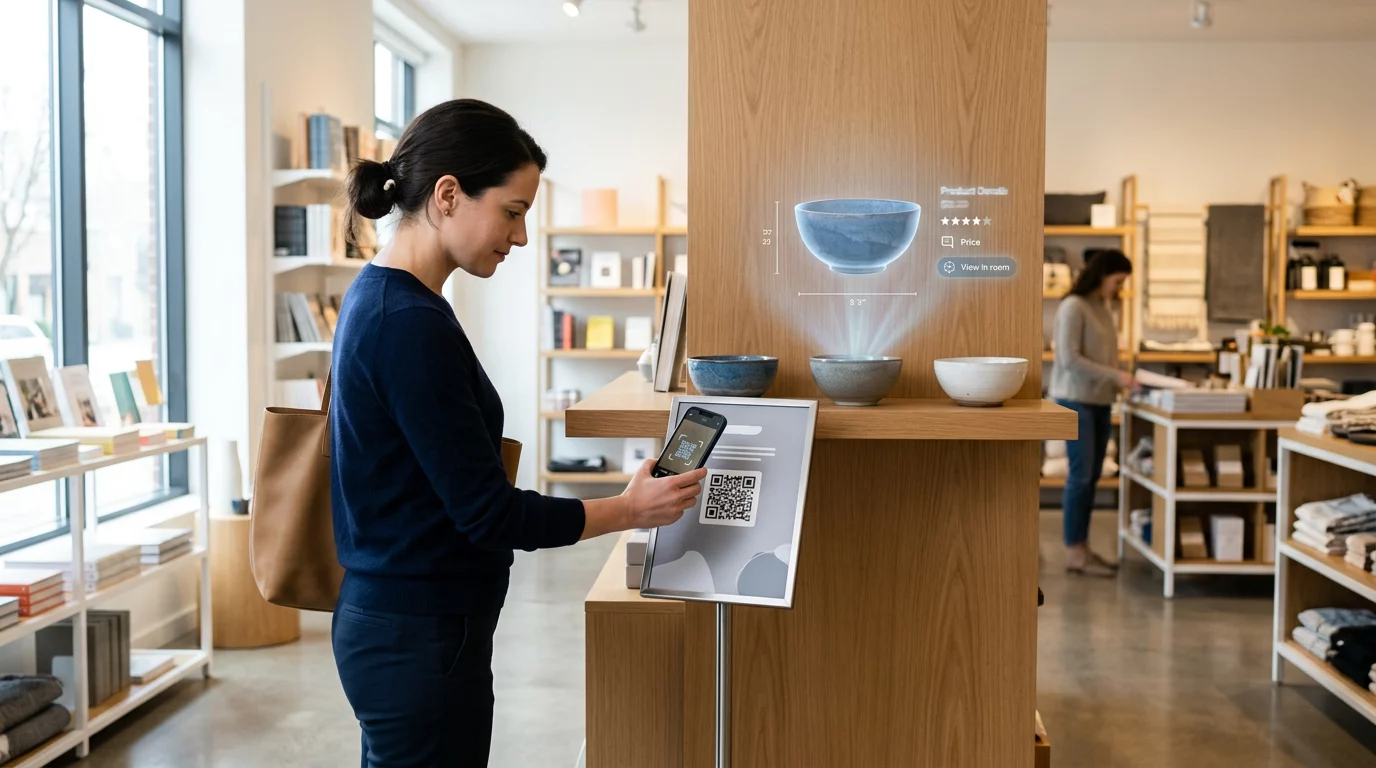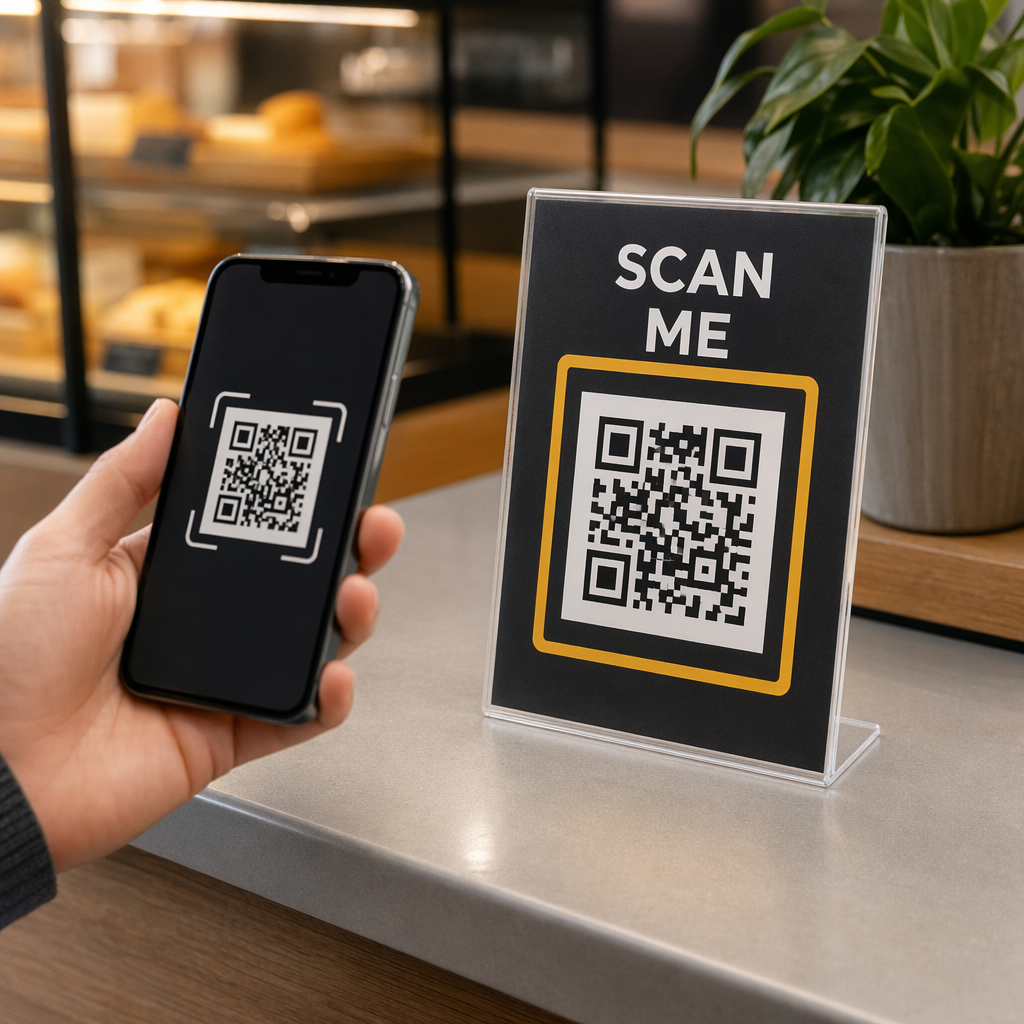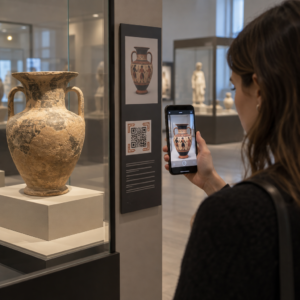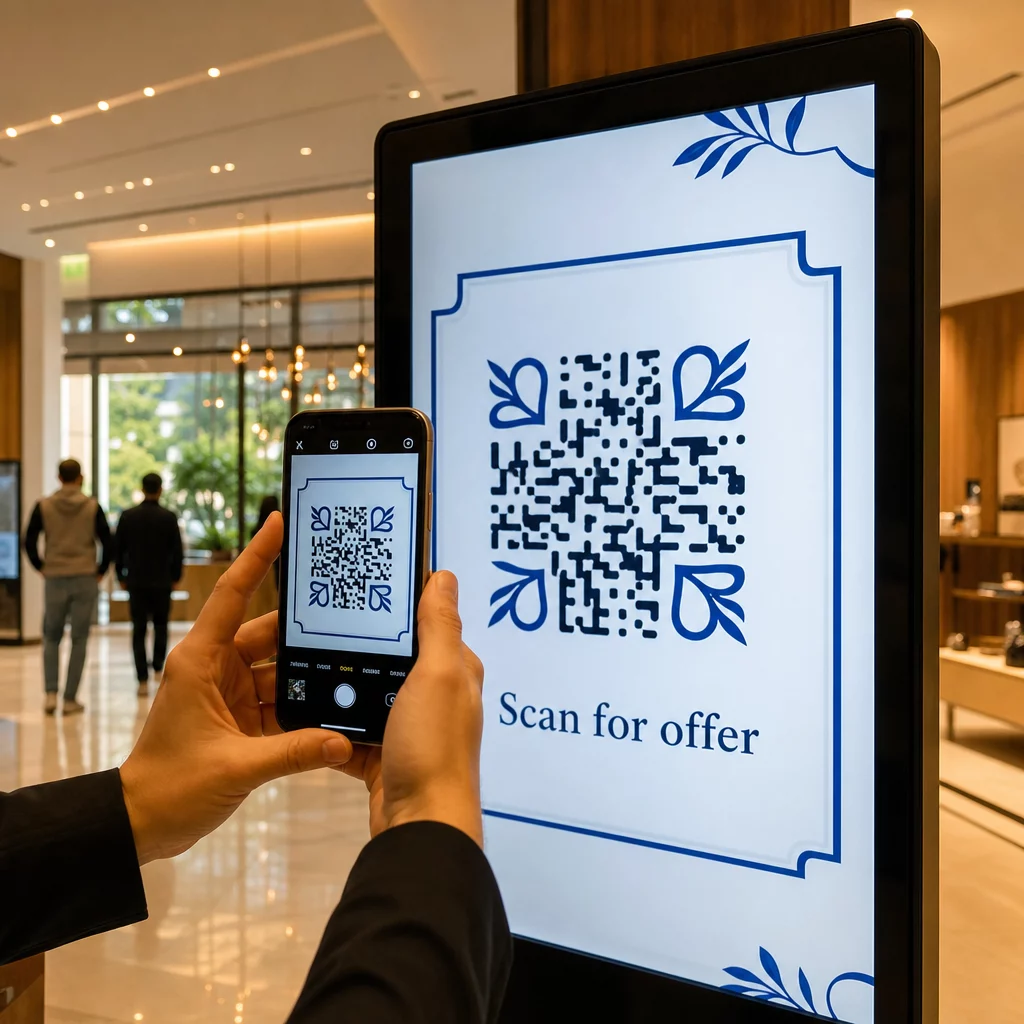
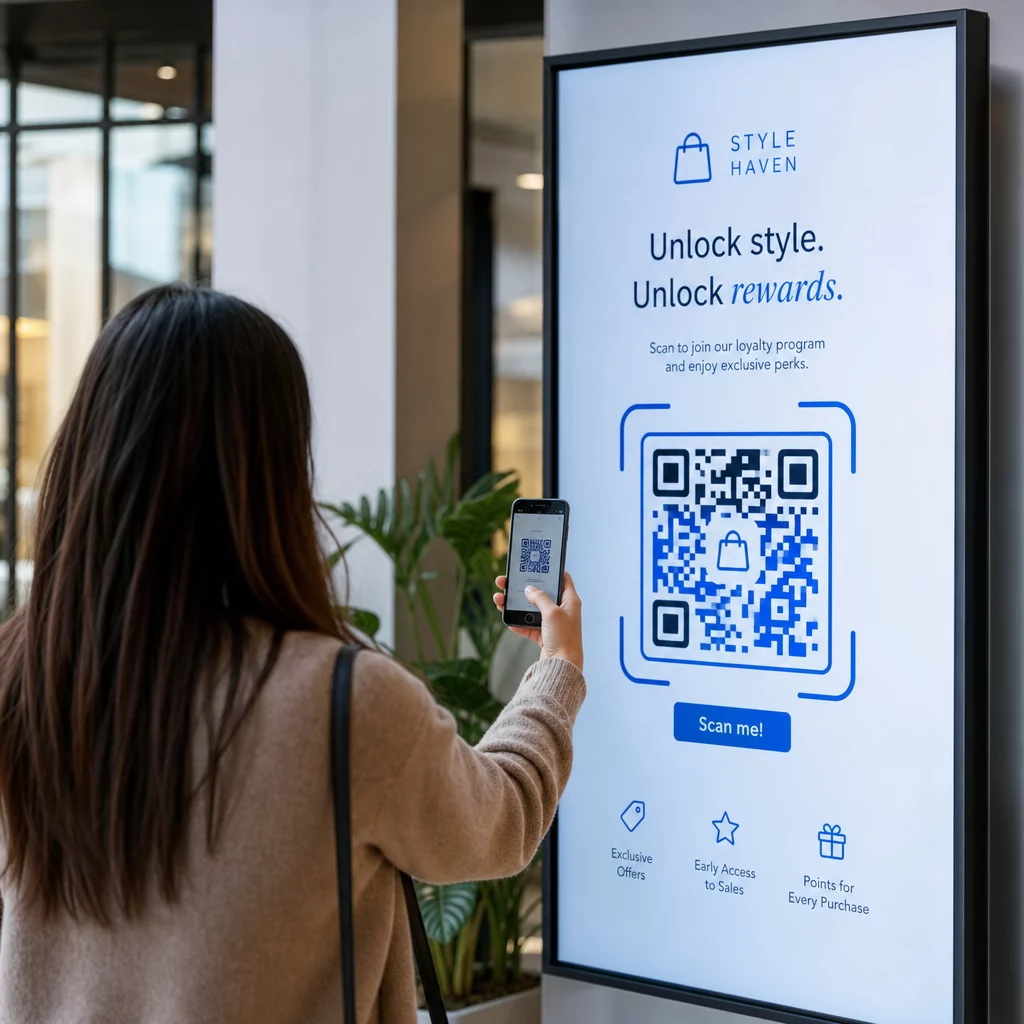
Οι ψηφιακές σας οθόνες δημιουργούν αλληλεπίδραση ή απλώς δημιουργούν εμφανίσεις; Ένας κωδικός QR μετατρέπει μια παθητική οθόνη σε ένα διαδραστικό σημείο επαφής – αλλά μόνο αν έχει σχεδιαστεί και τοποθετηθεί σωστά. Αυτός ο οδηγός καλύπτει όλα όσα πρέπει να γνωρίζετε για να κάνετε τους κωδικούς QR στις οθόνες να λειτουργούν πραγματικά.
Γιατί οι κωδικοί QR κάνουν τις ψηφιακές οθόνες πιο αποτελεσματικές
Οι ψηφιακές πινακίδες και οι οθόνες είναι ήδη καλές στο να τραβούν την προσοχή. Αυτό που δυσκολεύονται είναι να μετατρέψουν αυτή την προσοχή σε δράση. Ένας θεατής διαβάζει το μήνυμά σας, νιώθει ενδιαφέρον, και μετά… προχωράει. Δεν υπάρχει μηχανισμός για να γεφυρώσει τη στιγμή του ενδιαφέροντος με το επόμενο βήμα.
Ένας κωδικός QR κλείνει αυτό το κενό. Όταν κάποιος σαρώνει έναν κωδικό στην οθόνη σας, έχει επιλέξει οικειοθελώς να αλληλεπιδράσει περαιτέρω – έχει σηματοδοτήσει πρόθεση. Αυτή η μία σάρωση μπορεί να τον συνδέσει με μια σελίδα προϊόντος, μια προωθητική προσφορά, μια φόρμα εγγραφής ή ένα βίντεο, όλα από την οθόνη που ήδη κοιτούσε.
Αυτό είναι ιδιαίτερα χρήσιμο σε καταστάσεις όπου το κοινό σας δεν έχει πρόχειρο στυλό ή δεν θα θυμηθεί να ψάξει αργότερα: εμπορικές εκθέσεις, χώροι λιανικής, κόμβοι μεταφορών και δημόσιοι χώροι. Ο κωδικός κάνει τη δουλειά ακόμα και όταν δεν είστε παρόντες.
Πού λειτουργούν καλύτερα οι κωδικοί QR στις οθόνες
Δεν είναι κάθε περιβάλλον οθόνης εξίσου κατάλληλο για κωδικούς QR. Οι καλύτερες τοποθετήσεις μοιράζονται ένα κοινό χαρακτηριστικό: ο θεατής έχει μια φυσική στιγμή να σταματήσει, να βγάλει το τηλέφωνό του και να σαρώσει.
- Βιτρίνες και προσόψεις καταστημάτων δίνουν στους περαστικούς πρόσβαση σε λεπτομέρειες προϊόντων, κριτικές, τιμές ή επιλογές online αγοράς ακόμα και όταν το κατάστημα είναι κλειστό
- Οθόνες εμπορικών εκθέσεων και εκθέσεων είναι ιδανικές για τη μετατροπή της κίνησης του χώρου σε δυνητικούς πελάτες – οι κωδικοί μπορούν να συνδέονται με ψηφιακά φυλλάδια, συμμετοχές σε διαγωνισμούς, ακολουθήσεις στα μέσα κοινωνικής δικτύωσης ή αποκλειστικές προσφορές εκθέσεων
- Οθόνες LED και περίπτερα εντός καταστήματος προσεγγίζουν κοινό με μεγάλη κίνηση και μπορούν να οδηγήσουν σε παρορμητικές ενέργειες όπως η σάρωση για έκπτωση ή η προβολή μιας νέας κυκλοφορίας προϊόντος
- Οθόνες σημείου πώλησης και ταμείου είναι ιδανικές τοποθεσίες για εγγραφές πιστότητας, ψηφιακές αποδείξεις ή προσφορές για την επόμενη αγορά
- Σήμανση μέσων μαζικής μεταφοράς και οχημάτων επεκτείνει την εμβέλειά σας σε επιβάτες και περαστικούς – ένας κωδικός QR σε ένα επώνυμο όχημα παράδοσης, για παράδειγμα, λειτουργεί εντελώς αυτόνομα μόλις αναπτυχθεί
Για μια πιο εις βάθος ματιά στο πώς η στρατηγική τοποθέτησης εντός καταστήματος επηρεάζει την αφοσίωση, δείτε κορυφαίες τοποθετήσεις κωδικών QR για καταστήματα λιανικής και τη σύγκριση των κωδικών QR σε συσκευασίες έναντι των οθονών καταστημάτων.
Επιλογή του Σωστού Μεγέθους για Ψηφιακές Οθόνες
Το μέγεθος είναι το πιο κοινό λάθος με τους κωδικούς QR στις οθόνες. Ένας κωδικός που φαίνεται μεγάλος σε ένα αρχείο σχεδίασης μπορεί να γίνει σχεδόν μη σαρώσιμος όταν εμφανίζεται σε μια οθόνη απέναντι από ένα δωμάτιο.
Η τυπική οδηγία είναι η κανόνα 10:1: ο κωδικός QR σας θα πρέπει να είναι τουλάχιστον το ένα δέκατο της προβλεπόμενης απόστασης σάρωσης. Εάν οι θεατές θα στέκονται 1 μέτρο από την οθόνη, ο κωδικός πρέπει να έχει πλάτος τουλάχιστον 10 cm. Από 3 μέτρα, στοχεύστε σε 22–30 cm. Από 10 μέτρα, αναζητάτε έναν κωδικό που πρέπει να είναι περίπου 1 μέτρο ανά πλευρά.
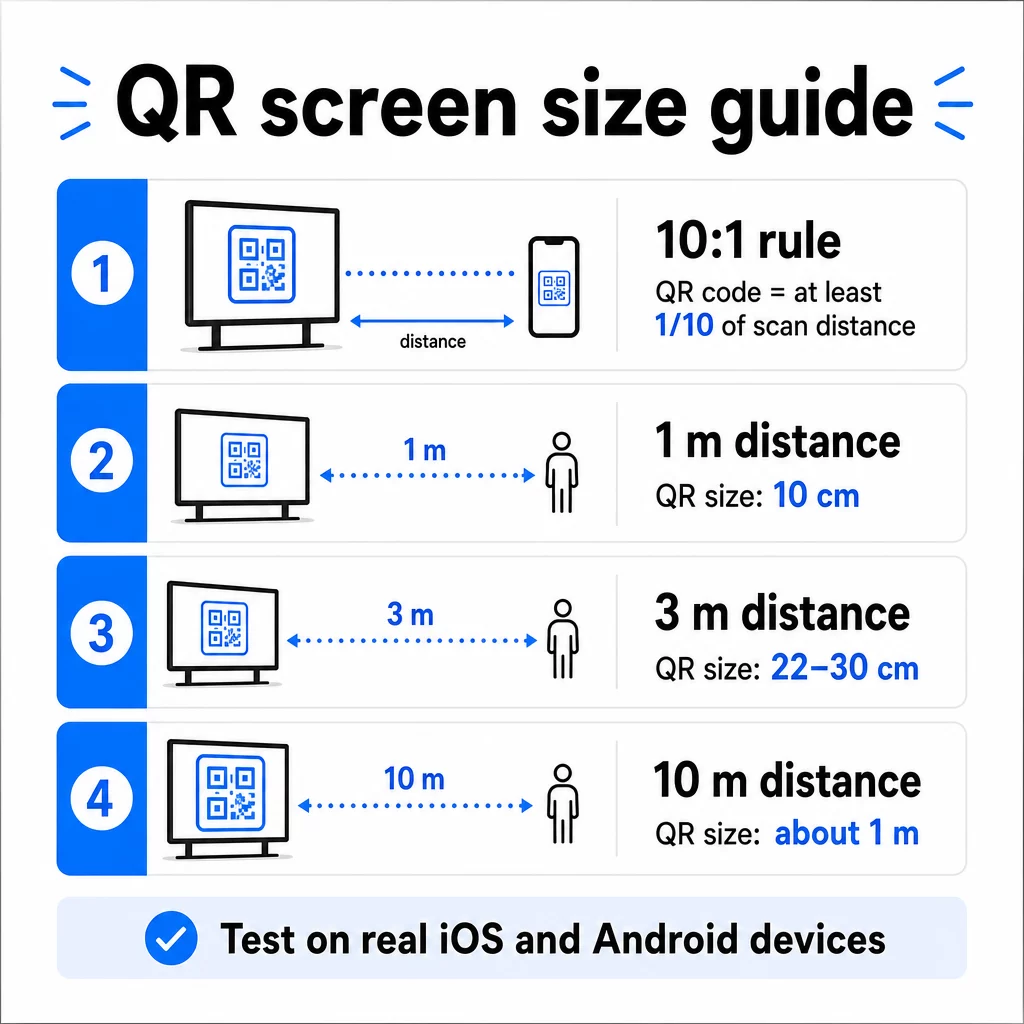
Για αναφορά σε οθόνες 1080p, ένα ελάχιστο 240 pixel στα 72 dpi είναι μια αρχική βάση για σάρωση από κοντινή απόσταση, αλλά αυτό το ελάχιστο πρέπει να αυξάνεται σημαντικά καθώς αυξάνεται η απόσταση θέασης. Για γενική ψηφιακή σήμανση, κανένας κωδικός QR δεν πρέπει να είναι μικρότερος από περίπου 2 × 2 ίντσες – και το μεγαλύτερο είναι πάντα ασφαλέστερο όταν οι άνθρωποι σαρώνουν από απόσταση.
Πάντα να επικυρώνετε το μέγεθος σε πραγματικές συνθήκες. Δοκιμάστε τον κωδικό στο πραγματικό μέγεθος οθόνης, από την προβλεπόμενη απόσταση σάρωσης, τόσο σε συσκευές iOS όσο και Android, πριν οριστικοποιήσετε το σχέδιό σας. Συμβουλευτείτε την πλήρη καθοδήγηση σχετικά με το μέγεθος των κωδικών QR για διαφορετικά υλικά και περιβάλλοντα κατά την κλιμάκωση σε διαφορετικές μορφές.
Αντίθεση και Χρώμα: Τι Κάνει έναν Κωδικό Σαρώσιμο
Μια κάμερα smartphone διαβάζει έναν κωδικό QR ανιχνεύοντας την αντίθεση μεταξύ των σκούρων μονάδων και ενός ανοιχτού φόντου. Εάν αυτή η αντίθεση είναι αδύναμη, η κάμερα δυσκολεύεται να διακρίνει το μοτίβο – και η σάρωση αποτυγχάνει.
Το αξιόπιστο πρότυπο είναι σκούρο προσκήνιο σε ανοιχτό φόντο, με το μαύρο σε λευκό να είναι ο πιο αξιόπιστος συνδυασμός. Όταν χρησιμοποιείτε χρώματα επωνυμίας, διατηρήστε το μοτίβο QR σε σκούρο χρώμα και το φόντο ανοιχτό. Αποφύγετε τα ανεστραμμένα χρωματικά σχήματα (λευκός κωδικός σε μαύρο φόντο), καθώς πολλοί αναγνώστες κωδικών QR δεν μπορούν να τα επεξεργαστούν αξιόπιστα.
Ειδικά για τις οθόνες, η αντίθεση γίνεται πιο περίπλοκη επειδή ο φωτισμός περιβάλλοντος, η αντανάκλαση της οθόνης και οι ρυθμοί ανανέωσης επηρεάζουν όλα όσα βλέπει η κάμερα. Στοχεύστε σε αναλογία αντίθεσης τουλάχιστον 4,5:1 μεταξύ του κώδικά σας και του φόντου του – αυτό το όριο υποστηρίζει επίσης την προσβασιμότητα για χρήστες με χαμηλή όραση. Αποφύγετε τις διαβαθμίσεις και τις σκιές εντός της περιοχής του κώδικα, καθώς αυτές δημιουργούν μεσαίους τόνους που μπερδεύουν τους σαρωτές.
Για μια πλήρη ανάλυση των χρωματικών συνδυασμών και των αποτελεσμάτων σάρωσής τους, δείτε τον οδηγό για βέλτιστες πρακτικές αντίθεσης χρωμάτων κωδικών QR.
Η Ήσυχη Ζώνη: Ο Χώρος που Κάνει τη Σάρωση Δυνατή
Η ήσυχη ζώνη είναι το κενό περίγραμμα που περιβάλλει έναν κωδικό QR και στις τέσσερις πλευρές. Δεν είναι διακοσμητική – είναι λειτουργική. Οι σαρωτές χρησιμοποιούν αυτόν τον κενό χώρο για να αναγνωρίσουν πού αρχίζει και πού τελειώνει ο κωδικός, διαχωρίζοντάς τον από άλλα οπτικά στοιχεία όπως κείμενο, εικόνες ή μοτίβα φόντου.
Η ελάχιστη ήσυχη ζώνη είναι πλάτους τεσσάρων μονάδων σε κάθε πλευρά, όπου μια μονάδα είναι το πλάτος του μικρότερου τετραγώνου στον κωδικό. Εάν κλιμακώνετε τον κωδικό, η ήσυχη ζώνη πρέπει να κλιμακώνεται αναλογικά. Η περικοπή ή το κλάδεμα του περιγράμματος – έστω και ελαφρώς – μπορεί να προκαλέσει συνεχείς αποτυχίες σάρωσης.
Σε ψηφιακές οθόνες, όπου οι σχεδιαστές συχνά εργάζονται ενάντια σε πολυπληθείς διατάξεις και περιορισμένο χώρο οθόνης, η ήσυχη ζώνη είναι συχνά το πρώτο πράγμα που συμπιέζεται. Μην το επιτρέψετε. Κρατήστε την ήσυχη ζώνη καθαρή από λογότυπα, κείμενο και οποιαδήποτε σχεδιαστικά στοιχεία, και βεβαιωθείτε ότι ταιριάζει με το χρώμα του φόντου ώστε να διαχωρίζει οπτικά τον κωδικό από το περιβάλλον του.
Περισσότερα για τις απαιτήσεις της ήσυχης ζώνης και βέλτιστες πρακτικές αναγνωσιμότητας κωδικών QR είναι διαθέσιμα εάν βελτιστοποιείτε έναν υπάρχοντα σχεδιασμό.
Τοποθέτηση και Διάταξη στην Οθόνη
Το πού βρίσκεται ο κωδικός εντός της διάταξης της οθόνης επηρεάζει τόσο την ορατότητα όσο και τον ρυθμό σάρωσης. Λίγες αρχές εφαρμόζονται με συνέπεια:
- Τοποθετήστε στο ύψος των ματιών. Η τοποθέτηση του κωδικού σε ύψος περίπου 3,5 έως 4,5 ποδιών από το πάτωμα τον καθιστά προσβάσιμο τόσο για ενήλικες που στέκονται όρθιοι όσο και για χρήστες αναπηρικών αμαξιδίων – χωρίς να απαιτείται σκύψιμο ή τέντωμα
- Τοποθετήστε τον κωδικό στη φυσική ροή ανάγνωσης. Οι τοποθετήσεις στο κέντρο της οθόνης ή στο κάτω κέντρο τείνουν να αποδίδουν καλά· αποφύγετε να θάψετε τον κωδικό σε μια γωνία όπου ανταγωνίζεται με άλλα στοιχεία
- Χρησιμοποιήστε έναν κωδικό ανά οθόνη όταν είναι δυνατόν. Πολλαπλοί κωδικοί μπερδεύουν τους θεατές σχετικά με το ποιον να σαρώσουν και μπορούν να προκαλέσουν στις εφαρμογές κάμερας να εστιάσουν στον λάθος κωδικό
- Διατηρήστε τον περιβάλλοντα σχεδιασμό καθαρό. Το πολύ ανταγωνιστικό περιεχόμενο στην οθόνη μειώνει τα ποσοστά σάρωσης. Δώστε στον κώδικα οπτικό χώρο αναπνοής.
Για την ψηφιακή σήμανση που περιστρέφει περιεχόμενο, εμφανίστε τον κωδικό QR για όλη τη διάρκεια του χρονικού του διαστήματος. Οι θεατές χρειάζονται αρκετό χρόνο για να παρατηρήσουν τον κωδικό, να αποφασίσουν να σαρώσουν και να ολοκληρώσουν τη σάρωση πριν αλλάξει η διαφάνεια. Για περισσότερο πλαίσιο σχετικά με τις στρατηγικές τοποθέτησης σε διάφορα περιβάλλοντα, το ο απόλυτος οδηγός για την τοποθέτηση κωδικών QR στο μάρκετινγκ καλύπτει αποφάσεις διάταξης σε έντυπες και ψηφιακές μορφές.
Γράφοντας μια Παρότρυνση για Δράση που Οδηγεί σε Σαρώσεις
Ένας κωδικός QR χωρίς πλαίσιο αγνοείται. Οι θεατές πρέπει να γνωρίζουν – πριν πιάσουν το τηλέφωνό τους – τι θα κερδίσουν σαρώνοντας.
Τοποθετήστε μια σύντομη, συγκεκριμένη παρότρυνση για δράση ακριβώς δίπλα στον κωδικό. “Σαρώστε για το σημερινό μενού”, “Σαρώστε για να λάβετε μέρος στον διαγωνισμό” ή “Σαρώστε για 20% έκπτωση στην επόμενη παραγγελία σας” λειτουργούν όλα καλύτερα από γενικές προτροπές όπως “Σαρώστε εδώ”. Όσο πιο συγκεκριμένο είναι το όφελος, τόσο υψηλότερο είναι το ποσοστό σάρωσης.
Κρατήστε το κείμενο σύντομο – δύο έως πέντε λέξεις είναι αρκετές. Οι μεγαλύτερες γραμματοσειρές και η υψηλή αντίθεση για το κείμενο της παρότρυνσης για δράση εφαρμόζουν τις ίδιες αρχές με τον ίδιο τον κωδικό: πρέπει να είναι ευανάγνωστο από την πιθανή απόσταση του θεατή. Δείτε πρόσθετες οδηγίες στο βέλτιστες πρακτικές χρηστικότητας κωδικών QR για περισσότερα σχετικά με την αποτελεσματική πλαισίωση.
Πού πρέπει να οδηγεί η σάρωση
Κάθε σάρωση που δεν προσφέρει άμεσα αξία είναι μια χαμένη ευκαιρία. Δεδομένου ότι οι θεατές θα φτάσουν μέσω smartphone, ο προορισμός πρέπει να είναι ένα σελίδα προορισμού βελτιστοποιημένη για κινητά που φορτώνει γρήγορα και εκπληρώνει τη συγκεκριμένη υπόσχεση της παρότρυνσης για δράση.
Αποφύγετε να στέλνετε τους χρήστες στην αρχική σας σελίδα ή σε έναν γενικό κατάλογο προϊόντων. Εάν ο κωδικός βρίσκεται σε μια οθόνη ταμείου που προωθεί ένα πρόγραμμα επιβράβευσης, η σελίδα προορισμού θα πρέπει να είναι η φόρμα εγγραφής στο πρόγραμμα επιβράβευσης – τίποτα περισσότερο. Εάν βρίσκεται σε μια έκθεση, ο προορισμός μπορεί να είναι μια φόρμα συλλογής δυνητικών πελατών ή ένα φύλλο προδιαγραφών με δυνατότητα λήψης.
ΕΝΑ Κωδικός QR της φόρμας Google είναι μια πρακτική επιλογή για συλλογή σχολίων, εγγραφή σε εκδηλώσεις ή έρευνες απευθείας από μια οθόνη. Ένα QR code συνδέσμου λειτουργεί για οποιονδήποτε προορισμό βάσει URL και υποστηρίζει πλήρη προσαρμογή και παρακολούθηση.
Διατηρήστε τους κωδικούς QR της οθόνης σας ευέλικτους Χρειάζεται να ενημερώσετε πού οδηγεί ένας κωδικός χωρίς να αλλάξετε τον ίδιο τον κωδικό; Χρησιμοποιήστε τους Γεννήτρια Κωδικών QR για να δημιουργήσετε δυναμικούς κωδικούς που σας επιτρέπουν να επεξεργάζεστε τον προορισμό ανά πάσα στιγμή – χωρίς να απαιτείται επανεκτύπωση ή επανασχεδιασμός.
Χρήση Δυναμικών Κωδικών QR για Οθόνες
Οι στατικοί κωδικοί QR κωδικοποιούν μια σταθερή διεύθυνση URL ή ένα κομμάτι δεδομένων που δεν μπορεί ποτέ να αλλάξει. Για τις οθόνες – ειδικά την ψηφιακή σήμανση που εναλλάσσει καμπάνιες ή προωθεί προσφορές ευαίσθητες στο χρόνο – αυτό δημιουργεί πρόβλημα. Εάν το συνδεδεμένο περιεχόμενο αλλάξει, πρέπει να αναδημιουργήσετε και να αναπτύξετε ξανά τον κωδικό.
Δυναμικοί κωδικοί QR το λύνουν αυτό κωδικοποιώντας μια σύντομη διεύθυνση URL ανακατεύθυνσης. Ο πραγματικός προορισμός μπορεί να ενημερωθεί ανά πάσα στιγμή μέσω του πίνακα ελέγχου του λογαριασμού σας, ενώ ο ίδιος ο κωδικός παραμένει ο ίδιος. Αυτό σημαίνει ότι μπορείτε:
- Ενημερώστε μια προωθητική προσφορά χωρίς να επανασχεδιάσετε τη διάταξη της οθόνης
- Ανακατευθύνετε έναν μόνο κωδικό σε διαφορετικές καμπάνιες ανά εποχή ή εκδήλωση
- Διορθώστε έναν χαλασμένο σύνδεσμο άμεσα χωρίς αλλαγές στην οθόνη
Οι δυναμικοί κωδικοί ξεκλειδώνουν επίσης αναλυτικά στοιχεία σάρωσης – δεδομένα για το πόσες φορές σαρώθηκε ένας κωδικός, από ποια τοποθεσία, σε ποια συσκευή και σε ποια ώρα. Αυτά τα δεδομένα σας βοηθούν να προσδιορίσετε ποιες τοποθετήσεις οθόνης δημιουργούν πραγματική αλληλεπίδραση έναντι ποιων παραβλέπονται.
Για οθόνες με περιστρεφόμενο περιεχόμενο, οι δυναμικοί κωδικοί είναι ιδιαίτερα πολύτιμοι επειδή το ίδιο οπτικό στοιχείο μπορεί να εξυπηρετήσει διαφορετικές καμπάνιες με την πάροδο του χρόνου.
Παρακολουθήστε Κάθε Σάρωση από Κάθε Οθόνη Θέλετε να μάθετε ποιες οθόνες οδηγούν πραγματικά σε αλληλεπίδραση; Χρησιμοποιήστε της Pageloot πλατφόρμα δυναμικών κωδικών QR για να παρακολουθείτε τις τιμές σάρωσης, τις τοποθεσίες και τα δεδομένα συσκευών σε πραγματικό χρόνο – και να βελτιώσετε τη στρατηγική προβολής σας με βάση τα δεδομένα που εμφανίζονται.
Δοκιμή Πριν τη Δημοσίευση
Ακόμη και ένας καλά σχεδιασμένος κωδικός QR μπορεί να αποτύχει στην πράξη λόγω φωτεινότητας οθόνης, γωνίας θέασης, ρυθμού ανανέωσης οθόνης ή φωτισμού περιβάλλοντος. Πριν από την έναρξη οποιασδήποτε προβολής:
- Δοκιμάστε τον κώδικα στο πραγματικό μέγεθος οθόνης και την ανάλυση στην οποία θα εμφανιστεί
- Σαρώστε από τις προβλεπόμενες ελάχιστες και μέγιστες αποστάσεις
- Δοκιμάστε σε πολλές συσκευές – τουλάχιστον ένα τηλέφωνο iOS και ένα Android
- Δοκιμάστε σε διαφορετικές ώρες της ημέρας εάν η οθόνη βρίσκεται κοντά σε φυσικές πηγές φωτός που αλλάζουν καθ' όλη τη διάρκεια της ημέρας
- Επαληθεύστε ότι η σελίδα προορισμού φορτώνει σωστά στο κινητό και προσφέρει την αναμενόμενη εμπειρία
ο Εργαλείο σάρωσης κώδικα QR μπορεί να χρησιμοποιηθεί για την επαλήθευση του περιεχομένου ενός κώδικα και την επιβεβαίωση ότι επιλύεται σωστά πριν την ανάπτυξη.
Εξερευνήστε τις Επισκόπηση λειτουργιών του Pageloot και λύσεις για τον κλάδο για περισσότερα σχετικά με το πώς μπορούν να εφαρμοστούν οι κωδικοί QR σε διαφορετικά περιβάλλοντα προβολής και επιχειρηματικούς τομείς. Ένας καλά τοποθετημένος, σωστού μεγέθους κωδικός QR με σαφή παρότρυνση για δράση μπορεί να μετατρέψει οποιαδήποτε οθόνη σε σημείο μετατροπής. Βρείτε τη σωστή αντίθεση, ήσυχη ζώνη, μέγεθος και προορισμό – και στη συνέχεια χρησιμοποιήστε δυναμικούς κωδικούς και αναλυτικά στοιχεία για να συνεχίσετε να βελτιώνεστε. Ξεκινήστε με το Γεννήτρια Κωδικών QR για να δημιουργήσετε τον πρώτο σας κωδικό οθόνης με δυνατότητα σάρωσης σήμερα.
Συχνές ερωτήσεις
Χρησιμοποιήστε τον κανόνα 10:1: ο κώδικας θα πρέπει να είναι τουλάχιστον το ένα δέκατο της αναμενόμενης απόστασης σάρωσης. Για μια οθόνη που σαρώνεται από 1 μέτρο, ο κώδικας θα πρέπει να έχει πλάτος τουλάχιστον 10 cm. Για γενική ψηφιακή σήμανση, ένα ελάχιστο μέγεθος 2 × 2 ιντσών είναι ένα λογικό σημείο εκκίνησης, με το μέγεθος να αυξάνεται καθώς μεγαλώνει η απόσταση θέασης. Πάντα να δοκιμάζετε στο πραγματικό μέγεθος και απόσταση της οθόνης πριν τη θέση σε λειτουργία.
Ναι, αν χρησιμοποιείτε έναν δυναμικό κωδικό QR. Οι δυναμικοί κωδικοί χρησιμοποιούν μια διεύθυνση URL ανακατεύθυνσης, ώστε να μπορείτε να ενημερώνετε τον προορισμό στον πίνακα ελέγχου του λογαριασμού σας ανά πάσα στιγμή – ο ίδιος ο κωδικός παραμένει ο ίδιος. Αυτό είναι ιδιαίτερα χρήσιμο για την ψηφιακή σήμανση που προωθεί εκ περιτροπής καμπάνιες ή προσφορές ευαίσθητες στο χρόνο, καθώς αποφεύγετε την ανασχεδίαση ή την εκ νέου ανάπτυξη της οθόνης κάθε φορά που αλλάζει το συνδεδεμένο περιεχόμενο.
Οι πιο συχνές αιτίες είναι η ανεπαρκής αντίθεση μεταξύ του κώδικα και του φόντου του, μια ήσυχη ζώνη που έχει περικοπεί ή συμπιεστεί από γύρω σχεδιαστικά στοιχεία, και ένας κώδικας που είναι πολύ μικρός για την απόσταση θέασης. Σε οθόνες, η φωτεινότητα της οθόνης και η αντανάκλαση μπορούν επίσης να παρεμβαίνουν. Βεβαιωθείτε ότι ο κώδικάς σας χρησιμοποιεί ένα σκούρο μοτίβο σε ανοιχτόχρωμο φόντο, διατηρεί μια καθαρή ήσυχη ζώνη τεσσάρων μονάδων σε όλες τις πλευρές, και πληροί τις απαιτήσεις μεγέθους για την αναμενόμενη απόσταση σάρωσης. Δοκιμάστε σε πολλές συσκευές για να επιβεβαιώσετε τη συμβατότητα.