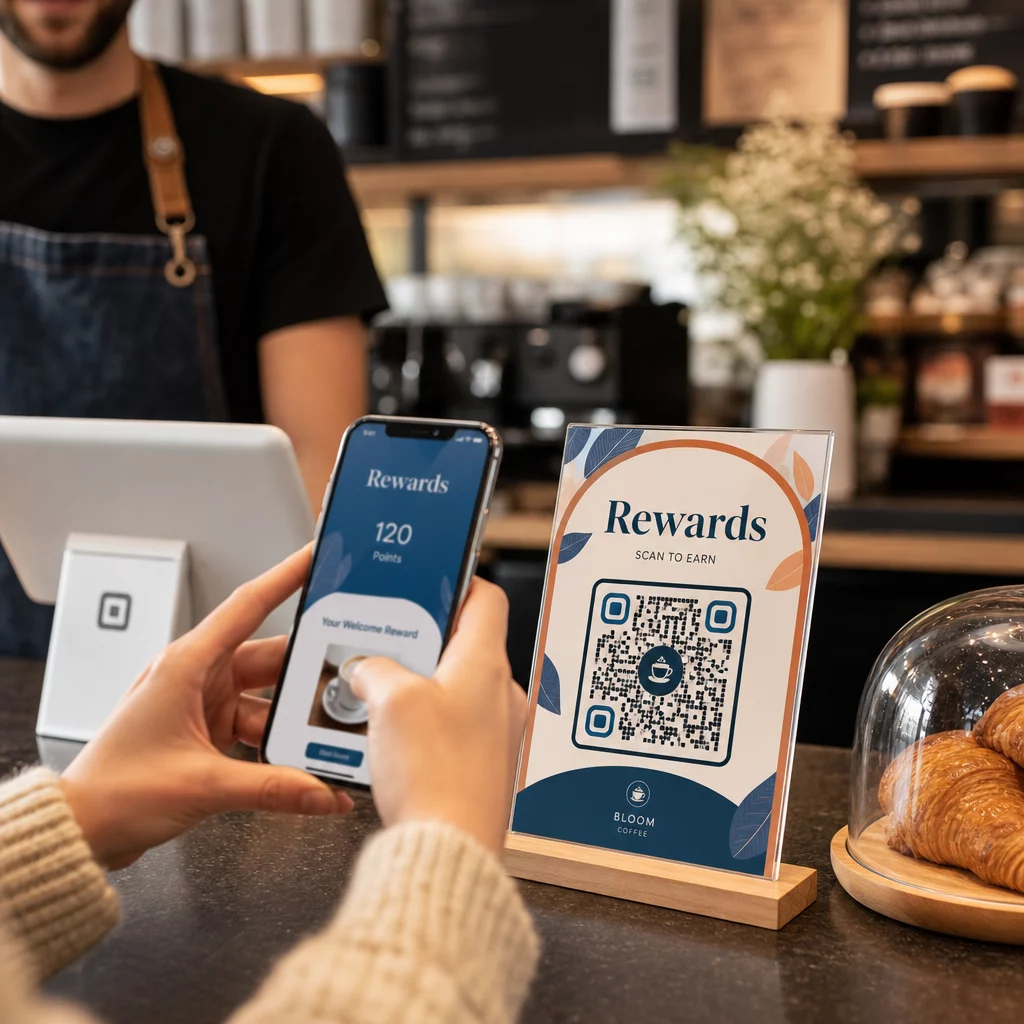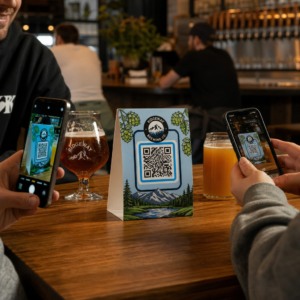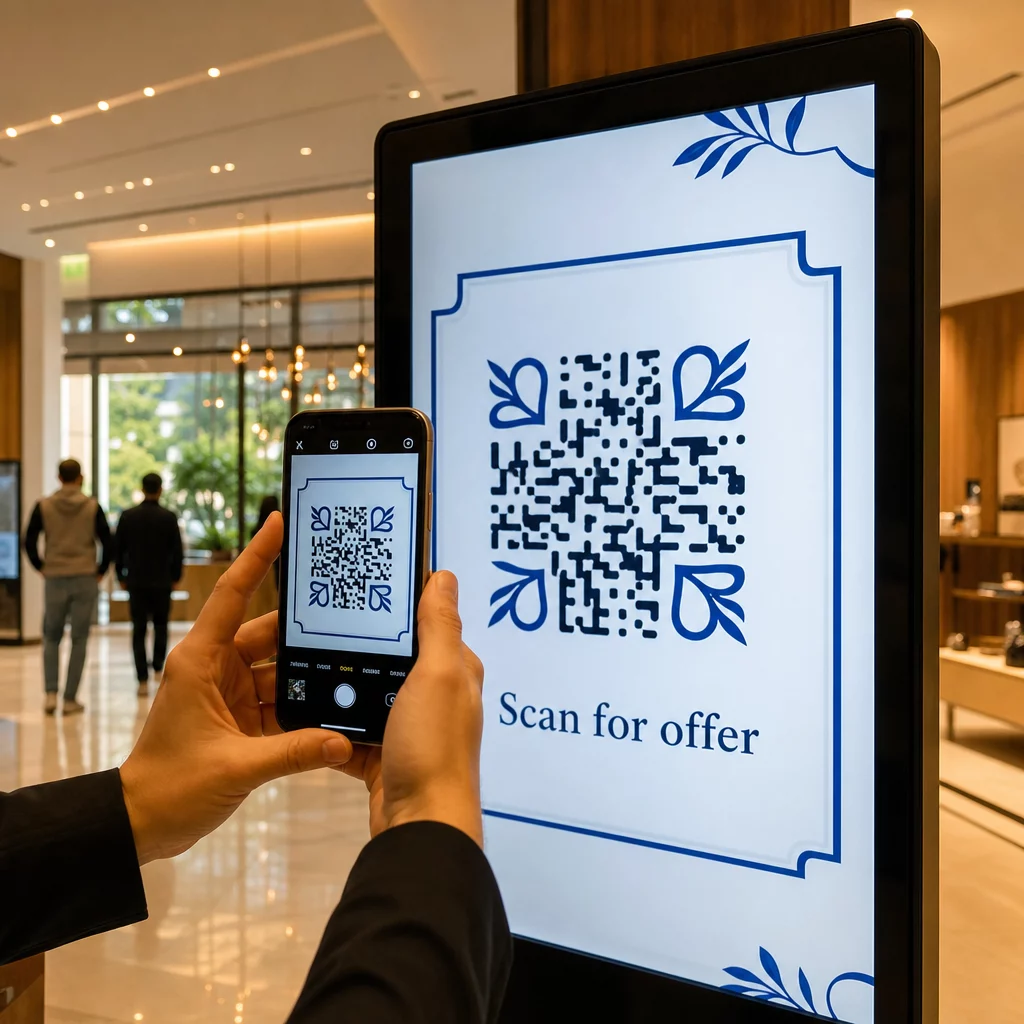
Da li vaši digitalni ekrani generišu angažovanje, ili samo generišu prikaze? QR kod pretvara pasivan ekran u interaktivnu dodirnu tačku – ali samo ako je pravilno dizajniran i postavljen. Ovaj vodič pokriva sve što treba da znate da bi QR kodovi na ekranima zaista funkcionisali.
Zašto QR kodovi čine digitalne ekrane efikasnijim
Digitalni natpisi i ekrani su već dobri u privlačenju pažnje. Ono sa čime se bore je pretvaranje te pažnje u akciju. Gledalac pročita vašu poruku, oseti interesovanje, a zatim… nastavi dalje. Ne postoji mehanizam koji bi premostio trenutak interesovanja sa sledećim korakom.
QR kod zatvara taj jaz. Kada neko skenira kod na vašem ekranu, dobrovoljno je izabrao da se dalje angažuje – signalizirao je nameru. To jedno skeniranje može ih povezati sa stranicom proizvoda, promotivnom ponudom, obrascem za prijavu ili videom, sve sa ekrana koji su već gledali.
Ovo je posebno korisno u situacijama kada vaša publika nema olovku pri ruci ili se neće setiti da pretražuje kasnije: sajmovi, maloprodajni prostori, transportna čvorišta i javna mesta. Kod obavlja posao čak i kada niste prisutni.
Gde QR kodovi na ekranima najbolje funkcionišu
Nije svako okruženje ekrana podjednako pogodno za QR kodove. Najbolja mesta dele zajedničku osobinu: gledalac ima prirodan trenutak da zastane, izvadi telefon i skenira.
- Izlozi i fasade prodavnica daju kupcima koji razgledaju izloge pristup detaljima proizvoda, recenzijama, cenama ili opcijama online kupovine čak i kada je prodavnica zatvorena
- Sajamski i izložbeni displeji su idealni za pretvaranje posetilaca u potencijalne klijente – kodovi mogu voditi do digitalnih brošura, prijava za takmičenja, praćenja na društvenim mrežama ili ekskluzivnih sajamskih ponuda
- LED ekrani i kiosci u prodavnicama dosežu publiku sa velikim protokom pešaka i mogu podstaći impulsivne radnje kao što su skeniranje za popust ili pregled novog lansiranja proizvoda
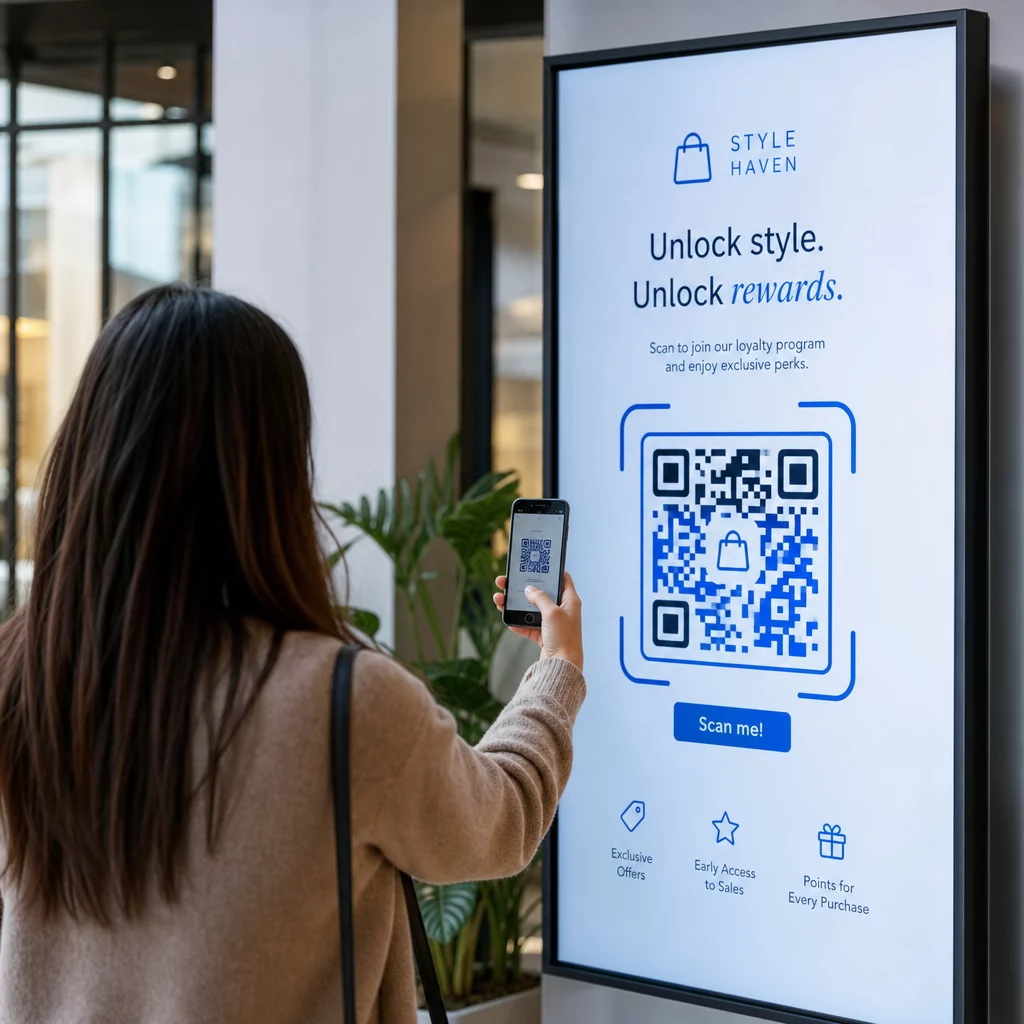
- Displeji na mestima prodaje i kasama su idealna lokacija za prijave za lojalnost, digitalne račune ili promocije za sledeću kupovinu
- Oznake u tranzitu i vozilima proširuje vaš domet na putnike i prolaznike – QR kod na brendiranom dostavnom vozilu, na primer, radi potpuno samostalno kada se postavi
Za dublji uvid u to kako strategija postavljanja u prodavnici utiče na angažovanje, pogledajte najboljih pozicija za QR kodove u maloprodajnim objektima i poređenje QR kodova na pakovanju u odnosu na izloge prodavnica.
Određivanje prave veličine za digitalne ekrane
Veličina je najčešća greška kod QR kodova na ekranima. Kod koji izgleda velik u dizajnerskom fajlu može postati gotovo neskenabilan kada se prikaže na monitoru preko sobe.
Standardna smernica je pravilo 10:1: vaš QR kod bi trebalo da bude najmanje jedna desetina nameravane udaljenosti skeniranja. Ako će gledaoci stajati 1 metar od ekrana, kod mora biti širok najmanje 10 cm. Sa 3 metra, ciljajte na 22–30 cm. Sa 10 metara, tražite kod koji treba da bude otprilike 1 metar sa strane.
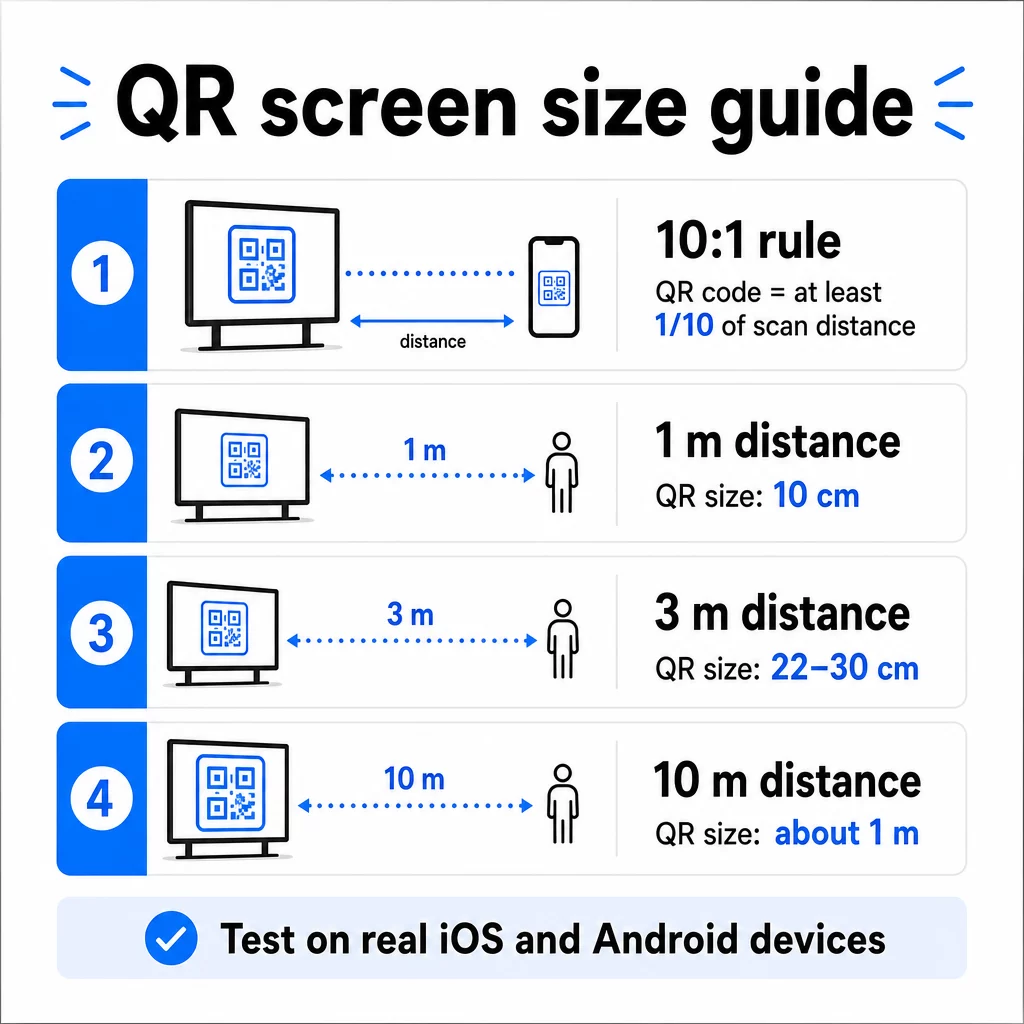
Za referencu na 1080p ekranima, minimum od 240 piksela pri 72 dpi je početna osnova za skeniranje izbliza, ali taj minimum mora značajno da se poveća kako se udaljenost gledanja povećava. Za opšte digitalne signalizacije, nijedan QR kod ne bi trebalo da bude manji od otprilike 2 × 2 inča – a veće je uvek sigurnije kada ljudi skeniraju sa udaljenosti.
Uvek proverite veličinu u realnim uslovima. Testirajte kod na stvarnoj veličini prikaza, sa nameravane udaljenosti skeniranja, na iOS i Android uređajima, pre nego što finalizujete svoj dizajn. Konsultujte kompletne smernice o veličini QR koda za različite materijale i kontekste prilikom skaliranja kroz formate.
Kontrast i boja: Šta čini kod skenabilnim
Kamera pametnog telefona čita QR kod detektujući kontrast između tamnih modula i svetle pozadine. Ako je taj kontrast slab, kamera se muči da razlikuje obrazac – i skeniranje ne uspeva.
Pouzdan standard je tamnom prednjem planu na svetloj pozadini, pri čemu je crna na beloj najpouzdanija kombinacija. Kada koristite boje brenda, zadržite QR obrazac u tamnoj boji, a pozadinu svetlu. Izbegavajte obrnute šeme boja (beli kod na crnoj pozadini), jer mnogi čitači QR kodova ne mogu pouzdano da ih obrade.
Za ekrane konkretno, kontrast postaje komplikovaniji jer ambijentalno osvetljenje, odsjaj ekrana i stope osvežavanja utiču na ono što kamera vidi. Ciljajte na odnos kontrasta od najmanje 4,5:1 između vašeg koda i njegove pozadine – ovaj prag takođe podržava pristupačnost za korisnike sa slabim vidom. Izbegavajte gradijente i senke unutar područja koda, jer oni stvaraju srednje tonove koji zbunjuju skenere.
Za potpunu analizu kombinacija boja i njihovih rezultata skeniranja, pogledajte vodič o najbolje prakse za kontrast boja QR koda.
Tiha zona: Prostor koji omogućava skeniranje
Tiha zona je prazna ivica koja okružuje QR kod sa sve četiri strane. Nije dekorativna – funkcionalna je. Skeneri koriste ovaj prazan prostor da identifikuju gde kod počinje i završava, odvajajući ga od drugih vizuelnih elemenata kao što su tekst, slike ili pozadinski obrasci.
Minimalna tiha zona je široka četiri modula sa svake strane, gde je modul širina najmanjeg kvadrata u kodu. Ako skalirate kod, tiha zona mora da se skalira proporcionalno. Orezivanje ili skraćivanje ivice – čak i neznatno – može izazvati dosledne neuspehe skeniranja.
Na digitalnim ekranima, gde dizajneri često rade sa pretrpanim rasporedima i ograničenim prostorom na ekranu, tiha zona je često prva stvar koja se smanjuje. Ne dozvolite to. Držite tihu zonu čistom od logotipa, teksta i bilo kakvih elemenata dizajna, i pobrinite se da se podudara sa bojom pozadine kako bi vizuelno odvojila kod od okoline.
Više o zahtevima tihe zone i najbolje prakse čitljivosti QR kodova je dostupno ako optimizujete postojeći dizajn.
Postavljanje i raspored na ekranu
Gde se kod nalazi unutar rasporeda ekrana utiče i na vidljivost i na brzinu skeniranja. Nekoliko principa se dosledno primenjuje:
- Postavite u visini očiju. Postavljanje koda na otprilike 1 do 1,4 metra od poda čini ga dostupnim i za odrasle koji stoje i za korisnike u invalidskim kolicima – nije potrebno čučanje ili istezanje
- Postavite kod u prirodan tok čitanja. Postavljanje na sredini ekrana ili donjem centru obično daje dobre rezultate; izbegavajte zakopavanje koda u ugao gde se takmiči sa drugim elementima
- Koristite jedan kod po ekranu kada je to moguće. Više kodova zbunjuje gledaoce o tome koji da skeniraju i može uzrokovati da se aplikacije kamere fokusiraju na pogrešan.
- Održavajte okolni dizajn čistim. Previše konkurentnog sadržaja na ekranu smanjuje stope skeniranja; dajte kodu vizuelni prostor za disanje
Za digitalne signalizacije koje rotiraju sadržaj, prikazujte QR kod tokom celog trajanja njegovog vremenskog slota. Gledaocima je potrebno dovoljno vremena da primete kod, odluče da skeniraju i završe skeniranje pre nego što se slajd promeni. Za više konteksta o strategijama postavljanja u različitim okruženjima, ultimativni vodič za postavljanje QR kodova u marketingu pokriva odluke o rasporedu u štampanim i digitalnim formatima.
Pisanje poziva na akciju koji podstiče skeniranje
QR kod bez konteksta biva ignorisan. Gledaoci moraju znati – pre nego što posegnu za telefonom – šta će dobiti skeniranjem.
Postavite kratak, specifičan poziv na akciju direktno pored koda. “Skenirajte za današnji meni”, “Skenirajte da biste učestvovali u nagradnoj igri” ili “Skenirajte za 20% popusta na sledeću porudžbinu” sve funkcioniše bolje od generičkih poruka poput “Skenirajte ovde”. Što je korist konkretnija, to je veća stopa skeniranja.
Neka tekst bude kratak – dve do pet reči je dovoljno. Veći fontovi i visok kontrast za tekst poziva na akciju primenjuju iste principe kao i sam kod: mora biti čitljiv sa verovatne udaljenosti gledaoca. Pogledajte dodatne smernice o najboljih praksi upotrebljivosti QR kodova za više o efikasnom kadriranju.
Gde bi skeniranje trebalo da vodi
Svako skeniranje koje ne donosi odmah vrednost je propuštena prilika. Pošto će gledaoci stići putem pametnog telefona, odredište mora biti mobilno optimizovanoj odredišnoj stranici koja se brzo učitava i ispunjava specifično obećanje poziva na akciju.
Izbegavajte slanje korisnika na vašu početnu stranicu ili generički katalog proizvoda. Ako je kod na ekranu za naplatu koji promoviše program lojalnosti, odredišna stranica bi trebalo da bude obrazac za prijavu za lojalnost – ništa više. Ako je na izložbenom štandu, odredište može biti obrazac za prikupljanje potencijalnih klijenata ili specifikacioni list za preuzimanje.
А. КР код за Гоогле образац je praktična opcija za prikupljanje povratnih informacija, registraciju za događaje ili ankete direktno sa ekrana. QR kod za link funkcioniše za bilo koje odredište zasnovano na URL-u i podržava potpunu prilagodbu i praćenje.
Održavajte svoje QR kodove na ekranu fleksibilnim Trebate da ažurirate na šta se kod povezuje bez promene samog koda? Koristite Генератор QR kodova za kreiranje dinamičkih kodova koji vam omogućavaju da uredite odredište bilo kada – nije potrebno ponovno štampanje ili redizajniranje.
Korišćenje dinamičkih QR kodova za ekrane
Statički QR kodovi kodiraju fiksni URL ili deo podataka koji se nikada ne može promeniti. Za ekrane – posebno digitalne signalizacije koja rotira kampanje ili promoviše vremenski ograničene ponude – ovo stvara problem. Ako se povezani sadržaj promeni, morate ponovo kreirati i postaviti kod.
Динамички КР кодови rešavaju ovo kodiranjem kratkog URL-a za preusmeravanje. Stvarno odredište se može ažurirati u bilo kom trenutku putem kontrolne table vašeg naloga, dok sam kod ostaje isti. To znači da možete:
- Ažurirati promotivnu ponudu bez redizajniranja rasporeda ekrana
- Preusmeriti jedan kod na različite kampanje po sezoni ili događaju
- Popraviti pokvarenu vezu odmah bez ikakvih promena na ekranu
Dinamički kodovi takođe otključavaju analitiku skeniranja – podatke o tome koliko puta je kod skeniran, sa koje lokacije, na kom uređaju i u koje vreme. Ovi podaci vam pomažu da odredite koji su prikazi generisali stvarni angažman, a koji su zanemareni.
Za ekrane sa rotirajućim sadržajem, dinamički kodovi su posebno vredni jer isti vizuelni element može služiti različitim kampanjama tokom vremena.
Pratite svako skeniranje sa svakog ekrana Želite da znate koji prikazi zaista podstiču angažman? Koristite Pageloot-ovu platformu za dinamičke QR kodove za praćenje stope skeniranja, lokacija i podataka o uređajima u realnom vremenu – i usavršite svoju strategiju prikaza na osnovu onoga što podaci pokazuju.
Testiranje pre puštanja u rad
Čak i dobro dizajniran QR kod može propasti u praksi zbog osvetljenosti ekrana, ugla gledanja, brzine osvežavanja ekrana ili ambijentalnog osvetljenja. Pre nego što bilo koji prikaz krene uživo:
- Testirajte kod na stvarnoj veličini ekrana i rezoluciji na kojoj će biti prikazan.
- Skenirajte sa predviđenih minimalnih i maksimalnih udaljenosti.
- Testirajte na više uređaja – najmanje jednom iOS i jednom Android telefonu.
- Testirajte u različito doba dana ako je ekran blizu prirodnih izvora svetlosti koji se menjaju tokom dana.
- Proverite da li se odredišna stranica ispravno učitava na mobilnom uređaju i pruža očekivano iskustvo.
Тхе Алат за скенирање КР кода može se koristiti za proveru sadržaja koda i potvrdu da se ispravno razrešava pre implementacije.
Istražite Pregledu funkcija Pageloot-a и industrijska rešenja za više informacija o tome kako se QR kodovi mogu primeniti u različitim kontekstima prikaza i poslovnim sektorima. Dobro postavljen, pravilno dimenzionisan QR kod sa jasnim pozivom na akciju može pretvoriti bilo koji ekran u tačku konverzije. Podesite kontrast, tihu zonu, veličinu i odredište kako treba – zatim koristite dinamičke kodove i analitiku za stalno poboljšanje. Počnite sa Генератор QR kodova da biste danas kreirali svoj prvi skenabilni kod za prikaz.
Često postavljana pitanja
Koristite pravilo 10:1: kod treba da bude najmanje jedna desetina očekivane udaljenosti skeniranja. Za ekran skeniran sa 1 metra, kod treba da bude širok najmanje 10 cm. Za opšte digitalne signalizacije, minimum od 2 × 2 inča je razumna početna tačka, pri čemu se veličina povećava kako raste udaljenost gledanja. Uvek testirajte na stvarnoj veličini ekrana i udaljenosti pre puštanja u rad.
Da, ako koristite dinamički QR kod. Dinamički kodovi koriste URL za preusmeravanje, tako da možete ažurirati odredište na kontrolnoj tabli vašeg naloga u bilo kom trenutku – sam kod ostaje isti. Ovo je posebno korisno za digitalne signalizacije koje promovišu rotirajuće kampanje ili vremenski ograničene ponude, pošto izbegavate redizajniranje ili ponovno postavljanje ekrana svaki put kada se povezani sadržaj promeni.
Najčešći uzroci su nedovoljan kontrast između koda i njegove pozadine, tiha zona koja je isečena ili pretrpana okolnim dizajnerskim elementima, i kod koji je premali za udaljenost gledanja. Na ekranima, osvetljenost ekrana i odsjaj takođe mogu smetati. Proverite da li vaš kod koristi tamni obrazac na svetloj pozadini, održava jasnu tihu zonu od četiri modula sa svih strana, i ispunjava zahteve veličine za vašu očekivanu udaljenost skeniranja. Testirajte na više uređaja da biste potvrdili kompatibilnost.