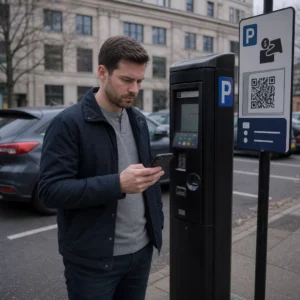
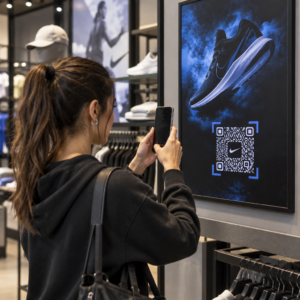
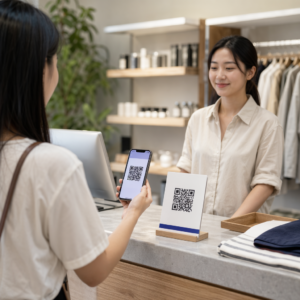
Adakah anda bergelut untuk menukar ahli penonton luar talian menjadi pelanggan Discord aktif tanpa perlu mereka menaip URL pelayan yang panjang? Pautan yang kompleks mewujudkan geseran menaip, menyebabkan bakal ahli meninggalkan pelayan anda sebelum mereka bermula. Menukar pautan jemputan Discord anda menjadi kod QR yang boleh diimbas menyediakan pengalaman pendaftaran segera, satu sentuhan untuk bahan fizikal dan paparan digital.
Hasilkan Pautan Jemputan Discord Kekal
Sebelum menjana kod QR, anda mesti mendapatkan pautan jemputan yang berfungsi daripada pelayan Discord anda. Secara lalai, pautan jemputan Discord tamat tempoh selepas 7 hari atau selepas mencapai bilangan penggunaan yang terhad. Untuk mengelakkan kod QR yang rosak pada bahan cetakan fizikal, konfigurasikan pautan kekal terlebih dahulu.
- Buka aplikasi Discord anda pada desktop atau mudah alih dan navigasi ke pelayan anda.
- Cari saluran pendaratan sasaran anda, arahkan kursor ke nama saluran, dan pilih Cipta Jemputan.
- Klik pada Edit pautan jemputan di bahagian bawah tetingkap pop timbul.
- Perubahan yang Tamat Tempoh Selepas tetapan menu lungsur ke tidak pernah.
- Perubahan yang Bilangan Penggunaan Maksimum tetapan menu lungsur ke Tiada had.
- Salin URL kekal yang baru dijana ke papan klip anda.
Tukar Pautan Anda Menggunakan Penjana Kod QR
Sebaik sahaja anda telah menyalin URL pelayan kekal anda, anda boleh mengubahnya menjadi grafik yang boleh diimbas. Sama seperti menyediakan Kod QR untuk kumpulan Telegram, mencipta kod Discord memerlukan penukaran alamat web ringkas menjadi corak visual yang boleh dinyahkodkan oleh kamera mudah alih.
- Navigasi ke dalam talian penjana kod QR pautan.
- Pilih pilihan input URL dalam antara muka penjana.
- Tampal pautan jemputan Discord kekal anda ke medan alamat web.
- Menjana imej kod visual anda dengan satu klik.
Cipta Kod QR Discord Tersuai Anda Tukar pautan jemputan pelayan yang panjang menjadi grafik beresolusi tinggi yang boleh diimbas untuk poster, kad dan paparan strim menggunakan penjana kod QR pautan hari ini.
Sesuaikan Reka Bentuk Anda untuk Pengiktirafan Jenama
Kod QR hitam putih generik boleh kelihatan tidak sesuai pada grafik pemasaran tersuai atau skrin strim. Menyesuaikan reka bentuk membina kepercayaan segera dan memberi isyarat kepada bakal ahli ke mana kod itu akan membawa mereka.
Menggunakan ciri lengkap penjana kod QR, anda boleh mengubah suai parameter visual agar selaras dengan identiti komuniti anda:
- Guna warna jenama dengan menggunakan warna primer gelap untuk modul kod sambil mengekalkan latar belakang terang untuk mengoptimumkan kebolehbacaan.
- Benamkan logo atau ikon Discord di tengah reka bentuk untuk mewujudkan kepercayaan destinasi visual segera.
- Tambah bingkai seruan tindakan seperti “Imbas untuk Sertai” untuk membimbing bakal ahli tentang tindakan yang perlu diambil.
Amalan Terbaik untuk Memastikan Kebolehimbasan Kod QR
Kod QR yang diformat dengan buruk akan gagal diimbas, mewujudkan pengalaman yang mengecewakan bagi bakal ahli. Mengikuti piawaian percetakan dan rendering teknikal memastikan pengecaman kamera yang pantas merentasi semua perkakasan mudah alih.
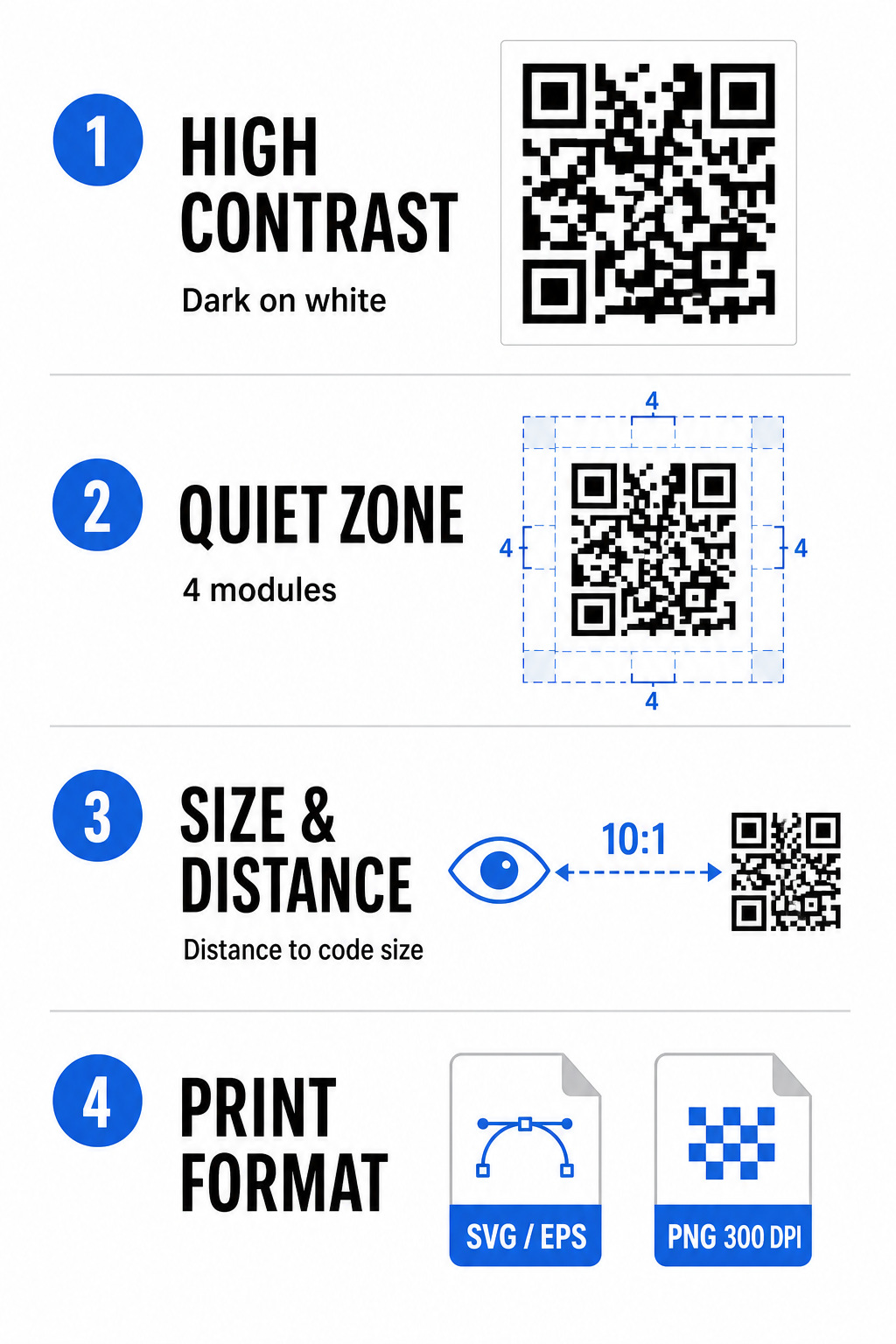
Kekalkan Kontras Warna Tinggi
Pengimbas bergantung pada kontras antara corak gelap (modul) dan ruang latar belakang untuk menyahkod data. Warna yang lebih gelap menyerap cahaya manakala warna yang lebih terang memantulkannya, membolehkan sensor kamera membezakan titik data dengan mudah. Sasarkan nisbah kontras sekurang-kurangnya 4:1 antara modul kod anda dan latar belakang. Gabungan yang paling boleh dipercayai ialah modul hitam atau biru gelap yang diletakkan pada latar belakang putih. Elakkan skema warna terbalik dengan modul terang pada latar belakang gelap, kerana banyak aplikasi kamera gagal menyahkod corak terbalik.
Pelihara Zon Senyap
Zon senyap ialah sempadan kosong yang mengelilingi keempat-empat tepi luar matriks kod QR. Margin ini mesti kekal sekurang-kurangnya empat modul lebarnya dan bebas sepenuhnya daripada teks, grafik atau hiasan bingkai. Tanpa zon senyap yang bersih, kamera mudah alih tidak dapat menentukan di mana sempadan kod QR bermula dan berakhir.
Kira Saiz yang Betul untuk Jarak Pengimbasan
Apabila mencetak bahan, kira dimensi kod QR anda menggunakan nisbah jarak-ke-saiz 10:1. Ini bermakna lebar fizikal kod anda sepatutnya kira-kira satu persepuluh daripada jarak pengimbasan yang dijangkakan. Untuk spesifikasi teknikal yang lebih mendalam, rujuk panduan lengkap tentang amalan terbaik untuk kebolehbacaan kod QR.
| Senario Penempatan | Jarak Pengimbasan yang Dijangkakan | Saiz Kod QR Minimum yang Disyorkan |
|---|---|---|
| Lencana Acara & Kad Perniagaan | 10 inci (25 cm) | 0 x 1.0 inci (2.5 x 2.5 cm) |
| Khemah Meja & Paparan Desktop | 20 inci (50 cm) | 0 x 2.0 inci (5.0 x 5.0 cm) |
| Poster Dinding & Sepanduk Strim | 5 kaki (1.5 meter) | 0 x 6.0 inci (15 x 15 cm) |
| Paparan Pentas Acara & papan tanda | 10 kaki (3.0 meter) | 0 x 12.0 inci (30 x 30 cm) |
Eksport dalam Format Vektor
Untuk pengeluaran cetakan fizikal, eksport fail anda dalam format vektor resolusi tinggi seperti SVG atau EPS. Fail vektor berskala tanpa henti tanpa kehilangan ketajaman atau memperkenalkan kekaburan. Jika menggunakan format raster seperti PNG, sahkan bahawa resolusi fail ditetapkan kepada sekurang-kurangnya 300 DPI untuk cetakan berkualiti tinggi.
Menguji dan Mengesahkan Kod QR Discord Anda
Jangan sekali-kali mencetak bahan pemasaran atau menerbitkan grafik tanpa mengesahkan kefungsian kod QR merentasi berbilang platform. Sensor kamera, algoritma perisian dan resolusi skrin berbeza-beza antara peranti.
- Uji merentasi sistem pengendalian dengan mengimbas imej dengan kedua-dua apl kamera asli iOS dan Android.
- Sahkan sudut imbasan dengan menguji kod di bawah pencahayaan terang, persekitaran malap dan sudut yang berbeza.
- Gunakan alat dalam talian seperti berasaskan web Imbas Kod QR untuk mengesahkan bahawa URL terbenam dinyahkod dengan bersih.
- Semak aliran kerja onboarding untuk mengesahkan bahawa imbasan terus membuka apl Discord atau mengalihkan dengan lancar ke skrin pelayan.
Untuk gambaran keseluruhan yang lebih luas tentang keserasian perkakasan, rujuk panduan ini tentang mengimbas kod QR pada telefon pintar.
Cara Praktikal untuk Berkongsi Kod QR Discord Anda
Memaparkan pautan jemputan boleh imbas anda merentasi titik sentuh luar talian dan digital membantu membina populasi pelayan yang aktif.
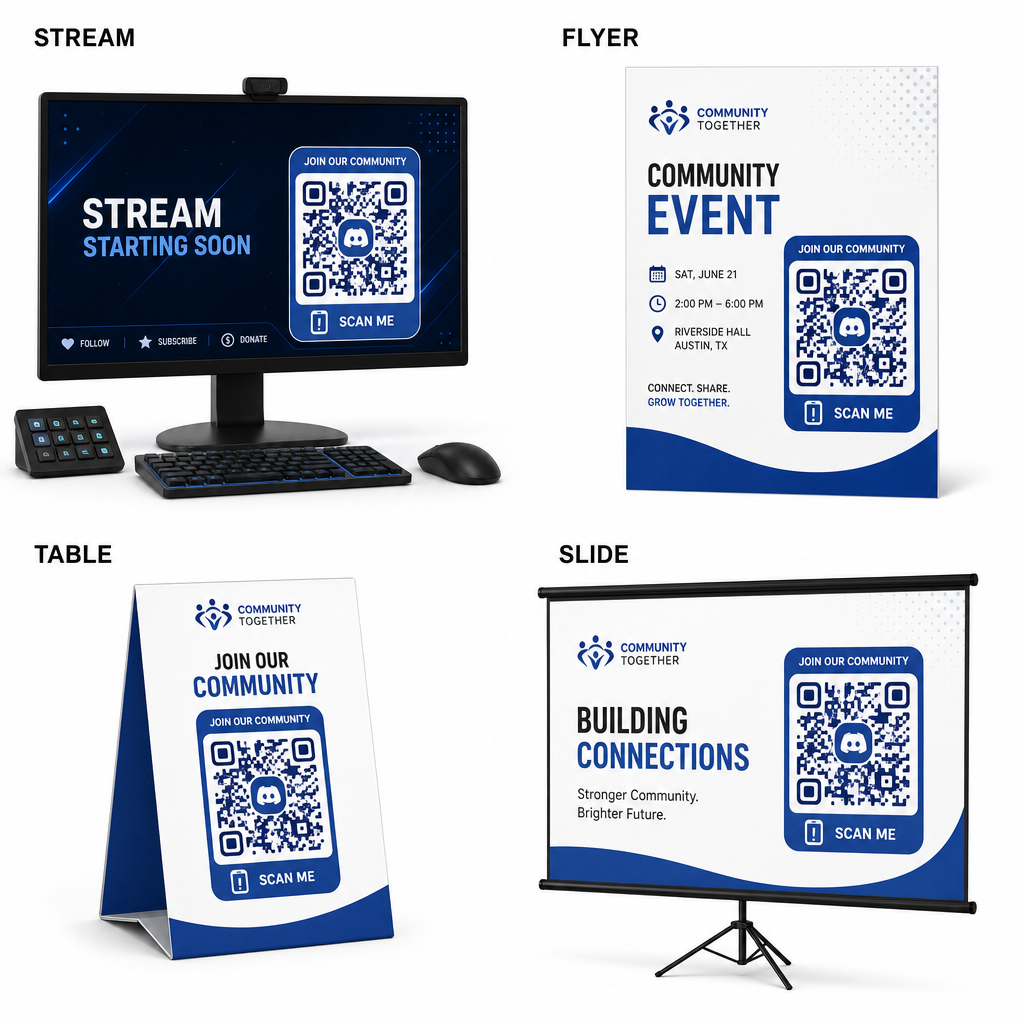
- Tambah tindihan strim pada skrin siaran supaya penonton boleh menyertai semasa menonton video langsung.
- Cetak bahan acara pada lencana fizikal, risalah, khemah meja dan sepanduk semasa perjumpaan.
- Sertakan sisipan pembungkusan pada kotak produk, tag pakaian atau kad ucapan terima kasih yang dihantar kepada pembeli.
- Benamkan slaid pembentangan pada skrin penutup bengkel untuk menukar peserta menjadi ahli komuniti.
Bina Komuniti Anda dengan Onboarding Mudah Alih Pantas
Menukar pautan jemputan Discord anda kepada kod QR yang boleh diimbas menghilangkan halangan menaip manual, membolehkan peminat, peserta dan pelanggan memasuki pelayan anda dalam beberapa saat. Menggunakan tetapan jemputan kekal, memastikan kontras warna yang kuat, mengekalkan nisbah saiz yang sesuai dan menguji merentasi berbilang peranti menyediakan laluan onboarding yang boleh dipercayai untuk setiap ahli baharu.
Bersedia untuk mengembangkan komuniti dalam talian anda? Cipta kod QR Discord tersuai resolusi tinggi menggunakan alatan penjanaan Pageloot hari ini.
Soalan lazim
Ya. Semasa mencipta pautan jemputan dalam Discord, pilih “Edit pautan jemputan” dan tetapkan “Luput Selepas” kepada “Tidak pernah” dan “Jumlah Penggunaan Maksimum” kepada “Tiada had” sebelum menjana kod QR anda.
Muat turun format vektor seperti SVG atau EPS untuk mencetak poster, sepanduk, dan risalah. Jika menggunakan fail PNG, pastikan ia dirender pada resolusi tinggi 300 DPI atau lebih tinggi untuk mengelakkan kekaburan.
Ya. Menghasilkan kod QR dinamik membolehkan anda mengumpul analitik imbasan masa nyata, menjejaki prestasi penukaran dari semasa ke semasa, dan mengemas kini URL destinasi pada bila-bila masa diperlukan tanpa mencetak semula bahan fizikal.