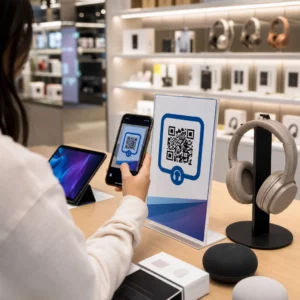
คุณกำลังประสบปัญหาในการเปลี่ยนผู้เข้าร่วมออฟไลน์ให้กลายเป็นสมาชิก Discord ที่ใช้งานอยู่ โดยไม่ต้องให้พวกเขาพิมพ์ URL เซิร์ฟเวอร์ยาวๆ หรือไม่? ลิงก์ที่ซับซ้อนสร้างความยุ่งยากในการพิมพ์ ทำให้ผู้ที่มีแนวโน้มจะเป็นสมาชิกละทิ้งการเข้าร่วมเซิร์ฟเวอร์ของคุณก่อนที่จะเริ่มต้นด้วยซ้ำ การแปลงลิงก์เชิญ Discord ของคุณให้เป็นโค้ด QR ที่สแกนได้ มอบประสบการณ์การเริ่มต้นใช้งานทันทีด้วยการแตะเพียงครั้งเดียวสำหรับสื่อสิ่งพิมพ์และจอแสดงผลดิจิทัล.
สร้างลิงก์เชิญ Discord ถาวร
ก่อนที่จะสร้างโค้ด QR คุณต้องได้รับลิงก์เชิญที่ใช้งานได้จากเซิร์ฟเวอร์ Discord ของคุณ โดยค่าเริ่มต้น ลิงก์เชิญ Discord จะหมดอายุหลังจาก 7 วัน หรือหลังจากถึงจำนวนครั้งที่จำกัด เพื่อหลีกเลี่ยงโค้ด QR ที่เสียบนสื่อสิ่งพิมพ์ ให้กำหนดค่าลิงก์ถาวรก่อน.
- เปิด แอป Discord ของคุณบนเดสก์ท็อปหรือมือถือ และไปที่เซิร์ฟเวอร์ของคุณ.
- ค้นหา ช่องปลายทางที่คุณต้องการ ชี้เมาส์ไปที่ชื่อช่อง แล้วเลือก สร้างการเชิญ.
- คลิก บน แก้ไขลิงก์เชิญ ที่ด้านล่างของหน้าต่างป๊อปอัป.
- การเปลี่ยนแปลง ที่ หมดอายุหลังจาก เมนูแบบเลื่อนลงตั้งค่าเป็น ไม่เคย.
- การเปลี่ยนแปลง ที่ จำนวนครั้งที่ใช้สูงสุด เมนูแบบเลื่อนลงตั้งค่าเป็น ไม่จำกัด.
- คัดลอก URL ถาวรที่สร้างขึ้นใหม่ไปยังคลิปบอร์ดของคุณ.
แปลงลิงก์ของคุณโดยใช้เครื่องมือสร้างโค้ด QR
เมื่อคุณคัดลอก URL เซิร์ฟเวอร์ถาวรของคุณแล้ว คุณสามารถแปลงให้เป็นกราฟิกที่สแกนได้ เช่นเดียวกับการตั้งค่า คิวอาร์โค้ดสำหรับกลุ่ม Telegram, การสร้างโค้ด Discord ต้องแปลงที่อยู่เว็บอย่างง่ายให้เป็นรูปแบบภาพที่กล้องมือถือสามารถถอดรหัสได้.
- นำทาง ไปยังออนไลน์ เครื่องสร้างรหัส QR สำหรับลิงก์.
- เลือก ตัวเลือกการป้อน URL ภายในอินเทอร์เฟซเครื่องมือสร้าง.
- วาง ลิงก์เชิญ Discord ถาวรของคุณลงในช่องที่อยู่เว็บ.
- สร้าง รูปภาพโค้ดภาพของคุณด้วยการคลิกเพียงครั้งเดียว.
สร้างโค้ด QR Discord แบบกำหนดเองของคุณ เปลี่ยนลิงก์เชิญเซิร์ฟเวอร์ยาวๆ ให้เป็นกราฟิกความละเอียดสูงที่สแกนได้สำหรับโปสเตอร์ การ์ด และจอแสดงผลสตรีมโดยใช้ เครื่องสร้างรหัส QR สำหรับลิงก์ วันนี้.
ปรับแต่งการออกแบบของคุณเพื่อการจดจำแบรนด์
โค้ด QR สีดำและขาวทั่วไปอาจดูไม่เข้ากันกับกราฟิกการตลาดที่กำหนดเองหรือหน้าจอการสตรีม การปรับแต่งการออกแบบจะสร้างความไว้วางใจทันทีและส่งสัญญาณไปยังผู้ที่มีแนวโน้มจะเป็นสมาชิกว่าโค้ดจะนำพวกเขาไปที่ใด.
โดยใช้คุณสมบัติที่สมบูรณ์ เครื่องสร้างรหัส QR, คุณสามารถปรับเปลี่ยนพารามิเตอร์ภาพเพื่อให้สอดคล้องกับเอกลักษณ์ของชุมชนของคุณ:
- ใช้สีแบรนด์ โดยใช้เฉดสีเข้มเป็นหลักสำหรับโมดูลโค้ด ในขณะที่พื้นหลังยังคงสว่างเพื่อเพิ่มประสิทธิภาพการอ่าน.
- ฝังโลโก้ หรือไอคอน Discord ตรงกลางการออกแบบเพื่อสร้างความไว้วางใจในปลายทางด้วยภาพทันที.
- เพิ่มกรอบคำกระตุ้นการตัดสินใจ เช่น “สแกนเพื่อเข้าร่วม” เพื่อแนะนำผู้ที่มีแนวโน้มจะเป็นสมาชิกเกี่ยวกับสิ่งที่ต้องทำ.
แนวทางปฏิบัติที่ดีที่สุดเพื่อให้แน่ใจว่าโค้ด QR สามารถสแกนได้
โค้ด QR ที่จัดรูปแบบไม่ถูกต้องจะสแกนไม่สำเร็จ สร้างประสบการณ์ที่น่าหงุดหงิดสำหรับผู้ที่มีแนวโน้มจะเป็นสมาชิก การปฏิบัติตามมาตรฐานการพิมพ์และการเรนเดอร์ทางเทคนิคช่วยให้มั่นใจได้ว่ากล้องจะจดจำได้อย่างรวดเร็วในฮาร์ดแวร์มือถือทั้งหมด.
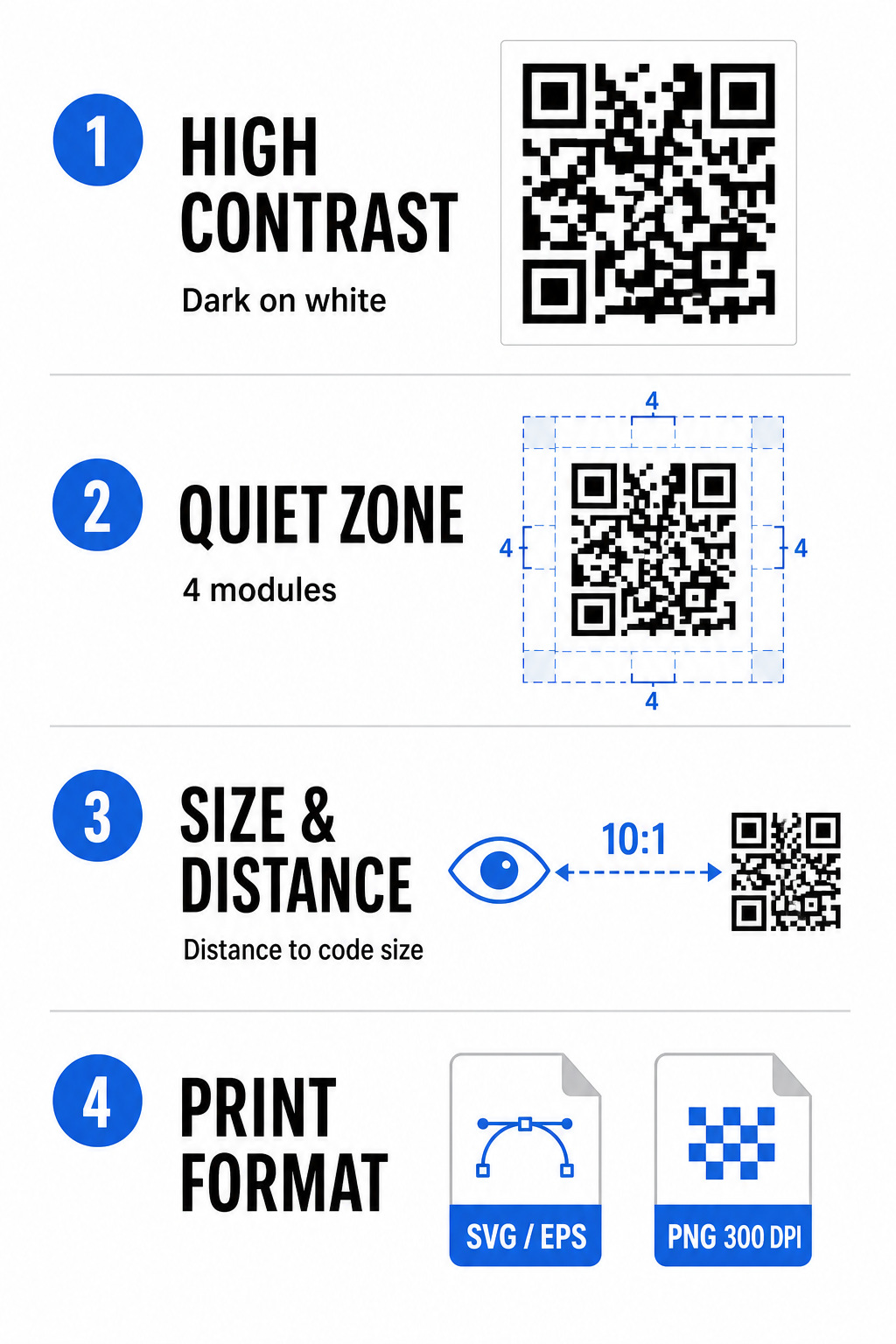
รักษาระดับความคมชัดของสีให้สูง
เครื่องสแกนอาศัยความคมชัดระหว่างรูปแบบสีเข้ม (โมดูล) และพื้นที่พื้นหลังเพื่อถอดรหัสข้อมูล สีเข้มดูดซับแสง ในขณะที่สีอ่อนสะท้อนแสง ทำให้เซ็นเซอร์กล้องแยกแยะจุดข้อมูลได้ง่าย ตั้งเป้าอัตราส่วนความคมชัดอย่างน้อย 4:1 ระหว่างโมดูลโค้ดและพื้นหลัง คู่ที่น่าเชื่อถือที่สุดคือโมดูลสีดำหรือสีน้ำเงินเข้มที่วางอยู่บนพื้นหลังสีขาว หลีกเลี่ยงการใช้สีตรงกันข้ามกับโมดูลสีอ่อนบนพื้นหลังสีเข้ม เนื่องจากแอปกล้องจำนวนมากไม่สามารถถอดรหัสรูปแบบที่กลับสีได้.
รักษาส่วน Quiet Zone
โซนเงียบคือขอบว่างที่ล้อมรอบขอบด้านนอกทั้งสี่ของเมทริกซ์โค้ด QR ขอบนี้ต้องกว้างอย่างน้อยสี่โมดูล และไม่มีข้อความ กราฟิก หรือการตกแต่งกรอบ หากไม่มีโซนเงียบที่สะอาด กล้องมือถือจะไม่สามารถกำหนดได้ว่าขอบเขตของโค้ด QR เริ่มต้นและสิ้นสุดที่ใด.
คำนวณขนาดที่ถูกต้องสำหรับระยะการสแกน
เมื่อพิมพ์สื่อ ให้คำนวณขนาดโค้ด QR ของคุณโดยใช้อัตราส่วนระยะทางต่อขนาด 10:1 ซึ่งหมายความว่าความกว้างจริงของโค้ดของคุณควรเท่ากับประมาณหนึ่งในสิบของระยะการสแกนที่คาดหวัง สำหรับข้อมูลจำเพาะทางเทคนิคที่ลึกซึ้งยิ่งขึ้น โปรดดูคู่มือฉบับสมบูรณ์เกี่ยวกับ แนวทางปฏิบัติที่ดีที่สุดสำหรับการอ่านรหัส QR.
| สถานการณ์การวาง | ระยะการสแกนที่คาดหวัง | ขนาดโค้ด QR ที่แนะนำขั้นต่ำ |
|---|---|---|
| ป้ายกิจกรรมและนามบัตร | 10 นิ้ว (25 ซม.) | 0 x 1.0 นิ้ว (2.5 x 2.5 ซม.) |
| เต็นท์ตั้งโต๊ะและจอแสดงผลเดสก์ท็อป | 20 นิ้ว (50 ซม.) | 0 x 2.0 นิ้ว (5.0 x 5.0 ซม.) |
| โปสเตอร์ติดผนังและแบนเนอร์สตรีม | 5 ฟุต (1.5 เมตร) | 0 x 6.0 นิ้ว (15 x 15 ซม.) |
| การแสดงผลบนเวทีและป้ายประกาศ | 10 ฟุต (3.0 เมตร) | 0 x 12.0 นิ้ว (30 x 30 ซม.) |
ส่งออกในรูปแบบเวกเตอร์
สำหรับการผลิตงานพิมพ์จริง ให้ส่งออกไฟล์ของคุณในรูปแบบเวกเตอร์ความละเอียดสูง เช่น SVG หรือ EPS ไฟล์เวกเตอร์สามารถปรับขนาดได้ไม่จำกัดโดยไม่สูญเสียความคมชัดหรือทำให้เกิดภาพเบลอ หากใช้รูปแบบแรสเตอร์ เช่น PNG ให้ตรวจสอบว่าความละเอียดของไฟล์ตั้งไว้ที่อย่างน้อย 300 DPI สำหรับการพิมพ์คุณภาพสูง.
การทดสอบและตรวจสอบความถูกต้องของรหัส QR Discord ของคุณ
ห้ามพิมพ์สื่อการตลาดหรือเผยแพร่กราฟิกโดยไม่ได้ตรวจสอบการทำงานของรหัส QR บนหลายแพลตฟอร์ม เซ็นเซอร์กล้อง อัลกอริทึมซอฟต์แวร์ และความละเอียดหน้าจอแตกต่างกันไปในแต่ละอุปกรณ์.
- ทดสอบบนระบบปฏิบัติการต่างๆ โดยการสแกนรูปภาพด้วยแอปกล้องเนทีฟของทั้ง iOS และ Android.
- ตรวจสอบมุมการสแกน โดยการทดสอบรหัสภายใต้แสงจ้า สภาพแวดล้อมที่แสงน้อย และมุมต่างๆ.
- ใช้เครื่องมือออนไลน์ เช่น เครื่องมือบนเว็บ สแกนคิวอาร์โค้ด เพื่อยืนยันว่า URL ที่ฝังอยู่ถอดรหัสได้อย่างถูกต้อง.
- ตรวจสอบขั้นตอนการเริ่มต้นใช้งาน เพื่อยืนยันว่าการสแกนเปิดแอป Discord โดยตรงหรือเปลี่ยนเส้นทางไปยังหน้าจอเซิร์ฟเวอร์ได้อย่างราบรื่น.
สำหรับภาพรวมที่กว้างขึ้นเกี่ยวกับความเข้ากันได้ของฮาร์ดแวร์ โปรดดูคู่มือนี้เกี่ยวกับ การสแกนรหัส QR บนสมาร์ทโฟน.
วิธีปฏิบัติในการแชร์รหัส QR Discord ของคุณ
การแสดงลิงก์เชิญที่สแกนได้ของคุณบนจุดสัมผัสออฟไลน์และดิจิทัลช่วยสร้างจำนวนประชากรเซิร์ฟเวอร์ที่กระตือรือร้น.
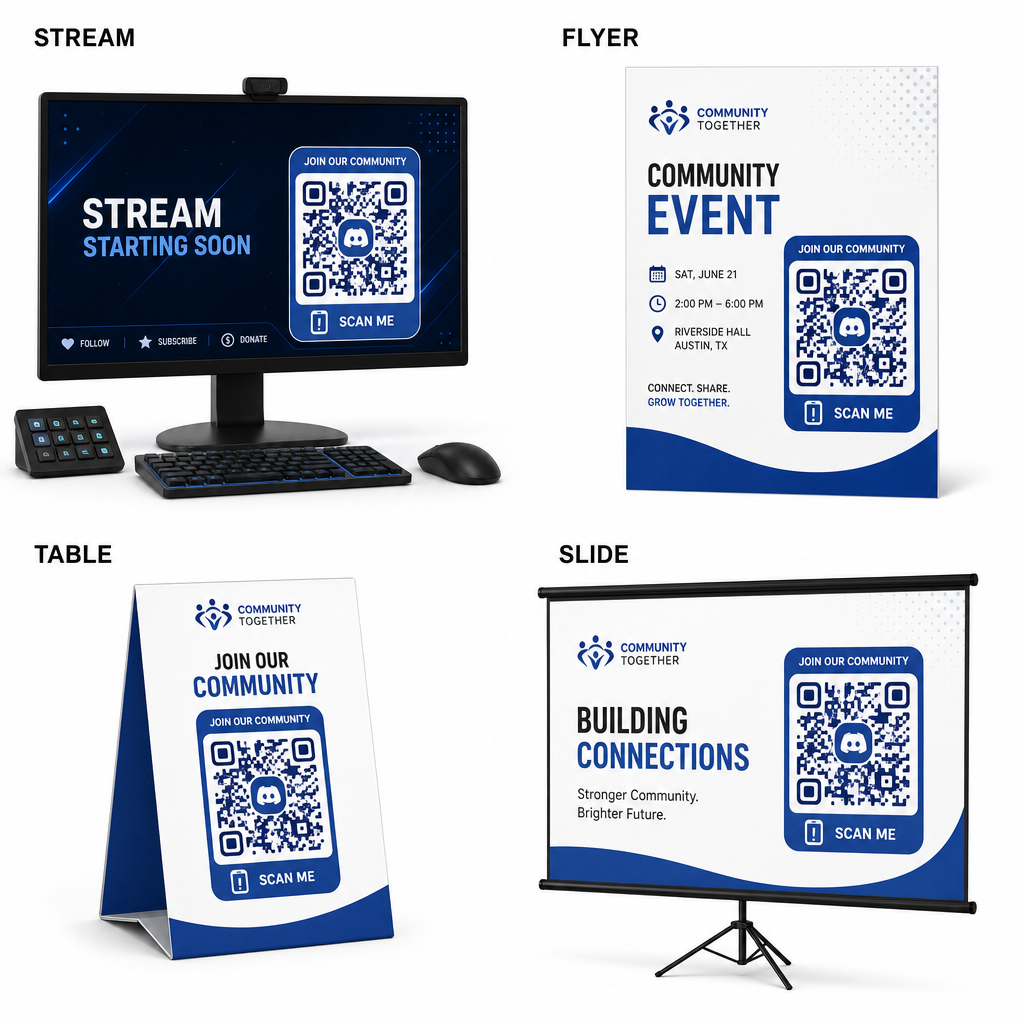
- เพิ่มโอเวอร์เลย์สตรีม บนหน้าจอการถ่ายทอดสดเพื่อให้ผู้ชมเข้าร่วมได้ขณะรับชมวิดีโอสด.
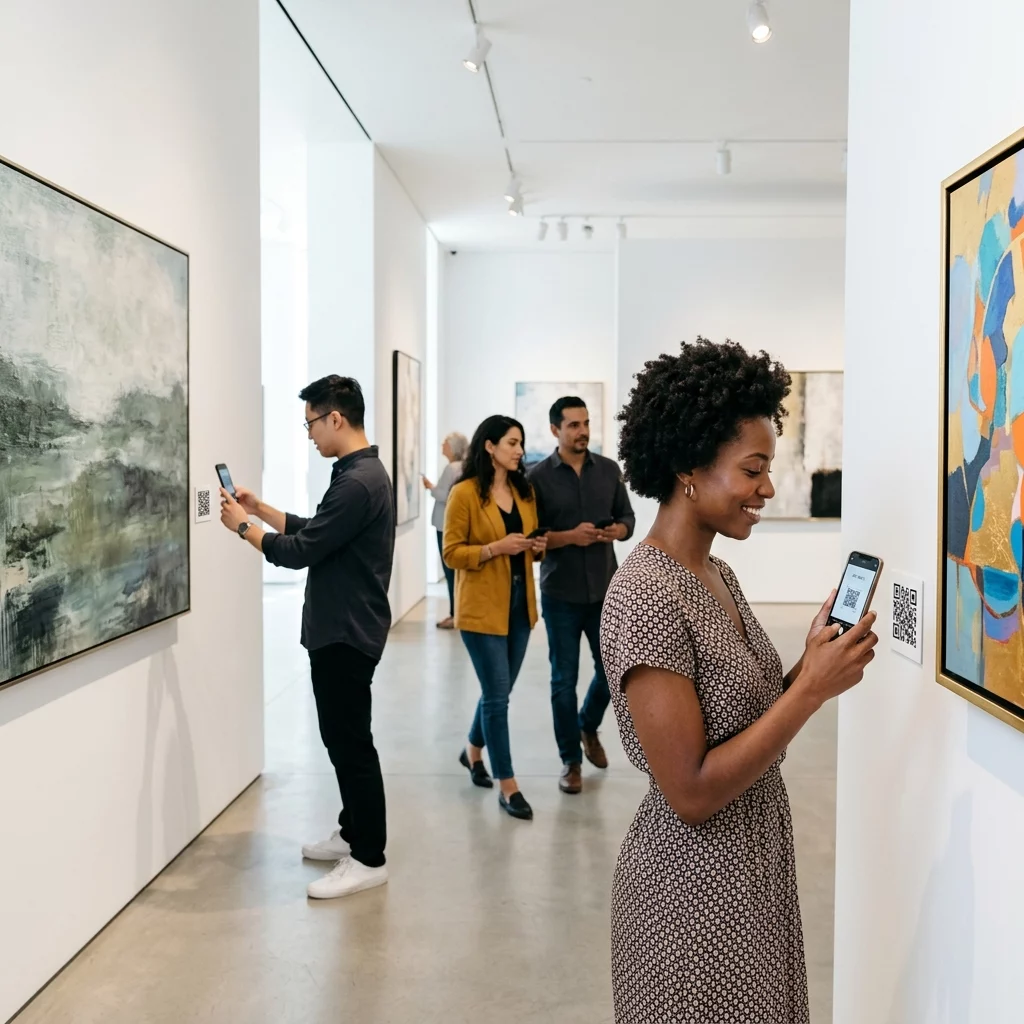
- พิมพ์สื่อกิจกรรม บนบัตรประจำตัวจริง ใบปลิว ป้ายตั้งโต๊ะ และแบนเนอร์ระหว่างการพบปะสังสรรค์.
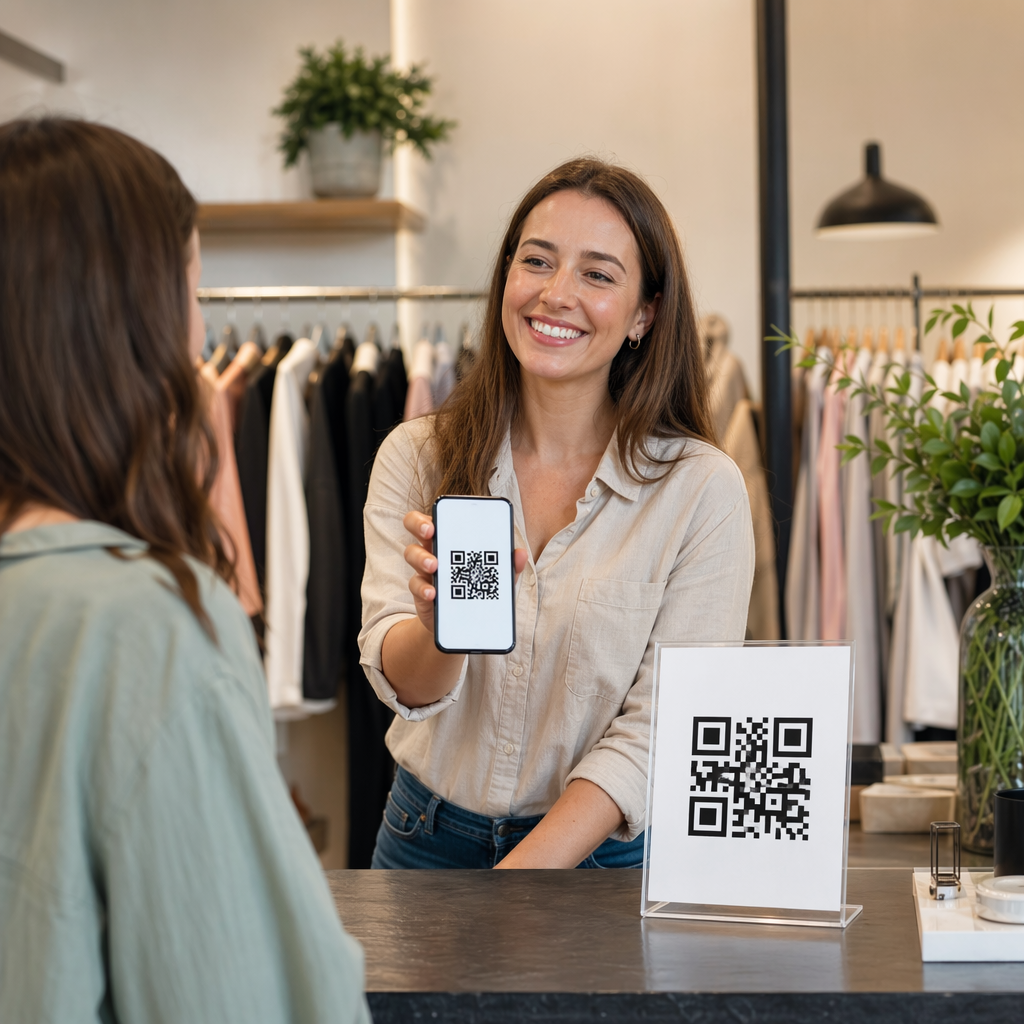
- รวมเอกสารแนบในบรรจุภัณฑ์ บนกล่องผลิตภัณฑ์ ป้ายเสื้อผ้า หรือบัตรขอบคุณที่ส่งให้ผู้ซื้อ.
- ฝังสไลด์นำเสนอ บนหน้าจอสุดท้ายของการประชุมเชิงปฏิบัติการเพื่อเปลี่ยนผู้เข้าร่วมให้เป็นสมาชิกชุมชน.
สร้างชุมชนของคุณด้วยการเริ่มต้นใช้งานบนมือถือที่รวดเร็ว
การแปลงลิงก์เชิญ Discord ของคุณให้เป็นรหัส QR ที่สแกนได้จะช่วยขจัดอุปสรรคในการพิมพ์ด้วยตนเอง ทำให้แฟนๆ ผู้เข้าร่วม และลูกค้าสามารถเข้าสู่เซิร์ฟเวอร์ของคุณได้ภายในไม่กี่วินาที การใช้การตั้งค่าการเชิญแบบถาวร การรับประกันความคมชัดของสีที่แข็งแกร่ง การรักษาอัตราส่วนขนาดที่เหมาะสม และการทดสอบบนอุปกรณ์หลายเครื่อง จะมอบเส้นทางเริ่มต้นใช้งานที่เชื่อถือได้สำหรับสมาชิกใหม่ทุกคน.
พร้อมที่จะขยายชุมชนออนไลน์ของคุณแล้วหรือยัง? สร้างรหัส QR Discord แบบกำหนดเองความละเอียดสูงโดยใช้เครื่องมือสร้างของ Pageloot วันนี้.
คำถามที่พบบ่อย
ใช่ เมื่อสร้างลิงก์เชิญใน Discord ให้เลือก “แก้ไขลิงก์เชิญ” และตั้งค่า “หมดอายุหลังจาก” เป็น “ไม่หมดอายุ” และ “จำนวนครั้งที่ใช้สูงสุด” เป็น “ไม่จำกัด” ก่อนสร้างรหัส QR ของคุณ.
ดาวน์โหลดรูปแบบเวกเตอร์ เช่น SVG หรือ EPS สำหรับพิมพ์โปสเตอร์ แบนเนอร์ และใบปลิว หากใช้ไฟล์ PNG ตรวจสอบให้แน่ใจว่าได้เรนเดอร์ที่ความละเอียดสูง 300 DPI หรือสูงกว่า เพื่อหลีกเลี่ยงความเบลอ.
ใช่ การสร้างโค้ด QR แบบไดนามิกช่วยให้คุณรวบรวมการวิเคราะห์การสแกนแบบเรียลไทม์ ติดตามประสิทธิภาพการแปลงเมื่อเวลาผ่านไป และอัปเดต URL ปลายทางได้ทุกเมื่อที่ต้องการโดยไม่ต้องพิมพ์สื่อสิ่งพิมพ์ซ้ำ.