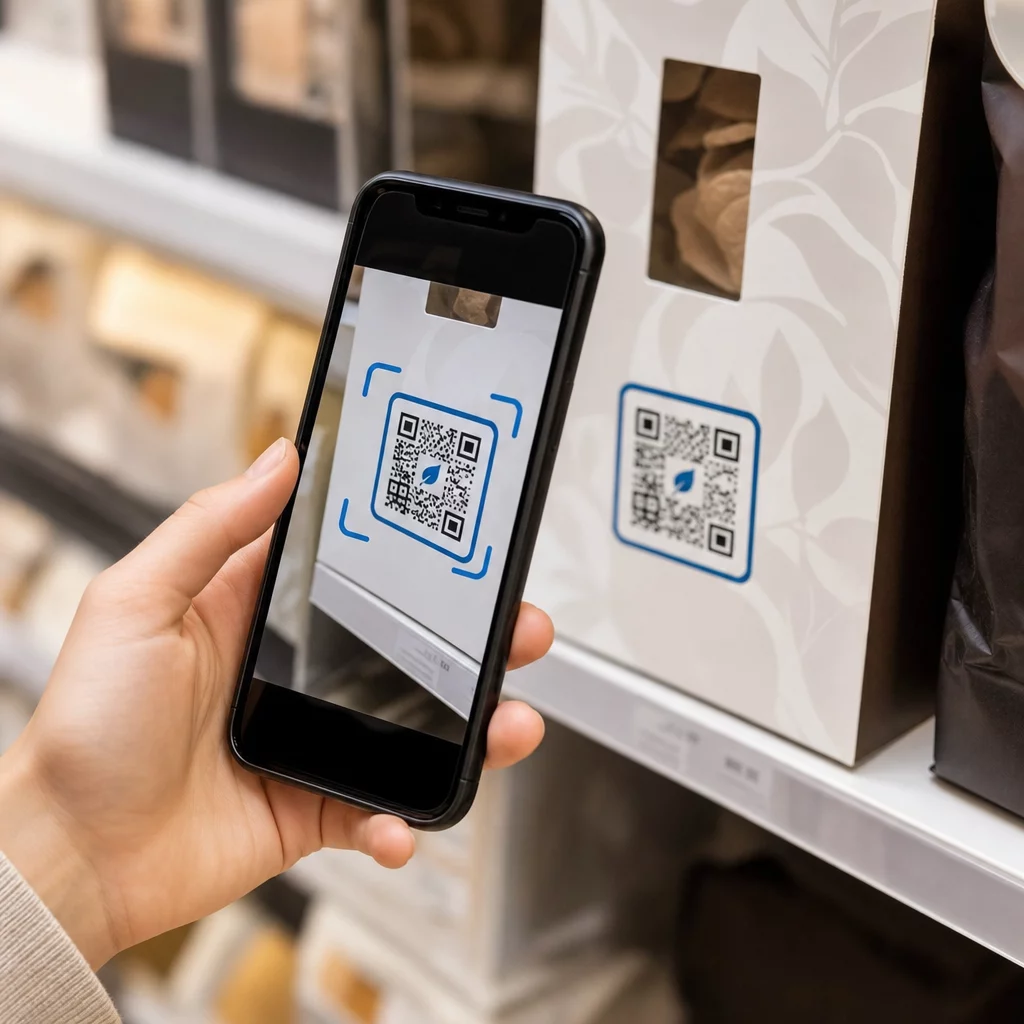
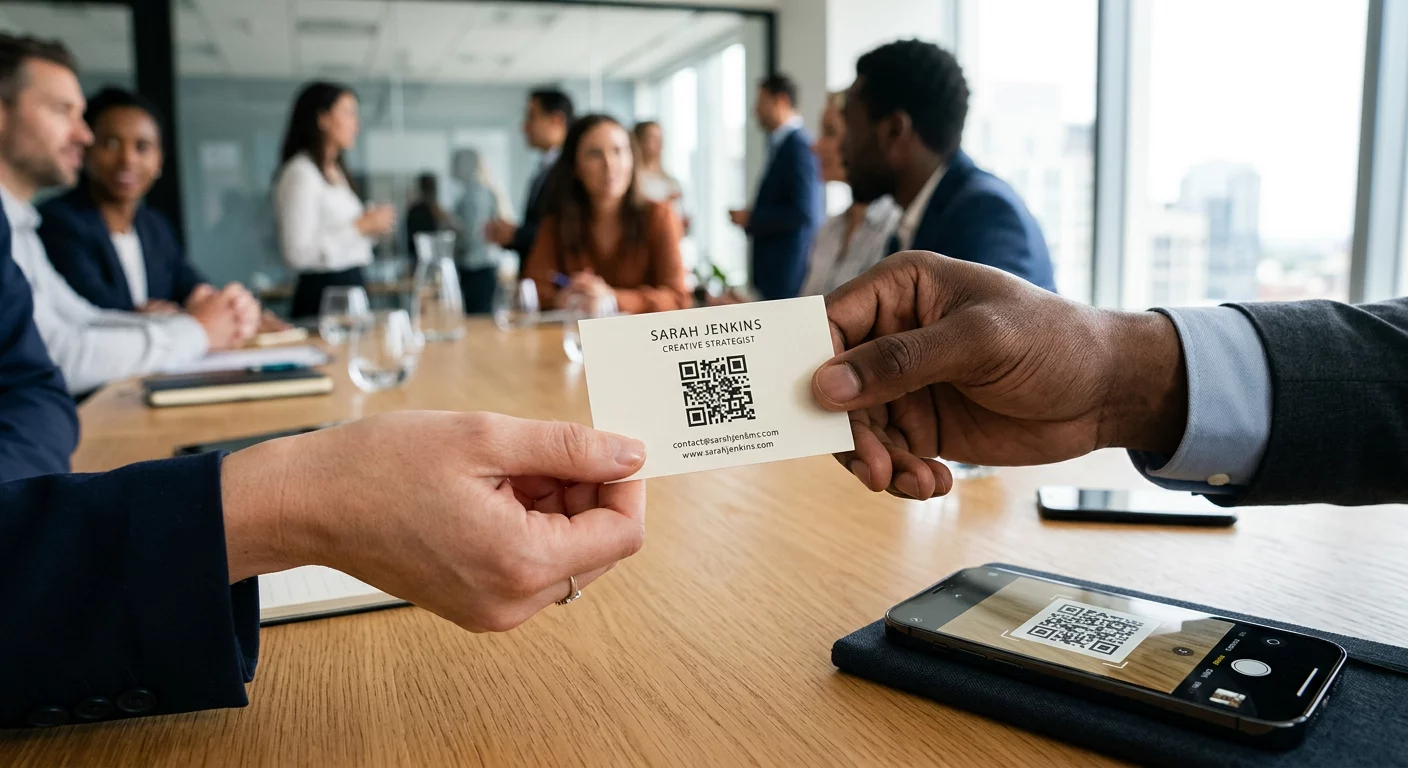
Çevrimdışı kitle üyelerini, uzun sunucu URL'lerini yazmalarını gerektirmeden aktif Discord abonelerine dönüştürmekte zorlanıyor musunuz? Karmaşık bağlantılar yazma sürtünmesine neden olur ve potansiyel üyelerin sunucunuza başlamadan önce katılmaktan vazgeçmesine neden olur. Discord davet bağlantınızı taranabilir bir QR koduna dönüştürmek, fiziksel materyaller ve dijital ekranlar için anında, tek dokunuşla bir yerleştirme deneyimi sağlar.
Kalıcı Bir Discord Davet Bağlantısı Oluşturun
Bir QR kodu oluşturmadan önce, Discord sunucunuzdan işlevsel bir davet bağlantısı almanız gerekir. Varsayılan olarak, Discord davet bağlantıları 7 gün sonra veya sınırlı sayıda kullanıma ulaştıktan sonra sona erer. Fiziksel baskı materyallerinde bozuk QR kodlarından kaçınmak için önce kalıcı bir bağlantı yapılandırın.
- Aç masaüstü veya mobil cihazınızdaki Discord uygulamanız ve sunucunuza gidin.
- Bulmak hedef açılış kanalınıza, kanal adının üzerine gelin ve Davet Oluştur.
- Tıklayın açık Davet bağlantısını düzenle açılır pencerenin alt kısmında.
- Değişim the Sonra Sona Er açılır menü ayarını Asla.
- Değişim the Maksimum Kullanım Sayısı açılır menü ayarını Sınırsız.
- Kopyalayın yeni oluşturulan kalıcı URL'yi panonuza kopyalayın.
Bağlantınızı Bir QR Kodu Oluşturucu ile Dönüştürün
Kalıcı sunucu URL'nizi kopyaladıktan sonra, onu taranabilir bir grafiğe dönüştürebilirsiniz. Tıpkı kurulum gibi Telegram grupları için QR kodları, bir Discord kodu oluşturmak, basit bir web adresini mobil kameraların çözebileceği görsel bir desene dönüştürmeyi gerektirir.
- Gezin çevrimiçi bir bağlantı QR kod oluşturucunuzun.
- Seçiniz oluşturucu arayüzündeki URL giriş seçeneğine gidin.
- Yapıştırın kalıcı Discord davet bağlantınızı web adresi alanına girin.
- Oluşturmak görsel kod görüntünüzü tek bir tıklamayla kaydedin.
Özel Discord QR Kodunuzu Oluşturun Posterler, kartlar ve yayın ekranları için uzun sunucu davet bağlantılarını yüksek çözünürlüklü, taranabilir grafiklere dönüştürün bağlantı QR kod oluşturucunuzun bugün.
Marka Tanıma İçin Tasarımınızı Özelleştirin
Genel bir siyah beyaz QR kodu, özel pazarlama grafikleri veya yayın ekranlarında yerinden edilmiş gibi görünebilir. Tasarımı özelleştirmek, anında güven oluşturur ve potansiyel üyelere kodun nereye yönlendireceğini bildirir.
Özellik açısından eksiksiz bir QR kod oluşturucu, kullanarak, topluluğunuzun kimliğine uyacak şekilde görsel parametreleri değiştirebilirsiniz:
- Marka renklerini uygula kod modülleri için koyu birincil tonlar kullanırken, okunabilirliği optimize etmek için arka planı açık tutun.
- Bir logo yerleştirin veya Discord simgesini tasarımın ortasına yerleştirerek anında görsel hedef güveni oluşturun.
- Harekete geçirici mesaj çerçevesi ekleyin potansiyel üyelere ne yapmaları gerektiğini yönlendirmek için “Katılmak İçin Tara” gibi.
QR Kodu Taranabilirliğini Sağlamak İçin En İyi Uygulamalar
Kötü biçimlendirilmiş bir QR kodu taranamaz ve potansiyel üyeler için sinir bozucu bir deneyim yaratır. Teknik baskı ve oluşturma standartlarını takip etmek, tüm mobil donanımlarda hızlı kamera tanıma sağlar.
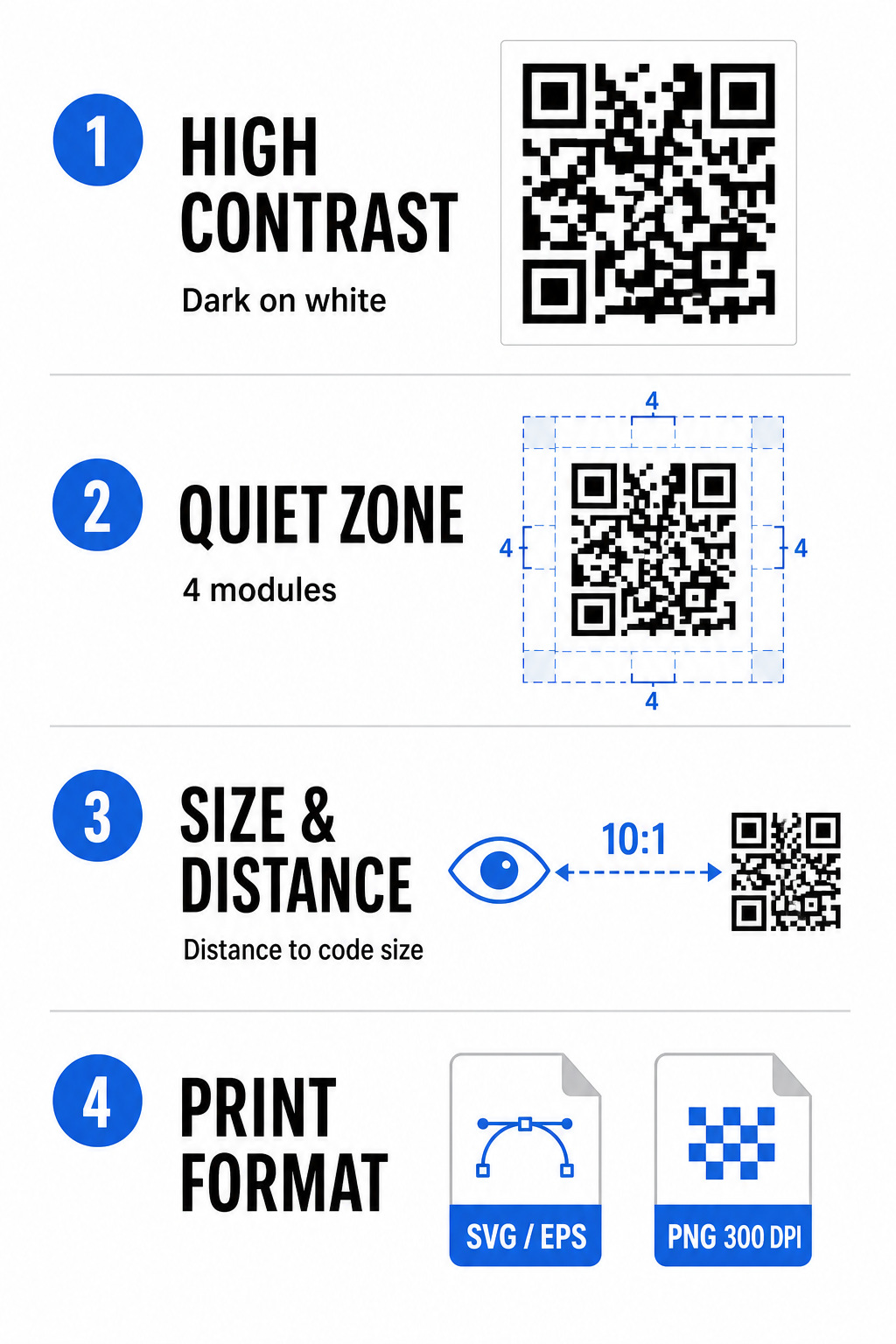
Yüksek Renk Kontrastını Koruyun
Tarayıcılar, verileri çözmek için koyu desenler (modüller) ve arka plan alanları arasındaki kontrole güvenir. Koyu renkler ışığı emerken açık renkler yansıtır, bu da kamera sensörlerinin veri noktalarını kolayca ayırt etmesini sağlar. Kod modülleriniz ve arka planınız arasında en az 4:1 kontrast oranı hedefleyin. En güvenilir eşleştirme, beyaz bir arka plan üzerine yerleştirilmiş siyah veya koyu mavi modüllerdir. Açık modüllerin koyu arka planlar üzerine yerleştirildiği ters renk şemalarından kaçının, çünkü birçok kamera uygulaması ters desenleri çözemez.
Sessiz Alanı Koruyun
Sessiz bölge, QR kodu matrisinin tüm dört dış kenarını çevreleyen boş bir kenarlıktır. Bu marj en az dört modül genişliğinde olmalı ve metin, grafik veya çerçeve süslemelerinden tamamen arındırılmış olmalıdır. Temiz bir sessiz bölge olmadan, mobil kameralar QR kodunun sınırlarının nerede başlayıp bittiğini belirleyemez.
Tarama Mesafesi İçin Doğru Boyutu Hesaplayın
Malzemeleri yazdırırken, QR kod boyutlarınızı 10:1 mesafe-boyut oranı kullanarak hesaplayın. Bu, kodunuzun fiziksel genişliğinin beklenen tarama mesafesinin yaklaşık onda biri kadar olması gerektiği anlamına gelir. Daha derin teknik özellikler için, tam kılavuza bakın QR kodu okunabilirliği için en iyi uygulamaları.
| Yerleştirme Senaryosu | Beklenen Tarama Mesafesi | Minimum Önerilen QR Kodu Boyutu |
|---|---|---|
| Etkinlik Rozetleri ve Kartvizitler | 10 inç (25 cm) | 1,0 x 1,0 inç (2,5 x 2,5 cm) |
| Masa Üstü ve Masaüstü Ekranları | 20 inç (50 cm) | 2,0 x 2,0 inç (5,0 x 5,0 cm) |
| Duvar Posterleri ve Yayın Afişleri | 5 feet (1,5 metre) | 6,0 x 6,0 inç (15 x 15 cm) |
| Etkinlik Sahnesi Ekranları ve Tabela | 10 feet (3,0 metre) | 12,0 x 12,0 inç (30 x 30 cm) |
Vektör Formatlarında Dışa Aktar
Fiziksel baskı üretimi için, dosyanızı SVG veya EPS gibi yüksek çözünürlüklü vektör formatlarında dışa aktarın. Vektör dosyaları, keskinliği kaybetmeden veya bulanıklık oluşturmadan sonsuz şekilde ölçeklenebilir. PNG gibi raster formatları kullanıyorsanız, yüksek kaliteli baskı için dosya çözünürlüğünün en az 300 DPI olarak ayarlandığından emin olun.
Discord QR Kodunuzu Test Etme ve Doğrulama
QR kod işlevselliğini birden çok platformda doğrulamadan pazarlama materyalleri yazdırmayın veya grafikler yayınlamayın. Kamera sensörleri, yazılım algoritmaları ve ekran çözünürlükleri cihazlar arasında büyük ölçüde değişiklik gösterir.
- İşletim sistemlerinde test edin görüntüyü hem iOS hem de Android yerel kamera uygulamalarıyla tarayarak.
- Tarama açılarını doğrulayın kodu parlak aydınlatma, loş ortamlar ve çeşitli açılar altında test ederek.
- Çevrimiçi bir araç kullanın web tabanlı bir QR Kod Okuyucu gibi.
- gömülü URL'nin temiz bir şekilde çözüldüğünü doğrulamak için. İşe alım iş akışını gözden geçirin.
taramanın doğrudan Discord uygulamasını açtığını veya sunucu ekranına sorunsuz bir şekilde yönlendirdiğini doğrulamak için. Donanım uyumluluğuna ilişkin daha geniş bir genel bakış için şu kılavuza bakın:.
akıllı telefonlarda QR kodlarını tarama
Discord QR Kodunuzu Paylaşmanın Pratik Yolları.
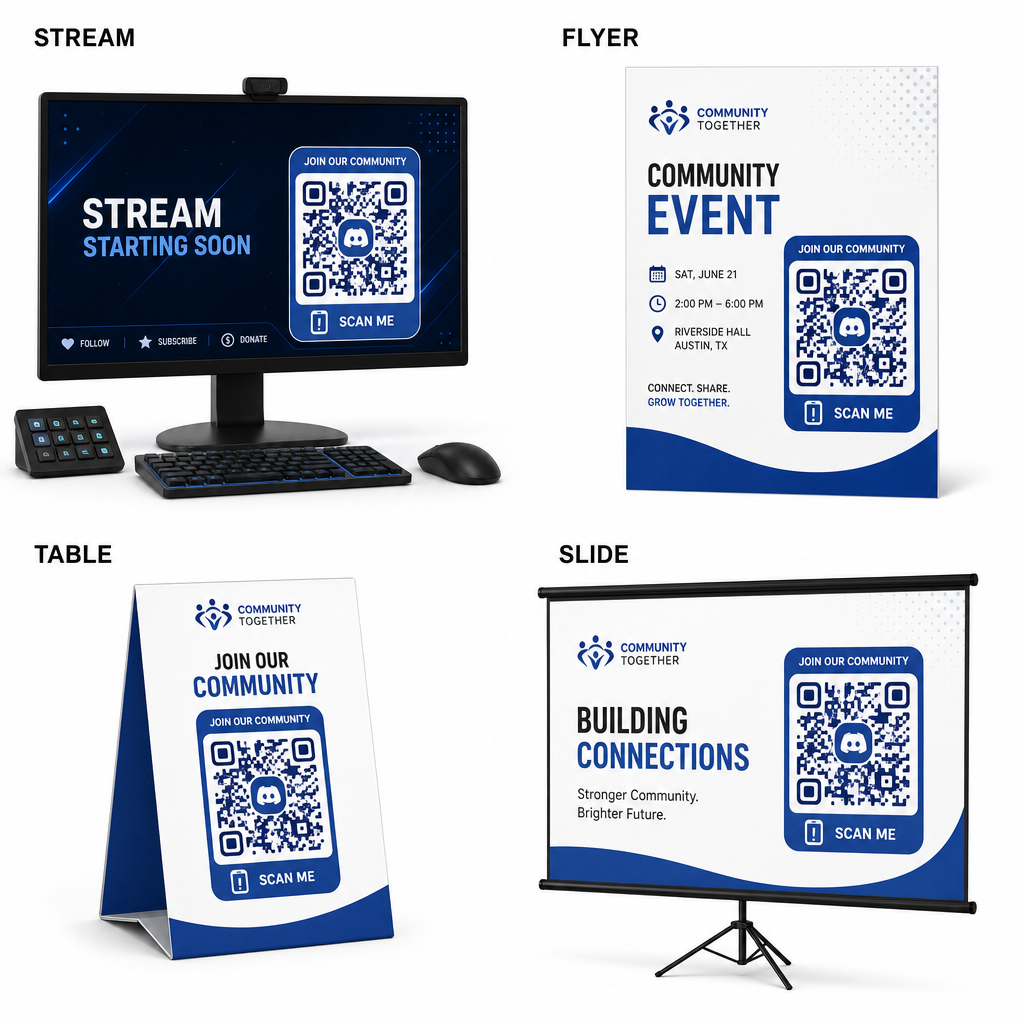
- Sunucu nüfusunu aktif hale getirmek için taranabilir davet bağlantınızı çevrimdışı ve dijital temas noktalarında görüntüleyin. Yayın ekranlarına yayın kaplamaları ekleyin.
- izleyicilerin canlı video izlerken katılabileceği şekilde. Etkinlik materyallerini yazdırın.
- toplantılar sırasında fiziksel rozetler, el ilanları, masa üstleri ve pankartlar üzerine. Paket eklerini ekleyin.
- alıcılara gönderilen ürün kutularına, giysi etiketlerine veya teşekkür kartlarına. Sunum slaytlarını yerleştirin.
atölye çalışmalarının kapanış ekranında katılımcıları topluluk üyelerine dönüştürmek için.
Hızlı Mobil İşe Alımla Topluluğunuzu Oluşturun.
Discord davet bağlantınızı taranabilir bir QR koduna dönüştürmek, hayranların, katılımcıların ve müşterilerin saniyeler içinde sunucunuza girmesini sağlayarak manuel yazma engellerini ortadan kaldırır. Kalıcı davet ayarlarını kullanmak, güçlü renk kontrastı sağlamak, uygun boyut oranlarını korumak ve birden çok cihazda test etmek, her yeni üye için güvenilir bir işe alım yolu sağlar.
Sıkça sorulan sorular
Çevrimiçi topluluğunuzu büyütmeye hazır mısınız? Bugün Pageloot'un oluşturma araçlarını kullanarak yüksek çözünürlüklü, özel bir Discord QR kodu oluşturun.
Poster, banner ve broşür baskısı için SVG veya EPS gibi vektör formatlarını indirin. PNG dosyaları kullanıyorsanız, bulanıklığı önlemek için bunların yüksek çözünürlükte 300 DPI veya daha yüksek olarak oluşturulduğundan emin olun.
Evet. Dinamik bir QR kodu oluşturmak, gerçek zamanlı tarama analizleri toplamanıza, dönüşüm performansını zaman içinde izlemenize ve fiziksel materyalleri yeniden yazdırmadan hedef URL'yi istediğiniz zaman güncellemenize olanak tanır.