ホーム > ガイド > How to Create a QR Code for a Discord Server
Scanning Discord invite code

How to Create a QR Code for a Discord Server

Learn how to create a QR code for your Discord server. Get step-by-step instructions for generating permanent invite links, customizing design, and printing.
Updated on 7月 27, 2026
目次

Are you struggling to convert offline audience members into active Discord subscribers without making them type long server URLs? Complex links create typing friction, causing potential members to abandon joining your server before they even start. Converting your Discord invite link into a scannable QR code provides an instant, one-touch onboarding experience for physical materials and digital displays.

Generate a Permanent Discord Invite Link

Before generating a QR code, you must obtain a functional invite link from your Discord server. By default, Discord invite links expire after 7 days or after reaching a limited number of uses. To avoid broken QR codes on physical print materials, configure a permanent link first.

  • オープン your Discord app on desktop or mobile and navigate to your server.
  • 所在地 your target landing channel, hover over the channel name, and select Create Invite.
  • Click オン Edit invite link at the bottom of the pop-up window.
  • Change インクルード Expire After drop-down menu setting to 決して.
  • Change インクルード Max Number of Uses drop-down menu setting to No limit.
  • コピー the newly generated permanent URL to your clipboard.

Convert Your Link Using a QR Code Generator

Once you have copied your permanent server URL, you can transform it into a scannable graphic. Much like setting up QR codes for Telegram groups, creating a Discord code requires converting a simple web address into a visual pattern that mobile cameras can decode.

  • Navigate to an online リンクQRコードジェネレーター.
  • 選択する the URL input option within the generator interface.
  • ペースト your permanent Discord invite link into the web address field.
  • 生成する your visual code image with a single click.

Create Your Custom Discord QR Code Turn long server invite links into high-resolution, scannable graphics for posters, cards, and stream displays using the リンクQRコードジェネレーター で今すぐ利用可能なツールをご覧ください。.

Customize Your Design for Brand Recognition

A generic black-and-white QR code can look out of place on custom marketing graphics or stream screens. Customizing the design builds immediate trust and signals to potential members where the code will lead them.

Using a feature-complete QRコードジェネレーター, you can modify visual parameters to align with your community’s identity:

  • Apply brand colors by using dark primary shades for the code modules while keeping the background light to optimize readability.
  • Embed a logo or the Discord icon in the center of the design to establish instant visual destination trust.
  • Add a call-to-action frame such as “Scan to Join” to guide prospective members on what action to take.

Best Practices to Ensure QR Code Scannability

A poorly formatted QR code will fail to scan, creating a frustrating experience for prospective members. Following technical printing and rendering standards ensures fast camera recognition across all mobile hardware.

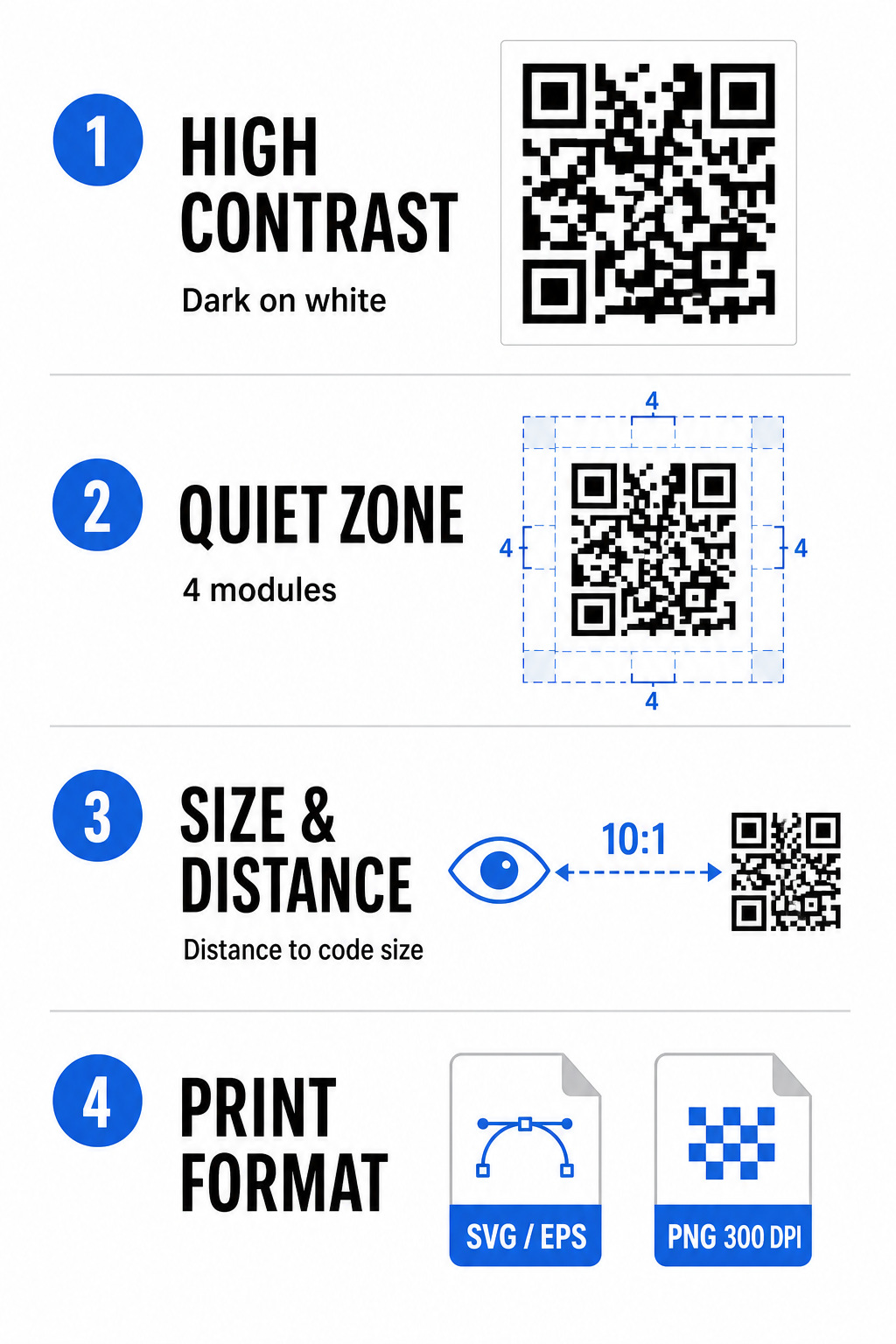
Discord QR best practices

高い色コントラストを維持する

Scanners rely on contrast between dark patterns (modules) and background spaces to decode data. Darker colors absorb light while lighter colors reflect it, allowing camera sensors to distinguish data points easily. Aim for a contrast ratio of at least 4:1 between your code modules and the background. The most reliable pairing is black or dark blue modules placed against a white background. Avoid inverted color schemes with light modules on dark backgrounds, as many camera apps fail to decode inverted patterns.

クワイエットゾーンを保持する

The quiet zone is an empty border surrounding all four outer edges of the QR code matrix. This margin must remain at least four modules wide and completely free of text, graphics, or frame decorations. Without a clean quiet zone, mobile cameras cannot determine where the QR code boundaries start and end.

Calculate the Correct Size for Scanning Distance

When printing materials, calculate your QR code dimensions using a 10:1 distance-to-size ratio. This means the physical width of your code should equal roughly one-tenth of the expected scanning distance. For deeper technical specifications, refer to the complete guide on QRコードの読みやすさに関するベストプラクティス.

Placement Scenario Expected Scanning Distance Minimum Recommended QR Code Size
Event Badges & Business Cards 10 inches (25 cm) 1.0 x 1.0 inches (2.5 x 2.5 cm)
Table Tents & Desktop Displays 20 inches (50 cm) 2.0 x 2.0 inches (5.0 x 5.0 cm)
Wall Posters & Stream Banners 5 feet (1.5 meters) 6.0 x 6.0 inches (15 x 15 cm)
Event Stage Displays & Signage 10 feet (3.0 meters) 12.0 x 12.0 inches (30 x 30 cm)

Export in Vector Formats

For physical print production, export your file in high-resolution vector formats such as SVG or EPS. Vector files scale endlessly without losing sharpness or introducing blurriness. If using raster formats like PNG, confirm that the file resolution is set to at least 300 DPI for high-quality printing.

Testing and Validating Your Discord QR Code

Never print marketing materials or publish graphics without verifying QR code functionality across multiple platforms. Camera sensors, software algorithms, and screen resolutions vary widely between devices.

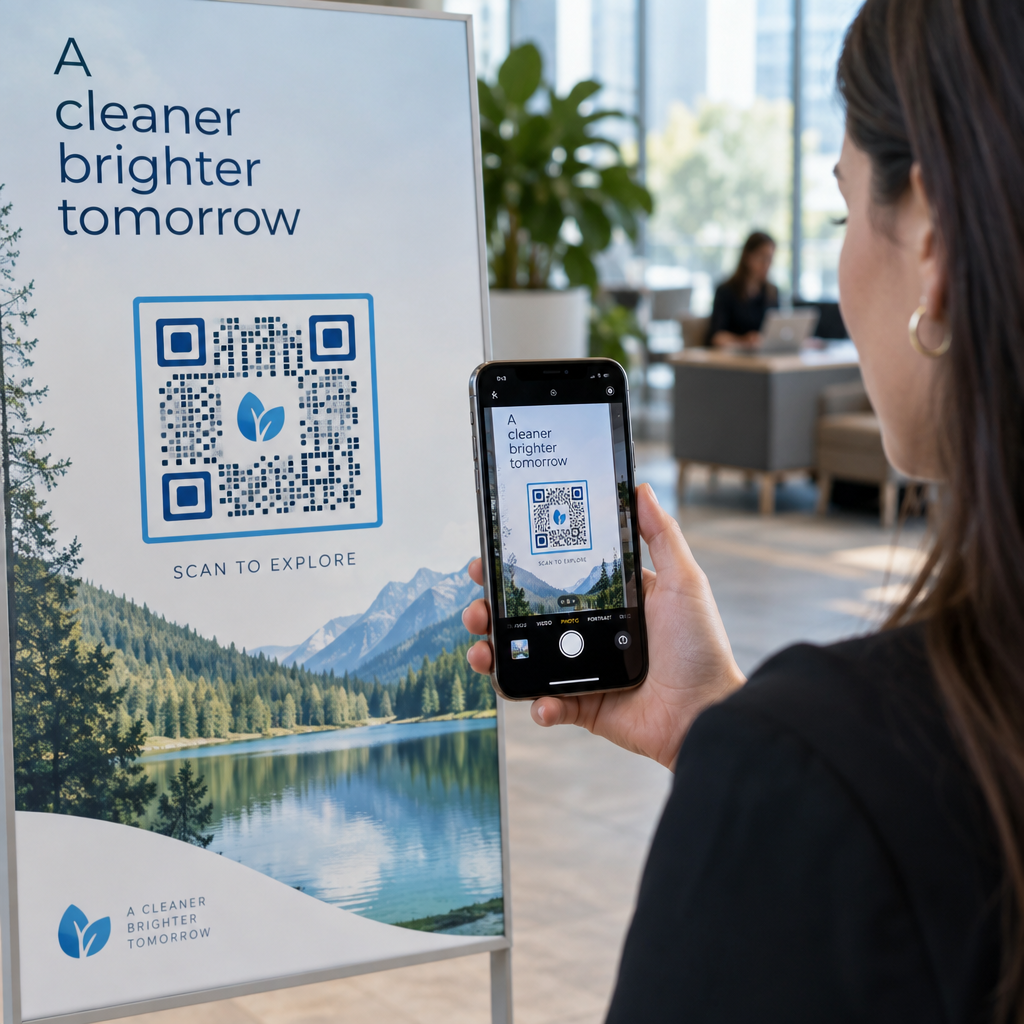
  • Test across operating systems by scanning the image with both iOS and Android native camera apps.
  • Verify scanning angles by testing the code under bright lighting, dim environments, and varied angles.
  • Utilize an online tool like a web-based QRコードスキャナ to confirm that the embedded URL decodes cleanly.
  • Review onboarding workflow to confirm that scanning directly opens the Discord app or redirects smoothly to the server screen.

For a broader overview of hardware compatibility, consult this guide on scanning QR codes on smartphones.

Practical Ways to Share Your Discord QR Code

Displaying your scannable invite link across offline and digital touchpoints helps build an active server population.

Discord QR sharing ideas
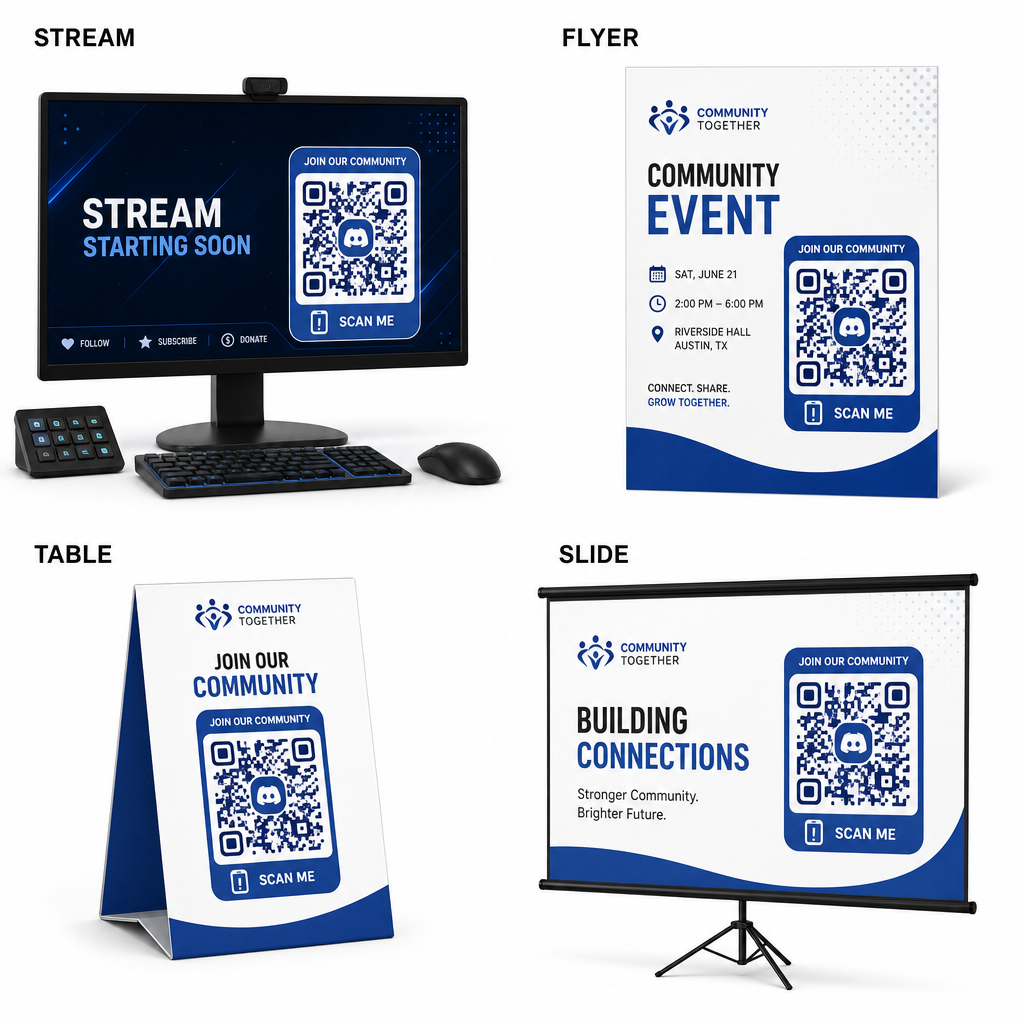
  • Add stream overlays on broadcast screens so viewers can join while watching live video.
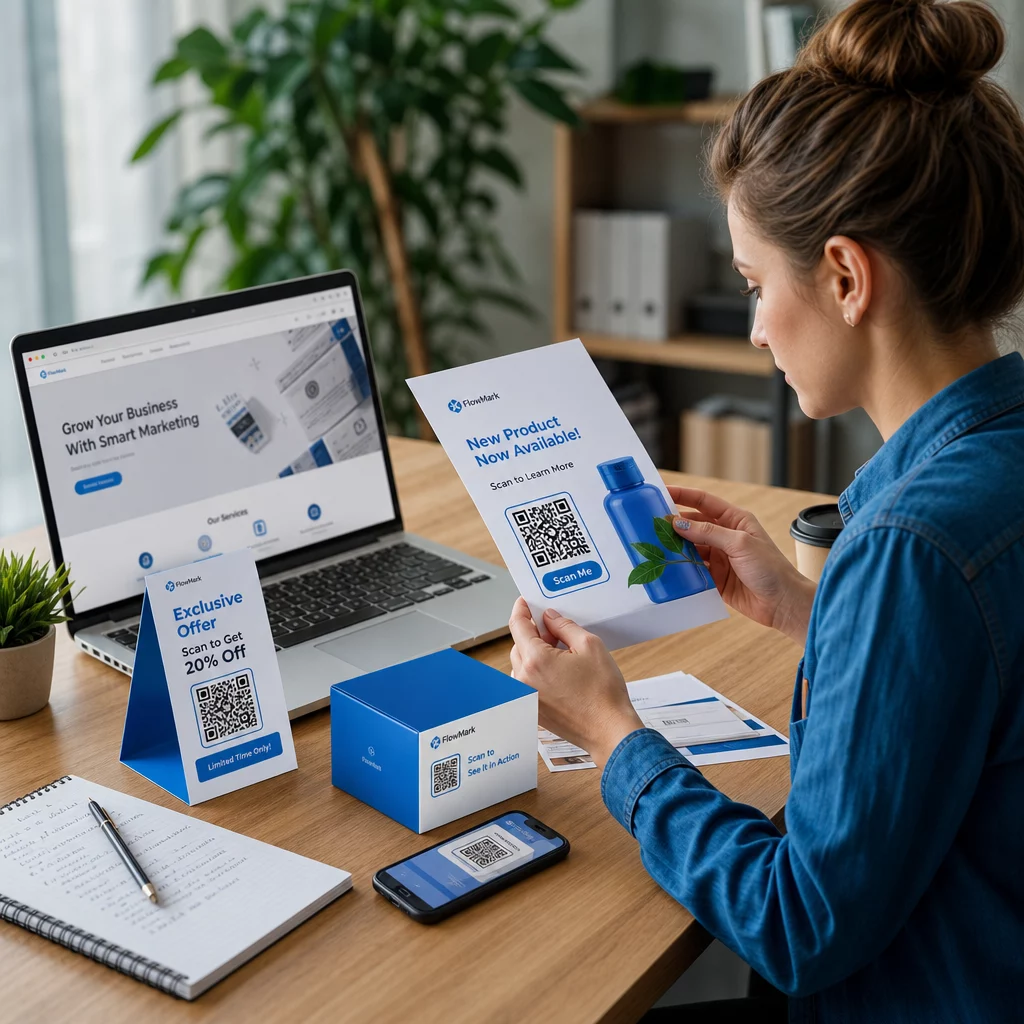
  • Print event materials on physical badges, flyers, table tents, and banners during meetups.
  • Include packaging inserts on product boxes, apparel tags, or thank-you cards sent to buyers.
  • Embed presentation slides on the closing screen of workshops to convert attendees into community members.

Build Your Community with Fast Mobile Onboarding

Converting your Discord invite link into a scannable QR code removes manual typing hurdles, allowing fans, attendees, and customers to enter your server within seconds. Using permanent invite settings, ensuring strong color contrast, maintaining appropriate size ratios, and testing across multiple devices provides a reliable onboarding path for every new member.

Ready to grow your online community? Create a high-resolution, custom Discord QR code using Pageloot’s generation tools today.

よくある質問

Can I make a Discord invite QR code that never expires?

Yes. When creating the invite link in Discord, select “Edit invite link” and set “Expire After” to “Never” and “Max Number of Uses” to “No limit” before generating your QR code.

What file format should I download for printed marketing materials?

Download vector formats like SVG or EPS for printing posters, banners, and flyers. If using PNG files, ensure they are rendered at a high resolution of 300 DPI or higher to avoid blurriness.

Can I track how many people scan my Discord QR code?

Yes. Generating a dynamic QR code allows you to collect real-time scan analytics, track conversion performance over time, and update the destination URL whenever needed without reprinting physical materials.

著者について

Siim KostabiはPagelootのコンテンツリードです。Pagelootの革新的なQRコード生成サービスについて執筆しています。5年以上にわたるQRコードに関する深い専門知識を持つSiimは、この分野の専門家です。QRテクノロジーを活用してデジタルインタラクションを簡素化・拡張する上で、大きな進歩を遂げています。.

カテゴリー
について詳しくはこちら
Scanning display QR code
QRコードの ディスプレイとスクリーン
Scanning QR code sticker
QRコードの ラベルとステッカー
✅ QRコードの#1ソリューション

オンラインでQRコードを作成する必要がある場合は QRコードを作る ここで無料で
ページルートは #1のGo-Toソリューション でQRコードを作成してスキャンすることができます。

BL-0344

ブログジェネ

売上、レビュー、フォロワーを増やすために 20,000 を超えるブランドから信頼されています。

クライアントのロゴ
トップブランドから信頼される
5 のうち 4.8 と評価しました

4.86 / 5つ星評価

ユーゴ・ローラン
ユーゴ・ローラン
レストランオーナー
最も簡単で信頼性の高いQRコードジェネレータです。PDFファイルを即座にアップロードできます。レストランのメニューがデジタル化されました。
ルーカス・ジャンセン
ルーカス・ジャンセン
不動産開発業者
これは優れたツールで、QRコードでちょうど欲しいところに連れて行ってくれます。私たちは位置情報のQRコードしか使っていませんが、とても便利な機能がたくさんあります。
エマ・モレッティ
エマ・モレッティ
小売製品
使いやすいし、早い。素晴らしい機能で、完璧な画像を作成してくれるので、社員は私のvCardをダウンロードすることができます。
ユーゴ・ローラン
ユーゴ・ローラン
レストランオーナー
最も簡単で信頼性の高いQRコードジェネレータです。PDFファイルを即座にアップロードできます。レストランのメニューがデジタル化されました。
ルーカス・ジャンセン
ルーカス・ジャンセン
不動産開発業者
これは優れたツールで、QRコードでちょうど欲しいところに連れて行ってくれます。私たちは位置情報のQRコードしか使っていませんが、とても便利な機能がたくさんあります。
エマ・モレッティ
エマ・モレッティ
小売製品
使いやすいし、早い。素晴らしい機能で、完璧な画像を作成してくれるので、社員は私のvCardをダウンロードすることができます。
QRコードをもっと見る
あらゆるものをデジタル体験に変えよう 3分以内に。

14日間の無料トライアル。

クレジットカードは必要ありません。

初回購入で30%オフ

次のコードを使用してください:

MP3ファイルを共有

PDF QRコードを作成するにはサインアップしてください

必要なものをすべてアップロードして表示する。

  • オーディオファイル
  • ポッドキャスト
  • 音楽

サインアップで14日間無料トライアル。.
トライアル終了後、QRコードは期限切れになります。.

オーディオmp3 QRコードを作成するにはサインアップしてください

フレームでより多くのスキャンを獲得

QRコードにフレームを追加するにはサインアップしてください

コールトゥアクションフレームは、お客様が簡単にQRコードと対話できるようにします。ぜひお試しください。

サインアップで14日間無料トライアル。.
トライアル終了後、QRコードは期限切れになります。.

QRコードにフレームを追加するにはサインアップしてください

シェイプでスタイルを追加

より多くの図形を作成するにはサインアップしてください

QRコードは四角いものである必要はありません。あなたのブランドのイメージに合わせて変えてみてください。

サインアップで14日間無料トライアル。.
トライアル終了後、QRコードは期限切れになります。.

より多くの図形を作成するにはサインアップしてください

QRコードにロゴを追加

QRコードにロゴを追加するにはサインアップしてください

QRコードにロゴやブランドを入れることで、目立たせることができます。

サインアップで14日間無料トライアル。.
トライアル終了後、QRコードは期限切れになります。.

QRコードにロゴを追加するにはサインアップしてください

スマートなApp Storeリダイレクト

アプリストアのQRコードを作成するにはサインアップしてください

スマートなApp StoreのQRコードに、あなたのアプリのリンクを追加します。ユーザーは、デバイスに応じてリダイレクトされます。

サインアップで14日間無料トライアル。.
トライアル終了後、QRコードは期限切れになります。.

アプリストアのQRコードを作成するにはサインアップしてください

QRコードに画像をアップロード

画像QRコードを作成するにはサインアップしてください

画像を簡単に共有できます。どんな画像も、数秒でダイナミックに変化します。

サインアップで14日間無料トライアル。.
トライアル終了後、QRコードは期限切れになります。.

画像QRコードを作成するにはサインアップしてください

PDFファイルを共有

PDF QRコードを作成するにはサインアップしてください

必要なものをすべてアップロードして表示する。

  • メニュー&プライスリスト
  • 指示
  • 任意の書類

サインアップで14日間無料トライアル。.
トライアル終了後、QRコードは期限切れになります。.

PDF QRコードを作成するにはサインアップしてください

印刷せずに後で編集

再度印刷せずにQRコードを編集するにはサインアップしてください

ダイナミックQRコードは、新たにQRコードを印刷することなく、QRコードの内容を変更することができます。

サインアップで14日間無料トライアル。.
トライアル終了後、QRコードは期限切れになります。.

再度印刷せずにQRコードを編集するにはサインアップしてください

いつ?どこで?QRコードのスキャンを追跡

QRコードを追跡するにはサインアップしてください

どのQRコードが最も多くスキャンされ、何が最も顧客を喜ばせているのかを知ることができます。

サインアップで14日間無料トライアル。.
トライアル終了後、QRコードは期限切れになります。.

QRコードを追跡するにはサインアップしてください

印刷可能なファイルが利用可能

PDFやSVGのようなベクターQRコードを作成するにはサインアップしてください

.eps、.pdf、.svg

QRコードをHD解像度でダウンロードしたいですか?すぐに印刷できるベクターまたはピクセル形式を入手しましょう。

サインアップで14日間無料トライアル。.
トライアル終了後、QRコードは期限切れになります。.

PDFやSVGのようなベクターQRコードを作成するにはサインアップしてください

しばらくお待ちください。あなたのQRコードは ロード... ロード...

あなただけのものに

サインアップしてQRコードを後で保存してください

異なる色、ロゴ、コールトゥアクションフレームで素晴らしいQRコードを作成することで、より多くのスキャンを得ることができます。

サインアップで14日間無料トライアル。.
トライアル終了後、QRコードは期限切れになります。.

サインアップしてQRコードを後で保存してください