> 가이드 > How to Create a QR Code for a Discord Server
Scanning Discord invite code

How to Create a QR Code for a Discord Server

Learn how to create a QR code for your Discord server. Get step-by-step instructions for generating permanent invite links, customizing design, and printing.
Updated on 7월 27, 2026
목차

Are you struggling to convert offline audience members into active Discord subscribers without making them type long server URLs? Complex links create typing friction, causing potential members to abandon joining your server before they even start. Converting your Discord invite link into a scannable QR code provides an instant, one-touch onboarding experience for physical materials and digital displays.

Generate a Permanent Discord Invite Link

Before generating a QR code, you must obtain a functional invite link from your Discord server. By default, Discord invite links expire after 7 days or after reaching a limited number of uses. To avoid broken QR codes on physical print materials, configure a permanent link first.

  • 열기 your Discord app on desktop or mobile and navigate to your server.
  • 찾기 your target landing channel, hover over the channel name, and select Create Invite.
  • Click on Edit invite link at the bottom of the pop-up window.
  • Change 그만큼 Expire After drop-down menu setting to 절대로.
  • Change 그만큼 Max Number of Uses drop-down menu setting to No limit.
  • 복사 the newly generated permanent URL to your clipboard.

Convert Your Link Using a QR Code Generator

Once you have copied your permanent server URL, you can transform it into a scannable graphic. Much like setting up QR codes for Telegram groups, creating a Discord code requires converting a simple web address into a visual pattern that mobile cameras can decode.

  • Navigate to an online 링크 QR 코드 생성기.
  • 선택 the URL input option within the generator interface.
  • 붙여넣기 your permanent Discord invite link into the web address field.
  • 생성 your visual code image with a single click.

Create Your Custom Discord QR Code Turn long server invite links into high-resolution, scannable graphics for posters, cards, and stream displays using the 링크 QR 코드 생성기 에서 지금 바로 시작하세요.

Customize Your Design for Brand Recognition

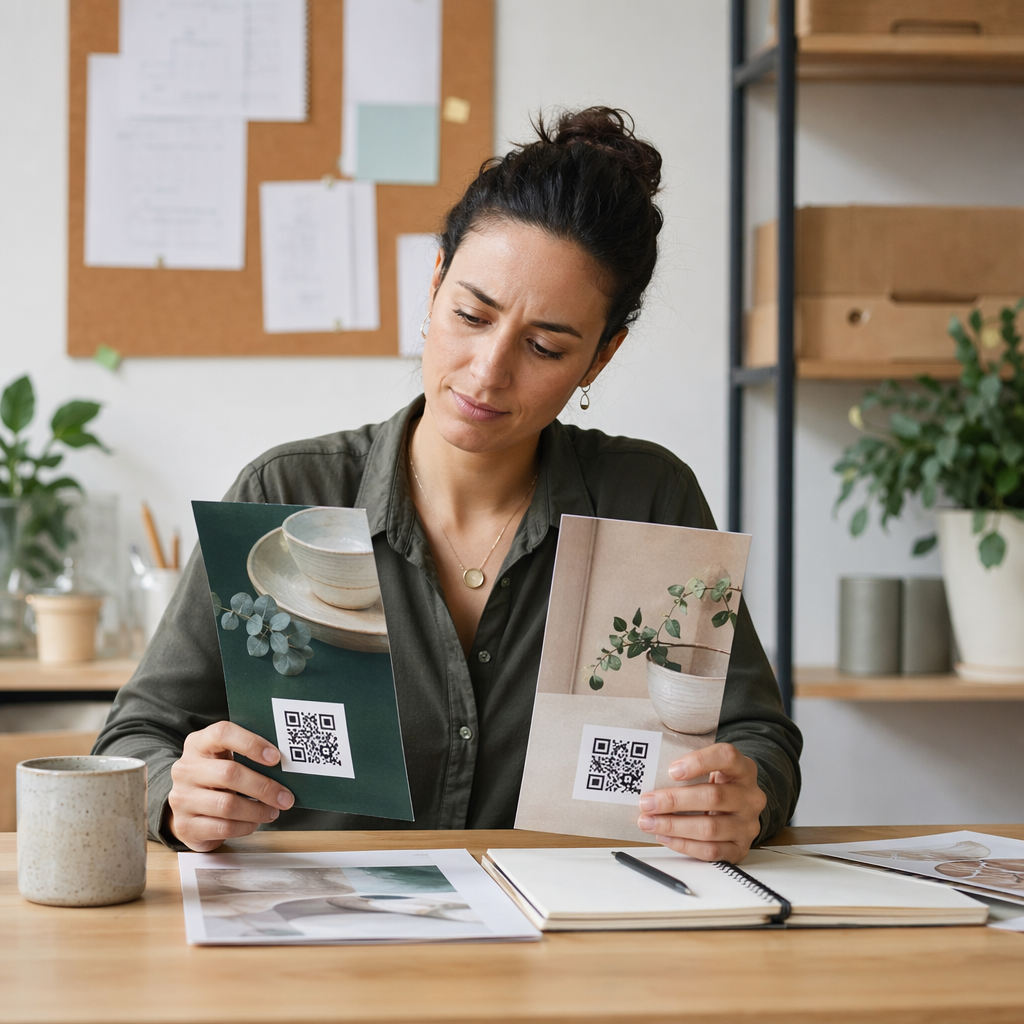
A generic black-and-white QR code can look out of place on custom marketing graphics or stream screens. Customizing the design builds immediate trust and signals to potential members where the code will lead them.

Using a feature-complete QR 코드 생성기, you can modify visual parameters to align with your community’s identity:

  • Apply brand colors by using dark primary shades for the code modules while keeping the background light to optimize readability.
  • Embed a logo or the Discord icon in the center of the design to establish instant visual destination trust.
  • Add a call-to-action frame such as “Scan to Join” to guide prospective members on what action to take.

Best Practices to Ensure QR Code Scannability

A poorly formatted QR code will fail to scan, creating a frustrating experience for prospective members. Following technical printing and rendering standards ensures fast camera recognition across all mobile hardware.

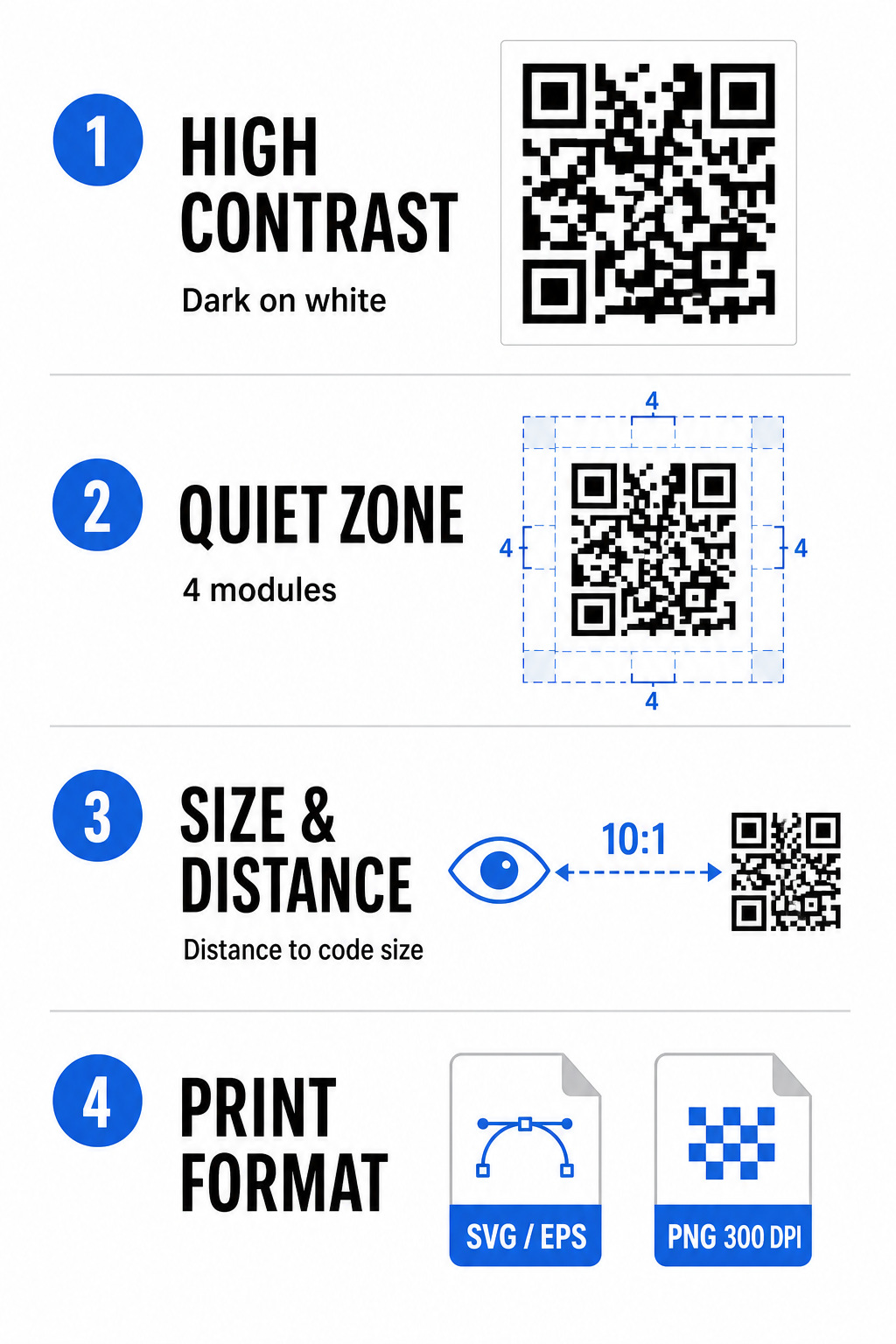
Discord QR best practices

높은 색상 대비 유지

Scanners rely on contrast between dark patterns (modules) and background spaces to decode data. Darker colors absorb light while lighter colors reflect it, allowing camera sensors to distinguish data points easily. Aim for a contrast ratio of at least 4:1 between your code modules and the background. The most reliable pairing is black or dark blue modules placed against a white background. Avoid inverted color schemes with light modules on dark backgrounds, as many camera apps fail to decode inverted patterns.

콰이어트 존(Quiet Zone)을 보존하세요

The quiet zone is an empty border surrounding all four outer edges of the QR code matrix. This margin must remain at least four modules wide and completely free of text, graphics, or frame decorations. Without a clean quiet zone, mobile cameras cannot determine where the QR code boundaries start and end.

Calculate the Correct Size for Scanning Distance

When printing materials, calculate your QR code dimensions using a 10:1 distance-to-size ratio. This means the physical width of your code should equal roughly one-tenth of the expected scanning distance. For deeper technical specifications, refer to the complete guide on QR 코드 가독성을 위한 모범 사례.

Placement Scenario Expected Scanning Distance Minimum Recommended QR Code Size
Event Badges & Business Cards 10 inches (25 cm) 1.0 x 1.0 inches (2.5 x 2.5 cm)
Table Tents & Desktop Displays 20 inches (50 cm) 2.0 x 2.0 inches (5.0 x 5.0 cm)
Wall Posters & Stream Banners 5 feet (1.5 meters) 6.0 x 6.0 inches (15 x 15 cm)
Event Stage Displays & Signage 10 feet (3.0 meters) 12.0 x 12.0 inches (30 x 30 cm)

Export in Vector Formats

For physical print production, export your file in high-resolution vector formats such as SVG or EPS. Vector files scale endlessly without losing sharpness or introducing blurriness. If using raster formats like PNG, confirm that the file resolution is set to at least 300 DPI for high-quality printing.

Testing and Validating Your Discord QR Code

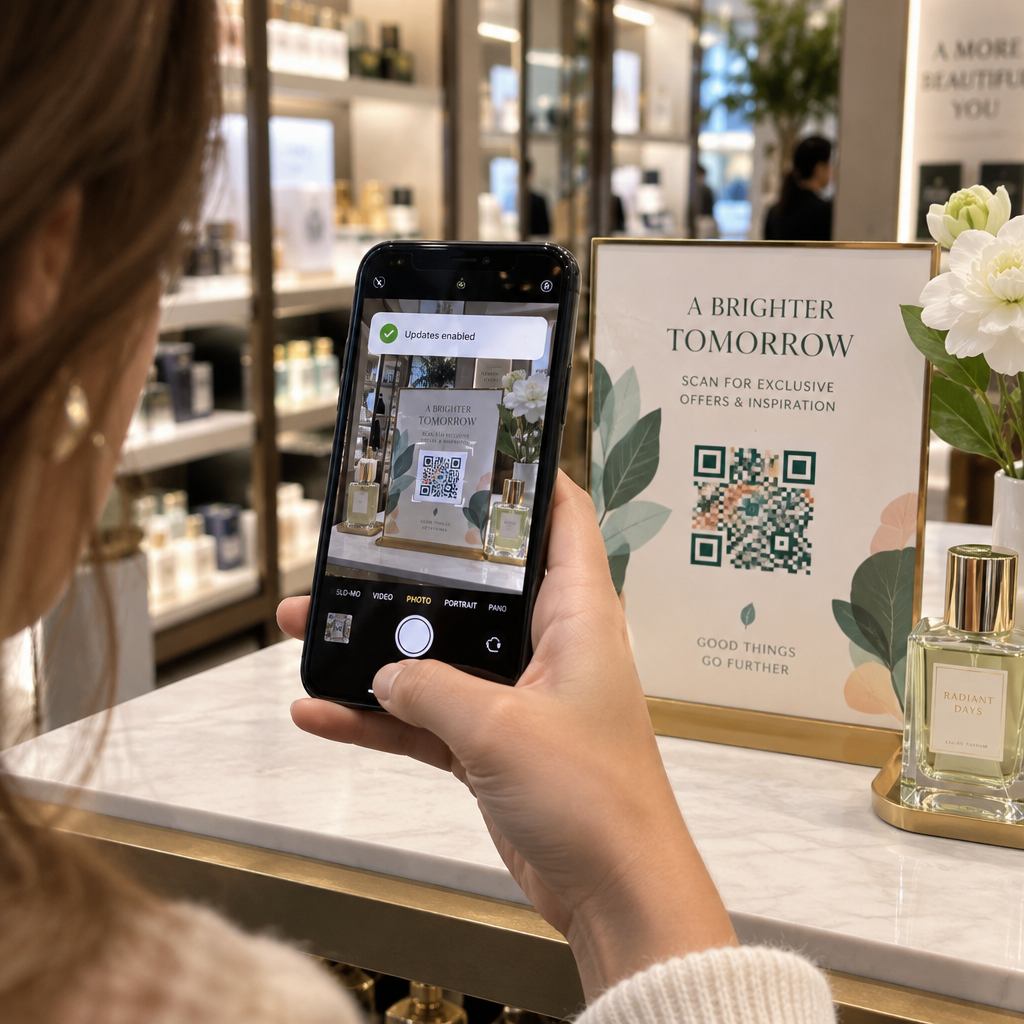
Never print marketing materials or publish graphics without verifying QR code functionality across multiple platforms. Camera sensors, software algorithms, and screen resolutions vary widely between devices.

  • Test across operating systems by scanning the image with both iOS and Android native camera apps.
  • Verify scanning angles by testing the code under bright lighting, dim environments, and varied angles.
  • Utilize an online tool like a web-based QR 코드 스캐너 to confirm that the embedded URL decodes cleanly.
  • Review onboarding workflow to confirm that scanning directly opens the Discord app or redirects smoothly to the server screen.

For a broader overview of hardware compatibility, consult this guide on scanning QR codes on smartphones.

Practical Ways to Share Your Discord QR Code

Displaying your scannable invite link across offline and digital touchpoints helps build an active server population.

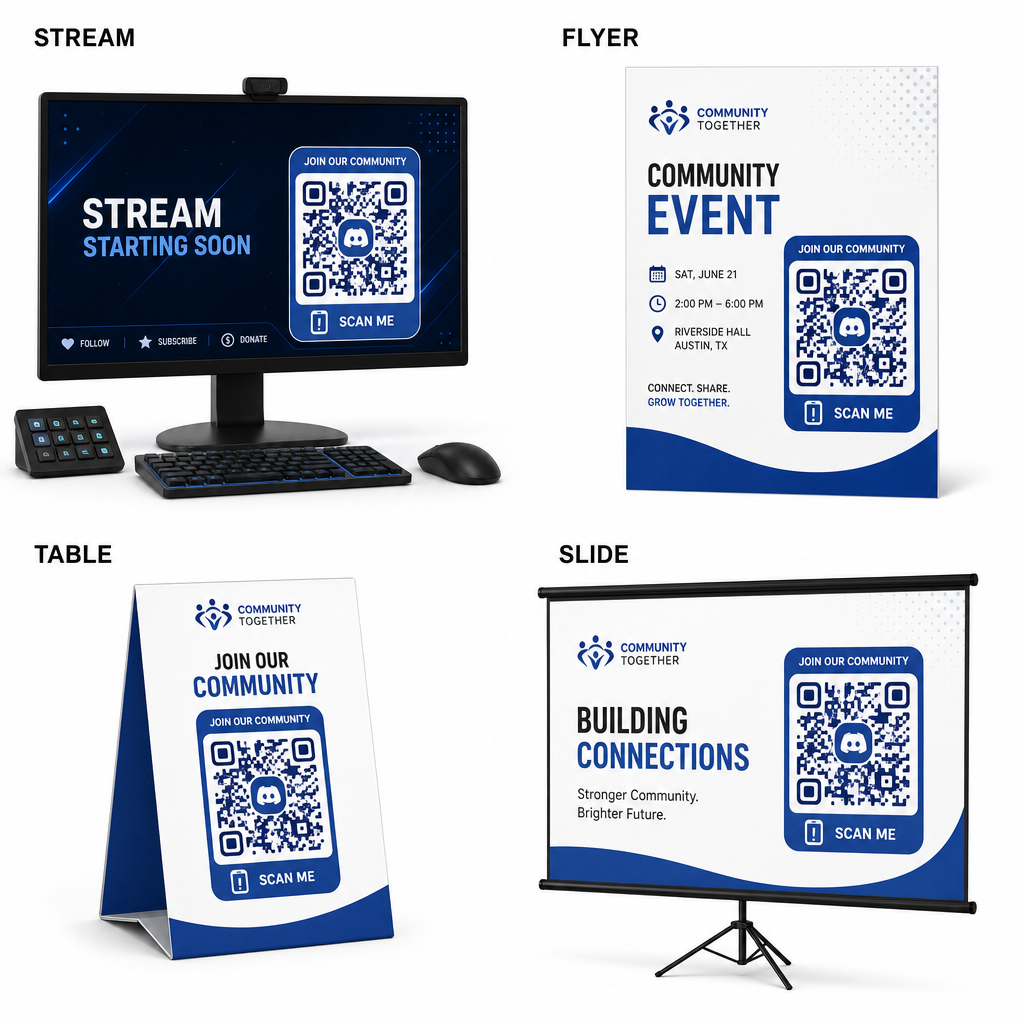
Discord QR sharing ideas
  • Add stream overlays on broadcast screens so viewers can join while watching live video.
  • Print event materials on physical badges, flyers, table tents, and banners during meetups.
  • Include packaging inserts on product boxes, apparel tags, or thank-you cards sent to buyers.
  • Embed presentation slides on the closing screen of workshops to convert attendees into community members.

Build Your Community with Fast Mobile Onboarding

Converting your Discord invite link into a scannable QR code removes manual typing hurdles, allowing fans, attendees, and customers to enter your server within seconds. Using permanent invite settings, ensuring strong color contrast, maintaining appropriate size ratios, and testing across multiple devices provides a reliable onboarding path for every new member.

Ready to grow your online community? Create a high-resolution, custom Discord QR code using Pageloot’s generation tools today.

자주 묻는 질문

Can I make a Discord invite QR code that never expires?

Yes. When creating the invite link in Discord, select “Edit invite link” and set “Expire After” to “Never” and “Max Number of Uses” to “No limit” before generating your QR code.

What file format should I download for printed marketing materials?

Download vector formats like SVG or EPS for printing posters, banners, and flyers. If using PNG files, ensure they are rendered at a high resolution of 300 DPI or higher to avoid blurriness.

Can I track how many people scan my Discord QR code?

Yes. Generating a dynamic QR code allows you to collect real-time scan analytics, track conversion performance over time, and update the destination URL whenever needed without reprinting physical materials.

작성자 정보

시임 코스타비는 페이지루트의 콘텐츠 책임자입니다. 그는 페이지루트의 혁신적인 QR 코드 생성 서비스에 대한 글을 쓰고 있습니다. 5년 이상 QR 코드 분야에서 쌓아온 깊이 있는 전문 지식을 바탕으로, 시임은 이 분야의 전문가로 인정받고 있습니다. 그는 QR 기술을 활용하여 디지털 상호작용을 간소화하고 향상시키는 데 크게 기여하고 있습니다.

범주
에 대해 자세히 알아보기
작업자가 재고 QR 스캔
QR 코드 만들기 제품 재고

온라인으로 QR 코드를 생성해야하는 경우 QR 코드 만들기 무료로 여기!
Pageloot는 #1 Go-To 솔루션 QR 코드를 만들고 스캔합니다.

BL-0344

블로그 세대

20,000개 이상의 브랜드로부터 신뢰를 받아 더 많은 매출, 리뷰, 팔로워를 확보했습니다.

클라이언트 로고
최고 브랜드의 신뢰
5 중 4.8 평가

4.86 / 5 별점

휴고 로랑
휴고 로랑
레스토랑 주인
가장 쉽고 안정적인 QR 코드 생성기. PDF 파일을 즉시 업로드할 수 있습니다. 이제 레스토랑 메뉴가 디지털화되었습니다.
루카스 얀센
루카스 얀센
부동산 개발사
이것은 훌륭한 도구이며 QR 코드를 사용하면 원하는 곳으로 이동할 수 있습니다. 우리는 위치 QR 코드만 사용하지만 유용한 기능이 너무 많습니다.

엠마 모레티
엠마 모레티
소매 제품
사용하기 쉽고 빠릅니다. 그것은 훌륭하게 작동하고 완벽한 이미지를 생성하므로 직원들이 내 vCard를 다운로드할 수 있습니다.

휴고 로랑
휴고 로랑
레스토랑 주인
가장 쉽고 안정적인 QR 코드 생성기. PDF 파일을 즉시 업로드할 수 있습니다. 이제 레스토랑 메뉴가 디지털화되었습니다.
루카스 얀센
루카스 얀센
부동산 개발사
이것은 훌륭한 도구이며 QR 코드를 사용하면 원하는 곳으로 이동할 수 있습니다. 우리는 위치 QR 코드만 사용하지만 유용한 기능이 너무 많습니다.
엠마 모레티
엠마 모레티
소매 제품
사용하기 쉽고 빠릅니다. 그것은 훌륭하게 작동하고 완벽한 이미지를 생성하므로 직원들이 내 vCard를 다운로드할 수 있습니다.
더 많은 QR 코드보기
휴대폰 QR 코드 스캔
작동 원리 QR 코드 스캐너
무엇이든 디지털 경험으로 전환하세요 3분 이내에.

14일 무료 체험.

신용카드는 필요 없습니다.

첫 구매 시 30% 할인

코드를 사용하세요:

MP3 파일 공유

PDF QR 코드를 생성하려면 가입하세요

필요한 모든 것을 업로드하고 표시합니다.

  • 오디오 파일
  • 팟캐스트
  • 음악

가입 시 14일 무료 체험.
체험 기간 후 QR 코드 만료.

오디오 mp3 QR 코드를 생성하려면 가입하세요

프레임으로 더 많은 스캔 확보

QR 코드에 더 많은 프레임을 추가하려면 가입하세요

클릭 유도 문안 프레임은 고객이 QR 코드와 쉽게 상호 작용할 수 있도록 도와줍니다. 사용해 보세요!

가입 시 14일 무료 체험.
체험 기간 후 QR 코드 만료.

QR 코드에 더 많은 프레임을 추가하려면 가입하세요

도형으로 더 많은 스타일 추가

더 많은 도형을 만들려면 가입하세요

QR 코드는 정사각형일 필요가 없습니다. 브랜드 이미지에 맞게 전환해 보세요.

가입 시 14일 무료 체험.
체험 기간 후 QR 코드 만료.

더 많은 도형을 만들려면 가입하세요

QR 코드에 로고 추가

QR 코드에 로고를 추가하려면 가입하세요

로고와 브랜드를 추가하여 QR 코드를 돋보이게 만드세요.

가입 시 14일 무료 체험.
체험 기간 후 QR 코드 만료.

QR 코드에 로고를 추가하려면 가입하세요

스마트 앱 스토어 리디렉션

앱 스토어 QR 코드를 생성하려면 가입하세요

스마트 앱 스토어 QR 코드에 앱 링크를 추가하세요. 사용자는 장치에 따라 리디렉션됩니다.

가입 시 14일 무료 체험.
체험 기간 후 QR 코드 만료.

앱 스토어 QR 코드를 생성하려면 가입하세요

QR 코드에 이미지 업로드

이미지 QR 코드를 생성하려면 가입하세요

이미지를 쉽게 공유하세요. 몇 초 안에 동적으로 이미지를 변경하십시오.

가입 시 14일 무료 체험.
체험 기간 후 QR 코드 만료.

이미지 QR 코드를 생성하려면 가입하세요

PDF 파일 공유

PDF QR 코드를 생성하려면 가입하세요

필요한 모든 것을 업로드하고 표시합니다.

  • 메뉴 및 가격표
  • 명령
  • 모든 문서

가입 시 14일 무료 체험.
체험 기간 후 QR 코드 만료.

PDF QR 코드를 생성하려면 가입하세요

인쇄 없이 나중에 편집

다시 인쇄하지 않고 QR 코드를 편집하려면 가입하세요

동적 QR 코드를 사용하면 새 QR 코드를 인쇄하지 않고도 QR 코드의 내용을 변경할 수 있습니다.

가입 시 14일 무료 체험.
체험 기간 후 QR 코드 만료.

다시 인쇄하지 않고 QR 코드를 편집하려면 가입하세요

언제? 어디서? QR 코드 스캔 추적

QR 코드를 추적하려면 가입하세요

어떤 QR 코드가 가장 많이 스캔되고 무엇이 고객을 가장 흥분시키는지 알아보십시오.

가입 시 14일 무료 체험.
체험 기간 후 QR 코드 만료.

QR 코드를 추적하려면 가입하세요

인쇄 준비 파일 제공

PDF 및 SVG와 같은 벡터 QR 코드를 생성하려면 가입하세요.

.EPS, .PDF, .SVG

HD 해상도로 QR 코드를 다운로드하고 싶으신가요? 인쇄할 준비가 된 벡터 또는 픽셀 형식을 가져옵니다.

가입 시 14일 무료 체험.
체험 기간 후 QR 코드 만료.

PDF 및 SVG와 같은 벡터 QR 코드를 생성하려면 가입하세요.

기다리세요. 귀하의 QR 코드는 로드 중... 로드 중...

나만의 것으로 만들기

나중을 위해 QR 코드를 저장하려면 가입하세요.

다양한 색상, 로고 및 클릭 유도문안 프레임으로 멋진 QR 코드를 만들어 더 많은 스캔을 받으세요.

가입 시 14일 무료 체험.
체험 기간 후 QR 코드 만료.

나중을 위해 QR 코드를 저장하려면 가입하세요.