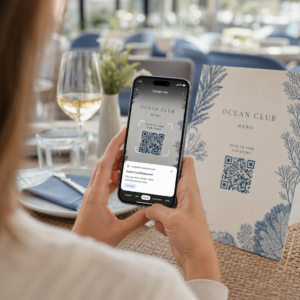
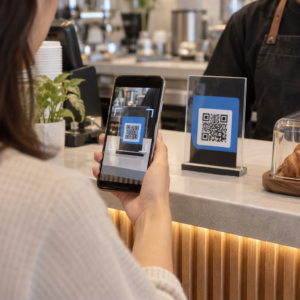
Adakah bahan pemasaran acara anda gagal menukarkan risalah cetak kepada pendaftaran dalam talian yang boleh diukur? Promosi acara luar talian sering menyebabkan penganjur membuat tekaan tentang pulangan pelaburan kempen sambil mewujudkan barisan kesesakan di pintu masuk venue. Melaksanakan strategi kod QR berstruktur merapatkan bahan fizikal ke corong digital, mempercepatkan daftar masuk dan menyediakan penjejakan hadirin masa nyata.
Menetapkan Matlamat Jelas Sepanjang Kitaran Hayat Acara
Kempen kod QR yang berjaya menangani titik sentuh hadirin tertentu sebelum, semasa, dan selepas acara anda. Sebelum melancarkan aset kreatif anda, selaraskan setiap kod dengan objektif yang boleh diukur dengan menetapkan matlamat SMART untuk kempen kod QR.
Atur kempen anda sekitar tiga fasa operasi utama:
- Promosi Pra-Acara: Dorong jualan tiket dan RSVP dengan memautkan iklan cetak, poster, dan surat langsung terus ke halaman pendaftaran mesra mudah alih menggunakan Cara buat QR code pendaftaran acara.
- Pelaksanaan Di Tempat: Percepatkan kemasukan pintu, edarkan slaid pembentangan, kongsi susun atur venue, dan uruskan daftar masuk sesi menggunakan Kod QR untuk acara.
- Penglibatan Pasca-Acara: Kumpulkan maklum balas sesi, kongsi kandungan yang dirakam, dan salurkan prospek layak terus ke dalam aliran kerja pemasaran anda.
Menentukan matlamat ini lebih awal menentukan sama ada anda memerlukan pautan halaman pendaratan asas, penghalaan dinamik, atau integrasi dengan pangkalan data luaran.
Mereka Bentuk dan Meletak Kod QR untuk Kebolehimbasan
Kod QR hanya menjana penukaran jika telefon pintar boleh mengimbasnya dengan cepat di bawah keadaan venue dunia sebenar. Imbasan pantas dan boleh dipercayai sepatutnya mengambil masa tidak lebih daripada 3 saat. Untuk mengelakkan kegagalan imbasan pada bahan cetak atau paparan digital, ikuti spesifikasi reka bentuk dan penempatan yang ditetapkan:
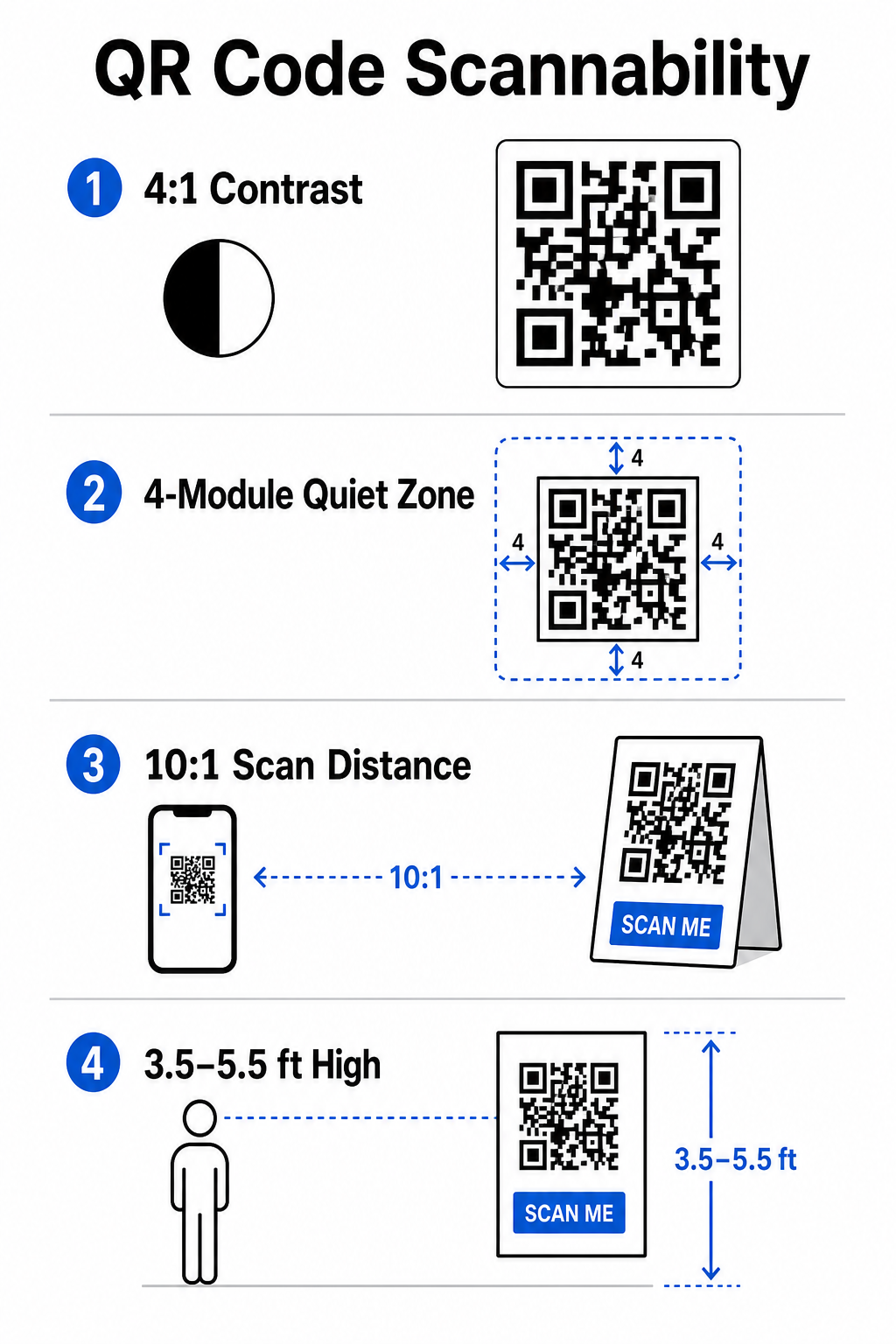
- Kekalkan Kontras Boleh Imbas: Sentiasa gunakan modul corak gelap pada latar belakang terang, seperti latar depan hitam atau biru gelap pada latar belakang putih atau pastel. Kekalkan nisbah kontras minimum 4:1 (atau perbezaan kontras 55%) untuk mengendalikan ruang acara cahaya malap.
- Hormati Zon Tenang: Rizabkan margin kosong di sekeliling kod – dikenali sebagai zon senyap – yang berukuran sekurang-kurangnya 4 modul lebar pada keempat-empat sisi. Sempadan ini menghalang elemen grafik sekeliling daripada mengganggu pengimbas.
- Kira Saiz Yang Sesuai: Gunakan nisbah saiz-ke-jarak 10:1, bermakna kod yang diimbas dari jarak 10 kaki mestilah berukuran sekurang-kurangnya 1 kaki lebar. Untuk item cetak pegang tangan seperti kad perniagaan atau lencana, kekalkan saiz minimum 2 x 2 cm (0.8 x 0.8 inci).
- Letak pada Aras Mata Semula Jadi: Letakkan kod antara 3.5 dan 5.5 kaki dari tanah di zon trafik tinggi. Elakkan meletakkan kod di lipatan, permukaan melengkung, bahan reflektif, atau sudut bawah di mana tangan menutupinya.
- Eksport Format Vektor: Simpan karya seni sebagai fail vektor resolusi tinggi seperti SVG atau EPS (atau PNG berkualiti tinggi) untuk mengelakkan pikselasi apabila menskalakan grafik untuk paparan acara besar.
Untuk teknik susun atur komprehensif pada poster, gerai, dan slaid digital, lihat panduan kami untuk kod QR dalam pemasaran.
Melancarkan Operasi Di Tempat dan Penglibatan Hadirin
Semasa acara langsung, kod QR menghapuskan geseran dengan menghubungkan ruang fizikal kepada tindakan digital tanpa memerlukan kemasukan data manual. Memetakan strategi anda merentas promosi cetak pra-acara, kemasukan pantas di tempat, dan borang maklum balas pasca-acara memastikan interaksi hadirin konsisten sepanjang kitaran hayat acara.
Daftar Masuk Digital dan Kawalan Kemasukan
Barisan panjang di pintu masuk menjejaskan pengalaman hadirin. Mengeluarkan lencana digital diperibadikan atau e-mel pengesahan tiket yang dilengkapi dengan kod unik mempercepatkan kawalan akses. Kakitangan pintu menggunakan kamera telefon pintar atau perkakasan optik khusus boleh mengimbas kod dalam masa kurang 2 saat setiap orang, mengurangkan kesesakan pintu masuk sehingga 50%.

Untuk persidangan keselamatan tinggi, laksanakan pengesahan tiket dinamik untuk mengelakkan perkongsian kelayakan. Anda boleh mengetahui lebih lanjut tentang menggunakan kelayakan disulitkan dalam panduan kami tentang cara membuat tiket acara kod QR yang selamat dan panduan kami untuk kod QR untuk daftar masuk acara.
Untuk merekod ketibaan sesi atau menjejak kehadiran bilik dengan mudah, penganjur juga boleh menggunakan sistem kod QR kehadiran khusus yang dipaparkan di pintu masuk bilik.
Lancarkan Akses dan Pengurusan Acara Anda Ingin menghapuskan barisan pendaftaran dan mengemas kini jadual acara secara dinamik tanpa mencetak semula bahan? Bina kod acara tersuai yang boleh dikesan menggunakan Cara buat QR code pendaftaran acara.
Navigasi dan Rangkaian Venue
Pusat konvensyen besar dan venue berbilang trek memberikan cabaran navigasi ruang yang kompleks. Memaparkan pautan Cara buat QR location Google Maps pada papan tanda alu-aluan atau lencana serta-merta membuka lokasi pin tepat, pelan lantai, atau arahan pemanduan pada aplikasi navigasi lalai hadirin.
Untuk pempamer dan sesi rangkaian, pertukaran kenalan digital menghilangkan kerumitan kad perniagaan fizikal. Pasukan gerai boleh menunjukkan kod kenalan untuk menangkap butiran prospek terus ke dalam sistem CRM – strategi yang diperincikan dalam buku panduan kami tentang cara menjadikan jabat tangan acara kepada prospek dengan kod QR.
Menjejak Analitis dan Susulan Pasca-Acara
Mengukur pemasaran acara luar talian memerlukan kod QR dinamik. Tidak seperti kod statik – yang mengkodkan pautan destinasi secara kekal – kod dinamik menyimpan URL ubah hala pendek yang boleh dikemas kini selepas cetakan sambil mengumpul metrik prestasi imbasan penuh.
Untuk mengesan laluan penukaran digital kembali ke item fizikal tertentu, tambahkan parameter UTM tersuai (`utmsource`, `utmmedium`, `utmcampaign`) ke URL destinasi anda, seperti `https://example.com/register?utmsource=eventposter&utmmedium=print&utmcampaign=annualsummit_2026`. Dengan memberikan parameter UTM berbeza kepada risalah individu, tali lencana, dan slaid pembentangan, anda boleh membandingkan prestasi penempatan di dalam Google Analytics atau papan pemuka acara anda.
| Metrik | Cerapan Perniagaan Disediakan | Item Tindakan Strategik |
|---|---|---|
| JUMLAH IMBASAN | Mengukur jumlah trafik keseluruhan yang dijana oleh cagaran kempen. | Tentukan jumlah keterlihatan jenama merentasi lokasi luar talian. |
| Imbasan Unik | Menjejaki peserta individu sebenar yang berinteraksi dengan kod tersebut. | Nilaikan jangkauan khalayak sebenar berbanding interaksi pendua. |
| Masa & Hari Imbasan | Mengenal pasti waktu interaksi puncak semasa jadual sesi. | Laraskan penempatan kakitangan dan pengumuman langsung dengan sewajarnya. |
| Data Geografi | Menyerlahkan bandar atau zon tempat tertentu tempat imbasan berasal. | Perhalusi penempatan papan tanda fizikal untuk susun atur masa hadapan. |
| Sistem Operasi Peranti | Mendedahkan pengedaran antara pengguna iOS dan Android. | Optimumkan halaman pendaratan mudah alih untuk sistem pengendalian sasaran. |
Menindaklanjuti dengan segera selepas sesi meningkatkan penukaran selepas acara. Memaparkan a Cara buat QR code untuk Google Form Pautan pada skrin keluar atau program acara menggesa hadirin untuk meninggalkan maklum balas sesi serta-merta sementara tanggapan mereka kekal segar.
Untuk maklumat terperinci tentang pengukuran data imbasan dan prestasi kempen, rujuk panduan lengkap kami tentang menjejaki kod QR dan terokai 5 alat terbaik untuk penjejakan peristiwa kod QR.
Melaksanakan Pengujian Pra-Pelancaran
Sebelum menghantar fail ke pencetak komersial atau menerbitkan slaid digital, lakukan ujian dunia sebenar yang ketat:
- Uji Merentasi Pelbagai Sistem PengoperasianImbas karya seni menggunakan peranti lama dan lebih baharu yang menjalankan aplikasi kamera natif iOS dan Android.
- Sahkan Persekitaran SasaranUji bukti bercetak di bawah pencahayaan malap, lampu sorot tiruan dan cahaya matahari tidak langsung untuk mengesahkan nisbah kontras 4:1 kekal.
- Sahkan Kelajuan PengalihanSahkan bahawa pautan pendek dinamik menghala ke halaman pendaratan yang responsif sepenuhnya dan dioptimumkan untuk mudah alih dalam masa kurang daripada 3 saat melalui rangkaian data selular.
- Pautan Destinasi Data Audit: Pastikan parameter UTM terbenam diisi dengan betul dalam papan pemuka analitik semasa penyerahan borang.
Melancarkan Kempen Kod QR Acara Anda
Menggabungkan piawaian kebolehimbasan yang ketat, pengurusan pautan dinamik dan analitik prestasi hujung ke hujung mengubah bahan cetakan statik menjadi saluran penukaran acara yang boleh dijejaki. Dengan menstrukturkan kempen anda di sekitar titik sentuh pra-acara, di tapak dan pasca-acara, anda menghapuskan kesesakan operasi sambil mengumpulkan data peserta yang boleh diambil tindakan.
Untuk memastikan acara anda yang seterusnya berjalan lancar, cipta kod QR tersuai yang boleh diedit dengan penjejakan terbina dalam hari ini menggunakan Penjana Kod QR Acara Pageloot.
Soalan lazim
Kod QR Dinamik amat disyorkan untuk kempen acara kerana ia membolehkan anda mengemas kini URL destinasi selepas mencetak dan mengumpul analitik imbasan terperinci, termasuk kiraan imbasan, lokasi, dan jenis peranti. Kod statik tidak boleh diedit selepas dicetak dan tidak menyokong penjejakan analitik.
Untuk item cetakan jarak dekat seperti kad perniagaan, lencana, atau khemah meja, kod tersebut hendaklah sekurang-kurangnya 2 x 2 cm (0.8 x 0.8 inci). Untuk poster dan sepanduk yang diimbas dari jarak jauh, ikut nisbah 10:1 di mana lebar kod bersamaan 1 unit untuk setiap 10 unit jarak imbasan.
Tambahkan parameter penjejakan UTM standard (seperti utmsource, utmmedium, dan utm_campaign) ke URL halaman pendaratan anda sebelum menukarkannya kepada kod QR dinamik. Apabila peserta mengimbas kod tersebut, alat analitis web anda merekodkan sumber trafik dan penukaran borang seterusnya secara automatik.