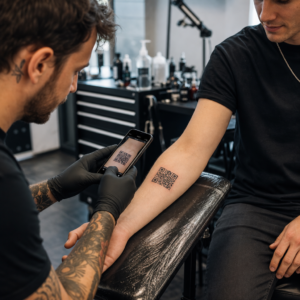
Selhávají vaše eventové marketingové materiály při převodu tištěných letáků na měřitelné online registrace? Offline propagace akcí často nechává organizátory hádat o návratnosti investic do kampaní a zároveň vytváří úzká místa u vchodů na místě konání. Implementace strukturované strategie QR kódů propojuje fyzické materiály s digitálními trychtýři, urychluje check-iny a poskytuje sledování účastníků v reálném čase.
Stanovení Jasných Cílů Napříč Životním Cyklem Akce
Úspěšná kampaň s QR kódy se zaměřuje na konkrétní kontaktní body účastníků před, během a po vaší akci. Před spuštěním vašich kreativních aktivit sladěte každý kód s měřitelnými cíli pomocí nastavujete SMART cíle pro kampaně s QR kódy.
Uspořádejte svou kampaň kolem tří primárních provozních fází:
- Propagace Před Akcí: Zvyšte prodej vstupenek a RSVP propojením tištěných inzerátů, plakátů a přímých mailů přímo s registrační stránkou optimalizovanou pro mobily pomocí QR pozvánka na akci.
- Realizace na Místě: Urychlete vstup do dveří, distribuujte prezentační slajdy, sdílejte plány místa konání a spravujte check-iny na sezeních pomocí vyhrazených QR kódy pro události.
- Zapojení Po Akci: Sbírejte zpětnou vazbu ze sezení, sdílejte nahraný obsah a směrujte kvalifikované leady přímo do vašeho marketingového workflow.
Definování těchto cílů na začátku určuje, zda potřebujete základní odkazy na vstupní stránky, dynamické směrování nebo integraci s externími databázemi.
Navrhování a Umisťování QR Kódů pro Skenovatelnost
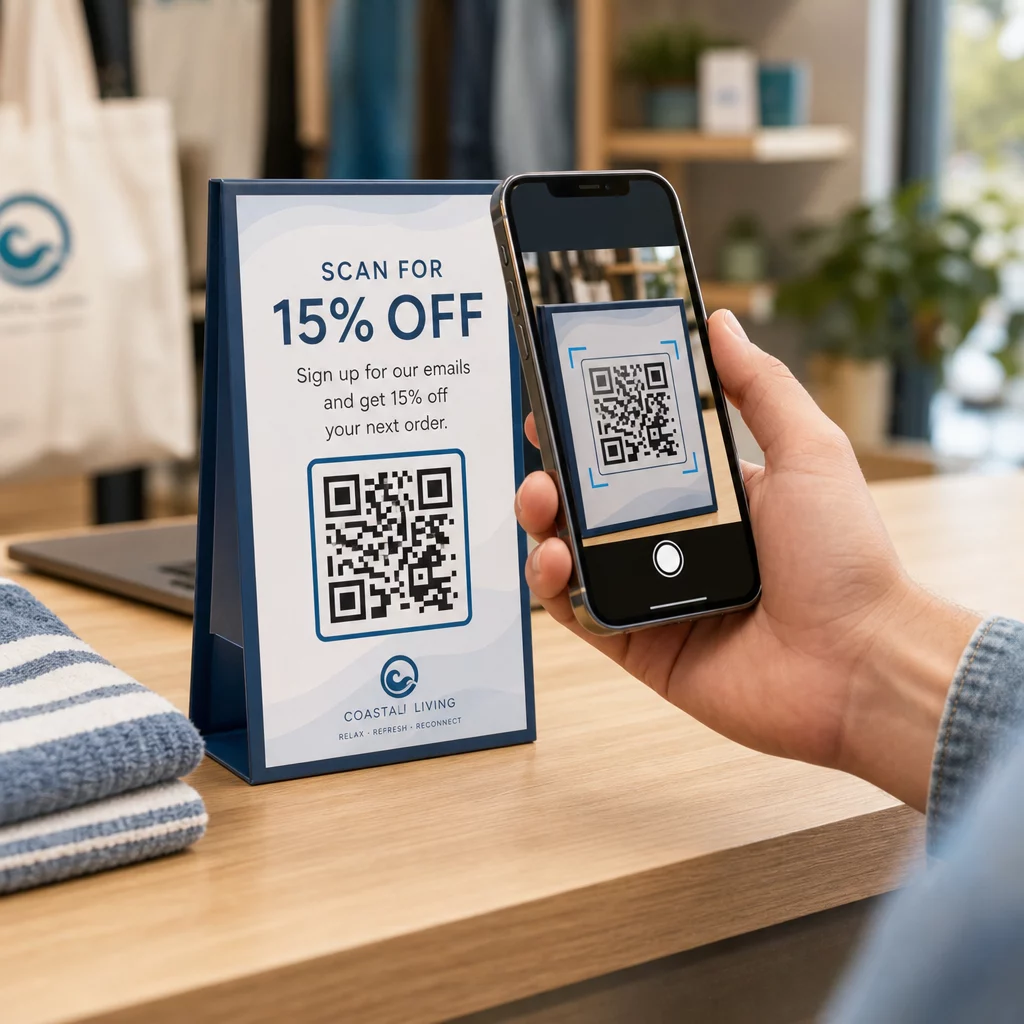
QR kód generuje konverze pouze tehdy, pokud jej chytré telefony dokážou rychle naskenovat za reálných podmínek na místě konání. Rychlé a spolehlivé skenování by nemělo trvat déle než 3 sekundy. Abyste předešli selhání skenování na tištěných materiálech nebo digitálních displejích, dodržujte stanovené specifikace pro design a umístění:
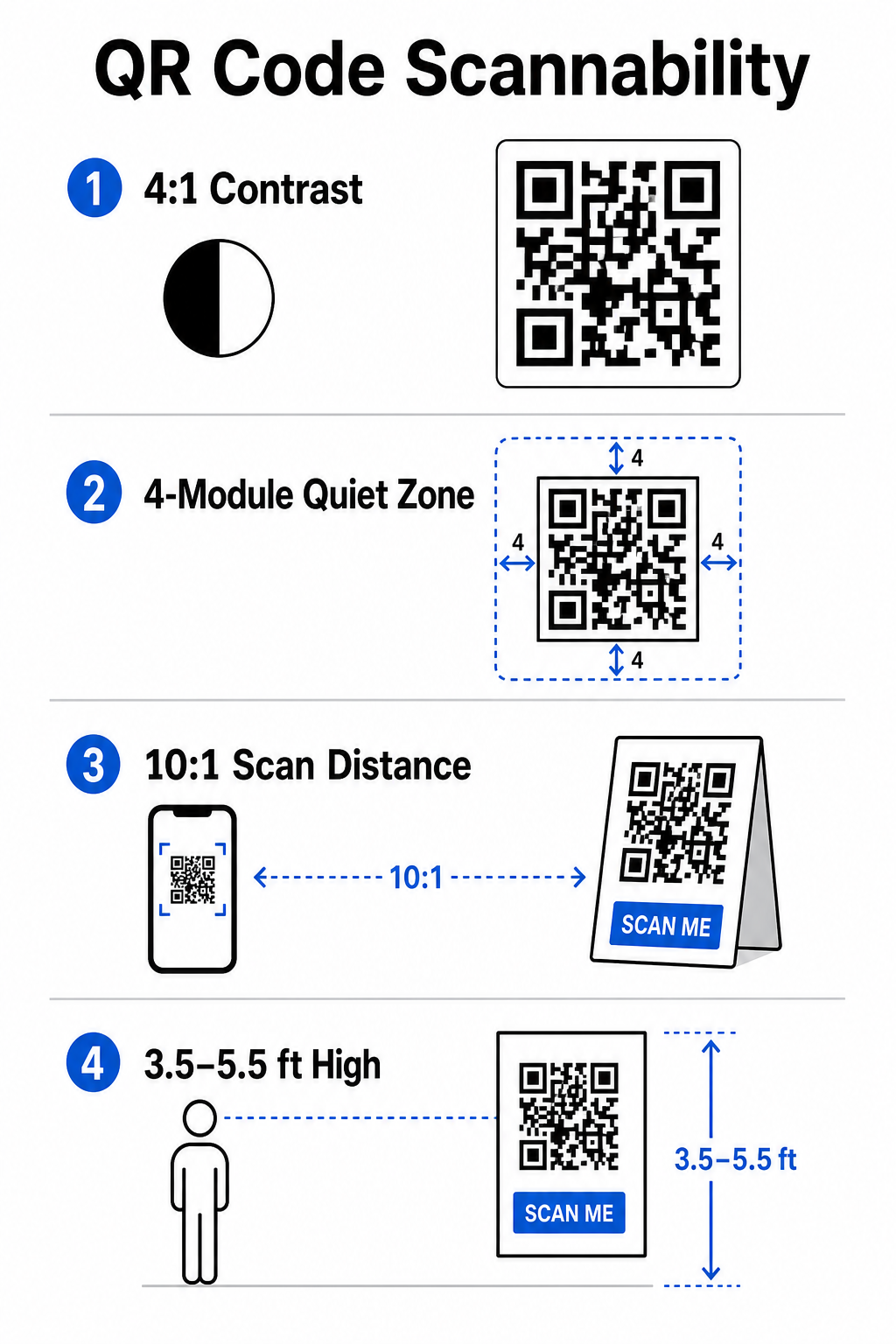
- Udržujte Skenovatelný Kontrast: Vždy používejte tmavé moduly vzoru na světlém pozadí, například černé nebo tmavě modré popředí na bílém nebo pastelovém pozadí. Udržujte minimální kontrastní poměr 4:1 (nebo 55% rozdíl kontrastu) pro zvládnutí špatně osvětlených prostor akce.
- Respektujte klidnou zónu: Vyhraďte prázdný okraj kolem kódu – známý jako klidová zóna – který měří alespoň 4 moduly na šířku na všech čtyřech stranách. Tento okraj zabraňuje rušení skeneru okolními grafickými prvky.
- Vypočítejte Správnou Velikost: Použijte poměr velikosti ke vzdálenosti 10:1, což znamená, že kód skenovaný ze vzdálenosti 10 stop musí být široký alespoň 1 stopu. U ručních tištěných předmětů, jako jsou vizitky nebo visačky, udržujte minimální velikost 2 x 2 cm (0,8 x 0,8 palce).
- Umístěte do Přirozené Výšky Očí: Umístěte kódy mezi 3,5 a 5,5 stopami nad zemí v oblastech s vysokým provozem. Vyhněte se umisťování kódů přes přehyby, zakřivené povrchy, reflexní materiály nebo spodní rohy, kde je zakrývají ruce.
- Exportujte Vektorové Formáty: Ukládejte grafiku jako vysoce rozlišené vektorové soubory, jako je SVG nebo EPS (nebo vysoce kvalitní PNG), abyste zabránili pixelizaci při škálování grafiky pro velké eventové displeje.
Pro komplexní techniky rozvržení na plakátech, stáncích a digitálních slajdech si prohlédněte našeho průvodce umístění QR kódu v marketingu.
Zefektivnění Operací na Místě a Zapojení Účastníků
Během živých akcí QR kódy eliminují tření tím, že propojují fyzické prostory s digitálními akcemi bez nutnosti ručního zadávání dat. Mapování vaší strategie napříč tiskovou propagací před akcí, rychlým vstupem na místě a formuláři zpětné vazby po akci udržuje interakce účastníků konzistentní v průběhu celého životního cyklu akce.
Digitální Check-In a Kontrola Vstupu
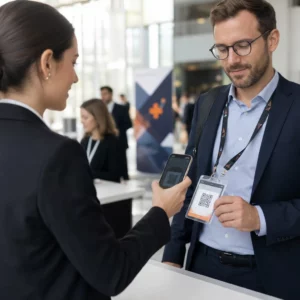
Dlouhé fronty u vchodů narušují zážitek účastníků. Vydávání personalizovaných digitálních odznaků nebo potvrzovacích e-mailů na vstupenky vybavených jedinečnými kódy urychluje kontrolu přístupu. Pracovníci u dveří používající fotoaparáty chytrých telefonů nebo vyhrazený optický hardware mohou skenovat kódy za méně než 2 sekundy na osobu, čímž se sníží přetížení u vchodu až o 50%.

Pro bezpečnější konference implementujte dynamické ověřování vstupenek, abyste zabránili sdílení přihlašovacích údajů. Více o nasazení šifrovaných přihlašovacích údajů se dozvíte v našem průvodci jak vytvořit bezpečné QR kódové vstupenky na události a v našem průvodci QR kódů pro odbavení na události.
Pro snadné zaznamenávání příchodů na sezení nebo sledování docházky do místností mohou organizátoři také nasadit vyhrazený QR kód pro účast systém zobrazený u vchodů do místností.
Zefektivněte Přístup a Správu Vaší Akce Chcete eliminovat registrační fronty a dynamicky aktualizovat harmonogramy akcí bez přetiskování materiálů? Vytvořte vlastní sledovatelné eventové kódy pomocí QR pozvánka na akci.
Navigace po Místě Konání a Networking
Velká kongresová centra a vícekolejná místa konání představují složité výzvy prostorové navigace. Zobrazení Google Maps QR kód generátor odkazu na uvítacích cedulích nebo visačkách okamžitě otevře přesné umístění pinů, půdorysy nebo trasy výchozí navigační aplikaci účastníka.
Pro vystavovatele a networkingová sezení eliminuje digitální výměna kontaktů potíže s fyzickými vizitkami. Týmy na stáncích mohou zobrazovat kontaktní kódy pro zachycení detailů leadů přímo do CRM systémů – strategie popsaná v našem manuálu, jak proměnit eventová podání rukou na leady pomocí QR kódů.
Sledování Analytiky a Následná Akce Po Akci
Měření offline eventového marketingu vyžaduje dynamické QR kódy. Na rozdíl od statických kódů – které trvale pevně zakódují cílové odkazy – dynamické kódy ukládají krátké přesměrovací URL, které lze po tisku aktualizovat a zároveň shromažďovat úplné metriky výkonu skenování.
Pro vysledování digitálních konverzních cest zpět ke konkrétním fyzickým položkám připojte k cílovým URL vlastní parametry UTM (`utmsource`, `utmmedium`, `utmcampaign`), například `https://example.com/register?utm`source=event`poster&utmmedium=print&utmcampaign=annualsummit_2026`. Přiřazením odlišných parametrů UTM jednotlivým letákům, šňůrkám na visačky a prezentačním slajdům můžete porovnat výkon umístění v rámci Google Analytics nebo vašeho eventového dashboardu.
| Metrika | Poskytnutá Obchodní Informace | Strategický Akční Krok |
|---|---|---|
| CELKEM SKENŮ | Měří celkový objem návštěvnosti generovaný reklamními materiály kampaně. | Určete celkovou viditelnost značky napříč offline lokalitami. |
| Unikátní skeny | Sleduje skutečné jednotlivé účastníky, kteří interagují s kódem. | Vyhodnoťte skutečný dosah publika oproti duplicitním interakcím. |
| Čas a den skenování | Identifikuje špičkové hodiny interakce během harmonogramů relací. | Podle toho upravte rozmístění zaměstnanců a živá oznámení. |
| Geografická data | Zvýrazňuje města nebo konkrétní zóny míst, kde skeny vznikly. | Upřesněte umístění fyzického značení pro budoucí rozvržení. |
| Operační systém zařízení | Odhaluje rozdělení mezi uživatele iOS a Androidu. | Optimalizujte mobilní vstupní stránky pro cílové operační systémy. |
Okamžité následné kroky po sezeních zvyšují konverze po akci. Zobrazování Google formulář QR kód generátor Odkaz na výstupních obrazovkách nebo v programech akcí vyzve účastníky k okamžité zpětné vazbě, dokud jsou jejich dojmy čerstvé.
Podrobný rozbor měření dat ze skenování a výkonu kampaní naleznete v našem kompletním průvodci na sledování QR kódů a prozkoumejte 5 nejlepších nástrojů pro sledování událostí QR kódů.
Provádění testování před spuštěním
Před odesláním souborů do komerčních tiskáren nebo publikováním digitálních diapozitivů proveďte důkladné testování v reálném prostředí:
- Testování na více operačních systémechSkenujte kresby pomocí starších i novějších zařízení s nativními aplikacemi pro fotoaparáty pro iOS i Android.
- Ověření cílových prostředíVytisknuté nátisky otestujte za slabého osvětlení, umělého bodového osvětlení a nepřímého slunečního záření, abyste se ujistili, že kontrastní poměr 4:1 obstojí.
- Potvrdit rychlost přesměrováníOvěřte, zda dynamický krátký odkaz přesměruje na plně responzivní, pro mobilní zařízení optimalizovanou vstupní stránku za méně než 3 sekundy přes mobilní datové sítě.
- Odkazy na cílová místa auditních datZkontrolujte, zda se vložené parametry UTM správně načítají do analytických dashboardů po odeslání formuláře.
Spuštění kampaně s QR kódy pro vaši událost
Kombinace přísných standardů skenovatelnosti, dynamické správy odkazů a komplexní analýzy výkonu transformuje statické tištěné materiály na sledovatelné konverzní kanály pro události. Strukturováním kampaně kolem kontaktních bodů před akcí, na místě konání akce a po akci eliminujete provozní úzká hrdla a zároveň shromažďujete užitečná data o účastnících.
Aby vaše příští akce proběhla hladce, vytvořte si ještě dnes vlastní, upravitelné QR kódy s vestavěným sledováním pomocí Generátor QR kódů pro události v Pagelootu.
Často kladené otázky
Dynamické QR kódy jsou důrazně doporučovány pro eventové kampaně, protože umožňují aktualizovat cílové URL adresy po vytištění a sbírat podrobné analytické údaje o skenování, včetně počtu skenů, lokací a typů zařízení. Statické kódy nelze upravovat po vytištění a nepodporují sledování analytických údajů.
Pro tiskové materiály pro čtení zblízka, jako jsou vizitky, odznaky nebo stolní kartičky, by měl mít kód velikost alespoň 2 x 2 cm (0,8 x 0,8 palce). U plakátů a bannerů skenovaných z větší vzdálenosti dodržujte poměr 10:1, kde šířka kódu odpovídá 1 jednotce na každých 10 jednotek skenovací vzdálenosti.
Přidejte standardní parametry UTM sledování (jako je utmsource, utmmedium a utm_campaign) k URL vaší vstupní stránky před jejím převedením na dynamický QR kód. Když účastníci naskenují kód, váš nástroj pro webovou analytiku automaticky zaznamená zdroj návštěvnosti a následné konverze formulářů.