Ar jūsų renginių rinkodaros medžiaga nepajėgia paversti spausdintų lankstinukų į išmatuojamas internetines registracijas? Neinternetinė renginių reklama dažnai palieka organizatorius spėlioti apie kampanijos investicijų grąžą, tuo pačiu metu sukurdama kamščius prie įėjimų į renginio vietą. Struktūruotos QR kodo strategijos įgyvendinimas sujungia fizinę medžiagą su skaitmeniniais kanalais, pagreitindamas registraciją ir suteikdamas realaus laiko dalyvių stebėjimą.
Aiškių tikslų nustatymas viso renginio ciklo metu
Sėkminga QR kodo kampanija apima konkrečius dalyvių sąlyčio taškus prieš renginį, jo metu ir po jo. Prieš pradėdami kurti savo kūrybinius išteklius, suderinkite kiekvieną kodą su išmatuojamais tikslais nustatote SMART tikslus QR kodų kampanijoms.
Organizuokite savo kampaniją pagal tris pagrindines veiklos fazes:
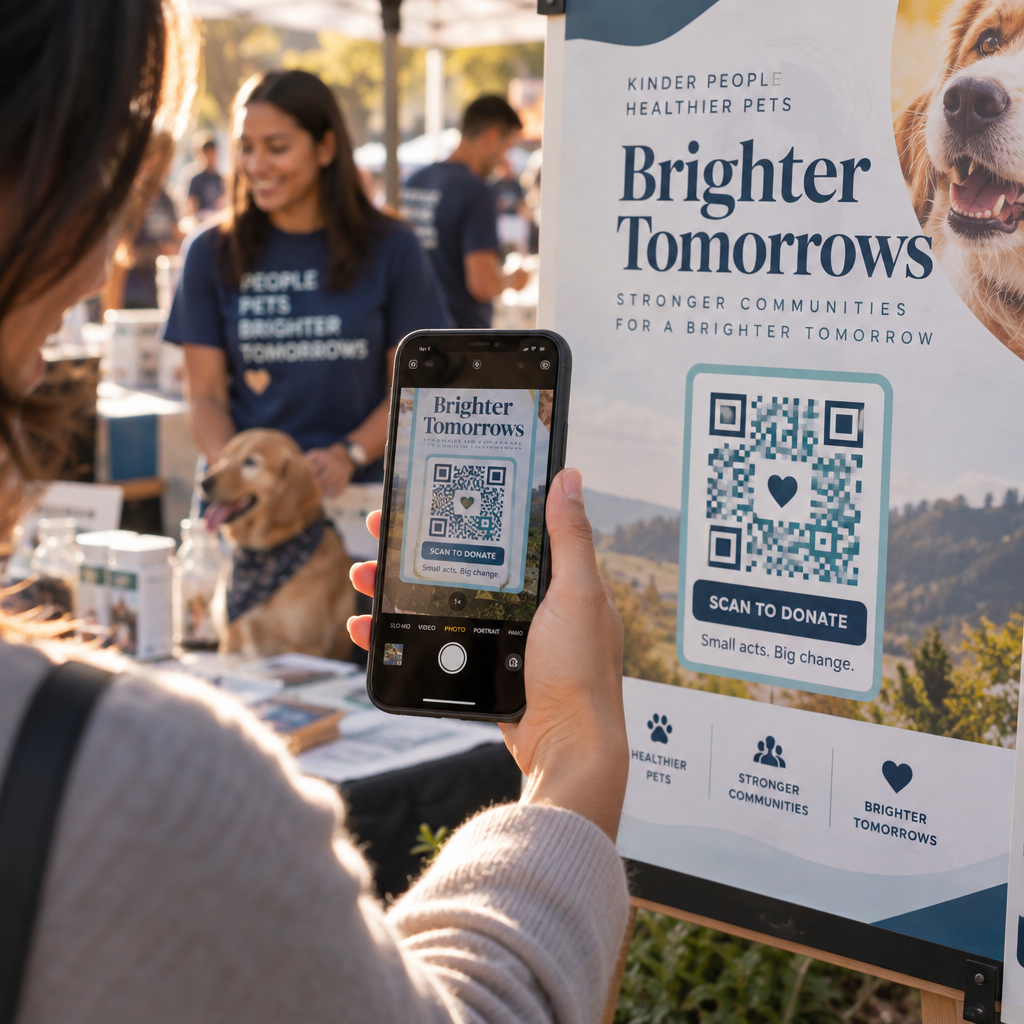
- Išankstinė renginio reklama: Skatinkite bilietų pardavimą ir RSVP, tiesiogiai susiedami spausdintus skelbimus, plakatus ir tiesioginius laiškus su mobiliajai programėlei pritaikytu registracijos puslapiu, naudodami Renginių QR kodų generatorius.
- Vykdymas vietoje: Paspartinkite įėjimą, platinkite pristatymų skaidres, dalinkitės renginio vietos planais ir valdykite sesijų registraciją naudodami specialius QR kodai renginiams.
- Įsitraukimas po renginio: Rinkite sesijų atsiliepimus, dalinkitės įrašyta medžiaga ir nukreipkite kvalifikuotus potencialius klientus tiesiai į savo rinkodaros darbo eigą.
Šių tikslų apibrėžimas anksti lemia, ar jums reikia pagrindinių nukreipimo puslapių nuorodų, dinaminio nukreipimo ar integracijos su išorinėmis duomenų bazėmis.
QR kodų kūrimas ir išdėstymas, kad juos būtų galima nuskaityti
QR kodas generuoja konversijas tik tada, kai išmanieji telefonai gali jį greitai nuskaityti realiomis renginio vietos sąlygomis. Greitas ir patikimas nuskaitymas turėtų trukti ne ilgiau kaip 3 sekundes. Kad išvengtumėte nuskaitymo nesėkmių ant spausdintos medžiagos ar skaitmeninių ekranų, laikykitės nustatytų dizaino ir išdėstymo specifikacijų:
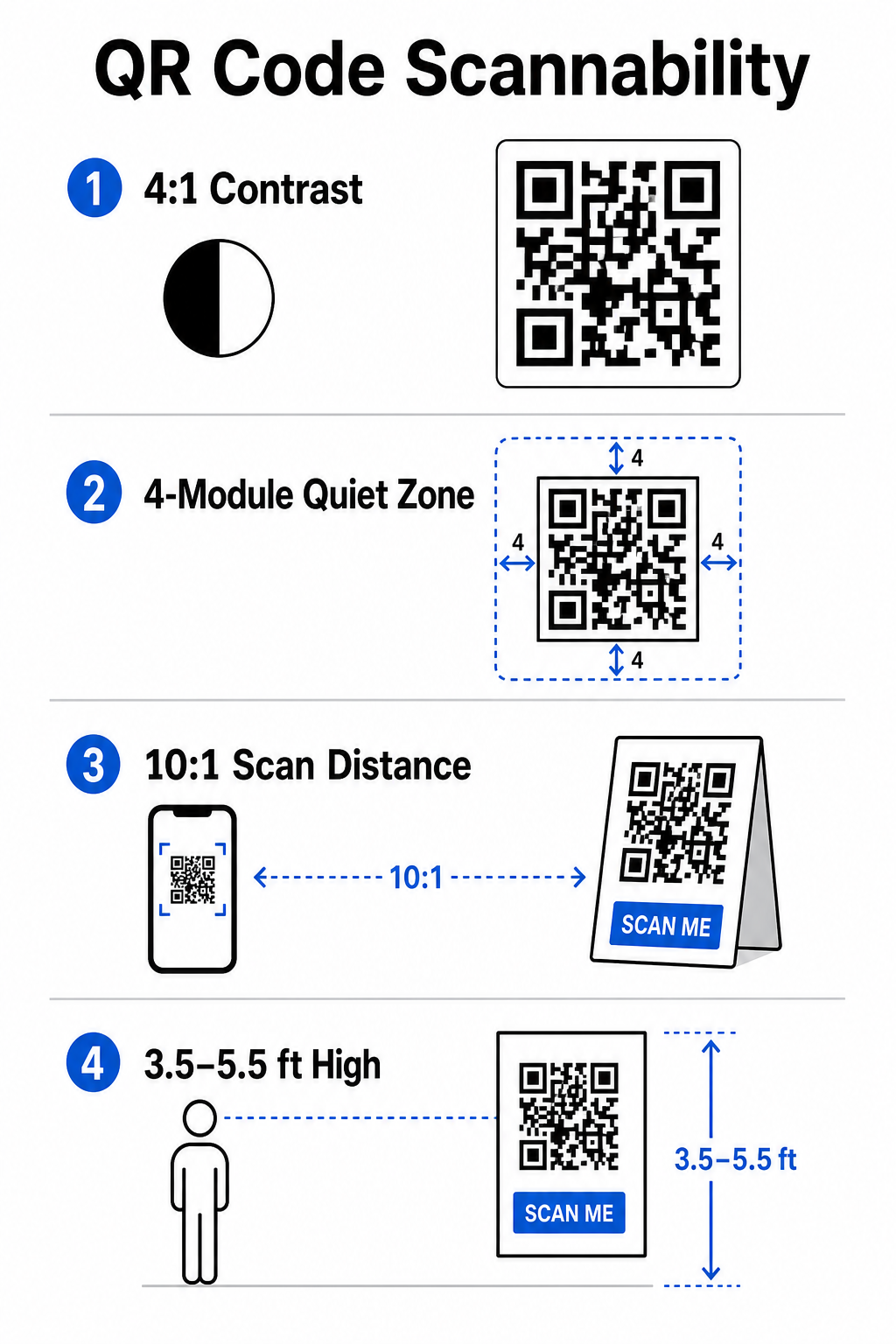
- Išlaikykite nuskaitomą kontrastą: Visada naudokite tamsius rašto modulius ant šviesaus fono, pavyzdžiui, juodą arba tamsiai mėlyną foną ant baltos arba pastelinės spalvos fono. Išlaikykite mažiausią 4:1 kontrasto santykį (arba 55% kontrasto skirtumą), kad būtų galima dirbti prasto apšvietimo renginių erdvėse.
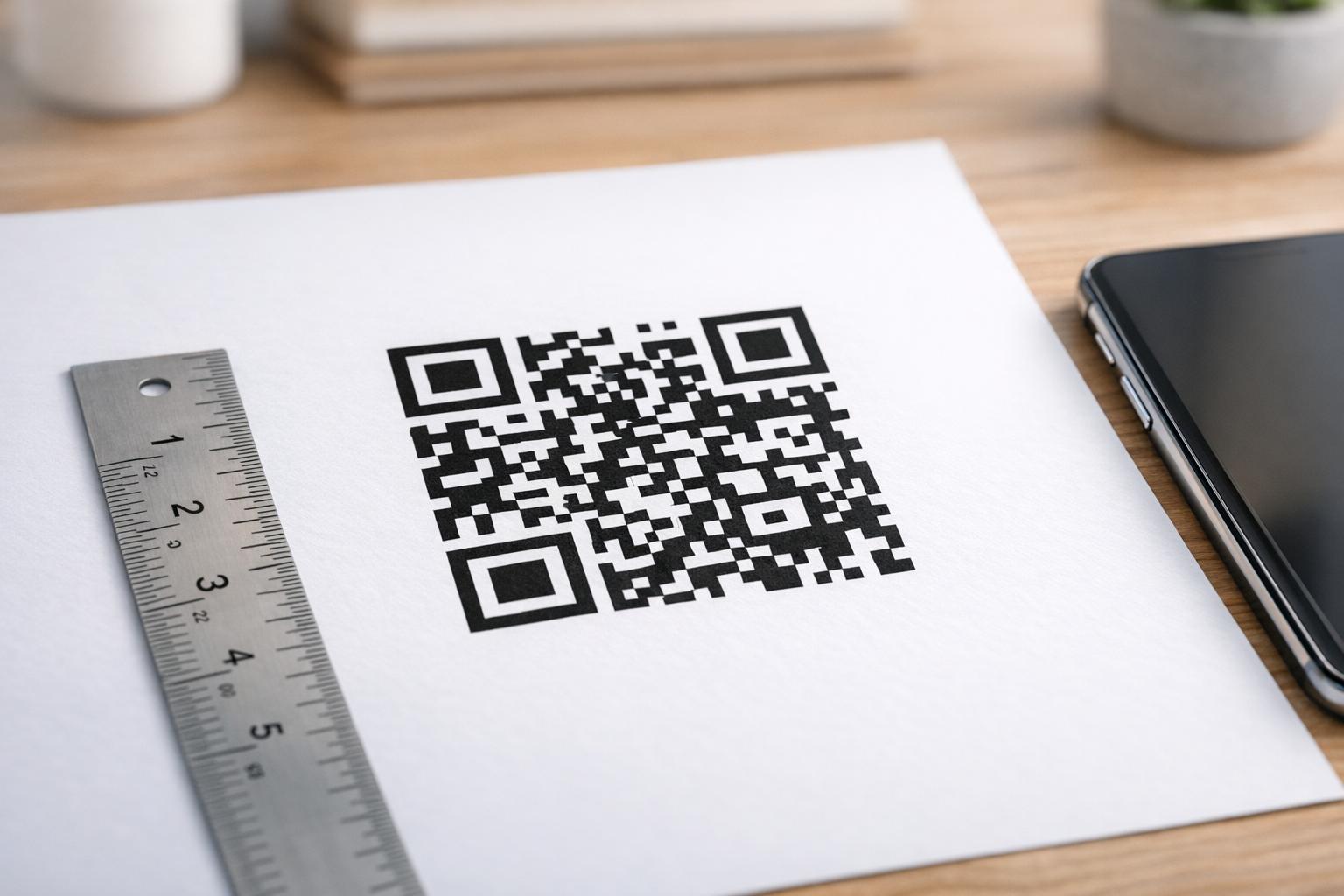
- Gerbkite ramią zoną: : Reserve an empty margin around the code – known as the quiet zone – that measures at least 4 modules wide on all four sides. This border prevents surrounding graphic elements from interfering with the scanner.
Calculate Proper Sizing
: Apply a 10:1 size-to-distance ratio, meaning a code scanned from 10 feet away must measure at least 1 foot wide. For hand-held print items like business cards or badges, maintain a minimum size of 2 x 2 cm (0.8 x 0.8 inches).
Position at Natural Eye Level
: Position codes between 3.5 and 5.5 feet off the ground in high-traffic zones. Avoid placing codes across folds, curved surfaces, reflective materials, or bottom corners where hands cover them.
Export Vector Formats
: Save artwork as high-resolution vector files like SVG or EPS (or high-quality PNG) to prevent pixelation when scaling graphics up for large event displays.
For comprehensive layout techniques on posters, booths, and digital slides, review our guide to
Streamlining On-Site Operations and Attendee Engagement
During live events, QR codes eliminate friction by connecting physical spaces to digital actions without requiring manual data entry. Mapping your strategy across pre-event print promotion, on-site fast entry, and post-event feedback forms keeps attendee interactions consistent throughout the event lifecycle.
Digital Check-In and Entry Control
Long queues at entry doors derail the attendee experience. Issuing personalized digital badges or ticket confirmation emails equipped with unique codes speeds up access control. Door staff using smartphone cameras or dedicated optical hardware can scan codes in under 2 seconds per person, reducing entrance congestion by up to 50%.
For higher-security conferences, implement dynamic ticket verification to prevent credential sharing. You can learn more about deploying encrypted credentials in our guide on
and our guide to
To log session arrivals or track room attendance effortlessly, organizers can also deploy a dedicated. - Calculate Proper Sizing: Apply a 10:1 size-to-distance ratio, meaning a code scanned from 10 feet away must measure at least 1 foot wide. For hand-held print items like business cards or badges, maintain a minimum size of 2 x 2 cm (0.8 x 0.8 inches).
- Position at Natural Eye Level: Position codes between 3.5 and 5.5 feet off the ground in high-traffic zones. Avoid placing codes across folds, curved surfaces, reflective materials, or bottom corners where hands cover them.
- Export Vector Formats: Save artwork as high-resolution vector files like SVG or EPS (or high-quality PNG) to prevent pixelation when scaling graphics up for large event displays.
For comprehensive layout techniques on posters, booths, and digital slides, review our guide to QR kodo išdėstymas rinkodaros.
Streamlining On-Site Operations and Attendee Engagement
During live events, QR codes eliminate friction by connecting physical spaces to digital actions without requiring manual data entry. Mapping your strategy across pre-event print promotion, on-site fast entry, and post-event feedback forms keeps attendee interactions consistent throughout the event lifecycle.
Digital Check-In and Entry Control
Long queues at entry doors derail the attendee experience. Issuing personalized digital badges or ticket confirmation emails equipped with unique codes speeds up access control. Door staff using smartphone cameras or dedicated optical hardware can scan codes in under 2 seconds per person, reducing entrance congestion by up to 50%.

For higher-security conferences, implement dynamic ticket verification to prevent credential sharing. You can learn more about deploying encrypted credentials in our guide on kaip sukurti saugius QR kodo renginių bilietus and our guide to QR kodus renginių registracijai.
To log session arrivals or track room attendance effortlessly, organizers can also deploy a dedicated lankomumo QR kodų system displayed at room entrances.
.
Streamline Your Event Access and Management
Want to eliminate registration lines and update event schedules dynamically without reprinting materials? Build custom, trackable event codes using the
Renginių QR kodų generatorius.
Venue Navigation and Networking
Large convention centers and multi-track venues present complex spatial navigation challenges. Displaying a
Google Maps QR kodo generatorius link on welcome signs or badges instantly opens exact pin locations, floor plans, or driving directions on an attendee’s default navigation application.
.
For exhibitors and networking sessions, digital contact exchange removes the hassle of physical business cards. Booth teams can show contact codes to capture lead details straight into CRM systems – a strategy detailed in our playbook on how to
turn event handshakes into leads with QR codes
.
Tracking Analytics and Post-Event Follow-Up
Measuring offline event marketing requires dynamic QR codes. Unlike static codes – which hardcode destination links permanently – dynamic codes store a short redirection URL that can be updated post-print while collecting full scan performance metrics.
.
To trace digital conversion paths back to specific physical items, append custom UTM parameters (`utm
source`, `utm
medium`, `utm
campaign`) to your destination URLs, such as `https://example.com/register?utm
source=eventposter&utm
medium=print&utm
campaign=annual
summit_2026`. By assigning distinct UTM parameters to individual flyers, badge lanyards, and presentation slides, you can compare placement performance inside Google Analytics or your event dashboard.
.
| Metrika | Business Insight Provided |
Strategic Action Item |
|---|---|---|
| VISI NUSKAITYMAI | Matuoja bendrą kampanijos medžiagos sugeneruotą srautą. | Nustatykite bendrą prekės ženklo matomumą neprisijungus pasiekiamose vietose. |
| Unikalūs nuskaitymai | Seka realius individualius dalyvius, sąveikaujančius su kodu. | Įvertinkite tikrąją auditorijos pasiekiamumą, palyginti su pasikartojančiomis sąveikomis. |
| Skenavimo laikas ir diena | Nustato didžiausias sąveikos valandas sesijų tvarkaraščių metu. | Atitinkamai pakoreguokite darbuotojų išdėstymą ir tiesioginius pranešimus. |
| Geografiniai duomenys | Išryškina miestus arba konkrečias vietų zonas, kuriose buvo atlikti nuskaitymai. | Patikslinkite fizinių iškabų išdėstymą būsimiems maketams. |
| Įrenginio operacinė sistema | Atskleidžia pasiskirstymą tarp „iOS“ ir „Android“ naudotojų. | Optimizuokite mobiliuosius nukreipimo puslapius tikslinėms operacinėms sistemoms. |
Skubus tolesnis susisiekimas po sesijų padidina konversijų skaičių po renginio. Google formos QR kodo generatorius nuoroda išėjimo ekranuose arba renginių programose skatina dalyvius nedelsiant palikti atsiliepimus apie sesiją, kol jų įspūdžiai išlieka švieži.
Išsamesnės informacijos apie nuskaitymo duomenų ir kampanijos našumo matavimą rasite mūsų išsamiame vadove. sekimo QR kodus ir išnagrinėkite 5 geriausi QR kodo įvykių stebėjimo įrankiai.
Prieš paleidimą atliekamų testų vykdymas
Prieš siųsdami failus komercinėms spaustuvėms arba publikuodami skaitmenines skaidres, atlikite griežtus realaus pasaulio bandymus:
- Testavimas keliose operacinėse sistemose: Nuskaitykite meno kūrinius naudodami senesnius ir naujesnius įrenginius, kuriuose veikia ir „iOS“, ir „Android“ skirtos kameros programėlės.
- Patikrinkite tikslines aplinkasIšbandykite atspausdintus maketus esant silpnam apšvietimui, dirbtiniam prožektorių apšvietimui ir netiesioginei saulės šviesai, kad įsitikintumėte, jog 4:1 kontrasto santykis yra tinkamas.
- Patvirtinkite peradresavimo greitį: Patikrinkite, ar dinaminė trumpoji nuoroda per mažiau nei 3 sekundes mobiliojo ryšio duomenų tinkluose nukreipia į visiškai pritaikomą, mobiliesiems įrenginiams optimizuotą nukreipimo puslapį.
- Audito duomenų paskirties nuorodos: Pateikus formą, patikrinkite, ar įterptieji UTM parametrai tinkamai užpildomi analizės ataskaitų suvestinėse.
Renginio QR kodo kampanijos paleidimas
Griežtų nuskaitymo standartų, dinaminio nuorodų valdymo ir visapusiškos našumo analizės derinys statines spausdintas medžiagas paverčia stebimais renginių konversijos kanalais. Struktūrizuodami savo kampaniją pagal sąlyčio taškus prieš renginį, renginio vietoje ir po jo, pašalinate veiklos kliūtis ir renkate veiksmingus dalyvių duomenis.
Kad kitas jūsų renginys vyktų sklandžiai, jau šiandien sukurkite pasirinktinius, redaguojamus QR kodus su integruotu sekimu, naudodami „Pageloot“ renginio QR kodo generatorius.
Dažniausiai užduodami klausimai
Dinaminiai QR kodai yra labai rekomenduojami renginių kampanijoms, nes jie leidžia atnaujinti paskirties URL adresus po spausdinimo ir rinkti išsamią nuskaitymo analizę, įskaitant nuskaitymų skaičių, vietas ir įrenginių tipus. Statiniai kodai negali būti redaguojami po spausdinimo ir nepalaiko analizės stebėjimo.
Artimiems spaudiniams, pvz., vizitinėms kortelėms, ženkliukams ar stalo kortelėms, kodas turi būti bent 2 x 2 cm (0,8 x 0,8 colio). Plakatams ir reklaminiams stendams, nuskaitomiems iš atstumo, taikykite 10:1 santykį, kai kodo plotis lygus 1 vienetui kiekvienam 10 vienetų nuskaitymo atstumo.
Pridėkite standartinius UTM sekimo parametrus (pvz., utmsource, utmmedium ir utm_campaign) prie savo nukreipiamojo puslapio URL, prieš konvertuodami jį į dinaminį QR kodą. Kai dalyviai nuskaito kodą, jūsų žiniatinklio analizės įrankis automatiškai užfiksuoja srauto šaltinį ir vėlesnes formų konversijas.