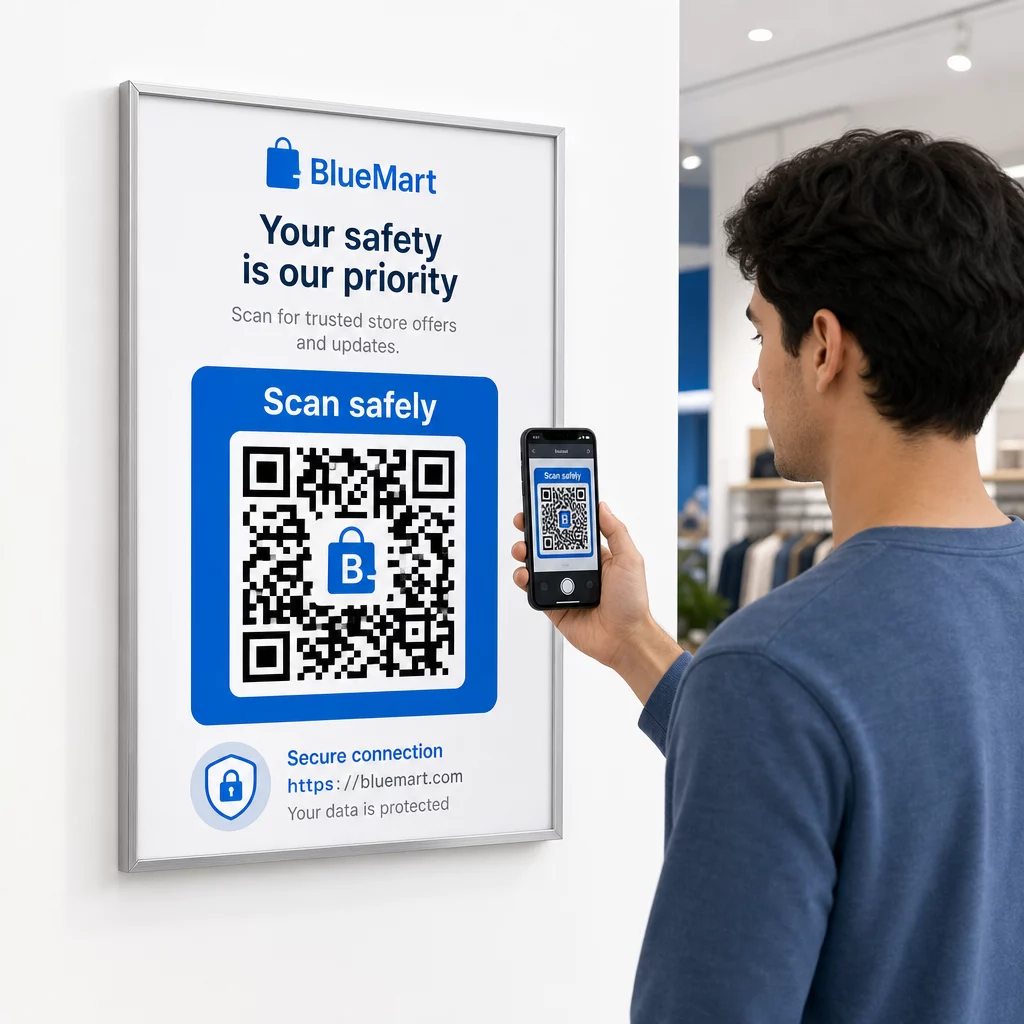
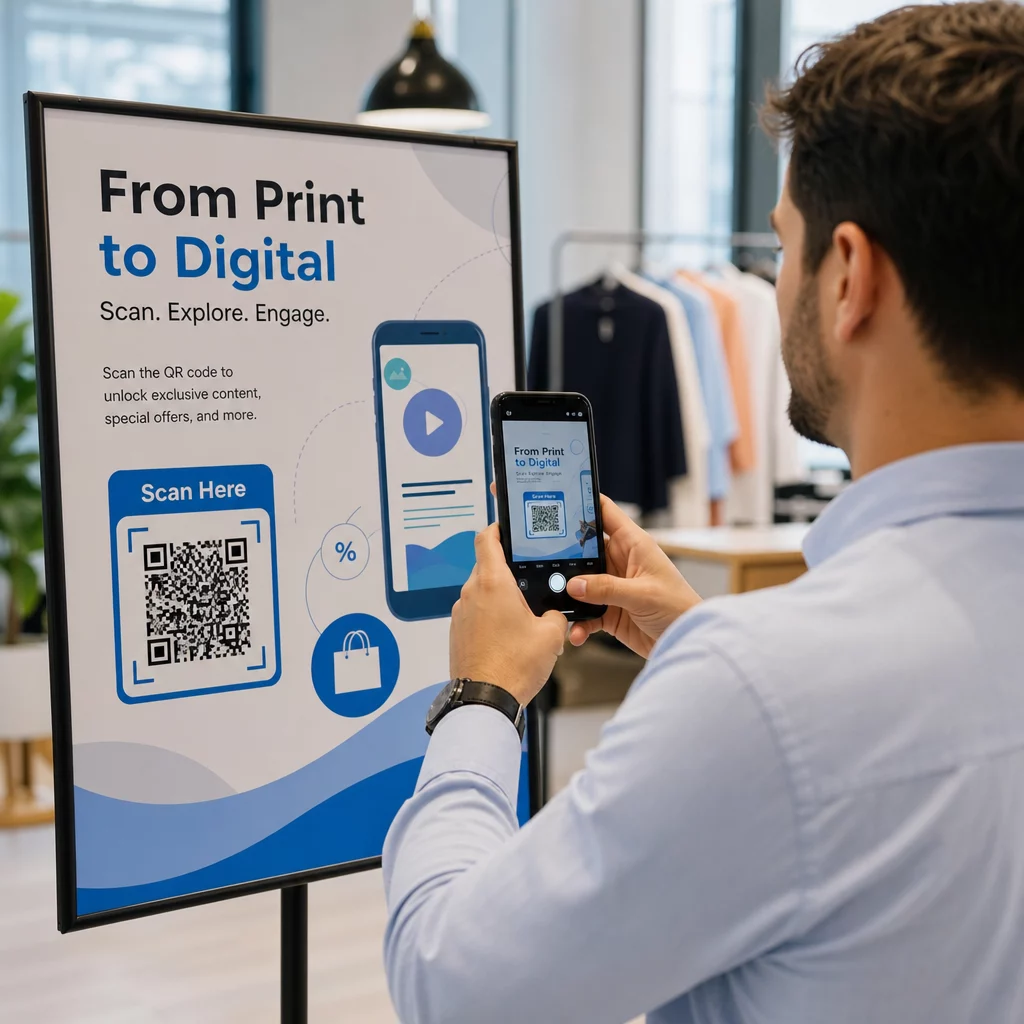
Tài liệu tiếp thị sự kiện của bạn có đang thất bại trong việc chuyển đổi tờ rơi in ấn thành lượt đăng ký trực tuyến có thể đo lường được không? Quảng bá sự kiện ngoại tuyến thường khiến người tổ chức phải phỏng đoán về lợi tức đầu tư của chiến dịch, đồng thời tạo ra các hàng dài tắc nghẽn tại lối vào địa điểm. Việc triển khai một chiến lược mã QR có cấu trúc sẽ kết nối các ấn phẩm vật lý với các kênh kỹ thuật số, đẩy nhanh quá trình check-in và cung cấp khả năng theo dõi người tham dự theo thời gian thực.
Thiết Lập Mục Tiêu Rõ Ràng Trong Suốt Vòng Đời Sự Kiện
Một chiến dịch mã QR thành công giải quyết các điểm tiếp xúc cụ thể của người tham dự trước, trong và sau sự kiện của bạn. Trước khi tung ra các tài sản sáng tạo của mình, hãy căn chỉnh từng mã với các mục tiêu có thể đo lường được bằng cách đặt mục tiêu SMART cho các chiến dịch mã QR.
Tổ chức chiến dịch của bạn xoay quanh ba giai đoạn vận hành chính:
- Quảng Bá Trước Sự Kiện: Thúc đẩy doanh số bán vé và xác nhận tham dự bằng cách liên kết quảng cáo in, áp phích và thư trực tiếp đến một trang đăng ký thân thiện với thiết bị di động bằng cách sử dụng Tạo mã QR sự kiện.
- Thực Thi Tại Chỗ: Đẩy nhanh việc vào cửa, phân phối slide thuyết trình, chia sẻ sơ đồ địa điểm và quản lý check-in các phiên bằng cách sử dụng các mã chuyên dụng Mã QR cho các sự kiện.
- Tương Tác Sau Sự Kiện: Thu thập phản hồi về các phiên, chia sẻ nội dung đã ghi lại và chuyển hướng các khách hàng tiềm năng đủ điều kiện trực tiếp vào quy trình tiếp thị của bạn.
Việc xác định các mục tiêu này sớm sẽ quyết định liệu bạn có cần các liên kết trang đích cơ bản, định tuyến động hay tích hợp với các cơ sở dữ liệu bên ngoài hay không.
Thiết Kế và Đặt Mã QR Để Dễ Quét
Mã QR chỉ tạo ra chuyển đổi nếu điện thoại thông minh có thể quét nó nhanh chóng trong điều kiện địa điểm thực tế. Một lần quét nhanh, đáng tin cậy sẽ không mất quá 3 giây. Để ngăn ngừa lỗi quét trên các ấn phẩm in hoặc màn hình kỹ thuật số, hãy tuân theo các thông số kỹ thuật về thiết kế và vị trí đã được thiết lập:
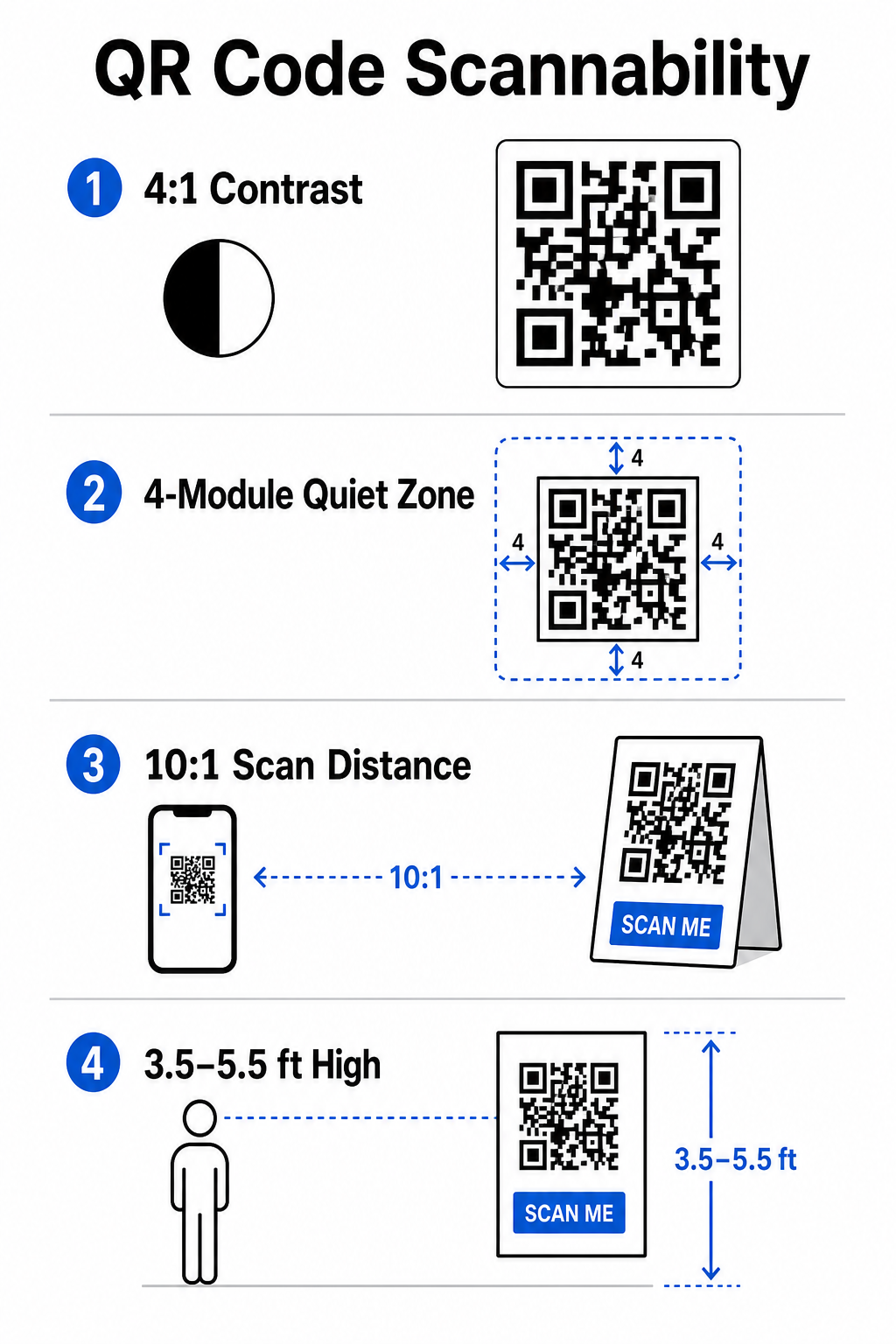
- Duy Trì Độ Tương Phản Có Thể Quét Được: Luôn sử dụng các mô-đun hoa văn tối trên nền sáng, chẳng hạn như nền trước màu đen hoặc xanh đậm trên nền trắng hoặc phấn màu. Duy trì tỷ lệ tương phản tối thiểu là 4:1 (hoặc chênh lệch độ tương phản 55%) để xử lý các không gian sự kiện thiếu sáng.
- Tôn trọng khu vực yên tĩnh: Dành một lề trống xung quanh mã – được gọi là vùng yên tĩnh – có kích thước rộng ít nhất 4 mô-đun ở cả bốn cạnh. Đường viền này ngăn các yếu tố đồ họa xung quanh can thiệp vào máy quét.
- Tính Toán Kích Thước Phù Hợp: Áp dụng tỷ lệ kích thước trên khoảng cách là 10:1, nghĩa là mã được quét từ khoảng cách 10 feet phải có chiều rộng ít nhất 1 foot. Đối với các vật phẩm in cầm tay như danh thiếp hoặc phù hiệu, hãy duy trì kích thước tối thiểu là 2 x 2 cm (0,8 x 0,8 inch).
- Đặt Ở Tầm Mắt Tự Nhiên: Đặt mã ở độ cao từ 3,5 đến 5,5 feet so với mặt đất trong các khu vực có lưu lượng giao thông cao. Tránh đặt mã qua các nếp gấp, bề mặt cong, vật liệu phản chiếu hoặc các góc dưới cùng nơi tay có thể che khuất chúng.
- Xuất Định Dạng Vector: Lưu tác phẩm nghệ thuật dưới dạng tệp vector độ phân giải cao như SVG hoặc EPS (hoặc PNG chất lượng cao) để ngăn hiện tượng vỡ hạt khi phóng to đồ họa cho các màn hình sự kiện lớn.
Để biết các kỹ thuật bố trí toàn diện trên áp phích, gian hàng và slide kỹ thuật số, hãy xem hướng dẫn của chúng tôi về mã QR đúng cách trong tiếp thị.
Hợp Lý Hóa Hoạt Động Tại Chỗ và Sự Tương Tác Của Người Tham Dự
Trong các sự kiện trực tiếp, mã QR loại bỏ sự ma sát bằng cách kết nối không gian vật lý với các hành động kỹ thuật số mà không yêu cầu nhập dữ liệu thủ công. Việc lập bản đồ chiến lược của bạn qua quảng bá in ấn trước sự kiện, nhập cảnh nhanh tại chỗ và biểu mẫu phản hồi sau sự kiện giúp duy trì sự tương tác nhất quán của người tham dự trong suốt vòng đời sự kiện.
Check-In Kỹ Thuật Số và Kiểm Soát Lối Vào
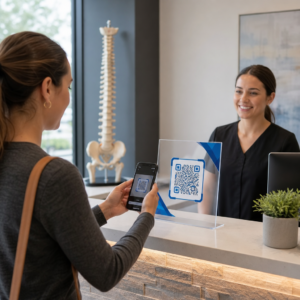
Hàng dài tại lối vào làm hỏng trải nghiệm của người tham dự. Việc phát hành phù hiệu kỹ thuật số được cá nhân hóa hoặc email xác nhận vé được trang bị mã duy nhất sẽ đẩy nhanh quá trình kiểm soát lối vào. Nhân viên cửa sử dụng máy ảnh điện thoại thông minh hoặc phần cứng quang học chuyên dụng có thể quét mã trong vòng chưa đầy 2 giây mỗi người, giảm tắc nghẽn lối vào lên đến 50%.

Đối với các hội nghị có bảo mật cao hơn, hãy triển khai xác minh vé động để ngăn chặn việc chia sẻ thông tin đăng nhập. Bạn có thể tìm hiểu thêm về việc triển khai thông tin đăng nhập được mã hóa trong hướng dẫn của chúng tôi về cách tạo vé sự kiện mã QR an toàn và hướng dẫn của chúng tôi về mã QR để check-in sự kiện.
Để ghi lại thời gian đến các phiên hoặc theo dõi số lượng tham dự phòng một cách dễ dàng, người tổ chức cũng có thể triển khai một hệ thống chuyên dụng 12. ghi lại lượt đến theo thời gian thực, cho phép bạn đối chiếu những người đã check-in với những người đã quét trải nghiệm AR của bạn và hoàn thành một hành động sau khi quét. Điều này đặc biệt hữu ích để tính toán tỷ lệ chuyển đổi thực sự thay vì chỉ tỷ lệ quét-đến-trang-đích. được hiển thị tại lối vào phòng.
Hợp Lý Hóa Việc Truy Cập và Quản Lý Sự Kiện Của Bạn Bạn muốn loại bỏ hàng đăng ký và cập nhật lịch trình sự kiện một cách linh hoạt mà không cần in lại tài liệu? Hãy xây dựng các mã sự kiện tùy chỉnh, có thể theo dõi bằng cách sử dụng Tạo mã QR sự kiện.
Điều Hướng Địa Điểm và Kết Nối Mạng Lưới
Các trung tâm hội nghị lớn và địa điểm có nhiều đường đua đặt ra những thách thức phức tạp về điều hướng không gian. Việc hiển thị một liên kết Tạo mã QR địa chỉ Google Map trên biển chào mừng hoặc phù hiệu sẽ ngay lập tức mở vị trí pin chính xác, sơ đồ tầng hoặc chỉ đường lái xe trên ứng dụng điều hướng mặc định của người tham dự.
Đối với các nhà triển lãm và phiên kết nối mạng lưới, trao đổi liên lạc kỹ thuật số loại bỏ sự bất tiện của danh thiếp vật lý. Các đội gian hàng có thể hiển thị mã liên lạc để thu thập thông tin chi tiết về khách hàng tiềm năng trực tiếp vào hệ thống CRM – một chiến lược được trình bày chi tiết trong sách hướng dẫn của chúng tôi về cách biến những cái bắt tay tại sự kiện thành khách hàng tiềm năng bằng mã QR.
Theo Dõi Phân Tích và Tiếp Theo Sau Sự Kiện
Đo lường tiếp thị sự kiện ngoại tuyến đòi hỏi mã QR động. Không giống như mã tĩnh – mã hóa cứng các liên kết đích vĩnh viễn – mã động lưu trữ một URL chuyển hướng ngắn có thể được cập nhật sau khi in đồng thời thu thập các số liệu hiệu suất quét đầy đủ.
Để truy ngược các đường dẫn chuyển đổi kỹ thuật số về các vật phẩm vật lý cụ thể, hãy thêm các tham số UTM tùy chỉnh (`utmnguồn`, `utmphương tiện`, `utmcampaign`) vào URL đích của bạn, chẳng hạn như `https://example.com/register?utmsource=eventposter&utmphương tiện=print&utmchiến dịch=annualsummit_2026`. Bằng cách gán các tham số UTM riêng biệt cho từng tờ rơi, dây đeo phù hiệu và slide thuyết trình, bạn có thể so sánh hiệu suất vị trí trong Google Analytics hoặc bảng điều khiển sự kiện của mình.
| Chỉ số | Thông Tin Chi Tiết Kinh Doanh Được Cung Cấp | Hành Động Chiến Lược |
|---|---|---|
| TỔNG LƯỢT QUÉT | Đo lường tổng lượng truy cập được tạo ra từ các tài liệu quảng cáo của chiến dịch. | Xác định tổng mức độ nhận diện thương hiệu trên tất cả các địa điểm ngoại tuyến. |
| Lượt quét duy nhất | Theo dõi tương tác thực tế của từng người tham dự với mã. | Đánh giá phạm vi tiếp cận khán giả thực sự so với các tương tác trùng lặp. |
| Thời gian và ngày quét | Xác định giờ cao điểm tương tác trong lịch trình các buổi học. | Điều chỉnh việc bố trí nhân sự và các thông báo trực tiếp cho phù hợp. |
| Dữ liệu địa lý | Nêu bật các thành phố hoặc khu vực cụ thể nơi dữ liệu quét được thu thập. | Điều chỉnh vị trí đặt biển báo vật lý cho các bố cục trong tương lai. |
| Hệ điều hành thiết bị | Cho thấy sự phân bố giữa người dùng iOS và Android. | Tối ưu hóa trang đích trên thiết bị di động cho các hệ điều hành mục tiêu. |
Việc theo dõi sát sao sau các buổi hội thảo sẽ giúp tăng tỷ lệ chuyển đổi sau sự kiện. Hiển thị một Tạo mã QR cho Google Form Liên kết trên màn hình thoát hoặc chương trình sự kiện nhắc nhở người tham dự để lại phản hồi ngay lập tức về phiên họp khi ấn tượng của họ vẫn còn mới mẻ.
Để hiểu rõ hơn về cách đo lường dữ liệu quét và hiệu quả chiến dịch, hãy tham khảo hướng dẫn đầy đủ của chúng tôi về... theo dõi mã QR và khám phá 5 công cụ hàng đầu để theo dõi sự kiện bằng mã QR.
Tiến hành thử nghiệm trước khi ra mắt
Trước khi gửi tập tin đến các nhà in thương mại hoặc xuất bản slide kỹ thuật số, hãy tiến hành thử nghiệm thực tế nghiêm ngặt:
- Kiểm thử trên nhiều hệ điều hành khác nhauQuét tác phẩm nghệ thuật bằng các thiết bị cũ và mới chạy ứng dụng camera gốc của cả iOS và Android.
- Xác minh môi trường mục tiêuKiểm tra bản in thử dưới ánh sáng yếu, ánh sáng nhân tạo và ánh sáng mặt trời gián tiếp để xác nhận tỷ lệ tương phản 4:1 vẫn được duy trì.
- Xác nhận tốc độ chuyển hướngXác minh rằng liên kết rút gọn động dẫn đến trang đích hoàn toàn tương thích với thiết bị di động và được tối ưu hóa trong vòng chưa đầy 3 giây qua mạng dữ liệu di động.
- Liên kết đích dữ liệu kiểm toánKiểm tra xem các tham số UTM được nhúng có hiển thị chính xác trên bảng điều khiển phân tích sau khi gửi biểu mẫu hay không.
Khởi động chiến dịch mã QR cho sự kiện của bạn
Việc kết hợp các tiêu chuẩn quét mã nghiêm ngặt, quản lý liên kết động và phân tích hiệu suất từ đầu đến cuối sẽ biến các tài liệu in tĩnh thành các kênh chuyển đổi sự kiện có thể theo dõi. Bằng cách xây dựng chiến dịch của bạn xoay quanh các điểm tiếp xúc trước, trong và sau sự kiện, bạn sẽ loại bỏ được các điểm nghẽn trong hoạt động đồng thời thu thập được dữ liệu người tham dự hữu ích.
Để đảm bảo sự kiện tiếp theo của bạn diễn ra suôn sẻ, hãy tạo mã QR tùy chỉnh, có thể chỉnh sửa với tính năng theo dõi tích hợp ngay hôm nay bằng cách sử dụng Công cụ tạo mã QR sự kiện của Pageloot.
Câu hỏi thường gặp
Mã QR động được khuyến nghị mạnh mẽ cho các chiến dịch sự kiện vì chúng cho phép bạn cập nhật URL đích sau khi in và thu thập phân tích quét chi tiết, bao gồm số lượt quét, vị trí và loại thiết bị. Mã tĩnh không thể chỉnh sửa sau khi in và không hỗ trợ theo dõi phân tích.
Đối với các ấn phẩm in ở cự ly gần như danh thiếp, thẻ đeo, hoặc thẻ để bàn, mã phải có kích thước tối thiểu 2 x 2 cm (0,8 x 0,8 inch). Đối với áp phích và biểu ngữ được quét từ xa, hãy tuân theo tỷ lệ 10:1 trong đó chiều rộng mã bằng 1 đơn vị cho mỗi 10 đơn vị khoảng cách quét.
Thêm các tham số theo dõi UTM tiêu chuẩn (như utmsource, utmmedium và utm_campaign) vào URL trang đích của bạn trước khi chuyển đổi thành mã QR động. Khi người tham dự quét mã, công cụ phân tích web của bạn sẽ tự động ghi lại nguồn lưu lượng truy cập và các chuyển đổi biểu mẫu tiếp theo.