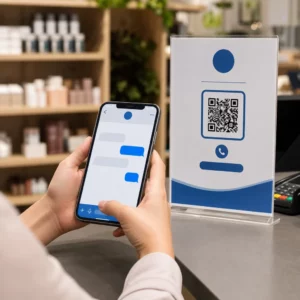
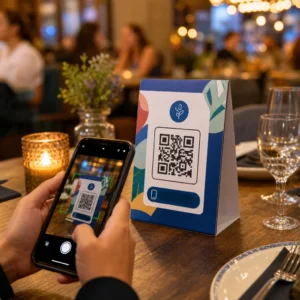
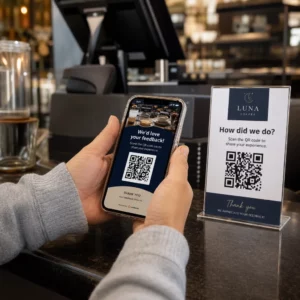
Führen Ihre Event-Marketing-Materialien dazu, dass gedruckte Flyer nicht in messbare Online-Registrierungen umgewandelt werden? Offline-Event-Promotion lässt Organisatoren oft über den Return on Investment der Kampagne rätseln, während sie gleichzeitig Engpässe an den Veranstaltungseingängen verursachen. Die Implementierung einer strukturierten QR-Code-Strategie verbindet physische Werbemittel mit digitalen Trichtern, beschleunigt Check-ins und liefert Echtzeit-Tracking der Teilnehmer.
Klare Ziele über den gesamten Event-Lebenszyklus setzen
Eine erfolgreiche QR-Code-Kampagne adressiert spezifische Berührungspunkte der Teilnehmer vor, während und nach Ihrer Veranstaltung. Bevor Sie Ihre kreativen Assets starten, stimmen Sie jeden Code mit messbaren Zielen ab, indem Sie SMART-Ziele für QR-Code-Kampagnen setzen.
Organisieren Sie Ihre Kampagne um drei primäre Betriebsphasen:
- Promotion vor der Veranstaltung: Steigern Sie Ticketverkäufe und RSVPs, indem Sie Printanzeigen, Poster und Direktmailings direkt mit einer mobilfreundlichen Registrierungsseite verlinken, die einen QR-Code für Veranstaltungen erstellen.
- Ausführung vor Ort: Beschleunigen Sie den Einlass, verteilen Sie Präsentationsfolien, teilen Sie Veranstaltungsgrundrisse und verwalten Sie Session-Check-ins mit dedizierten QR-Codes für Veranstaltungen.
- Engagement nach der Veranstaltung: Sammeln Sie Session-Feedback, teilen Sie aufgezeichnete Inhalte und leiten Sie qualifizierte Leads direkt in Ihren Marketing-Workflow.
Die frühzeitige Definition dieser Ziele bestimmt, ob Sie grundlegende Landing-Page-Links, dynamisches Routing oder eine Integration mit externen Datenbanken benötigen.
Gestaltung und Platzierung von QR-Codes für die Scanbarkeit
Ein QR-Code generiert nur dann Conversions, wenn Smartphones ihn unter realen Veranstaltungsbedingungen schnell scannen können. Ein schneller, zuverlässiger Scan sollte nicht länger als 3 Sekunden dauern. Um Scanfehler auf gedruckten Werbemitteln oder digitalen Displays zu vermeiden, befolgen Sie etablierte Design- und Platzierungsspezifikationen:
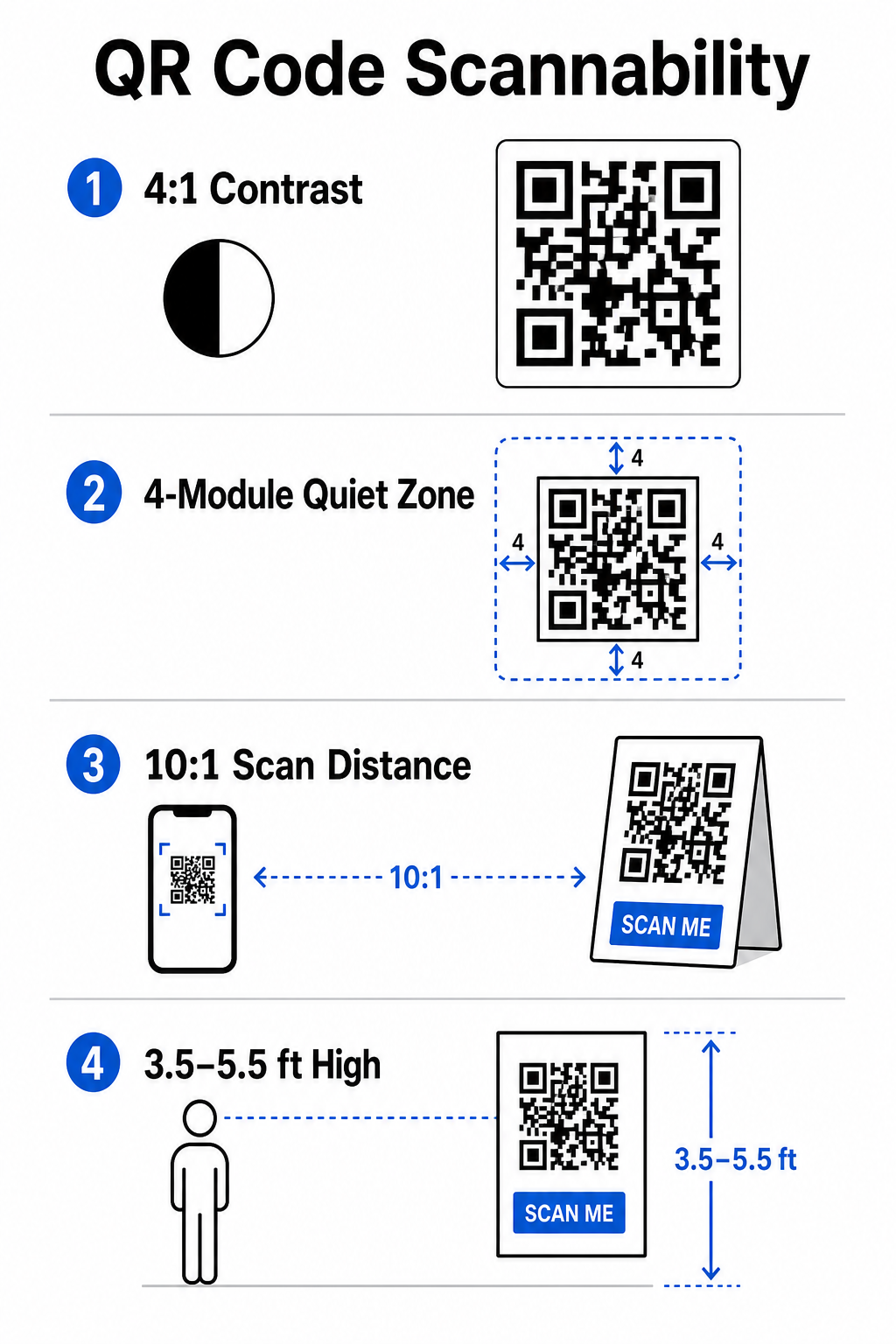
- Scanbaren Kontrast beibehalten: Verwenden Sie immer dunkle Muster-Module auf hellem Hintergrund, z. B. schwarze oder dunkelblaue Vordergründe auf weißen oder pastellfarbenen Hintergründen. Halten Sie ein minimales Kontrastverhältnis von 4:1 (oder 55% Kontrastunterschied) ein, um mit schwach beleuchteten Veranstaltungsräumen umzugehen.
- Respektieren Sie die Ruhezone: Lassen Sie einen leeren Rand um den Code – bekannt als Ruhezone – der auf allen vier Seiten mindestens 4 Module breit ist. Dieser Rand verhindert, dass umgebende Grafikelemente den Scanner stören.
- Korrekte Größenberechnung: Wenden Sie ein Größen-zu-Distanz-Verhältnis von 10:1 an, was bedeutet, dass ein Code, der aus 10 Fuß Entfernung gescannt wird, mindestens 1 Fuß breit sein muss. Für handgehaltene Druckartikel wie Visitenkarten oder Namensschilder halten Sie eine Mindestgröße von 2 x 2 cm (0,8 x 0,8 Zoll) ein.
- Positionierung auf natürlicher Augenhöhe: Positionieren Sie Codes zwischen 3,5 und 5,5 Fuß über dem Boden in stark frequentierten Zonen. Vermeiden Sie es, Codes über Falten, gekrümmten Oberflächen, reflektierenden Materialien oder unteren Ecken zu platzieren, wo Hände sie bedecken.
- Vektorformate exportieren: Speichern Sie Grafiken als hochauflösende Vektordateien wie SVG oder EPS (oder hochwertiges PNG), um eine Pixelbildung beim Skalieren von Grafiken für große Veranstaltungsdisplays zu verhindern.
Für umfassende Layout-Techniken für Poster, Stände und digitale Folien lesen Sie unseren Leitfaden zu QR-Code-Platzierung im Marketing.
Optimierung des Betriebs vor Ort und des Teilnehmer-Engagements
Während Live-Events beseitigen QR-Codes Reibungsverluste, indem sie physische Räume mit digitalen Aktionen verbinden, ohne dass manuelle Dateneingabe erforderlich ist. Die Abbildung Ihrer Strategie auf Print-Promotion vor der Veranstaltung, schnellen Einlass vor Ort und Feedback-Formulare nach der Veranstaltung sorgt für konsistente Teilnehmerinteraktionen während des gesamten Event-Lebenszyklus.
Digitaler Check-In und Zugangskontrolle
Lange Warteschlangen am Eingang beeinträchtigen das Teilnehmererlebnis. Die Ausstellung personalisierter digitaler Ausweise oder Ticketbestätigungs-E-Mails, die mit eindeutigen Codes ausgestattet sind, beschleunigt die Zugangskontrolle. Türpersonal, das Smartphone-Kameras oder dedizierte optische Hardware verwendet, kann Codes in unter 2 Sekunden pro Person scannen, wodurch die Eingangsstaus um bis zu 50% reduziert werden.

Implementieren Sie für sicherheitsrelevantere Konferenzen eine dynamische Ticketverifizierung, um die Weitergabe von Anmeldeinformationen zu verhindern. Sie können mehr über den Einsatz verschlüsselter Anmeldeinformationen in unserem Leitfaden zu erfahren Sichere QR-Code-Eventtickets erstellen und unserem Leitfaden zu QR-Codes für den Event-Check-in.
Um Session-Ankünfte zu protokollieren oder die Raumanwesenheit mühelos zu verfolgen, können Organisatoren auch ein dediziertes Anwesenheits-QR-Code System an den Raumeingängen einsetzen.
Optimieren Sie Ihren Event-Zugang und Ihr Event-Management Möchten Sie Registrierungsschlangen eliminieren und Veranstaltungszeitpläne dynamisch aktualisieren, ohne Materialien nachzudrucken? Erstellen Sie benutzerdefinierte, nachverfolgbare Event-Codes mit dem QR-Code für Veranstaltungen erstellen.
Veranstaltungsnavigation und Networking
Große Kongresszentren und Veranstaltungsorte mit mehreren Tracks stellen komplexe räumliche Navigationsherausforderungen dar. Das Anzeigen eines Google Maps QR-Code erstellen Links auf Begrüßungsschildern oder Ausweisen öffnet sofort genaue Pin-Standorte, Grundrisse oder Wegbeschreibungen in der Standard-Navigationsanwendung eines Teilnehmers.
Für Aussteller und Networking-Sessions eliminiert der digitale Kontaktaustausch den Aufwand mit physischen Visitenkarten. Standteams können Kontaktcodes zeigen, um Lead-Details direkt in CRM-Systeme zu erfassen – eine Strategie, die in unserem Playbook beschrieben wird, wie man Event-Handschläge mit QR-Codes in Leads verwandelt.
Tracking von Analysen und Follow-up nach der Veranstaltung
Die Messung von Offline-Event-Marketing erfordert dynamische QR-Codes. Im Gegensatz zu statischen Codes – die Ziel-Links dauerhaft fest codieren – speichern dynamische Codes eine kurze Weiterleitungs-URL, die nach dem Druck aktualisiert werden kann, während sie gleichzeitig vollständige Scan-Leistungsmetriken sammeln.
Um digitale Conversion-Pfade zurück zu bestimmten physischen Artikeln zu verfolgen, fügen Sie benutzerdefinierte UTM-Parameter (`utmsource`, `utmmedium`, `utmcampaign`) an Ihre Ziel-URLs an, z. B. `https://example.com/register?utm`source=event`poster&utmmedium=print&utmcampaign=annualsummit_2026`. Durch die Zuordnung eindeutiger UTM-Parameter zu einzelnen Flyern, Ausweisbändern und Präsentationsfolien können Sie die Platzierungsleistung in Google Analytics oder Ihrem Event-Dashboard vergleichen.
| Metrik | Bereitgestellte Geschäftseinblicke | Strategischer Aktionspunkt |
|---|---|---|
| SCANS GESAMT | Misst das gesamte durch Kampagnenmaterialien generierte Traffic-Volumen. | Ermitteln Sie die gesamte Markenpräsenz an allen Offline-Standorten. |
| Eindeutige Scans | Erfasst, welche einzelnen Teilnehmer tatsächlich mit dem Code interagieren. | Ermitteln Sie die tatsächliche Reichweite des Publikums im Vergleich zu doppelten Interaktionen. |
| Scanzeitpunkt und -tag | Identifiziert die Zeiten mit der höchsten Interaktionsrate während der Sitzungszeiten. | Personaleinsatz und Live-Durchsagen entsprechend anpassen. |
| Geografische Daten | Hebt Städte oder bestimmte Veranstaltungszonen hervor, von denen die Scans stammen. | Optimierung der Platzierung der physischen Beschilderung für zukünftige Layouts. |
| Gerätebetriebssystem | Zeigt die Verteilung zwischen iOS- und Android-Nutzern an. | Optimieren Sie mobile Landingpages für die jeweiligen Zielbetriebssysteme. |
Eine zeitnahe Nachbereitung von Veranstaltungen erhöht die Konversionsrate nach dem Event. (Anzeige eines) Google Forms QR-Code erstellen Ein Link auf den Ausgangsbildschirmen oder in den Veranstaltungsprogrammen fordert die Teilnehmer dazu auf, direktes Feedback zur Sitzung abzugeben, solange ihre Eindrücke noch frisch sind.
Eine detaillierte Aufschlüsselung der Messung von Scandaten und Kampagnenleistung finden Sie in unserem vollständigen Leitfaden unter Verfolgung von QR-Codes und erkunden Sie die Die 5 besten Tools für die Ereignisverfolgung mit QR-Codes.
Durchführung der Vorstarttests
Bevor Sie Dateien an Druckereien senden oder digitale Präsentationen veröffentlichen, führen Sie gründliche Tests unter realen Bedingungen durch:
- Tests auf verschiedenen Betriebssystemen: Scannen Sie Kunstwerke mit älteren und neueren Geräten, auf denen sowohl native iOS- als auch Android-Kamera-Apps laufen.
- Zielumgebungen überprüfen: Um zu bestätigen, dass das Kontrastverhältnis von 4:1 erhalten bleibt, sollten gedruckte Proofs unter schwachem Licht, künstlichem Scheinwerferlicht und indirektem Sonnenlicht getestet werden.
- Umleitungsgeschwindigkeit bestätigen: Überprüfen Sie, ob die dynamische Kurzverbindung über Mobilfunknetze in weniger als 3 Sekunden zu einer vollständig responsiven, für Mobilgeräte optimierten Landingpage führt.
- Links zu PrüfdatenPrüfen Sie, ob die eingebetteten UTM-Parameter nach dem Absenden des Formulars in den Analyse-Dashboards korrekt angezeigt werden.
Starten Sie Ihre Event-QR-Code-Kampagne
Durch die Kombination strenger Scanbarkeitsstandards, dynamischem Linkmanagement und umfassender Leistungsanalyse werden statische Printmaterialien in messbare Event-Konversionskanäle verwandelt. Indem Sie Ihre Kampagne um Touchpoints vor, während und nach der Veranstaltung strukturieren, beseitigen Sie operative Engpässe und sammeln gleichzeitig wertvolle Teilnehmerdaten.
Damit Ihre nächste Veranstaltung reibungslos abläuft, erstellen Sie noch heute individuelle, bearbeitbare QR-Codes mit integrierter Tracking-Funktion. Pageloots Event-QR-Code-Generator.
Häufig gestellte Fragen
Dynamische QR-Codes werden dringend für Event-Kampagnen empfohlen, da sie es Ihnen ermöglichen, Ziel-URLs nach dem Druck zu aktualisieren und detaillierte Scan-Analysen zu erfassen, einschließlich Scan-Zählungen, Standorte und Gerätetypen. Statische Codes können nach dem Druck nicht bearbeitet werden und unterstützen keine Analysen-Verfolgung.
Für Nahbereichsdrucke wie Visitenkarten, Ausweise oder Tischaufsteller sollte der Code mindestens 2 x 2 cm (0,8 x 0,8 Zoll) groß sein. Für Poster und Banner, die aus der Entfernung gescannt werden, gilt ein Verhältnis von 10:1, wobei die Codebreite 1 Einheit pro 10 Einheiten Scanabstand beträgt.
Fügen Sie Ihrer Landingpage-URL standardmäßige UTM-Tracking-Parameter (wie utmsource, utmmedium und utm_campaign) hinzu, bevor Sie sie in einen dynamischen QR-Code umwandeln. Wenn Teilnehmer den Code scannen, zeichnet Ihr Webanalysetool die Traffic-Quelle und nachfolgende Formular-Conversions automatisch auf.