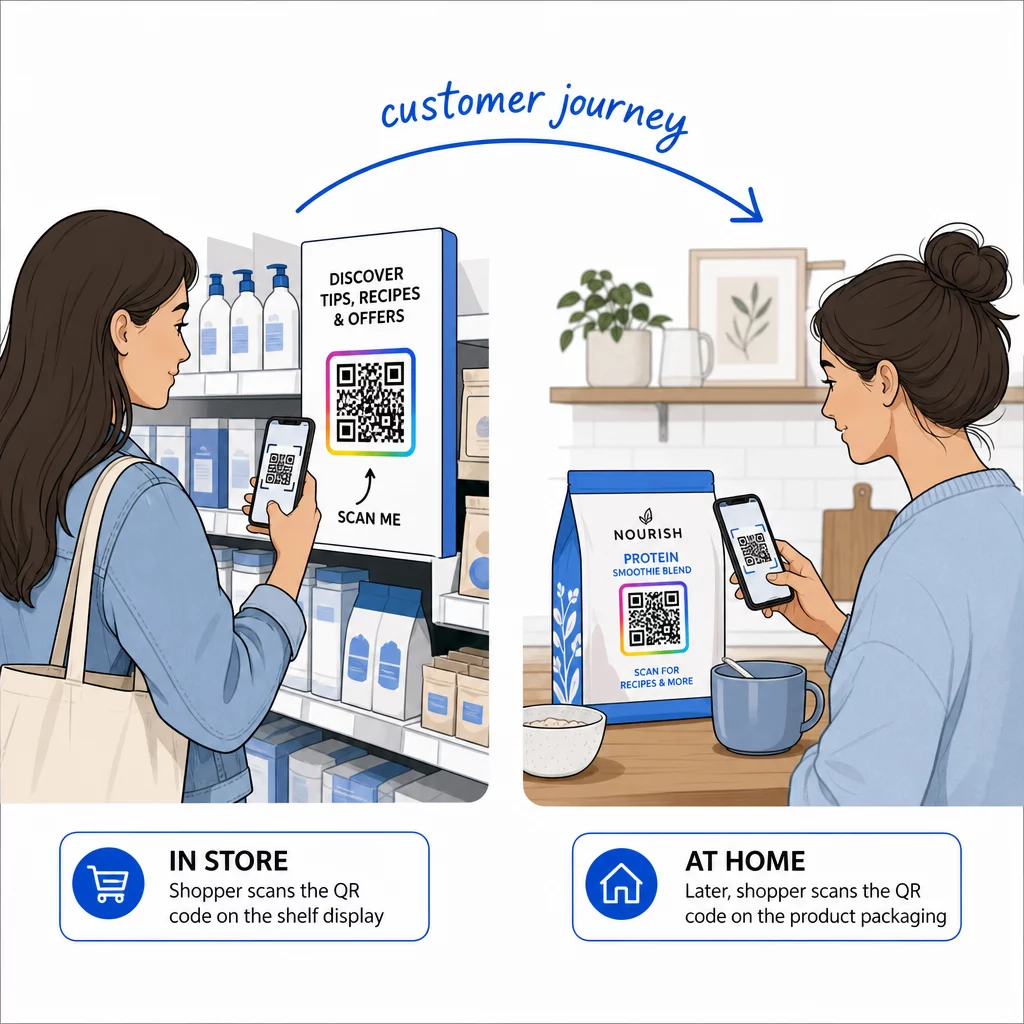
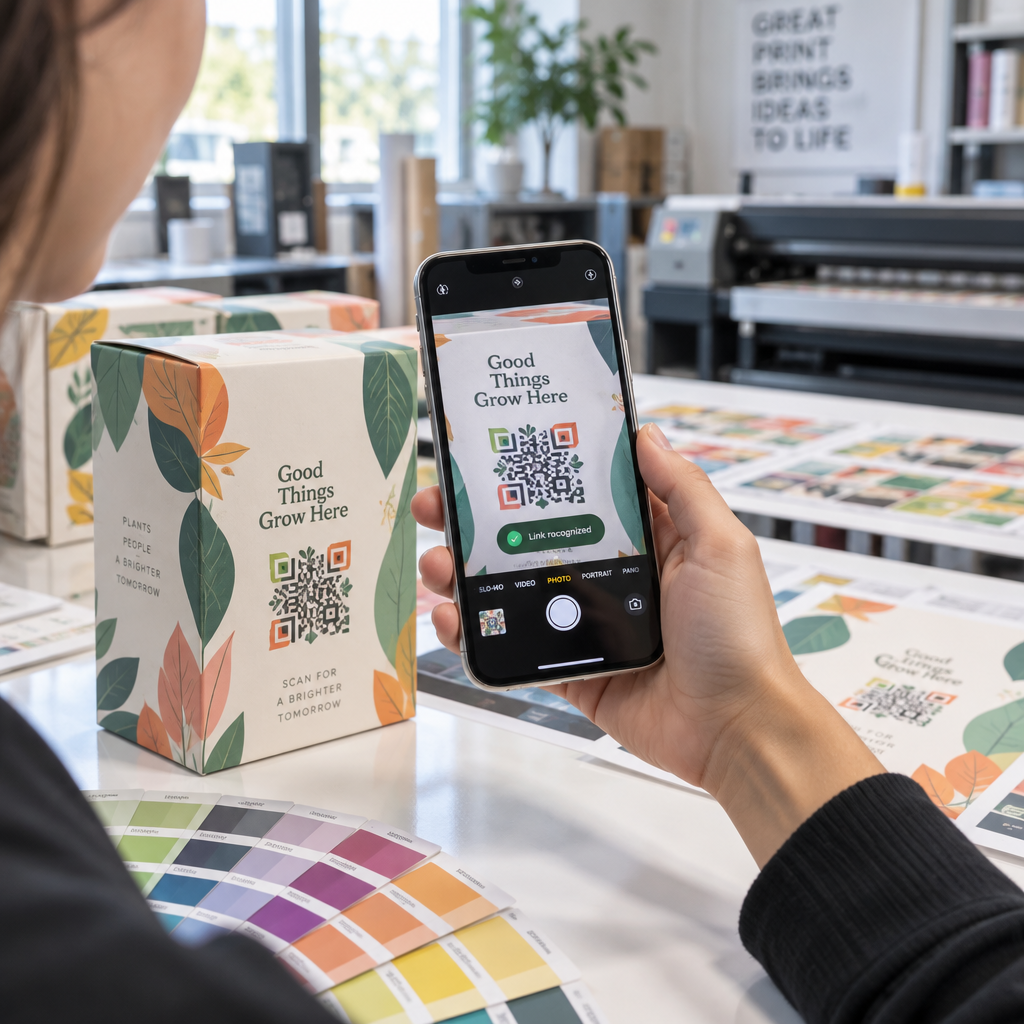
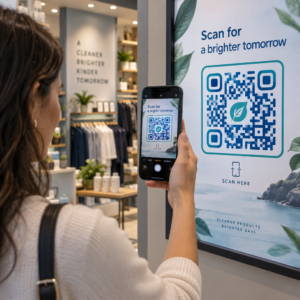
Bagaimana anda tahu jika iklan cetak anda benar-benar berkesan? Tanpa cara untuk mengukur respons, anda hanya meneka – dan pembaziran perbelanjaan iklan bertambah dengan cepat. Kod QR menyelesaikan masalah ini dengan mengubah setiap penempatan cetak menjadi titik sentuh digital yang boleh dijejak, memberikan anda data konkrit tentang siapa yang terlibat, bila, dan apa yang mereka lakukan seterusnya.
Mengapa Iklan Cetak Sukar Diukur Tanpa Kod QR
Pengiklanan cetak tradisional – majalah, mel terus, poster, risalah – sentiasa mengalami jurang atribusi. Anda boleh menganggarkan jangkauan berdasarkan nombor edaran, tetapi tiada cara asli untuk mengetahui berapa ramai pembaca yang sebenarnya memberi respons kepada iklan tertentu, apatah lagi apa yang mereka lakukan selepas itu.
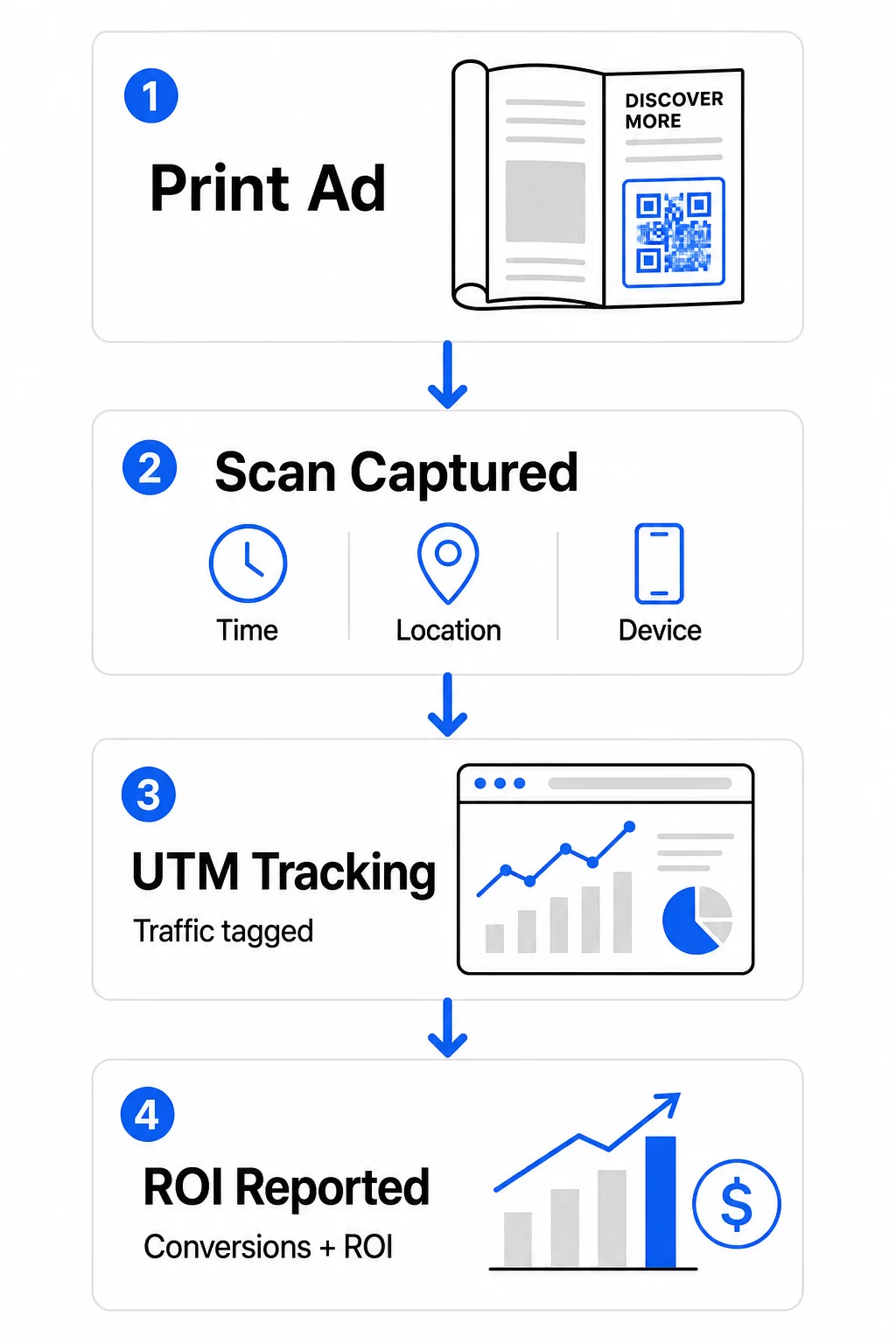
Kod QR merapatkan jurang itu. Apabila pembaca mengimbas kod dalam bahan cetak anda, tindakan itu direkodkan secara digital. Anda menangkap peristiwa imbasan, lokasi, jenis peranti, dan masa – dan jika URL destinasi termasuk parameter UTM, anda boleh mengikuti pengguna itu sehingga pembelian, pendaftaran, atau muat turun. Impresi luar talian menjadi penukaran digital yang boleh diukur.
Inilah sebabnya kod QR telah menjadi alat standard untuk atribusi kempen cetak. Dengan menggunakan kod QR unik merentasi penempatan yang berbeza – satu untuk setiap majalah, satu untuk setiap kumpulan mel terus, satu untuk setiap lokasi papan iklan – anda boleh membandingkan prestasi merentasi saluran dengan cara yang sama anda membandingkan kempen digital berbayar.
Ubah Penempatan Cetak Menjadi Kempen yang Boleh Diukur Menggunakan Penjana dynamic QR code untuk mencipta kod unik yang boleh dijejak untuk setiap penempatan cetak dan mula menangkap data penglibatan sebenar.
Kod QR Statik lwn. Dinamik untuk Penjejakan
Tidak semua kod QR menyokong penjejakan. Memahami perbezaan antara kod statik dan dinamik adalah asas kepada sebarang strategi pengukuran cetak.
Kod QR statik mengekod URL destinasi secara langsung ke dalam corak kod. Setelah dicetak, destinasi tidak boleh diubah, dan tiada mekanisme untuk merekodkan peristiwa imbasan. Ia berfungsi dengan baik untuk memautkan ke kandungan kekal, tetapi ia tidak menawarkan analitik.
Kod QR dinamik mengekod URL pengalihan pendek sebaliknya. Apabila diimbas, pengalihan itu menyelesaikan ke destinasi pilihan anda – dan platform merekodkan peristiwa imbasan dengan cap masa, lokasi, dan data peranti. Oleh kerana URL pengalihan kekal tetap manakala destinasi boleh berubah, anda boleh mengemas kini kandungan yang dipautkan pada bila-bila masa tanpa mencetak semula bahan anda.
Untuk penjejakan iklan cetak, kod QR dinamik adalah satu-satunya pilihan praktikal. Ia memberikan anda data imbasan yang anda perlukan untuk mengukur prestasi kempen dan fleksibiliti untuk menyesuaikan halaman pendaratan berdasarkan apa yang ditunjukkan oleh data.
Menyediakan Kod QR untuk Penjejakan Kempen Cetak
Cipta Kod Unik untuk Setiap Penempatan
Peraturan paling penting untuk penjejakan cetak ialah satu kod QR bagi setiap penempatan. Jika anda menjalankan iklan yang sama dalam tiga majalah berbeza menggunakan satu kod QR yang dikongsi, anda akan melihat jumlah imbasan agregat tetapi tidak akan tahu penerbitan mana yang memacu hasil.
Berikan kod QR berasingan kepada setiap:
- Penerbitan atau saluran (cth., setiap tajuk majalah)
- Kawasan pengedaran geografi (cth., surat-menyurat Timur Laut lwn. Pantai Barat)
- Format atau saiz iklan (cth., halaman penuh lwn. separuh halaman)
- Tempoh kempen atau jangka masa
Pendekatan ini membolehkan anda membandingkan prestasi merentasi penempatan secara langsung dan memperuntukkan perbelanjaan masa depan kepada apa yang berkesan. Pageloot’s alat pengurusan kempen membolehkan anda menyusun kod mengikut kempen, menetapkannya kepada sub-akaun untuk pasukan yang berbeza, dan mengurus semua penempatan dari satu papan pemuka.
Tambah Parameter UTM ke URL Destinasi Anda
Data imbasan dari platform kod QR anda memberitahu anda berapa ramai orang yang berinteraksi dengan iklan cetak anda. Parameter UTM memberitahu anda apa yang dilakukan oleh orang-orang itu selepas mengimbas. Bersama-sama, ia memberikan anda gambaran atribusi yang lengkap.
Parameter UTM ialah tag yang dilampirkan pada URL destinasi anda yang mengenal pasti sumber trafik dalam Google Analytics. URL yang ditag dengan betul untuk kempen cetak mungkin kelihatan seperti:
`https://yourwebsite.com/landing-page?utmsource=voguemagazine&utmmedium=qrcode&utmcampaign=falllaunch_2025`
Dengan persediaan ini, setiap sesi yang berasal daripada imbasan kod QR tersebut muncul dalam Google Analytics yang ditag kepada penempatan khusus itu. Anda kemudian boleh mengukur tindakan susulan – pembelian, penyelesaian borang, muat turun kandungan – dan mengaitkannya dengan iklan cetak yang menjana imbasan tersebut.
Untuk panduan lengkap tentang konvensyen penamaan dan pelaporan GA4, panduan di parameter UTM untuk kod QR merangkumi persediaan secara terperinci.
Sambungkan Imbasan Cetak ke Google Analytics Pageloot analitik membolehkan anda menambah parameter UTM semasa penciptaan kod QR supaya setiap imbasan secara automatik dikaitkan dalam GA4.
Reka Kod Yang Sebenarnya Diimbas
Penjejakan hanya berfungsi jika orang mengimbas kod anda. Beberapa keperluan teknikal terpakai khusus untuk bahan cetak:
- Saiz minimum: 0.8 × 0.8 inci untuk bahan cetak standard seperti kad perniagaan atau risalah; skala secara berkadaran untuk poster dan papan tanda menggunakan peraturan 10:1 – sekurang-kurangnya satu inci lebar kod QR untuk setiap sepuluh inci jarak imbasan yang dijangka
- Kontras: Kontras tinggi antara modul gelap dan latar belakang terang adalah penting; elakkan pasangan kontras rendah seperti kelabu muda pada putih, dan jangan sekali-kali menterbalikkan warna
- Penempatan: Paras mata adalah ideal untuk poster dan papan tanda, biasanya antara 3.5 hingga 5.5 kaki dari tanah; elakkan permukaan melengkung seperti label botol atau lipatan majalah di mana herotan boleh menghalang pengimbasan
- Format fail: Gunakan format vektor (EPS atau SVG) untuk percetakan format besar; PNG atau JPEG mencukupi untuk bahan yang lebih kecil
Menambah bingkai seruan tindakan – “Imbas untuk Tawaran Eksklusif” atau “Dapatkan Akses Segera” – berhampiran kod memberikan pembaca sebab yang jelas untuk terlibat. Kod QR berjenama yang menggabungkan logo dan warna anda juga membina pengiktirafan dan kepercayaan. Anda boleh mendapatkan garis panduan saiz dan penempatan terperinci dalam panduan penggunaan kod QR dalam media cetak.
Metrik Yang Penting untuk Atribusi Iklan Cetak
Setelah kod anda aktif, data yang anda kumpul terbahagi kepada dua kategori: metrik penglibatan yang mengukur berapa ramai orang yang bertindak balas terhadap iklan cetak anda, dan metrik penukaran yang mengukur apa yang dilakukan oleh orang-orang itu seterusnya.
Berikut adalah pecahan metrik utama untuk dipantau:
| Metrik | Apa yang Diukurnya | Mengapa Ia Penting |
|---|---|---|
| JUMLAH IMBASAN | Setiap acara imbasan, termasuk imbasan berulang | Menunjukkan jangkauan kempen keseluruhan |
| Imbasan unik | Peranti individu yang mengimbas | Mencerminkan saiz audiens sebenar |
| Kadar imbasan-melalui | Imbasan berbanding pendedahan iklan yang dianggarkan | Menilai keberkesanan kreatif dan penempatan |
| Lokasi imbasan | Taburan geografi imbasan | Mengenal pasti kawasan berprestasi tinggi |
| Jenis peranti | iOS, Android, desktop | Membimbing pengoptimuman mudah alih untuk halaman pendaratan |
| Waktu imbasan puncak | Bila imbasan berlaku pada siang hari atau minggu | Memberi maklumat strategi masa untuk kempen masa depan |
| Kadar penukaran | Tindakan yang diambil selepas mengimbas (pembelian, pendaftaran) | Mengukur impak perniagaan sebenar |
Jumlah imbasan berbanding imbasan unik adalah perbezaan penting. Jumlah imbasan mengira setiap kali kod dicetuskan, termasuk berbilang imbasan oleh orang yang sama. Imbasan unik menggunakan pengenalan peringkat peranti untuk mengira pengguna individu, memberikan anda gambaran yang lebih tepat tentang jangkauan khalayak sebenar. Untuk kempen cetakan, imbasan unik biasanya merupakan nombor yang lebih bermakna.
Yang kadar imbasan-lalu adalah setara cetakan dengan kadar klik-lalu – ia memberitahu anda peratusan orang yang terdedah kepada iklan anda sebenarnya bertindak balas. Anda boleh menganggarkan ini dengan membahagikan imbasan unik dengan cetakan atau anggaran pembaca untuk penempatan tersebut.
Untuk melihat lebih mendalam analitik peringkat perusahaan, artikel mengenai metrik analitik kod QR utama merangkumi cara untuk bergerak melangkaui kiraan imbasan untuk mengukur impak perniagaan yang tulen.
Menggunakan Analitik Masa Nyata untuk Mengoptimumkan Kempen Semasa Berjalan
Salah satu kelebihan ketara kod QR dinamik berbanding pengukuran cetakan tradisional ialah keupayaan untuk bertindak berdasarkan data semasa kempen masih berjalan. Dengan analitik masa nyata, anda tidak perlu menunggu sehingga kempen berakhir untuk mengetahui apa yang berkesan.
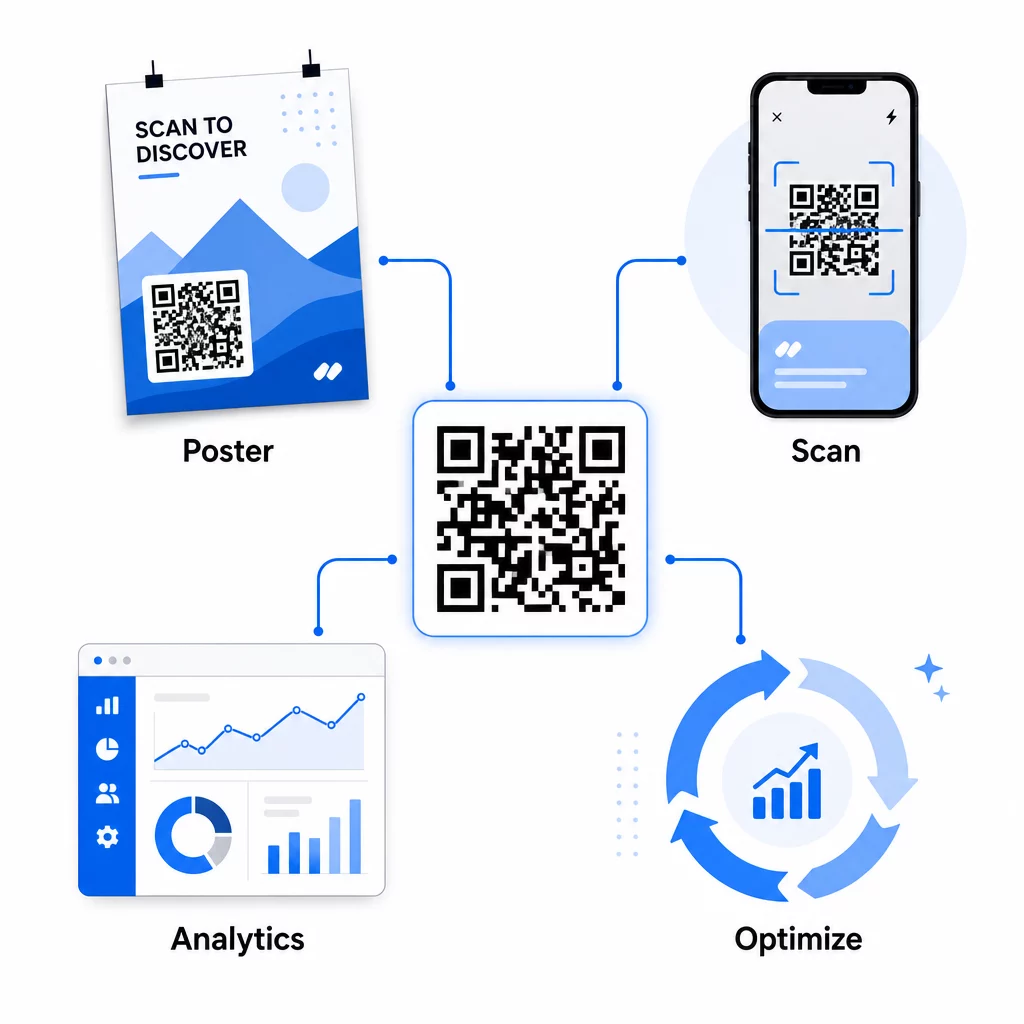
Pengoptimuman praktikal pertengahan kempen termasuk:
- Mengemas kini URL destinasi jika halaman pendaratan asal tidak menukar dengan baik – tanpa mencetak semula sebarang bahan
- Menyesuaikan peruntukan perbelanjaan dengan menghentikan penempatan dengan kadar imbasan rendah dan meningkatkan pelaburan dalam saluran berprestasi tinggi
- A/B testing halaman pendaratan dengan menghalakan trafik daripada kod QR yang sama ke destinasi berbeza pada masa berbeza
- Mengenal pasti corak geografi dalam data imbasan dan menyesuaikan mesej susulan untuk kawasan bertindak balas tinggi
Papan pemuka analitik masa nyata Pageloot berintegrasi dengan Google Analytics, jadi anda boleh melihat trafik yang didorong oleh QR bersama saluran digital anda yang lain. Ini memberi anda gambaran lengkap tentang bagaimana kempen cetakan anda menyumbang kepada perjalanan pelanggan secara keseluruhan – dari saat seseorang melihat iklan hingga penukaran akhir.
Pantau Kempen Anda dalam Masa Nyata Ingin melihat dengan tepat di mana dan bila pelanggan anda mengimbas bahan cetakan anda? Gunakan Pageloot’s alat analitik kod QR untuk mengakses papan pemuka prestasi penuh dan mengoptimumkan kempen semasa ia masih berjalan.
Kod QR Dinamik untuk Kempen Fleksibel, Berterusan
Untuk kempen yang berjalan merentasi pelbagai penempatan atau tempoh masa, kod QR dinamik menyediakan tahap fleksibiliti yang tidak dapat ditandingi oleh kod statik. Anda boleh menguji tawaran bermusim, mengemas kini halaman destinasi untuk mencerminkan promosi semasa, dan mengubah hala trafik tanpa menyentuh bahan bercetak.
Fleksibiliti ini amat berharga untuk:
- Kempen cetakan jangka panjang di mana tawaran berubah (cth., promosi bermusim pada pembungkusan atau papan tanda)
- Kempen berbilang lokasi di mana halaman pendaratan serantau perlu berbeza
- Pengoptimuman bajet di mana anda ingin mengalihkan trafik daripada penempatan yang berprestasi rendah kepada yang lebih kukuh
Kerana kod QR itu sendiri tidak pernah berubah – hanya destinasi yang ditujunya – bahan bercetak anda kekal sah selama-lamanya. Ini menghapuskan kos pencetakan semula sambil memastikan kandungan kempen anda sentiasa terkini.
Menghubungkan kod QR dengan alat automasi pemasaran meluaskan lagi perkara ini. Apabila imbasan mencetuskan kemasukan ke dalam urutan e-mel atau aliran kerja CRM, setiap interaksi iklan cetak boleh memulakan perjalanan pelanggan yang berstruktur – bukan sekadar lawatan laman web sekali sahaja. Pageloot menyokong integrasi dengan platform seperti HubSpot dan Zapier untuk membolehkan aliran kerja automatik ini.
Membuktikan ROI daripada Kempen Cetak
Matlamat utama penjejakan kod QR dalam cetakan adalah membuktikan pulangan pelaburan. Dengan persediaan yang betul, anda boleh mengira ini secara langsung.
Jika anda mengetahui kos kempen cetak anda dan anda boleh mengaitkan penukaran – pembelian, petunjuk, pendaftaran – kembali kepada imbasan kod QR tertentu melalui parameter UTM dan Google Analytics, anda boleh mengira kos perolehan untuk setiap penempatan. Ini memberikan anda akauntabiliti yang sama seperti yang anda harapkan daripada pengiklanan digital yang diterapkan pada media luar talian.
Langkah-langkah utama untuk menjayakan ini:
- Gunakan kod QR unik untuk setiap penempatan supaya atribusi adalah jelas
- Tandakan URL destinasi dengan parameter UTM supaya GA4 menangkap laluan penukaran penuh
- Sediakan matlamat penukaran dalam GA4 untuk tindakan yang penting kepada perniagaan anda
- Gunakan papan pemuka analitik Pageloot untuk menyemak silang data imbasan dengan data penukaran
Untuk pasukan yang menguruskan pelbagai pelanggan atau kempen secara serentak, alat agensi pemasaran dalam Pageloot membolehkan anda menjejaki prestasi merentasi kempen di satu tempat dan membentangkan laporan atribusi yang jelas kepada pihak berkepentingan. Kod QR bukan sahaja menjadikan iklan cetak interaktif – ia menjadikannya boleh diukur. Dengan menggabungkan kod QR dinamik, URL destinasi yang ditandakan UTM, dan platform dengan analitik masa nyata, anda boleh mengaitkan penglibatan cetakan luar talian kepada hasil digital dengan ketepatan yang sama seperti yang anda gunakan pada mana-mana saluran digital. Mulakan dengan mencipta kod unik untuk setiap penempatan cetak semasa anda dan lihat yang mana sebenarnya memacu hasil.
Mulakan dengan QR code generator percuma atau teroka penjejakan kod QR dinamik untuk melihat keupayaan penuh yang tersedia untuk kempen cetakan anda.
Soalan lazim
Ya, jika anda menggunakan kod QR dinamik. Kod dinamik menunjuk kepada URL pengalihan yang anda kawal. Anda boleh mengemas kini destinasi – sama ada halaman pendaratan baharu, tawaran bermusim, atau URL bertanda UTM yang disemak semula – tanpa menukar kod QR yang dicetak. Bahan fizikal kekal sah dan penjejakan anda berterusan tanpa gangguan.
Jumlah imbasan mengira setiap kali kod dicetuskan, termasuk imbasan berganda oleh orang yang sama. Imbasan unik mengira peranti individu, memberikan anda gambaran yang lebih jelas tentang berapa ramai orang yang berbeza telah bertindak balas terhadap iklan anda. Untuk mengukur jangkauan iklan cetak dan mengira kadar imbasan-melalui, imbasan unik biasanya lebih bermakna.
Tambah parameter UTM pada URL destinasi yang terbenam dalam kod QR anda. Apabila seseorang mengimbas kod dan mendarat di laman web anda, Google Analytics merekodkan sesi tersebut dengan tag UTM tersebut. Jika anda telah menetapkan matlamat penukaran dalam GA4 – pembelian, penyerahan borang, muat turun – anda boleh melihat dengan tepat berapa banyak penukaran yang berasal dari setiap penempatan cetakan. Ini adalah teras atribusi luar talian-ke-digital untuk kempen cetakan.