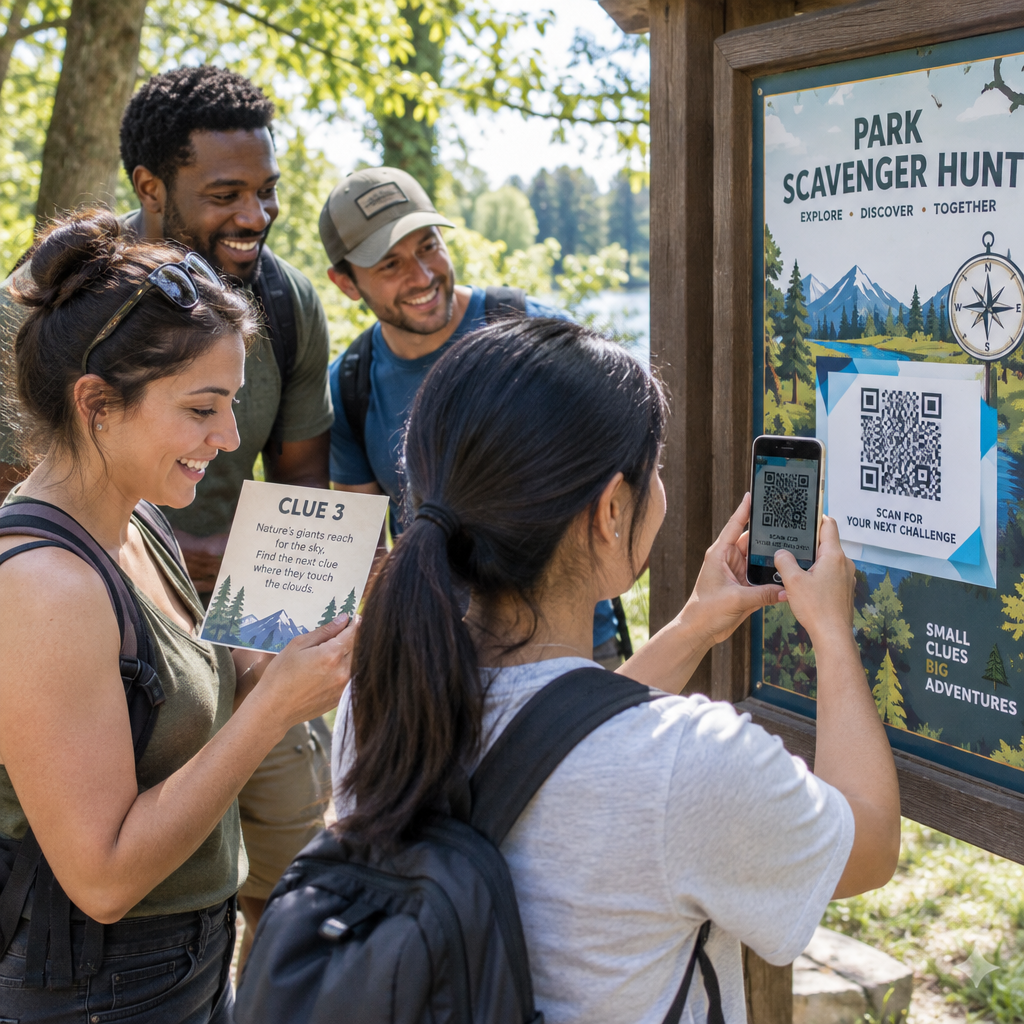
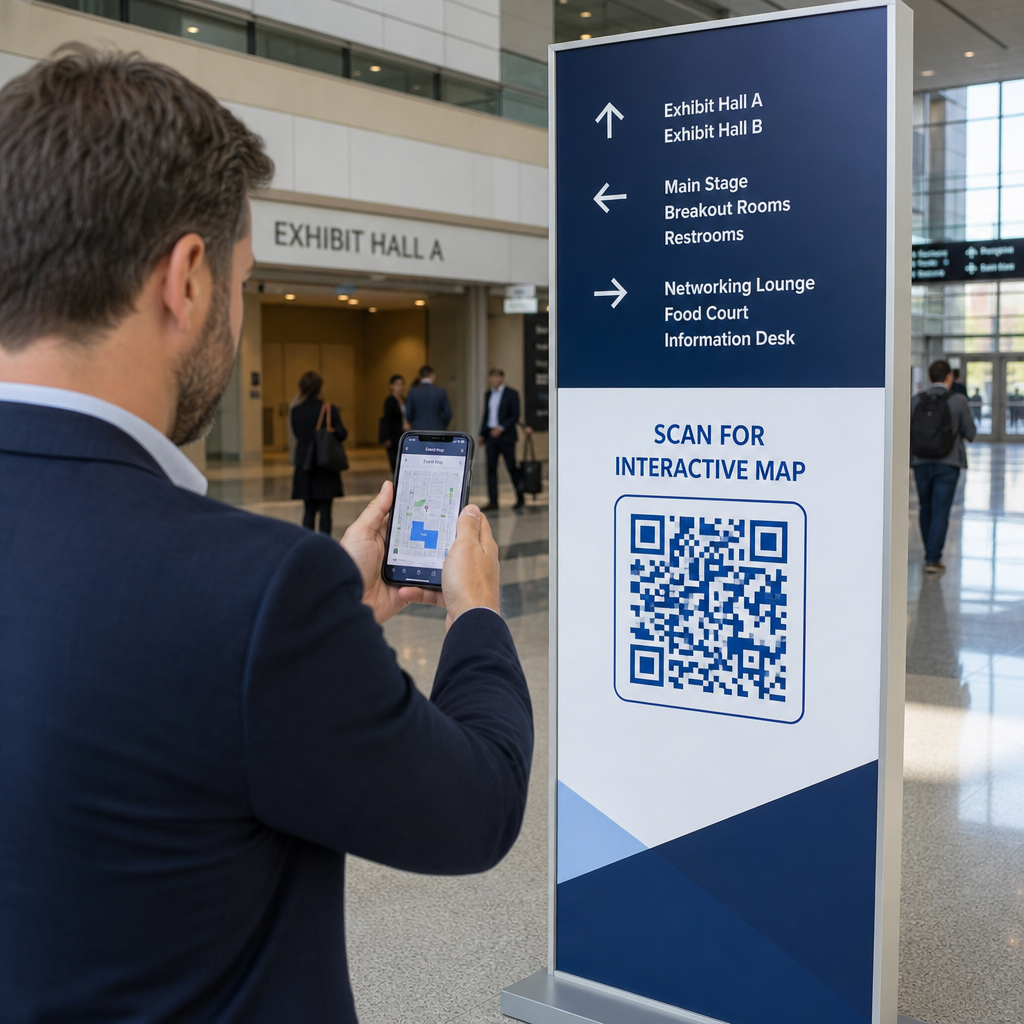
Cum știi dacă reclamele tale tipărite funcționează cu adevărat? Fără o modalitate de a măsura răspunsurile, ghicești – iar cheltuielile publicitare irosite se adună rapid. Codurile QR rezolvă acest lucru transformând fiecare plasare tipărită într-un punct de contact digital urmăribil, oferindu-ți date concrete despre cine s-a implicat, când și ce a făcut în continuare.
De ce reclamele tipărite sunt greu de măsurat fără coduri QR
Publicitatea tipărită tradițională – reviste, corespondență directă, postere, fluturași – a suferit întotdeauna de o lacună de atribuire. Poți estima acoperirea pe baza numerelor de tiraj, dar nu există o modalitate nativă de a ști câți cititori au răspuns efectiv la o anumită reclamă, ca să nu mai vorbim de ce au făcut ulterior.
Codurile QR închid această lacună. Atunci când un cititor scanează un cod din materialul tău tipărit, acea acțiune este înregistrată digital. Capturezi evenimentul de scanare, locația, tipul dispozitivului și ora – iar dacă URL-ul de destinație include parametri UTM, poți urmări acel utilizator până la o achiziție, o înregistrare sau o descărcare. Impresia offline devine o conversie digitală măsurabilă.
Acesta este motivul pentru care codurile QR au devenit un instrument standard pentru atribuirea campaniilor tipărite. Prin utilizarea unor coduri QR unice pentru diferite plasări – unul pentru fiecare revistă, unul pentru fiecare lot de corespondență directă, unul per locație de panou publicitar – poți compara performanța pe diferite canale în același mod în care ai compara campaniile digitale plătite.
Transformă plasările tipărite în campanii măsurabile Folosește Generator cod QR dinamic pentru a crea coduri unice, urmăribile pentru fiecare plasare tipărită și a începe să captezi date reale de implicare.
Coduri QR statice vs. dinamice pentru urmărire
Nu toate codurile QR acceptă urmărirea. Înțelegerea diferenței dintre codurile statice și dinamice este fundamentul oricărei strategii de măsurare a materialelor tipărite.
Coduri QR statice codifică URL-ul de destinație direct în modelul codului. Odată tipărit, destinația nu poate fi modificată și nu există niciun mecanism pentru a înregistra evenimentele de scanare. Funcționează bine pentru a face legătura către conținut permanent, dar nu oferă analize.
Coduri QR dinamice codifică în schimb un URL scurt de redirecționare. Când este scanat, redirecționarea se rezolvă la destinația aleasă – iar platforma înregistrează evenimentul de scanare cu marcaj de timp, locație și date despre dispozitiv. Deoarece URL-ul de redirecționare rămâne fix în timp ce destinația se poate schimba, poți actualiza conținutul legat în orice moment fără a-ți retipări materialele.
Pentru urmărirea reclamelor tipărite, codurile QR dinamice sunt singura opțiune practică. Ele îți oferă datele de scanare de care ai nevoie pentru a măsura performanța campaniei și flexibilitatea de a ajusta paginile de destinație pe baza a ceea ce arată datele.
Configurarea codurilor QR pentru urmărirea campaniilor tipărite
Creează coduri unice pentru fiecare plasare
Cea mai importantă regulă pentru urmărirea materialelor tipărite este un cod QR per plasare. Dacă rulezi aceeași reclamă în trei reviste diferite folosind un singur cod QR partajat, vei vedea numărul total de scanări, dar nu vei ști care publicație a generat rezultate.
Atribuiți un cod QR separat fiecărui:
- Publicație sau canal (de exemplu, fiecare titlu de revistă)
- Zonă de distribuție geografică (de exemplu, corespondență din Nord-Est vs. Coasta de Vest)
- Format sau dimensiune a anunțului (de exemplu, pagină întreagă vs. jumătate de pagină)
- Perioadă de desfășurare a campaniei sau interval de timp
Această abordare vă permite să comparați direct performanța între plasamente și să alocați cheltuielile viitoare către ceea ce funcționează. Pageloot’s instrumente de gestionare a campaniilor vă permit să organizați codurile pe campanii, să le atribuiți sub-conturilor pentru diferite echipe și să gestionați toate plasamentele dintr-un singur tablou de bord.
Adăugați parametri UTM la URL-urile de destinație
Datele de scanare de pe platforma dvs. de coduri QR vă spun câți oameni au interacționat cu anunțul dvs. tipărit. Parametrii UTM vă spun ce au făcut acei oameni după scanare. Împreună, vă oferă imaginea completă a atribuirii.
Parametrii UTM sunt etichete adăugate la URL-ul de destinație care identifică sursa de trafic în Google Analytics. Un URL etichetat corect pentru o campanie tipărită ar putea arăta astfel:
`https://yourwebsite.com/landing-page?utmsource=voguemagazine&utmmediu=qrcod&utmcampaign=falllaunch_2025`
Cu această configurație, fiecare sesiune care provine de la scanarea acelui cod QR apare în Google Analytics etichetată la acea plasare specifică. Puteți apoi măsura acțiunile ulterioare – achiziții, completări de formulare, descărcări de conținut – și le puteți atribui anunțului tipărit care a generat scanarea.
Pentru o prezentare completă a convențiilor de denumire și a raportării GA4, ghidul despre parametrilor UTM pentru codurile QR acoperă configurarea în detaliu.
Conectați scanările tipărite la Google Analytics Pageloot funcționalitățile de analiză vă permit să adăugați parametri UTM în timpul creării codului QR, astfel încât fiecare scanare să fie atribuită automat în GA4.
Proiectați coduri care sunt scanate efectiv
Urmărirea funcționează numai dacă oamenii vă scanează codurile. Câteva cerințe tehnice se aplică în mod specific materialelor tipărite:
- Dimensiune minimă: 0,8 × 0,8 inchi pentru materiale tipărite standard, cum ar fi cărți de vizită sau fluturași; scalați proporțional pentru postere și semnalistică folosind regula 10:1 – cel puțin un inch lățime de cod QR pentru fiecare zece inchi de distanță de scanare așteptată
- Contrast: Contrastul ridicat între modulele întunecate și fundalul deschis este esențial; evitați combinațiile cu contrast scăzut, cum ar fi gri deschis pe alb, și nu inversați niciodată culorile
- Plasament: Nivelul ochilor este ideal pentru postere și semnalistică, de obicei între 3,5 și 5,5 picioare de la sol; evitați suprafețele curbate, cum ar fi etichetele de sticle sau pliurile de reviste, unde distorsiunea poate împiedica scanarea
- Format fișier: Utilizați formate vectoriale (EPS sau SVG) pentru imprimarea de format mare; PNG sau JPEG este suficient pentru materiale mai mici
Adăugarea unui cadru cu un apel la acțiune – “Scanați pentru Ofertă Exclusivă” sau “Obțineți Acces Instantaneu” – lângă cod oferă cititorilor un motiv clar de a se implica. Codurile QR branduite care încorporează logo-ul și culorile dvs. construiesc, de asemenea, recunoaștere și încredere. Puteți găsi ghiduri detaliate de dimensionare și plasare în ghidul de utilizare a codurilor QR în media tipărită.
Metricile care contează pentru atribuirea anunțurilor tipărite
Odată ce codurile dvs. sunt active, datele pe care le colectați se împart în două categorii: metrici de implicare care măsoară câți oameni au răspuns la anunțul dvs. tipărit și metrici de conversie care măsoară ce au făcut acei oameni în continuare.
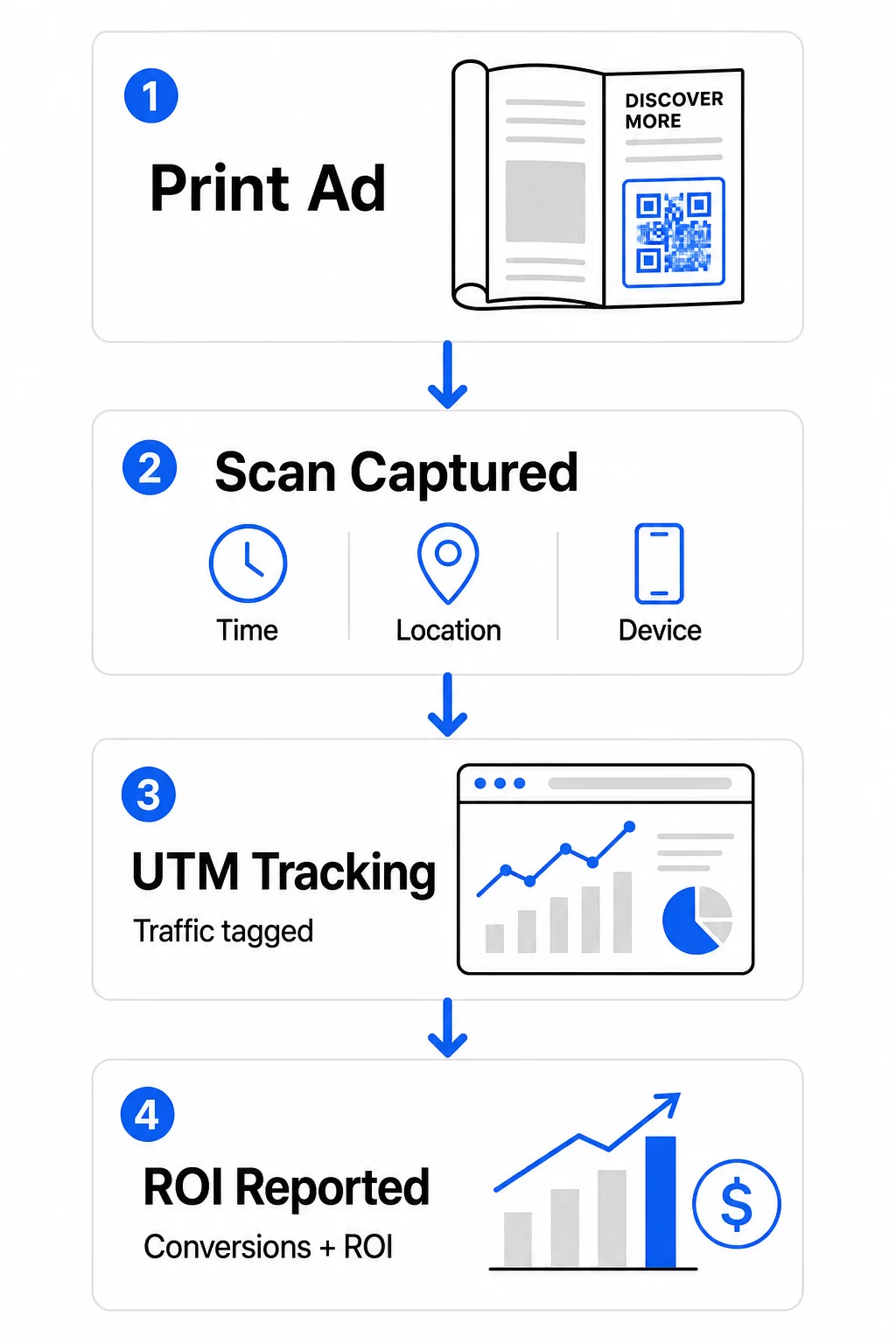
Iată o defalcare a metricilor cheie de monitorizat:
| Metrică | Ce Măsoară | De ce contează |
|---|---|---|
| TOTAL SCANĂRI | Fiecare eveniment de scanare, inclusiv scanările repetate | Arată acoperirea generală a campaniei |
| Scanări unice | Dispozitive individuale care au scanat | Reflectă dimensiunea reală a audienței |
| Rata de scanare | Scanări relative la expunerea estimată a anunțului | Evaluează eficacitatea creativului și a plasării |
| Locația scanării | Distribuția geografică a scanărilor | Identifică regiunile cu performanțe ridicate |
| Tipul dispozitivului | iOS, Android, desktop | Ghidează optimizarea mobilă pentru paginile de destinație |
| Orele de vârf ale scanărilor | Când au loc scanările pe parcursul zilei sau săptămânii | Informează strategia de sincronizare pentru campaniile viitoare |
| Rata de conversie | Acțiuni întreprinse după scanare (achiziții, înregistrări) | Măsoară impactul real asupra afacerii |
Scanări totale vs. scanări unice este o distincție importantă. Scanările totale numără de fiecare dată când un cod este declanșat, inclusiv scanări multiple de către aceeași persoană. Scanările unice utilizează identificarea la nivel de dispozitiv pentru a număra utilizatorii individuali, oferindu-vă o imagine mai precisă a acoperirii reale a publicului. Pentru campaniile tipărite, scanările unice sunt de obicei numărul mai semnificativ.
Cel rata de scanare este echivalentul tipărit al ratei de clic – vă spune ce procent din persoanele care au fost expuse la anunțul dvs. au răspuns efectiv. Puteți estima acest lucru împărțind scanările unice la tirajul tipărit sau la numărul estimat de cititori pentru acea plasare.
Pentru o analiză mai aprofundată a datelor analitice la nivel de întreprindere, articolul despre metricile cheie de analiză a codurilor QR acoperă modul de a depăși numărul de scanări pentru a măsura impactul real asupra afacerii.
Utilizarea Analizei în Timp Real pentru Optimizarea Campaniilor în Timpul Desfășurării
Un avantaj semnificativ al codurilor QR dinamice față de măsurarea tradițională a printului este capacitatea de a acționa pe baza datelor în timp ce o campanie este încă în desfășurare. Cu analiza în timp real, nu așteptați până la sfârșitul unei campanii pentru a afla ce a funcționat.
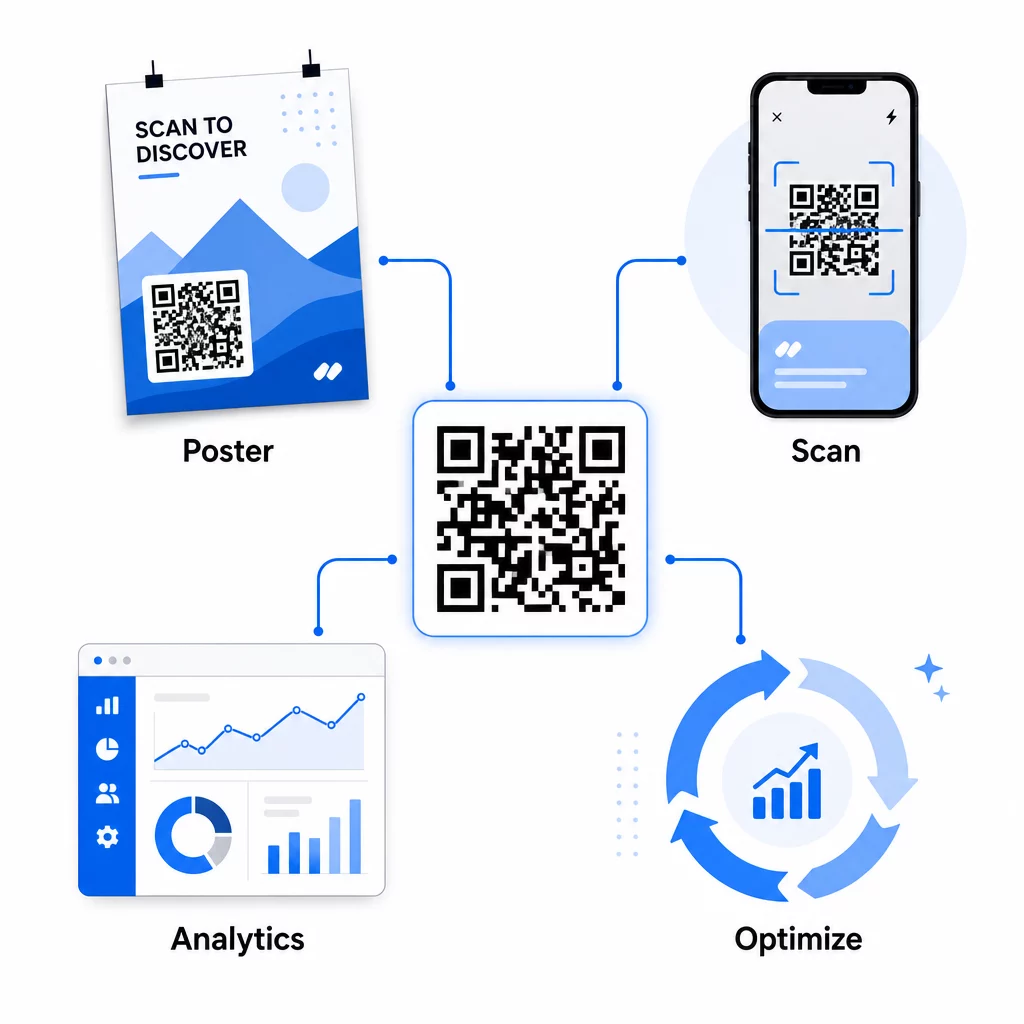
Optimizările practice în timpul campaniei includ:
- Actualizarea URL-ului de destinație dacă pagina de destinație originală nu convertește bine – fără a retipări materiale
- Ajustarea alocării cheltuielilor prin întreruperea plasărilor cu rate scăzute de scanare și creșterea investițiilor în canalele cu performanțe ridicate
- Testare A/B pagini de destinație prin direcționarea traficului de la același cod QR către destinații diferite la momente diferite
- Identificarea modelelor geografice în datele de scanare și adaptarea mesajelor ulterioare pentru regiunile cu răspuns ridicat
Tabloul de bord de analiză în timp real al Pageloot se integrează cu Google Analytics, astfel încât să puteți vizualiza traficul generat de codurile QR alături de celelalte canale digitale. Acest lucru vă oferă o imagine completă a modului în care campaniile dvs. tipărite contribuie la parcursul general al clientului – din momentul în care cineva vede anunțul până la conversia finală.
Monitorizează-ți Campania în Timp Real Vrei să vezi exact unde și când scanează clienții tăi materialele tale tipărite? Folosește Pageloot’s instrumente de analiză a codurilor QR pentru a accesa un tablou de bord complet de performanță și a optimiza campaniile în timp ce acestea sunt încă în desfășurare.
Coduri QR Dinamice pentru Campanii Flexibile, Continue
Pentru campaniile care se desfășoară pe mai multe plasamente sau perioade de timp, codurile QR dinamice oferă un nivel de flexibilitate pe care codurile statice nu-l pot egala. Puteți testa oferte sezoniere, actualiza paginile de destinație pentru a reflecta promoțiile curente și redirecționa traficul fără a atinge materialele tipărite.
Această flexibilitate este deosebit de valoroasă pentru:
- Campanii tipărite de lungă durată unde ofertele se schimbă (ex: promoții sezoniere pe ambalaje sau semnalistică)
- Campanii multi-locație unde paginile de destinație regionale trebuie să varieze
- Optimizarea bugetului unde doriți să redirecționați traficul de la plasamentele subperformante către cele mai puternice
Deoarece codul QR în sine nu se schimbă niciodată – doar destinația către care indică – materialele dvs. tipărite rămân valabile pe termen nelimitat. Acest lucru elimină costurile de retipărire, menținând în același timp conținutul campaniei dvs. actualizat.
Conectarea codurilor QR cu instrumentele de automatizare a marketingului extinde acest lucru și mai mult. Atunci când o scanare declanșează o intrare într-o secvență de e-mail sau un flux de lucru CRM, fiecare interacțiune cu o reclamă tipărită poate iniția o călătorie structurată a clientului – nu doar o vizită unică pe site. Pageloot acceptă integrări cu platforme precum HubSpot și Zapier pentru a permite aceste fluxuri de lucru automate.
Dovedirea ROI-ului din campaniile tipărite
Scopul final al urmăririi codurilor QR în print este dovedirea rentabilității investiției. Cu o configurare corectă, puteți calcula acest lucru direct.
Dacă știți costul campaniei dvs. tipărite și puteți atribui conversiile – achiziții, lead-uri, înscrieri – înapoi la scanări specifice de coduri QR prin parametri UTM și Google Analytics, puteți calcula costul pe achiziție pentru fiecare plasament. Acest lucru vă oferă aceeași responsabilitate pe care ați aștepta-o de la publicitatea digitală aplicată mediilor offline.
Pașii cheie pentru a face acest lucru să funcționeze:
- Utilizați coduri QR unice pentru fiecare plasament, astfel încât atribuirea să fie clară
- Etichetați URL-urile de destinație cu parametri UTM, astfel încât GA4 să capteze calea completă de conversie
- Configurați obiective de conversie în GA4 pentru acțiunile care contează pentru afacerea dvs.
- Utilizați tabloul de bord de analiză Pageloot pentru a corela datele de scanare cu datele de conversie
Pentru echipele care gestionează mai mulți clienți sau campanii simultan, instrumentele agenției de marketing în Pageloot vă permit să urmăriți performanța în cadrul campaniilor într-un singur loc și să prezentați rapoarte de atribuire clare părților interesate. Codurile QR nu doar fac reclamele tipărite interactive – le fac măsurabile. Prin combinarea codurilor QR dinamice, a URL-urilor de destinație etichetate cu UTM și a unei platforme cu analize în timp real, puteți atribui implicarea offline în print rezultatelor digitale cu aceeași precizie pe care ați aplica-o oricărui canal digital. Începeți prin a crea coduri unice pentru fiecare dintre plasamentele dvs. tipărite actuale și vedeți care dintre ele generează de fapt rezultate.
Începeți cu Cod QR generator gratuit sau explorați urmărire cod QR dinamic pentru a vedea toate capabilitățile disponibile pentru campaniile dvs. de print.
Întrebări frecvente
Da, dacă utilizați coduri QR dinamice. Codurile dinamice indică o adresă URL de redirecționare pe care o controlați. Puteți actualiza destinația – fie că este o nouă pagină de destinație, o ofertă sezonieră sau o adresă URL revizuită cu etichete UTM – fără a schimba codul QR tipărit. Materialele fizice rămân valide, iar urmărirea dvs. continuă neîntreruptă.
Numărul total de scanări înregistrează de fiecare dată când codul este declanșat, inclusiv scanări multiple de către aceeași persoană. Scanările unice numără dispozitivele individuale, oferindu-vă o imagine mai clară despre câte persoane distincte au răspuns la anunțul dumneavoastră. Pentru măsurarea acoperirii anunțurilor tipărite și calcularea ratelor de scanare, scanările unice sunt, de obicei, mai relevante.
Adăugați parametri UTM la adresa URL de destinație încorporată în codul dvs. QR. Când cineva scanează codul și ajunge pe site-ul dvs. web, Google Analytics înregistrează sesiunea cu acele etichete UTM. Dacă ați configurat obiective de conversie în GA4 – achiziții, trimiteri de formulare, descărcări – puteți vedea exact câte conversii au provenit din fiecare plasare tipărită. Acesta este nucleul atribuirii offline-la-digital pentru campaniile de print.