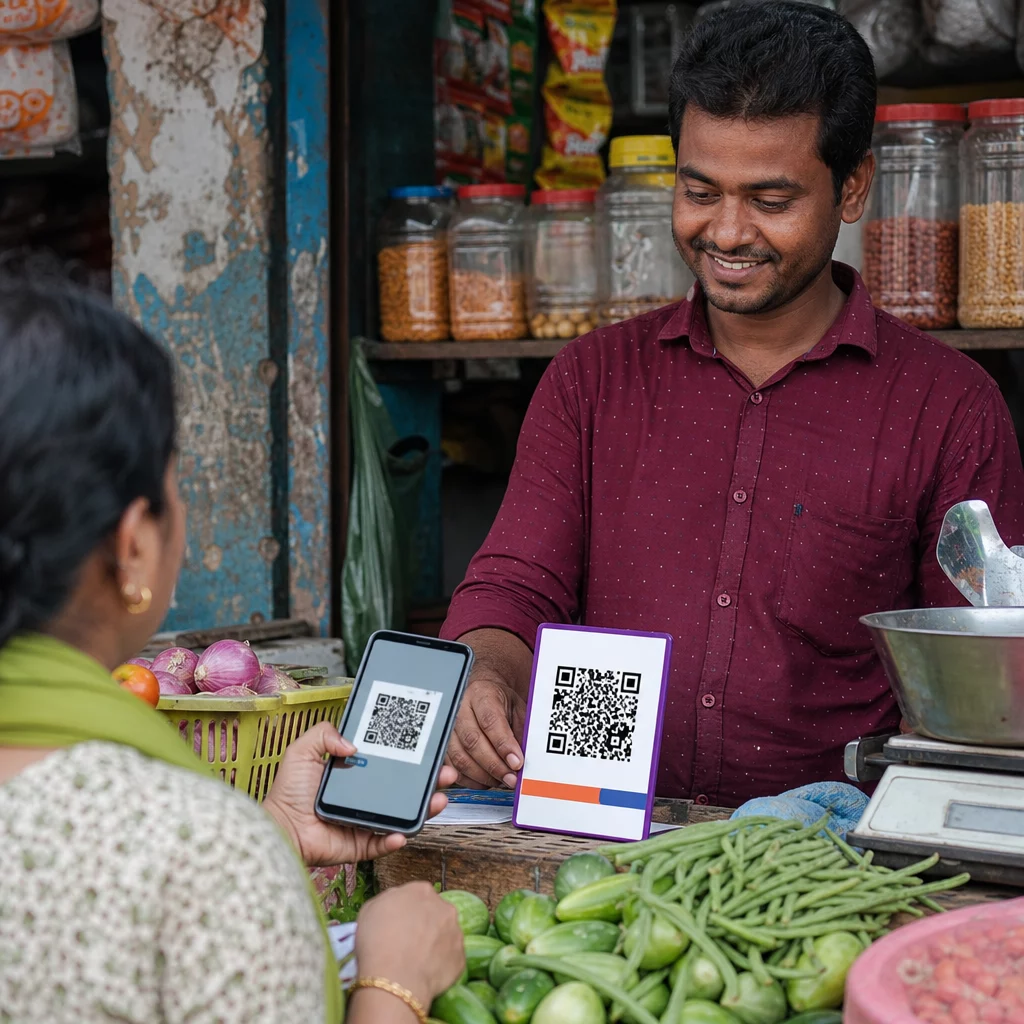
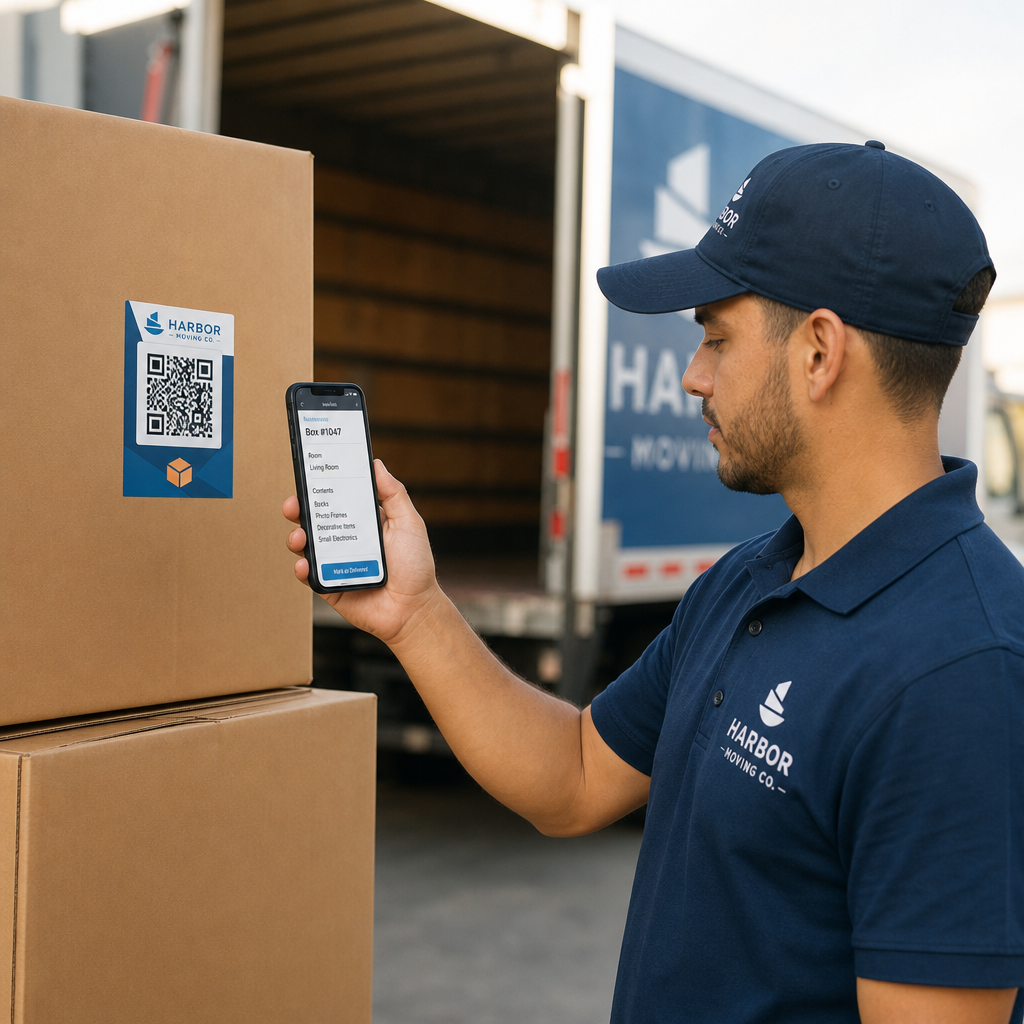
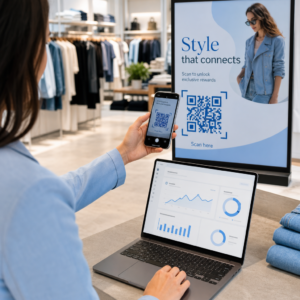
Kaip žinoti, ar jūsų spausdintinė reklama iš tiesų veikia? Neturėdami būdo matuoti atsakymų, jūs spėliojate – o iššvaistytos reklamos išlaidos greitai kaupiasi. QR kodai išsprendžia tai, paversdami kiekvieną spausdintinės reklamos vietą stebimu skaitmeniniu sąlyčio tašku, suteikdami jums konkrečius duomenis apie tai, kas įsitraukė, kada ir ką jie veikė toliau.
Kodėl spausdintinę reklamą sunku išmatuoti be QR kodų
Tradicinė spausdintinė reklama – žurnalai, tiesioginis paštas, plakatai, skrajutės – visada kentėjo nuo priskyrimo spragos. Galite įvertinti pasiekiamumą pagal tiražo skaičius, tačiau nėra jokio natūralaus būdo sužinoti, kiek skaitytojų iš tikrųjų reagavo į konkrečią reklamą, jau nekalbant apie tai, ką jie veikė vėliau.
QR kodai užpildo šią spragą. Kai skaitytojas nuskaito kodą jūsų spausdintinėje medžiagoje, šis veiksmas yra skaitmeniniu būdu užregistruojamas. Jūs užfiksuojate nuskaitymo įvykį, vietą, įrenginio tipą ir laiką – o jei paskirties URL apima UTM parametrus, galite sekti tą vartotoją iki pat pirkimo, registracijos ar atsisiuntimo. Neprisijungus gautas įspūdis tampa išmatuojama skaitmenine konversija.
Štai kodėl QR kodai tapo standartine spausdintinių kampanijų priskyrimo priemone. Naudodami unikalius QR kodus skirtingose vietose – po vieną kiekvienam žurnalui, po vieną kiekvienai tiesioginio pašto siuntai, po vieną kiekvienai reklaminio stendo vietai – galite palyginti našumą tarp kanalų taip pat, kaip lygintumėte mokamas skaitmenines kampanijas.
Paverskite spausdintinės reklamos vietas išmatuojamomis kampanijomis Naudoti Dinaminis QR kodo generatorius sukurti unikalius, stebimus kodus kiekvienai spausdintinės reklamos vietai ir pradėti rinkti realius įsitraukimo duomenis.
Statiniai ir dinaminiai QR kodai stebėjimui
Ne visi QR kodai palaiko stebėjimą. Skirtumo tarp statinių ir dinaminių kodų supratimas yra bet kokios spausdintinės reklamos matavimo strategijos pagrindas.
Statiniai QR kodai tiesiogiai užkoduoja paskirties URL į kodo šabloną. Atspausdinus, paskirties vieta negali būti pakeista, ir nėra mechanizmo nuskaitymo įvykiams registruoti. Jie puikiai tinka nuolatiniam turiniui susieti, tačiau nepateikia jokios analizės.
Dinaminiai QR kodai vietoj to užkoduoja trumpą nukreipimo URL. Nuskaitytas nukreipimas nukreipia į jūsų pasirinktą paskirties vietą – ir platforma registruoja nuskaitymo įvykį su laiko žyma, vieta ir įrenginio duomenimis. Kadangi nukreipimo URL lieka fiksuotas, o paskirties vieta gali keistis, galite bet kada atnaujinti susietą turinį, neperspausdindami savo medžiagos.
Spausdintinės reklamos stebėjimui, dinaminiai QR kodai yra vienintelė praktiška galimybė. Jie suteikia jums nuskaitymo duomenis, reikalingus kampanijos našumui matuoti, ir lankstumą koreguoti nukreipimo puslapius pagal tai, ką rodo duomenys.
QR kodų nustatymas spausdintinių kampanijų stebėjimui
Sukurkite unikalius kodus kiekvienai vietai
Svarbiausia spausdintinės reklamos stebėjimo taisyklė yra vienas QR kodas vienai vietai. Jei tą pačią reklamą rodote trijuose skirtinguose žurnaluose naudodami vieną bendrą QR kodą, matysite bendrą nuskaitymų skaičių, bet nežinosite, kuris leidinys davė rezultatų.
Kiekvienam priskirkite atskirą QR kodą:
- Leidiniui ar kanalui (pvz., kiekvienam žurnalo pavadinimui)
- Geografinei platinimo sričiai (pvz., Šiaurės rytų vs. Vakarų pakrantės siuntiniai)
- Skelbimo formatui ar dydžiui (pvz., viso puslapio vs. pusės puslapio)
- Kampanijos laikotarpiui ar laiko intervalui
Šis metodas leidžia tiesiogiai palyginti našumą skirtingose vietose ir skirti būsimas išlaidas tam, kas veikia. Pageloot kampanijos valdymo įrankiai leidžia jums organizuoti kodus pagal kampaniją, priskirti juos subpaskyroms skirtingoms komandoms ir valdyti visas vietas iš vienos valdymo pulto.
Pridėkite UTM parametrus prie savo paskirties URL
Nuskaitymo duomenys iš jūsų QR kodo platformos parodo, kiek žmonių įsitraukė į jūsų spausdintą skelbimą. UTM parametrai pasako, ką tie žmonės veikė po nuskaitymo. Kartu jie suteikia jums visą priskyrimo vaizdą.
UTM parametrai yra žymės, pridedamos prie jūsų paskirties URL, kurios identifikuoja srauto šaltinį „Google Analytics“. Tinkamai pažymėtas URL spausdintinei kampanijai gali atrodyti taip:
`https://yourwebsite.com/landing-page?utm``source=vogue``magazine&utm`medium=qrkodas&utm`campaign=fall``launch_2025`
Naudojant šią sąranką, kiekviena sesija, kilusi iš to QR kodo nuskaitymo, pasirodo „Google Analytics“ pažymėta konkrečiai tai vietai. Tada galite matuoti tolesnius veiksmus – pirkimus, formų pildymus, turinio atsisiuntimus – ir priskirti juos spausdintinei reklamai, kuri sugeneravo nuskaitymą.
Išsamiam pavadinimų suteikimo taisyklių ir GA4 ataskaitų aprašymui, vadovas apie UTM parametrus QR kodams išsamiai aprašo sąranką.
Susiekite spausdintinės medžiagos nuskaitymus su „Google Analytics“ Pagelooto analizės funkcijos leidžia pridėti UTM parametrus kuriant QR kodą, kad kiekvienas nuskaitymas būtų automatiškai priskirtas GA4.
Kurkite kodus, kurie iš tikrųjų būtų nuskaitomi
Stebėjimas veikia tik tada, jei žmonės nuskaito jūsų kodus. Keletas techninių reikalavimų taikomi konkrečiai spausdintinei medžiagai:
- Minimalus dydis: 0,8 × 0,8 colio standartinei spausdintinei medžiagai, pvz., vizitinėms kortelėms ar skrajutėms; proporcingai didinkite plakatams ir iškaboms, naudodami taisyklę 10:1 – bent vienas colio QR kodo plotis kiekvieniems dešimčiai colių numatomo nuskaitymo atstumo
- Kontrastas: Didelis kontrastas tarp tamsių modulių ir šviesaus fono yra būtinas; venkite mažo kontrasto derinių, tokių kaip šviesiai pilka ant baltos, ir niekada neapverskite spalvų
- Vieta: Akių lygis yra idealus plakatams ir iškaboms, paprastai tarp 3,5 ir 5,5 pėdų nuo žemės; venkite išlenktų paviršių, tokių kaip butelių etiketės ar žurnalų lankstiniai, kur iškraipymas gali trukdyti nuskaityti
- Failo formatas: Didelio formato spausdinimui naudokite vektorinius formatus (EPS arba SVG); PNG arba JPEG pakanka mažesnėms medžiagoms
Pridėjus raginimo veikti rėmelį – “Nuskaitykite, kad gautumėte išskirtinį pasiūlymą” arba “Gaukite tiesioginę prieigą” – prie kodo, skaitytojams suteikiama aiški priežastis įsitraukti. Firminiai QR kodai, kuriuose yra jūsų logotipas ir spalvos, taip pat didina atpažįstamumą ir pasitikėjimą. Išsamias dydžio ir išdėstymo gaires rasite vadove apie QR kodų naudojimą spausdintinėje žiniasklaidoje.
Svarbiausi rodikliai spausdintinės reklamos priskyrimui
Kai jūsų kodai bus aktyvūs, surinkti duomenys suskirstomi į dvi kategorijas: įsitraukimo rodiklius, kurie matuoja, kiek žmonių reagavo į jūsų spausdintinę reklamą, ir konversijos rodiklius, kurie matuoja, ką tie žmonės veikė toliau.
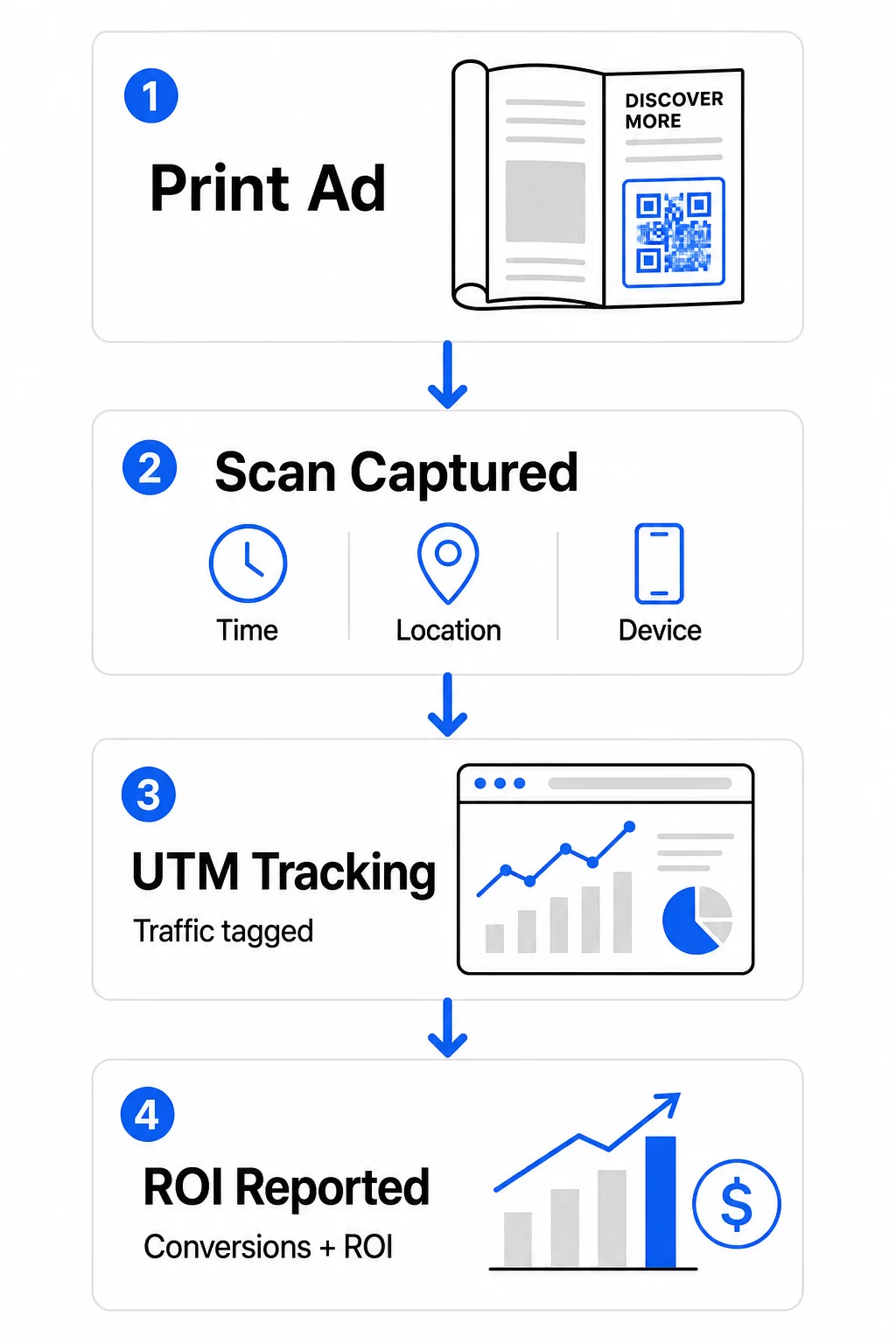
Štai pagrindinių stebimų rodiklių suskirstymas:
| Metrika | Ką tai matuoja | Kodėl tai svarbu |
|---|---|---|
| VISI NUSKAITYMAI | Kiekvienas nuskaitymo įvykis, įskaitant pakartotinius nuskaitymus | Rodo bendrą kampanijos pasiekiamumą |
| Unikalūs nuskaitymai | Individualūs įrenginiai, kurie nuskenavo | Atspindi faktinį auditorijos dydį |
| Nuskaitymo rodiklis | Nuskaitymai, palyginti su numatomu skelbimo rodymu | Įvertina kūrybinės medžiagos ir vietos efektyvumą |
| Nuskaitymo vieta | Geografinis nuskaitymų pasiskirstymas | Nustato didelio našumo regionus |
| Įrenginio tipas | iOS, Android, stalinis kompiuteris | Padeda optimizuoti mobiliesiems skirtus nukreipimo puslapius |
| Didžiausio nuskaitymo laikas | Kada nuskaitymai vyksta dienos ar savaitės metu | Informuoja apie būsimų kampanijų laiko strategiją |
| Konversijos rodiklis | Veiksmai, atlikti po nuskaitymo (pirkimai, registracijos) | Matuoja realų verslo poveikį |
Bendras nuskaitymų skaičius vs. unikalūs nuskaitymai yra svarbus skirtumas. Bendras nuskaitymų skaičius apima kiekvieną kartą, kai kodas yra aktyvuojamas, įskaitant kelis to paties asmens nuskaitymus. Unikalūs nuskaitymai naudoja įrenginio lygio identifikaciją, kad suskaičiuotų individualius vartotojus, suteikdami jums tikslesnį faktinės auditorijos pasiekiamumo vaizdą. Spausdintoms kampanijoms unikalūs nuskaitymai paprastai yra reikšmingesnis skaičius.
Tas nuskaitymo rodiklis yra spausdintinis paspaudimų rodiklio atitikmuo – jis parodo, koks procentas žmonių, kurie matė jūsų reklamą, iš tikrųjų reagavo. Tai galite įvertinti padaliję unikalius nuskaitymus iš tiražo arba numatomo to išdėstymo skaitytojų skaičiaus.
Norėdami giliau pažvelgti į įmonės lygio analizę, straipsnis apie pagrindines QR kodo analizės metrikas aprašo, kaip pereiti nuo nuskaitymų skaičiaus prie tikro verslo poveikio matavimo.
Naudojant realaus laiko analizę kampanijų optimizavimui joms vykstant
Vienas reikšmingas dinaminių QR kodų pranašumas, palyginti su tradiciniu spausdintinės medžiagos matavimu, yra galimybė veikti pagal duomenis, kol kampanija dar vyksta. Naudodami realaus laiko analizę, nelaukiate, kol kampanija baigsis, kad sužinotumėte, kas pasiteisino.
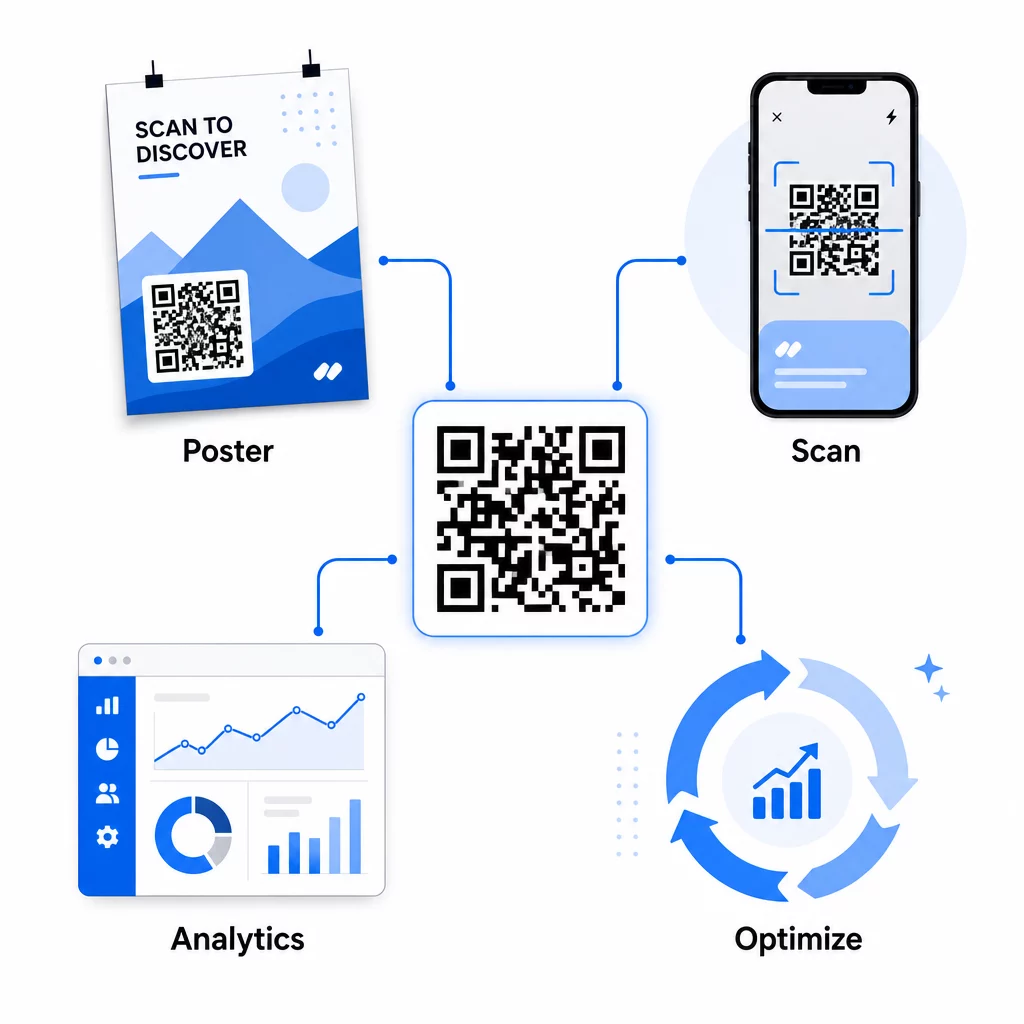
Praktiniai kampanijos eigoje atliekami optimizavimai apima:
- Paskirties URL atnaujinimas jei originalus nukreipimo puslapis prastai konvertuoja – neperspausdinant jokių medžiagų
- Išlaidų paskirstymo koregavimas sustabdant mažo nuskaitymo rodiklio vietas ir didinant investicijas į gerai veikiančius kanalus
- A/B testavimas nukreipimo puslapių nukreipiant srautą iš to paties QR kodo į skirtingas paskirties vietas skirtingu metu
- Geografinių modelių nustatymas nuskaitymo duomenyse ir pritaikant tolesnius pranešimus didelio atsako regionams
Pageloot realaus laiko analizės prietaisų skydelis integruojasi su „Google Analytics“, todėl galite matyti QR kodu valdomą srautą kartu su kitais skaitmeniniais kanalais. Tai suteikia jums išsamų vaizdą, kaip jūsų spausdintos kampanijos prisideda prie bendros kliento kelionės – nuo to momento, kai kas nors pamato skelbimą, iki galutinio konversijos.
Stebėkite savo kampaniją realiuoju laiku Norite tiksliai pamatyti, kur ir kada jūsų klientai nuskaito jūsų spausdintą medžiagą? Naudokite Pageloot QR kodo analizės įrankius norėdami pasiekti visą našumo prietaisų skydelį ir optimizuoti kampanijas, kol jos dar vykdomos.
Dinaminiai QR kodai lanksčioms, nuolatinėms kampanijoms
Kampanijoms, kurios vykdomos keliose vietose ar laikotarpiuose, dinaminiai QR kodai suteikia lankstumo lygį, kurio statiniai kodai negali prilygti. Galite išbandyti sezoninius pasiūlymus, atnaujinti paskirties puslapius, kad atspindėtų dabartines akcijas, ir nukreipti srautą neliesdami spausdintos medžiagos.
Šis lankstumas ypač vertingas:
- Ilgalaikėms spausdintoms kampanijoms kur keičiasi pasiūlymai (pvz., sezoninės akcijos ant pakuočių ar iškabų)
- Kelių vietų kampanijoms kur regioniniai nukreipimo puslapiai turi skirtis
- Biudžeto optimizavimas kur norite nukreipti srautą iš prastai veikiančių vietų į stipresnes
Kadangi pats QR kodas niekada nesikeičia – keičiasi tik jo nurodoma paskirties vieta – jūsų spausdinta medžiaga išlieka galiojanti neribotą laiką. Tai pašalina perspausdinimo išlaidas, kartu išlaikant jūsų kampanijos turinį aktualų.
QR kodų susiejimas su rinkodaros automatizavimo įrankiais tai dar labiau išplečia. Kai nuskaitymas sukelia įrašą į el. pašto seką arba CRM darbo eigą, kiekviena spausdintos reklamos sąveika gali inicijuoti struktūrizuotą kliento kelionę – ne tik vienkartinį apsilankymą svetainėje. „Pageloot“ palaiko integracijas su tokiomis platformomis kaip „HubSpot“ ir „Zapier“, kad būtų galima įjungti šias automatizuotas darbo eigas.
ROI įrodymas iš spausdintų kampanijų
Pagrindinis QR kodų sekimo spausdintuose leidiniuose tikslas yra investicijų grąžos įrodymas. Tinkamai nustačius, tai galite apskaičiuoti tiesiogiai.
Jei žinote savo spausdintos kampanijos kainą ir galite priskirti konversijas – pirkimus, potencialius klientus, registracijas – konkretiems QR kodų nuskaitymams per UTM parametrus ir „Google Analytics“, galite apskaičiuoti vieno įsigijimo kainą kiekvienai vietai. Tai suteikia jums tą pačią atskaitomybę, kurios tikėtumėtės iš skaitmeninės reklamos, pritaikytos neprisijungus veikiančiai žiniasklaidai.
Pagrindiniai žingsniai, kad tai veiktų:
- Kiekvienai vietai naudokite unikalius QR kodus, kad priskyrimas būtų aiškus
- Pažymėkite paskirties URL adresus UTM parametrais, kad GA4 užfiksuotų visą konversijos kelią
- Nustatykite konversijos tikslus GA4 veiksmams, kurie yra svarbūs jūsų verslui
- Naudokite „Pageloot“ analizės prietaisų skydelį, kad palygintumėte nuskaitymo duomenis su konversijos duomenimis
Komandoms, vienu metu valdančioms kelis klientus ar kampanijas, rinkodaros agentūros įrankiai „Pageloot“ leidžia stebėti kampanijų našumą vienoje vietoje ir pateikti aiškias priskyrimo ataskaitas suinteresuotosioms šalims. QR kodai ne tik daro spausdintas reklamas interaktyvias – jie jas daro išmatuojamas. Sujungę dinaminius QR kodus, UTM žymėmis pažymėtus paskirties URL ir platformą su realaus laiko analize, galite priskirti neprisijungus veikiančių spausdintų leidinių įsitraukimą skaitmeniniams rezultatams su tokiu pat tikslumu, kokį taikytumėte bet kuriam skaitmeniniam kanalui. Pradėkite kurdami unikalius kodus kiekvienai savo dabartinei spausdintos reklamos vietai ir pažiūrėkite, kurios iš jų iš tikrųjų duoda rezultatų.
Pradėkite nuo Nemokamas QR kodo generatorius arba tyrinėkite dinaminio QR kodo sekimas kad pamatytumėte visas galimybes, prieinamas jūsų spausdintoms kampanijoms.
Dažniausiai užduodami klausimai
Taip, jei naudojate dinaminius QR kodus. Dinaminiai kodai nukreipia į peradresavimo URL, kurį valdote. Galite atnaujinti paskirties vietą – ar tai būtų naujas nukreipimo puslapis, sezoninis pasiūlymas, ar pataisytas URL su UTM žymėmis – nekeisdami atspausdinto QR kodo. Fizinės medžiagos išlieka galiojančios, o jūsų sekimas tęsiasi be pertrūkių.
Bendras nuskaitymų skaičius skaičiuojamas kiekvieną kartą, kai suveikia kodas, įskaitant kelis to paties asmens nuskaitymus. Unikalūs nuskaitymai skaičiuoja atskirus įrenginius, suteikdami jums aiškesnį vaizdą, kiek skirtingų žmonių atsakė į jūsų reklamą. Matuojant spausdintos reklamos pasiekiamumą ir apskaičiuojant nuskaitymo rodiklius, unikalūs nuskaitymai paprastai yra prasmingesni.
Pridėkite UTM parametrus prie paskirties URL, įterpto į jūsų QR kodą. Kai kas nors nuskaito kodą ir patenka į jūsų svetainę, „Google Analytics“ įrašo sesiją su tomis UTM žymėmis. Jei nustatėte konversijos tikslus GA4 – pirkimus, formų pateikimus, atsisiuntimus – galite tiksliai matyti, kiek konversijų atsirado iš kiekvienos spausdinimo vietos. Tai yra neprisijungus prie skaitmeninio priskyrimo spausdintoms kampanijoms esmė.