Ako viete, či vaše tlačené reklamy skutočne fungujú? Bez spôsobu merania odozvy len hádate – a premrhané výdavky na reklamu sa rýchlo sčítajú. QR kódy to riešia premenou každého umiestnenia tlače na sledovateľný digitálny dotykový bod, čo vám poskytuje konkrétne údaje o tom, kto sa zapojil, kedy a čo urobil ďalej.
Prečo je ťažké merať tlačené reklamy bez QR kódov
Tradičná tlačená reklama – časopisy, priama pošta, plagáty, letáky – vždy trpela medzerou v atribúcii. Dosah môžete odhadnúť na základe nákladu, ale neexistuje žiadny prirodzený spôsob, ako zistiť, koľko čitateľov skutočne reagovalo na konkrétnu reklamu, nehovoriac o tom, čo urobili potom.
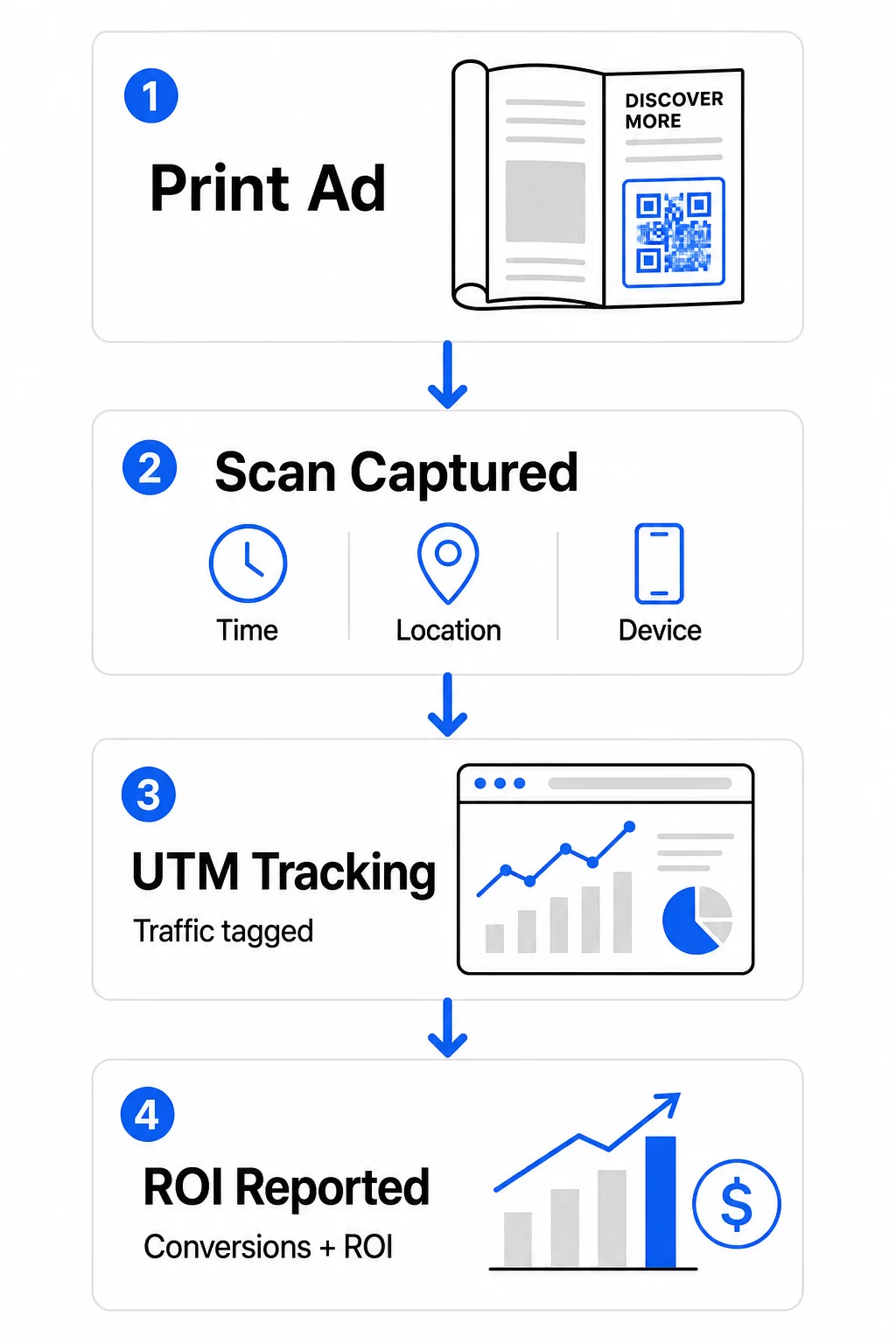
QR kódy túto medzeru uzatvárajú. Keď čitateľ naskenuje kód vo vašom tlačovom materiáli, táto akcia sa digitálne zaznamená. Zaznamenáte udalosť skenovania, polohu, typ zariadenia a čas – a ak cieľová URL adresa obsahuje parametre UTM, môžete sledovať tohto používateľa až po nákup, registráciu alebo stiahnutie. Offline zobrazenie sa stáva merateľnou digitálnou konverziou.
Preto sa QR kódy stali štandardným nástrojom pre atribúciu tlačových kampaní. Použitím jedinečných QR kódov na rôznych umiestneniach – jeden pre každý časopis, jeden pre každú dávku priamej pošty, jeden pre každé miesto billboardu – môžete porovnávať výkonnosť naprieč kanálmi rovnakým spôsobom, ako by ste porovnávali platené digitálne kampane.
Premeňte umiestnenia tlače na merateľné kampane Použi Dynamický QR kód generátor na vytvorenie jedinečných, sledovateľných kódov pre každé umiestnenie tlače a začnite zbierať skutočné údaje o zapojení.
Statické vs. Dynamické QR kódy pre sledovanie
Nie všetky QR kódy podporujú sledovanie. Pochopenie rozdielu medzi statickými a dynamickými kódmi je základom každej stratégie merania tlače.
Statické kódy QR zakódujú cieľovú URL adresu priamo do vzoru kódu. Po vytlačení sa cieľ nedá zmeniť a neexistuje žiadny mechanizmus na zaznamenávanie udalostí skenovania. Fungujú dobre na prepojenie s trvalým obsahom, ale neponúkajú žiadne analýzy.
Dynamické kódy QR namiesto toho zakódujú krátku presmerovaciu URL adresu. Po naskenovaní sa presmerovanie vyrieši na vami zvolený cieľ – a platforma zaznamená udalosť skenovania s časovou pečiatkou, polohou a údajmi o zariadení. Pretože presmerovacia URL adresa zostáva pevná, zatiaľ čo cieľ sa môže meniť, môžete aktualizovať prepojený obsah kedykoľvek bez opätovnej tlače vašich materiálov.
Pre sledovanie tlačových reklám, dynamické QR kódy sú jedinou praktickou možnosťou. Poskytujú vám údaje o skenovaní, ktoré potrebujete na meranie výkonnosti kampane, a flexibilitu pri úprave vstupných stránok na základe toho, čo ukazujú údaje.
Nastavenie QR kódov pre sledovanie tlačových kampaní
Vytvorte jedinečné kódy pre každé umiestnenie
Najdôležitejšie pravidlo pre sledovanie tlače je jeden QR kód na umiestnenie. Ak spustíte rovnakú reklamu v troch rôznych časopisoch pomocou jedného zdieľaného QR kódu, uvidíte súhrnné počty skenov, ale nebudete vedieť, ktorá publikácia priniesla výsledky.
Priraďte samostatný QR kód ku každému:
- Publikácii alebo kanálu (napr. každý názov časopisu)
- Geografickej distribučnej oblasti (napr. zásielky pre severovýchod vs. západné pobrežie)
- Formátu alebo veľkosti reklamy (napr. celostranová vs. polstranová)
- Trvaniu kampane alebo časovému obdobiu
Tento prístup vám umožňuje priamo porovnávať výkonnosť naprieč umiestneniami a alokovať budúce výdavky na to, čo funguje. Pageloot’s nástroje na správu kampaní vám umožňujú organizovať kódy podľa kampane, priraďovať ich k podúčtom pre rôzne tímy a spravovať všetky umiestnenia z jedného ovládacieho panela.
Pridajte parametre UTM do vašich cieľových URL adries
Údaje o skenovaní z vašej platformy QR kódov vám povedia, koľko ľudí interagovalo s vašou tlačenou reklamou. Parametre UTM vám povedia, čo títo ľudia robili po skenovaní. Spolu vám poskytnú kompletný obraz o atribúcii.
Parametre UTM sú značky pripojené k vašej cieľovej URL adrese, ktoré identifikujú zdroj návštevnosti v Google Analytics. Správne označená URL adresa pre tlačovú kampaň môže vyzerať takto:
`https://yourwebsite.com/landing-page?utmsource=voguemagazine&utmmedium=qrkód&utmcampaign=falllaunch_2025`
S týmto nastavením sa každá relácia, ktorá pochádza zo skenovania QR kódu, zobrazí v službe Google Analytics označená pre toto konkrétne umiestnenie. Potom môžete merať následné akcie – nákupy, vyplnenie formulárov, stiahnutie obsahu – a priradiť ich k tlačenej reklame, ktorá vygenerovala sken.
Pre kompletný prehľad konvencií pomenovania a reportingu v GA4, sprievodca na parametrov UTM pre QR kódy podrobne pokrýva nastavenie.
Prepojte skeny z tlače s Google Analytics Pageloot analytické funkcie vám umožňujú pridať parametre UTM počas vytvárania QR kódu, takže každý sken je automaticky priradený v GA4.
Navrhnite kódy, ktoré sa skutočne skenujú
Sledovanie funguje len vtedy, ak ľudia skenujú vaše kódy. Niekoľko technických požiadaviek sa vzťahuje špecificky na tlačové materiály:
- Minimálna veľkosť: 0,8 × 0,8 palca pre štandardné tlačové materiály ako vizitky alebo letáky; proporcionálne zväčšite pre plagáty a značenie pomocou pravidla 10:1 – aspoň jeden palec šírky QR kódu na každých desať palcov očakávanej vzdialenosti skenovania
- Kontrast: Vysoký kontrast medzi tmavými modulmi a svetlým pozadím je nevyhnutný; vyhnite sa nízkokontrastným kombináciám ako svetlosivá na bielej a nikdy neinvertujte farby
- Umiestnenie: Úroveň očí je ideálna pre plagáty a značenie, typicky medzi 3,5 a 5,5 stôp od zeme; vyhnite sa zakriveným povrchom ako etikety fliaš alebo záhyby časopisov, kde skreslenie môže brániť skenovaniu
- Formát súboru: Používajte vektorové formáty (EPS alebo SVG) pre veľkoformátovú tlač; PNG alebo JPEG postačuje pre menšie materiály
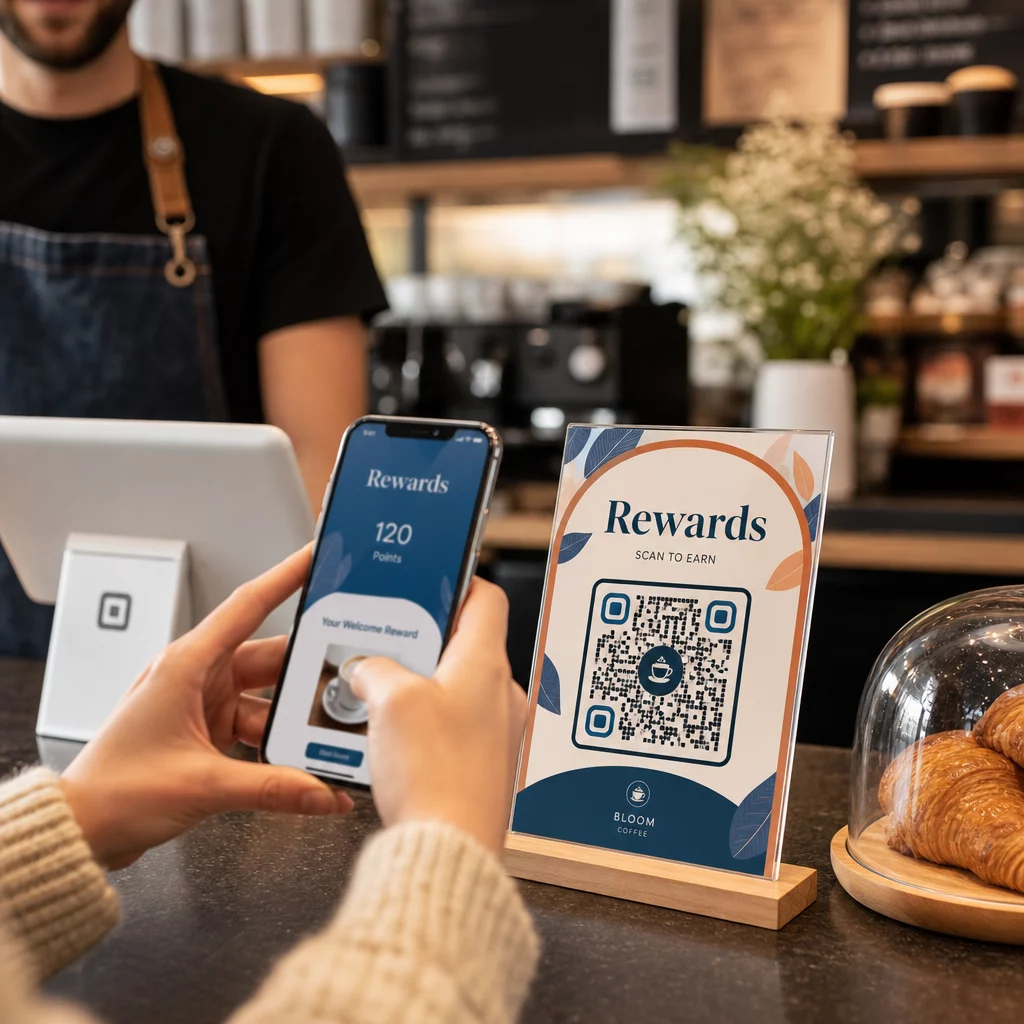
Pridanie rámčeka s výzvou k akcii – “Skenujte pre exkluzívnu ponuku” alebo “Získajte okamžitý prístup” – v blízkosti kódu dáva čitateľom jasný dôvod na zapojenie. Značkové QR kódy, ktoré zahŕňajú vaše logo a farby, tiež budujú rozpoznateľnosť a dôveru. Podrobné pokyny pre veľkosť a umiestnenie nájdete v sprievodcovi používania QR kódov v tlačových médiách.
Metriky, ktoré sú dôležité pre atribúciu tlačenej reklamy
Akonáhle sú vaše kódy aktívne, zhromaždené údaje spadajú do dvoch kategórií: metriky zapojenia, ktoré merajú, koľko ľudí reagovalo na vašu tlačenú reklamu, a metriky konverzie, ktoré merajú, čo títo ľudia urobili ďalej.
Tu je rozpis kľúčových metrík na sledovanie:
| Metrika | Čo meria | Prečo je to dôležité |
|---|---|---|
| SKENY SPOLU | Každá udalosť skenovania, vrátane opakovaných skenov | Ukazuje celkový dosah kampane |
| Unikátne skeny | Jednotlivé zariadenia, ktoré skenovali | Odráža skutočnú veľkosť publika |
| Miera prekliku skenovania | Skenovania vzhľadom na odhadovanú expozíciu reklamy | Hodnotí efektivitu kreatívy a umiestnenia |
| Miesto skenovania | Geografické rozloženie skenov | Identifikuje vysoko výkonné regióny |
| Typ zariadenia | iOS, Android, desktop | Vedie k mobilnej optimalizácii pre vstupné stránky |
| Vrcholové časy skenovania | Kedy dochádza k skenovaniu počas dňa alebo týždňa | Informuje o stratégii načasovania pre budúce kampane |
| Miera konverzie | Akcie vykonané po skenovaní (nákupy, registrácie) | Meria skutočný obchodný dopad |
Celkový počet skenov vs. jedinečné skeny je dôležitý rozdiel. Celkový počet skenov počíta každé spustenie kódu, vrátane viacerých skenov tou istou osobou. Unikátne skeny používajú identifikáciu na úrovni zariadenia na počítanie jednotlivých používateľov, čo vám poskytuje presnejší obraz o skutočnom dosahu publika. Pre tlačové kampane sú unikátne skeny zvyčajne zmysluplnejším číslom.
Ten miera prekliku skenovaním je tlačový ekvivalent miery prekliku – hovorí vám, aké percento ľudí, ktorí boli vystavení vašej reklame, skutočne reagovalo. Môžete to odhadnúť vydelením unikátnych skenov nákladom tlače alebo odhadovanou čítanosťou pre dané umiestnenie.
Pre hlbší pohľad na analytiku na podnikovej úrovni, článok o kľúčových metrikách analytiky QR kódov pokrýva, ako prejsť od počtu skenov k meraniu skutočného obchodného dopadu.
Používanie analýzy v reálnom čase na optimalizáciu kampaní počas ich priebehu
Jednou významnou výhodou dynamických QR kódov oproti tradičnému meraniu tlače je schopnosť konať na základe údajov, zatiaľ čo kampaň stále prebieha. S analýzou v reálnom čase nečakáte, kým sa kampaň skončí, aby ste zistili, čo fungovalo.
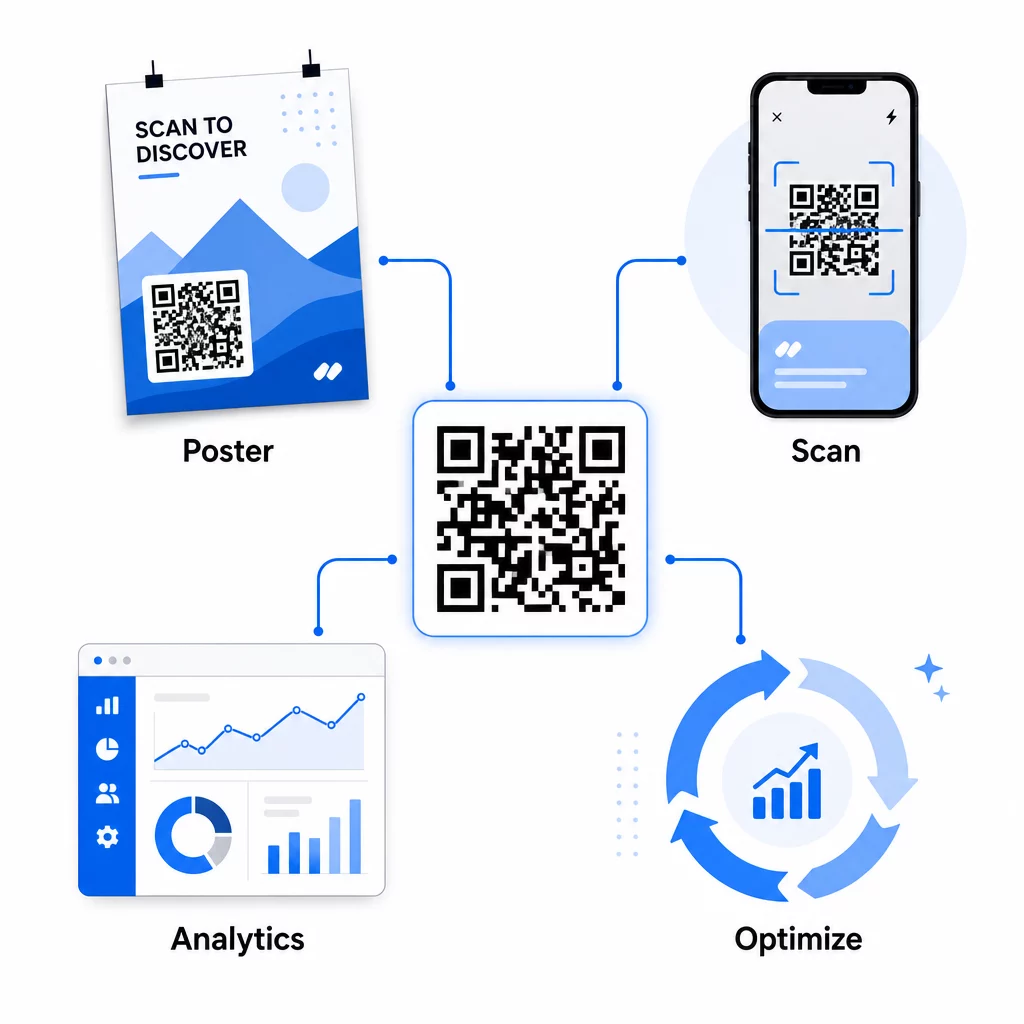
Praktické optimalizácie počas kampane zahŕňajú:
- Aktualizácia cieľovej URL adresy ak pôvodná vstupná stránka nekonvertuje dobre – bez pretlačenia akýchkoľvek materiálov
- Úprava alokácie výdavkov pozastavením umiestnení s nízkou mierou skenovania a zvýšením investícií do vysoko výkonných kanálov
- A/B testovanie vstupných stránok presmerovaním prevádzky z rovnakého QR kódu na rôzne destinácie v rôznych časoch
- Identifikácia geografických vzorcov v údajoch o skenovaní a prispôsobenie následných správ pre regióny s vysokou odozvou
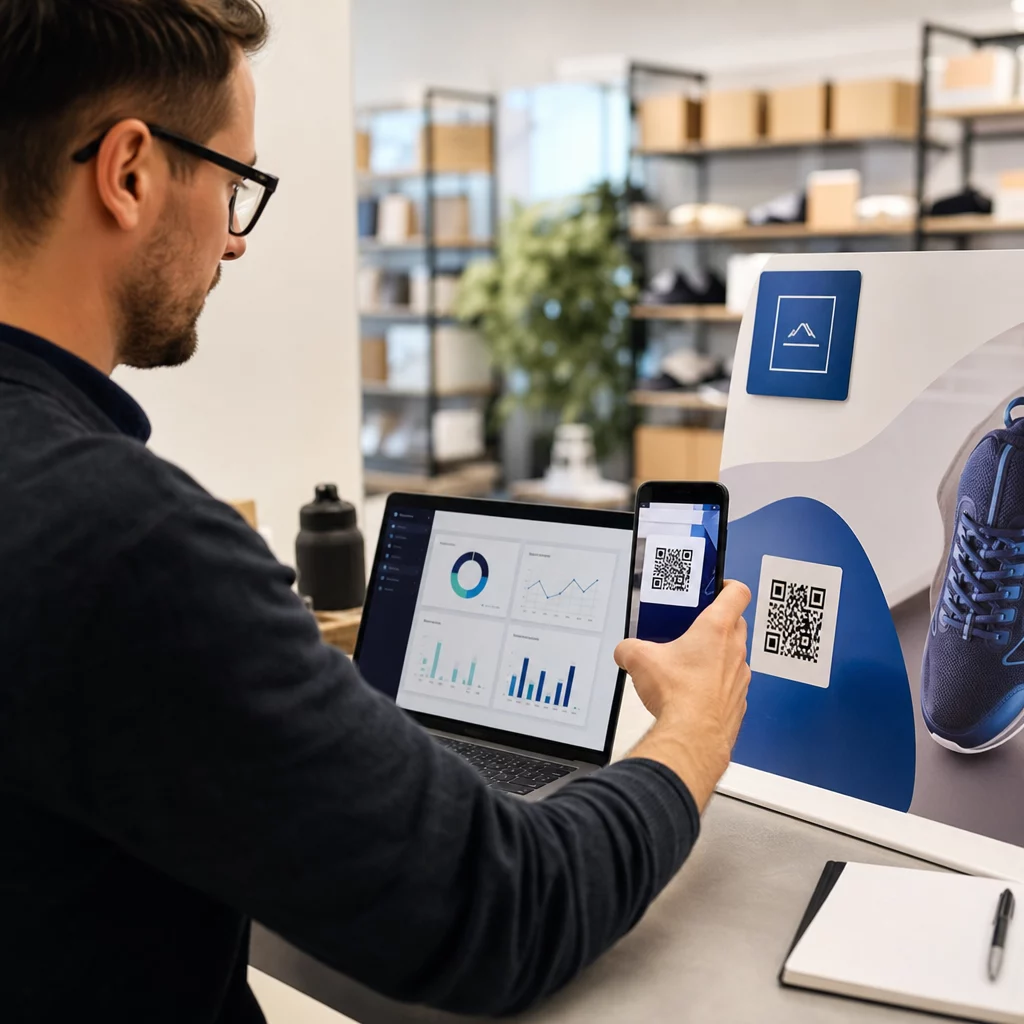
Analytický panel Pageloot v reálnom čase sa integruje s Google Analytics, takže môžete sledovať prevádzku generovanú QR kódmi spolu s vašimi ostatnými digitálnymi kanálmi. To vám poskytne kompletný prehľad o tom, ako vaše tlačové kampane prispievajú k celkovej zákazníckej ceste – od momentu, keď niekto uvidí reklamu, až po konečnú konverziu.
Monitorujte svoju kampaň v reálnom čase Chcete presne vidieť, kde a kedy vaši zákazníci skenujú vaše tlačové materiály? Použite Pageloot’s analytické nástroje QR kódov na prístup k úplnému výkonnostnému panelu a optimalizáciu kampaní, kým sú ešte spustené.
Dynamické QR kódy pre flexibilné, prebiehajúce kampane
Pre kampane, ktoré prebiehajú na viacerých umiestneniach alebo časových obdobiach, poskytujú dynamické QR kódy úroveň flexibility, ktorej sa statické kódy nemôžu rovnať. Môžete testovať sezónne ponuky, aktualizovať cieľové stránky tak, aby odrážali aktuálne akcie, a presmerovať prevádzku bez toho, aby ste sa dotkli tlačených materiálov.
Táto flexibilita je obzvlášť cenná pre:
- Dlhodobé tlačové kampane kde sa menia ponuky (napr. sezónne akcie na obaloch alebo značení)
- Viacmiestne kampane kde sa regionálne vstupné stránky musia líšiť
- Optimalizácia rozpočtu kde chcete presmerovať návštevnosť z nedostatočne výkonných umiestnení na silnejšie
Pretože samotný QR kód sa nikdy nemení – mení sa len cieľ, na ktorý odkazuje – vaše tlačené materiály zostávajú platné neobmedzene. Tým sa eliminujú náklady na pretlač a zároveň sa udržiava aktuálny obsah vašej kampane.
Prepojenie QR kódov s nástrojmi marketingovej automatizácie to posúva ďalej. Keď sken spustí vstup do e-mailovej sekvencie alebo CRM pracovného postupu, každá interakcia s tlačenou reklamou môže iniciovať štruktúrovanú cestu zákazníka – nielen jednorazovú návštevu webovej stránky. Pageloot podporuje integrácie s platformami ako HubSpot a Zapier, aby umožnil tieto automatizované pracovné postupy.
Preukázanie návratnosti investícií z tlačových kampaní
Konečným cieľom sledovania QR kódov v tlači je preukázanie návratnosti investícií. So správnym nastavením to môžete vypočítať priamo.
Ak poznáte náklady na vašu tlačovú kampaň a dokážete priradiť konverzie – nákupy, potenciálnych zákazníkov, registrácie – späť ku konkrétnym skenom QR kódov prostredníctvom parametrov UTM a Google Analytics, môžete vypočítať náklady na akvizíciu pre každé umiestnenie. To vám poskytuje rovnakú zodpovednosť, akú by ste očakávali od digitálnej reklamy, aplikovanú na offline médiá.
Kľúčové kroky, aby to fungovalo:
- Používajte jedinečné QR kódy pre každé umiestnenie, aby bola atribúcia čistá
- Označte cieľové URL adresy parametrami UTM, aby GA4 zachytil celú konverznú cestu
- Nastavte ciele konverzie v GA4 pre akcie, ktoré sú dôležité pre vaše podnikanie
- Použite analytický panel Pageloot na krížové porovnanie údajov o skenoch s údajmi o konverziách
Pre tímy spravujúce viacerých klientov alebo kampane súčasne, nástroje pre marketingové agentúry v Pageloot vám umožňujú sledovať výkonnosť naprieč kampaňami na jednom mieste a prezentovať čisté atribučné správy zainteresovaným stranám. QR kódy nerobia tlačené reklamy len interaktívnymi – robia ich merateľnými. Kombináciou dynamických QR kódov, cieľových URL adries označených UTM a platformy s analýzou v reálnom čase môžete priradiť offline tlačovú angažovanosť k digitálnym výsledkom s rovnakou presnosťou, akú by ste použili pre akýkoľvek digitálny kanál. Začnite vytvorením jedinečných kódov pre každé z vašich súčasných tlačových umiestnení a zistite, ktoré z nich skutočne prinášajú výsledky.
Začnite s Generátor QR kódov zadarmo alebo preskúmajte sledovanie dynamických QR kódov aby ste videli všetky možnosti dostupné pre vaše tlačové kampane.
Často kladené otázky
Áno, ak používate dynamické QR kódy. Dynamické kódy odkazujú na presmerovaciu URL adresu, ktorú ovládate. Cieľ môžete aktualizovať – či už ide o novú vstupnú stránku, sezónnu ponuku alebo revidovanú URL adresu s UTM tagmi – bez zmeny vytlačeného QR kódu. Fyzické materiály zostávajú platné a vaše sledovanie pokračuje neprerušene.
Celkový počet skenov sa započítava zakaždým, keď je kód spustený, vrátane viacerých skenov tou istou osobou. Jedinečné skeny počítajú jednotlivé zariadenia, čo vám dáva jasnejší obraz o tom, koľko rôznych ľudí reagovalo na vašu reklamu. Na meranie dosahu tlačenej reklamy a výpočet miery skenovania sú jedinečné skeny zvyčajne zmysluplnejšie.
Pridajte parametre UTM do cieľovej URL adresy vloženej do vášho QR kódu. Keď niekto naskenuje kód a pristane na vašej webovej stránke, Google Analytics zaznamená reláciu s týmito UTM tagmi. Ak ste si v GA4 nastavili ciele konverzie – nákupy, odoslania formulárov, stiahnutia – môžete presne vidieť, koľko konverzií pochádza z každého tlačového umiestnenia. Toto je jadro atribúcie z offline do digitálu pre tlačové kampane.