ホーム > ブログ > QRコードが印刷広告のエンゲージメントを追跡する方法
QR print tracking

QRコードが印刷広告のエンゲージメントを追跡する方法

Turn every print placement into a trackable digital touchpoint. Learn how to use dynamic QR codes and UTM parameters to measure engagement and campaign ROI.
Updated on 6月 10, 2026
目次

How do you know if your print ads are actually working? Without a way to measure responses, you’re guessing – and wasted ad spend adds up fast. QR codes solve this by turning every print placement into a trackable digital touchpoint, giving you concrete data on who engaged, when, and what they did next.

Why Print Ads Are Hard to Measure Without QR Codes

Traditional print advertising – magazines, direct mail, posters, flyers – has always suffered from an attribution gap. You can estimate reach based on circulation numbers, but there’s no native way to know how many readers actually responded to a specific ad, let alone what they did afterward.

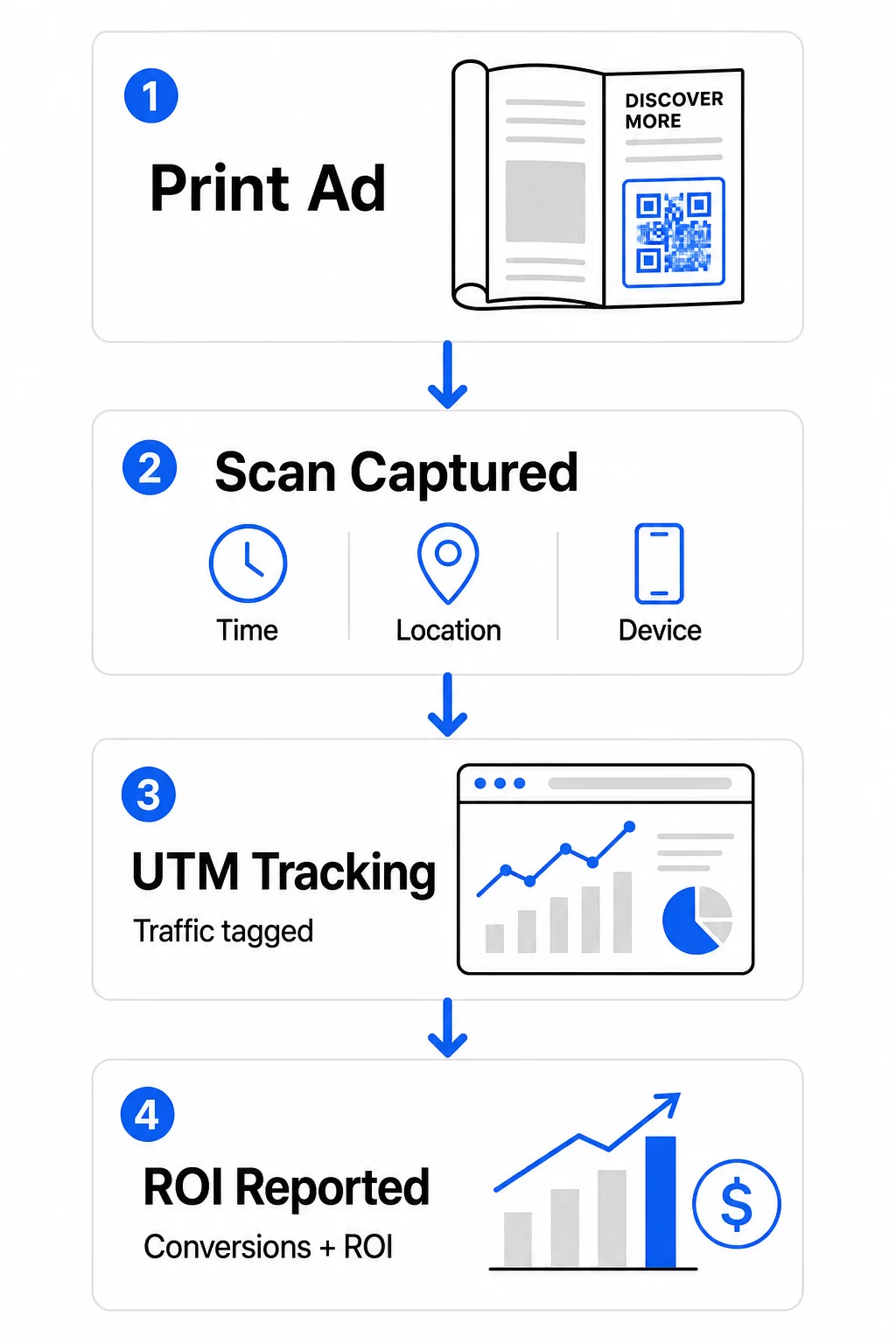
QR codes close that gap. When a reader scans a code in your print material, that action is logged digitally. You capture the scan event, the location, the device type, and the time – and if the destination URL includes UTM parameters, you can follow that user all the way through to a purchase, sign-up, or download. The offline impression becomes a measurable digital conversion.

This is why QR codes have become a standard tool for print campaign attribution. By using unique QR codes across different placements – one for each magazine, one for each direct mail batch, one per billboard location – you can compare performance across channels the same way you’d compare paid digital campaigns.

Turn Print Placements Into Measurable Campaigns を使用しています。 ダイナミックQRコードジェネレーター to create unique, trackable codes for every print placement and start capturing real engagement data.

Static vs. Dynamic QR Codes for Tracking

Not all QR codes support tracking. Understanding the difference between static and dynamic codes is the foundation of any print measurement strategy.

静的QRコード encode the destination URL directly into the code pattern. Once printed, the destination cannot be changed, and there is no mechanism to log scan events. They work fine for linking to permanent content, but they offer no analytics.

ダイナミックQRコード encode a short redirect URL instead. When scanned, the redirect resolves to your chosen destination – and the platform logs the scan event with timestamp, location, and device data. Because the redirect URL stays fixed while the destination can change, you can update the linked content at any time without reprinting your materials.

For print ad tracking, ダイナミックQRコード are the only practical option. They give you the scan data you need to measure campaign performance and the flexibility to adjust landing pages based on what the data shows.

Setting Up QR Codes for Print Campaign Tracking

Create Unique Codes for Each Placement

The most important rule for print tracking is one QR code per placement. If you run the same ad in three different magazines using one shared QR code, you’ll see aggregate scan counts but won’t know which publication drove results.

Assign a separate QR code to each:

  • Publication or channel (e.g., each magazine title)
  • Geographic distribution area (e.g., Northeast vs. West Coast mailers)
  • Ad format or size (e.g., full-page vs. half-page)
  • Campaign flight or time period

This approach lets you compare performance across placements directly and allocate future spend toward what works. Pageloot’s campaign management tools let you organize codes by campaign, assign them to sub-accounts for different teams, and manage all placements from a single dashboard.

Add UTM Parameters to Your Destination URLs

Scan data from your QR code platform tells you how many people engaged with your print ad. UTM parameters tell you what those people did after scanning. Together, they give you the full attribution picture.

UTM parameters are tags appended to your destination URL that identify the traffic source in Google Analytics. A properly tagged URL for a print campaign might look like:

`https://yourwebsite.com/landing-page?utmsource=voguemagazine&utm媒体=qrcode&utmcampaign=falllaunch_2025`

With this setup, every session that originates from that QR code scan appears in Google Analytics tagged to that specific placement. You can then measure downstream actions – purchases, form completions, content downloads – and attribute them to the print ad that generated the scan.

For a full walkthrough of naming conventions and GA4 reporting, the guide on QRコード用のUTMパラメータ covers setup in detail.

Connect Print Scans to Google Analytics Pagelootの analytics features let you add UTM parameters during QR code creation so every scan is automatically attributed in GA4.

Design Codes That Actually Get Scanned

Tracking only works if people scan your codes. A few technical requirements apply specifically to print materials:

  • 最小サイズ: 0.8 × 0.8 inches for standard print materials like business cards or flyers; scale up proportionally for posters and signage using the 10:1 rule – at least one inch of QR code width for every ten inches of expected scanning distance
  • コントラスト: High contrast between the dark modules and the light background is essential; avoid low-contrast pairings like light gray on white, and never invert the colors
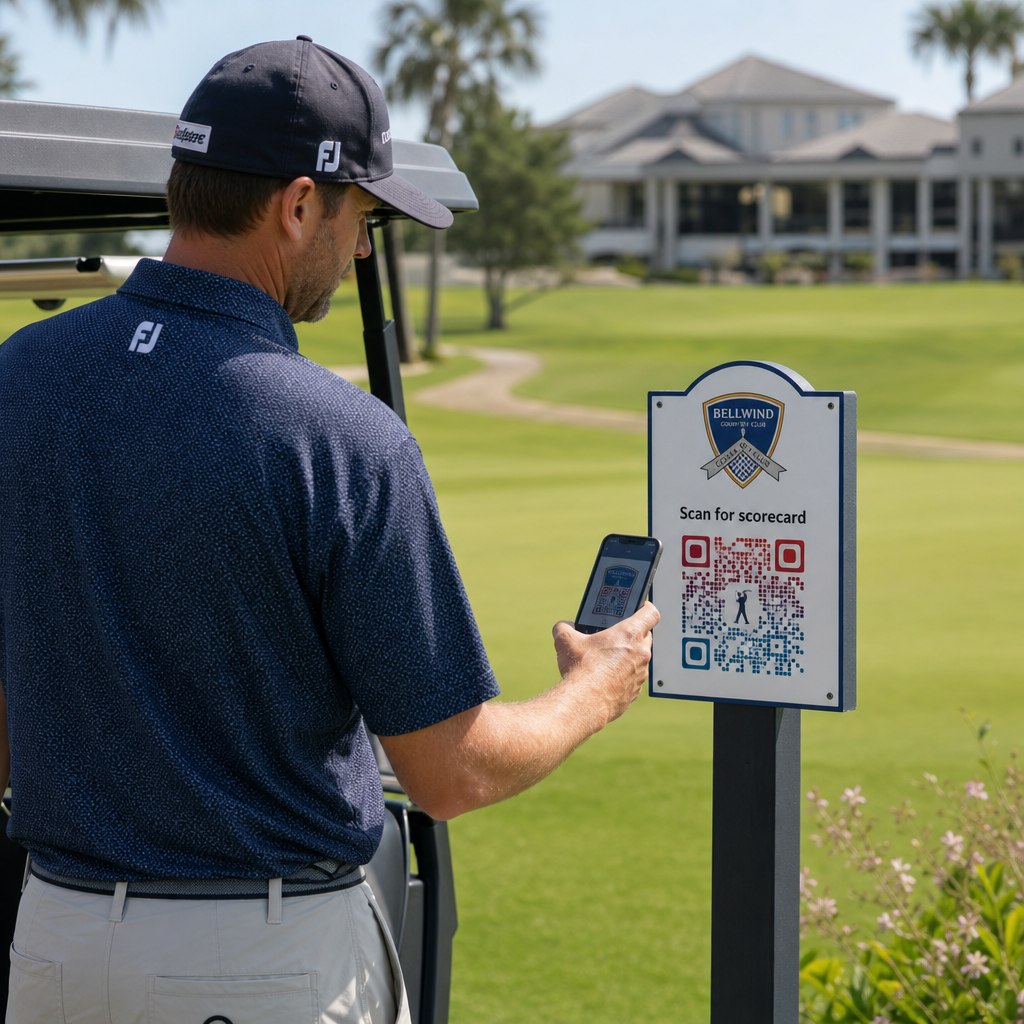
  • 配置。 Eye level is ideal for posters and signage, typically between 3.5 and 5.5 feet from the ground; avoid curved surfaces like bottle labels or magazine folds where distortion can prevent scanning
  • ファイル形式: Use vector formats (EPS or SVG) for large-format printing; PNG or JPEG is sufficient for smaller materials

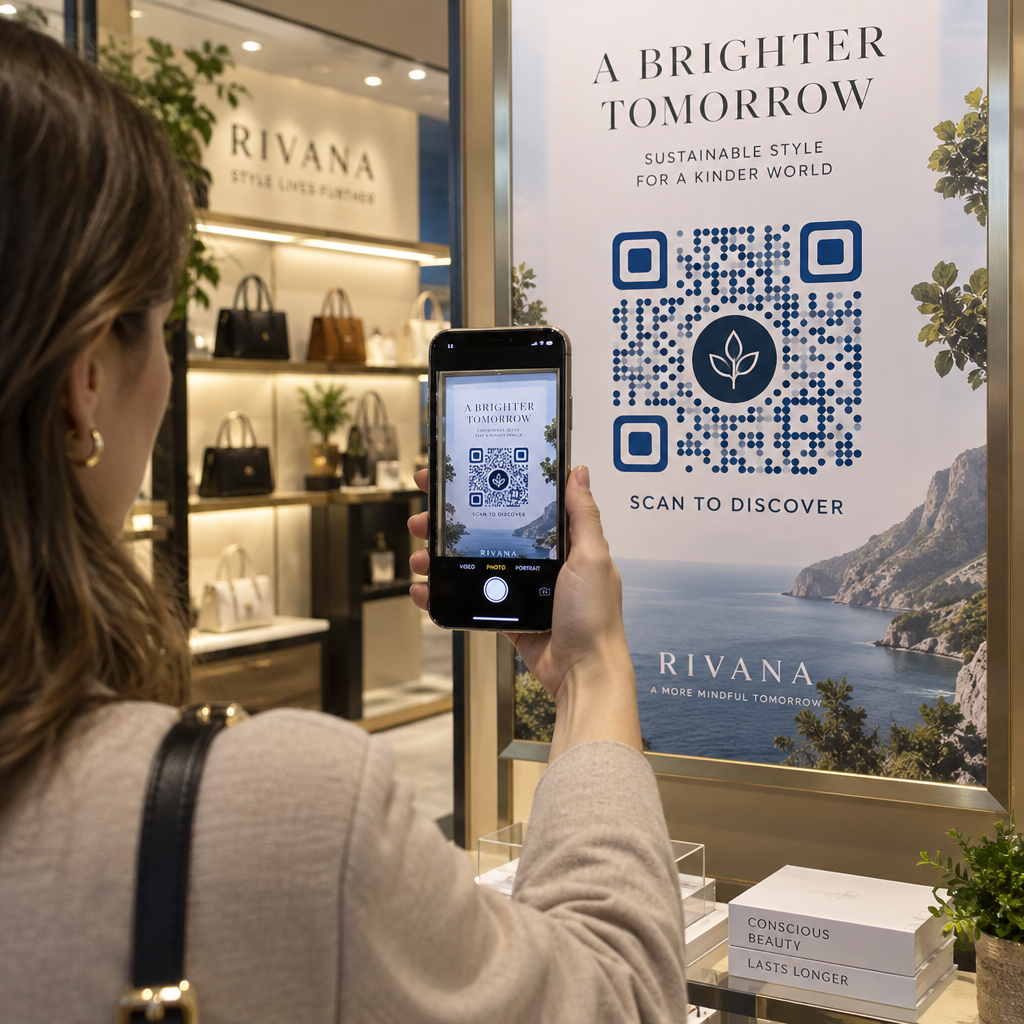
Adding a call-to-action frame – “Scan for Exclusive Offer” or “Get Instant Access” – near the code gives readers a clear reason to engage. Branded QR codes that incorporate your logo and colors also build recognition and trust. You can find detailed sizing and placement guidelines in the guide to using QR codes in print media.

The Metrics That Matter for Print Ad Attribution

Once your codes are live, the data you collect falls into two categories: engagement metrics that measure how many people responded to your print ad, and conversion metrics that measure what those people did next.

Print ad metrics

Here’s a breakdown of the key metrics to monitor:

指標 What It Measures 重要性
Total scans Every scan event, including repeat scans Shows overall campaign reach
Unique scans Individual devices that scanned Reflects actual audience size
Scan-through rate Scans relative to estimated ad exposure Evaluates creative and placement effectiveness
Scan location Geographic distribution of scans Identifies high-performing regions
Device type iOS, Android, desktop Guides mobile optimization for landing pages
Peak scan times When scans occur during the day or week Informs timing strategy for future campaigns
Conversion rate Actions taken after scanning (purchases, sign-ups) Measures real business impact

Total scans vs. unique scans is an important distinction. Total scans count every time a code is triggered, including multiple scans by the same person. Unique scans use device-level identification to count individual users, giving you a more accurate picture of actual audience reach. For print campaigns, unique scans are typically the more meaningful number.

scan-through rate is the print equivalent of click-through rate – it tells you what percentage of people who were exposed to your ad actually responded. You can estimate this by dividing unique scans by the print run or estimated readership for that placement.

For a deeper look at enterprise-level analytics, the article on key QR code analytics metrics covers how to move beyond scan counts to measure genuine business impact.

Using Real-Time Analytics to Optimize Campaigns Mid-Flight

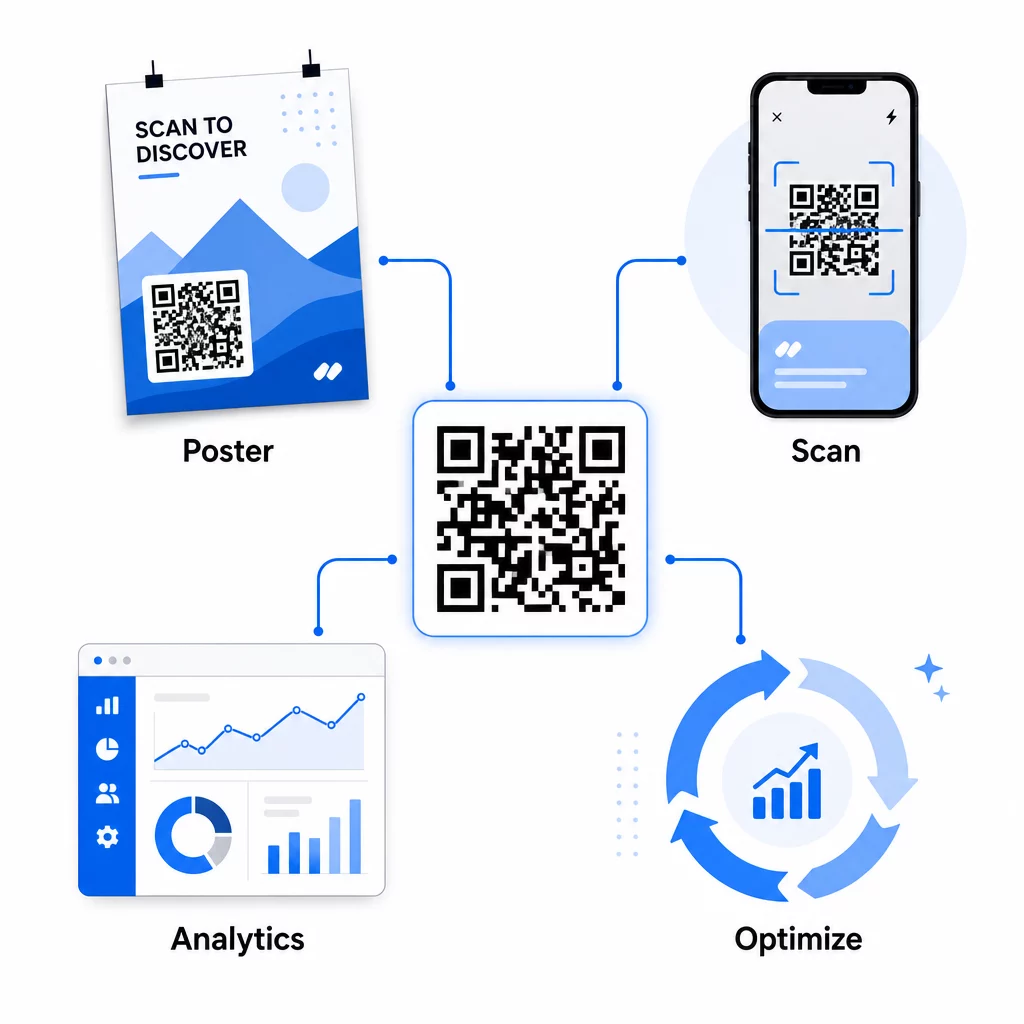
One significant advantage of dynamic QR codes over traditional print measurement is the ability to act on data while a campaign is still running. With real-time analytics, you’re not waiting until a campaign ends to learn what worked.

リアルタイム分析

Practical mid-campaign optimizations include:

  • Updating the destination URL if the original landing page isn’t converting well – without reprinting any materials
  • Adjusting spend allocation by pausing placements with low scan rates and increasing investment in high-performing channels
  • A/B testing landing pages by routing traffic from the same QR code to different destinations at different times
  • Identifying geographic patterns in scan data and tailoring follow-up messaging for high-response regions

Pageloot’s real-time analytics dashboard integrates with Google Analytics, so you can view QR-driven traffic alongside your other digital channels. This gives you a complete view of how your print campaigns contribute to the overall customer journey – from the moment someone sees the ad to the final conversion.

キャンペーンをリアルタイムで監視 Want to see exactly where and when your customers are scanning your print materials? Use Pageloot’s QR code analytics tools to access a full performance dashboard and optimize campaigns while they’re still running.

Dynamic QR Codes for Flexible, Ongoing Campaigns

For campaigns that run across multiple placements or time periods, dynamic QR codes provide a level of flexibility that static codes can’t match. You can test seasonal offers, update destination pages to reflect current promotions, and redirect traffic without touching the printed materials.

This flexibility is especially valuable for:

  • Long-running print campaigns where offers change (e.g., seasonal promotions on packaging or signage)
  • Multi-location campaigns where regional landing pages need to vary
  • Budget optimization where you want to redirect traffic from underperforming placements to stronger ones

Because the QR code itself never changes – only the destination it points to – your printed materials remain valid indefinitely. This eliminates reprinting costs while keeping your campaign content current.

Connecting QR codes with marketing automation tools extends this further. When a scan triggers an entry into an email sequence or CRM workflow, every print ad interaction can initiate a structured customer journey – not just a one-time website visit. Pageloot supports integrations with platforms like HubSpot and Zapier to enable these automated workflows.

Proving ROI from Print Campaigns

The ultimate goal of QR code tracking in print is proving return on investment. With the right setup, you can calculate this directly.

If you know your print campaign cost and you can attribute conversions – purchases, leads, sign-ups – back to specific QR code scans via UTM parameters and Google Analytics, you can calculate cost per acquisition for each placement. This gives you the same accountability you’d expect from digital advertising applied to offline media.

The key steps to make this work:

  • Use unique QR codes for each placement so attribution is clean
  • Tag destination URLs with UTM parameters so GA4 captures the full conversion path
  • Set up conversion goals in GA4 for the actions that matter to your business
  • Use Pageloot’s analytics dashboard to cross-reference scan data with conversion data

For teams managing multiple clients or campaigns simultaneously, the marketing agency tools in Pageloot allow you to track performance across campaigns in one place and present clean attribution reports to stakeholders. QR codes don’t just make print ads interactive – they make them measurable. By combining dynamic QR codes, UTM-tagged destination URLs, and a platform with real-time analytics, you can attribute offline print engagement to digital outcomes with the same precision you’d apply to any digital channel. Start by creating unique codes for each of your current print placements and see which ones are actually driving results.

Get started with the フリーのQRコードジェネレータ or explore dynamic QR code tracking to see the full capabilities available for your print campaigns.

よくある質問

Can I track print ad performance without reprinting materials if I change my campaign?

Yes, if you use dynamic QR codes. Dynamic codes point to a redirect URL that you control. You can update the destination – whether that’s a new landing page, a seasonal offer, or a revised UTM-tagged URL – without changing the printed QR code. The physical materials stay valid and your tracking continues uninterrupted.

What’s the difference between total scans and unique scans, and which should I focus on?

Total scans count every time the code is triggered, including multiple scans by the same person. Unique scans count individual devices, giving you a clearer picture of how many distinct people responded to your ad. For measuring print ad reach and calculating scan-through rates, unique scans are typically more meaningful.

How do I connect QR code scans to actual conversions like purchases or sign-ups?

Add UTM parameters to the destination URL embedded in your QR code. When someone scans the code and lands on your website, Google Analytics records the session with those UTM tags. If you’ve set up conversion goals in GA4 – purchases, form submissions, downloads – you can see exactly how many conversions originated from each print placement. This is the core of offline-to-digital attribution for print campaigns.

著者について

Siim KostabiはPagelootのコンテンツリードです。Pagelootの革新的なQRコード生成サービスについて執筆しています。5年以上にわたるQRコードに関する深い専門知識を持つSiimは、この分野の専門家です。QRテクノロジーを活用してデジタルインタラクションを簡素化・拡張する上で、大きな進歩を遂げています。.

カテゴリー
について詳しくはこちら
SnapchatでQRをスキャンする
QRコードをスキャンして スナップチャット
パンフレットのQRコードをスキャンする
QRコードの パンフレット
✅ QRコードの#1ソリューション

オンラインでQRコードを作成する必要がある場合は QRコードを作る ここで無料で
ページルートは #1のGo-Toソリューション でQRコードを作成してスキャンすることができます。

BL-0012

ブログジェネ

売上、レビュー、フォロワーを増やすために 20,000 を超えるブランドから信頼されています。

クライアントのロゴ
トップブランドから信頼される
5 のうち 4.8 と評価しました

4.86 / 5つ星評価

ユーゴ・ローラン
ユーゴ・ローラン
レストランオーナー
最も簡単で信頼性の高いQRコードジェネレータです。PDFファイルを即座にアップロードできます。レストランのメニューがデジタル化されました。
ルーカス・ジャンセン
ルーカス・ジャンセン
不動産開発業者
これは優れたツールで、QRコードでちょうど欲しいところに連れて行ってくれます。私たちは位置情報のQRコードしか使っていませんが、とても便利な機能がたくさんあります。
エマ・モレッティ
エマ・モレッティ
小売製品
使いやすいし、早い。素晴らしい機能で、完璧な画像を作成してくれるので、社員は私のvCardをダウンロードすることができます。
ユーゴ・ローラン
ユーゴ・ローラン
レストランオーナー
最も簡単で信頼性の高いQRコードジェネレータです。PDFファイルを即座にアップロードできます。レストランのメニューがデジタル化されました。
ルーカス・ジャンセン
ルーカス・ジャンセン
不動産開発業者
これは優れたツールで、QRコードでちょうど欲しいところに連れて行ってくれます。私たちは位置情報のQRコードしか使っていませんが、とても便利な機能がたくさんあります。
エマ・モレッティ
エマ・モレッティ
小売製品
使いやすいし、早い。素晴らしい機能で、完璧な画像を作成してくれるので、社員は私のvCardをダウンロードすることができます。
QRコードをもっと見る
QRシャツのスキャン
QRコードの 衣料品
あらゆるものをデジタル体験に変えよう 3分以内に。

14日間の無料トライアル。

クレジットカードは必要ありません。

初回購入で30%オフ

次のコードを使用してください:

MP3ファイルを共有

PDF QRコードを作成するにはサインアップしてください

必要なものをすべてアップロードして表示する。

  • オーディオファイル
  • ポッドキャスト
  • 音楽

サインアップで14日間無料トライアル。.
トライアル終了後、QRコードは期限切れになります。.

オーディオmp3 QRコードを作成するにはサインアップしてください

フレームでより多くのスキャンを獲得

QRコードにフレームを追加するにはサインアップしてください

コールトゥアクションフレームは、お客様が簡単にQRコードと対話できるようにします。ぜひお試しください。

サインアップで14日間無料トライアル。.
トライアル終了後、QRコードは期限切れになります。.

QRコードにフレームを追加するにはサインアップしてください

シェイプでスタイルを追加

より多くの図形を作成するにはサインアップしてください

QRコードは四角いものである必要はありません。あなたのブランドのイメージに合わせて変えてみてください。

サインアップで14日間無料トライアル。.
トライアル終了後、QRコードは期限切れになります。.

より多くの図形を作成するにはサインアップしてください

QRコードにロゴを追加

QRコードにロゴを追加するにはサインアップしてください

QRコードにロゴやブランドを入れることで、目立たせることができます。

サインアップで14日間無料トライアル。.
トライアル終了後、QRコードは期限切れになります。.

QRコードにロゴを追加するにはサインアップしてください

スマートなApp Storeリダイレクト

アプリストアのQRコードを作成するにはサインアップしてください

スマートなApp StoreのQRコードに、あなたのアプリのリンクを追加します。ユーザーは、デバイスに応じてリダイレクトされます。

サインアップで14日間無料トライアル。.
トライアル終了後、QRコードは期限切れになります。.

アプリストアのQRコードを作成するにはサインアップしてください

QRコードに画像をアップロード

画像QRコードを作成するにはサインアップしてください

画像を簡単に共有できます。どんな画像も、数秒でダイナミックに変化します。

サインアップで14日間無料トライアル。.
トライアル終了後、QRコードは期限切れになります。.

画像QRコードを作成するにはサインアップしてください

PDFファイルを共有

PDF QRコードを作成するにはサインアップしてください

必要なものをすべてアップロードして表示する。

  • メニュー&プライスリスト
  • 指示
  • 任意の書類

サインアップで14日間無料トライアル。.
トライアル終了後、QRコードは期限切れになります。.

PDF QRコードを作成するにはサインアップしてください

印刷せずに後で編集

再度印刷せずにQRコードを編集するにはサインアップしてください

ダイナミックQRコードは、新たにQRコードを印刷することなく、QRコードの内容を変更することができます。

サインアップで14日間無料トライアル。.
トライアル終了後、QRコードは期限切れになります。.

再度印刷せずにQRコードを編集するにはサインアップしてください

いつ?どこで?QRコードのスキャンを追跡

QRコードを追跡するにはサインアップしてください

どのQRコードが最も多くスキャンされ、何が最も顧客を喜ばせているのかを知ることができます。

サインアップで14日間無料トライアル。.
トライアル終了後、QRコードは期限切れになります。.

QRコードを追跡するにはサインアップしてください

印刷可能なファイルが利用可能

PDFやSVGのようなベクターQRコードを作成するにはサインアップしてください

.eps、.pdf、.svg

QRコードをHD解像度でダウンロードしたいですか?すぐに印刷できるベクターまたはピクセル形式を入手しましょう。

サインアップで14日間無料トライアル。.
トライアル終了後、QRコードは期限切れになります。.

PDFやSVGのようなベクターQRコードを作成するにはサインアップしてください

しばらくお待ちください。あなたのQRコードは ロード... ロード...

あなただけのものに

サインアップしてQRコードを後で保存してください

異なる色、ロゴ、コールトゥアクションフレームで素晴らしいQRコードを作成することで、より多くのスキャンを得ることができます。

サインアップで14日間無料トライアル。.
トライアル終了後、QRコードは期限切れになります。.

サインアップしてQRコードを後で保存してください