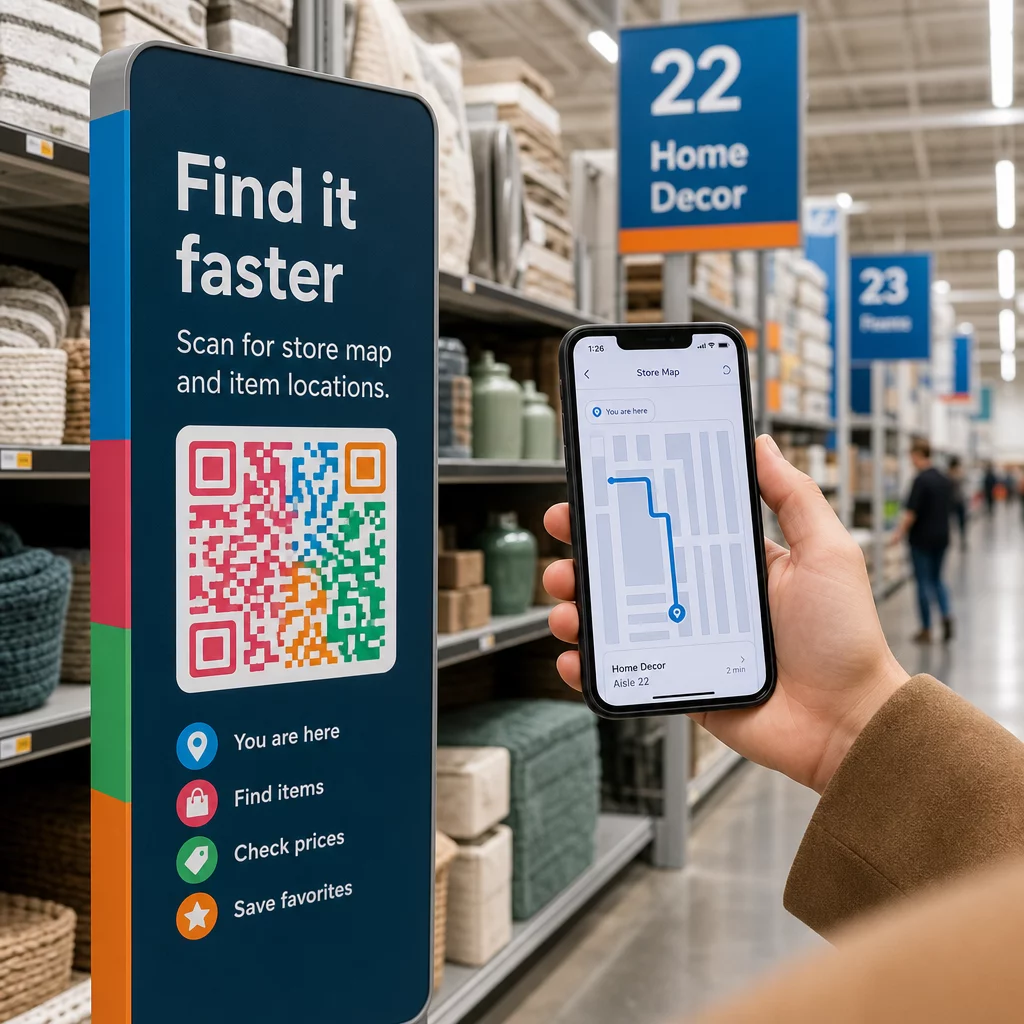
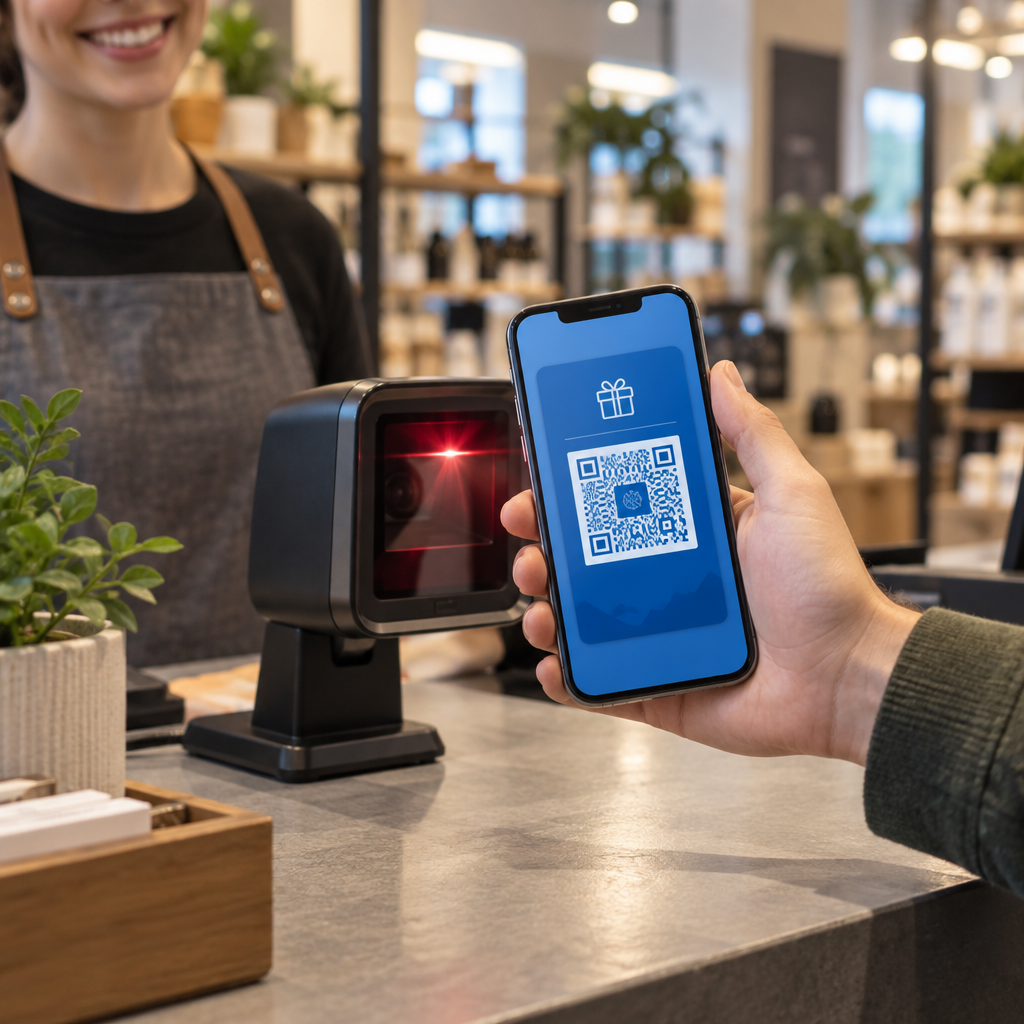
Kuidas te teate, kas teie trükireklaamid tegelikult töötavad? Ilma vastuste mõõtmise võimaluseta te vaid oletate – ja raisatud reklaamikulud kuhjuvad kiiresti. QR-koodid lahendavad selle, muutes iga trükipaigutuse jälgitavaks digitaalseks puutepunktiks, andes teile konkreetseid andmeid selle kohta, kes suhtles, millal ja mida nad järgmiseks tegid.
Miks on trükireklaame ilma QR-koodideta raske mõõta
Traditsiooniline trükireklaam – ajakirjad, otsepostitus, plakatid, flaierid – on alati kannatanud omistamise lünga all. Saate hinnata ulatust tiraažinumbrite põhjal, kuid puudub loomupärane viis teada saada, kui palju lugejaid tegelikult konkreetsele reklaamile reageeris, rääkimata sellest, mida nad pärast seda tegid.
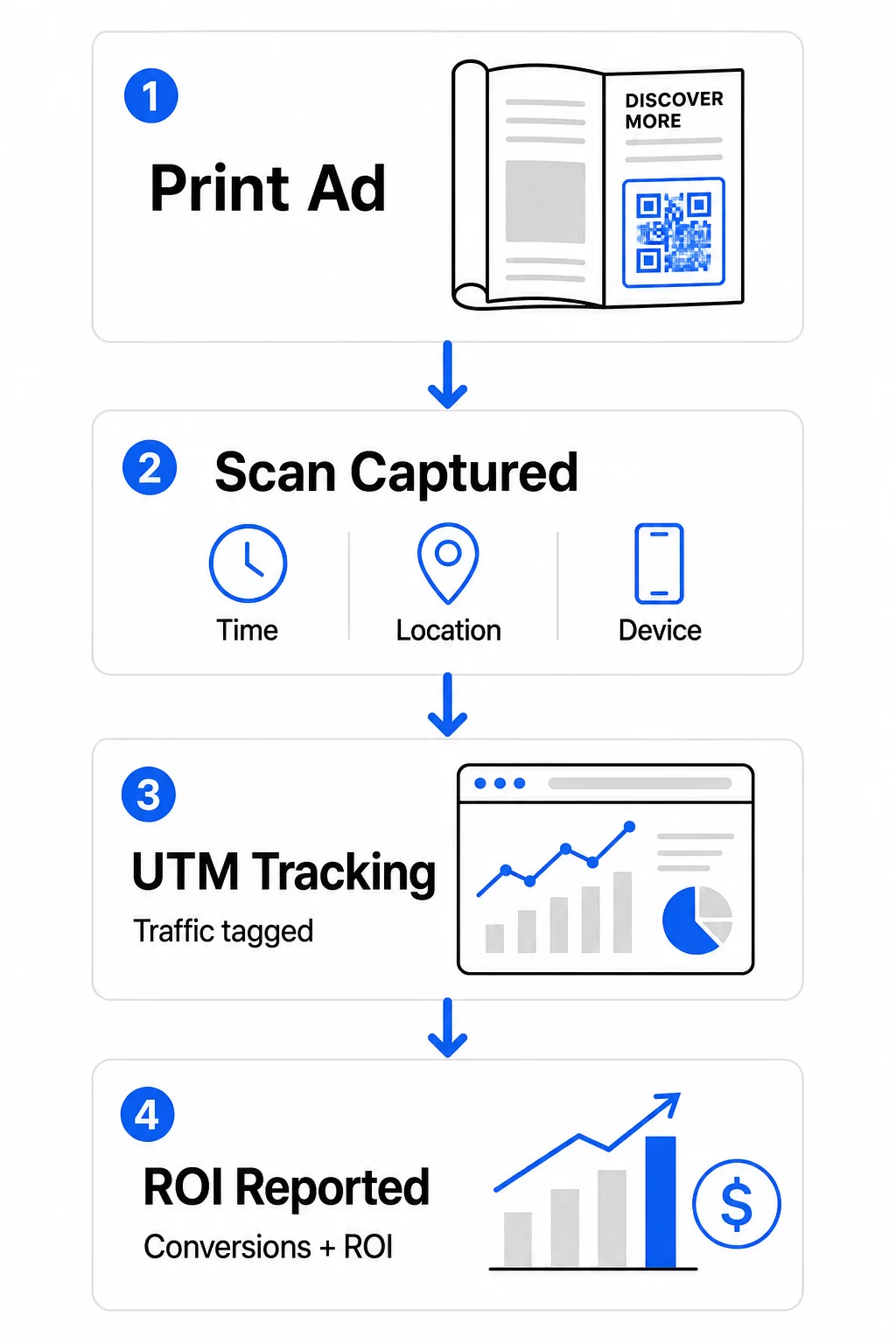
QR-koodid sulgevad selle lünga. Kui lugeja skannib teie trükimaterjalis koodi, logitakse see tegevus digitaalselt. Te jäädvustate skannimise sündmuse, asukoha, seadme tüübi ja aja – ja kui siht-URL sisaldab UTM-parameetreid, saate seda kasutajat jälgida kuni ostu, registreerumise või allalaadimiseni. Võrguväline näitamine muutub mõõdetavaks digitaalseks konversiooniks.
Seepärast on QR-koodidest saanud standardne tööriist trükikampaaniate omistamiseks. Kasutades unikaalseid QR-koode erinevates paigutustes – üks iga ajakirja jaoks, üks iga otsepostituse partii jaoks, üks stendi asukoha kohta – saate võrrelda jõudlust kanalite vahel samamoodi, nagu võrdleksite tasulisi digitaalkampaaniaid.
Muutke trükipaigutused mõõdetavateks kampaaniateks Kasuta Dünaamilise QR koodi generaator luua iga trükipaigutuse jaoks unikaalsed, jälgitavad koodid ja hakata koguma tegelikke kaasamisandmeid.
Staatilised vs. dünaamilised QR-koodid jälgimiseks
Kõik QR-koodid ei toeta jälgimist. Staatiliste ja dünaamiliste koodide erinevuse mõistmine on iga trükimõõtmise strateegia alus.
Staatilised QR-koodid kodeerivad siht-URL-i otse koodimustrisse. Pärast printimist ei saa sihtkohta muuta ja skannimissündmuste logimiseks puudub mehhanism. Need sobivad hästi püsiva sisuga linkimiseks, kuid ei paku analüütikat.
Dünaamilised QR-koodid kodeerivad selle asemel lühikese ümbersuunamise URL-i. Skannimisel lahendab ümbersuunamine teie valitud sihtkohta – ja platvorm logib skannimissündmuse koos ajatempli, asukoha ja seadme andmetega. Kuna ümbersuunamise URL jääb fikseerituks, samal ajal kui sihtkoht võib muutuda, saate lingitud sisu igal ajal värskendada ilma materjale uuesti printimata.
Trükireklaamide jälgimiseks, dünaamilised QR-koodid on ainus praktiline valik. Need annavad teile skannimisandmed, mida vajate kampaania jõudluse mõõtmiseks, ja paindlikkuse sihtlehtede kohandamiseks vastavalt andmetele.
QR-koodide seadistamine trükikampaaniate jälgimiseks
Looge iga paigutuse jaoks unikaalsed koodid
Kõige olulisem reegel trükijälgimisel on üks QR-kood paigutuse kohta. Kui kasutate sama reklaami kolmes erinevas ajakirjas ühe jagatud QR-koodiga, näete koondskannimiste arvu, kuid ei tea, milline väljaanne tulemusi andis.
Määra igale eraldi QR-kood:
- Väljaanne või kanal (nt iga ajakirja pealkiri)
- Geograafiline leviala (nt Kirde- vs. Lääneranniku postitused)
- Reklaami formaat või suurus (nt täislehekülg vs. poollehekülg)
- Kampaania kestus või ajaperiood
See lähenemine võimaldab teil otse võrrelda paigutuste toimivust ja suunata tulevased kulutused sellele, mis töötab. Pagelooti kampaania haldamise tööriistad võimaldavad teil korraldada koode kampaania järgi, määrata need erinevate meeskondade alamkontodele ja hallata kõiki paigutusi ühest juhtpaneelist.
Lisage oma siht-URL-idele UTM-parameetrid
Teie QR-koodi platvormi skannimisandmed näitavad, kui palju inimesi teie trükireklaamiga suhtles. UTM-parameetrid ütlevad teile, mida need inimesed pärast skannimist tegid. Koos annavad need teile täieliku omistamise pildi.
UTM-parameetrid on teie siht-URL-ile lisatud sildid, mis identifitseerivad Google Analyticsis liikluse allika. Korralikult märgistatud URL trükikampaania jaoks võiks välja näha järgmiselt:
`https://yourwebsite.com/landing-page?utmsource=voguemagazine&utmmeedia=qrkood&utmcampaign=falllaunch_2025`
Selle seadistusega ilmub iga seanss, mis pärineb sellest QR-koodi skaneerimisest, Google Analyticsis märgistatuna sellele konkreetsele paigutusele. Seejärel saate mõõta järgnevaid tegevusi – oste, vormide täitmisi, sisu allalaadimisi – ja omistada need prindireklaamile, mis skaneerimise genereeris.
Nimetamiskonventsioonide ja GA4 aruandluse täieliku ülevaate saamiseks on juhend aadressil UTM-parameetrid QR-koodidele käsitleb seadistust üksikasjalikult.
Ühendage prindiskaneeringud Google Analyticsiga Pagelooti analüütikafunktsioonid võimaldavad teil lisada UTM-parameetreid QR-koodi loomise ajal, nii et iga skaneering omistatakse automaatselt GA4-s.
Kujundage koodid, mida tegelikult skaneeritakse
Jälgimine töötab ainult siis, kui inimesed teie koode skaneerivad. Mõned tehnilised nõuded kehtivad spetsiaalselt trükimaterjalidele:
- Minimaalne suurus: 0,8 × 0,8 tolli standardsete trükimaterjalide (nt visiitkaardid või flaierid) puhul; suurendage proportsionaalselt plakatite ja siltide puhul, kasutades 10:1 reeglit – vähemalt üks toll QR-koodi laiust iga kümne tolli oodatava skaneerimiskauguse kohta
- Kontrast: Kõrge kontrast tumedate moodulite ja heleda tausta vahel on oluline; vältige madala kontrastsusega paare, nagu helehall valgel, ja ärge kunagi värve pöörake
- Paigutus: Silmade kõrgus on ideaalne plakatite ja siltide jaoks, tavaliselt 3,5 kuni 5,5 jala kõrgusel maapinnast; vältige kumeraid pindu, nagu pudelisildid või ajakirjade voldid, kus moonutused võivad skaneerimist takistada
- Failivorming: Kasutage vektorformaate (EPS või SVG) suureformaadiliseks printimiseks; PNG või JPEG on piisav väiksemate materjalide jaoks
Kutse tegevusele raami lisamine – “Skaneeri eksklusiivse pakkumise saamiseks” või “Saa kohene juurdepääs” – koodi lähedale annab lugejatele selge põhjuse kaasamiseks. Bränditud QR-koodid, mis sisaldavad teie logo ja värve, loovad samuti äratundmist ja usaldust. Üksikasjalikud suuruse ja paigutuse juhised leiate juhendist QR-koodide kasutamise kohta trükimeedias.
Prindireklaami omistamise jaoks olulised mõõdikud
Kui teie koodid on aktiivsed, jaguneb kogutud andmestik kahte kategooriasse: kaasamise mõõdikud, mis mõõdavad, kui paljud inimesed teie prindireklaamile reageerisid, ja konversioonimõõdikud, mis mõõdavad, mida need inimesed järgmiseks tegid.
Siin on ülevaade peamistest jälgitavatest mõõdikutest:
| Mõõdik | Mida see mõõdab | Miks see oluline on |
|---|---|---|
| SKANEERINGUID KOKKU | Iga skaneerimissündmus, sealhulgas korduvad skaneerimised | Näitab kampaania üldist ulatust |
| Unikaalsed skaneerimised | Individuaalsed seadmed, mis skaneerisid | Peegeldab tegelikku publiku suurust |
| Skaneerimismäär | Skaneerimised võrreldes hinnangulise reklaami nähtavusega | Hindab loovlahenduse ja paigutuse tõhusust |
| Skaneerimise asukoht | Skaneerimiste geograafiline jaotus | Tuvastab hästi toimivad piirkonnad |
| Seadme tüüp | iOS, Android, lauaarvuti | Juhendab maandumislehtede mobiilset optimeerimist |
| Skaneerimise tipptunnid | Millal skaneerimised toimuvad päeva või nädala jooksul | Annab teavet tulevaste kampaaniate ajastamise strateegia kohta |
| Konversioonimäär | Pärast skannimist tehtud toimingud (ostud, registreerumised) | Mõõdab tegelikku äritegevuse mõju |
Skaneeringute koguarv vs. unikaalsed skaneeringud on oluline eristus. Skannimiste koguarv loeb iga kord, kui kood käivitatakse, sealhulgas sama isiku mitu skannimist. Unikaalsed skannimised kasutavad seadme taseme identifitseerimist üksikute kasutajate loendamiseks, andes teile täpsema pildi tegelikust sihtrühma ulatusest. Trükikampaaniate puhul on unikaalsed skannimised tavaliselt tähendusrikkam number.
See skannimismäär on trükimeedia vaste klikkimismäärale – see näitab, milline protsent inimestest, kes teie reklaami nägid, tegelikult reageerisid. Saate seda hinnata, jagades unikaalsed skannimised trükiarvuga või selle paigutuse hinnangulise lugejaskonnaga.
Ettevõtte tasandi analüütika sügavama ülevaate saamiseks on artikkel teemal peamised QR-koodi analüütika mõõdikud käsitleb, kuidas minna skannimiste arvust kaugemale, et mõõta tõelist äritegevuse mõju.
Reaalajas analüütika kasutamine kampaaniate optimeerimiseks kampaania ajal
Dünaamiliste QR-koodide üks oluline eelis traditsioonilise trükimeedia mõõtmise ees on võime andmete põhjal tegutseda, kui kampaania veel käib. Reaalajas analüütikaga ei pea te ootama kampaania lõpuni, et teada saada, mis toimis.
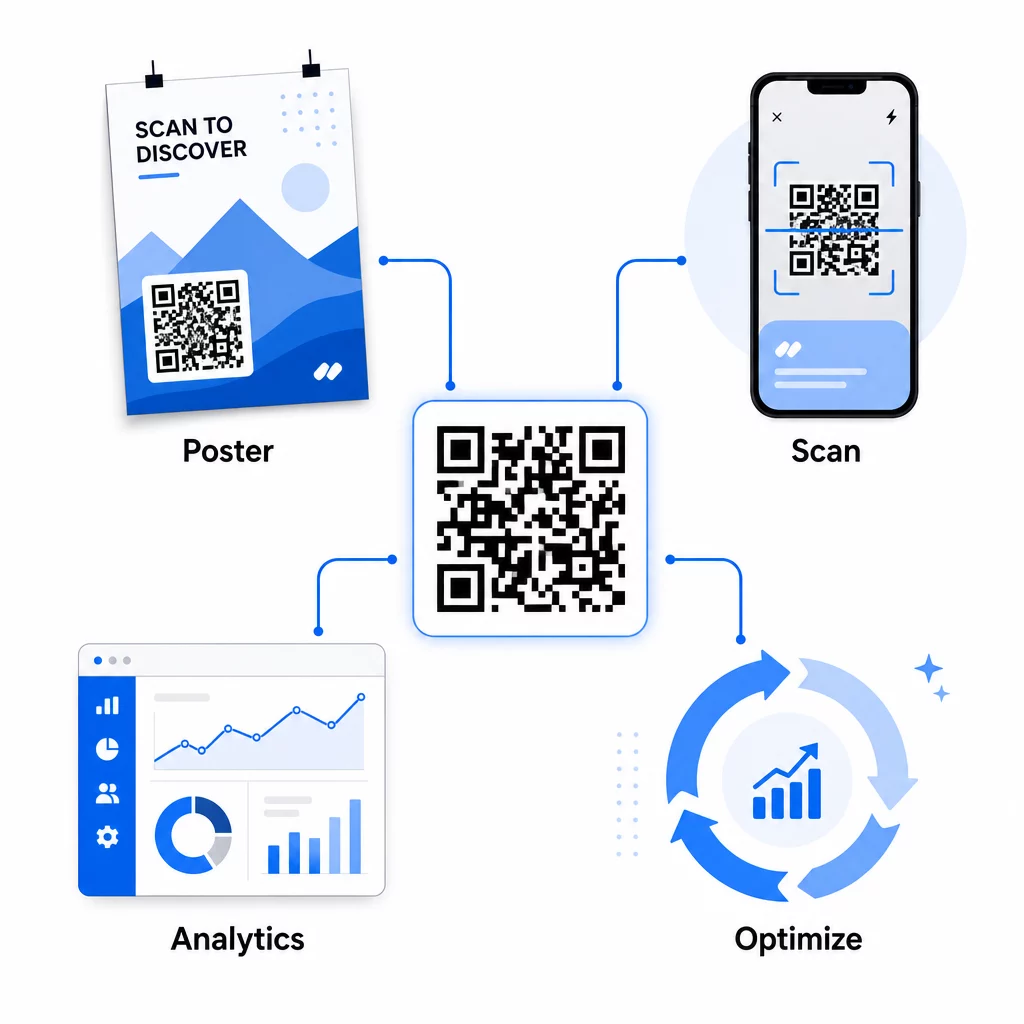
Praktilised kampaaniaaegsed optimeerimised hõlmavad järgmist:
- Siht-URL-i värskendamine kui algne sihtleht ei konverteeri hästi – ilma materjale uuesti trükkimata
- Kulude jaotuse kohandamine peatades madala skannimismääraga paigutused ja suurendades investeeringuid hästi toimivatesse kanalitesse
- A/B testimine sihtlehtedel suunates liiklust samalt QR-koodilt erinevatesse sihtkohtadesse erinevatel aegadel
- Geograafiliste mustrite tuvastamine skannimisandmetes ja järelteavituste kohandamine kõrge reageerimisega piirkondadele
Pagelooti reaalajas analüüsi armatuurlaud integreerub Google Analyticsiga, nii et saate vaadata QR-koodiga suunatud liiklust koos teiste digitaalsete kanalitega. See annab teile täieliku ülevaate sellest, kuidas teie trükikampaaniad panustavad kliendi üldisesse teekonda – alates hetkest, mil keegi reklaami näeb, kuni lõpliku konversioonini.
Jälgige oma kampaaniat reaalajas Kas soovite näha täpselt, kus ja millal teie kliendid teie trükimaterjale skannivad? Kasutage Pagelooti QR-koodi analüüsivahendeid et pääseda ligi täielikule jõudluse armatuurlauale ja optimeerida kampaaniaid nende käigus.
Dünaamilised QR-koodid paindlikeks ja pidevateks kampaaniateks
Kampaaniate puhul, mis toimuvad mitmes paigutuses või ajaperioodis, pakuvad dünaamilised QR-koodid paindlikkuse taset, mida staatilised koodid ei suuda pakkuda. Saate testida hooajalisi pakkumisi, värskendada sihtlehti, et kajastada praeguseid kampaaniaid, ja suunata liiklust ümber trükimaterjale puudutamata.
See paindlikkus on eriti väärtuslik järgmiste puhul:
- Pikaajalised trükikampaaniad kus pakkumised muutuvad (nt hooajalised kampaaniad pakenditel või siltidel)
- Mitme asukohaga kampaaniad kus piirkondlikud sihtlehed peavad varieeruma
- Eelarve optimeerimine kuhu soovite suunata liiklust alatoimivatelt paigutustelt tugevamatele
Kuna QR-kood ise ei muutu kunagi – ainult sihtkoht, kuhu see viitab – jäävad teie trükitud materjalid tähtajatult kehtivaks. See välistab uuesti trükkimise kulud, hoides samal ajal teie kampaania sisu ajakohasena.
QR-koodide ühendamine turundusautomaatika tööriistadega laiendab seda veelgi. Kui skaneerimine käivitab sisenemise e-posti jadale või CRM-i töövoogu, võib iga trükireklaami interaktsioon algatada struktureeritud klienditeekonna – mitte ainult ühekordse veebisaidi külastuse. Pageloot toetab integratsioone platvormidega nagu HubSpot ja Zapier, et võimaldada neid automatiseeritud töövooge.
ROI tõestamine trükikampaaniatest
QR-koodi jälgimise lõppeesmärk trükistes on investeeringutasuvuse tõestamine. Õige seadistusega saate seda otse arvutada.
Kui teate oma trükikampaania kulusid ja saate omistada konversioone – oste, müügivihjeid, registreerumisi – tagasi konkreetsetele QR-koodi skaneeringutele UTM-parameetrite ja Google Analyticsi kaudu, saate arvutada iga paigutuse omandamiskulu. See annab teile sama vastutuse, mida ootaksite digitaalselt reklaamilt, rakendatuna võrguvälisele meediale.
Peamised sammud selle toimimiseks:
- Kasutage iga paigutuse jaoks unikaalseid QR-koode, et omistamine oleks selge
- Märgistage siht-URL-id UTM-parameetritega, et GA4 jäädvustaks kogu konversioonitee
- Seadistage GA4-s konversioonieesmärgid teie ettevõtte jaoks oluliste tegevuste jaoks
- Kasutage Pagelooti analüütika armatuurlauda skaneerimisandmete ja konversiooniandmete ristviitamiseks
Meeskondadele, kes haldavad mitut klienti või kampaaniat samaaegselt, turundusagentuuri tööriistad Pagelootis võimaldavad teil jälgida kampaania tulemuslikkust ühes kohas ja esitada sidusrühmadele selgeid omistamisaruandeid. QR-koodid ei muuda trükireklaame mitte ainult interaktiivseks – need muudavad need mõõdetavaks. Kombineerides dünaamilisi QR-koode, UTM-märgistatud siht-URL-e ja reaalajas analüüsiga platvormi, saate omistada võrguvälise trükimeedia kaasamise digitaalsetele tulemustele sama täpsusega, mida rakendaksite mis tahes digitaalsele kanalile. Alustage unikaalsete koodide loomisest iga oma praeguse trükipaigutuse jaoks ja vaadake, millised neist tegelikult tulemusi annavad.
Alustage QR koodi loomine tasuta või uurige dünaamiline QR-koodi jälgimine et näha kõiki teie trükikampaaniate jaoks saadaolevaid võimalusi.
Korduma kippuvad küsimused
Jah, kui kasutate dünaamilisi QR-koode. Dünaamilised koodid viitavad ümbersuunamise URL-ile, mida te kontrollite. Saate sihtkohta värskendada – olgu selleks uus sihtleht, hooajaline pakkumine või muudetud UTM-märgistusega URL – ilma trükitud QR-koodi muutmata. Füüsilised materjalid jäävad kehtivaks ja teie jälgimine jätkub katkestusteta.
Skannimiste koguarv loeb iga kord, kui kood käivitatakse, kaasa arvatud mitu skannimist sama isiku poolt. Unikaalsed skannimised loevad üksikuid seadmeid, andes teile selgema pildi sellest, kui palju erinevaid inimesi teie reklaamile reageeris. Trükireklaami ulatuse mõõtmiseks ja läbiskannimise määrade arvutamiseks on unikaalsed skannimised tavaliselt tähendusrikkamad.
Lisage UTM-parameetrid oma QR-koodi manustatud siht-URL-ile. Kui keegi skannib koodi ja jõuab teie veebisaidile, salvestab Google Analytics seansi nende UTM-siltidega. Kui olete GA4-s seadistanud konversioonieesmärgid – ostud, vormide esitamised, allalaadimised –, näete täpselt, kui palju konversioone iga trükipaigutusest pärines. See on trükikampaaniate võrguühenduseta-digitaalse omistamise tuum.