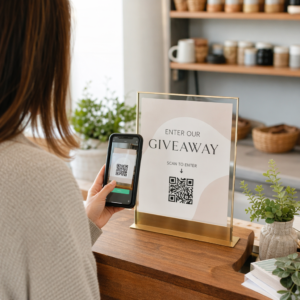
Vai nepieciešams ģenerēt simtiem – vai tūkstošiem – QR kodu, neveidojot katru manuāli? To veidošana pa vienam ir nepraktiska lielā apjomā un rada nekonsekvenci jūsu kampaņās. Šī rokasgrāmata iepazīstinās jūs ar ātrākajām, uzticamākajām metodēm masveida QR kodu izveidei, sākot no CSV augšupielādēm līdz uzņēmuma līmeņa automatizācijai.
Kāpēc masveida QR kodu izveide ir svarīga
Kad veicat produkta laišanu tirgū, pārvaldāt pasākumu reģistrācijas vai marķējat inventāru, individuāla QR kodu izveide vienkārši nav mērogojama. Pat ar 50 kodiem manuāla ģenerēšana patērē stundas atkārtota darba – un tas ir pirms dizaina konsekvences, failu organizēšanas vai izsekošanas iestatīšanas.
Masveida QR kodu rīki to atrisina, ļaujot jums definēt visus savus kodus strukturētā failā – parasti CSV vai izklājlapā – un ģenerēt visu partiju vienā darbplūsmā. Rezultāts ir konsekvents, lejupielādei gatavs kodu komplekts, ko var nekavējoties izvietot.
Lietošanas gadījumi aptver gandrīz katru nozari:
- Mazumtirdzniecība un e-komercija: unikāli produktu kodi katram SKU, kas saistīti ar specifikācijām, atsauksmēm vai pirkumu lapām
- Pasākumi: kodi katram apmeklētājam reģistrācijai, sesiju piekļuvei vai digitālajām programmām
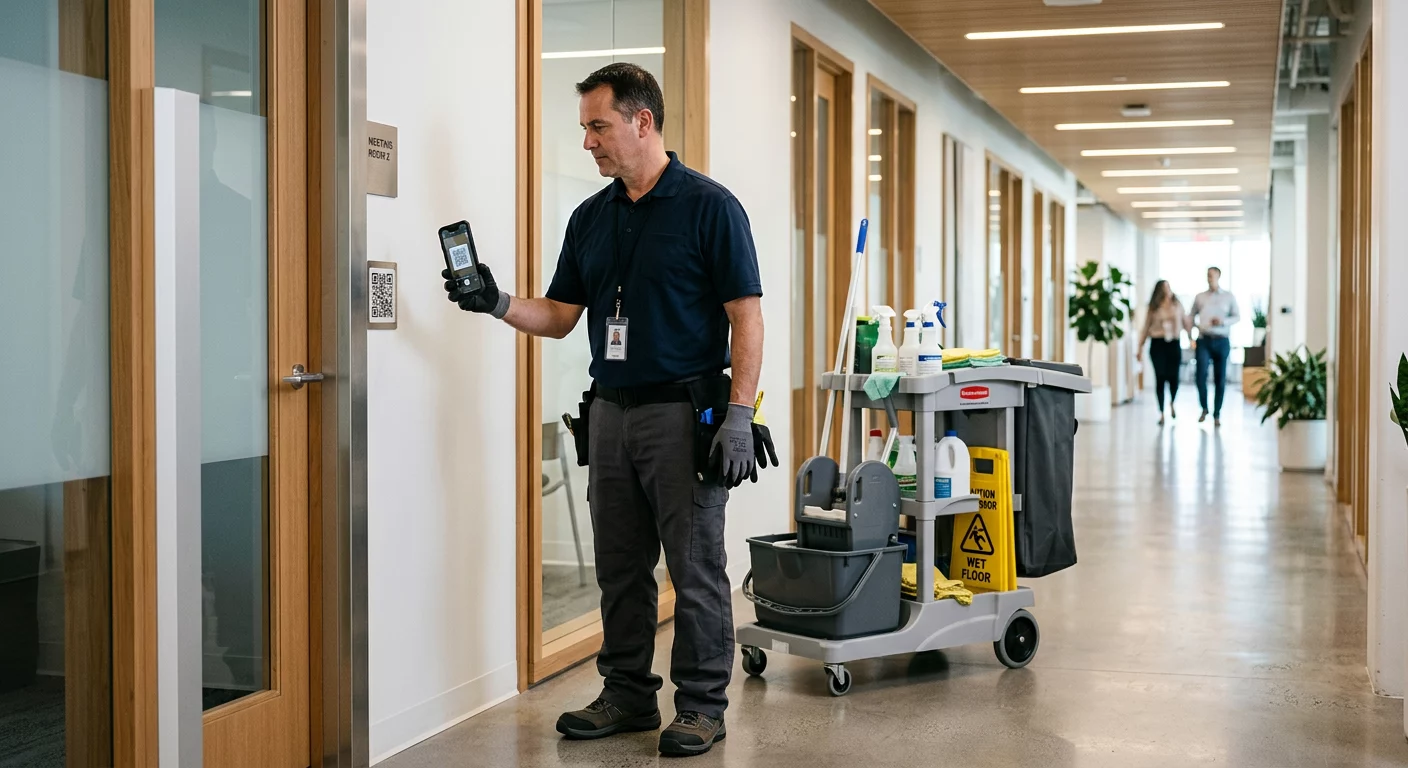
- Viesmīlība: galda-pa-galdu ēdienkartes kodi vai telpai specifiskas informācijas saites
- Loģistika un inventārs: aktīvu tagi, kas saistīti ar apkopes ierakstiem vai atrašanās vietas datiem
- Mārketinga aģentūras: kampaņai specifiski kodi ar individuālu izsekošanu katrai izvietošanai
Kas jums nepieciešams pirms sākat
Pirms partijas ģenerēšanas daži lēmumi būtiski ietekmēs jūsu darbplūsmu.
Statiskie pret dinamiskajiem kodiem: Statiskie QR kodi kodē galamērķi tieši rakstā. Pēc izdrukāšanas tos nevar mainīt. Dinamiskie QR kodi izmanto īsu novirzīšanas URL, ko pārvalda platforma, kas nozīmē, ka galamērķi var atjaunināt jebkurā laikā – pat pēc tam, kad kodi jau ir izdrukāti un izplatīti. Masveida kampaņām, kurās saturs var mainīties, dinamiskie QR kodi ir labāka izvēle.
Jūsu datu fails: Lielapjoma ģenerēšanas rīki parasti pieņem CSV vai izklājlapu ar vienu rindu katram QR kodam. Minimāli katrai rindai ir nepieciešama galamērķa URL vai saturs. Atkarībā no platformas varat iekļaut arī laukus koda nosaukumam, mapes piešķiršanai, UTM parametriem vai dizaina veidnei.
Dizaina konsekvence: Ja jūsu kodiem ir jāietver zīmola krāsas, logotipi vai specifiski rāmja stili, pārliecinieties, vai rīks ļauj lietot kopīgu dizaina veidni visai partijai, nevis konfigurēt katru kodu atsevišķi.
Apjoms: Pirms rīka izvēles zināt savu mērogu. Dažas platformas ierobežo lielapjoma ģenerēšanu līdz dažiem simtiem kodu vienā partijā; uzņēmuma līmeņa platformas, piemēram, Pageloot, atbalsta līdz 100 000 QR kodu, izmantojot vienu CSV augšupielādi.
Kā izveidot QR kodus lielapjoma, izmantojot CSV augšupielādi
Uz CSV balstīta lielapjoma ģenerēšana ir visizplatītākā metode. Lūk, kā process darbojas tādā platformā kā Pageloot.
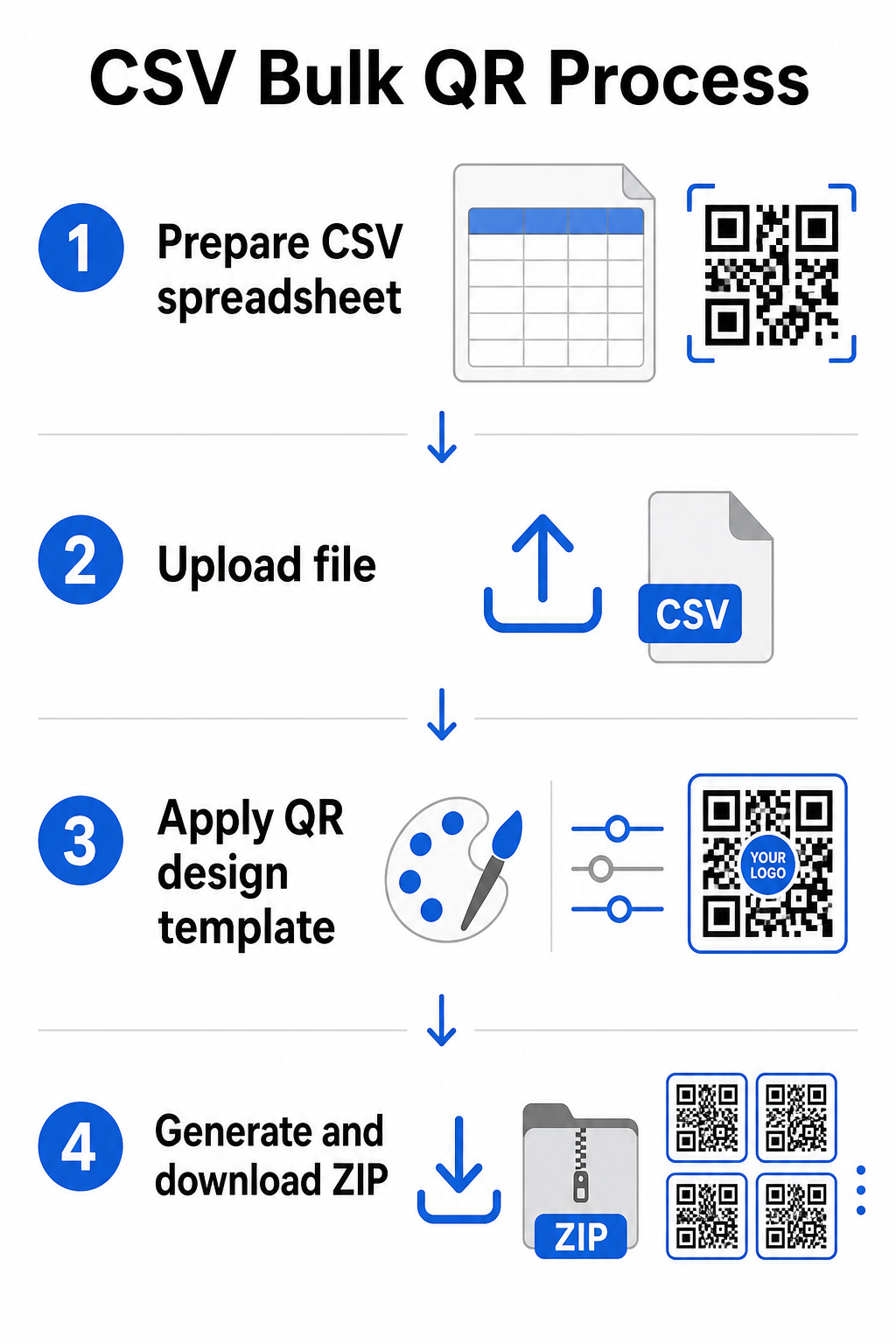
solis: Sagatavojiet savu izklājlapu
Atveriet izklājlapu rīku – Excel, Google Sheets vai jebkuru CSV redaktoru – un strukturējiet savus datus. Katra rinda apzīmē vienu QR kodu. Iekļaujiet vismaz:
- Galamērķa URL vai saturs katram kodam
- Nosaukums vai etiķete katram kodam (tas palīdzēs ar organizēšanu vēlāk)
- Jebkuri kampaņas vai mapes identifikatori, kurus vēlaties izmantot
Eksportējiet failu kā CSV (ar komatiem atdalītas vērtības), kad esat gatavs augšupielādēt.
solis: Augšupielādējiet CSV lielapjoma ģeneratorā
Piesakieties savā Pageloot kontā un dodieties uz lielapjoma izveides sadaļu. Augšupielādējiet savu CSV failu. Platforma analizēs katru rindu un ievietos kodus rindā ģenerēšanai. Pārskatiet priekšskatījumu, lai pārliecinātos, ka kartēšana ir pareiza – galamērķa URL jāatbilst paredzētajām rindām.
solis: Lietojiet dizaina veidni
Tā vietā, lai katru kodu veidotu manuāli, izvēlieties kopīgu dizaina veidni, ko lietot visai partijai. Šeit jūs pievienojat savu zīmola logotipu, izvēlaties krāsas un konfigurējat rāmja stilus. Konsekventa dizaina piemērošana šajā posmā nodrošina, ka visi kodi izskatās vienādi uz iepakojuma, drukas materiāliem vai izkārtnēm.
solis: Ģenerēt un lejupielādēt
Uzsākt partiju. Platforma ģenerē visus kodus vienlaicīgi un iepako tos lejupielādei, parasti kā ZIP fails, kas satur atsevišķus attēlu failus (PNG, SVG, PDF vai EPS atkarībā no jūsu izvades vajadzībām). Failu nosaukumi parasti atbilst kodu nosaukumiem no jūsu izklājlapas, padarot vienkāršu katra koda saskaņošanu ar tā paredzēto lietojumu.
Ģenerējiet visu savu partiju uzreiz Izlaidiet manuālo darbu un izveidojiet simtiem vai tūkstošiem QR kodu no vienas izklājlapas. Izmantojiet QR kodu ģenerators vai izpētiet Dinamiskā QR koda opcijas lai sāktu ar lielapjoma izveidi jau šodien.
Google izklājlapu izmantošana lielapjoma statiskajiem QR kodiem
Ja jūsu komanda jau strādā Google izklājlapās, Pageloot atbalsta tiešu integrāciju, lai ģenerētu vairākus statiskos QR kodus no izklājlapu datiem. Šī pieeja ir īpaši ērta komandām, kas uztur aktuālus datus izklājlapās – produktu katalogus, pasākumu dalībnieku sarakstus vai atrašanās vietu direktorijās – kur avota dati jau ir strukturēti un kopīgi atjaunināti.
Process atspoguļo CSV metodi, taču tā vietā, lai eksportētu un atkārtoti augšupielādētu, jūs savienojat savu izklājlapu tieši. Katra rinda norādītajā kolonnā kļūst par ievadi vienam QR kodam. Tas samazina berzi komandām, kuras nevēlas pārvaldīt atsevišķus CSV eksportus katru reizi, kad mainās avota dati.
Lielu partiju organizēšana pēc ģenerēšanas
Kodu ģenerēšana ir tikai daļa no izaicinājuma. Lielā apjomā to organizēšana kļūst par atsevišķu uzdevumu. Dažas prakses palīdz ievērojami.
Izmantojiet mapes, lai kārtotu kodus pēc kampaņas, projekta, klienta vai produktu līnijas. Pageloot QR kodu mapju funkcija atvieglo desmitiem aktīvo kampaņu nodalīšanu, lai komandas dalībnieki varētu orientēties bez apjukuma. Izveidojiet skaidru nosaukumu piešķiršanas konvenciju savā CSV failā pirms augšupielādes – kaut ko līdzīgu `kampaņas-nosaukumsnovietojumsvariants` – lai atsevišķus kodus būtu viegli atrast un saskaņot ar to analītikas datiem vēlāk. Visbeidzot, grupējiet pēc lietošanas gadījuma no paša sākuma: glabājiet pasākumu kodus, produktu kodus un mārketinga kodus atsevišķās mapēs, lai veiktspējas atskaites būtu skaidras un izmantojamas.
Masveida QR kodi ar dinamisku atjaunināšanu
Viens būtisks statisko masveida QR kodu ierobežojums ir tas, ka jebkuras galamērķa izmaiņas prasa atkārtotu drukāšanu. Ja jūs ģenerējat 5000 produktu etiķetes un saistītās galvenās lapas URL mainās, šie kodi kļūst novecojuši brīdī, kad tie tiek izplatīti.
Dinamiskie masveida QR kodi novērš šo problēmu. Katrs kods jūsu partijā norāda uz īsu novirzīšanas URL, ko uztur Pageloot. Jūs varat atjaunināt galamērķi atsevišķiem kodiem – vai veikt izmaiņas visā partijā – nepieskaroties pašam fiziskajam kodam. Tas ir īpaši vērtīgi sezonālām kampaņām, kur mainās galvenās lapas, produktu iepakojumam, kur informācijas lapas tiek atjauninātas pēc drukāšanas, un pasākumu materiāliem, kas sagatavoti iepriekš, pirms tiek apstiprināti galīgie URL.
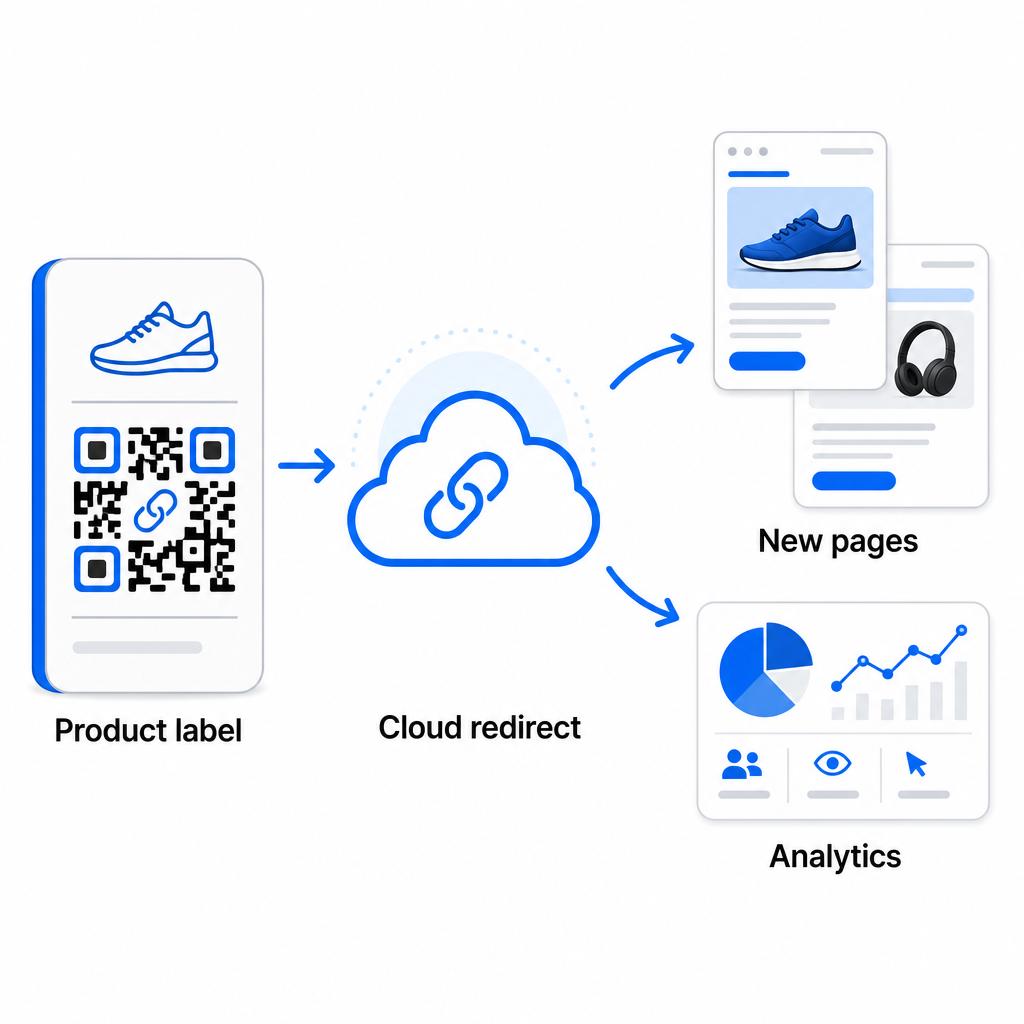
Papildus elastībai, dinamiskie kodi arī atbloķē detalizēta skenēšanas analīze: skenēšanas skaits, skenēšanas laiki, ģeogrāfiskās atrašanās vietas, ierīču veidi, pārlūkprogrammas un OS dati, kā arī GPS balstīta atrašanās vietas izsekošana. Jebkurai masveida izvietošanai, kur veiktspēja ir svarīga, šie dati sniedz tiešu ieskatu par to, kuri kodi darbojas un kur iesaiste ir visaugstākā. Jūs varat uzzināt vairāk par kā dinamiskie QR kodi atbalsta mārketinga kampaņas un kāpēc šī elastība ir svarīga lielā mērogā.
Izsekojiet katru skenēšanu visā jūsu partijā Dinamiskie QR kodi ļauj jums atjaunināt galamērķus un uzraudzīt veiktspēju reāllaikā – katram kodam jūsu kampaņā. Izpētiet Dinamisks QR kodu ģenerators lai izveidotu izsekojamus masveida kodus ar pilnu analītikas informācijas paneli.
Mērogošana uzņēmuma apjomam
Organizācijām, kas ģenerē desmitiem tūkstošu kodu – piemēram, lielām mazumtirdzniecības ķēdēm, uzņēmumu loģistikas operācijām vai nacionālajām mārketinga kampaņām – darbplūsmai jābūt robustākai nekā vienkāršai CSV augšupielādei.
Pageloot uzņēmuma QR kodu platforma atbalsta partiju ģenerēšanu lielā mērogā, ar CSV balstītām darbplūsmām, kas spēj saražot līdz 100 000 QR kodiem vienā operācijā. Šajā līmenī nāk klāt papildu apsvērumi.
API integrācija pilnībā novērš manuālās darbības, automatizējot kodu ģenerēšanu tieši no iekšējām sistēmām, piemēram, CRM, krājumu pārvaldības platformām vai e-komercijas aizmugursistēmām. Uz API balstītas darbplūsmas ļauj jums programmatiski ģenerēt, atjaunināt un deaktivizēt kodus, mainoties jūsu datiem. Lai iegūtu dziļāku ieskatu par to, kā tas darbojas praksē, skatiet ceļvedi par Uz API balstīta QR kodu pārvaldība.
Lomu piekļuve kļūst svarīga lielām komandām, ļaujot dažādiem lietotājiem pārvaldīt konkrētas kampaņas vai klientus, nepiekļūstot nesaistītiem datiem.
Baltās etiķetes opcijas ir īpaši svarīgas aģentūrām kas pārvalda masveida QR izvietošanu klientu vārdā. Ar baltās etiķetes funkcijām QR kodi novirza uz klientu domēniem un informācijas paneļi atspoguļo klientu zīmolu – saglabājot klientu pieredzi nevainojamu un profesionālu.
Biežākās kļūdas, no kurām jāizvairās masveida ģenerēšanā
Dažas problēmas atkārtojas, kad komandas ģenerē QR kodus lielā apjomā, un lielāko daļu no tām ir viegli novērst ar nelielu plānošanu iepriekš.
Netestēšana pirms drukāšanas ir visdārgākā kļūda. Vienmēr skenējiet reprezentatīvu paraugu no savas partijas, pirms apstiprināt drukas tirāžu. Viena formatēšanas kļūda jūsu CSV failā var izplatīties uz simtiem bojātu kodu. Līdzīgi, statisku kodu izmantošana saturam, kas var mainīties, ir risks, ko dinamiskie kodi pilnībā novērš – ja pastāv jebkāda iespēja, ka galamērķa URL vai galvenā lapa tiks atjaunināta, iekļaujiet šo elastību jau no paša sākuma.
Failu formāta prasībām arī ir lielāka nozīme, nekā komandas bieži vien sagaida. Drukas ražošanai ir nepieciešami vektoru formāti (SVG, EPS, PDF) asai izvadei jebkurā izmērā, savukārt PNG faili ir piemēroti digitālai lietošanai, taču var pasliktināties, palielinot tos lielformāta drukā. Organizācijas izlaišana pirms ģenerēšanas ātri rada pārvaldības problēmas – iestatiet savu mapju struktūru un nosaukumu piešķiršanas konvenciju pirms partijas palaišanas, nevis pēc tam. Visbeidzot, nekonsekvents dizains lielā partijā izskatās neprofesionāli un grauj zīmola uzticamību; kopīgas veidnes piemērošana ģenerēšanas brīdī ir daudz efektīvāka nekā kodu individuāla rediģēšana pēc tam.
Biežāk uzdotie jautājumi
Lielākā daļa lielapjoma QR kodu rīku, tostarp Pageloot, pieņem CSV (ar komatiem atdalītu vērtību) failus. Jūs varat sagatavot savus datus programmā Excel vai Google Izklājlapās un eksportēt kā CSV. Katra rinda jūsu failā kļūst par vienu QR kodu. Pageloot atbalsta arī tiešu Google Izklājlapu integrāciju statiskai lielapjoma ģenerēšanai, bez nepieciešamības eksportēt atsevišķu failu.
Statiskie QR kodi kodē galamērķi pastāvīgi – kad tie ir ģenerēti un izdrukāti, galamērķi nevar mainīt. Dinamiskie QR kodi izmanto novirzīšanas URL, ko pārvalda platforma, lai jūs varētu atjaunināt galamērķi jebkurā laikā bez atkārtotas drukāšanas. Lielām partijām, kur saturs var mainīties – piemēram, produktu lapas, pasākumu detaļas vai kampaņu galvenās lapas – dinamiskie kodi ir stingri ieteicami. Tie nodrošina arī detalizētu skenēšanas analīzi, ko statiskie kodi nevar piedāvāt.
Tas ir atkarīgs no platformas un plāna. Pageloot uzņēmuma līmeņa rīki atbalsta līdz 100 000 QR kodu ģenerēšanu no viena CSV augšupielādes, padarot to piemērotu liela mēroga mazumtirdzniecībai, loģistikai un mārketinga operācijām. Mazākām partijām standarta plāni atbilst tipiskām biznesa vajadzībām, piemēram, pasākumiem, produktu līnijām vai atrašanās vietas specifiskām kampaņām.